
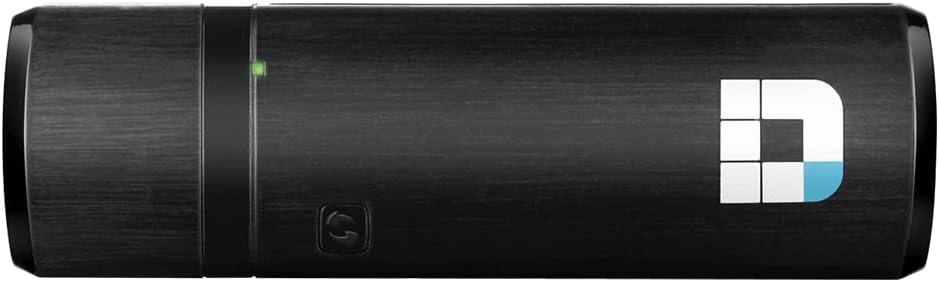
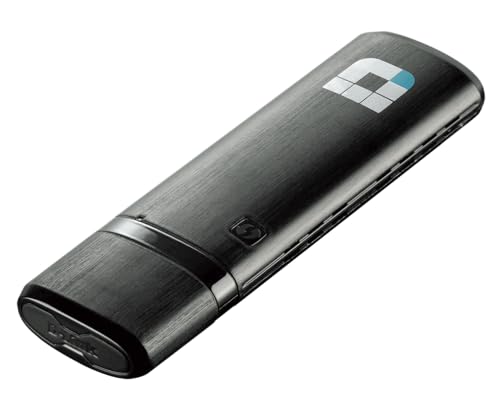
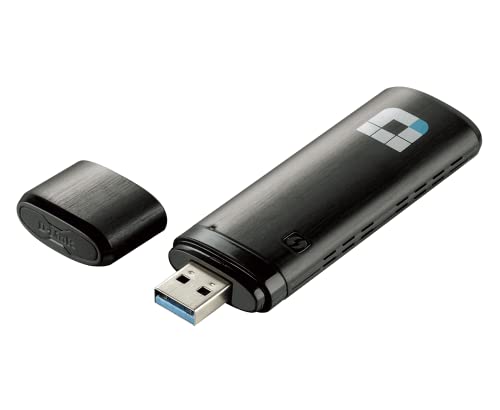
D-Link WiFi USB Adapter AC1200 Mini (DWA-182)
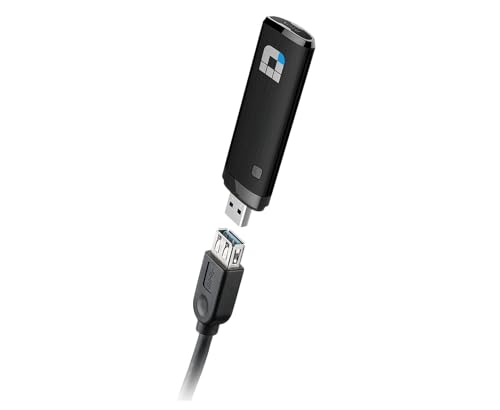
$37.49
D-Link WiFi USB Adapter AC1200 Mini (DWA-182) Price comparison

- All prices mentioned above are in United States dollar.
- This product is available at Amazon.com.
- At amazon.com you can purchase D-Link WiFi USB Adapter AC1200 Mini Wireless Internet Dual Band 3.0 Wi-Fi Netowrk Desktop Laptop (DWA-182),Black for only $37.49
- The lowest price of D-Link WiFi USB Adapter AC1200 Mini Wireless Internet Dual Band 3.0 Wi-Fi Netowrk Desktop Laptop (DWA-182),Black was obtained on September 24, 2025 03:58.
D-Link WiFi USB Adapter AC1200 Mini (DWA-182) Price History
D-Link WiFi USB Adapter AC1200 Mini (DWA-182) Description
D-Link WiFi USB Adapter AC1200 Mini (DWA-182) – Boost Your Connectivity
The D-Link WiFi USB Adapter AC1200 Mini (DWA-182) offers an exceptional wireless experience for those looking to enhance their internet connectivity. With its robust specifications, this compact adapter allows users to connect to high-speed wireless networks securely and efficiently. Whether you’re streaming videos, gaming, or browsing the web, this adapter ensures reliable and fast connection speeds. Discover why the DWA-182 is a top choice among tech enthusiasts looking for a reliable dual-band WiFi solution.
Key Features and Benefits of D-Link DWA-182
- Fast Dual-Band Connectivity: Utilizing the 802.11ac standard, the DWA-182 offers both 2.4 GHz and 5 GHz bands, providing a total speed up to 1200 Mbps. Experience faster downloads and smoother streaming.
- Compact Design: Measuring just 3.82 x 1.14 x 0.51 inches, this adapter is ideal for users on the go. Its mini size makes it easy to carry, fitting comfortably in your laptop bag or pocket.
- One USB 3.0 Port: Equipped with a USB 3.0 port, this adapter ensures quick data transfer rates while connecting to your devices. USB 3.0 is backward compatible with USB 2.0, making it versatile for all users.
- Wide OS Compatibility: The DWA-182 supports multiple operating systems, including Windows XP and Windows 7. This wide compatibility allows it to work seamlessly with most laptops and desktops.
- Easy Setup: With a user-friendly installation process, the DWA-182 makes setup a breeze, so you can connect to the internet without any hassle.
Price Comparison Across Suppliers
The D-Link WiFi USB Adapter AC1200 Mini is competitively priced across various online platforms. Checking our price comparison tool, you can find the best deals offered by different retailers. This allows you to make an informed purchasing decision and get the most value for your money.
6-Month Price History Trends
Examining the 6-month price history chart reveals interesting trends. Over the past few months, the DWA-182 has shown stable pricing, with slight fluctuations during sales events. Always check for seasonal promotions, as they often yield substantial savings.
Customer Reviews Summary
Customer feedback on the D-Link DWA-182 USB adapter highlights several positives. Users frequently commend its fast performance, compact size, and easy installation process. Many appreciate its dual-band capability, which enhances connectivity in crowded environments. However, some reviews note occasional compatibility issues with older systems, especially beyond Windows 7. Overall, the majority rate this adapter highly for its efficient performance and reliability.
YouTube Review and Unboxing Videos
If you want detailed insights into the D-Link WiFi USB Adapter AC1200 Mini, there are several unboxing and review videos available on YouTube. These videos walk you through the setup, demonstrate its capabilities, and offer real user experiences. Check them out to see how this adapter can enhance your wireless Internet connectivity.
In summary, the D-Link WiFi USB Adapter AC1200 Mini (DWA-182) stands out for its combination of speed, convenience, and broad compatibility. Whether you’re upgrading an older device or needing reliable Wi-Fi while on the move, the DWA-182 is an excellent solution. Don’t settle for slow connections. Compare prices now!
D-Link WiFi USB Adapter AC1200 Mini (DWA-182) Specification
Specification: D-Link WiFi USB Adapter AC1200 Mini (DWA-182)
|
D-Link WiFi USB Adapter AC1200 Mini (DWA-182) Reviews (10)
10 reviews for D-Link WiFi USB Adapter AC1200 Mini (DWA-182)
Only logged in customers who have purchased this product may leave a review.




Regal –
Initially there were some Disconnection from the pc. But I don’t know may be because I shifted to Windows 11 and due to the updated drivers Windows 11 offers, the performance has been satisfactory so far.
Ama4086 –
This adapter works great with my new HP computer which does not have a dual band adapter (and it’s very difficult to access for replacement).
I am using Windows 10…went to the D-Link web site and downloaded the installation package. It installed and runs like a champ. So many reviews said it didn’t work with Windows 10 that I was reluctant to order it but I was anxious to try it out with my new D-Link dual band router. Over the years I have found that matching brands with computer gear usually has fewer problems.
I also saw a recommendation that the internal wireless adapters should be disabled but I’m not sure it’s required. It appears to function properly with the internal adapters enabled so I don’t bother with changing the settings.
Marshall L. Kiker –
This thing rocks. I stress tested it by downloading and seeding a few Linix torrents at fulls speed. 50mbps down and 5 up. I let it run all day and not a hickup at all. I then plugged it into a laptop running Linux Mint and it just worked. My only advice to windows users is to skip using D-Links software. Instead use device manager to browse the CD for the driver or better yet download the latest drivers, unzip them (but do not run any program) and browse. If you are uncomfortable with that then use the software. I just don’t like having extra stuff running on my machines.
Russell Phillips, D.O. –
This was a replacement for an similar unit I got about 2 years ago. Both the older one and this one work very well. My office is not wired for a direct connection for my desktop so I have to rely on the WIFI. My tech guru said these only last for 2-3 years so replacement was to be expected. Shipping was fast. Installation took about 5 minutes.
Pellefigue –
Très bon article
Amazon Customer –
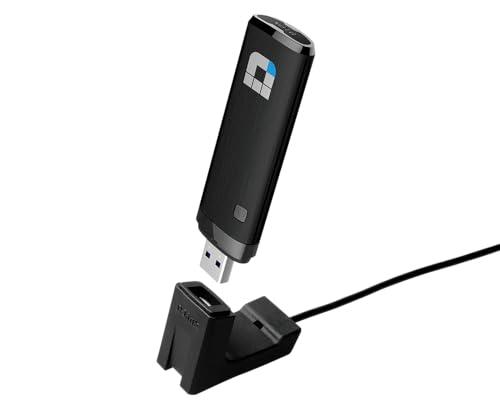
Works great for my laptop that has a wireless card that is supposed to work my new wireless router but does not no matter what updating/settings used. With the cable that comes with the WiFi adapter my worries of snapping it off in my laptop or damaging my laptop with movement are gone. It works great, easy to set up and use. I do recommend IF you need one.
Sam Estevez –
Funciona bien, en caso que tu tarjeta wireless ya no fuencione bien o esté muy viejita es buena opción
JB –
Was looking for a wireless adapter for my new Ubuntu build and purchased this based off of the previous reviews that indicated it worked with Ubuntu 18.04.02 LTS, which I can confirm it does. It’s not exactly plug-and-play like in Windows, but it’s still do-able for novices.
Once you plug the adapter in, open up Software & Updates > Additional Drivers tab. In there you should see D-Link Corp.: Unknown and an option to either “Do not use the device” or “Using dkms source for the r8812au network driver from rtl8812au-dkms (open source)”. Choose that open source option and click Apply Changes. It might take a few minutes, but it should go through.
Note you may be prompted to enter a password for secure boot (this is called the MOK key) – go ahead and enter an easy-to-remember password (MOK key). After that, you’ll need to reboot (it will most likely automatically prompt you to reboot, if not then just reboot manually). Pay attention during the reboot since you’ll need to press the Enter key to enter the MOK key process (you’ll see a window asking if you want to do this). I forget the exact terminology, but you want to navigate into a section where you type in that easy-to-remember password (MOK key) you just made. Once you put that password in, do whatever you need to do to gracefully get out of the MOK key area and complete the reboot process, eventually landing at the normal user log-in screen you see every time you reboot your computer. Once you log in, the adapter should work just fine. Don’t miss that MOK key process since you’ll need to remove and redo the driver installation process again to get back to it. IMO driver processes like this (and this is an easy one!) are one of the biggest hurdles for normal users moving into Linux-land….
Another thing to note is the drivers don’t automatically load every time you start/restart your computer. To have them automatically load up every time you restart (which is likely something you’ll want), is add the module name to the /etc/modules file. To find your module name, first get everything fully installed and working fine, then in a terminal window type lsmod. This will show you all of your kernel modules. Look for the name of this puppy – in my case it’s 8812au (derived from the rtl8812au-dkms I previously mentioned) – and copy that text. For your next terminal command, type in sudo gedit /etc/modules – this will open a text editor and at the bottom of that file just paste in the text you copied. Save and exit gedit, restart your computer, and viola. Note that apparently my current Ubuntu build has a but where the wireless icon at the top right (near the speaker & power button) entirely disappears **sometimes** but the wireless still connects and works just fine. You can confirm everything is still working OK by going into your Settings > Wi-fi and you’ll see you’re still connected just fine.
I am using this with my NETGEAR R8000-100NAS Nighthawk X6 AC3200 Tri-Band Gigabit Wireless Router Model R8000-100NAS and 1 gbps down / 20 mbps up internet connection. Wireless speeds about 15 feet away through one interior wall are 176 mbps down (22 MB/s down) and 23 mbps up (maxing out my upload internet speed)
Bison –
Mise à niveau d’un ancien pc portable dont la carte wifi ne permettait plus de se connecter à la fibre optique en Belgique (réseau même pas détecté)… Une fois cet adaptateur Wifi installé, super débit et bonne stablité.
Alex –
I bought this adapter along with D-link DIR-865L AC1750 router to be able to transfer large files fast over the wireless connection. Installation of both the router and this adapter took no more than 10 minutes, and I was happy to see 585Mbps connection between my Windows 8 desktop and the router… until I tried to copy a 2GB file from my desktop to my NAS drive. The transfer speed was just 11MBps (approximately 88mbps), just a little bit faster than my old N300 router could handle… and that’s not even the worst part of the story. During the transfer, my desktop lost wireless connection. I opened device manager and couldn’t find wireless adapter under network controllers at all. It simply disappeared. I removed it from the USB port and put it back – nothing. Put it into another USB port – nothing. Both USB ports on the front of my desktop just stopped working. My desktop couldn’t recognize any device connected to them. I turned off my desktop, removed power cord from the wall outlet, and, after a few minutes, turned on the desktop. This time, thanks God, both USB ports worked just fine. From my experience, such kind of things happens when some device, connected to USB port, requires more power than the USB port can supply. Long story short, I tried 16 different USB ports on 2 desktops and 1 laptop (let me say, modern desktops and laptop with both USB2 and USB3 ports) and found a few ports which could handle this adapter’s power requirements while transferring large files better than others. Even now, most of the time, I wasn’t able to transfer any files larger than 3-4GB. I think this adapter has a major design flaw which could probably be fixed by firmware or driver update… but let’s see what’s the latest driver’s date on D-link website. It’s dated 10/29/2012, and it’s major advantage, according to D-link – “Supports Windows Vista”. It doesn’t even officially supports Windows 8 (but in fact works with it, I must say). Six months without any updates… Well, I better return this thing to Amazon and buy adapter from another brand.