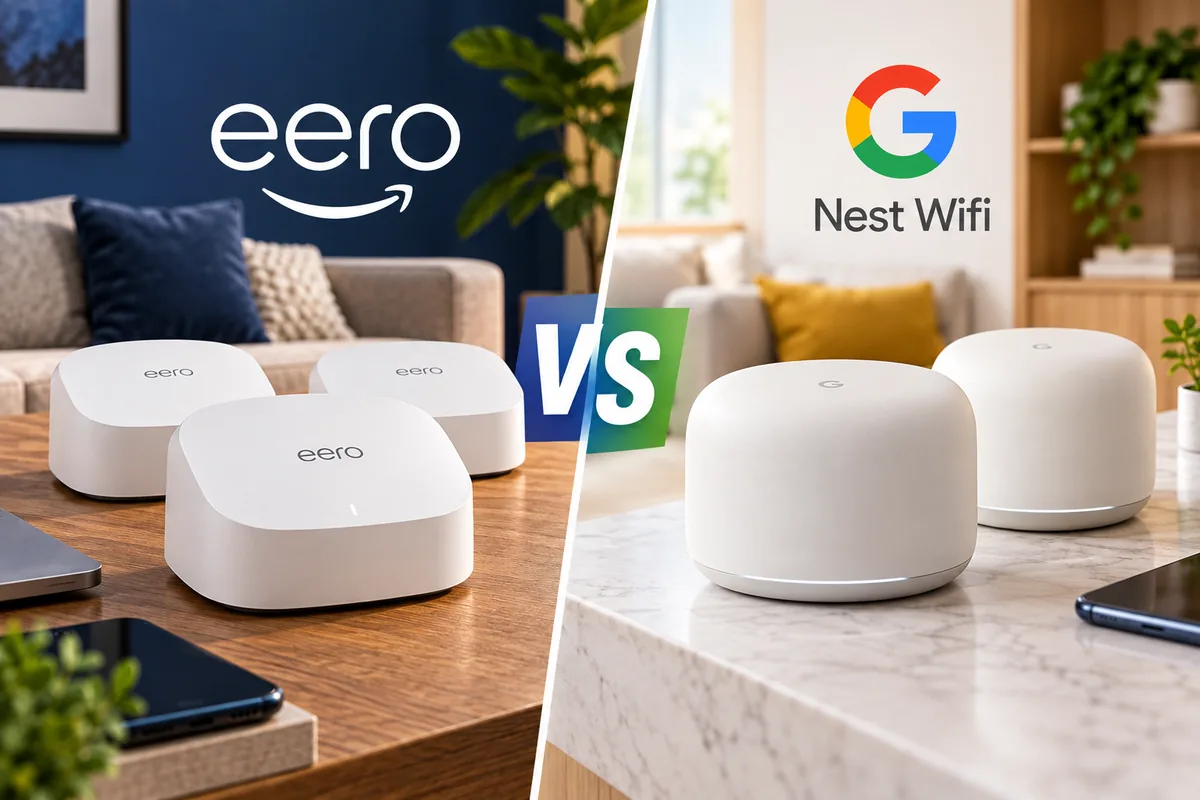
eero vs Nest Wifi: Which Mesh Router Is Better?
In an eero vs Nest Wifi comparison today, eero Pro 7 is the stronger mesh system overall. It supports Wi-Fi 7, 320MHz channels, Multi-Link Operation, multi-gig Ethernet, and a broader upgrade path for homes that already use eero.
Google Nest Wifi Pro still has a clear place, though. It costs less, works neatly inside Google Home, and includes useful Family Wi-Fi controls without requiring a separate router subscription.
The decision therefore comes down to your internet speed and priorities. Choose eero Pro 7 for multi-gig internet, newer Wi-Fi 7 devices, heavier networks, or longer-term hardware headroom. Choose Nest Wifi Pro if your connection is around 1Gbps or slower and simple family controls matter more than maximum speed.
Quick Answer: eero vs Nest Wifi
Overall winner: eero Pro 7 wins with Wi-Fi 7, two 5GbE ports, Multi-Link Operation, and stronger multi-gig capability.
Best value: Nest Wifi Pro remains attractive for households with sub-gigabit or gigabit internet that do not need Wi-Fi 7.
Best for multi-gig internet: eero Pro 7 is the easy choice because each unit includes two 5GbE Ethernet ports.
Best included family controls: Nest Wifi Pro provides device groups, scheduled pauses, and adult-site blocking through Google Home.
Best upgrade ecosystem: eero lets you mix generations in one mesh, while Nest Wifi Pro cannot join older Nest Wifi or Google Wifi nodes.
eero Pro 7 vs Nest Wifi Pro: Specs Compared
| Feature | eero Pro 7 | Nest Wifi Pro | Edge |
|---|---|---|---|
| Wi-Fi generation | Wi-Fi 7 | Wi-Fi 6E | eero |
| Bands | 2.4 / 5 / 6GHz | 2.4 / 5 / 6GHz | Tie |
| Maximum channel width | Up to 320MHz | Up to 160MHz | eero |
| Multi-Link Operation | Yes | No | eero |
| Ethernet | 2 × 5GbE | 2 × 1GbE | eero |
| Advertised coverage per node | Up to 2,500 sq. ft. | Up to 2,200 sq. ft. | Close |
| Connected devices | 200+ per unit | Up to 100 per unit | eero |
| Thread | Yes | Yes | Tie |
| Matter | Yes | Yes | Tie |
| Zigbee hub | Yes | No native Zigbee hub | eero |
| Older mesh compatibility | Other eero generations supported | Cannot mix with older Nest Wifi or Google Wifi | eero |
| Management app | eero app | Google Home | Preference |
eero Pro 7 — Best Overall Mesh Router
Best for: Multi-gig internet, newer Wi-Fi 7 devices, large connected households, smart homes, and buyers who want more networking headroom.
The eero Pro 7 is the clear performance-focused choice in this comparison.
It is a tri-band Wi-Fi 7 router using 2.4GHz, 5GHz, and 6GHz radios. It also supports channels up to 320MHz and Multi-Link Operation for compatible Wi-Fi 7 devices.
Multi-Gig Ethernet Is a Major Advantage
Each eero Pro 7 includes two auto-sensing 5GbE ports.
On the gateway unit, one will normally connect to your modem or optical network terminal. The remaining port can connect a desktop, NAS, switch, game console, or wired mesh network.
That immediately makes eero better suited to fiber plans above 1Gbps.
Independent Testing Shows Strong Real-World Speed
Tom’s Guide measured about 1.9Gbps at 15 feet in its eero Pro 7 testing.
At 50 feet, throughput remained just under 1Gbps. That was particularly impressive for a mesh system at that distance.
Those numbers are test results, not guaranteed household speeds. Walls, interference, client hardware, node placement, and your internet connection all affect performance.
Wi-Fi 7 Needs Compatible Devices
An older phone or laptop will not suddenly gain Wi-Fi 7 features just because the router supports them.
Legacy Wi-Fi devices can still connect, but they operate according to the capabilities of their own wireless hardware.
The benefit grows as more Wi-Fi 7 laptops, phones, tablets, and other devices enter the home.
Pros
✅ Tri-band Wi-Fi 7
✅ Two 5GbE ports
✅ 320MHz channel support
✅ Multi-Link Operation
✅ 200+ connected devices
✅ Thread, Matter, and Zigbee support
✅ Works with other eero generations
Cons
❌ More expensive than Nest Wifi Pro
❌ Only two Ethernet ports per unit
❌ Several advanced software features require eero Plus
❌ Wi-Fi 7 advantages require compatible client devices
Skip it if: Your internet plan is well below 1Gbps, your devices are mostly older Wi-Fi hardware, and you have no need for multi-gig wired networking.

Google Nest Wifi Pro — Best Value and Family Controls
Best for: Google Home households, families, and homes with internet speeds around 1Gbps or below.
Nest Wifi Pro is older than eero Pro 7, but that does not make it obsolete for ordinary broadband connections.
It remains a tri-band Wi-Fi 6E mesh router using 2.4GHz, 5GHz, and 6GHz bands.
Google rates each unit for up to 100 connected devices and up to 2,200 square feet of coverage in the U.S.
The 1GbE Ports Are Its Biggest Limitation
Each Nest Wifi Pro has two Gigabit Ethernet ports.
That means buyers with internet service above 1Gbps cannot fully exploit a multi-gig wired WAN connection through Nest Wifi Pro.
This limitation matters much more now that multi-gig fiber plans and faster network-attached storage are becoming common.
Google Home Management Is Simple
Setup and management happen inside the Google Home app.
You can check connected devices, create a guest network, run speed tests, prioritize a device temporarily, and manage Family Wi-Fi settings without learning a traditional router interface.
That simplicity is useful for households that do not want to manage channels, radio settings, or complicated network menus manually.
Family Wi-Fi Is a Real Advantage
Google includes several useful family controls.
You can organize devices into groups, pause internet access, schedule recurring downtime, and block many adult websites through SafeSearch-based filtering.
These controls are available through Google Home rather than requiring a separate router subscription.
Pros
✅ Tri-band Wi-Fi 6E
✅ Simple Google Home setup
✅ Useful Family Wi-Fi controls included
✅ Matter support
✅ Built-in Thread Border Router
✅ Usually less expensive than eero Pro 7
Cons
❌ No Wi-Fi 7
❌ Ethernet limited to 1Gbps
❌ Cannot mesh with older Nest Wifi or Google Wifi
❌ Limited advanced network controls
Skip it if: You have multi-gig internet, want Wi-Fi 7, or expect to reuse older Google mesh nodes in the same network.

Wi-Fi Performance: eero Pro 7 Wins
eero has the performance advantage before we even look at benchmarks.
Wi-Fi 7 gives Pro 7 access to newer networking features, including 320MHz channels and Multi-Link Operation.
Nest Wifi Pro remains on Wi-Fi 6E and uses channels up to 160MHz.
What Does That Mean in Real Use?
A modern Wi-Fi 7 client can potentially move more data through eero Pro 7, particularly at close and medium range.
Multi-Link Operation can also allow compatible devices to use multiple wireless links more intelligently.
That can improve throughput or latency under the right conditions.
Internet Speed Still Sets a Ceiling
A fast router cannot make a 500Mbps internet plan deliver 2Gbps downloads from the internet.
The router only determines how efficiently your home network can move the bandwidth that is available.
Faster local Wi-Fi can still help with NAS transfers, local backups, media servers, and device-to-device traffic.
Wi-Fi 7 vs Wi-Fi 6E: Does It Matter?
For many households today, both standards are fast enough.
The difference matters more if you are buying a network for several years rather than solving only today’s requirements.
Wi-Fi 6E
Wi-Fi 6E added the 6GHz band to Wi-Fi 6.
That gives compatible clients access to cleaner spectrum with less legacy-device congestion.
Wi-Fi 7
Wi-Fi 7 keeps 6GHz but adds technologies such as wider 320MHz channels and Multi-Link Operation.
Those features can provide significantly more capacity with compatible hardware.
eero Has the Longer Hardware Runway
If you expect to replace your router again in two years, Nest Wifi Pro may be enough.
If you expect the same mesh system to remain installed for much longer while phones and laptops gradually move to Wi-Fi 7, eero Pro 7 has more room to grow.
Multi-Gig Internet: eero Wins Easily
This is the least ambiguous category.
Nest Wifi Pro uses 1GbE Ethernet ports.
Even if wireless hardware can communicate at higher theoretical speeds internally, its wired internet connection becomes the bottleneck for a multi-gig plan.
eero Pro 7 has two 5GbE ports and is designed for internet service above 1Gbps.
If you pay for 2Gbps, 3Gbps, or faster fiber, Nest Wifi Pro is not the logical purchase.
Coverage: The Numbers Are Closer Than They Look
eero advertises up to 2,500 square feet of coverage per Pro 7.
Google advertises up to 2,200 square feet per Nest Wifi Pro router in the U.S.
Those figures should not be used as precise guarantees.
A 2,000-square-foot open-plan single-story house can be easier to cover than a smaller multi-story home built with dense masonry, metal, mirrors, underfloor heating, or other signal-blocking materials.
Do Not Buy Too Many Nodes
More mesh nodes do not automatically mean better Wi-Fi.
Nodes placed too close together can add unnecessary overlap, while nodes placed too far apart may have a weak connection to the rest of the mesh.
Start with the number recommended for your home size and add another node only if real coverage testing shows a gap.
6GHz Is Fast but More Sensitive to Distance
Both systems include a 6GHz radio.
That band can provide excellent speeds with compatible devices and faces less interference from older Wi-Fi hardware.
However, higher-frequency 6GHz signals generally have more difficulty traveling long distances and penetrating obstacles than lower-frequency Wi-Fi.
Mesh-node placement therefore matters.
A 6GHz-capable router hidden behind concrete walls will not perform like the same router positioned openly near the center of a room.
Wireless Backhaul vs Wired Backhaul
Mesh routers need to communicate with one another as well as with your phones and computers.
Wireless Backhaul
This is the easiest setup.
Place the extra node where it has a strong wireless connection to another mesh unit, and the system manages the link automatically.
Ethernet Backhaul
If your home already has Ethernet wiring, connecting mesh nodes by cable can improve consistency and leave more wireless capacity available for client devices.
Both Nest Wifi Pro and eero Pro 7 can use Ethernet connections between nodes.
eero has the advantage for faster wired networks because its ports support multi-gig speeds.
Setup and Ease of Use: Tie
Both brands are designed around app-based setup rather than a traditional networking dashboard.
eero App
eero focuses heavily on simplicity.
The app handles node discovery, network naming, updates, device management, and most routine configuration.
This is useful for buyers who want the network to make most radio decisions automatically.
Google Home
Nest Wifi Pro lives inside the same Google Home app used for compatible speakers, displays, cameras, thermostats, and Matter devices.
That is particularly convenient if Google Home is already the center of your smart home.
Neither system is ideal for enthusiasts who want extensive manual control over radio channels and advanced network tuning.
Parental Controls: Nest Wifi Pro Wins
Google’s included Family Wi-Fi tools give Nest Wifi Pro an important advantage.
Parents can create groups for a child or category of devices, pause internet access immediately, schedule recurring pauses for bedtime or homework, and enable adult-site blocking.
These functions are built into the Google Home experience.
One Family Wi-Fi Limitation
Google notes that some Family Wi-Fi functions can have trouble identifying devices using randomized or private MAC addresses.
That matters because modern phones and computers commonly use privacy features that rotate or disguise their hardware address.
If controls do not work as expected, device privacy settings may need to be adjusted for the home network.
Security and Subscriptions
Both systems receive automatic software and security updates.
Nest Wifi Pro also supports WPA3 and secure boot protections.
eero Plus
Basic eero routing and mesh operation do not require a subscription.
However, eero reserves several enhanced security, internet-management, and online-protection features for its paid eero Plus service.
That ongoing cost is worth considering if those features are part of your reason for choosing eero.
Nest Family Controls Are Included
Google’s basic Family Wi-Fi controls are available within Google Home without requiring a separate Nest Wifi router subscription.
For a family primarily interested in schedules, pausing devices, and basic content filtering, Nest provides more of that functionality out of the box.
Smart Home Features: eero Has More Protocol Support
Both routers can play a meaningful role in a modern smart home.
eero Pro 7
eero supports Thread and Matter and also acts as a Zigbee-compatible smart-home hub.
That broader protocol mix fits well in households using Amazon’s smart-home ecosystem.
Nest Wifi Pro
Nest Wifi Pro acts as a Thread Border Router and supports Matter through Google Home.
That makes it a natural fit for a household already using Google Home products.
Verdict
eero wins for broader protocol support.
Nest wins if Google Home integration is more important than Zigbee.
Alexa vs Google Home
This comparison is also partly an ecosystem decision.
eero integrates naturally with Amazon’s Alexa environment, while Nest Wifi Pro belongs inside Google Home.
Neither choice prevents you from using normal Wi-Fi devices from other brands.
The advantage is mostly management convenience and deeper smart-home integration.
Compatibility With Older Mesh Hardware: eero Wins
eero’s cross-generation compatibility is a major strength.
eero says its generations can work together in one mesh network. That means an existing eero owner can add a Pro 7 gateway or node without necessarily throwing away every older unit.
Mixing old and new hardware can reduce the performance available in areas served by slower nodes, but it makes gradual upgrades much easier.
Nest Wifi Pro Requires a Clean Break
Nest Wifi Pro cannot join the same mesh as older Nest Wifi or Google Wifi routers and points.
If you move from those Wi-Fi 5 systems to Nest Wifi Pro, the new mesh must use Nest Wifi Pro routers.
That makes Google’s upgrade path less flexible.
Which Is Better for Gaming?
Winner: eero Pro 7.
Gaming benefits from low latency and stable connections rather than headline throughput alone.
eero’s Wi-Fi 7 platform, Multi-Link Operation support, and faster Ethernet ports give it more potential for modern gaming hardware and multi-gig connections.
For a stationary gaming PC or console, wired Ethernet remains the preferred option when practical.
If the ISP connection is only a few hundred megabits per second and the console is wired, Nest Wifi Pro can still perform perfectly well.
Which Is Better for Working From Home?
Winner: Tie for ordinary work; eero for heavier networks.
Video conferencing, cloud documents, messaging, and normal remote desktop work do not need multi-gig Wi-Fi.
Nest Wifi Pro already has enough capacity for typical home-office tasks.
eero becomes more attractive when several household members work remotely, large local files move across the network, or a wired NAS is part of the workflow.
Which Is Better for a Large Smart Home?
Winner: eero Pro 7.
eero supports more connected devices per unit and adds Zigbee alongside Thread and Matter.
That makes it especially attractive in homes with large numbers of bulbs, plugs, sensors, cameras, speakers, appliances, and other connected products.
Nest Wifi Pro still works well for Google-centric smart homes, particularly where Thread and Matter are the main protocols in use.
Which Is Better for Gigabit Internet?
This depends on what “gigabit” means for your plan.
Up to 1Gbps
Both systems can be reasonable choices.
Nest Wifi Pro’s 1GbE ports are not a major problem if your ISP connection itself is no faster than Gigabit Ethernet.
Above 1Gbps
Choose eero Pro 7.
The 5GbE ports give it the wired capacity needed for faster service and multi-gig local devices.
Should Existing eero Owners Upgrade?
It depends on your current model.
An older eero system may still provide enough speed for a modest broadband plan.
Upgrade when you need faster Ethernet, have Wi-Fi 7 devices, move to multi-gig internet, or see actual performance problems with the current mesh.
Because eero generations can coexist, you can also upgrade gradually instead of replacing the entire network in one purchase.
Should Existing Nest Wifi Owners Upgrade?
Owners of the original Nest Wifi or Google Wifi gain Wi-Fi 6E and 6GHz access by moving to Nest Wifi Pro.
However, the old nodes cannot remain part of the new Pro mesh.
That makes a full Nest Wifi Pro replacement less appealing in 2026 when competing Wi-Fi 7 mesh systems are already mature.
If you are replacing every node anyway and want more networking headroom, eero Pro 7 deserves serious consideration before staying with Google.
How Many Mesh Nodes Do You Need?
Do not choose a three-pack simply because it sounds more powerful.
A small or medium home may perform better with one or two correctly placed nodes than three poorly positioned ones.
Start with your floor plan, wall construction, and current dead zones.
A multi-story home often benefits from a node on each heavily used floor, while a long single-story property may need nodes distributed horizontally.
Keep nodes in open areas and avoid hiding them inside metal cabinets, behind televisions, or beside large appliances.
Frequently Asked Questions
Is eero better than Nest Wifi?
eero Pro 7 is better overall for performance, Wi-Fi 7, multi-gig Ethernet, smart-home protocol support, and cross-generation expansion. Nest Wifi Pro remains a strong value option for Google Home users with internet speeds around 1Gbps or below.
Is Nest Wifi Pro Wi-Fi 7?
No. Nest Wifi Pro uses Wi-Fi 6E with 2.4GHz, 5GHz, and 6GHz bands. eero Pro 7 uses the newer Wi-Fi 7 standard.
Can Nest Wifi Pro handle gigabit internet?
Yes, but its Ethernet ports are limited to 1Gbps. If your internet service is faster than 1Gbps, a multi-gig router such as eero Pro 7 is a better match.
Can I use old Google Wifi points with Nest Wifi Pro?
No. Google states that Nest Wifi Pro cannot be combined in one mesh network with previous-generation Nest Wifi or Google Wifi hardware.
Can I use an older eero with eero Pro 7?
Yes. eero supports mixing generations within one network. However, areas served by an older node will not gain every speed or radio advantage of the Pro 7 hardware.
Do eero and Nest Wifi replace my modem?
Usually no. The primary mesh router connects to your modem, fiber ONT, or compatible ISP gateway by Ethernet. Your internet service still requires the appropriate connection equipment from your provider.
Does Nest Wifi Pro have parental controls?
Yes. Google Family Wi-Fi can pause device access, create scheduled downtime, group devices, and block many adult websites through Google Home.
Is Wi-Fi 7 worth paying more for?
It is easier to justify if you have multi-gig internet, Wi-Fi 7 client devices, heavy local network traffic, or expect to keep the router for several years. For a basic sub-gigabit household, Wi-Fi 6E can still be more than fast enough.
Final Verdict: eero or Nest Wifi?
eero Pro 7 wins this mesh router showdown.
Its Wi-Fi 7 radios, 320MHz channels, Multi-Link Operation, two 5GbE ports, strong independent performance, wider smart-home protocol support, and cross-generation eero compatibility make it the more capable system in 2026.
Nest Wifi Pro should not be dismissed, though.
It remains easy to use, integrates cleanly with Google Home, and includes genuinely useful Family Wi-Fi controls. For a household with a 300Mbps, 500Mbps, or 1Gbps plan, its raw networking limits may never become a practical problem.
The biggest reason to avoid Nest Wifi Pro is future headroom. Its 1GbE Ethernet ports and Wi-Fi 6E hardware leave less room for multi-gig internet and newer Wi-Fi 7 clients.
Choose based on the network you actually have. You do not need to pay extra for Wi-Fi 7 if none of your devices or internet service can benefit from it.
Bottom line: Buy eero Pro 7 for performance, multi-gig networking, smart-home flexibility, and longer-term hardware headroom. Buy Nest Wifi Pro when value, Google Home integration, and included family controls matter more than owning the newest Wi-Fi standard.
Sources
- eero — eero Pro 7 technical specifications and compatibility documentation
- Google — Nest Wifi Pro technical specifications and coverage documentation
- Google — Nest Wifi Pro mesh compatibility and Family Wi-Fi documentation
- Tom’s Guide — eero Pro 7 Review and performance testing
- WIRED — current eero Pro 7 and mesh Wi-Fi evaluations
How we research: Discompare reviews current manufacturer specifications, networking standards, port capabilities, smart-home support, software features, compatibility documentation, and independent performance testing. We do not conduct original hands-on testing unless explicitly stated. Wi-Fi speed and coverage vary with client hardware, ISP service, building materials, interference, channel conditions, node placement, firmware, and local wireless regulations. Prices and availability can change. Discompare may earn a commission from eligible retailer or price-comparison links.
Product Groups: Amazon eero Pro 7 Wi-Fi 7 Mesh Router, Google Nest Wifi Pro Wi-Fi 6E Mesh Router