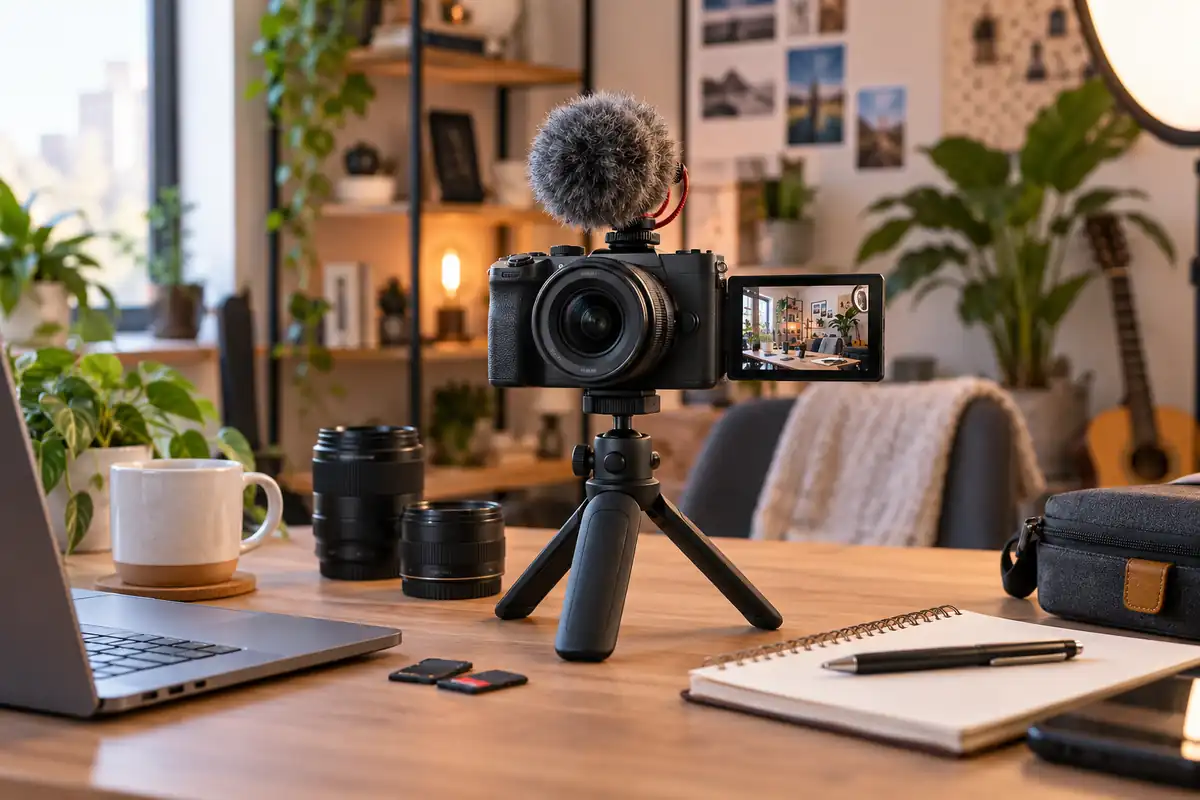
How to Choose a Vlogging Camera in 2026
The best vlogging camera is not necessarily the one with the largest sensor, highest resolution, or most expensive body. Start by deciding how you actually film. A creator recording seated YouTube videos needs different features from someone walking through a city, filming mountain-bike footage, or publishing vertical videos directly to social media.
For most buyers, the decision should follow this order: shooting style → camera type → lens width → autofocus → stabilization → audio → recording endurance → total kit cost. A camera that gets those fundamentals right for your workflow will usually serve you better than one with impressive specifications you rarely use.
If you are buying your first dedicated camera, you can also compare our digital cameras for beginners before committing to a video-first model.
Use case first → camera type → lens and framing → autofocus and stabilization → audio → workflow → total budget
Quick Decision: What Type of Vlogging Camera Do You Need?
| What You Film | Best Camera Type | Why |
|---|---|---|
| Talking-head videos, tutorials, studio content | Mirrorless camera | Strong autofocus, lens choice and external-audio options |
| Walking, travel and everyday solo vlogs | Pocket gimbal camera | Mechanical stabilization in a compact package |
| Cycling, skiing, water and rugged activities | Action camera | Mounting, ruggedness, waterproofing and stabilization |
| Short-form social media and casual everyday content | Smartphone | Fastest route from recording to editing and publishing |
| Dedicated camera without lens shopping | Fixed-lens compact | Simpler and smaller than an interchangeable-lens system |
| Photography plus serious video | Hybrid mirrorless camera | More balanced still-photo and video capability |
1. Define What You Actually Film
Before comparing camera specifications, write down what a normal week of content creation looks like. The answer can eliminate half the market immediately.
Talking-Head and Studio Videos
A creator filming at a desk or in a controlled room can prioritize reliable face and eye autofocus, external microphone support, a fully visible screen, USB power and lens flexibility. Walking stabilization matters less when the camera stays on a tripod.
Travel and Walk-and-Talk Vlogs
Travel creators should place much more weight on camera size, lens width and stabilization. Carrying a heavy mirrorless body, wide lens, microphone and gimbal all day can become less practical than using a compact mechanically stabilized camera.
Product Demonstrations
For reviews, cooking videos, beauty content and tabletop demonstrations, autofocus needs to switch predictably between your face and an object held toward the camera. Close-focus capability and a lens that is not excessively wide are also useful.
Action and Outdoor Content
If the camera will be mounted to a helmet, bike, vehicle or chest harness—or regularly exposed to rain and water—a conventional mirrorless body is usually the wrong starting point. Compare dedicated action cameras instead. Our guide to action cameras for travelers covers current rugged options in more detail.
Shorts, Reels and Vertical Video
For short-form content, workflow can matter more than absolute image quality. A smartphone may let you record, edit, caption and publish from one device, while some dedicated creator cameras now offer vertical-video interfaces and mounting options.
Livestreaming
Livestream creators should verify USB webcam support or clean HDMI output, continuous power options and heat behavior. A camera capable of beautiful five-minute clips is not automatically the best choice for a two-hour stream.
2. Set a Total Kit Budget, Not Just a Camera Budget
The body price is only part of a vlogging setup. An interchangeable-lens camera may also require a suitable wide lens, memory card, microphone, spare battery, tripod or grip and perhaps lighting.
A less expensive body with the correct lens and microphone can produce more useful content than an expensive camera paired with a lens that is too narrow and weak audio.
Before ordering a body, price the complete setup you intend to use during the first six months. Discompare’s camera accessories category can help when budgeting for the supporting gear rather than the camera alone.
3. Choose the Right Camera Type
Smartphone
A modern phone is often enough for creators who value portability, fast editing and immediate publishing. It is especially effective for vertical social content, travel clips and situations where carrying a second device would stop you from filming altogether.
A dedicated camera becomes more valuable when interchangeable lenses, larger-sensor image quality, physical controls, specialized microphones or more advanced recording formats become important. If photography matters as much as video, compare current smartphones for photography before assuming you need another camera.
Fixed-Lens Compact
A creator-focused compact gives you a dedicated camera without entering a lens system. It can be a good compromise for travel and everyday YouTube work because the zoom range, autofocus and microphone system are designed as one package.
Pocket Gimbal Camera
Pocket gimbal cameras use mechanical stabilization to physically move the camera and counteract motion. For walk-and-talk videos, this can produce smoother footage than relying only on electronic stabilization while keeping the entire rig small.
Action Camera
Action cameras make sense when durability, mounting and stabilization matter more than shallow depth of field or lens choice. They are often the better tool for sports, swimming and first-person footage.
Interchangeable-Lens Mirrorless
Mirrorless cameras are the most flexible dedicated choice because you can change lenses as your content evolves. A wide lens can serve handheld vlogging, a brighter lens can improve low-light work, and a longer lens can handle interviews or product shots.
That flexibility brings cost and complexity. Lens selection becomes part of the buying decision, so someone choosing a Sony body may also want to review the broader Sony mirrorless camera ecosystem rather than evaluating the body alone.
What About a DSLR?
A DSLR can still record good video, especially if you already own compatible lenses. For someone building a new creator system from scratch, however, mirrorless is generally the more practical direction because current camera development, autofocus systems and video-focused models are concentrated there.
4. Decide How Much Video Resolution You Actually Need
4K at 30 fps is a practical baseline for most dedicated vlogging cameras. It provides room to crop slightly, reframe a shot and export sharp 4K or 1080p footage without creating the storage burden of much higher resolutions.
4K/60 becomes useful when you film movement or want the option to slow footage to half speed on a 30 fps timeline. It is not automatically better for a creator who records mostly seated videos.
6K and open-gate recording can provide additional reframing flexibility, especially when the same clip must be adapted for horizontal and vertical platforms. The tradeoff is larger files, heavier processing and more storage.
Do not pay for 8K simply because it sounds more future-proof. For most vloggers, autofocus, audio, framing and stabilization make a much larger difference to the finished video.
5. Check Lens Width Before Chasing Sensor Size
Field of view is one of the most overlooked vlogging specifications. A lens that looks reasonably wide during normal photography can become uncomfortable for arm’s-length shooting once an APS-C crop or electronic stabilization crop is added.
Compare lenses using their 35mm-equivalent field of view when possible. That gives you a more useful basis for comparing cameras with different sensor sizes.
A wide lens lets you hold the camera closer while keeping your face, some background and perhaps another person in the frame. This matters in cars, small rooms and crowded streets where simply stepping backward is impossible.
Also check whether your preferred recording mode crops the image. Electronic stabilization and high-frame-rate video modes can narrow the view, so a lens that seems adequate on a specification sheet may become too tight in actual self-recording.
6. Prioritize Autofocus When You Film Yourself
A solo creator cannot continuously operate the focus controls while standing in front of the lens. Reliable face and eye detection is therefore more valuable for vlogging than many traditional photography specifications.
Look for subject tracking that can remain attached to your face as you move around the frame. For product demonstrations, the camera should also be able to transition predictably from the presenter to an object held closer to the lens.
Modern creator cameras increasingly build these behaviors into dedicated modes, but performance still differs between models. This is one reason current independent testing matters alongside manufacturer feature lists.
7. Understand the Four Types of Stabilization
The word “stabilization” can describe very different technologies. Knowing which type a camera uses is more useful than seeing a simple yes/no checkmark.
| Stabilization Type | Main Advantage | Main Tradeoff |
|---|---|---|
| IBIS | Moves the sensor to reduce camera shake with many lenses | Adds cost and does not eliminate walking movement completely |
| Optical lens stabilization | Stabilization is built into compatible lenses | Performance depends on the lens being used |
| Electronic / digital | Adds stabilization without moving hardware | Usually crops the frame |
| Mechanical gimbal | Excellent control of walking motion | Requires a different camera design or additional hardware |
This distinction explains why two cameras with very different specifications can suit different vloggers. The Sony ZV-E10 II is a capable interchangeable-lens creator camera but does not include in-body stabilization. DJI’s Osmo Pocket 3, by contrast, uses a three-axis mechanical gimbal, making stabilization central to the camera’s design.
8. Treat Audio as a Core Camera Feature
Viewers will often tolerate slightly imperfect video more easily than distracting, distant or wind-damaged audio. A camera purchase should therefore include an audio plan.
Check whether the camera has a 3.5mm microphone input. A headphone jack is also valuable because it lets you monitor sound while recording rather than discovering problems during editing.
Built-in directional microphones can be useful for travel and spontaneous recording, but an external or wireless microphone usually gives you more control over voice clarity when the camera is farther away.
Wind protection matters outdoors as well. A visually impressive travel vlog can quickly become unusable if wind overwhelms the dialogue.
9. Look for a Screen and Controls Designed for Solo Shooting
A vlogging camera should let you confirm framing while you are in front of it. A fully articulating or rotating screen is therefore much more useful than a display that only tilts upward behind the camera.
Also look for controls that reduce mistakes when working alone: a clear recording indicator, front-facing record button, touch controls and easy access to common video settings.
The Canon EOS R50 V is a useful current example. Canon gives it a front record button, vertical tripod socket, vertical-video interface support and video-oriented controls rather than treating video as a secondary mode on a stills camera.
10. Check Recording Heat, Battery and USB Power
Recording endurance matters differently depending on your content. A travel creator may shoot dozens of short clips, while a podcast, interview or livestream can require one long uninterrupted recording.
High-resolution and high-frame-rate modes generate more processing load and can shorten recording times on compact bodies. Independent testing of the Sony ZV-E10 II, for example, found that thermal settings and the selected 4K/60 quality mode significantly affected how long the camera could continuously record.
Before buying, check whether the camera supports USB power during recording and whether spare batteries are affordable. For long-form production, those practical details can matter more than another advanced picture profile.
11. Think About Editing Before Paying for Advanced Codecs
10-bit color, Log profiles and high-bitrate recording can provide more flexibility during color grading. They can also produce larger or more computationally demanding files.
If you normally record a clip, make a few cuts and publish it with minimal correction, you may gain little from an advanced Log workflow. Standard picture profiles can be faster and easier.
Creators who plan to color-grade seriously should also budget for fast memory cards, storage and an editing computer capable of decoding their chosen codec efficiently.
DPReview’s testing of the ZV-E10 II illustrates this tradeoff: easier-to-edit codecs can require larger files, while some high-quality recording modes demand faster memory cards.
Current Vlogging Camera Examples for 2026
These cameras are not ranked from best to worst. Each illustrates a different approach to vlogging, and the right one depends on the workflow you identified earlier.
| Camera | Best Example Of | Format | Key Video Capability | Stabilization Approach | Main Tradeoff |
|---|---|---|---|---|---|
| Sony ZV-E10 II | Interchangeable-lens growth | APS-C | 4K/60, 10-bit | Digital / lens-dependent | No IBIS |
| Canon EOS R50 V | Video-first mirrorless | APS-C | Oversampled 4K/30, cropped 4K/60 | Digital / lens-dependent | 4K/60 crop |
| DJI Osmo Pocket 3 | Walking and travel | 1-inch sensor | 4K/120 slow motion | 3-axis mechanical gimbal | Fixed lens |
| Sony ZV-1 II | Fixed-lens simplicity | 1.0-type sensor | Wide 18–50mm-equivalent built-in zoom | Electronic | No interchangeable lenses |
| Fujifilm X-M5 | Hybrid photo/video creation | APS-C | 6.2K/30 10-bit, 4K/60 | Digital | No IBIS |
Sony ZV-E10 II — Interchangeable-Lens Growth
The Sony ZV-E10 II is a good example of a camera for creators who want to begin with vlogging but gradually expand their lens system. It uses a 26MP APS-C sensor, records up to 4K/60 and supports 10-bit 4:2:2 recording.
Its autofocus and creator-oriented design suit self-recording, but the body does not include sensor-shift IBIS. That means lens choice and electronic stabilization matter more for walking footage.
If Sony is your preferred system, comparing its broader lineup can clarify whether a more balanced hybrid body would make sense. The existing Canon EOS R10 vs Sony ZV-E10 comparison also illustrates the traditional-camera-versus-creator-camera tradeoff, although it covers the original ZV-E10 rather than this newer model.
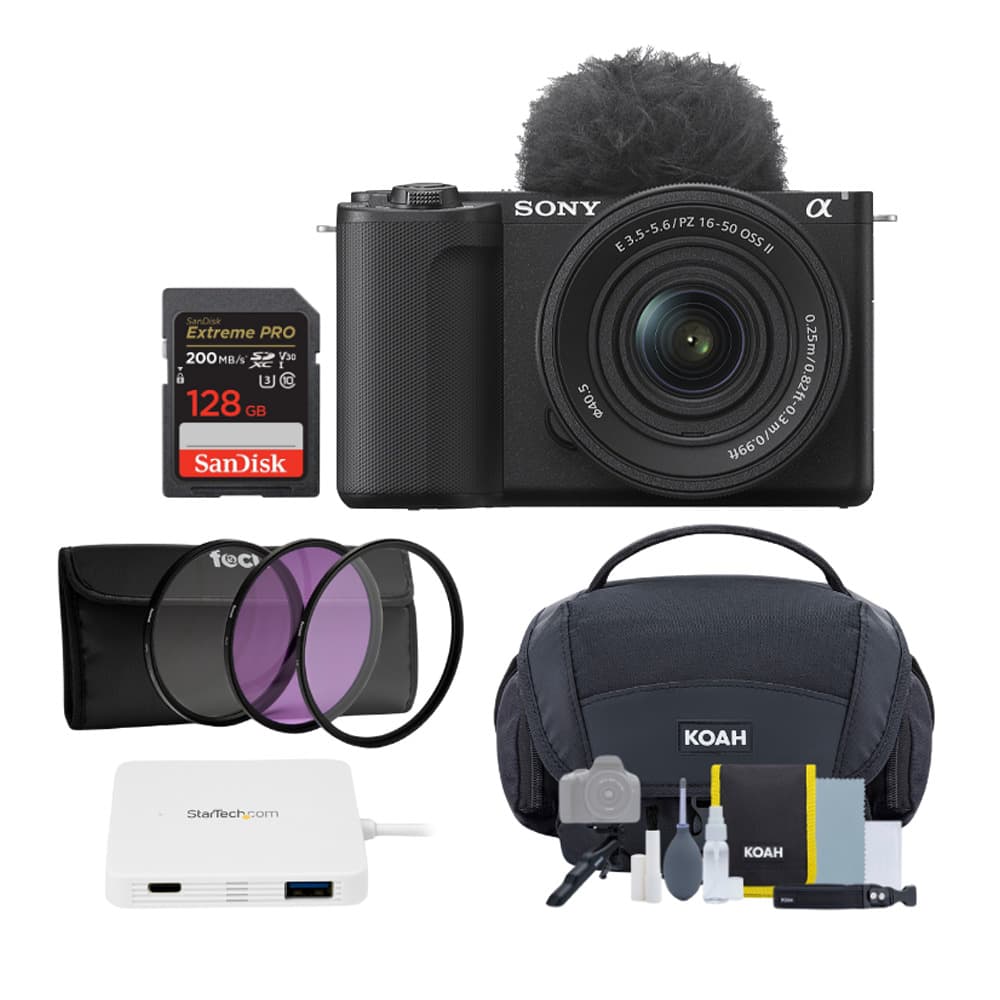
Capture stunning 4K video and 24.2MP stills with the compact Sony Alpha ZV-E10 II Mirrorless Kit—complete with an ultra-wide 11mm lens and creator kit. The flip screen and APS-C sensor give vloggers and content creators pro-quality results with effortless shooting and framing. Ready to upgrade your setup? Buy the ZV-E10 II now and start creating.
Canon EOS R50 V — Video-First Mirrorless Design
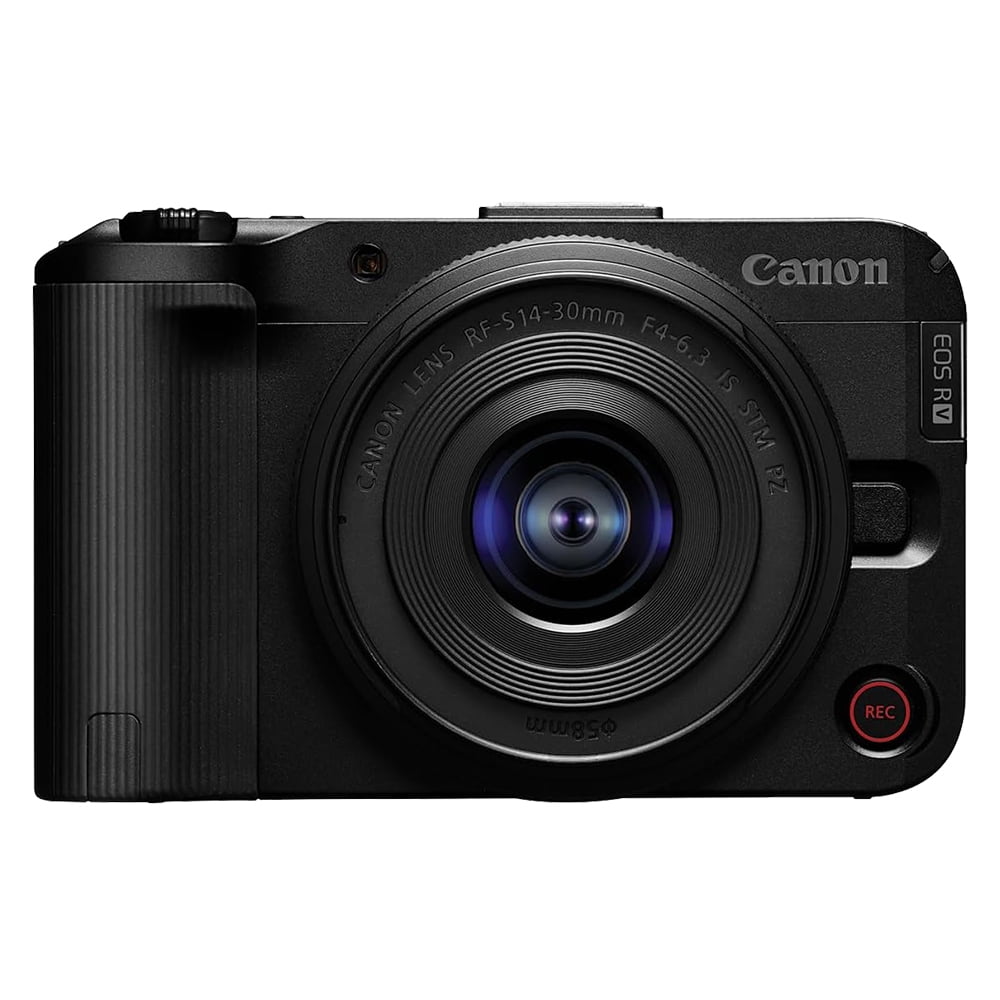
The EOS R50 V shows what happens when a manufacturer starts with video creators rather than simply adding video features to a photography body. Canon includes a front recording button, vertical tripod mount, headphone and microphone connections and dedicated video interface features.
Its 4K/30 footage is oversampled from 6K across the full width, while 4K/60 uses a crop. That crop is an important buying consideration because it narrows the field of view and can make a wide lens more important for handheld vlogging.
Ready to shoot like a pro?
The Canon EOS R50 V Mirrorless 14–30mm Kit combines Cinema EOS‑level video features with an intuitive creator‑first interface so you can capture cinematic footage and stunning photos with ease.
Order yours today and start telling better stories — Shop the Canon EOS R50 V Kit →
DJI Osmo Pocket 3 — Walking and Travel Vlogging
DJI’s Osmo Pocket 3 demonstrates why a smaller fixed-lens camera can outperform a larger mirrorless system for some creators. Its 1-inch sensor sits on a three-axis mechanical gimbal, making stabilization part of the camera rather than an accessory.
The lens has a 20mm-equivalent field of view, and the camera records 4K video up to 60 fps with higher-frame-rate slow-motion modes available. Its limitation is flexibility: you cannot replace the lens when your needs change.
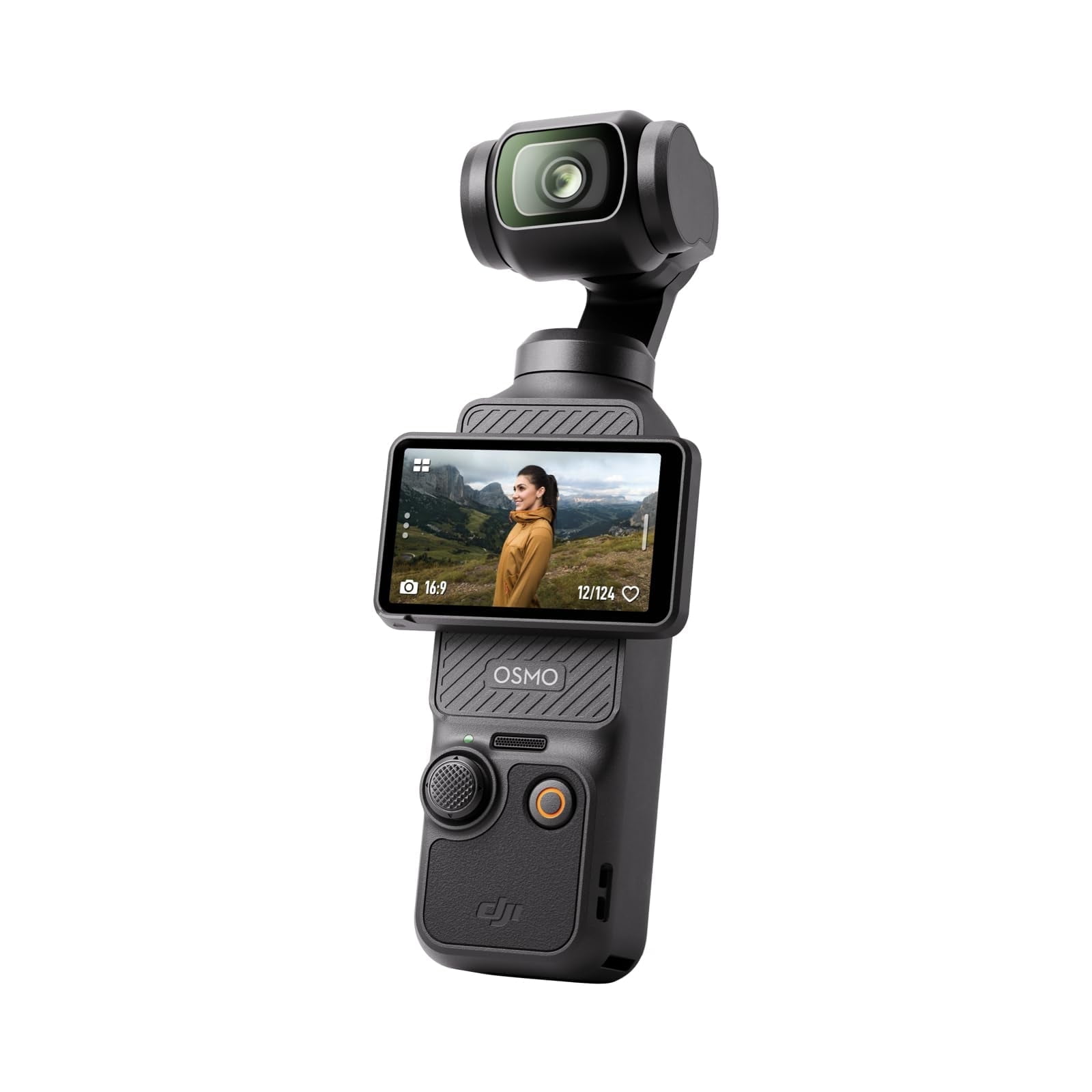
Capture pro-quality 4K vlogs on the go with the DJI Osmo Pocket 3 — compact, stabilized, and ready for smooth slow-motion at up to 120fps.
Upgrade your content instantly: buy the DJI Osmo Pocket 3 today and start creating cinematic, shake-free videos wherever you go.
Shop now and take your vlogging to the next level.
Sony ZV-1 II — Fixed-Lens Simplicity
The Sony ZV-1 II is designed for creators who want a real camera but do not want to research interchangeable lenses. Its built-in 18–50mm-equivalent zoom begins wide enough to be useful for arm’s-length framing while still providing some flexibility for more conventional shots.
Sony also combines the compact body with a three-capsule microphone and a 1.0-type sensor. The tradeoff is long-term flexibility: unlike an interchangeable-lens system, the lens you buy is the lens you keep.
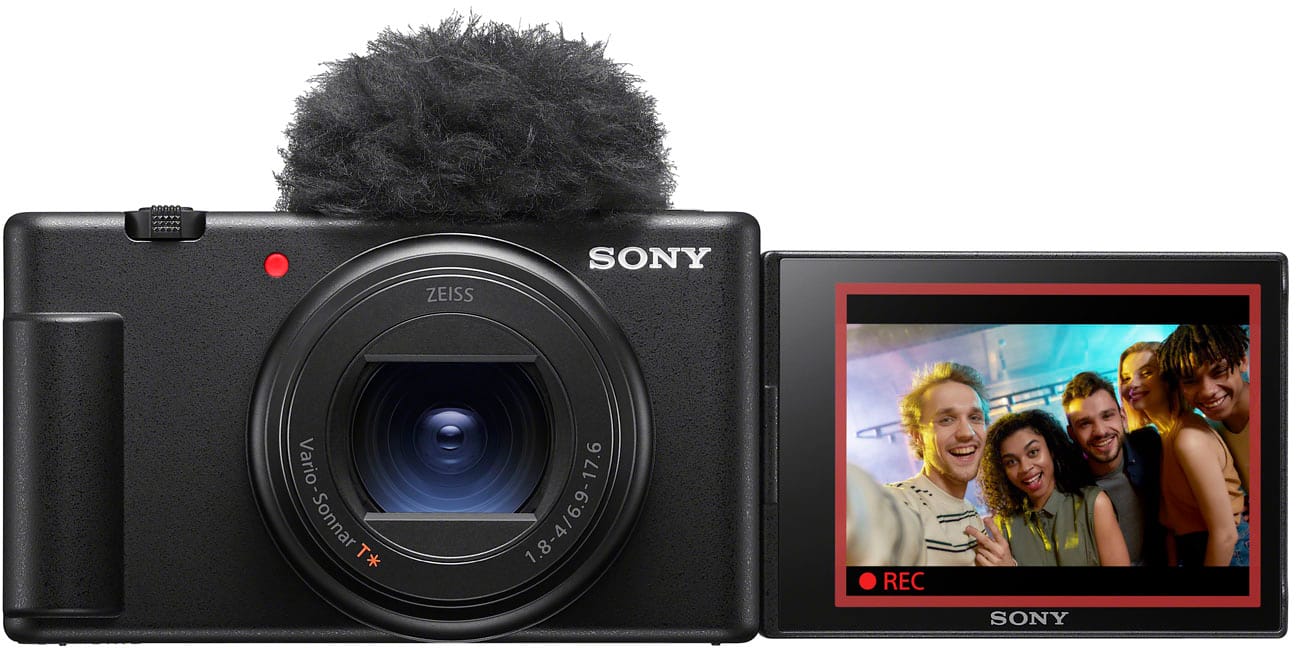
Grab the Sony ZV1 II 20.1MP Digital Camera (Black) — compact and travel-ready with a 1.0-type (1-inch) sensor, versatile 18–50mm wide-angle zoom, and an intelligent microphone for pro-quality video and clear audio without the fuss. Order yours now and start creating stunning content on the go.
Fujifilm X-M5 — Hybrid Photo and Advanced Video
The Fujifilm X-M5 suits creators who expect to move deeper into editing and also care about still photography. It can record 6.2K/30 internally at 4:2:2 10-bit, offers 4K/60 and provides F-Log2 for more advanced grading workflows.
Fujifilm also equips it with three built-in microphones and selectable microphone direction modes. Stabilization is digital rather than sensor-shift IBIS, so handheld buyers should account for the resulting crop and lens choice.

Upgrade your Fujifilm X‑M5 with the sleek silver 15–45mm f/3.5–5.6 OIS PZ — a compact, retractable zoom that gives you a 23–69mm equivalent focal range and steady, versatile shots wherever you shoot.
Lightweight and travel-ready, it’s perfect for street, travel, and everyday photography.
Add to cart now — buy today and start capturing sharper, more stable images!
Common Vlogging Camera Buying Mistakes
- Buying by megapixels: still-photo resolution tells you very little about autofocus, audio or stabilization.
- Chasing maximum video resolution: 6K or 8K adds little if your framing and sound are poor.
- Ignoring crop factors: electronic stabilization and high-frame-rate modes can turn a usable lens into one that feels too tight.
- Spending the entire budget on the body: the correct lens and microphone often matter more than moving up one camera tier.
- Assuming all stabilization is equal: digital stabilization, IBIS and a mechanical gimbal solve motion differently.
- Ignoring audio connections: check microphone and headphone support before discovering the limitation after purchase.
- Buying an advanced codec you cannot comfortably edit: 10-bit and Log modes are valuable only when they fit your workflow.
- Automatically choosing mirrorless: a smartphone, action camera or pocket gimbal can be the better tool for certain creators.
Vlogging Camera Final Checklist
✓ Define whether you film stationary, handheld, travel, action or short-form content.
✓ Calculate the complete camera, lens, microphone, battery and accessory budget.
✓ Check the real field of view in your intended video mode.
✓ Prioritize dependable face and eye autofocus for solo shooting.
✓ Confirm what kind of stabilization the camera actually uses.
✓ Check microphone input, headphone monitoring and wireless-audio options.
✓ Confirm screen visibility and recording indicators while facing the camera.
✓ Check battery, USB power and long-recording heat behavior.
✓ Choose recording formats your editing computer and storage can comfortably handle.
FAQ About Choosing a Vlogging Camera
What type of camera is best for beginner vlogging?
A beginner should choose based on shooting style. A mirrorless creator camera is a good starting point for studio and lens-based work, while a pocket gimbal camera can be easier for walking and travel. A smartphone may still be the most practical choice for short-form social content.
Do I really need 4K for vlogging?
You do not need 4K to create a good video, but 4K/30 is a sensible baseline for a new dedicated creator camera because it provides sharp output and useful room for reframing. Higher frame rates and resolutions should be chosen only when your workflow benefits from them.
Is a mirrorless camera better than a compact camera for vlogging?
Mirrorless cameras offer interchangeable lenses and greater system flexibility. A fixed-lens compact is easier to carry and removes the cost and complexity of choosing lenses. Neither is universally better.
How important is IBIS for vlogging?
IBIS is useful for handheld filming but is not mandatory. Optical stabilization, electronic stabilization and mechanical gimbals can also reduce motion. The best solution depends on whether you mostly stand still, walk while filming or mount the camera to other equipment.
What focal length is best for handheld vlogging?
A relatively wide field of view is usually preferable for arm’s-length recording because it leaves room for your face and surroundings. Check the 35mm-equivalent focal length and remember that stabilization or high-frame-rate modes may crop the image further.
Do I need an external microphone?
Not always. Good built-in microphones can work for casual recording, but an external or wireless microphone becomes more valuable when the camera is far from you, the environment is noisy or consistent voice quality matters.
Is a smartphone good enough for vlogging?
Yes, for many creators. Smartphones are especially strong when portability, fast editing and immediate publishing matter more than interchangeable lenses or advanced camera controls.
How much should a beginner spend on a vlogging setup?
Set the budget around the entire kit rather than choosing a fixed camera-body number. Leave enough for the lens, microphone, memory card, battery, support gear and lighting you genuinely need.
Final Verdict
The right way to choose a vlogging camera is to start with the videos you plan to make rather than a list of impressive specifications. Decide whether you need a smartphone, compact, action camera, pocket gimbal or interchangeable-lens mirrorless body before comparing resolution or sensor size.
Once the camera type is clear, prioritize a sufficiently wide field of view, reliable autofocus, the right stabilization system and useful audio connections. Then check recording endurance, screen design, editing requirements and the complete kit cost.
For creators who want interchangeable lenses and room to grow, cameras such as the Sony ZV-E10 II and Canon EOS R50 V illustrate two strong video-first approaches. DJI’s Osmo Pocket 3 makes more sense when smooth walking footage and portability dominate, while the Sony ZV-1 II simplifies the process with a fixed lens. Fujifilm’s X-M5 is more compelling for creators who want advanced video formats alongside photography.
The best vlogging camera is the one that removes obstacles from the way you actually create.
Sources
- Digital Camera World — Best YouTube Cameras
- DPReview — Sony ZV-E10 II In-Depth Review
- Canon USA — EOS R50 V specifications and creator features
- DJI — Osmo Pocket 3 specifications
- Fujifilm — X-M5 specifications and video features
Product Groups: Sony Alpha ZV-E10 II, Canon EOS R50 V, DJI Osmo Pocket 3, Sony ZV-1 II, Fujifilm X-M5