
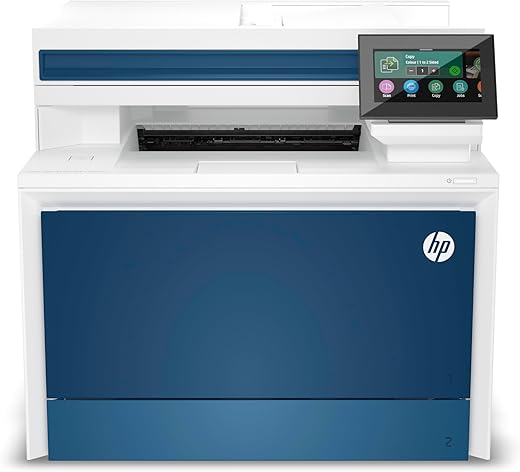
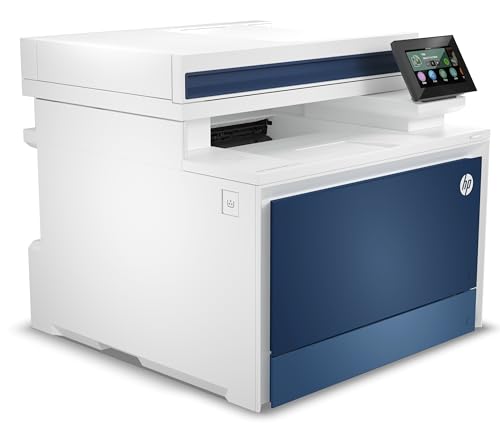
HP LaserJet Pro 4301fdw Wireless All-in-One


 Quill.com
  Staples.com
  Walmart.com
  Officedepot.com
  Newegg.com
  Neweggbusiness.com
$858.99
HP LaserJet Pro 4301fdw Wireless All-in-One Price comparison
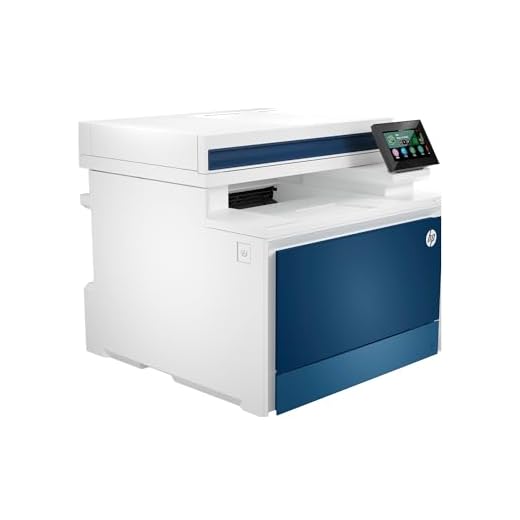









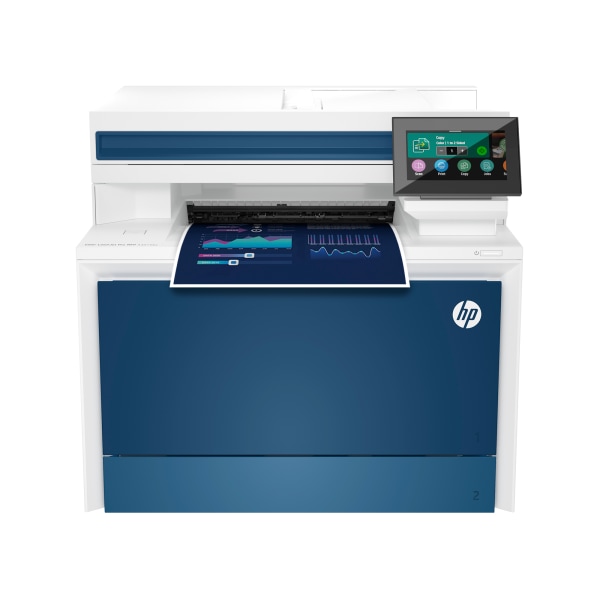

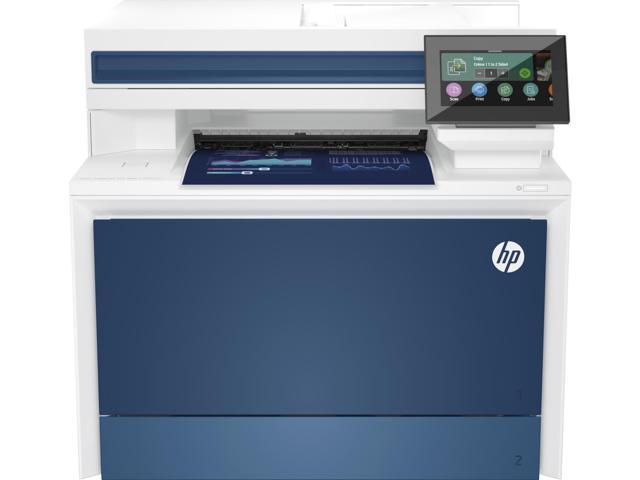




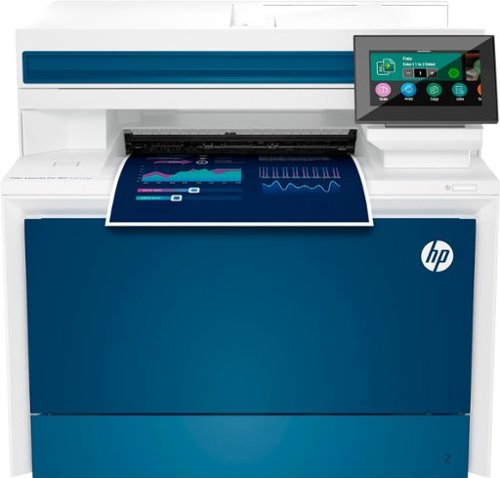
- All prices mentioned above are in United States dollar.
- This product is available at Quill, Amazon.com, Staples, eBay, Walmart.com, Office Depot and OfficeMax, Newegg, Newegg Business, Bestbuy.
- At quill.com you can purchase HP Color LaserJet Pro MFP 4301fdw Wireless All-in-One Color Laser Printer, Scanner, Copier, Fax, Bes | Quill for only $489.00 , which is 43% less than the cost in Bestbuy ($859.00).
- The lowest price of HP - LaserJet Pro 4301fdw Wireless Color All-in-One Laser Printer - White/Blue was obtained on October 31, 2026 08:01.
HP LaserJet Pro 4301fdw Wireless All-in-One Price History
HP LaserJet Pro 4301fdw Wireless All-in-One Description
HP LaserJet Pro 4301fdw Wireless All-in-One: Your Perfect Office Companion
The HP LaserJet Pro 4301fdw Wireless All-in-One is engineered for small offices and team environments, combining high-speed printing, scanning, copying, and faxing into one sleek device. With the ability to produce outstanding quality documents at impressive speeds, this printer is your ultimate productivity partner. Whether you need vibrant color prints or crisp monochrome documents, the HP LaserJet Pro 4301fdw has you covered!
Main Features and Benefits
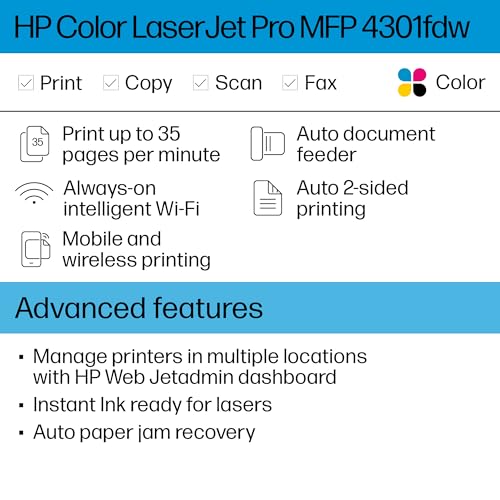
- All-in-One Functionality: This printer seamlessly integrates printing, scanning, copying, and faxing. Reduce your office clutter with one multifunction device instead of multiple machines.
- Wireless Connectivity: Enjoy the freedom to print from smartphones, PCs, and laptops with built-in Wi-Fi technology. Say goodbye to messy cables and connect effortlessly.
- High-Speed Printing: With a maximum color print speed of 33 pages per minute and monochrome printing at 35 pages per minute, the HP LaserJet Pro 4301fdw ensures your workflows are never interrupted.
- High Print Quality: With a maximum print resolution of 607 x 600 dots per inch, every document appears sharp and professional, making a lasting impression on colleagues and clients alike.
- Large Capacity Trays: Equipped with a 300-sheet input tray and a 150-sheet output tray, the HP LaserJet Pro 4301fdw minimizes the need for constant refills—perfect for high-demand environments.
- Automatic Duplex Printing: Save time and paper with automatic two-sided printing. This eco-friendly feature reduces your carbon footprint while maximizing efficiency.
- Touchscreen Display: A user-friendly 4.3-inch touchscreen gives you easy access to all printer features, making it simple to navigate settings and operations.
- Durable Design: This printer boasts a duty cycle of up to 50,000 pages, making it an excellent long-term investment. Its robust construction can withstand the rigors of a busy office.
Price Comparison Across Different Suppliers
The HP LaserJet Pro 4301fdw Wireless All-in-One price varies by supplier. Currently, prices start at approximately $xxx.xx, with some retailers offering exclusive discounts or bundles. By comparing prices on our platform, you can ensure you get the best deal available.
6-Month Price History Trends
Our 6-month price history chart shows that the HP LaserJet Pro 4301fdw has fluctuated in price, peaking at $xxx. xx in [insert month] before settling at its current price range. This pattern indicates improving affordability and suggests that now could be a prime time to invest in this exceptional printer.
Customer Reviews: What Users Are Saying
Customer reviews highlight the HP LaserJet Pro 4301fdw as a reliable staff member. Users appreciate its fast printing speeds and consistent print quality. The automatic duplex feature is particularly praised for its efficiency in high-volume environments.
However, some customers have noted that the initial setup could be complex for those unfamiliar with Wi-Fi connectivity. Others mention the hefty weight of 45 pounds, which may require assistance for relocation.
Explore Unboxing and Review Videos
For an in-depth look at the HP LaserJet Pro 4301fdw, check out popular YouTube review and unboxing videos. These videos showcase the unboxing experience, setup process, and real-world performance, helping potential buyers make informed decisions.
When looking for the perfect all-in-one printer, the HP LaserJet Pro 4301fdw review speaks volumes. With features tailored for small businesses, unmatched print quality, and high-speed performance, this printer stands out in a crowded market.
Conclusion: Elevate Your Office Efficiency
In a world where time and productivity matter, the HP LaserJet Pro 4301fdw Wireless All-in-One is a powerful tool designed to help you excel. From sleek prints to seamless connectivity, it promises to enhance your workflow without compromise.
Don’t miss out on the best deals available! Compare prices now!
HP LaserJet Pro 4301fdw Wireless All-in-One Specification
Specification: HP LaserJet Pro 4301fdw Wireless All-in-One
|
HP LaserJet Pro 4301fdw Wireless All-in-One Videos


HP LaserJet Pro 4301fdw Wireless All-in-One Reviews (9)
9 reviews for HP LaserJet Pro 4301fdw Wireless All-in-One
Only logged in customers who have purchased this product may leave a review.
Ben ahmed Brice –
J’ai attendu quelques semaines avant de vous partager un avis sincère surtout quand j’ai pu voir certains avis négatifs. Personnellement, je suis pleinement satisfait de cette imprimante. Je cherchais une imprimante multifonction avec scanner recto verso automatique (en une passe), ainsi qu’une qualité d’impression couleur laser soignée. Je souhaitais également une imprimante pilotable avec un smartphone avec l’impression directe ou le scan direct.
Bref cette version FDW correspond à tout ce que je cherchais et toute ma petite famille la trouve facile d’utilisation. Le seul point qui m’a demandé un peu de recherche est l’utilisation de la fonction “scan to mail” mais en 20 min max c’était réglé. Sur ce point attention à ne pas utiliser une adresse mail du type Gmail car la gestion du SMTP n’est plus possible. Pour contourner ce problème qui n’est pas de la responsabilité d’HP, j’ai utilisé une adresse mail de mon FAI et là plus de problème. Après, il n’y a plus qu’à renseigner votre carnet d’adresses mail (celles que vous utilisez souvent et à qui vous aurez des documents scannés à envoyer).
Dans tous les cas même si vous n’arriviez pas à configurer cette fonction, l’application HPsmart, vous permet de piloter directement le scanner. Vous pourrez ensuite joindre votre pièce à votre mail.
La seule fonction que je n’ai pas testé est le fax… mais pas de besoin de mon côté, j’ai pris cette version FDW uniquement pour avoir le scanner recto verso automatique ce que n’ont pas les autres versions.
Concernant la livraison => parfait (pas de casse et rapide en plus de l’ordre de 48H).
Jonathan A. –
Muito bom!
VICTOR –
Supercompleta, merece la pena pagar el precio. Muy rápida y con tóners de gran duración.
Paul W. Jones –
I have had a lot of printers over the years (IBM, Epson, HP, Canon, Lexmark, etc.), and had kind of gone away from HP a bit due to their software/driver problems (when they off-shored the development/support, the quality slipped quite a bit). However, when printing Christmas cards, my Canon died, and I had been impressed with this HP model when I was helping my sister sort out hers, so I bought one (MFP M479fdw). Software seems to work reliably so far, so I think HP has addressed that somewhat, granted it is a bit rough and crude in places, but it works. And it works from both Windows 10 and macOS 11 (Big Sur), as well as from mobile (iOS). The printer hardware seems to be very good, output arrives quite fast. One of the problems you run into with cheaper printers (including some lower end HPs) is that they do not put much horsepower into the printer CPUs, and cost-reduce the hardware to the point that they are slow and do not hold up, but this version seems well designed and made. Ratings from PC Magazine, Wirecutter, etc. generally have this printer at or towards the top, I would say that is accurate. Print quality on text is excellent, graphics from web pages and similar also excellent, scans are very good (a custom flat-bed would be a tad better, but this is for an all-in-one amongst the best I have seen). For printing high-quality pictures, you probably still want a Canon or Epson InkJet printer, but this one prints OK for a laser. HP does not ship this printer with full duty cycle cartridges, but the ones they ship with will still do a decent number of pages. Control screen is touch and good sized, gets the job done. Unit is fairly heavy and large, so if you are using this on a desk, check the dimensions some. The printer is not cheap, but it has excellent print quality and appears to be very well built, so HP has come back to where it once was, at the top.
Jacob –
Updated Review: DO NOT BUY THIS PRINTER. This printer is absolute garbage. In the 40 years I have lived on this Earth, this purchase has been one of my biggest regrets. And that’s saying something because I’ve made a lot of stupid financial mistakes in my life. I have had the printer for less then a year and now it is unusable. I had a paper jam in the printer so I cleared everything. The printer is stuck thinking it has a paper jam when there is not. An HP tech came out to inspect and the tech informed me there is a part that is known to fail in these printers and the only solution is to replace it with a refurb. I got the refurb in and I made two copies on it. By the 3rd copy the paper jammed and guess what….it no longer works. I will have to start the entire warranty claim all over again and wait to get another tech out to have it swapped with another refurb. At this point we are just SOL in getting any sort of refund for the printer or the toner we just purchased. I repeat. DO NOT BUY THIS PRINTER.
Old Review: The printer itself is a vast improvement from my old printer in terms of quality and performance. It runs smooth, quiet, and its pretty damn fast. The software however makes me want to launch this thing into the sun. It more or less does what it wants regardless of what settings you have in place. Does it print double sided? Absolutely. Does it print double sided when you ask it to? Who knows, maybe it will, maybe it won’t. Does it scan front and back? You bet it does! However it will only scan front and back in document mode and it cuts off half the page. And I know what you are thinking “oh that’s an easy fix, just change the settings!” Guess again because changing the settings don’t matter. If you have the patience of a saint, this printer will do the job. If you aren’t tech savvy or if you have the little to no patience, you might want to try another model. Or get someone in IT to set it up for you….maybe a priest.
Julio Cuellar –
La impresora es muy buena, la calidad de la impresión en el papel de la marca hp es genial, yo uso los papeles hp premium de calibre 24, 28 y 32 y se ve genial la calidad de las letras e imágenes.
Yo tengo la impresora en casa para las impresiones de la escuela y/o personales así como para el Home office y la tengo conectada por cable a la red así que puedo mandar imprimir desde cualquier dispositivo conectado al wifi y tarda entre 5-7 segundos en comenzar a imprimir, ósea que súper rápido recibe la información y comienza a imprimir.
Tiene la opción de impresión en doble cara pero se puede desactivar según se necesite pero por ejemplo en los papeles hp premium que mencioné anteriormente no se traspasa la imagen/letras y se ve genial la impresión, nítida y como en UHD 😜
Se le puede activar la opción para imprimir por/desde correo los documentos ósea que desde donde uno se encuentre, puede mandar por correo (a cierta dirección de email que te da la impresora) un email y cuando lo recibe la impresora lo imprime. Se puede activar también para que escanee (tiene scanner a doble cara también) y lo puede enviar por correo a tu email.
En general esta genial la impresora, la calidad “UHD” de las imágenes y la nitidez de las letras. Para los trabajos impresos de la prepa y la universidad resulta genial si se utiliza papel premium ya que se ve muy profesional la impresión y se siente premium al tacto, y al ver el documento se da uno cuenta que es impresión láser de muy buena calidad. Súper recomendada la compra con el proveedor Intercompras ya que me enviaron el producto muy bien empacado, la caja dentro de otra caja para que no se maltratara y me llego en dos dias cuando supuestamente me debería haber llegado en 5-7 días.
Luciano Carriero –
Merci à HP ! Les cartouches d’encre (poudre) de format standard (capacité régulière) fournis dans l’emballage étaient pleines.
Très apprécié !
😉
Alan317 –
This is a steep purchase price for me but decided to make the crossover to a laser printer. That said it was relatively easy to get on network and working. There was a short firmware system update but wasn’t unbearable and managed its self. all the PC’s and android devices were the easiest to connect and set up. The Mac OS set up wasn’t at all hard but a little more involved to be sure (some App Store downloads and setup). All told the Mac’s were the most involved and still not terrible to set up, rather just a bit time consuming (15=25min).
Print quality is much better than expected. print speed also better than expected. I will say the spooling time is significantly shorter than I’m used too (big win). It’s a bit on the loud side if you have a home office like me, but not so much so that it wrecks my day. on that note the quiet mode in the settings did help with that.
Steve Marsh –
Excellent Laserjet printer. Beautiful, sharp, crisp output. Fast and versatile. Does NOT have the ink drying out and clogging the jets problem that all Inkjet printers have! Single and double-sided printing and scanning.
Not cheap, but very well worth the price!