
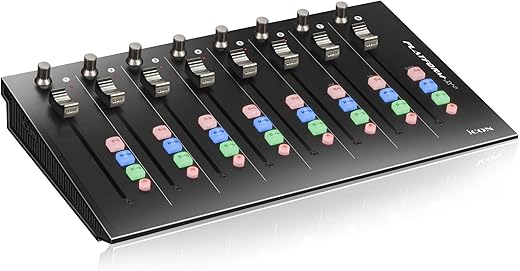
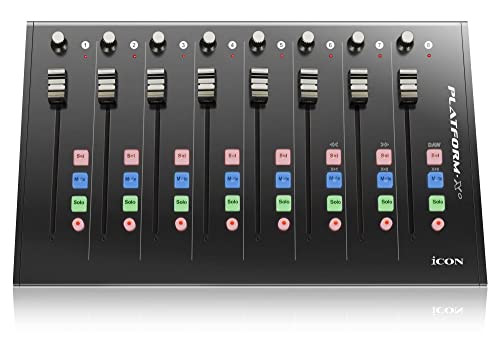
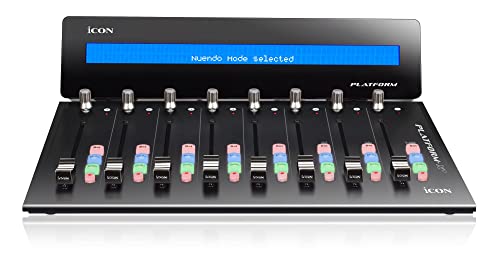
ICON Platform X+ 8-Channel Extender for DAW
 Zzounds.com
  Samash.com
  Reverb.com
  Creativemarket.com
$395.99
ICON Platform X+ 8-Channel Extender for DAW Price comparison







- All prices mentioned above are in United States dollar.
- This product is available at zZounds, Amazon.com.
- At zzounds.com you can purchase PreSonus FaderPort 8 8 Channel DAW Mix Controller for only $499.99 , which is 48% less than the cost in Amazon.com ($964.68).
- The lowest price of Icon Pro Audio Platform X+ - 8 Channel Extender for Platform M+ DAW Control Surface was obtained on October 11, 2026 02:43.
ICON Platform X+ 8-Channel Extender for DAW Price History
ICON Platform X+ 8-Channel Extender for DAW Description
Discover the ICON Platform X+ 8-Channel Extender for DAW: Elevate Your Music Production
Unlock the true potential of your digital audio workstation (DAW) with the ICON Platform X+ 8-Channel Extender for DAW. This versatile extender enhances your music production experience with seamless integration and superb control, making it the perfect addition for any music producer, musician, or audio engineer. With compatibility across various software platforms and effortless connectivity, the Platform X+ is designed to elevate your creative workflow.
Key Features of the ICON Platform X+ 8-Channel Extender
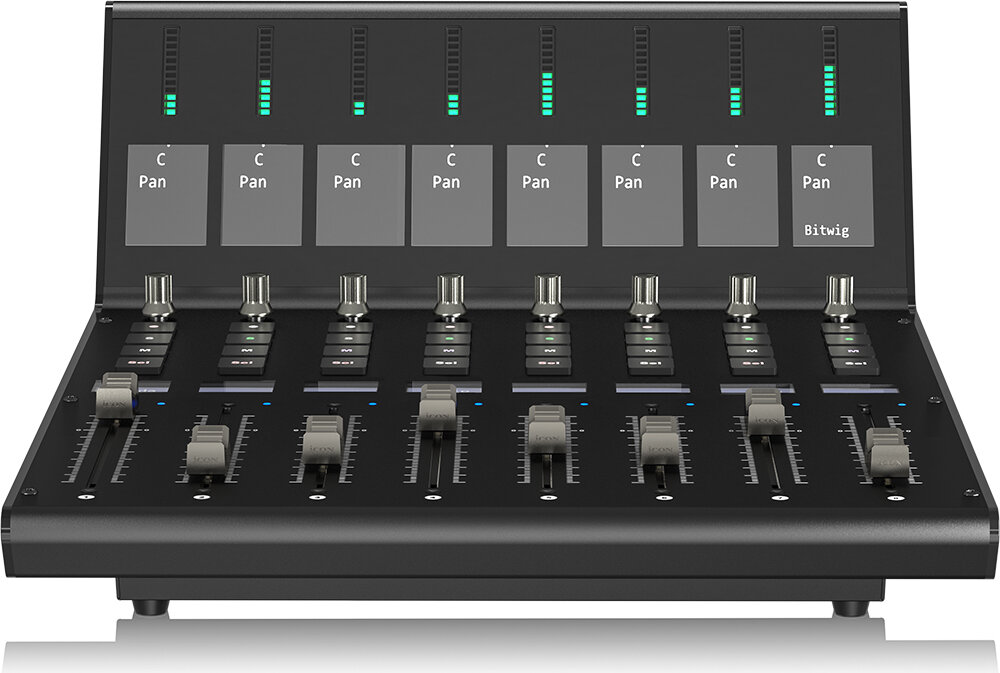
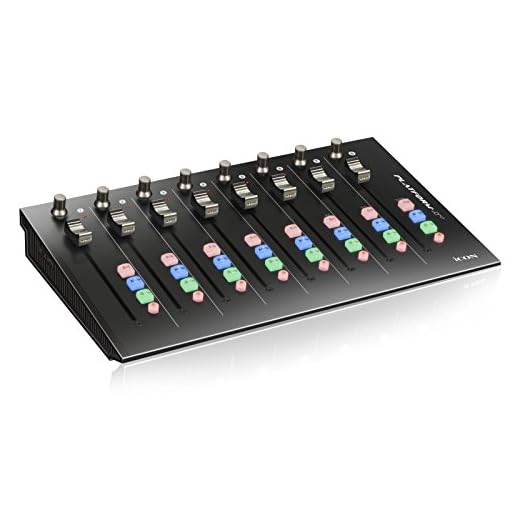
- 8 Mixer Channels: Designed to expand your mixing capabilities, the Platform X+ offers 8 channels that allow you to control multiple tracks effortlessly, enhancing your overall productivity.
- Wide Compatibility: Compatible with popular software like Cubase, Nuendo, Logic Pro, and Ableton Live, this extender adapts well to your existing setup, whether you’re on PC or Mac.
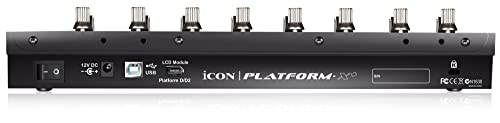
- USB Connectivity: The Platform X+ utilizes USB for a fast and reliable connection to your computer, ensuring minimal latency and maximum performance in your DAW.
- Sturdy Build Quality: Crafted from durable metal, the ICON Platform X+ not only delivers reliable performance but also withstands the rigors of daily studio use.
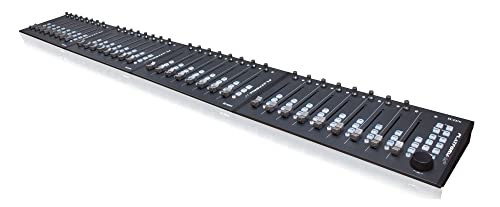
- Compact Design: With dimensions of 16 x 5 x 11 inches and a weight of only 5 pounds, the Platform X+ is portable and easy to integrate into any music studio setup.
- Instrument Compatibility: This extender is compatible with any instrument key, opening doors to diverse sound possibilities that fit your creative vision.
Price Comparison Across Suppliers
When considering the ICON Platform X+ 8-Channel Extender for DAW, it’s crucial to evaluate the price across various suppliers. Prices may vary depending on the retailer, promotional discounts, and shipping options. By comparing prices, you can ensure you get the best deal without sacrificing quality. As you explore, you’ll find prices that can range within an acceptable bracket for this premium device.
Insights from the 6-Month Price History Chart
Our 6-month price history chart reveals notable trends for the Platform X+. Over the past several months, the price has demonstrated stability with occasional minor fluctuations. Observing this trend allows customers to identify the best time to purchase, ensuring they can secure the extender at a competitive rate.
Customer Reviews: What Others Are Saying
The ICON Platform X+ has garnered significant attention in user reviews across various platforms, and it’s easy to see why. Users frequently praise its robust construction and seamless integration with various DAWs. Many customers love the ease of use, particularly how quickly they can set up and start creating music without a steep learning curve. They highlight reliable performance and great responsiveness, which enhances their workflow.
However, some users have noted drawbacks, such as occasional driver issues with certain systems, and a learning curve regarding the full features of the device. Nevertheless, the general sentiment is overwhelmingly positive, with most users willing to recommend the Platform X+ to fellow musicians and producers.
Explore Unboxing and Review Videos
For a more in-depth look, we recommend checking out various unboxing and review videos available on YouTube. These visual insights provide a closer look at the ICON Platform X+ in action, showcasing its features and helping you understand how it can benefit your audio production setup. You might find these videos particularly helpful if you’re uncertain about how the device fits into your workflow.
Why Choose the ICON Platform X+?
The ICON Platform X+ 8-Channel Extender stands out amidst competitors due to its blend of quality, functionality, and affordability. Whether you’re a seasoned professional or an eager beginner, this extender helps streamline the music production process while delivering impressive results. Its compatibility with various DAWs means you can seamlessly integrate it into your existing setup without hassle.
Get Started Today!
With its incredible features, competitive pricing, and favorable user reviews, the ICON Platform X+ 8-Channel Extender for DAW is a smart investment for anyone serious about music production. Don’t miss out on the opportunity to enhance your creativity and productivity. Compare prices now!
ICON Platform X+ 8-Channel Extender for DAW Specification
Specification: ICON Platform X+ 8-Channel Extender for DAW
|
ICON Platform X+ 8-Channel Extender for DAW Reviews (10)
10 reviews for ICON Platform X+ 8-Channel Extender for DAW
Only logged in customers who have purchased this product may leave a review.



D. Kessner –
We bought this for use at work (from our work Amazon account, not mine). There were some serious issues, and we returned it. Those issues were:
1. The faders switch between “controlled by the motor” and “controlled by your finger” by physically pushing down on the fader until a switch closes and an LED turns on. If you don’t push down then when you stop moving the fader it will jump back to where it was before. This might not be a problem, but it is for some uses. For example, if you are used to using the palm of your hand to quickly swipe all the faders down then you’ll be disappointed. And if you tend to do quick flicks of your finger to move the fader then you’ll have problems too. Depending on your work habits, this might be just annoying or could be a show-stopper.
2. The faders have decent resolution when you move them with your finger, but the motor control doesn’t have the same resolution. For example, you can easily move it and see better than 1 dB of resolution. But if the fader is told to move (via USB) in 1 dB steps then the fader doesn’t always physically move. It my case, it only moved every 2 dB.
3. This could be related to #2, but the motorized motion is not smooth at all. Jerky at best. In some cases, it would be told to move down by a couple of dB, and the fader would first move UP before moving down. This is only an aesthetic issue, but it does hint a the less than stellar engineering under the hood.
4. The final issue was the last straw and is what caused us to return the unit. The button key-caps fall off. They are rubber, and have only a small lip of material keeping them in position. If you accidentally hit the button from the side then they are easily pulled out of the hole they are in. This is especially true if you use the previously mentioned “using the palm of your hand to quickly swipe the faders down” method. They could also come out if you hit a button too aggressively as you try to stab the mute button in a panic.
We could have learned to work around these deficiencies, but why bother when there are competing products that are similar in features for similar prices?
Michael Tinglin –
Works well
Nir peretz –
Plug and watch
Jon –
Arrives well packaged. Helpful instructions and display more information than i expected.
Jon –
Great product, does exactly what it says. Aids in mixing with your DAW. Works well with Cubase. Motor controls seem a bit weak, and only allows for 8 tracks unless you add more controllers, however still a great piece of kit and easy to use and install.
Alejandro –
👍
愛してる。 –
Comprato a prezzo conveniente,ora è il nucleo della mia DAW insieme all’M+ della Icon. Ottima costruzione e flessibilità nei comandi,adattabili a varie DAW.
Luk –
Los faders están demasiado separados entre ellos. Si querés controlar un daw exp
y Mod no es cómodo.
Son faders precisos , de rápida conexión y configuración.
Vittorio –
La superficie di controllo B+ è fondamentale per sfruttare fino in fondo le caratteristiche di Icon M+ ed X+ (nel mio setup li ho tutti e 3 e mi trovo benissimo)!
SM –
First: the hinges came installed backwards and inhibited flush mounting with the console portion.
each channel only gets 6 characters to describe track info. part of me wishes it simply displayed track numbers instead… it may be more use that way.
functionally… it works though. im just not sure its a necessary add on.