Best ASUS Gaming Laptops 2026
The ROG Zephyrus G16 is the best ASUS gaming laptop for most premium buyers because it combines serious RTX 50-series performance with a 240Hz OLED display and a chassis light enough to move between gaming, work, and study. If maximum gaming performance matters more than portability, the ROG Strix G16 is the better choice. The Zephyrus G14 is our portable pick, while the ROG Strix SCAR 18 serves buyers looking for a desktop-replacement machine. The ASUS V16 is the more affordable option for students and mainstream gamers.
Choosing between ASUS gaming laptops requires more than comparing GPU names. The same GeForce RTX model can run at very different power limits depending on the chassis and cooling system. ASUS rates the RTX 5080 in the 2026 Strix G16 at up to 175W, for example, while the thinner Zephyrus G16 runs its RTX 5080 at a lower power envelope. That difference can matter more than the badge on the box.
This guide focuses on current U.S. models, exact configurations, display quality, GPU power, portability, upgradeability, and value rather than automatically ranking the most expensive ROG laptop first.
Quick Answer: Best ASUS Gaming Laptops
Best Overall: ROG Zephyrus G16 — premium OLED quality, strong RTX performance, and unusually good portability for a 16-inch gaming laptop.
Best Portable: ROG Zephyrus G14 — a roughly 3.5-pound 14-inch gaming laptop with RTX 5070 Ti graphics and a bright 3K OLED display.
Best Performance-Focused 16-Inch: ROG Strix G16 — choose it when sustained GPU performance and cooling matter more than a thin chassis.
Best Desktop Replacement: ROG Strix SCAR 18 — RTX 5080/5090-class power, a 4K 240Hz Mini LED display, and extensive upgradeability.
Best Affordable / Student Pick: ASUS V16 — a more practical entry into ASUS gaming with current U.S. configurations extending into RTX 50-series graphics.
How We Chose the Best ASUS Gaming Laptops
We compared current ASUS gaming laptops using official U.S. specifications, current availability, manufacturer pricing where available, and reputable independent testing. GPU model and power limit were considered separately because an RTX 5080 in a thin laptop is not automatically equivalent to the same GPU running at a higher wattage in a larger gaming chassis.
We also compared processor class, display resolution and refresh rate, OLED or Mini LED technology, memory configuration, SSD expansion, cooling design, weight, charger requirements, battery behavior, and whether the laptop’s price is justified by its intended use.
Discompare did not perform its own gaming-laptop laboratory testing for this guide. Performance observations are based on manufacturer specifications and independent testing rather than claimed first-hand benchmarks.
Best ASUS Gaming Laptops Compared
| Model | Best For | Recommended GPU | Display | Weight | Price Reference | Main Trade-Off |
|---|---|---|---|---|---|---|
| ROG Zephyrus G16 | Best overall | RTX 5070 Ti | 16-inch 2560×1600 OLED, 240Hz | About 4.3 lb | $3,699.99 launch | Very expensive |
| ROG Zephyrus G14 | Portability | RTX 5070 Ti | 14-inch 2880×1800 OLED, 120Hz | About 3.5 lb | $3,599.99 launch | Premium price and onboard RAM |
| ROG Strix G16 | High-performance 16-inch gaming | RTX 5080 for maximum performance | 16-inch 2560×1600, up to 300Hz depending mode/configuration | About 5.84 lb | Varies by GPU and retailer | Heavy and less travel-friendly |
| ROG Strix SCAR 18 | Desktop replacement | RTX 5080 / RTX 5090 | 18-inch 3840×2400 Mini LED, 240Hz | 8.16 lb in independent testing | From $4,299.99 | Huge and extremely expensive |
| ASUS V16 | Affordable gaming / students | RTX 5060 when priced sensibly | 16-inch 144Hz; exact panel varies by SKU | About 4.3 lb in reviewed configuration | Varies by exact SKU | Display quality and GPU vary significantly |
Current Prices for ASUS Gaming Laptops
Gaming-laptop prices can move substantially between ASUS, Best Buy, Amazon, and other retailers, especially when GPU and memory configurations differ. Use the live offers below to compare exact configurations rather than assuming every listing under the same product-family name contains identical hardware.


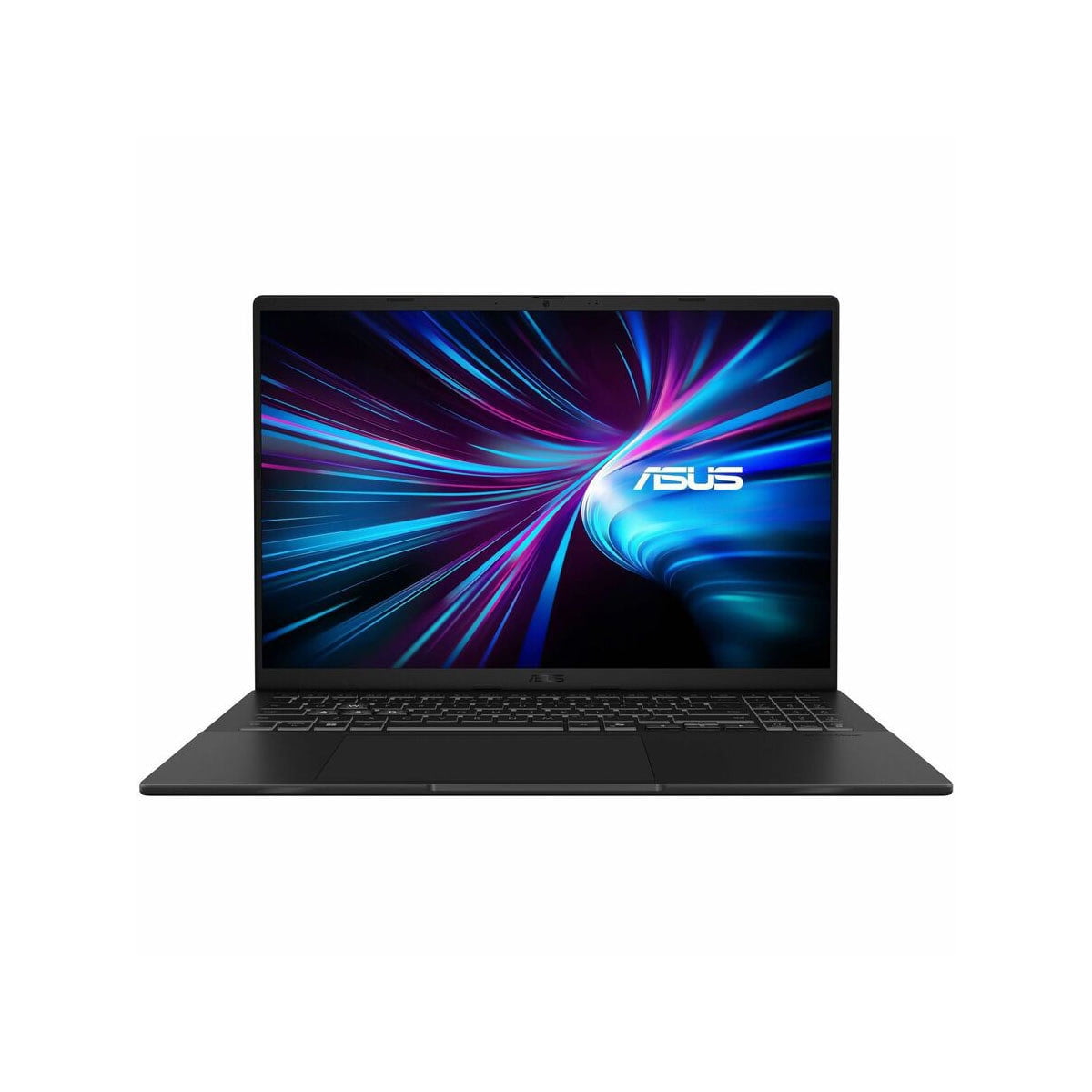
1. ASUS ROG Zephyrus G16 — Best Overall
Best for: buyers who want premium gaming performance without carrying a traditional six- or eight-pound desktop-replacement laptop.
The 2026 ROG Zephyrus G16 is the best ASUS gaming laptop for buyers who need one machine to handle demanding games, creative work, professional applications, and frequent travel. It combines Intel’s Core Ultra 9 386H with RTX 5070 Ti or RTX 5080 graphics inside a chassis weighing about 4.3 pounds.
The 16-inch 2560×1600 OLED display is a major reason to choose it. ASUS specifies a 240Hz refresh rate, while independent testing from Tom’s Guide found the panel bright and vibrant, measuring 469 nits in SDR and more than 1,000 nits in its HDR test.
For most buyers, the RTX 5070 Ti configuration is the sensible version. ASUS launched it at $3,699.99, which is already firmly premium. The RTX 5080 configuration launched at $4,799.99. It supplies more graphics memory and performance headroom, but that price increase becomes difficult to justify unless the extra GPU performance is important for demanding games, rendering, AI workloads, or professional applications.
The G16 also demonstrates why GPU wattage matters. ASUS rates the RTX 5070 Ti at up to 140W in Manual mode and the RTX 5080 at up to 160W. Those are serious figures for a thin laptop, but the larger Strix G16 can push its RTX 5080 to 175W.
Portability is therefore part of what you are paying for. The G16 is considerably easier to carry than Strix or SCAR while still delivering genuine gaming-class hardware.
Pros
✅ 240Hz OLED display
✅ Strong RTX 5070 Ti and RTX 5080 configurations
✅ About 4.3 pounds despite 16-inch gaming hardware
✅ Strong crossover between gaming and professional workloads
✅ Improved general-use battery performance in independent testing
Cons
❌ $3,699.99 starting launch price is extremely high
❌ RTX 5080 model launched at $4,799.99
❌ Lower maximum GPU power than a larger Strix RTX 5080 configuration
❌ Proprietary power adapter reduces the portability advantage under gaming loads
Who should skip it: buyers who keep their gaming laptop on a desk and care more about maximum FPS per dollar than weight or design.
Alternative: choose the ROG Strix G16 if cooling capacity and higher sustained GPU power matter more than portability. Buyers prioritizing ordinary work over gaming can also compare the best Dell laptops for work and study.
Get yours now and level up your setup — shop the Zephyrus G16 today!
2. ASUS ROG Zephyrus G14 — Best Portable ASUS Gaming Laptop
Best for: commuters, students, and travelers who genuinely need premium gaming performance in a compact 14-inch machine.
The Zephyrus G14 takes the same premium thin-and-light idea as the G16 and makes portability the priority. The 2026 version pairs a Core Ultra 9 386H processor with an RTX 5070 Ti Laptop GPU in a chassis weighing roughly 3.5 pounds.
The 14-inch OLED display uses a 2880×1800 resolution and 120Hz refresh rate. ASUS claims up to 1,100 nits peak HDR brightness, and Notebookcheck measured up to approximately 1,140 nits in its HDR testing. That is a substantial upgrade for users who want a compact laptop without accepting a mediocre screen.
ASUS rates the RTX 5070 Ti at up to 115W in Turbo mode and 130W in Manual mode. That is impressive for a 14-inch notebook, but it reinforces the same buying rule: do not expect a compact G14 to behave exactly like a larger gaming laptop carrying a similar GPU name.
The G14’s weakness is price. ASUS launched the 2026 U.S. configuration at $3,599.99. That puts it far beyond ordinary student-laptop budgets, so “best for students” only applies to buyers who specifically need gaming or GPU-heavy creative performance in a very portable machine.
Memory is also onboard rather than a normal replaceable RAM configuration, making it important to buy enough memory at the beginning.
Pros
✅ RTX 5070 Ti performance in a compact 14-inch chassis
✅ About 3.5 pounds
✅ Excellent 3K OLED display
✅ Strong option for gaming plus mobile productivity
✅ Improved display brightness in current independent testing
Cons
❌ $3,599.99 launch price
❌ Onboard memory limits later RAM upgrades
❌ 120Hz panel is slower than high-refresh Strix displays
❌ Compact cooling means less performance headroom than larger gaming systems
Who should skip it: buyers who rarely move their laptop or students whose workload does not require a dedicated high-end GPU.
Alternative: choose the ASUS V16 for a much more affordable gaming-and-study crossover. Students with lighter gaming requirements should also compare the broader affordable laptops for students.
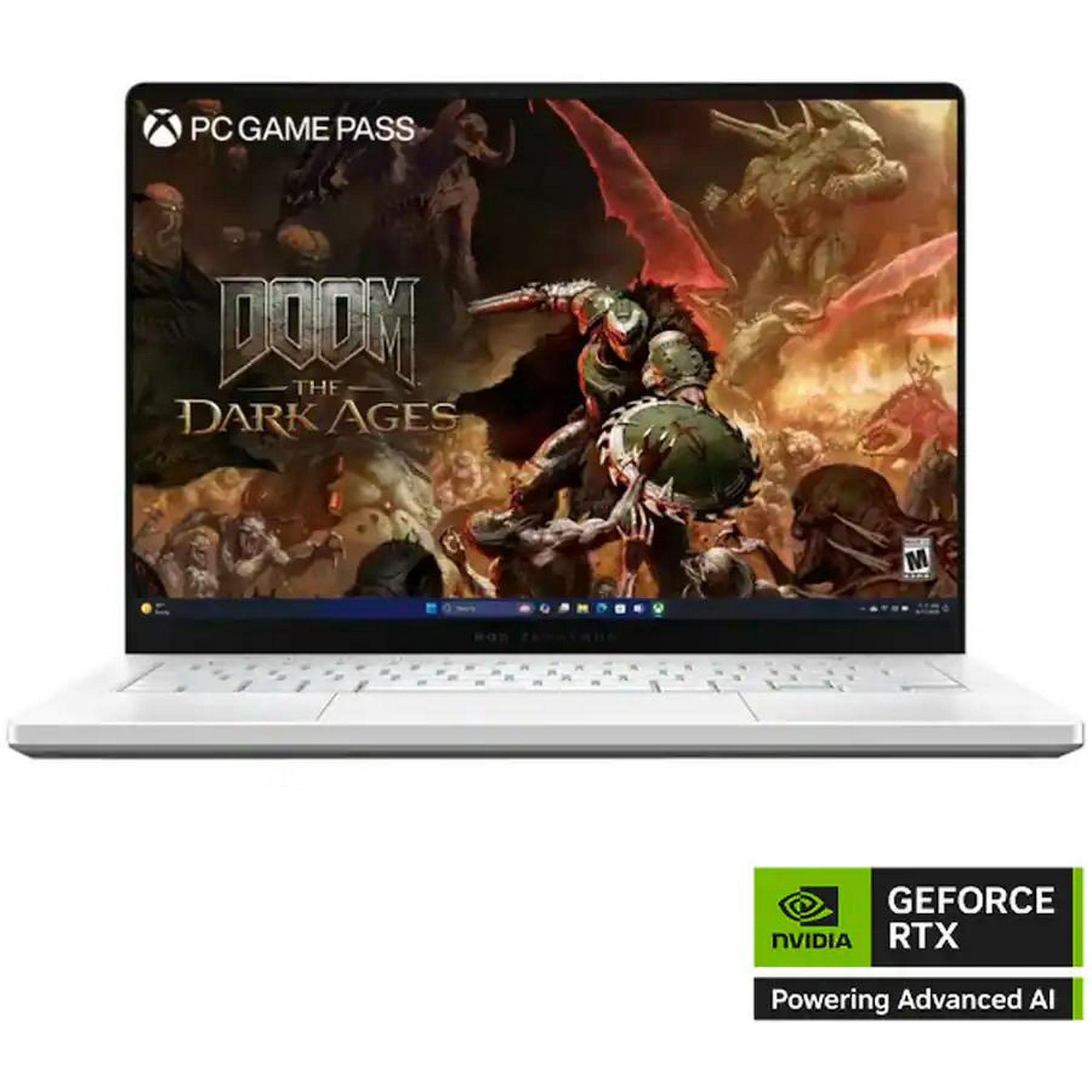
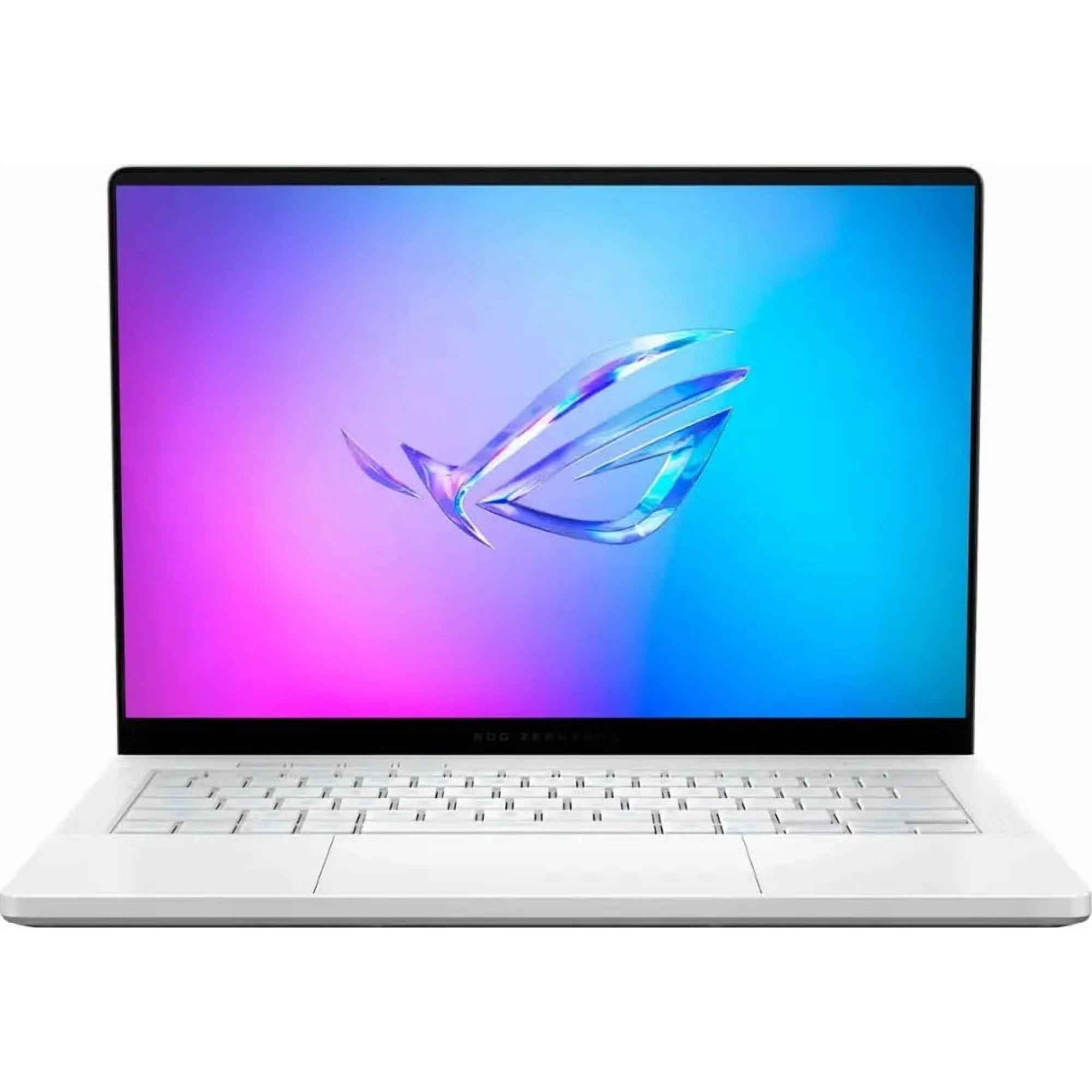
Experience the ASUS ROG Zephyrus G14 RTX 5060 — a compact powerhouse with a 14" 2880×1800 display (120Hz, 500 nits), AMD Ryzen CPU (4.0 GHz base), 16GB RAM, 1TB SSD, and NVIDIA RTX 5060 graphics for smooth, high-fidelity play and creative work.
Don’t wait — grab yours now and unleash serious performance on the go.
3. ASUS ROG Strix G16 — Best High-Performance 16-Inch
Best for: buyers who prioritize sustained gaming performance, cooling, and upgradeability over thin-and-light portability.
The ROG Strix G16 is where ASUS shifts from balancing gaming with mobility to prioritizing gaming performance. The 2026 G615 lineup includes RTX 5060, RTX 5070, and RTX 5080 configurations paired with Intel Core Ultra 9 290HX Plus processors on relevant models.
The most important specification is GPU power. ASUS rates the RTX 5070 and RTX 5060 configurations at up to 115W, while the RTX 5080 reaches 175W. That is higher than the maximum manual-mode GPU power ASUS lists for the thinner Zephyrus G16 RTX 5080.
This does not mean every game will automatically run a fixed percentage faster on the Strix. CPU behavior, cooling, firmware, game engine, resolution, and graphics settings all influence performance. It does mean the Strix gives its high-end GPU a larger power and cooling budget, which is exactly what a performance-oriented buyer should be looking for.
The 16-inch 2560×1600 display supports very high refresh rates, with ASUS listing configurations and modes reaching up to 300Hz. That makes the Strix particularly attractive for competitive games where frame rate matters more than the perfect blacks of a Zephyrus OLED.
The trade-off is portability. At roughly 5.84 pounds before adding the charger, this is a machine you can transport rather than one you will enjoy carrying between classes every day.
Pros
✅ RTX 5080 configuration supports up to 175W
✅ Performance-focused cooling and chassis
✅ High-refresh 2560×1600 display options
✅ Better fit than Zephyrus for desk-based high-performance gaming
Cons
❌ Roughly 5.84-pound chassis
❌ Less practical for commuting
❌ High-end configurations can become extremely expensive
❌ Strong cooling does not eliminate fan noise under heavy gaming loads
Who should skip it: commuters, frequent travelers, and buyers willing to trade some peak performance for a much slimmer machine.
Alternative: Zephyrus G16 if portability and OLED quality matter as much as gaming performance.
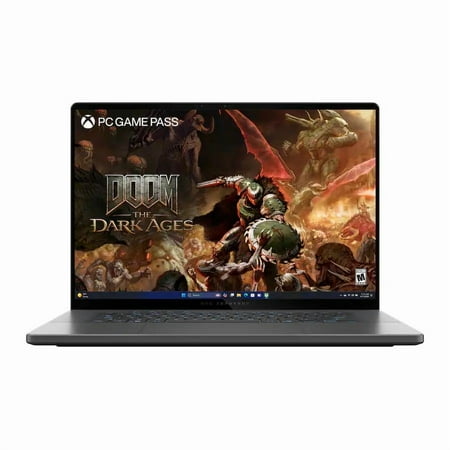
Unleash next-gen power with the ASUS ROG Strix G16 RTX 5080 — Intel Core Ultra 9 275HX, NVIDIA GeForce RTX 5080 with DLSS 4, 32GB DDR5, 1TB PCIe Gen4 SSD and a blistering 300Hz ROG Nebula display with Dolby Vision. Ready to upgrade your rig? Buy now and experience pro-level performance, advanced cooling, and premium software tools the moment it ships.
4. ASUS ROG Strix SCAR 18 — Best Desktop Replacement
Best for: enthusiasts who want flagship ASUS performance and expect the laptop to spend most of its life on a desk.
The ROG Strix SCAR 18 is not trying to be portable. It is ASUS’s flagship large-screen gaming machine, with current configurations extending to the RTX 5090 Laptop GPU at a 175W maximum TGP and Intel Core Ultra 9 290HX Plus processor.
The display is equally aggressive. ASUS uses an 18-inch 3840×2400 Mini LED panel with a 240Hz maximum refresh rate, more than 2,000 dimming zones, 100% DCI-P3 coverage, and a manufacturer peak-brightness claim of 1,600 nits under specified conditions.
Upgradeability is another major advantage. ASUS says the platform supports up to 128GB of RAM and up to 8TB of PCIe storage, with a tool-less design intended to simplify access to memory and SSD slots.
Independent testing shows both the strengths and weaknesses of this approach. Tom’s Hardware tested an RTX 5090 configuration at 175W and praised its Mini LED display and overall performance. The reviewed unit weighed 8.16 pounds and cost $4,999.99, while also shipping with a single 32GB memory module rather than dual-channel memory and a PCIe 4.0 SSD instead of a Gen5 drive.
ASUS currently lists the SCAR 18 family from $4,299.99 in the U.S. That is an extraordinary amount of money for a laptop, so buyers should inspect the exact memory, storage, and GPU configuration rather than assuming every expensive SCAR is optimally configured.
Pros
✅ RTX 5080 and RTX 5090 configurations at up to 175W
✅ 18-inch 4K 240Hz Mini LED display
✅ Extensive RAM and SSD upgradeability
✅ Built for sustained high-performance desktop-replacement use
Cons
❌ Starts above $4,000
❌ 8.16 pounds in the independently tested configuration
❌ Large 450W-class power adapter on flagship configurations
❌ Exact memory and SSD configuration still needs scrutiny at this price
Who should skip it: practically anyone who needs to carry a laptop every day or is trying to maximize gaming performance per dollar.
Alternative: Strix G16 provides much of the same performance-first philosophy in a substantially more manageable form factor.
Unleash pro-level performance with the ASUS ROG Strix Scar 18 RTX 5080 — engineered for high-refresh 4K gaming, creative workloads, and blistering load times. HIDevolution’s premium upgrades (240Hz WQUXGA Mini‑LED, liquid metal + GC Extreme cooling, 16 TB PCIe 4.0 NVMe, 64 GB DDR5, and Windows 11 Pro) deliver thermally optimized, rock‑solid performance backed by a 1‑year warranty.
5. ASUS V16 — Best Affordable ASUS Gaming Laptop
Best for: students and mainstream gamers who want dedicated NVIDIA graphics without paying ROG Zephyrus or Strix prices.
The ASUS V16 occupies a useful position below the premium ROG range. It looks more restrained than many budget gaming notebooks and combines a 16-inch 16:10 display with dedicated graphics, making it easier to use for coursework and everyday productivity as well as games.
Exact configuration matters more here than with almost any other laptop in this guide. ASUS’s current U.S. V3607 specification page lists variants ranging from RTX 3050 and RTX 4050 through RTX 5060 and RTX 5070 graphics. For a current gaming purchase, the RTX 5060 configuration is the version we would investigate first when its live price makes sense.
Display specifications deserve equally close attention. ASUS’s current U.S. page lists 16-inch 144Hz panels with 45% NTSC color coverage on the displayed U.S. configurations. That is acceptable for ordinary gaming and study but weak for serious photo, video, or design work where accurate color reproduction matters.
TechRadar’s independently tested RTX 4050 V16 weighed about 4.3 pounds and was praised for portability, keyboard quality, and respectable gaming capability. The reviewer also criticized the display’s washed-out appearance and noted heat around parts of the keyboard.
The V16 therefore makes sense only at the right price. Upper-tier RTX 5070 versions can erode the value advantage quickly, at which point a discounted ROG or competing gaming laptop may be the smarter purchase.
Buyers shopping around this price class should also compare our best budget gaming laptops rather than assuming ASUS offers the best configuration at every price point.
Pros
✅ More attainable than premium ROG models
✅ Current U.S. lineup includes RTX 5060 and RTX 5070 options
✅ 16-inch 16:10 display is useful for gaming and coursework
✅ Relatively portable for a 16-inch gaming laptop
Cons
❌ Exact GPU varies substantially by SKU
❌ Current U.S. panel specifications are weak for color-sensitive work
❌ Higher-end configurations can lose the value advantage
❌ Build and display quality are below premium ROG models
Who should skip it: buyers who want premium OLED/Mini LED picture quality or flagship GPU performance.
Alternative: Zephyrus G14 if portability remains important and your budget can stretch much further.
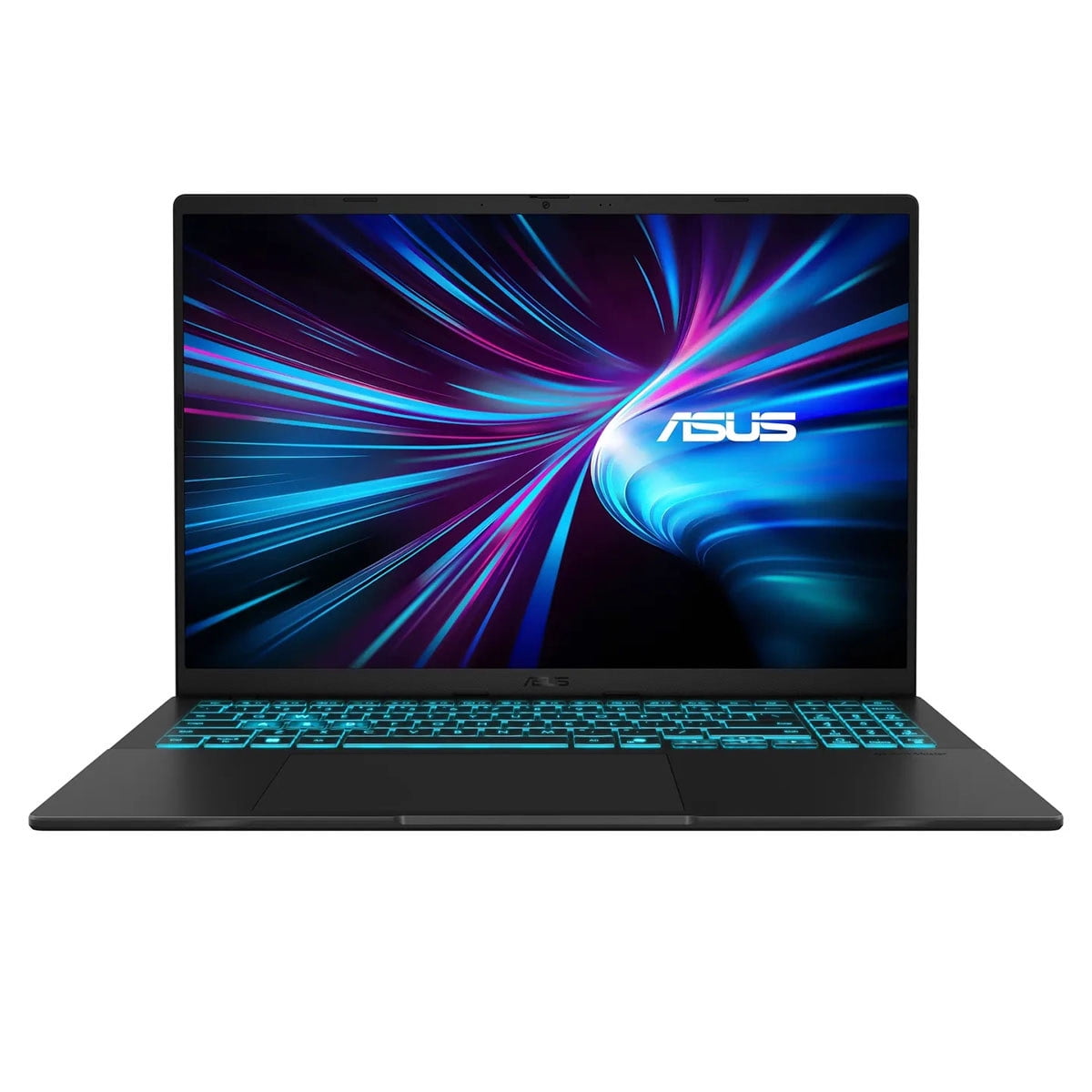
Get the brand-new, factory-sealed ASUS V16 16-inch 144Hz RTX 3050 (Vivobook 16 V3607VJ-DS76) — 16 GB memory, 512 GB SSD, Windows 11 Home, and a minimum 1‑year warranty for peace of mind.
Experience silky-smooth gaming and responsive multitasking with the 144Hz display and NVIDIA RTX 3050 graphics.
Order now to upgrade your performance — limited stock available!
ASUS Gaming Laptops We Considered but Did Not Select
ASUS TUF Gaming A14 2026: the Ryzen AI Max+ configuration is technically interesting, but it is not a good default gaming recommendation. Tom’s Hardware found its CPU performance and battery life impressive while criticizing its integrated Radeon 8060S graphics as poor gaming value at the premium price of the tested configuration. Dedicated-GPU TUF configurations can tell a different story, which is exactly why the exact SKU matters.
ASUS TUF Gaming F16 2026: current RTX 5060 and RTX 5070 configurations look much more gaming-focused, but the line does not currently separate itself clearly enough on U.S. price and independent evidence to replace one of the five recommendations above.
ROG Zephyrus Duo: its dual-screen design can be useful for creators, streamers, and specialist workflows, but it solves a very different problem from a conventional gaming notebook and comes with flagship pricing.
Previous-generation Strix and TUF models: they can become excellent purchases during clearance sales, but compare the exact GPU wattage, display, memory, and price against current models instead of assuming an older ROG badge is automatically a bargain.
ASUS Gaming Laptop Families Explained
ASUS V Series
Start here when price and everyday usability matter more than premium materials. The V16 combines dedicated gaming graphics with a relatively restrained design, but buyers must pay close attention to the exact GPU and display configuration.
ASUS TUF Gaming
TUF traditionally targets value, durability, and mainstream gaming, but do not treat the family name as a guarantee of low pricing. Current TUF systems span very different hardware, including dedicated RTX models and specialized integrated-GPU configurations.
ROG Zephyrus
Zephyrus is ASUS’s premium thin-and-light gaming family. Choose it when gaming performance has to coexist with portability, high-quality displays, professional work, or frequent commuting.
ROG Strix
Strix gives cooling and performance more priority than portability. It is the better family for gamers who keep their laptop plugged in and want higher GPU power limits without moving all the way to an 18-inch SCAR.
ROG Strix SCAR
SCAR is the flagship desktop-replacement tier. Expect the highest GPU configurations, more elaborate cooling, premium high-refresh displays, aggressive styling, substantial upgradeability, and prices that can rival complete desktop gaming setups.
Why the Exact GPU Configuration Matters
The GPU name is only the beginning of an ASUS gaming laptop comparison. Laptop graphics processors operate within power and thermal limits determined by the notebook manufacturer.
The 2026 lineup provides an excellent example. ASUS lists the RTX 5080 in the Strix G16 at up to 175W. The Zephyrus G16’s RTX 5080 is listed at up to 160W in Manual mode. Both say “RTX 5080,” but they are designed around different priorities.
The Strix uses a larger chassis to prioritize sustained gaming power. The Zephyrus deliberately gives up some thermal headroom to remain dramatically thinner and lighter.
Buying rule: compare the exact GPU, maximum power limit, VRAM, cooling design, display resolution, CPU, and price. Never assume two gaming laptops with the same GeForce badge will perform identically.
Which ASUS Gaming Laptop Is Best for You?
| Buyer | Best ASUS Laptop | Why |
|---|---|---|
| Best balance of gaming and portability | Zephyrus G16 | 16-inch OLED, strong GPU choices, 4.3-lb chassis |
| Premium student / frequent commuter | Zephyrus G14 | 14-inch size and roughly 3.5-lb weight |
| Student on a lower gaming budget | ASUS V16 | More attainable dedicated-GPU configurations |
| Performance-first 16-inch gaming | Strix G16 | Higher GPU power and cooling priority |
| Flagship desk setup | SCAR 18 | RTX 5080/5090, 4K Mini LED, broad upgradeability |
| Gaming only, no portable-PC requirement | Compare a console too | A console may provide better simplicity and gaming value |
If you do not need Windows applications, PC mods, school software, or portable productivity, compare these systems with the best gaming consoles before spending thousands of dollars on a gaming laptop.
What to Check Before Buying an ASUS Gaming Laptop
GPU Model and Power Limit
Check both the NVIDIA GPU and its configured power limit. A higher-wattage GPU can sustain more performance when the chassis, cooling, and workload allow it. The Strix G16 RTX 5080’s 175W specification is a good example of why the number matters.
Display Resolution and Refresh Rate
Higher resolution improves detail but also asks more from the GPU. A 2560×1600 high-refresh panel is a practical gaming balance, while SCAR 18’s 3840×2400 display is far more demanding when games are actually rendered at native resolution.
OLED vs Mini LED vs IPS
OLED provides pixel-level blacks, excellent contrast, and extremely fast pixel response, which makes the Zephyrus displays particularly attractive for games and media. Mini LED can deliver very high brightness while avoiding OLED-specific ownership considerations, making it well suited to the large SCAR 18. Conventional IPS-style panels can keep prices lower but vary significantly in brightness and color coverage.
RAM: Soldered or Upgradeable?
Check before buying. Thin systems such as the Zephyrus G14 use onboard memory configurations, so choosing enough RAM at purchase is important. Larger Strix and SCAR machines offer more conventional upgrade paths.
SSD Expansion
Modern games can exceed 100GB each. If you expect to build a large local game library, check both the installed SSD capacity and whether a second M.2 slot is available.
Weight Plus Charger
Manufacturer laptop weight does not include the practical burden of carrying a large gaming power adapter. A 4.3-pound Zephyrus may remain noticeably easier to travel with than a Strix, but heavy GPU workloads still require the charger.
Battery Expectations
Good web-browsing or productivity battery life does not mean good unplugged gaming endurance. Independent testing of the Zephyrus G16 showed major improvements in light-use battery life, but demanding gaming still drains the battery rapidly and performance is generally best when plugged in.
Cooling and Noise
Thin laptops have less physical room to move heat. Larger Strix and SCAR systems use that extra volume to support higher sustained power, but gaming fans can still become clearly audible under heavy load.
Exact SKU
This is especially important for ASUS V16 and TUF systems. Retail listings under the same family name can contain different GPUs, memory amounts, SSD sizes, displays, and operating-system configurations.
Warranty
Verify the warranty listed for the exact U.S. SKU and retailer rather than assuming one term applies universally. ASUS also offers Premium Care options for qualifying gaming notebooks, with total warranty duration limited to a maximum of three years under its current extension rules.
Frequently Asked Questions
What is the best ASUS gaming laptop?
ROG Zephyrus G16 is our best overall ASUS gaming laptop because it combines a 240Hz OLED display, strong RTX 5070 Ti or RTX 5080 configurations, and a roughly 4.3-pound chassis. Strix G16 is better if sustained gaming performance matters more than portability.
Is ROG better than ASUS TUF?
ROG generally targets higher-end performance, displays, cooling, and premium design, while TUF traditionally focuses more on mainstream gaming and value. The exact configuration matters more than the family name because current TUF prices and hardware vary substantially.
Is Zephyrus or Strix better for gaming?
Strix is better when sustained gaming performance and cooling are the priorities. Zephyrus is better when you want high gaming performance in a thinner and lighter laptop that is easier to use for work, study, and travel.
Which ASUS gaming laptop is best for students?
ASUS V16 is the practical lower-cost student pick, while Zephyrus G14 is the premium choice for students who need stronger GPU performance and a much more portable 14-inch design. Buyers with lighter gaming needs should compare mainstream student laptops before paying for dedicated graphics.
Is the ASUS V16 good for gaming?
Yes, with the right configuration. Current U.S. variants include dedicated NVIDIA GPUs up through RTX 5060 and RTX 5070 options. Check the exact GPU, RAM, storage, display, and live price because V16 configurations vary significantly.
Is an RTX 5080 worth it in an ASUS laptop?
It can be worth it for demanding AAA gaming, GPU rendering, high-resolution workloads, or users who need additional graphics memory. It is usually poor value for mainstream gaming if an RTX 5070 Ti configuration already delivers the performance you need. Also compare GPU power limits because different RTX 5080 laptops do not run at identical wattages.
Can you upgrade RAM and storage in ASUS gaming laptops?
It depends on the model. SCAR and Strix systems generally provide stronger upgrade paths, while thin Zephyrus models can use onboard memory that cannot be upgraded in the same way. Always check the exact configuration before ordering.
How long is the warranty on an ASUS gaming laptop?
Base warranty terms can vary by product, SKU, and retailer, so verify the exact U.S. listing. ASUS Premium Care can extend coverage on qualifying gaming notebooks, with current extension rules limiting the total warranty period to a maximum of three years.
Final Verdict: Which ASUS Gaming Laptop Should You Buy?
ROG Zephyrus G16 is the best ASUS gaming laptop for most premium buyers. It delivers enough performance to justify the ROG name while remaining dramatically easier to carry than a full-size Strix or SCAR. The RTX 5070 Ti configuration is the version we would start with unless you have a concrete reason to pay substantially more for RTX 5080 graphics.
Zephyrus G14 is the better portable option. Strix G16 should be your starting point when raw gaming performance matters more than weight, and SCAR 18 belongs in a different class entirely as an extravagant desktop replacement.
ASUS V16 is the value-oriented choice, but it requires the most careful configuration shopping. Do not buy it from the family name alone: confirm the GPU, RAM, SSD, and especially the display on the exact retailer SKU.
Best Overall: ASUS ROG Zephyrus G16
Best Portable: ASUS ROG Zephyrus G14
Best High-Performance 16-Inch: ASUS ROG Strix G16
Best Desktop Replacement: ASUS ROG Strix SCAR 18
Best Affordable / Student Pick: ASUS V16
Sources
- ASUS — ROG Zephyrus G14 and G16 U.S. launch specifications and pricing — 2026
- ASUS ROG — ROG Strix G16 2026 technical specifications and GPU power limits
- ASUS ROG — ROG Strix SCAR 18 2026 technical specifications and U.S. pricing
- Tom’s Guide — ASUS ROG Zephyrus G16 2026 review — July 2026
- Tom’s Hardware — ASUS ROG Strix SCAR 18 2026 review — 2026
Product Groups: ASUS ROG Zephyrus G16 2026, ASUS ROG Zephyrus G14 2026, ASUS ROG Strix G16 2026, ASUS ROG Strix SCAR 18 2026, ASUS V16 V3607