
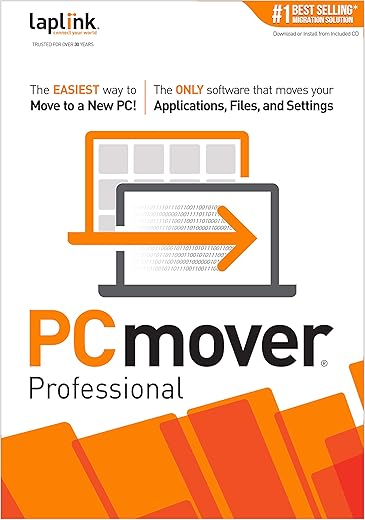
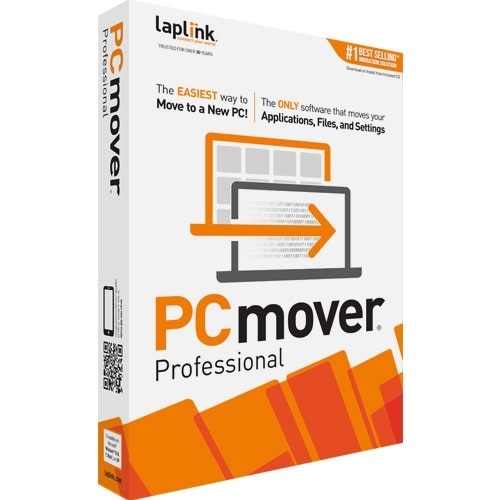
Laplink Software PCmover Professional: Instant Download License
 Amazon.com
  Bestbuy.com
  Dell.com
  Walmart.com
Original price was: $49.95.$29.95Current price is: $29.95.
Laplink Software PCmover Professional: Instant Download License Price comparison



![Laplink - PCmover Professional 11 (1-Use) - Windows [Digital]](https://pisces.bbystatic.com/prescaled/500/500/image2/BestBuy_US/images/products/6293/6293324_sd.jpg)

![Laplink PCmover Professional 11 - 1 Use [Digital Download]](https://i5.walmartimages.com/asr/9fa918f6-8712-450b-a06c-53e75ac92906.51e6fa8938b3537a805818c7bddeea68.jpeg?odnHeight=450&odnWidth=450&odnBg=ffffff)

- All prices mentioned above are in United States dollar.
- This product is available at Walmart.com, Amazon.com, Bestbuy, Dell Small Business.
- At walmart.com you can purchase Laplink Easy Transfer Cable for Windows (1 Use) for only $26.95 , which is 99% less than the cost in Dell Small Business ($3,000.00).
- The lowest price of Download Laplink PCmover Business 11 100 Use License was obtained on October 8, 2026 19:57.
Laplink Software PCmover Professional: Instant Download License Price History
Laplink Software PCmover Professional: Instant Download License Description
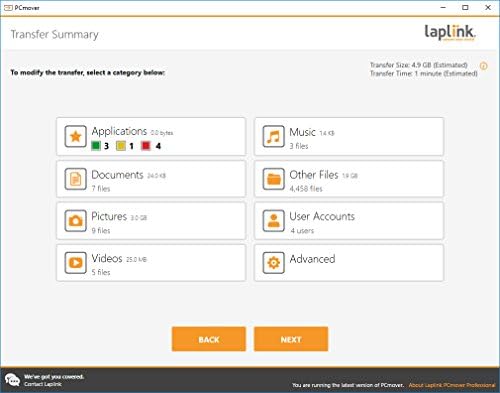
Discover the Laplink Software PCmover Professional: Instant Download License
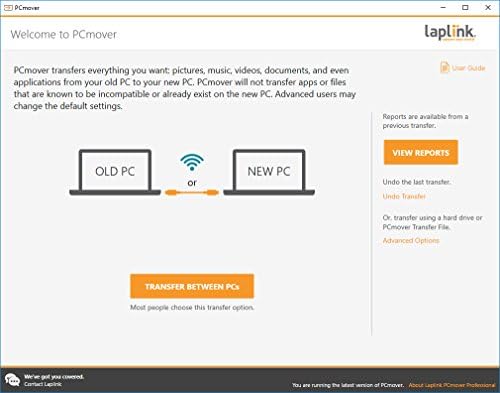
The Laplink Software PCmover Professional is an essential tool for anyone looking to migrate files, applications, and settings seamlessly from one Windows PC to another. Whether you’re upgrading your machine or switching devices, this software helps make the transition effortless and straightforward. With an easy-to-use interface and powerful features, PCmover Professional is always a top choice for professionals and everyday users alike.
Key Features and Benefits of PCmover Professional
- Seamless Migration: Move all your important files, applications, and settings with a few clicks. Save time and reduce the hassle of manual transfers.
- Supports Multiple Versions: PCmover is compatible with various Windows versions, making it versatile for any user. Whether you’re moving from Windows 7 to Windows 10 or higher, this software has you covered.
- User-Friendly Interface: The intuitive interface makes it simple for anyone to use, even without tech knowledge. Just follow the easy step-by-step instructions.
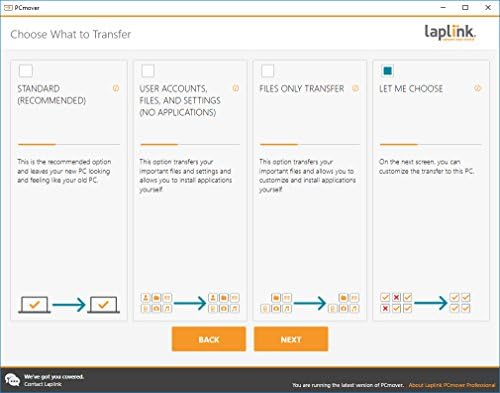
- File Selectivity: Choose exactly what you want to move. This feature gives you control over your migration process, ensuring you only transfer what you need.
- Application Transfer: Not only does it migrate files, but it can also install and set up applications from the old PC, saving you significant time.
- Technical Support: Enjoy peace of mind with dedicated support from Laplink’s team, ensuring a smooth migration experience from start to finish.
Price Comparison Across Different Suppliers
When considering the purchase of Laplink Software PCmover Professional, price comparison is crucial to ensure you’re getting the best deal. Prices vary between retailers, and it’s advantageous to shop around. At the moment, you can find this software priced between $59.95 and $79.95, depending on the seller. By comparing prices across different suppliers, you can maximize your savings.
Trends from the Price History Chart
A glance at the 6-month price history chart reveals interesting trends. Retail prices show an overall downward trend recently, making it a prime time to invest in PCmover Professional. Identifying these trends allows savvy shoppers to time their purchases better, capitalizing on lower prices.
Customer Reviews Summary
Customer feedback on Laplink Software PCmover Professional reveals a mostly positive consensus. Users appreciate its ease of use and effectiveness in simplifying the migration process. Many reviews highlight the following:
- Positive Aspects: Users commend its seamless operation, the ability to transfer extensive data sets, and its detailed support documentation.
- Noted Drawbacks: A few customers experienced occasional glitches with specific applications during transfer. However, most found these issues manageable and attributed them to unique setups rather than the software itself.
Explore Review and Unboxing Videos for PCmover Professional
If you’re seeking additional insights into the performance and functionality of PCmover Professional, several unboxing and review videos are available online. These interactive reviews provide visual demonstrations of the software in action. Observing these videos will enhance your understanding of how the product operates and validate its features before making a purchase.
Why Choose Laplink Software PCmover Professional
Investing in Laplink Software PCmover Professional is a smart move for anyone in need of reliable migration solutions. Whether upgrading your PC or changing devices, it allows for a smooth transition without losing important files or settings. Its excellent price point, coupled with essential features, makes it a best seller for a reason.
Don’t miss out on saving time and effort on your next PC migration project. Compare prices now to find the best deal on the Laplink Software PCmover Professional: Instant Download License and experience effortless transition for yourself!
Laplink Software PCmover Professional: Instant Download License Specification
Specification: Laplink Software PCmover Professional: Instant Download License
|
Laplink Software PCmover Professional: Instant Download License Reviews (4)
4 reviews for Laplink Software PCmover Professional: Instant Download License
Only logged in customers who have purchased this product may leave a review.

B BELLOWS-TERRANOVA –
I got a new laptop that was more complex than any I’ve had before, because it has both a 1 TB SSD and a 1 TB standard drive.
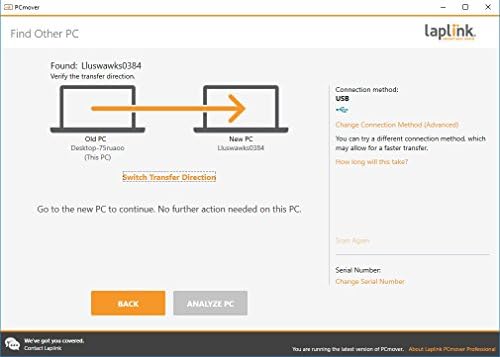
But I made 2 mistakes. First, because this program said it could be done via wireless, I opted for that, to save money. That was a mistake. It was really slow, and the recommendations for this issue were to move the laptops closer to the modem (which I hadn’t done) and to have less devices using the modem while this process was happening.
In a home where my husband is also on his computer and phone and watching television, that is not practical.
So, I realized I needed the cord to connect the two laptops. But again, I made a mistake. I went for a cord my husband could pick up immediately at Best Buy. Wrong. That didn’t work with the program — it just left me trying to move things where I thought they should go — and guess what? Even though I’ve been working professionally on computers and have had a series of computers for 30 years, this was surprisingly beyond me. So I bought the Laplink connector cable. THEN THE WORLD GOT SO MUCH BETTER.
If only I had understood how completely helpful the customer service at Laplink would be, I would have been able to complete the transfer in no time. First, no matter when I called, the phone was picked up immediately, and after my first call, whoever picked up the call had all my information and I never needed to explain anything. They were very well-informed, polite, spoke excellent English, and made sure I knew I should call back if I had any issues or questions. What they did NOT do was try to sell me stuff. They tried to help me accomplish what I needed without paying more. But when I did see that I was wasting so much valuable work time by not purchasing the official cable, I bought it, called Customer Service, and the gentleman who helped me made it happen in minutes.
I guess the only thing I would suggest to the company would be to package the cable with the program — or make it even more clear in the product information that other cables don’t do the work this cable does, and that a wireless transfer isn’t very practical.
E. Kraemer –
Ok to transfer data, even multiple users, but applications, NO. This was a Win10Pro to Win11Pro transition. Granted they tell you that SOME applications may not transfer or have to be reinstalled, but Microsoft Office?? Microsoft, in its infinite INSANITY, will autoload Office365, because EVERYONE NEEDS Office, well, when PC Mover does its STUPIDITY, it really screws the pooch. I had to download a tool from MS to forcibly yank every Office application from the new system, then reinstall Office2019H&B. QuickBooks Desktop was another nightmare, but fortunately it would allow the uninstall. The after action report stated that Google Chrome transferred properly, and it was the latest version available at the time, but required a forcible update to the EXISTING version. I don’t want to talk about the fiasco with UPS Worldship – that took 30 minutes with a UPS tech muttering obscenities to fix. And if there is ANY REGISTRY GARBAGE in the old system, presto, it is now in the new system. In the end result, the data transfer was nice, but I probably could have done it faster manually by yanking the old drive and connecting it via USB3… less expensive too by not purchasing this product. The application problems, yes, there were others, EXTENDED the amount of time required by a minimum of two hours, probably three. I can say that it migrated the Printers properly – UPS Lables and an Epson XP-440 – both connected via USB [but not at the time of transfer].
Note that this was a Stand Alone system, not a DOMAIN connected system, but it did have Network Shares configured. While the shares LOOKED ok on the new system, neither worked and had to be re-established.
All in all a disapointment that I have no one to blame but myself for thinking that this newer version would actually work. The product is an OVERSELL, at least where modern applications are concerned. There are just too many tricky things that application installers do, this includes Microsoft. MAC has a Hardware and Software Bible, and you follow their Bible or you do not sell your product. Microsoft is more Laissez Faire, and everyone breaks the rules, even Microsoft.
For a NOOB, that only needs DATA transfered, it might pass the smell test, BUT FOR ME it was a complete waste of my time and money. FYI, this is not my first barbecue with PC MOVER [many years ago], and it is still an overrated POS. Your Milage May Vary.
Red G –
I was transferring from an old Windows 7 workstation to a new Windows 10 workstation and needed to move dozens of legacy software programs that were impossible to replace or reinstall and hundreds of gigabytes of data. I had looked at several programs to perform the transfer and settled on this one because of the features and price (I was only going to use it once and I have years of experience in IT). The software was easy to install and use. I read through the instructions and followed the recommended preparation steps. Everything went well and about 95% of the selected programs and data transferred on the first try (I did use the advanced selection rather than the default settings). I ran the process 2 additional times to grab a few stragglers and things I missed. The only issues were the Microsoft Office suite transferred but the product key and registry settings didn’t so it needed to be repaired and I ended up upgrading it to a newer version rather than fighting with it. I have found that a couple of minor utility programs didn’t transfer even though their shortcuts did but that isn’t a deal killer. Overall this program saved me days (maybe weeks) of work and performed as well as I expected.
Brian W. –
Tried to move from old PC to new PC. New PC failed, not Laplinks fault. But then when I tried to convince tech support to allow me to move from old PC to new PC #2, they spent over an hour remotely connecting with my PCs, trying to argue that I was reusing the license, etc. In the end, they reactivated the license. They would have got 5 stars if I hadn’t wasted more than an hour arguing with them.