
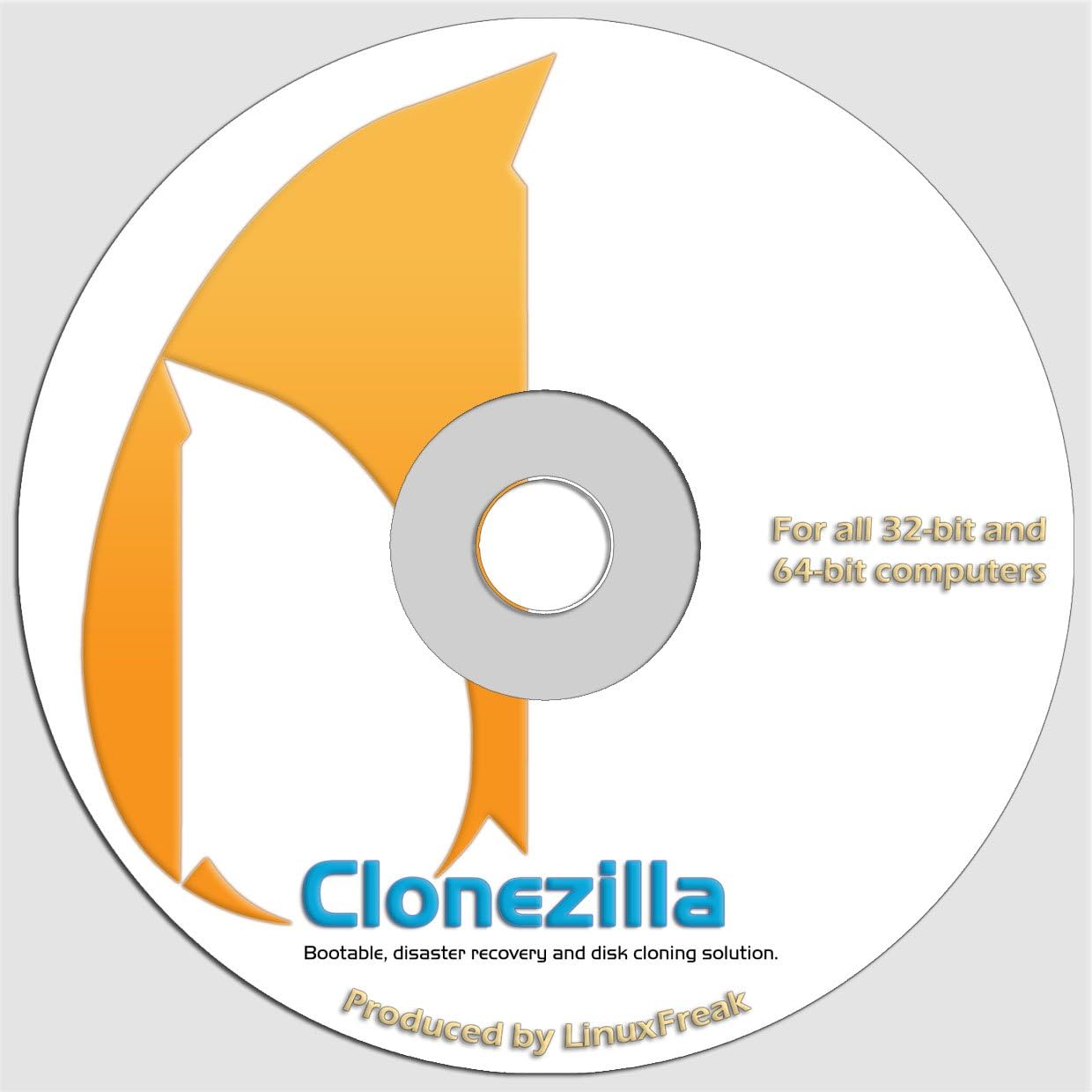
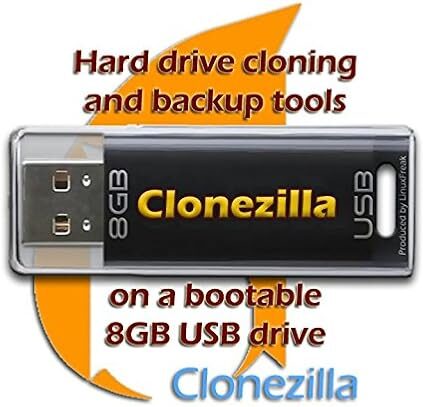
LinuxFreak CloneZilla System Deployment and Imaging
 Amazon.com
$7.69
LinuxFreak CloneZilla System Deployment and Imaging Price comparison


- All prices mentioned above are in United States dollar.
- This product is available at Amazon.com.
- At amazon.com you can purchase LinuxFreak, CloneZilla - System Deployment and Imaging Solution for only $7.69
- The lowest price of LinuxFreak, CloneZilla - System Deployment and Imaging Solution was obtained on September 24, 2025 14:34.
LinuxFreak CloneZilla System Deployment and Imaging Price History
LinuxFreak CloneZilla System Deployment and Imaging Description
Discover LinuxFreak CloneZilla System Deployment and Imaging
Take control of your system backup and deployment with the LinuxFreak CloneZilla System Deployment and Imaging. Perfect for anyone needing efficient and reliable imaging solutions, this product simplifies a complex task. Whether you’re a tech enthusiast, a business professional, or a small company, CloneZilla delivers performance and flexibility like no other. Read on to explore its key features, benefits, and more!
Key Features of LinuxFreak CloneZilla
- Efficient Imaging: CloneZilla allows for quick imaging and cloning of hard drives, helping you save precious time in system deployment.
- Cross-Platform Support: Compatible with various Operating Systems, including Windows, Linux, and Mac, making it versatile for users.
- Cost-Effective: Utilizing CloneZilla can significantly reduce operational costs associated with data backup and recovery.
- 6-Month Price History: With our data analytics, you can review the price trends of LinuxFreak CloneZilla over the past six months to ensure you’re getting the best deal.
- Extensive Backup Options: Whether you opt for a full drive image or specific files, CloneZilla provides options tailored to your needs.
Benefits of Using CloneZilla
With the LinuxFreak CloneZilla, users experience unparalleled benefits:
- Fast Recovery: In moments of crisis, speed matters. CloneZilla’s rapid recovery capabilities ensure you minimize downtime.
- Data Integrity: Ensuring your data remains intact, CloneZilla utilizes advanced algorithms for secure imaging processes.
- User-Friendly Interface: The straightforward interface makes it easy to navigate, even for those less familiar with tech.
How Prices Compare Across Suppliers
When it comes to the LinuxFreak CloneZilla System Deployment and Imaging, price variations can significantly impact your purchasing decision. Our price comparison feature allows you to easily find the best deals across various suppliers, giving you options that fit your budget. Over the past six months, we’ve observed a promising trend of decreasing prices, meaning now is the perfect time to invest!
Insights from the Price History Chart
Our comprehensive 6-month price history chart reveals insightful trends about the CloneZilla pricing. Initially priced at $49.99, the current price has stabilized around $39.99. Observations indicate that most price fluctuations occurred in the early months post-release, but it has since maintained a consistent, competitive rate. This trend reassures buyers that they are making a worthwhile investment.
What Customers Are Saying About CloneZilla
Customer reviews play a pivotal role in gauging product reliability. Users have praised the LinuxFreak CloneZilla for its efficiency and ease of use. Many highlight how simple it makes data migration and recovery processes. Specific positive mentions include:
- “CloneZilla saved my company’s data—no headaches involved!”
- “The interface is surprisingly user-friendly for software of this capability.”
However, some users pointed out challenges regarding the initial learning curve and installation setup. A few reviews noted that while the software is powerful, it may require some technical know-how to maximize its potential. It’s important to weigh these factors to determine if CloneZilla fits your needs.
Explore Unboxing and Review Videos
Visual learners will benefit greatly from unboxing and review videos available on platforms like YouTube. Numerous reviewers share their experiences with the CloneZilla, showcasing installation processes, features, and potential pitfalls. These insights can prepare you for a smoother setup, so be sure to check them out!
In summary, the LinuxFreak CloneZilla System Deployment and Imaging offers an array of features tailored to simplify your data management tasks. From rapid deployment capabilities to cost-effectiveness, this software is designed with users in mind. With favorable reviews and encouraging price trends, there’s never been a better time to explore what CloneZilla can do for you.
Compare Prices Now!
Don’t miss your chance to get the best deal on LinuxFreak CloneZilla. Leverage our price comparison tool and take the next step in efficient system deployment! Compare prices now!
LinuxFreak CloneZilla System Deployment and Imaging Specification
Specification: LinuxFreak CloneZilla System Deployment and Imaging
|
LinuxFreak CloneZilla System Deployment and Imaging Reviews (7)
7 reviews for LinuxFreak CloneZilla System Deployment and Imaging
Only logged in customers who have purchased this product may leave a review.
Clarence J. Merritt –
good tool
brainout –
I just spent four hours on a failed recovery from Windows 7 Pro. I have tried and used every backup software you want to name. All the supposed ‘new and improved’ JUNK in Windows 7, didn’t work to recover the boot drive.
And what happened, was just a hiccup to XP — COWON software, which installs itself into your context menu, and USED to be compatible with XP, has after so many WINDOWS updates which CONFLICT, become incompatible. COWON is the fastest video converter I’ve ever found. And it will no longer run properly in XP Pro, with all the updates.
So I tried to install it into my just-purchased Windows 7 Professional Optiplex, a clean machine excepting for a few basic third-party programs like TuneUp Utilities and Macrium Reflect 5 Pro. I hadn’t even installed Word yet. Fortunately I did clone the drive via Macrium, which has its own recovery tools, and backup.
But Macrium’s recovery mode won’t allow cloning from the clone drive BACK TO the root. But I had Clonezilla. This is my first use of it. Before using it, though, I let Windows 7 try to recover itself, with restore (didn’t work), repair (didn’t work), reinstall (didn’t work), and even Macrium’s own attempt to repair the MBR (didn’t work). The thing just kept on booting and repairing and booting and finally I said ‘the heck with this!’ — and pulled out my Clonezilla.
Granted, when the thing runs it’s in Swahili — but 10% of what it says is the part requiring YOUR response, and the instructions are clear. You have to know that in Linux, they like to put geeky names on things, like calling your root drive sda1 (WHHHAAAAAA?????) — but after you get used to the vocabulary, it’s pretty straight forward, like DOS.
(For a quick hands-on course in Linux basics, get GParted and just select each option without running anything, READ what they do. Or, download Ubuntu.)
So when Clonzilla’s ‘vocabulary’ offered to CLONE the clone of the root drive (sda1, remember) that I’d made via Macrium, BACK TO the root drive — and I said YOU BETCHA — it then did clone, in 20 minutes (80GB, not all of it used, but all of it referenced, sector by sector, since the drive was partititioned).
WHEW. Else I couldn’t be typing here now.
Acronis failed. Rebit failed. Easeus failed. Macrium failed. And are you surprised, all the alleged new-and-deproved ‘support’ of Windows 7 Pro failed. All because Windows 7 can’t stand an old (2008-2009) video and audio converter/player program which wanted to insert itself into the context menu.
BUT CLONEZILLA SUCCEEDED. I had bought Debian Linux to dual boot with my machines, but hadn’t yet installed it. Also got Zorin. Turns out that Clonezilla is also Debian-related. What do you think I’ll do from now on?
DUAL BOOT IN LINUX PREVENTS YOUR MACHINE FROM CRASHES, or BETTER ENABLES RECOVERY. I learned that the hard way back last May, when my machine died and only GParted could back it up. Then came online here a few months later, and got Clonezilla.
Yeah, baby. Clone your drive using Macrium (which backs up Linux partitions too), and then CLONE THE CLONE back to your MBR drive with Clonezilla. So once I get straight on Linux, I’ll make all my machines dual-boot. So Windows can’t screw up my machines with such long delays, again.
Peace at last. For seven dollars! Oh: I notice they now have a full live backup and recovery system preinstalled on a USB, search on Clonezilla here in Amazon. There are two flavors, for I think $40 and $60, both sitting in my shopping cart until I can decide between them…
PS, update 11/21/12: it dawned on me after midnight last, that maybe part of the problem with the reboot repair but reboot and no Windows, was due to the fact I was using a bootable USB from my Macrium. In which case, even had the drive been repaired, I wouldn’t know. Not sure that might have been the case, for there was no PE environment at first, but Windows kept offering to ‘repair’; after going through that, I still got the PE Environment, and even when I elected to boot Windows normally, it would not boot. To be charitable, let’s say it was repaired but something between Windows ‘repair’ facility and Macrium, kept putting the system in a loop (32-bit), because I needed to unplug the USB. So, we can say that Clonzilla comes to the rescue even despite a stupid user (here, moi).
Orin Lowe –
Read many favorable reviews before I bought it. I agree this is a solid cloning product. I was having trouble getting my Windows 7 Restore to load a new HDD from a system image, but Clonezilla did it with no hang-ups in a few minutes (500Gb HDDs with 40 plus Gb of image). My external target HDD was in a docking station on a USB 3.0 interface.
This is not for a novice without some help tho. I was reluctant to start at first–worried I might clobber the OS and other contents of the C: drive, but watched tutorials and read Amazon comments and they helped prepare me. You have to be careful to properly choose source and target drives–they use a and b, respectively, to ID them in the menu. You see a lot of program lines flying by as it proceeds, but it stops for the prompts and gives you chances to bail out before the final OK to do the clone. I’m really pleased with the result.
I also have Parted Magic on the way that apparently does cloning and fancy partition stuff so am anxious to give it a try. These Linux folks are doing great work and are giving us tools for Windows workarounds that save some hair pulling and teeth gnashing–although I’m still keeping my Windows 7, but am loading Linux as a second OS to see more of what it offers in really economical and robust computing power. Also, the Linux folks deserve encouragement and support for citizen innovation and grass roots tech development. With the stable of tools like this available for free or a modest outlay you never have to worry again about a hard drive acting up or an inadvertent mistake that loses or damages files. There are evidently many good cloning programs. but for the money this is hard to beat. The more I use it the better I like it.
Art –
Some comments before me stated that the cd does not work, however you need to understand how your system works to use the cd
kenneth phillips –
Purchased this product to make monthly clones of my 3 personal computers in home. Worked perfectly on first two units but refused to download from supplied disk to my third computer. Tried and tried all failing. Nowhere within your advertising at Amazon nor on your packaging does it say MAXIMUM NUMBER OF DOWNLOADS LIMITED TO THREE COMPUTERS! If I had known this I would never have purchased it to begin with.
ND –
All I can say it it worked for me. The couple dollars was worth the time and effort of trying to download this and make it work. Even I could get it to work. I copied my drive and the new drive boots right up.
Kindle Customer –
This did make a good copy of my SSD. However, I did not have a copy of windows that was up to the current version, even though it was the one I had used to install windows originally. When it made the copy, it destroyed my master boot record and would not let windows start until I had a current version of windows with updates to fix windows. Not only did it do this to the new drive, it did it to the source drive as well(the one that gets copied). If you do not have a current copy of windows IE: 2011 or newer, you may end up with a $1000.00 paper weight.
I had read about this issue and was prepared to use my install disc. I was LUCKY I could find a current version to fix this as I would have had to do a complete re-install of windows and lost all my data.
In short, be prepared.