
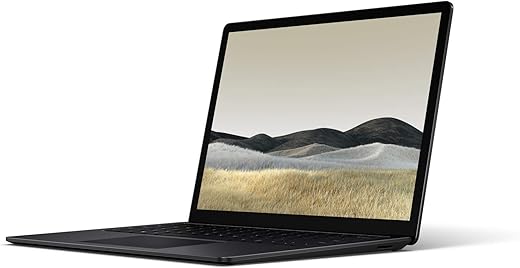
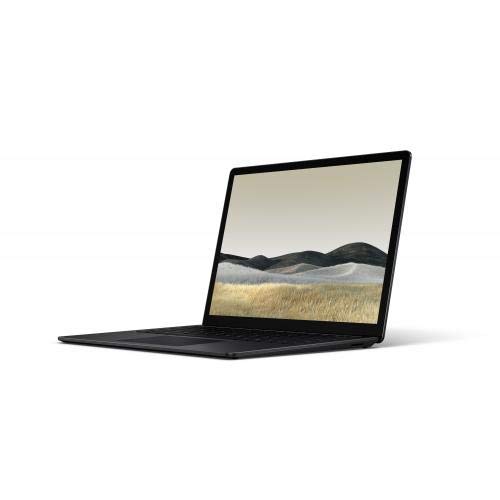
Microsoft Surface Laptop 3 – 13.5″ Touch-Screen
$276.99
Microsoft Surface Laptop 3 – 13.5″ Touch-Screen Price comparison

- All prices mentioned above are in United States dollar.
- This product is available at Amazon.com.
- At amazon.com you can purchase Microsoft Surface Laptop 3 – 13.5" Touch-Screen – Intel Core i7 - 16GB Memory - 256GB Solid State Drive – Matte Black for only $276.99
- The lowest price of Microsoft Surface Laptop 3 – 13.5" Touch-Screen – Intel Core i7 - 16GB Memory - 256GB Solid State Drive – Matte Black was obtained on October 17, 2026 18:52.
Microsoft Surface Laptop 3 – 13.5″ Touch-Screen Price History
Microsoft Surface Laptop 3 – 13.5″ Touch-Screen Description
Microsoft Surface Laptop 3 13.5″ Touch-Screen: A Perfect Blend of Style and Performance
The Microsoft Surface Laptop 3 13.5″ Touch-Screen defines modern computing with its sleek design and powerful specifications. Tailored for students and professionals alike, this laptop combines portability and performance, making it a top contender in its class. Stay ahead of the competition by exploring its features, reviews, and price comparisons across various suppliers.
Key Features of Microsoft Surface Laptop 3
- 13.5 Inches Touch-Screen Display: Experience stunning visuals with a screen resolution of 2256 x 1504 pixels. Perfect for creativity and productivity.
- Powerful Intel Core i7 Processor: With a base speed of 1.3 GHz, you can navigate demanding applications effortlessly.
- Impressive RAM Capacity: The 16 GB LPDDR4 RAM ensures smooth multitasking, allowing you to run multiple applications without lag.
- 256 GB SSD Storage: Faster load times and quick data access, thanks to the solid-state drive, make this laptop an efficient workhorse.
- Integrated Intel Iris Plus Graphics: Enjoy exceptional visuals and improved performance for casual gaming and video editing.
- Long Battery Life: Boasting an average battery life of 11.5 hours, work on the go without worrying about frequent charging.
- Lightweight Design: At just 2.8 pounds, its portability is unbeatable for people on the move.
- Connectivity Options: Equipped with two USB 3.0 ports and Bluetooth capability, connecting devices is seamless.
Comparative Price Insights
When examining the Microsoft Surface Laptop 3 13.5″ Touch-Screen price, you’ll find it varies across multiple suppliers. Our comprehensive price comparison tool allows you to monitor prices, ensuring you get the best deal. The competition offers this laptop within a range from $999 to $1,199, depending on specifications and promotions. Take advantage of our tool to track ongoing deals and maximize your savings.
6-Month Price History Trends
Over the last six months, the price of the Microsoft Surface Laptop 3 has exhibited interesting trends. We have observed fluctuations due to seasonal sales and new product launches. This history reveals that prices typically drop around major sales events, including Black Friday and back-to-school periods. Being aware of these trends can help you make a smart purchase at the right time.
Customer Reviews Summary
The Microsoft Surface Laptop 3 13.5″ Touch-Screen reviews highlight various aspects that users appreciate. Customers frequently commend its design, noting its professional look and feel. The laptop’s performance, especially in everyday tasks and graphic applications, receives accolades for its speed and efficiency. Battery longevity is also a common highlight, enabling users to remain productive throughout the day.
However, as with any product, there are some drawbacks noted. A few users expressed concerns over the lack of an optical drive, which can be inconvenient for those needing to use CDs or DVDs. Additionally, some report that the laptop can run hot during extended use, indicating the necessity for well-ventilated areas during operation.
Review Videos and Unboxing Experiences
Many tech enthusiasts and influencers have shared their first-hand experiences through unboxing and review videos of the Microsoft Surface Laptop 3. These visual insights provide a closer look at the laptop’s design, features, and overall performance. We encourage you to check out these videos to see the laptop in action, assisting you in making an informed purchase decision.
Why Choose Microsoft Surface Laptop 3?
In conclusion, the Microsoft Surface Laptop 3 13.5″ Touch-Screen is a versatile laptop that aligns with the needs of modern users. You gain substantial performance in a lightweight package, making it ideal for professionals, students, and casual users alike. With competitive pricing and solid features, this laptop stands out in a crowded market.
Don’t miss out on your opportunity to compare prices now! Whether you’re attracted to the sleek design or the powerful specifications, the Microsoft Surface Laptop 3 is ready to elevate your computing experience.
Microsoft Surface Laptop 3 – 13.5″ Touch-Screen Specification
Specification: Microsoft Surface Laptop 3 – 13.5″ Touch-Screen
|
Microsoft Surface Laptop 3 – 13.5″ Touch-Screen Reviews (10)
10 reviews for Microsoft Surface Laptop 3 – 13.5″ Touch-Screen
Only logged in customers who have purchased this product may leave a review.
Related Products






Josue J. S. Junior –
I bought this laptop in November around Black Friday and absolutely loved it, build quality is incredible. Wanted to buy it through Microsoft but their website is broken half the time and literally did not let me purchase the product, the cart wasn’t working. After trying for a few days I gave up and bought it through Amazon, luckily. A few weeks ago I opened the laptop to a blue screen. I tried automatic repair, recovery, restore points, format/reset to factory, nothing would work. Always kept getting the error that the there is a drive (ssd) issue. I called Microsoft for help, they tried to brush me off because I didn’t buy it directly through them, I explained I physically couldn’t since their website was broken. They arranged for me to go pick up a replacement laptop 100km away, thanks? I called Amazon and they were amazing, helped me return the device. I had high hopes for this device but was let down. I noticed a lot of reviews online with stories very similar to mine, hopefully they sort out their issues. PS: SSD is “up-gradable” M.2, but its an odd size, 2230, which isn’t sold anywhere, when standard is 2242.
TP –
Had this matte black version for less than a month. Well taken care of, but the corner paint is already starting to chip off. Super disappointing for a machine this pricey. I would not recommend getting a colored version of the Surface and instead stick with the regular grey.
Chloe L –
I’ve owned the Surface Pro 1 and Surface Pro 3. I saw Microsoft was coming out with more “laptop-esque” machines but always thought I’d stick with the Pro line forever. However one gripe I had about the Pro series was screen tilt, especially when trying to video chat. Unlike traditional laptops, you can’t tilt the screen forward, which makes for awkward angles when video chatting or watching movies, etc. I decided to go with Surface Laptop and I won’t be going back! I love this computer. Screen size is awesome and display is clear. Touch is sensitive and responsive. Keyboard is comfortable. And the machine it self is gorgeous. Just buy it!
Earnest Borg 9 –
I purchased this machine because I recently purchased several Native Instruments plugins for use with my application copy of Fruity Loops. My old computer was struggling to even eek out a full measure without crackling or stuttering, so it was time.
This computer is simultaneously running FLStudio with multiple heavy Native Instrument channels without any stutter. I will say that it initially did have a little lag, but upping the buffer threshold has taken care of it. I have seen some complain that the I7 processor is insufficient for heavy music production, but if you are concerned about that, look up a tutorial about turning off the turbo boost since this should rectify the problem that many described.
As for graphics, I have been using Flowscape to create ambient animated scenes, and the processor deals with this as well as most high end laptops would. I had a scene with thousands of animated 3d models (plants and particle effects included), and the framerate hovered around 8-10, which is fine for the initial setup of the scene. When I rendered it, it output about 1 frame per second at 4k quality, and the end result was as smooth as butter.
Beyond that, it is a good quality, metal body, extremely high resolution machine with a lot of power for only weighing 2 pounds. If you are producing music with 30 different instruments or if you are a professional animator or heavy gamer, then you probably already know that you should spring for a tower with adequate cooling and hardware. If you enjoy moderate/heavy mixing and casual graphics work, this machine is absolutely perfect.
The only warning I have is that this does not come with an SD slot. If you are worried about storage space, spring for the model with a bigger hard drive.
Justin –
I immediately experienced issues with this laptop. I souped it up with 1T 32GB ram and ryzen processor and I honestly don’t think this model can handle those specs. I had issues with the drivers from the start, crackling speaker noises (due to audio drivers) and followed all the instructions, the issue was never resolved. Then when I tried to restore the computer I got stuck on a blue screen loop due to a driver issue. In the meantime I experienced how quickly the ryzen processor drained the battery, more like 2-4 hours battery life before you plug in. I was planning on using Adobe creative cloud but it was not keeping up with some of the heavier duty programs. It froze and programs shut down a couple times on me. Overall I really wanted to like this computer but ended up returning. For the same price I paid for all the upgrades I got a 16” MacBook Pro that will definitely be able to out preform this laptop. I’m bummed that I won’t have a touch screen but that’s just an extra add on, don’t let it sway your decision.
TP –
I bought this mainly to be my dedicated personal/music recording laptop (I use another equipment for company work). It’s really powerful considering the price, size and weight (enough to play Divinity 2 over Steam, for example). Camera is impressively good and can compensate very well for poor lighting with very little noise. Sound is fair for overall use (I use an external Focusrite interface for music recording/editing). Now the cons:
1. Because I usually run it on power, only after a few months I realized this odd behavior of completely shutting down randomly when running on battery, even with battery full. Tried to fix it via software several times (Windows and Firmware updates, Factory Reset and Recovery from USB). Nothing worked. Seems like a hardware defect by the behavior and result of some online research so I returned it for replacement. Hope the new unit works.
2. The keyboard looks fragile. You can see its surface bending while you type. I wonder how long until I need to repair/replace it.
3. It would be nice if the touch screen could be flipped all the way back to work like a tablet.
4. The face recognition log in mechanism (I don’t recall how Microsoft calls it) is a little bit odd and I’m thinking about disabling it completely. Did some research and it appears it uses an infrared dedicated camera instead of the main “normal” camera so this would explain why it was recognizing me even with the regular camera covered. I never got to confirm this a 100% but then I decided to test in a way where I wasn’t even in front of the screen and the thing would unlock sometimes! Since I use it only at home in these quarantine times, not a big deal, but I would NEVER leave this thing enabled if taking it outside.
Overall, assuming the replacement will solve the battery problem, I would see this laptop has a nice value for money on its tier.
Amazon Customer –
I love this laptop it light weight and sleek. The battery life is great to me. I use it for programming and homework for engineering classes and it last pretty much all day on one charge and recharges in what feels like less than an hour. The applications load seamlessly, USB files open instantly, and facial recognition is instant. It’s a great laptop with a beautiful design.
Christopher Hannaford –
I have bought top-end Sony VAIO 13″ computers for maybe 15 years for mobile use in engineering mainly bc they are so small and light and have NVIDIA graphics cards. My latest is about 5 years old and the screen is failing so I sought a replacement and found this Microsoft surface and am very happy. I really like: island keyboard, facial recognition, fabulous screen resolution, touch screen, small size (about half the volume as VAIO with same screen size). It is just such a clean and friendly design. My computer is 1 Tb HD I7 10th gen processor, 16 gb ram.
Edwin C –
If you don’t want a MacBook Air/Pro because of macOS, or other Windows manufacturers such as Dell/HP/Lenovo have let you down in the past, the Surface Laptop 3 (i7 1065G7, 16GB RAM, 256GB SSD, Matte Black) is quite the option. In my opinion it’s the best premium Ultrabook on the market, especially impressive as Microsoft has only been at it for about 3 years.
As performance between 85% of Ultrabooks is relatively similar, build and design is a big deciding factor to me, and the Surface won out against worthy competitors such as the Dell XPS 13 (9300), HP Spectre x360 13, and Razer Blade Stealth. A lot of Microsoft + Intel intangibles like Instant On, smart backlighting, and adaptive brightness help this feel like a polished machine that’s been innovated for over 10+ years like the XPS lineup.
The display on the Surface is excellent. The resolution is higher than standard full HD (not quite QHD because of the 3:2 aspect ratio), and doesn’t sacrifice on either battery life (4K Ultrabooks make no sense) or picture quality. Apple and Microsoft seem to be the only ones who believe in making QHD+ displays for 13-14″ instead of 4K. It just makes more sense for everyone.
Performance is great for a 15W laptop, although I don’t need much horsepower from my laptop as I have other desktops for heavy workloads. It’s good in short bursts, and at lasting long. The quad core i7-1065G7 has the highest level graphics config for Intel’s Ice Lake processors, so this is as good as it gets for this generation. I would recommend 95% of buyers to just buy the 8GB RAM models, as you’ll find more use in just having 4 cores than 16GB RAM.
Battery life is good, not amazing. I get about 6-7 hours of active use out of a full charge. It can top up pretty fast while in sleep mode with the included Surface Connect charger. Coming from a device that gave me 2 hours max off of battery, I’m not asking for much. There is some endurance left to be desired, but it’s enough for what I need.
The touchpad and keyboard are amazing. They’re both among the best that Windows Ultrabooks have to offer (although that’s not saying much..)
Some minor gripes/annoyances:
-Intel’s Bluetooth and Wi-Fi drivers seem to mess with reception on this device. My range with my Bluetooth headphones is unexpectedly shorter than usual. When waking the device from sleep, Wi-Fi takes a long time to reconnect properly; I sometimes have to restart the machine to get online.
– I knew that ordering a matte black metal device would be a challenge to keep clean, but yeah.. pretty hurts doesn’t it?
Overall, I think this should be the default recommendation for a Windows Ultrabook. at $1299 for the i5, 8GB RAM, and 256GB SSD, value isn’t the best but you have what is the best looking Ultrabook on the market other than the new XPS 13.
Amazon Customer –
The media could not be loaded.
Best laptop in market , this is the third one in my family.
Way better than Apple Mac book as I was Mac book user for past 3 year and upgraded to two Mac books but nothing beats surface 3 it’s crisp fast and so smooth with 16 gig ram enough to run heavy applications as I need to run cloud and virtual machines and databases on this one.