
Moyina USB To RJ45 Console Cable For Routers
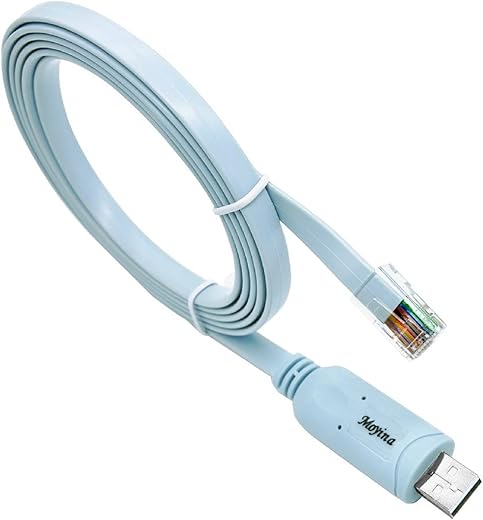
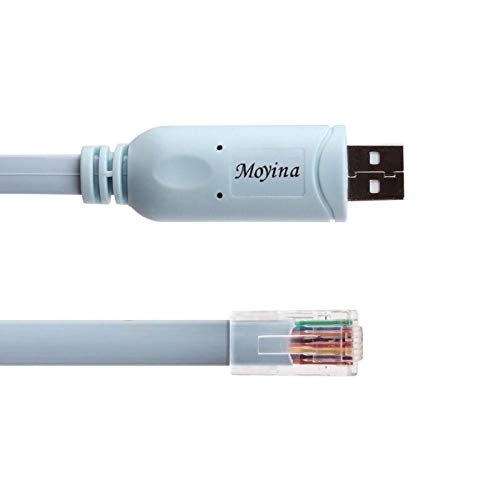
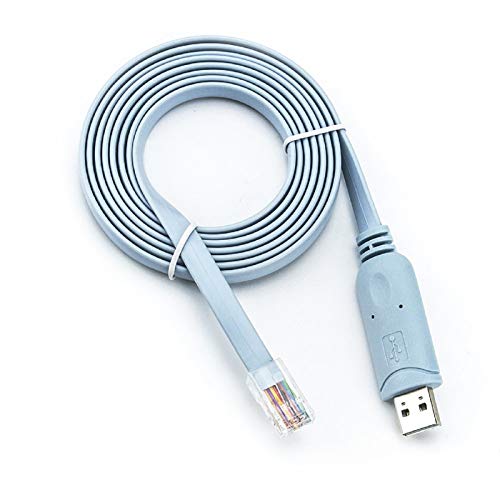
Moyina USB To RJ45 Console Cable For Routers Price comparison
- All prices mentioned above are in United States dollar.
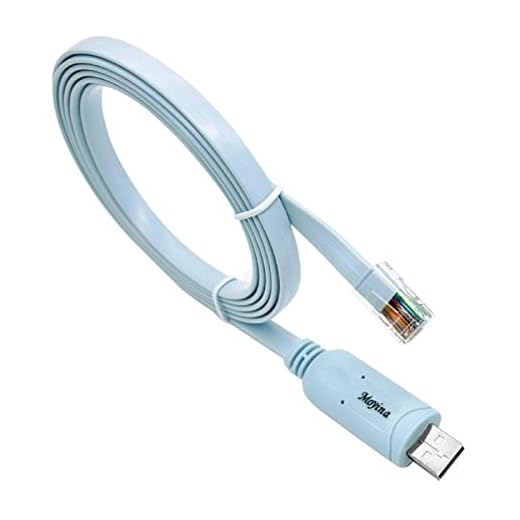
- At amazon.com you can purchase USB Console Cable USB to RJ45 Cable Essential Accesory of Cisco, NETGEAR, Ubiquity, LINKSYS, TP-Link Routers/Switches for Laptops in Windows, Mac, Linux (Blue) for only
- The lowest price of USB Console Cable USB to RJ45 Cable Essential Accesory of Cisco, NETGEAR, Ubiquity, LINKSYS, TP-Link Routers/Switches for Laptops in Windows, Mac, Linux (Blue) was obtained on September 24, 2025 03:50.
Moyina USB To RJ45 Console Cable For Routers Price History
Moyina USB To RJ45 Console Cable For Routers Description
Introducing the Moyina USB to RJ45 Console Cable for Routers
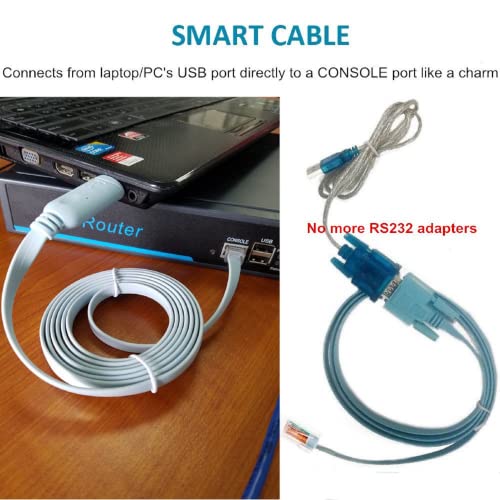
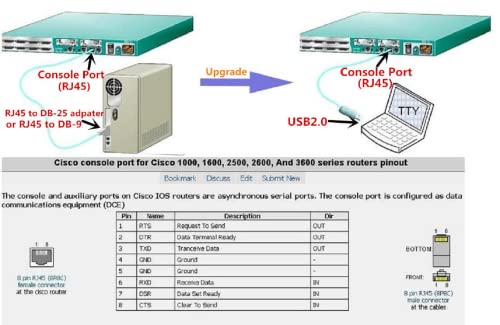
If you’re in need of a reliable connectivity solution for your networking devices, look no further than the Moyina USB to RJ45 Console Cable for Routers. This essential tool is perfect for configuring routers, managing devices, and troubleshooting network issues. With its user-friendly design and robust construction, you can easily connect your laptop, PC, server, or router for seamless data transfer and efficient maintenance.
Main Features of the Moyina USB to RJ45 Console Cable
- High Data Transfer Rate: Achieve impressive data transfer speeds of up to 500 Kbps, ensuring quick and efficient communication between devices.
- Wide Compatibility: Compatible with a variety of devices including laptops, PCs, servers, and routers, this cable is versatile for all your networking needs.
- Durable Construction: Weighing only 2.4 ounces, the Moyina cable is built to last, featuring a round shape that enhances durability and prevents tangling.
- Easy Connectivity: The male-to-male RJ45 connectors simplify your setup, allowing you to connect quickly without hassle.
- Indoor and Outdoor Use: Designed for both indoor and outdoor environments, this cable is perfect for fieldwork and home setups alike.
- Specifications Met: Adheres to FCC regulations, ensuring safety and reliability when in use.
Price Comparison Across Suppliers
When it comes to choosing the best deal for the Moyina USB to RJ45 Console Cable, it’s important to compare prices across various suppliers. Prices can vary significantly based on current demand and availability. As of the latest data, you can find competitive offers ranging from approximately $7 to $15 depending on the retailer. With our price comparison tool, you can easily find the most affordable option that fits your budget.
Notable Trends from the 6-Month Price History
Our analysis of the price history chart over the last six months reveals a slight variation in the Moyina cable’s pricing. Initially launched at a higher price point, the cable has gradually decreased in price due to increasing competition and market demand. Regular promotions and sales events during this period have also contributed to more attractive pricing, making it a great time to consider purchasing.
Customer Reviews: Insights and Feedback
Customer feedback on the Moyina USB to RJ45 Console Cable has been overwhelmingly positive. Users appreciate its ease of use and the reliable data transfer rate. Many reviews highlight how it simplifies the console setup process for network devices. Customers have tested it under various conditions and found it performs consistently across different devices.
Some users have mentioned minor drawbacks, including the need for additional adapters for certain models, which is a common requirement for RJ45 connectors. However, most agree that the benefits far outweigh this inconvenience. Overall, this cable has received high ratings on various platforms, thanks to its robustness and practical design.
Explore Unboxing and Review Videos
For those who want to see the Moyina cable in action, multiple unboxing and review videos are available on platforms like YouTube. These videos provide a closer look at the product, demonstrating its features and performance. Watching these videos can enhance your understanding of the swap process between devices and give you a real-time feel of the cable’s build quality.
Why Choose the Moyina USB to RJ45 Console Cable?
The Moyina USB to RJ45 Console Cable stands out in the competitive networking accessories market due to its combination of performance, durability, and affordability. Whether you’re a tech professional or an everyday user looking to streamline your network setup, this cable continues to receive high praise from both casual users and IT specialists alike.
In conclusion, the Moyina USB to RJ45 Console Cable for Routers is a smart investment for anyone needing reliable connectivity solutions for their networking devices. The combination of high data transfer rate, versatility, and ease of use makes it a popular choice among customers. Don’t miss out on the opportunity to secure the best price on this essential networking tool.
Ready to enhance your networking experience? Compare prices now!
Moyina USB To RJ45 Console Cable For Routers Specification
Specification: Moyina USB To RJ45 Console Cable For Routers
|
Moyina USB To RJ45 Console Cable For Routers Reviews (13)
13 reviews for Moyina USB To RJ45 Console Cable For Routers
Only logged in customers who have purchased this product may leave a review.




Kindel Customer –
Easy to use ,Thanks
Just a shopper with wants. –
Needed this for a Homelab Set up I have that includes a Cisco ASA 5508 – X. Use the console cable Along with putty and your golden. Cute color too.
Tan Zhi Ren –
Very happy with purchase. USB console cable works immediately with my Win11 laptop. No issues of drivers encountered
Gabriel –
Good quality as expected
Just a shopper with wants. –
I ordered this cable to use on a little Protectli appliance I turned into a firewall (6 ports). So I wanted to upgrade the RAM, put in an mSATA SSD and run a Linux based firewall. Also I wanted to be able to upgrade or change the OS remotely if needed. This cable allows me to “console in” and watch the Protectli reboot remotely via Minicom or Picocom which are like Putty if you are on Windows. It’s like out of band management for a small office that’s redundantly connected to the Internet. I say “like” because I am getting there via VPN but there are 2 paths I can choose from anway. This little cable can connect to all sorts of devices and I can get to all of the via a single board coputer (SBC), all I have to do is ask someone in the office to move the cable to different labeled ports! I recommend this thing for sure. The drivers are, of course, in the Linux kernel, so unlike Windows; you don’t have to pull your hair out trying to find drivers just to get a simple job done. Here is some output while I am plugging the cable in:
kernel: usb 1-1: new full-speed USB device number 22 using xhci_hcd
kernel: usb 1-1: New USB device found, idVendor=0403, idProduct=6001, bcdDevice= 6.00
kernel: usb 1-1: New USB device strings: Mfr=1, Product=2, SerialNumber=3
kernel: usb 1-1: Product: FT232R USB UART
kernel: usb 1-1: Manufacturer: FTDI
kernel: usb 1-1: SerialNumber: AD0K102T
mtp-probe[8452]: checking bus 1, device 22: “/sys/devices/pci0000:00/0000:00:14.0/usb1/1-1”
mtp-probe[8452]: bus: 1, device: 22 was not an MTP device
kernel: usbcore: registered new interface driver usbserial_generic
kernel: usbserial: USB Serial support registered for generic
kernel: usbcore: registered new interface driver ftdi_sio
kernel: usbserial: USB Serial support registered for FTDI USB Serial Device
kernel: ftdi_sio 1-1:1.0: FTDI USB Serial Device converter detected
kernel: usb 1-1: Detected FT232RL
kernel: usb 1-1: FTDI USB Serial Device converter now attached to ttyUSB0
Donn E Bly –
Took a few minutes to get it to work. Drivers installed fine but windows assigned it to Com9. No information was provided on how to change that. Had to dig around a bit to change it to Com1. Since then, it’s worked great.
Jonathan Lewter –
With newer technology, many laptops do not have serial ports. This works perfect! My work Laptop is a 7390 2-in-1. Our security policies disable USB port access, but with this item there is no need to elevate my rights as an admin. Because even as an administrator, I need to elevate my rights and disable the security protocols needed to access USB ports.
I have used this item three times with no issues. I plug it in, my OS(Windows 10) recognizes it as serial port 5, 100% compatible with putty.
Quality is not cheap, nor does it have that cliche cheap chinese quality.
Recommended buy, 100%
Robert F –
Bought this cable to troubleshoot my Ubiquiti Edgerouter that was no longer booting. After plugging in the cable to my Windows 11 machine, the drivers installed automatically and I was able to find the COM port (COM3) by looking at the Ports section of Device Manager. I opened PuTTY and set connection type to “serial”, serial line to “COM3” (yours may vary), and speed (baud rate) to “115200”, then connected. As soon as I connected power to the router, I was able to see the boot sequence and troubleshoot a faulty USB drive. After replacing the USB drive, I was able to see the EdgeOS boot sequence.
AMIN TORABI –
Cable was dirty when delivered, seems to be used cable
N. Peterson –
Why I never bought one of these in the past is beyond me, but it sure saved me a massive amount of time on a recent project. I pulled a router from a cluster and we forgot to record where we set an accessible IP on it. This console cable hooked right up and I was able to SSH in to the console port on a FortiGate 200E and set an accessible IP and HTTPS access in a matter of minutes. Turns out we set the IP on a GBIC port, which couldn’t be accessed from the home environment. So for, it works great, so I definitely recommend!
N. Peterson –
With the airlines reducing the carryon restrictions I needed get a smaller laptop bag and reduce what I carried. With this cable and a couple of RJ45/DB9 hoods I was able to eliminate all of my other serial cables and adapters, making a rather small and flat package that takes up next to no room and is light. Also requires no drivers on my Windows 10 tablet.
I made two adapters to go with this that now allow me to get into everything I need to get into on a regular basis, primarily cisco and hp switches. For equipment that requires a null modem cable I used an RJ45/DB9F adapter, and to turn this cable back into a standard serial port (so that I can use any proprietary cables or any device that uses a straight cable like most commercial UPS systems) I used an RJ45/DB9M adapter. Both adapters slide right into the zip lock bag that is used to ship this cable.
The pinouts (and standard RJ45 Hood Color Code) for these adapters is as follows:
For DB9M/DTE adapter
1 blue (cts) -> 8
2 orange (dsr) -> 6
3 black (rxd) -> 2
4 red (gnd) (cut it off)
5 green (gnd) -> 5
6 yellow (txd) -> 3
7 brown (dtr) -> 4
8 white (rts) -> 7
For DB9F/DCE/Null Modem Adapter
1 blue (cts) -> 7
2 orange (dsr) -> 4
3 black (rxd) -> 3
4 red (gnd) (cut it off)
5 green (gnd) -> 5
6 yellow (txd) -> 2
7 brown (dtr) -> 6
8 white (rts) -> 8
Verify the color codes on your RJ45 hoods before assembling – manufacturers have been known ignore color standards.
AnotherReviewer –
Works as well as Cisco cable. Drivers are readily available with no funny business like some of the cables that I have used in the past (with fake Prolific or FTDI chips).
Sergio –
Great cable, good build quality and usb connection is nice and snug. Used with Putty, it connects via Telnet perfectly and reliably. No drop outs or disconnects. Haven’t tested with other protocols but I needed this to configure some network switches and some communication equipment that had RJ45 serial connections. Friend also bought one and his works perfectly too.