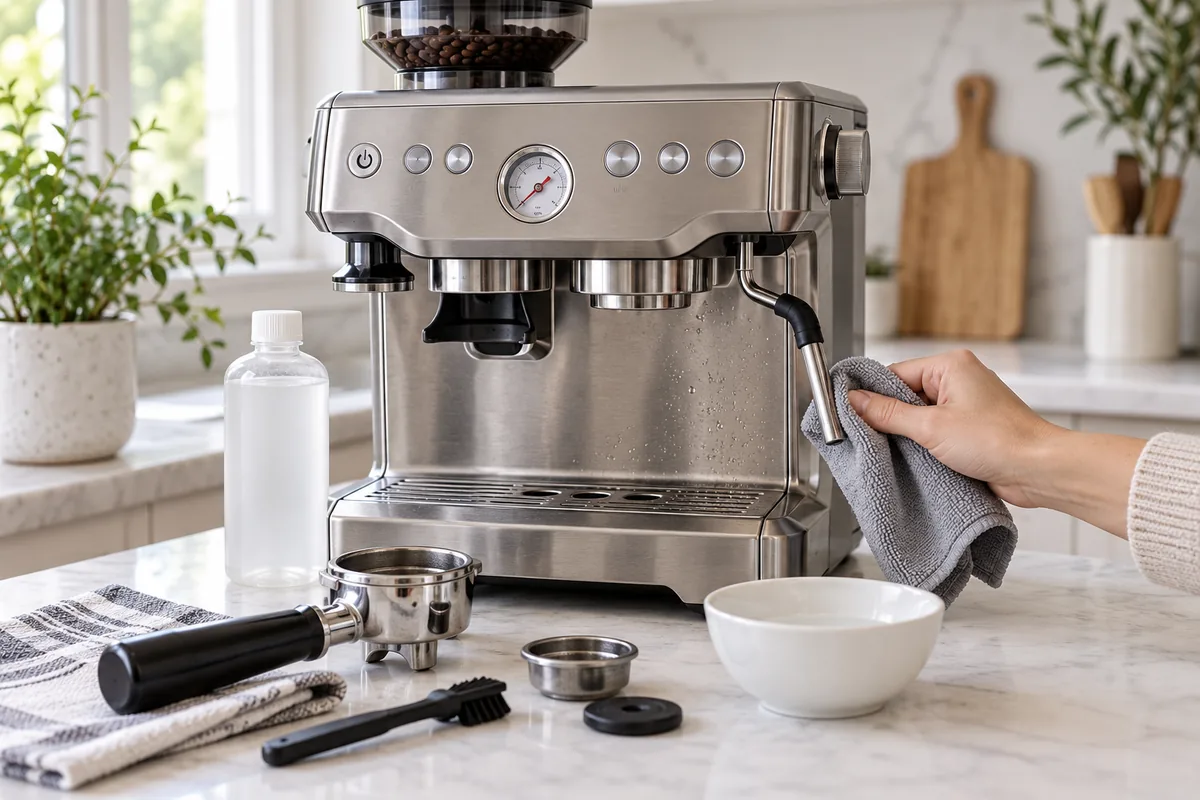
How to Clean a Breville Espresso Machine: Complete Guide
Knowing how to clean a Breville espresso machine properly is about more than wiping the steam wand and rinsing the portafilter. Breville machines can require several different maintenance procedures—including routine rinsing, clear-water backflushing, a cleaning-tablet cycle, descaling, steam-wand maintenance and, on Barista models, grinder cleaning.
The most important distinction is that cleaning and descaling are not the same thing. Cleaning removes coffee oils, residue and milk deposits. Descaling addresses mineral buildup left behind by water. Running a cleaning cycle does not replace descaling, and descaling does not replace regular cleaning.
There is also no single button sequence that works for every Breville espresso machine. A Barista Express, Barista Pro, Barista Touch, Bambino Plus and Oracle can use different alerts and maintenance procedures. This guide explains the maintenance steps that apply broadly across Breville machines, then shows where you need to follow the instructions for your exact model.
Quick Answer: Breville Espresso Machine Cleaning Schedule
After Every Use: Rinse the portafilter and basket, purge the group head, and wipe and purge the steam wand after steaming milk.
After a Brewing Session: Perform a clear-water backflush if Breville recommends it for your model.
When CLEAN Appears: Run the cleaning-tablet cycle specified for your exact machine. This removes coffee-oil residue from the brew system.
When DESCALE Appears: Follow your model’s descaling procedure to remove mineral buildup from the water system.
Integrated Grinder Models: Periodically clean the hopper and burr area according to the instructions for your Barista-series machine.
Cleaning vs Descaling a Breville Espresso Machine
Before doing anything else, determine which type of maintenance your machine actually needs.
| Maintenance | What It Removes | Typical Method |
|---|---|---|
| Routine Cleaning | Coffee grounds, milk residue and surface buildup | Rinse, wipe and purge |
| Clear-Water Backflush | Coffee oils and residue in the brew pathway | Water-only backflush where supported |
| Cleaning Cycle | Accumulated coffee oils inside the brew system | Cleaning disc + cleaning tablet + built-in cycle where specified |
| Descaling | Mineral deposits from water | Model-specific descale cycle and approved descaling method |
Cleaning and descaling solve different problems. Doing one does not replace the other.
This distinction matters particularly on Breville machines that use a combined CLEAN/DESCALE indicator. Depending on the model and indicator state, the machine may be requesting one procedure rather than the other.
Identify Your Breville Model Before You Start
Breville’s espresso machines share many maintenance principles, but they do not all use the same cleaning controls.
The following families can differ in their cleaning alerts, button combinations, menu systems and descaling sequences:
- Breville Barista Express
- Breville Barista Pro
- Breville Barista Touch
- Breville Barista Touch Impress
- Breville Bambino
- Breville Bambino Plus
- Breville Oracle models
- Other Breville espresso machines
Important: Never copy a cleaning or descaling button combination from another Breville model simply because the machines look similar. Use the procedure in the manual or official Breville tutorial for your exact model.
What You Need to Clean a Breville Espresso Machine
Most routine maintenance requires only a few items:
- clean water;
- a soft damp cloth;
- your machine’s cleaning disc, where applicable;
- a Breville-compatible cleaning tablet when the cleaning cycle requires one;
- the descaling product or method specified for your model;
- the supplied steam-wand cleaning tool where applicable;
- a small grinder brush for models with an integrated grinder;
- a suitable container for collecting water during cleaning or descaling.
You do not need aggressive household cleaners for normal espresso-machine maintenance. Anything placed inside the brew or water pathway should be compatible with the instructions for the machine.
How to Clean a Breville Espresso Machine After Every Use
A short routine immediately after making coffee prevents residue from becoming much harder to remove later.
Step 1: Remove the Coffee Puck
Remove the portafilter after brewing and knock out the used coffee puck rather than allowing wet coffee grounds to remain inside the basket for an extended period.
Removing the puck promptly makes the basket easier to rinse and reduces the amount of old coffee residue left in contact with the portafilter.
Step 2: Rinse the Portafilter and Filter Basket
Rinse the basket and portafilter under hot water to remove loose coffee grounds and oils. Check the basket holes for visible blockage.
If residue becomes difficult to remove, follow the deeper-cleaning instructions for the basket and portafilter in your model’s manual. Avoid assuming that every removable component should be soaked in the same detergent or chemical solution.
Step 3: Purge the Group Head
With the portafilter removed, briefly run water through the group head according to your machine’s normal purge procedure. This helps remove loose grounds and residue around the shower screen and brewing outlet.
This simple step is especially useful immediately after espresso extraction, before coffee residue has time to dry.
Step 4: Wipe and Purge the Steam Wand Immediately
Milk should not be allowed to dry onto the steam wand.
Immediately after steaming:
- Wipe the exterior of the wand with a clean damp cloth.
- Return the wand to a safe position.
- Purge steam according to the normal procedure for your machine to clear milk residue from the tip.
The sequence is simple to remember:
Steam milk → Wipe immediately → Purge the wand
Step 5: Check the Drip Tray
Empty the drip tray when required and rinse removable tray components according to the instructions for your machine. Wipe the surrounding area so spilled coffee and milk do not accumulate beneath the machine.
How to Perform a Clear-Water Backflush
A clear-water backflush is different from both normal group-head purging and a cleaning-tablet cycle.
Breville recommends clear-water backflushing for several of its espresso-machine families as part of regular brew-path maintenance. It helps flush coffee oils and residue from parts of the system that a simple surface rinse cannot reach.
The exact setup depends on the model, but where supported it generally involves the appropriate cleaning-disc configuration and water only, without a cleaning tablet.
Clear-water backflush: regular water-only brew-path maintenance.
Cleaning-tablet cycle: deeper coffee-oil cleaning when the machine requests it.
Descaling: removal of mineral buildup from the water system.
Use the clear-water backflush instructions for your exact Breville model rather than improvising a pressure cycle.
How to Run a Breville Cleaning Cycle
Many Breville espresso machines have a dedicated cleaning cycle for removing coffee-oil residue from the internal brew system.
Depending on the model, the procedure may involve:
- emptying and preparing the drip tray and water tank;
- placing the appropriate basket and cleaning disc into the portafilter;
- adding a cleaning tablet where specified;
- locking the portafilter into the group head;
- starting the machine’s built-in cleaning program;
- allowing the full cycle to complete;
- rinsing the portafilter, basket and cleaning disc afterward.
The exact way you start that program is where Breville models diverge.
For example, older button-controlled machines can use a button combination, while Barista Pro and touchscreen models may guide you through the process on the display. Bambino-family machines use their own indicator and button patterns.
Do not use a Barista Express button sequence as a universal Breville cleaning-cycle instruction.
How to Descale a Breville Espresso Machine
Descaling targets mineral buildup caused by water. Minerals can accumulate inside the water pathway and affect flow, heating and machine performance over time.
A safe general process is:
- Confirm that descaling is actually due. A CLEAN warning may indicate a different maintenance procedure.
- Check the instructions for your exact Breville model.
- Prepare the water reservoir as directed.
- Use the descaling solution or method specified for that machine.
- Run the machine’s descale program. Depending on the model, this may involve the coffee outlet, hot-water system and steam system.
- Complete the required fresh-water rinse cycle.
- Refill the reservoir with fresh water before returning to normal use.
Do not interrupt the program simply because water stops flowing temporarily. Automated descale routines can include pauses and different stages.
How Often Should You Descale a Breville?
There is no reliable universal rule such as “every two months” that applies equally to every Breville machine.
Descaling requirements can vary based on:
- your Breville model;
- water hardness;
- how frequently the machine is used;
- whether an appropriate water filter is installed;
- the filter system used by that machine;
- the machine’s own maintenance indicator.
The best rule is to descale when your specific machine indicates it is due or according to the schedule in its current owner’s manual.
Can You Use Vinegar to Descale a Breville Espresso Machine?
Do not treat vinegar as a universal Breville descaling solution.
Breville’s general espresso-machine cleaning guidance has referenced diluted vinegar as one possible cleaning/descaling approach in some contexts, while model-specific instructions may instead specify a dedicated descaling product and built-in procedure.
Because the instructions vary, the safest approach is simple:
Use the descaling method specified for your exact Breville model. Do not assume vinegar, citric acid, cleaning tablets and commercial descaling solution are interchangeable.
Breville Cleaning and Descale Alerts by Model
The differences between Breville models explain why cleaning instructions found online sometimes appear to contradict one another.
| Model Family | Cleaning Guidance | Descaling Guidance |
|---|---|---|
| Barista Express | CLEAN/DESCALE indicator and dedicated cleaning-cycle sequence | Separate descale state and model-specific sequence |
| Barista Pro | Machine display provides cleaning guidance | LCD provides descale prompts and procedure guidance |
| Barista Touch / Touch Impress | On-screen maintenance guidance | On-screen model-specific descale program |
| Bambino | Button/light indications depend on maintenance state | Separate model-specific light sequence |
| Bambino Plus | Cleaning-cycle alert uses the machine’s button indicators | Separate descale indication and procedure |
| Oracle Family | Model/interface-guided cleaning procedure | Model-specific descale program |
This table is intended to explain the differences—not replace the manual. When a cleaning or descale alert appears, identify your exact model before following a button sequence.
How to Clean and Unblock a Breville Steam Wand
Routine Steam-Wand Cleaning
The best steam-wand cleaning method is prevention. Wipe the wand while milk residue is still fresh and purge it immediately after steaming.
Dried milk is much harder to remove and can eventually restrict steam openings.
If the Steam Wand Becomes Blocked
If steam output becomes unusually weak or uneven:
- Stop steaming and allow the components to reach a safe handling temperature where required.
- Inspect the steam-tip holes for visible milk residue.
- Use the cleaning tool supplied for your model if the instructions specify it.
- Clear the steam openings carefully without enlarging or damaging them.
- Follow any additional soaking or removal procedure specified by Breville for your particular steam tip.
- Purge and test the wand again after reassembly.
A persistent steam problem after the correct cleaning procedure can indicate something other than a simple blocked tip.
How to Clean the Grinder on Breville Barista Models
Skip this section if your Breville espresso machine does not have an integrated grinder.
Models such as the Barista Express, Barista Pro and several Barista Touch/Impress machines include a built-in grinder. Coffee particles and oils can gradually collect around the hopper and burr area.
A general grinder-cleaning routine is:
- Empty or safely remove remaining beans according to the machine instructions.
- Remove the hopper using the correct release procedure.
- Access the removable burr components as instructed for your model.
- Brush away loose coffee particles with a dry grinder brush.
- Clean only the components that Breville identifies as user-removable.
- Reinstall and lock the burr and hopper correctly before using the grinder again.
Do not pour water into the grinder or wash internal grinder components unless your model’s instructions specifically say a removable part can be washed.
This section is about cleaning rather than grind calibration. If espresso extraction changes after burr removal, verify that the burr has been reinstalled at the correct setting before adjusting the rest of your espresso recipe.
How to Clean the Shower Screen and Group Head
The shower screen sits above the portafilter and can accumulate fine coffee particles and oils.
Routine purging helps reduce buildup, but periodically inspect the area for visible residue. Use the cleaning method specified in your machine’s instructions and avoid dismantling internal group-head components that Breville does not identify as user-serviceable.
If basket holes are visibly blocked, clean them according to the portafilter/basket instructions for your model rather than forcing large tools through precision openings.
How to Clean the Breville Drip Tray and Exterior
The drip tray should be emptied regularly rather than waiting for coffee and water to remain stagnant inside it.
Remove the tray components, rinse or wash them according to the machine instructions, dry them and reinstall them correctly.
For the machine exterior:
- use a soft damp cloth;
- avoid abrasive pads that can scratch metal or plastic surfaces;
- do not immerse the espresso-machine body in water;
- keep excessive water away from controls and electrical components.
When Should You Replace a Breville Water Filter?
Water filters help manage water quality and mineral exposure, but Breville does not use one universal filter system across every espresso machine.
Replacement timing can vary depending on:
- the machine generation;
- the exact filter cartridge;
- water usage;
- water hardness;
- the instructions supplied with the filter.
Some Breville filter systems use a different replacement interval from earlier charcoal-filter designs, so avoid applying a single “replace every X months” rule to every machine.
Check the water-filter model installed in your machine and follow its own replacement guidance.
A filter also does not make descaling unnecessary forever. Continue to follow the maintenance indicators and descaling instructions for the espresso machine itself.
Complete Breville Espresso Machine Cleaning Schedule
| When | What to Do |
|---|---|
| After each espresso session | Discard puck, rinse basket and portafilter, purge group head |
| After steaming milk | Wipe and purge steam wand immediately |
| After brewing sessions / as specified | Clear-water backflush on models that support it |
| When CLEAN alert appears | Run the model-specific cleaning-tablet cycle |
| When DESCALE alert appears | Run the model-specific descale procedure |
| According to filter instructions | Replace the water filter |
| Periodically on grinder models | Clean hopper and accessible burr area |
| As needed | Clean drip tray, exterior, blocked basket holes or steam wand |
This event-based schedule is more useful than assuming every Breville needs identical weekly or monthly maintenance.
What Not to Do When Cleaning a Breville Espresso Machine
- Do not confuse a cleaning tablet with descaling solution. They address different buildup.
- Do not copy a button sequence from a different Breville model.
- Do not allow milk to dry on the steam wand.
- Do not immerse the machine body or grinder internals in water.
- Do not pour random household cleaners into the water system.
- Do not force oversized sharp objects into precision steam or basket openings.
- Do not repeatedly run cleaning or descale programs to solve an unrelated machine fault.
- Do not remove internal components that are not identified as user-serviceable.
Troubleshooting a Breville After Cleaning
Water Flow Is Still Weak
Restricted water flow can have multiple causes, including mineral buildup, a blocked basket or shower screen, water-tank seating, brew-path obstruction or another machine problem.
If routine cleaning does not help and descaling is due, perform the correct descale procedure. If flow remains abnormal afterward, use the troubleshooting documentation for your exact model rather than repeatedly descaling it.
The Espresso Still Tastes Stale
Inspect the basket, portafilter, shower-screen area and brew-path cleaning status. Old coffee oils can affect flavor even when the outside of the machine looks clean.
Also remember that stale beans or grinder residue can create similar symptoms, especially on machines with integrated grinders.
The Steam Wand Is Still Weak
Check whether the steam-tip openings are blocked and perform the official unblock procedure for your wand. If the openings are clear but steaming remains abnormally weak, the problem may require further troubleshooting.
The CLEAN or DESCALE Warning Remains
Confirm that you completed the correct maintenance program. A cleaning cycle and a descale cycle are not interchangeable.
If the correct cycle completed but the alert remains, consult the manual or official support documentation for that exact Breville model.
Related Coffee Guides
If you are considering replacing or upgrading your current machine, see our Easiest Espresso Machines for Beginners guide for more approachable home-espresso options.
For a broader look at everyday brewing systems, visit Best Coffee Makers for Busy Mornings.
If your Breville does not have an integrated grinder—or you are considering moving to a separate grinder setup—our Best Home Espresso Grinders guide covers dedicated grinder options.
Travelers can also explore Portable Espresso Makers for coffee setups that do not require a full countertop espresso machine.
Breville Espresso Machine Cleaning FAQ
How often should I clean my Breville espresso machine?
Rinse the basket and portafilter, purge the group head and clean the steam wand as part of regular use. Clear-water backflushing should be performed where your model recommends it, while cleaning-tablet and descaling cycles should be run when your machine or manual indicates they are due.
What is the difference between cleaning and descaling a Breville?
Cleaning primarily removes coffee oils, grounds and other residue from the brew system. Descaling removes mineral deposits left by water. A cleaning cycle does not replace a descale cycle.
How often should I descale my Breville espresso machine?
Follow the descale alert or maintenance schedule for your exact model. Water hardness, usage and filter system all influence mineral buildup, so a fixed interval is not appropriate for every Breville machine.
Can I use vinegar to descale a Breville espresso machine?
Do not assume vinegar is suitable for every Breville. General Breville guidance has referenced diluted vinegar in some contexts, while individual models can specify another descaling procedure or product. Follow the instructions for your exact machine.
What does the CLEAN/DESCALE light on a Breville mean?
The meaning depends on the model and indicator state. On some Breville machines, different behaviors of the same indicator distinguish a cleaning-cycle request from a descale request. Check the manual before starting either process.
Do I need a cleaning tablet for a Breville?
A cleaning tablet is required for certain built-in cleaning cycles when specified by Breville. It is not normally used for a routine clear-water backflush and should not be treated as a substitute for descaling solution.
How do I clean a Breville steam wand?
Wipe the steam wand with a clean damp cloth immediately after steaming milk, then purge it. If steam holes become blocked, follow your model’s procedure using the supplied cleaning tool where applicable.
Can I wash a Breville grinder with water?
Do not put water into the grinder or wash internal grinder components unless the instructions for your exact model explicitly identify a removable part as washable. Coffee particles around accessible burr components are normally removed with an appropriate dry brush.
Final Checklist
A clean Breville espresso machine does not require constant deep cleaning. The goal is to perform small maintenance tasks at the right time and keep cleaning, backflushing and descaling separate.
✓ Rinse the basket and portafilter after brewing.
✓ Purge the group head regularly.
✓ Wipe and purge the steam wand immediately after milk use.
✓ Use clear-water backflushing where your model recommends it.
✓ Run the cleaning-tablet cycle when the machine requests cleaning.
✓ Descale separately when the machine indicates it is due.
✓ Follow model-specific instructions whenever a button sequence or maintenance program is involved.
The single most important rule is to identify what the machine is asking for before starting a maintenance cycle. Cleaning coffee residue, backflushing the brew system and removing mineral scale are related parts of espresso-machine maintenance, but they are not interchangeable procedures.
Sources
- Breville — How to Clean an Espresso Machine: A Step-by-Step Guide.
- Breville — Barista Express cleaning, clear-water backflush, descaling, steam-wand and grinder-maintenance documentation.
- Breville — Barista Pro cleaning, descaling, water-filter, steam-wand and grinder-maintenance documentation.
- Breville — Barista Touch and Barista Touch Impress cleaning guidance.
- Breville — Bambino and Bambino Plus cleaning and descaling documentation.
- Breville — Oracle-family cleaning and maintenance guidance.
- Breville — current model instruction manuals and support documentation.
Transparency: This guide combines Breville’s current official maintenance documentation with an editorial comparison of the procedures shared across its espresso-machine families. Because cleaning alerts, button sequences, water filters and descaling programs can vary by model and generation, model-specific instructions take priority over general instructions in this article.
Safety note: Allow hot components to cool when required, keep water away from electrical components, and do not disassemble parts that Breville does not identify as user-serviceable. If maintenance does not resolve an abnormal machine condition, consult the troubleshooting documentation or support resources for your exact model rather than repeatedly running cleaning or descaling cycles.