
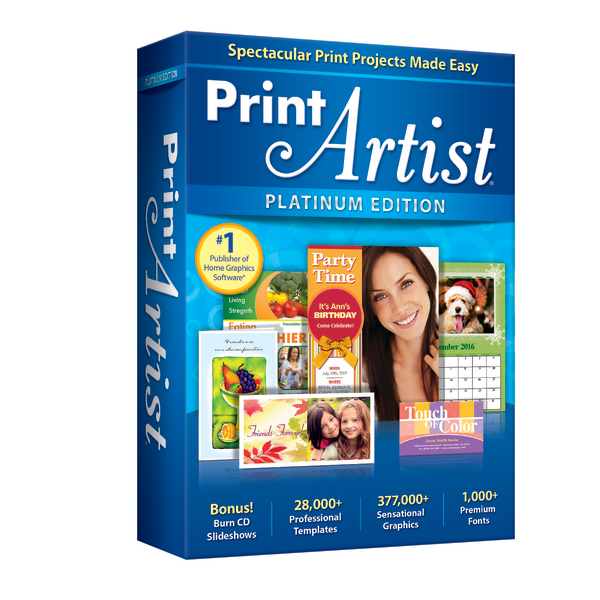
Nova Development US Print Artist Platinum 25
 Amazon.com
  Officedepot.com
Original price was: $49.99.$34.99Current price is: $34.99.
Nova Development US Print Artist Platinum 25 Price comparison


- All prices mentioned above are in United States dollar.
- This product is available at Amazon.com, Office Depot and OfficeMax.
- At amazon.com you can purchase Nova Development US, Print Artist Platinum 25 for only $34.99 , which is 13% less than the cost in Office Depot and OfficeMax ($39.99).
- The lowest price of Print Artist� Platinum 25 was obtained on September 24, 2025 00:16.
Nova Development US Print Artist Platinum 25 Price History
Nova Development US Print Artist Platinum 25 Description
Nova Development US Print Artist Platinum 25: Create Stunning Designs with Ease
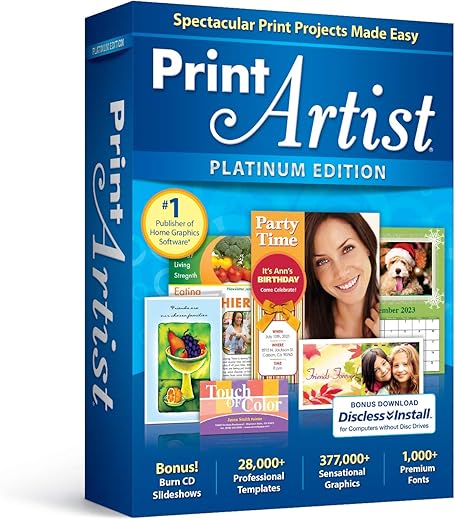
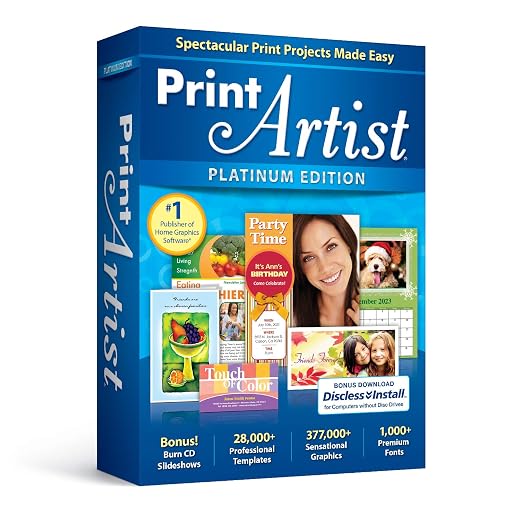
The Nova Development US Print Artist Platinum 25 is your go-to software for crafting beautiful print projects. Designed for ages 5 to 20, this versatile tool helps users tap into their creativity while producing professional-quality designs. Whether you’re making invitations, greeting cards, or simple art prints, Print Artist Platinum 25 provides an easy-to-use platform that ensures breathtaking results.
Key Features of Print Artist Platinum 25
- Intuitive User Interface: With a straightforward layout, even beginners can navigate the software effortlessly. This makes it accessible for children aged 5 and up, while still being robust enough for older users.
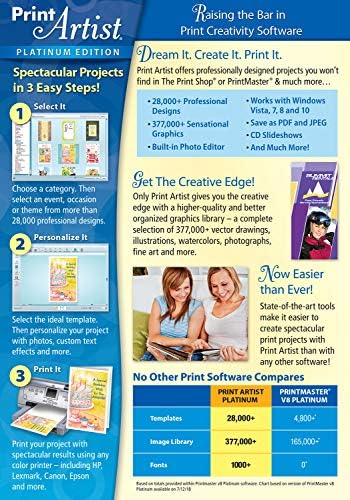
- Extensive Design Library: Access thousands of pre-designed templates, graphics, and royalty-free images to kickstart your project. Save time by choosing from over 14,000 images and 300 pre-made layouts.
- Customizable Printing Options: Adapt designs to suit your needs, whether it’s selecting sizes, colors, or fonts. The software allows for a high degree of personalization, resulting in unique and eye-catching prints.
- Creative Tools: Utilize built-in creative features like artwork scanning and photo editing to enhance your original images. This adds a personal touch to every project you undertake.
- High-Quality Output: Print Artist Platinum reliably delivers professional-quality prints, ensuring your designs shine on paper. It enhances colors and sharpness for vibrant results, ideal for any printed item.
How does it Compare? Pricing Insights
The Nova Development US Print Artist Platinum 25 is competitively priced across various suppliers. Generally, you can find this software priced between $39.99 and $49.99. A quick price comparison shows differences in promotional offers and shipping costs, making it essential to check multiple listings before purchasing. If you want the best deal, our price comparison tool can help you find the best price available now!
6-Month Price History Trends
Analyzing the 6-month price history, Print Artist Platinum 25 has seen a stable price range with only minor fluctuations. The prices experienced a slight dip during promotional events and holidays, usually around 10% lower than average. Understanding these trends can help you decide the best time to purchase, ensuring maximum savings.
Customer Reviews: What Users Are Saying
Overall, user feedback on the Nova Development US Print Artist Platinum 25 has been quite positive. Customers appreciate the intuitive interface which, they say, makes designing effortless, particularly for novice users. The vast library of templates and graphics received high praise, allowing users to create unique designs quickly.
However, some users pointed out drawbacks, noting system compatibility issues with older operating systems. A few reviews mentioned that advanced users might require more features than the software offers. Still, the majority found it suitable for casual projects and school assignments.
Explore More with Reviews and Unboxing Videos
To get a better feel for the Nova Development US Print Artist Platinum 25, consider watching related unboxing and review videos available on YouTube. Many users have shared their experiences, providing insights into the software’s functionality and how to use it optimally. This can further aid your decision-making process and inspire you with design ideas.
Conclusion: Create with Confidence
The Nova Development US Print Artist Platinum 25 stands out in its category, bringing a wealth of creative possibilities to users of all ages. With its vast design options, ease of use, and competitive pricing, it caters to both young artists and seasoned creators. Don’t miss out on enhancing your print projects with this powerful software. Compare prices now!
Nova Development US Print Artist Platinum 25 Specification
Specification: Nova Development US Print Artist Platinum 25
|
Nova Development US Print Artist Platinum 25 Reviews (13)
13 reviews for Nova Development US Print Artist Platinum 25
Only logged in customers who have purchased this product may leave a review.




K R. –
Faire des cartes de Noel, de fêtes etc.; mais ce logiciel est beaucoup moins souple que la version antérieure fonctionnant sous Windows 7…
grandmama –
found it not good at all.
John Carrick –
at last I found what is going to be an excellent program for my hobby. Its full of goodies to make your own cards etc easy to use. The price is very good delivery next day. I can really recommend.
Caryl C Robinson –
This is such an easy program to use!! It is wonderful for my card inserts! It is the only one I use for the hundreds of cards I send each year. I make personal salutations as well as personal inserts! So easy to use!! So much better than anything else I have ever tried!!
z –
my 2009 print shop would not work with my new computer!!! this one is as easy to use as the old one glad I bought it
liz –
perfect
Alma –
When I received the package the disc package itself the program was no wrap around it looked like someone had opened it. And it took me a few time. I forgot to turn off the antivirus so when I did that the second time it loaded just fine.
Where’s to the wise before you load this program take the antivirus off the one that’s on the computer and the one that you put on to the computer once you install the program then turn it back on you shouldn’t have any problems loading it.
beajay60 –
Description didn’t say what pc requirements you need. It didn’t work, so sent back for refund
nurse=1 –
Updated review (7/29/22): Downgraded to two stars. Here’s why. Worked fine for three days, then just stopped. No tech support to speak of, but found recommendation to uninstall, reboot system, then reinstall. Did that – no joy. Poked around and discovered that uninstall does not remove everything, and fresh reinstall doesn’t apparently overwrite existing files. It seemed that the remaining bits were issue. I uninstalled again, then manually deleted the Print Artist (Nova Development) temp files that remained after uninstall. Also edited the Windows registry to remove the Print Artist registry keys. Then, rebooted system and did a fresh Print Artist install. Working fine again; time will tell if it lasts. This is more than what an average user should be expected to do. This is sloppy software development (I know, I used to work in software dev). Also, for those of you who are migrating from Print Master, this product is no where near as versatile and fully featured as PrintMaster was.
— original review —
I purchased the boxed edition. I don’t know anything about the downloadable version.
First, I can confirm that it installs and works just fine on Windows 11, once you get it installed (see next paragraph for more info). Print Artist Platinum 25 works well and is quite easy to use. It seems very similar to my previous card-making software (PrintMaster Platinum), which I used for decades, and which ran fine on Windows 10, but unfortunately not on Windows 11.
The reason I knock it down one star is because the disk I received did not come with a “setup” file. It only has two files on it: an “autorun” file and the application (.exe) file, and that’s it. The autorun calls to the non-existent “setup” file, which (had it existed) would have launched the application and the Windows Install Shield. So, here is the work around:
(1) Browse the installation disk using File Explorer.
(2) Locate and double-click on the application (*.exe file).
(3) The set up and installation will then commence, as expected.
As I said, an amateur, but easily overcome issue. But no professionally created software should be missing a basic file like that, and thus, I docked the product one star.
G1 –
I like to make my own greeting cards that I send to relatives and friends, This allows me to personalise them, often including a photograph.
Print Artist cards always have a reaaly good finished appearance!
Alma –
After tech support helped me with installation the program worked seamlessly, within 10 minutes I had made my granddaughter a Birthday card and printed on all four halves of one sheet of paper. including personalized text, photo, and shape graphics. I did have a similar card making software so some of the terms and icons I was somewhat familiar with but it prompts you through it so I would recommend this to beginners as well as users of earlier software for cards. Graphics are GREAT and plentiful! This was money well spent. I would recommend this seller and this software to others.
Goldenz1 –
This program is compatible with my Windows 11 at this point. It is easy to use, and easy to learn. It also appears to have several other options besides making Greeting Cards, such as making banners, etc. I wish it gave the option of saving a design (such as a banner) in a PDF or other format that a commercial printer could use. My home printer doesn’t allow printing on other than standard sized media (up to 8 1/2 x 14″), so I must save in a format that one of the office stores can use and print for me. But the graphic designs, photos, and cartoons allow many choices to enhance my creations.
Karin H –
I used Greeting Card Factory Deluxe Version 6. Upgraded our PC lately to something with a lot of power as we needed it. Unfortunately my Greeting Card Factory was outdated, so I checked out some reviews through Google and saw that Print Artist Platinum was at the top of the list, with the new Greeting Card Factory, only being able to manage 4th place. So I set out to buy the best and was extremely disappointed as it turned out to be the worst. The program is slow, unresponsive and not user friendly at all. It “freezes” a lot (and it’s not the computer, as it can run Flight Sim effortlessly). Where in the past I would sit for hours making cards and trying new things, as the program was just so easy and quick to use, I find myself not wanting to attempt anymore projects as I just don’t want to be stuck using this program. I know what I want and how I want my projects to look so I like to work quickly, and if you click on a button and have to wait before you get your desired effect, trust me, you start throwing your toys out the cot. If you’re looking to buy something that will compliment your creativity, look for something else, as this product is not it.