
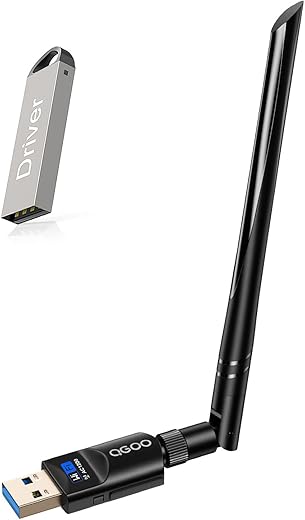
QGOO USB WiFi Adapter 1200Mbps Dual Band

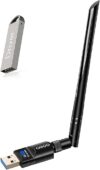
QGOO USB WiFi Adapter 1200Mbps Dual Band Price comparison
- All prices mentioned above are in United States dollar.
- At amazon.com you can purchase USB WiFi Adapter 1200Mbps QGOO USB 3.0 WiFi Dongle 802.11 ac Wireless Network Adapter with Dual Band 2.42GHz/300Mbps 5.8GHz/866Mbps 5dBi High Gain Antenna for PC Desktop Windows XP/Vista/7/8/10/11 for only
- The lowest price of USB WiFi Adapter 1200Mbps QGOO USB 3.0 WiFi Dongle 802.11 ac Wireless Network Adapter with Dual Band 2.42GHz/300Mbps 5.8GHz/866Mbps 5dBi High Gain Antenna for PC Desktop Windows XP/Vista/7/8/10/11 was obtained on September 24, 2025 03:24.
QGOO USB WiFi Adapter 1200Mbps Dual Band Price History
QGOO USB WiFi Adapter 1200Mbps Dual Band Description
QGOO USB WiFi Adapter 1200Mbps Dual Band: A Powerhouse for Seamless Connectivity
The QGOO USB WiFi Adapter 1200Mbps Dual Band is the perfect solution for anyone seeking a fast and reliable internet connection. Whether you’re gaming, streaming movies, or simply browsing, this advanced USB WiFi adapter ensures you enjoy high-speed wireless connectivity. Discover how this product stands out among its competitors with exceptional features and benefits!
Key Features of the QGOO USB WiFi Adapter
- High-Speed Dual Band Connectivity: With speeds of up to 1200Mbps, this adapter offers dual-band support, allowing for smoother online experiences. The 2.4GHz band provides a broader coverage area, while the 5GHz band delivers higher data rates.
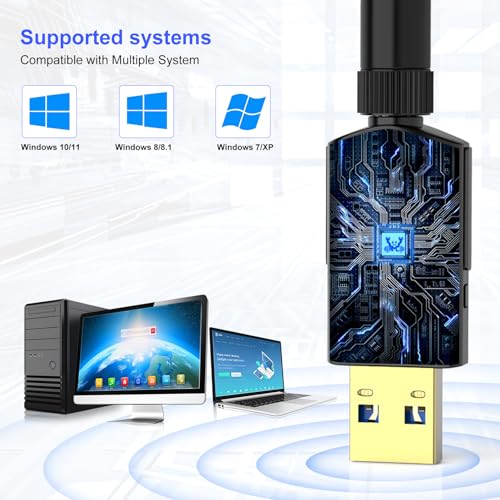
- Wide Compatibility: Compatible with various operating systems, including Windows 11, 10, 8.1, 8, 7, XP, Vista, and Mac OS versions 10.9 to 10.15, the QGOO USB WiFi adapter caters to a diverse user base. Note that it’s not compatible with Mac OS 11.1 or newer versions.
- Compact Design: The QGOO adapter is lightweight, weighing just 1.13 ounces. Its dimensions (7.6 x 4.88 x 0.67 inches) make it easily portable, ideal for users on the go.
- Plug-and-Play Setup: No complex installation required! The QGOO USB adapter features a user-friendly design allowing users to plug in and connect quickly without the hassle of extensive setup.
- Durability: Constructed with high-quality materials, the QGOO adapter promises longevity and durability, ensuring it can withstand day-to-day use.
Price Comparison for the QGOO USB WiFi Adapter
When shopping for the QGOO USB WiFi Adapter, price can vary across different suppliers. It’s essential to compare prices effectively to ensure you’re getting the best deal. The adapter typically ranges from $20 to $30, depending on the retailer. Make sure to check various platforms to find the most favorable price.
Price Trends Over Six Months
The 6-month price history of the QGOO USB WiFi Adapter reveals some interesting trends. Over the past few months, the price has fluctuated between a low of $18.99 and a high of $29.99. This variability indicates seasonal sales and promotional discounts, making it wise to watch for sales events to snag the best price.
Customer Reviews: What Users Are Saying
Overall, customer feedback regarding the QGOO USB WiFi Adapter has been positive. Users appreciate its high-speed performance and ease of installation. Many reviews emphasize the adapter’s ability to maintain a stable connection, particularly in gaming and streaming applications. Below are some highlights from customer reviews:
- Positive Feedback: Users frequently mention the smooth connectivity experience, praising its dual-band capabilities that eliminate lag and buffering.
- Negative Aspects: Some customers have pointed out compatibility issues with Mac OS versions 11.1 or newer and reported occasional connectivity drops with older network equipment. However, these concerns are relatively minor compared to the overall satisfaction.
Related Videos: Enhancing Your Experience
For a deeper understanding of the QGOO USB WiFi Adapter, checking out YouTube unboxing and review videos can be beneficial. These resources provide visual insights into the adapter’s setup, features, and real-world performance. Many users share their experiences, troubleshooting tips, and practical demonstrations of the product in various settings. Don’t miss out on these valuable resources!
Final Thoughts on the QGOO USB WiFi Adapter
The QGOO USB WiFi Adapter 1200Mbps Dual Band is an excellent choice for individuals looking to enhance their internet connectivity. With its impressive speed, robust compatibility, and user-friendly installation process, it stands out in the crowded market of USB WiFi adapters. Its competitive pricing and advantageous features make it a worthy investment for both casual users and tech enthusiasts alike.
Interested in getting the QGOO USB WiFi Adapter? Compare prices now!
QGOO USB WiFi Adapter 1200Mbps Dual Band Specification
Specification: QGOO USB WiFi Adapter 1200Mbps Dual Band
|
QGOO USB WiFi Adapter 1200Mbps Dual Band Reviews (13)
13 reviews for QGOO USB WiFi Adapter 1200Mbps Dual Band
Only logged in customers who have purchased this product may leave a review.




JazzMeBlues –
Setting it up was a bit sketchy at the get-go because after I installed the USB adapter card, nothing appeared on the screen as described in the install guide booklet or mini CD… nada, zilch. I then decided to plug in the mystery unmarked and mentioned mini USB memory stick that came packaged with the unit, and at that point, everything started to work all by itself, however totally unlike the description shown in the instructions. Other than that, I am extremely happy with the performance of this WiFi Dongle. My office is located at a far remote corner of the house with weak signal strength, 7 Mbps at best, even with a WiFi signal booster. Now my office has consistent and effortless WiFi speeds of over 100 Mbps! I highly recommend the OGOO WiFi Dongle.
Michael –
but doesn’t work in Linux , even follow the instruction to compile the driver provided, it couldn’t pass compiling, it costed me a lot of time, finally I gave up.
Beebs –
Like most of these semi generic adapters these work right out of the box, plug and play, zero issues. Ive gone through over a dozen of these for different clients and never had an issue.
StellaReviews –
Works as advertised! Very easy to set up with the included instructions. Receives a very strong signal, I did not notice any slowdown versus plugging in directly with an ethernet cable. One minor quibble: the disc included that provides you with the needed drivers is low quality and my disc drives have trouble reading it, so you may have to download the drivers directly from the company’s website. Other than that, recommended.
DLM9000 –
Love this adapter! I was a little skeptical when I first ordered it as there are so many different models out there, but I’m glad I went with this one, it turned out to be a great investment.
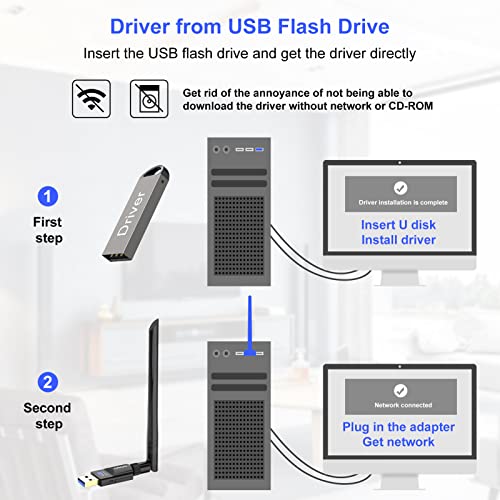
The device installs via a usb stick with the specialized realtek drivers. The actual device works as a USB 3.0 USB dongle. It connects and disconnects like a USB drive.
My internet speeds are blazing fast now. I went from a super slow out of the box wifi adapter that only provided 15mbps to a blazing 159 mbps. Take note- this number will also depend on your home network’s max upload and download speeds.
To top it off, the adapter also came with random adorable vinyl decal stickers. What a coincidence that all three are very well suited for me. Coincidentally, there’s even a sticker of the breed of dog I have on one of them.
Mike –
I installed this wifi adapter in a PC that I’m running in my basement, and I have my wifi router on the first floor, and it works great! Admittedly, I do have a pretty beefy router to begin with, so really any adapter anywhere in my house should pick up the signal, lol. That being said, this is a great USB wifi adapter because it is easy to install, is stable, and is providing a fast, solid connection for the PC. I would definitely recommend this to others or buy this again if I need another one!
carissa –
Looks and feels well made and the antenna feels like good quality. worked without need of drivers on windows 10. Better signal strength and speed than the previous USB wifi adapter I had without an antenna. Used it on my sons PC and it made an obvious difference in speed if the internet and latency was decently low as well. The package Includes a driver disc and instructions if you need it and it works for most OSes as it’s a Realtek wireless chip inside. Overall, it’s a very good product at a reasonable price. Would definitely buy again and from this manufacturer.
Melody Hankins –
Very good quality. Easy installation. Excellent signal. Excellent transmission rate all around. Excellent product
JRS –
Overall good WiFi adapter and good speed. A couple of quick steps may improve overall user experience.
1. The installation USB comes with both the driver and a utility software. Don’t use the utility software. Once you install the driver, uninstall the utility software. I’ve found the utility software sometimes bugs out and disconnects to the WiFi network. This issue was resolved once the utility software that came with the installation USB was uninstalled.
2. If you notice the speed is a bit slow you can configure the adapter to increase its speed substantially. On a Windows machine search for Device Manager, select Network Adapters, right click on Realtek 8812BU Wireless LAN 802.11ac USB NIC and select Properties. Go to the Advanced tab and click Wireless Mode. In this option, by default, the adapter is set to Auto. Instead set it to IEEE802.11ac. Click OK to save the setting. You may need to reconnect to your WiFi network, but you should see a large increase in speed.
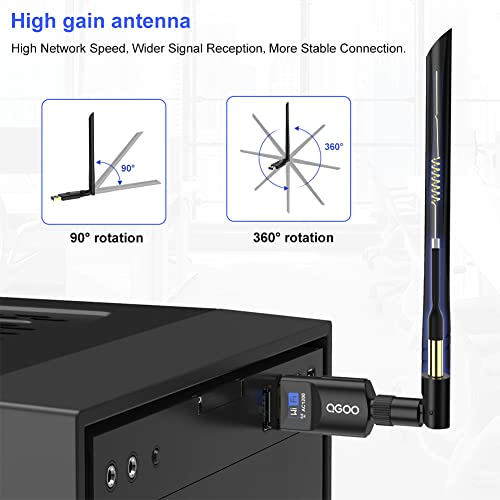
3. To optimize speed, you should play around with the angle of the antenna on the WiFi adapter. I recommend using an internet speed test (you can just Google for one) and rotate the antenna to test different angles till you get the fastest speed. In most cases this will be when the antenna is rotated at an angle that make it stick out, so nothing is blocking it.
Traveling Lassie –
I recently purchased this WiFi adapter, and I have to say, it’s been a pleasant surprise. Setting it up was straightforward and hassle-free. I followed the simple instructions, and it connected to my network without any issues.
Since using this adapter, my internet connection has been stable and reliable. I no longer experience frequent drops or interruptions, which has made my online activities much smoother and more enjoyable.
Johnny –
I have a Dell Inspiron One 2330. Although, with it’s current location it was right the edge between a WiFi dead-zone and a little bit of WiFi with a weak signal. And on top of that it was limited to 100Mbps and rarely ever got to that speed.
After installing the QGOO AC1200M Dual Band Wireless USB Adapter I achieved quicker loading times, stronger signal strength, and the installation was quite simple.
USEFUL INFO:
With my package I received the USB adapter with the little antenna, a very small CD, and some USB flash drive. The CD has the drivers and the manual on it, and don’t worry just because it’s small doesn’t mean it won’t work on regular disk drives. I saw it and the first thing I thought was “Am I going to need to buy a special disk drive for this thing?” And the answer is no. Just pop it in like any normal-sized CD and it will work. The little flash drive thing also has the drivers on it. And if you can’t use either for whatever the reason may be, a website is listed on the installation guide where you can download the drivers. Heck, if you have to you can download the driver files to your phone and then transfer to your computer via cable or blue-tooth. I just used the little CD.
Driver Distributions Available:
– Windows Version
– Mac OS 10.9-10.15 Version
– Linux Version
Link to the site to get the drivers in-case you didn’t get an install guide:
http://www.qgoovip.com/pages/driver
Somewhere on this review you’ll see some images, the first should be a picture of the little flash drive, and a picture of the small CD on top of the quick-install guide. The second is an image of the adapter attached to my computer. The third is a screenshot of the connection speed my computer now has to my WiFi router. Keep in mind that my router is on the other side of the house and not close. I’ll probably be upgrading my router soon. You may obtain faster speeds depending on your router, computer, and distance from your WiFi-source.
I think this is a sufficient review. I rate 4 stars because I haven’t checked this for gaming and probably won’t considering internet where I live is not amazing.
Johnny –
This product works great out of the box on a Raspberry Pi 4 or 5 w/ OS Release of Debian 12 or Bookworm.
Tested the WiFi on both devices running the same version of the Debian OS and they worked flawlessly.
I am getting an average throughput of 400 to 800 Mbits/sec consistently on my WiFi connnections.
Luis Manuel –
The QGOO AC1200M Dual Band Wireless USB Adapter
My previous USB wifi adapter provided with my desktop stopped working after only 4 months. Speed test on my old adapter showed ½ the speed I should have been getting but on LAN I got all the speed advertised.
This QGOO USB adapter is very easy to install and auto installed on my Windows 10 pc
I had full bars of signal and connected to my wireless router with no problem.
Speed test on the QGOO wireless adapter shows I am getting my correct download/upload speeds
I am able to cast to my TV with no clocking or dropped connection.
I don’t have cable TV so I stream A LOT, and I have no issues even when streaming more than one video (I watch one and listen to another)
I have been using this adapter for 5 days and have had zero drops and zero latency issues.
I’m very happy with this purchase and will recommend it to anyone needing to replace their current wifi adapter.