

 Amazon.com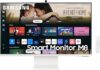
SAMSUNG 32-Inch 4K UHD Smart Monitor LS32DM801UNXZA Price comparison

- All prices mentioned above are in United States dollar.
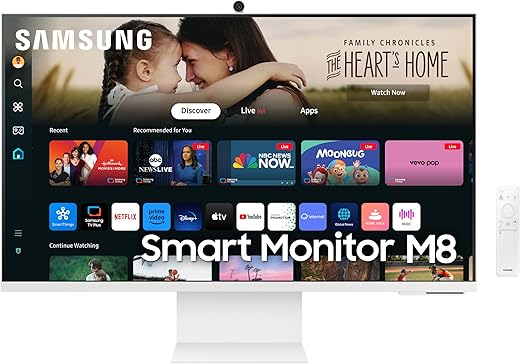
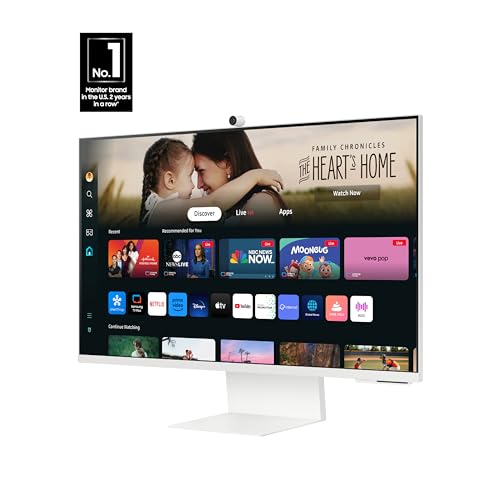
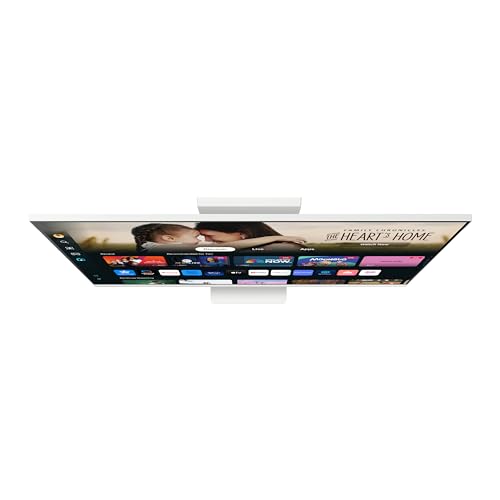
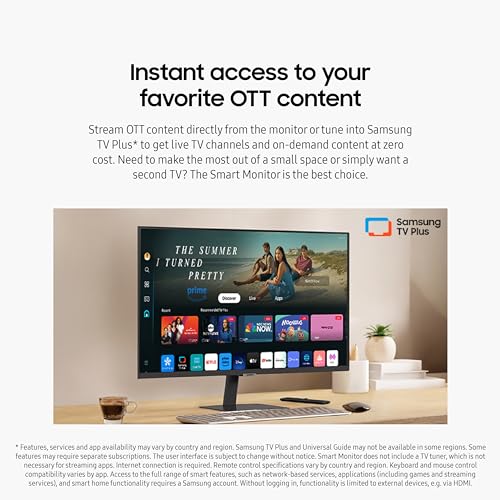
- At amazon.com you can purchase SAMSUNG 32-Inch M8 (M80D) Series 4K UHD Smart Monitor with Streaming TV, Speakers, HDR10+, AI Upscaling, USB-C, Ergonomic Stand, SlimFit Camera, Gaming Hub, LS32DM801UNXZA, 2024 for only
- The lowest price of SAMSUNG 32-Inch M8 (M80D) Series 4K UHD Smart Monitor with Streaming TV, Speakers, HDR10+, AI Upscaling, USB-C, Ergonomic Stand, SlimFit Camera, Gaming Hub, LS32DM801UNXZA, 2024 was obtained on September 24, 2025 07:18.
SAMSUNG 32-Inch 4K UHD Smart Monitor LS32DM801UNXZA Price History
SAMSUNG 32-Inch 4K UHD Smart Monitor LS32DM801UNXZA Description
Discover the Samsung 32-Inch 4K UHD Smart Monitor LS32DM801UNXZA
Step into the future of display technology with the Samsung 32-Inch 4K UHD Smart Monitor LS32DM801UNXZA. Designed for the modern user, this smart monitor offers incredible visuals and performance, perfect for both work and entertainment. With a stunning 3840×2160 resolution and sleek design, the Samsung LS32DM801UNXZA ensures that you experience every detail. Whether you’re gaming, streaming, or browsing, this monitor enhances your viewing experience.
Main Features and Benefits
- Stunning 4K UHD Resolution: Enjoy crystal-clear images with a resolution of 3840×2160 pixels. Perfect for detailed graphic work and immersive entertainment.
- Dynamic Screen Size: With a 32-inch display, this monitor provides ample screen real estate for multitasking while maintaining a compact footprint.
- User-Friendly Connectivity: Features two USB 3.0 ports for fast data transfer and easy connectivity with various devices.
- Elegant Warm White Finish: The stylish design complements any workspace or home setting, blending aesthetics with functionality.
- Eco-Friendly Performance: Lower your energy consumption without compromising performance, thanks to advanced technology that optimizes power use.
- Lightweight and Portable: Weighing in at only 15.9 pounds, this monitor is easy to move and set up and fits comfortably in various environments.
Price Comparison Across Different Suppliers
When looking to purchase the Samsung 32-Inch 4K UHD Smart Monitor LS32DM801UNXZA, price can vary significantly across retailers. Our price comparison tool allows you to effortlessly find the best deal available from multiple suppliers. For example, you may find prices ranging from $**X** to $**Y**, ensuring you get the best value for your investment. Check out our detailed price comparisons to make an informed decision.
6-Month Price Trend Insights
Examining the 6-month price history chart reveals notable trends. Over the past six months, prices for the Samsung 32-Inch 4K UHD Smart Monitor LS32DM801UNXZA have shown a slight downward trajectory, suggesting now might be the best time to buy. Seasonal sales and manufacturer discounts have contributed to more competitive pricing, making it a prime opportunity for buyers.
Customer Reviews
Customer feedback highlights both the strengths and potential drawbacks of the Samsung monitor. Many users rave about the exceptional picture quality and color accuracy, noting that the vibrant display elevates their gaming and video streaming experiences. Customers also appreciate the easy setup process and the ability to seamlessly switch between devices due to its connectivity options.
However, some reviews indicate concerns regarding the limited viewing angles and slight lag during high-speed gaming. While these points may not detract from the overall performance for casual use, they are worth noting for gamers seeking ultra-responsive displays.
Explore Unboxing and Review Videos
For those interested in a more in-depth look at the Samsung 32-Inch 4K UHD Smart Monitor LS32DM801UNXZA, we recommend checking out various unboxing and review videos available on YouTube. These videos provide a hands-on demonstration of the monitor’s features, performance, and design, helping you visualize how it fits into your setup.
Why Choose the Samsung 32-Inch 4K UHD Smart Monitor LS32DM801UNXZA?
The Samsung 32-Inch Smart Monitor represents a remarkable combination of technology and design. It caters to the needs of professionals and casual users alike, ensuring that everyone can enjoy the benefits of high-quality visuals. With its affordable pricing options and superior performance, this monitor is an excellent addition to any home or office environment.
Take Action Now!
Don’t miss the chance to enhance your viewing experience. Compare prices now for the Samsung 32-Inch 4K UHD Smart Monitor LS32DM801UNXZA and secure the best deal available!
SAMSUNG 32-Inch 4K UHD Smart Monitor LS32DM801UNXZA Specification
Specification: SAMSUNG 32-Inch 4K UHD Smart Monitor LS32DM801UNXZA
|
SAMSUNG 32-Inch 4K UHD Smart Monitor LS32DM801UNXZA Reviews (10)
10 reviews for SAMSUNG 32-Inch 4K UHD Smart Monitor LS32DM801UNXZA
Only logged in customers who have purchased this product may leave a review.





Moonbeam –
Tenia muchas dudas de comprar este monitor porque los reviews estan divididos, la caja llego en malisimas condiciones, por lo que mi incertidumbre aumento, pero por fortuna el monitor esta intacto y con todos sus accesorios en perfecto estado. Es un monitor excelente en casi todos los aspectos, muy estetico, ademas que se transforma en una Smart TV, lo queria para conectarlo a una Macbook por usb-c y funciona de maravilla en 4k. Antes de comprarlo habia regresado 2 monitores mas costosos que este de otras marcas porque se veian fatales con las Mac. Ojala que en su sucesor Samsung aumente el refresh rate a 120Hz y mejore la calidad del sonido para que sea aún mejor. Al precio que se encuentra actualmente es la mejor opción del mercado 🙂
Moonbeam –
Necesito contactar al servicio técnico de samsung, porque empezó a salir una mancha en el monitor, pero no puedo hacerlo.
Pueden orientarme para una reparación o cambio?
Treisten –
Had this monitor for almost 2 years now. I’m currently using it as a tv as my TCL tv stopped working.so until I can get a new TV I’m gonna use it. The UI/OS is nothing special it’s dull BUT it’s very reliable. However the bixby assistant is buggy and often activates on its own while watching videos, airplay works good and so does the DEX software. The remotes battery life is INSANE I’ve only had to charge it like 2-3 times in the 2 years I’ve had it. The game mode does a decent job at maximizing gameplay,although some options in game mode can’t be used when other settings are selected. The speakers don’t sound bad,pretty equivalent to a mid grade smart phone, the attachable camera can be plugged directly in to a computer using a USB-C cable OR attached directly to the back of the monitor using the included adapter(will only work in dex mode or Remote Desktop mode). Camera quality is acceptable, not terrible but also not the best and the built in microphone leaves a little bit to be desired. It’s an LED panel and image quality is good for watching content or gaming.Overall it’s a well rounded product for its price. If ur a minimalist looking for a small tv and monitor combo, this is for you.Slim sleek and pretty sturdy( the top corner of the screen got assaulted by a candle that had fallen off of my shelf and it still works better than that sad excuse of a tv I had….moving on) I highly recommend the product it’s proven to be a good choice.
Treisten –
The Samsung 32-Inch M8 (M80D) Series 4K UHD Smart Monitor is a fantastic addition to my setup! The 4K resolution delivers breathtaking clarity and vibrant colors that make everything from work tasks to streaming content look amazing. The built-in streaming TV features are a game-changer, allowing me to access my favorite apps and shows without needing extra devices. The sleek, modern design complements any workspace or entertainment area, and the smart functionality makes it incredibly versatile. Whether I’m working, watching movies, or gaming, this monitor delivers exceptional performance and convenience. Highly recommend for anyone looking for a top-notch monitor with smart features and stunning display quality!
Chiara Flattery –
Samsung M80C 32″ monitor and TV: It sounded jazzy and exactly what I wanted, albeit pricey, so I eagerly, with excitement, awaited its arrival and dropped everything and started setting it up the moment it arrived. It had a “swivel and spin” base that was VERY cool, and a “sticks with a magnet” cam recorder that was interesting as a (perhaps unnessary) bell and whistle. It arrived beautifully wrapped and packaged. But its SETUP failed, rather spectacularly, even with 50 minutes of intense telephone guidance from a Samsung tech specialist (“Call this number for help,” the promotional material promised, without avail). This (very flawed) monitor would not, could not get synched to my existing (Microsoft Windows 11 Pro and Google-oriented new Dell XPS computer. The PROBLEM MIGHT LIE in Samsung’s remote control. BEWARE!! It’s as uncooperative and screwy as an Appalachian mule–and perhaps (I say, half in jest, “possessed by an evil spirit”). This was the most spectacularly unsuccessful computer or computer peripheral I’ve ever encountered. I returned it to Amazon after four or five annoying and unproductive hours. I’m grateful they fully refunded its purchase. If you’re considering getting one of these, know that Samsung usually produces rather fine products, but THIS ONE, baby, needs another think-through and a LOT of tweaking. x
Carmelo –
We have an open concept living room, office, kitchen. This was purchased to be multi-purpose for my computer and entertainment. We absolutely love this product. The built in speakers are great, the picture is sharp, the stand is sturdy and we like how it raises and lowers. It’s easy to set up and to become accustomed to. I downloaded the apps that weren’t already installed out of the box. So practical. Highly recommended.
Tislam410 –
Easy to set up, nice offwhite color and pretty great display. I use for my PS5 and for working. Arrived in good shape.
Tislam410 –
WOW. That was such a treat the first time I had something displaying on it. This Samsung 32 Inc M8 White UHD Smart Monitor is really great.
The clarity and resolution is amazing. What a treat! First thing I did was seek out some 4K footage on YouTube and I was blown away. I also have an NVIDIA graphics card which supports 4K.
Assembly was easy. The base is very heavy but quite thin, maybe 1/8” thick. It is also very non-slip. So rotating this if needed isn’t going to be easy. I might have to put it on a turntable for the times I have to turn the angle. The adjustment up and down is good and it stays put. Pivoting to portrait orientation is a great option to have, I used to love being able to do that years ago when I just had two monitors, but now with three, my space for manoeuvring is quite limited.
There aren’t a lot of choices on the back for connecting to a desktop computer. For me, it was HDMI and that’s it. I’m not using a laptop and so far, support for USB-C isn’t really happening on desktop motherboards and GPUs.
I have a three-monitor setup and ended up having to buy another cable for one of the other monitors since the M8 took over the HDMI spot that one was using.
When you first turn it on, it walks you through a setup for connecting to your Samsung account, Amazon (for Alexa), and whatever other accounts you have. It also goes through some other settings for their built-in system.
So I now have this big one in the middle with two 24-inch monitors either side. My other two are set at 1920×1080 and this new one is 3840×2160. My setup is such that I can drag a window from one monitor to another. It used to be seamless when I had three set at the same resolution, but I’m finding that my system struggles a bit as it switches resolutions on the window I’m dragging between monitors. It’s no fault at all of the new Samsung, it’s just a practical reality of what I’m doing. The window just stops momentarily as I’ve entered the lower-resolution monitor once about 1/5th of it passes into that monitor, then it adjusts and I can continue dragging it over to the lower res monitor. There is no delay in the other direction (dragging from the lower res monitor to the M8’s high resolution).
Using the remote is intuitive and useful. If I want to tell my monitor something while addressing Alexa, I can just speak while holding down the mic button on the remote. This allows me to talk to it without using the trigger word which would then wake up my Alexa Show that’s sitting right beside me.
The speakers are okay, a little tinny in sound, but it’s nice to have built in speakers – one less thing on my desk but it is not going to compete with our surround sound stereo system.
It’s easy to switch between the built-in applications like Prime Video, Netflix, Samsung TV Plus, and Disney+ and then switch back again to my computer desktop, but it takes clicking a few buttons.
The webcam is cool, it connects magnetically. I do wish it had a privacy cover though. (UPDATE 2020-07-16: I didn’t realize it, but the cover is on the back of it. It pulls off, friction fit, and you can put it on the front of the lens for privacy).
A couple of times I’ve had a message on my screen, I don’t remember the circumstances, but it flashed a big message that was useless to me. I’ve attached a screenshot of it. It wants you to go download and install some .msi file. I use Linux, so that’s of no use to me. That window popping up is trouble sometimes as when I first start my computer and my desktop loads, I’m asked for a password for my system and that window blocks me from being able to enter my password in time before I lose my chance. The fallout from that is very annoying but I won’t go into detail here about the trouble that causes. I’ve managed to check the box with the remote to not show again, so hopefully that’ll be the end of that problem.
I do wish it was more of a monitor than a computer itself. Using the apps means I’m cut off from stereo system, there’s no way for me to plug it into the M8, as good as our system is, it was before Bluetooth. I also don’t know what else it’s up to. I haven’t found where to mute the built-in mic, and as I said, the webcam has no privacy cover. These concerns are just my opinion, for others, they will have more use for those features and not share my concerns.
Overall, I am VERY happy and love this monitor and highly recommend it.
Danforth Prince –
I bought the new 2023 Samsung M80C Monitor 32-inch version after seeing it on an Amazon Early Black Friday Sale for $400.
This is a great value monitor for the price, which is excellent for multi-tasking and functions both as a PC and TV, is capable of 4K, and reaches fairly bright levels with 400 cd/m2 nits of brightness that get realized once you change the picture settings to the dynamic & entertain mode.
I was originally in the market for the 27-inch monitor, but surprisingly, that smaller version was $250 more expensive than the 32 inch one and went with this one instead solely because of the price.
The TV has built-in Samsung Tizen OS and it works surprisingly really well and it is fairly snappy and responsive. If you have Samsung Appliances in your kitchen like I do, the Samsung SmartThings application will give you neat notifications when your dishwasher or microwave is finished washing or cooking. If you’re invested in the Samsung Smart “Ecosystem”, this is a particularly great buy. It’s pretty cool and future tech/smart house oriented.
The Built-In Microsoft 365 platform is definitely gimmicky as it’s super slow and virtually unworkable but the Streaming TV apps like Netflix, Prime, Hulu, Disney, Paramount, Apple TV etc. work fine and great. Apple Airplay 2 also works great with negligible latency on my Wi-Fi Network.
My only “negative” nitpicks is that I wish this had a 120hz refresh rate for further future-proofing but it’s really not that noticeable when you’re doing everyday productivity tasks like Word, Excel, PowerPoint, and E-Mail. Another downside is that the SlimFit Camera works fine (when it works) but sometimes you have to detach the magnetic holder for a second and reattach it so that it shows up on your PC’s options for Teams, Zoom, Google Meet, or WhatsApp calls etc. The Camera’s implementation could have been a little better….I will say it’s workable but can be a minor nuisance. Do I think it’s the worst thing in the world as some comments have? No, the negativity is overblown. The quality of camera is decent as far webcameras go per visuals and microphone quality, don’t expect anything out of this world. It’s neither bad or good. Finally, the Built-In speakers are blah. They get the job done in a pinch but I’ll probably supplement them with something robust down the road. Please note that there is no 3.5 mm audio jack on the monitor so “traditional” external PC speakers won’t work.
Back to some Positives:
It also has built-in 65W USB-C charging for a laptop, so that’s very convenient! There is a total of 1 HDMI Port, 2 USB-A Ports, and 1 USB-C Port built-in the monitor’s rear. The 2 USB-A Ports become “hubs” for your PC if you’re connected via USB-C.
The design itself is super clean and modern, usually you pay a serious premium for a design like this in a monitor so kudos to Samsung for making this middle-class attainable lol. For what it is, what it does, and its price, it’s definitely a win and keeper for me. It’s a unique product in a world of run-of-the-mill standard PC monitors!
Update After 2 Weeks:
The USB-C Port on the monitor’s rear can carry both charging *and* video signal which means that if you’re connecting via USB-C, you do not need to use the HDMI port for visuals. Additionally, the USB-C cable supplied with the box is surprisingly speedily robust even though it’s not “Thunderbolt 3 or 4” certified. I’m using it with a 13th Generation Intel i5 Laptop and 10th generation Apple iPad and it’s working fantastic.
***Important***
Finally, the Monitor also works really well and seamlessly with Samsung TV Soundbars from 2022 and 2023.
The HDMI port on the monitor is an HDMI-ARC capable port even though it isn’t specifically labeled as such (which was and is a major oversight on Samsung’s Part) – this wasn’t written anywhere in the manual or any documents I could find online on their website so imagine my pleasant surprise when I took the chance to hook up a Soundbar I bought during Black Friday 2023 via the monitor’s rear HDMI port and connected it to the HDMI-ARC opening port on a Samsung S61B Soundbar to find that that soundbar worked and integrated right away with the monitor’s Tizen system and remote. The S61B soundbar is white and lays virtually flush on the bottom of the bottom of the monitor’s stand. This is one major positive of getting your external speakers from Samsung versus other brands.
If you hate the built-in sound of the monitor and your monitor’s HDMI port connection is not being utilized, I would highly recommend pairing this monitor with the Samsung S61B Soundbar.
The Monitor’s Sound is now really fantastic especially for apps like YouTube for Music, Movies, Podcasts, etc.
AVV –
La calidad de la imagen, la facilidad para instalarlo, prácticamente es otra TV, lo recomiendo ampliamente.