
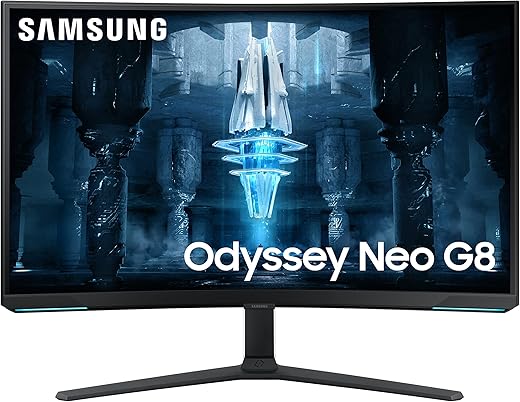
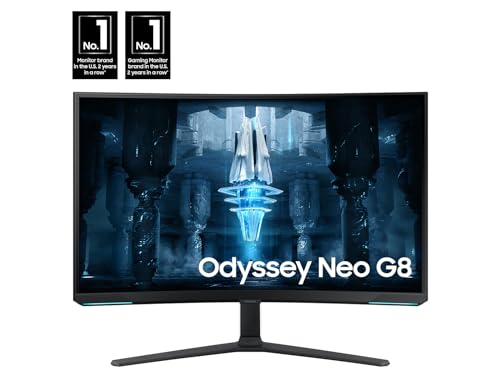
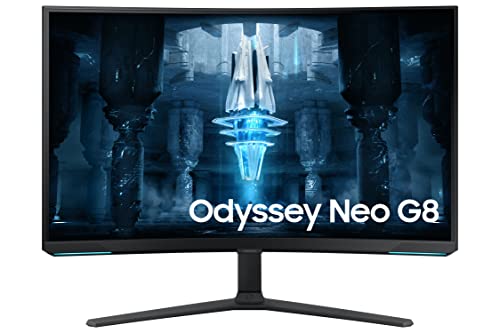
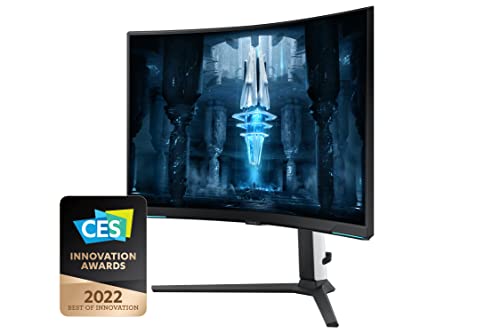
SAMSUNG 32″ Odyssey Neo G8 4K Curved Monitor
 Amazon.com
$690.00
SAMSUNG 32″ Odyssey Neo G8 4K Curved Monitor Price comparison


- All prices mentioned above are in United States dollar.
- This product is available at Amazon.com.
- At amazon.com you can purchase SAMSUNG 32" Odyssey Neo G8 4K UHD 240Hz 1ms G-Sync 1000R Curved Gaming Monitor, Quantum HDR2000, AMD FreeSync Premium Pro, Matte Display, Ultrawide Game View, DisplayPort, Black & White, 2022 for only $690.00
- The lowest price of SAMSUNG 32" Odyssey Neo G8 4K UHD 240Hz 1ms G-Sync 1000R Curved Gaming Monitor, Quantum HDR2000, AMD FreeSync Premium Pro, Matte Display, Ultrawide Game View, DisplayPort, Black & White, 2022 was obtained on September 24, 2025 07:18.
SAMSUNG 32″ Odyssey Neo G8 4K Curved Monitor Price History
SAMSUNG 32″ Odyssey Neo G8 4K Curved Monitor Description
SAMSUNG 32″ Odyssey Neo G8 4K Curved Monitor: A Cutting-Edge Display for Gamers
The SAMSUNG 32″ Odyssey Neo G8 4K Curved Monitor is an exceptional choice for gamers and professionals seeking an immersive visual experience. With its stunning 3840×2160 screen resolution, this state-of-the-art monitor brings every detail to life. In this overview, we will delve into its features, price comparisons, customer reviews, and more to help you make an informed decision.
Key Features of the SAMSUNG Odyssey Neo G8
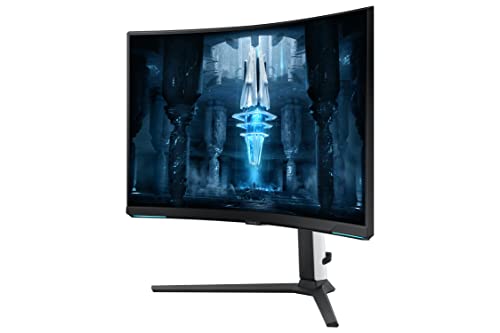
- 32-Inch Curved Display: The 1800R curvature ensures that every corner of the screen is within your field of view, enhancing immersion and reducing eye strain.
- 4K Ultra HD Resolution: Experience crystal-clear images with a resolution of 3840×2160 pixels, providing superior clarity for both gaming and professional work.
- High Dynamic Range (HDR): With HDR support, this monitor delivers brighter highlights and deeper blacks, making colors more vibrant and lifelike.
- Fast Refresh Rate: Designed for seamless gaming, the Odyssey Neo G8 boasts a refresh rate of up to 240Hz, ensuring smooth gameplay and reduced motion blur.
- Multiple Connectivity Options: Featuring two USB 2.0 ports, HDMI, and DisplayPort inputs, connecting to your devices is convenient and hassle-free.
- Stylish Design: The sleek black and white design, combined with customizable RGB lighting on the back, makes this monitor a stylish addition to any gaming setup.
Price Comparison Across Different Suppliers
When it comes to investing in the SAMSUNG 32″ Odyssey Neo G8 4K Curved Monitor, checking prices from various retailers is essential. Over the last 6 months, the price has fluctuated, with discounts available during major sale events.
As of the latest data, prices range from approximately $899 to $1,199 depending on the retailer. By using our price comparison tool, you can find the best deal available and save money on your purchase.
Notable Trends from the 6-Month Price History Chart
The 6-month price history for the SAMSUNG Odyssey Neo G8 indicates a few notable trends:
- Significant sales during Black Friday and Cyber Monday led to prices dropping as low as $849.
- Prices have increased slightly during peak gaming seasons, reflecting the monitor’s growing popularity.
- Retailers often offer bundle deals, which may include accessories like HDMI cables or gaming peripherals.
Customer Reviews: What Users Are Saying
Customers have been overwhelmingly positive about the SAMSUNG 32″ Odyssey Neo G8. Here is a summary of the main points from user reviews:
- Exceptional Visual Quality: Users consistently praise the stunning 4K resolution and HDR capabilities, noting that it greatly enhances gaming and multimedia experiences.
- Smooth Performance: Gamers have reported a noticeable difference with the high refresh rate, describing gameplay as smooth and free of lag.
- Immersive Curvature: Many users appreciate the curved design, stating that it provides a more engrossing viewing experience.
- Minor Critiques: A few reviews mention that the monitor’s price is on the higher side, and some users experienced initial calibration challenges.
Explore Unboxing and Review Videos
For those looking for a more in-depth look at the SAMSUNG 32″ Odyssey Neo G8, there are numerous unboxing and review videos available on platforms like YouTube. These videos offer firsthand looks at the monitor’s features, set-up processes, and real-world performance assessments. Engaging with these resources can help potential buyers see the monitor in action and understand its unique benefits.
Conclusion: Make Your Purchase Today
In summary, the SAMSUNG 32″ Odyssey Neo G8 4K Curved Monitor stands out in its category with unparalleled visual quality, high refresh rates, and immersive design. Whether you’re a casual gamer or a professional looking for a reliable display, this monitor can exceed expectations. Don’t miss the opportunity to compare prices across different suppliers and secure the best deal!
Compare prices now!
SAMSUNG 32″ Odyssey Neo G8 4K Curved Monitor Specification
Specification: SAMSUNG 32″ Odyssey Neo G8 4K Curved Monitor
|
SAMSUNG 32″ Odyssey Neo G8 4K Curved Monitor Reviews (7)
7 reviews for SAMSUNG 32″ Odyssey Neo G8 4K Curved Monitor
Only logged in customers who have purchased this product may leave a review.




MOB –
I used to have 2x 4K 28 inch monitors and eventually decided to get rid of the large black dividing line down the middle and use a single monitor. So I opted for the 49 inch Samsung Neo G9, with a resolution of 5120×1440 and 240MHz, which I loved. I also got used to the curved screen very quickly, and find it so much easier to work with multiple windows open, also play games is very cool, but dropping from a 4k resolution down to just 1440 vertical resolution did make my games look less clear and less defined. Eventually I saw this screen that has the highest resolution I would ever want to go to (for a screen thats this close to my eyes) 7680 x 2160 Pixels puts the highest definition of games back on and the colours and resolution are simply amazing. I love this monitor, its huge, as big as I would ever want to go, and has everything I need (picture in picture, 240 MHz, 1ms, 1000 NITS etc etc. The only thing I would have liked more was if they just replaced the terrible menu buttons, and added a $2 remote control. Such a shame it doesn’t have a decent menu button system.
Aethermath –
So after selling this monitor for th Oled g8 ultrawide , Instantly regretted selling . Returned the ultrawide oled , then went to the lg 27 inch oled 240hz I did prefer this monitor to the g8 oled but overall was not bright enough and 2k resolution was very noticeable after gaming on the neo g8 4k . People were saying in reviews the monitors being oled made up for lower res , but for me that was not so . Ended up keeping the LG oled and buying the s95c 55 inch , and this is what I currently run . after trying all these I realized the Neo G8 is an amazing monitor has a bit of bloom but overall a great 4k 240hz display you can get for a good price . The s95c is great for gaming but is also over double the price so the neo g8 4k is tough to beat right now
Keith Ian Wolman –
I was first looking for a computer monitor to use my gaming consoles on them. Why a monitor? Because I didn’t care about the image processing or the advanced smart features of a full fledged television. I know Samsung generally make good products and I knew I was buying something good. Sure, some reviews state that there are better screens with more features out there, but I like the fact that the picture quality on this one is pretty close to the OLED, without the huge price tag. Overall, I am pretty satisfied with the aesthetic of the screen (love the sci-fi look with the white logo behind it), the picture quality is great, the smart features are enough without being intrusive and I am happy about this purchase. The size surprised me a bit, it’s roughly the same size as a full sized poster on a wall, that is 24 by 36 inches. The material doesn’t feel cheap and is light enough, I love the contrast and brightness and in spite of some claims, there is a RGB light at the bottom, it’s two small LED lights that can react to the content being shown on the screen, you just need to enable it manually. So far, it detects my Switch being turned on and my Xbox Series X and can also swap between them if needed. The setup with the SmartThings App was okay, I had a few glitches but it was easier than to manually input everything. The speaker is kinda weak but it works well enough for a small room. The remote is kinda small and feel robust enough, but I would be careful with it. I see this as a kind of hybrid between a smart tv and a computer monitor. I haven’t use my MacBook with it, but I tried to Airplay with my iPhone and it works pretty well. I can’t speak to the reported ghosting or input lag while using it as a computer monitor, so far. I would say it’s a pretty solid buy if you read about its specs first. I know OLED is the best of the best in term of picture quality, but mini-led is great for me, it reminds me of the 12.9 inches iPad Pro XDR display that also use mini-leds. One of the reason I chose this one over the other options is the included speaker, cause I don’t intend to use a dedicated one yet and I didn’t want to game exclusively using a headset. The 43 inches Samsung Odyssey NEO G7 is a great screen. Don’t be shy, it’s a good buy!
Andrew –
Update:
The monitor either developed a dead pixel or the the right situation helped me notice it. Ended up returning it and eventually getting one without any defects (so far). Just like many other monitor brands, it can come down to luck. All units had scanlines with the same presentation. I still don’t see it as an issue, especially for the increase in motion clarity.
Positive aspects
-No defective pixels or flickering. More luck of the draw but this was my 1st time getting a ‘perfect’ monitor on the first order.
-Contrast/HDR. I’ve been used to IPS displays. Significantly better than a 32GQ950-b, especially with local dimming on. Blacks look amazing on this compared to the mentioned monitor.
-1000r Curve. I assumed I wouldn’t like the curve so I put off on even trying it. It’s been surprisingly growing on me. It does help with seeing the sides of the screen vs a Flat 32″ display. Gaming feels a bit more immersive as well.
-Color range. Seems nice. Setting to Gamma2 and using local dimming on at least low makes a nice difference. I like black equalizer at 16.
-Motion Clarity/Response time. Very smooth motion. Noticeably better than a 32GQ950-b.
-Brightness. It gets pretty bright. There’s even a nice Eye Saver Mode too.
-Auto Input switch on a new connection.
-No flickering. I haven’t noticed any so far. I use gsync with vrr control turned off. I did order a 16k cable (Silkland) to use in place of the stock for the extra bandwidth (even if it’s limited by ports)
-Web browsing and productivity uses work well. Excel sheets seem fine even with the curve.
Neutral aspects / Negative aspects in other reviews – I view these as trade-offs
-Scanlines at 240hz on some blues, oranges, and yellows (not all shades though). It is faintly noticeable from a normal sitting distance. This is present in-game as well. It is removed by changing the refresh rate to 120hz. I feel like this is a trade-off due to being unaware of non-OLED 4K 240hz options. The motion clarity increase is noticeable.
-There is a thicker coating on the screen that is great at blocking reflections. It is a little hazy but a non-issue, especially at a normal viewing distance. You’ll likely notice it but it doesn’t impact text clarity. In gaming, lighter backgrounds can make it more visible.
-Gamma Shift/viewing angles. Comes with VA territory but it’s not awful.
Negative aspects
-Wobble. It does wobble quite a bit, even with using a study desk.
caleb me –
After considering OLED for a while and waiting for the price to drop, I finally decided to try this when on sale. I had very high expectations and was fully prepared to refund at the first sign of trouble.
Lets start with the cons in my experience.
1. After setting up the monitor and looking through the settings, trying to turn the RGB LEDs on worked… for the most part. The lights on the back worked fine, on the front there are two zones that are supposed to light up also, but only one of them worked. After doing some searching apparently a simple firmware update or downgrade can fix this, so it is not a hardware issue but a software one. I do not need LEDs on a monitor anyway, especially an OLED that has those nice true blacks, so I don’t want anything on to distract my eye. I turned the LEDs off completely and never card to change firmware just to be able to turn them on again.
2. The first day I setup the monitor, tested it a bit, then went to bed. The following day I turned on the monitor and after a few hours of using it I closed all my programs and went to desktop (which is a true black single color background). To my surprise the LEDs were still on, the screen looked no different from my other non OLED screens. After digging through various settings and power cycling the monitor a few times I decided to contact support. I explained my issue and got transfer once or twice through Samsung support chat before finally getting through to help. The first thing that I was asked to do was unplug the power cord that runs from the adapter box to the monitor, not from the wall to the adapter box, and not power cycling using the button on the monitor. After waiting about a minute and plugging it back in the black were true black again and I felt like an idiot. The important takeaway here is that the box will run some power to the screen even if the screen is of, so if you need to power cycle make sure you unplug the screen. After doing the reset once my pixels have remained true black where they should and have not been an issue since.
Before we get to the pros is want to mention settings. There are quite a few settings of which most are helpful, just about anything you would want to change you can. The only problem is that with so many settings it can be hard to find what you’re looking for sometimes. So far this is one of my only monitors to not change settings ever after setup, I have had ASUS and ACER monitors before that both will occasionally change a setting if a certain game launches or if the hdmi/vda/dp gets unplugged.
Finally we have the pros.
1. OLED monitor at a PC desktop form factor. This thing looks great, it is great to watch movies and videos on, and colorful and cinematic games look amazing, I have never seen a non OLED come anywhere close it is not even the same ballgame. I have had TN VA and IPS displays before and IMO all three of those look far more similar to each other than to this.
2. Responsiveness and Refresh rate. 240hz is incredibly solid for modern gaming, not as bug of jump from 60 to 144 or even 120, but still noticeable. Due to the OLED tech the overall screen response time is insane, it isn’t as simple as the 1ms, 0.5ms or 0.1ms that you see advertised on these monitor pages, if you look into it in depth, this monitor has a response time that is about 2x faster then the next best non OLED gaming monitor, and that monitor is even 360hz! What does this meant though? Blur essentially does not exist on this monitor, comparing to 144hz, 165, and 60hz, when setting this monitors refresh rate to match, it is significantly clearer and less blurry. At 240hz even taking a still image with a high fps camera it is hard to detect or extremely minimal, where my VA 165hz displays at least 5 clearly visible ghosted images at once just with my phone camera.
To summarize, this monitor I expected to be good but not worth the price tag, but after quite some use it has completely blown me away and I am definitely keeping it. The only monitor jump that has been as noticeable as jumping from non OLED to OLED is the jump from 60-144hz.
cody sinfield –
For productivity, this is awesome. Large, bright and in 8K. Able to see 60 columns in excel is just mind-blowing.
Price went up 1300$ just after a got a great deal on the 2023 model.
No comments on gaming as i only use it for work.
highly recommended, but wait for deals.
Keith Ian Wolman –
Me encanta este monitor. Es brillante, es colorido, no tengo reflejos en una oficina / sala de juegos con ventanas muy brillantes. El contraste es excelente para una pantalla LCD. Gran volumen de color. Sin retraso de entrada. Estaba preocupado por la curva extrema, pero me encanta. A pesar de las críticas que decían que me molestaría usarlo para el trabajo, no he tenido ningún problema con la curva de pantalla para ese propósito en absoluto. No he tenido problemas de conectividad. Estoy en el último firmware. En realidad, me sorprendió que se enviara con el último firmware para mí.
Supongo que lo único negativo es el soporte tambaleante y barato y los controles de pantalla donde deberían haber utilizado un joystick. No he tenido problemas con los escáneres ni nada por el estilo. Recomiendo encarecidamente este monitor.