
TomTom Go Comfort 5 Inch GPS Navigation

 Shein.com
  Gkutech.com
  Vevor.com
  Walmart.com
  Opticsplanet.com
$79.99
TomTom Go Comfort 5 Inch GPS Navigation Price comparison











- All prices mentioned above are in United States dollar.
- This product is available at SHEIN, Walmart.com, Amazon.com.
- At shein.com you can purchase Battery For TomTom Go 2435 2535 LIVE 4CQ01 4CT4.001.01 4CT50 4EN42 4EN52 4EV52 for only $14.69 , which is 90% less than the cost in Walmart.com ($149.98).
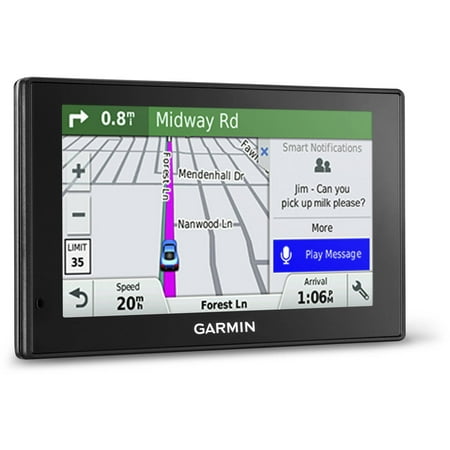
- The lowest price of Garmin Drive 52 5" GPS Navigation System with Lifetime Maps, Vehicle Suction Cup Mount and Friction Mount was obtained on October 24, 2026 10:06.
TomTom Go Comfort 5 Inch GPS Navigation Price History
TomTom Go Comfort 5 Inch GPS Navigation Description
TomTom Go Comfort 5 Inch GPS Navigation – Your Ultimate Travel Companion
Discover seamless navigation with the **TomTom Go Comfort 5 Inch GPS Navigation**, designed to enhance your driving experience. With its compact design and user-friendly interface, this GPS device keeps you informed and on track no matter where the road takes you. This product not only offers accurate directions but also includes advanced features that make it a top choice among drivers. Whether you’re commuting or planning a road trip, this GPS navigation system ensures you reach your destination efficiently. Search for **TomTom Go Comfort GPS Navigation price** or **TomTom Go Comfort GPS Navigation reviews** to find out more!
Main Features of the TomTom Go Comfort GPS Navigation
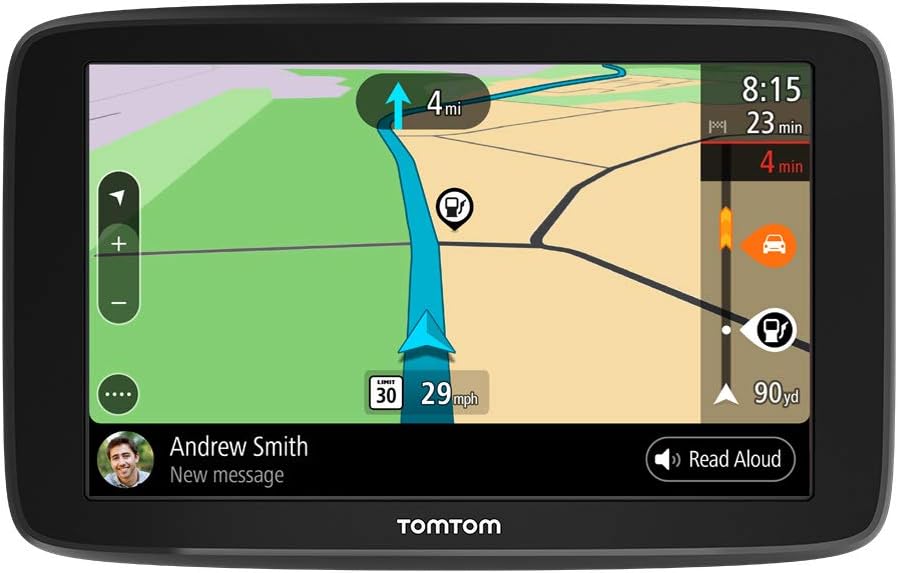
– **5-Inch Touchscreen**: Enjoy clear visibility with a responsive 5-inch touchscreen display. The intuitive interface allows easy access to maps and settings. Navigate without distractions while keeping your eyes on the road.
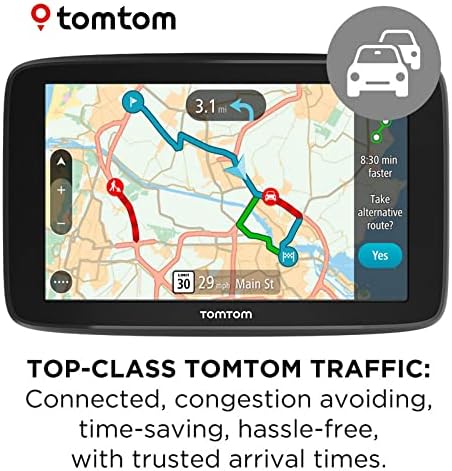
– **Bluetooth and Wi-Fi Connectivity**: With built-in Bluetooth and Wi-Fi, you can effortlessly connect the device to your smartphone. This feature enables hands-free calling and allows you to receive updates and traffic information in real time.
– **Text-to-Speech Functionality**: Drive confidently with voice guidance that announces street names. This helps you keep your eyes on the road while receiving timely directions.
– **Lane Assist Feature**: Ensure you’re in the correct lane well in advance with the Lane Assist feature. It visually guides you to take the correct exit or turn, reducing stress during complex navigation scenarios.
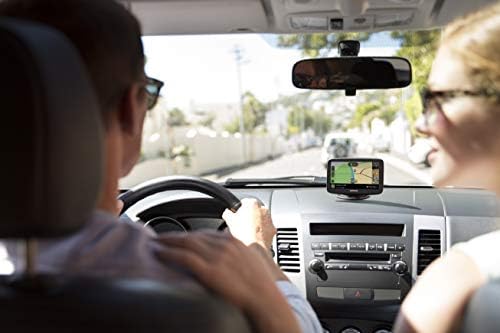
– **Compact and Lightweight**: Weighing just 1.06 pounds and measuring 5.32 x 0.94 x 3.57 inches, the TomTom Go Comfort is easy to handle and install. It comes with a reversible integrated mount and a car charger, making it the perfect travel companion.
– **Long Battery Life**: Equipped with a Lithium Ion battery, this device is designed for extended use. You can rely on it during long journeys without worrying about frequent charging.
Price Comparison Across Suppliers
When shopping for the **TomTom Go Comfort GPS Navigation**, it’s beneficial to compare prices across various retailers. Current prices range from $120 to $180, reflecting discounts and promotions. By utilizing our price comparison tool, you can easily find the best offers available. Don’t miss out on savings while acquiring a reliable navigation device.
Insights from the 6-Month Price History
Our comprehensive price history chart reveals interesting trends for the **TomTom Go Comfort GPS Navigation** over the past six months. Initially priced at around $180, the price experienced fluctuations, with significant discounts happening during major sales events. It hit a low of $120, making it a great time for budget-conscious buyers to invest in this GPS device.
Customer Reviews: What Users Are Saying
Customer feedback on the **TomTom Go Comfort GPS Navigation** highlights several strengths and weaknesses:
**Positive Aspects**:
– Users appreciate the user-friendly interface and the clarity of the touchscreen.
– Many highlight the effectiveness of the Lane Assist feature and textual directions, which enhance safety.
– The Bluetooth connectivity for hands-free calls is a highly praised aspect, adding convenience for drivers.
**Drawbacks**:
– Some users have mentioned that the device may lag occasionally, particularly in urban areas with dense traffic.
– A few reviews noted that regular software updates can be a hassle if not performed frequently.
Overall, the feedback suggests that for most drivers, the benefits outweigh the occasional drawbacks.
Explore Unboxing and Review Videos
For those considering the **TomTom Go Comfort GPS Navigation**, we recommend checking out various unboxing and review videos available on YouTube. These videos provide insights into real-life usage, installation processes, and tips for getting the most out of your device. It’s a fun and informative way to see the product in action before making a purchase.
Why Choose TomTom Go Comfort GPS Navigation?
The **TomTom Go Comfort 5 Inch GPS Navigation** is not just a tool; it’s your reliable travel partner. With its advanced features designed for safety and convenience, you can navigate with confidence. The quality construction ensures that this GPS will last you through many journeys ahead. By searching for **TomTom Go Comfort GPS Navigation price** or **TomTom Go Comfort GPS Navigation reviews**, you can be informed and ready to make your decision.
Don’t wait any longer! **Compare prices now** and embark on your next adventure equipped with the reliable and innovative TomTom Go Comfort GPS Navigation.
TomTom Go Comfort 5 Inch GPS Navigation Specification
Specification: TomTom Go Comfort 5 Inch GPS Navigation
|
TomTom Go Comfort 5 Inch GPS Navigation Reviews (9)
9 reviews for TomTom Go Comfort 5 Inch GPS Navigation
Only logged in customers who have purchased this product may leave a review.





Donald R. Bearce –
J’aime mon GPS mais je lui donne seulement trois étoiles, parce qu’il ne vient pas du Canada mais bien des USA et j’ai dû payer $52.25 de douane pour le retirer a la poste, vraiment pas très drôle, toute une trappe.
TR –
Good touch screen interface. Connects well to phone for updated traffic information.
Dave Williams –
DO NOT BUY is my recommendation!
I owned this brand-new device for only 7 months before it BROKE for no reason! I used it about 10 times in those 7 months because both of my vehicles already have GPS installed, as does my SmartPhone.
When I say, “BROKE,” I mean that the unit would not start, even with a fully charged battery. The unit would begin the start process, but half-way through the start-up process I would get an error message with an X displayed on the screen. At that point the unit would simply freeze-up.
TomTom is aware of this EXACT problem with their GPS device. I know this because I found TomTom ‘s lame instructions on the Internet describing this EXACT same problem.
I tried the useless on-line Reset instructions provided by TomTom. Of course, the instructions ALSO DID NOT WORK! I did not want to throw the unit away and waste the $80 dollar purchase price, so I tried for OVER ONE HOUR to get the unit to Reset.
SUMMARY:
1. Had the unit for only 7 months.
2. Used approximately 10 times in those 7 months.
3. The GPS Unit failed to initialize and start.
4. The on-line instructions to fix this EXACT problem ALSO did not work!
5. I threw this piece of GARBAGE in the TRASH.
I am extremely frustrated and disappointed by this TomTom experience. And I DON’T APPRECIATE WASTING MY TIME AND MY MONEY!! How pathetic.
PS: I guess my “Lifetime Map Updates” will not work when this piece of junk is in the County Dump/Landfill.
sallyann –
Great product and was easy to use size was perfect for older people
Seems to be in very good condition. All the parts came with it. –
I’m a fan of TomTom gps. This is my 4th one. I have Garmin but prefer TOMTOM. This model is newer and updates by computer or WiFi. Haven’t used it yet but I’ve programmed the home address and a few other addresses. It updated perfectly thru WiFi.
Drew –
Map is not displayed until I prompt a destination. I don’t need to prompt known locations but still want access to traveled roads which I could do with my older Tom Tom device. If this view is accessible , there is no instructions to explain how it is done. I find the unit difficult to learn, especially when on the road.
Amazon Customer –
The Go Comfort 5 is pretty simple to use once you navigate the screen buttons and know what each one does. The GPS is still not as accurate as Google Maps. The Go Comfort has sent me in the opposite direction of a few addresses that I entered. I was under the impression that the Go Comfort would show traffic in real time. Apparently it only works through an App on your cell phone. Also, the Bluetooth has to be connected through the App. Didn’t care for the extra steps. Nevertheless, it works for me for basic navigation.
Seems to be in very good condition. All the parts came with it. –
I like everything about it. I do not hook it to a phone and do not care about traffic and weather etc…
This plots course fast and is easy to use. The search for destination works well compared to the XL I had to choose the state for. It does not have nearly as many destinations as my wife’s S6 but it is not designed to do all that a phone nav does. It was great on a trip to MT and WY where we had no service but always had sat signal. Other than I can’t figure out how to go from the route screen to a map of route, all the other functions I could just figure out by messing around with it. I think buyers who don’t like it just expect too much from the product. It is not a phone.
Troy –
I drive a truck for a living and wanted to get a dedicated GPS Nav to free up my phone. After comparing the several GPS Nav devices available on Amazon, I finally decided on the TomTom.
Of course I can’t speak for the others, but I’m very happy with my new TomTom. It has a great user interface, clear and easy to see display, and is fast – especially when re-calculating when I decide to take an alternate route. I also love the speed limit indicator and the split screen when transitioning to another freeway.
The route suggestions from TomTom’s algorithm are also very good. Have not had an issue where the unit would suggest non-existent roads or dead-ends. The routes selected seem to me the most direct / fastest (depending on preferences made in settings).
When considering the excellent quality of the device and the money spent, I’ve very happy with my purchase!