
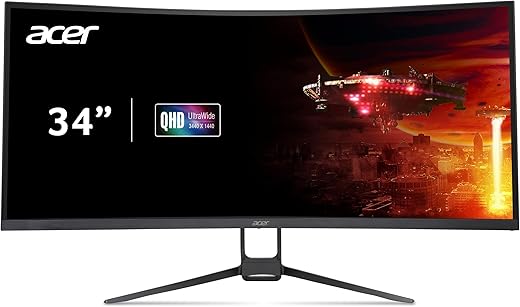
acer Nitro 34″ UWQHD Curved Gaming Monitor
 Amazon.com
Original price was: $319.99.$299.99Current price is: $299.99.
acer Nitro 34″ UWQHD Curved Gaming Monitor Price comparison


- All prices mentioned above are in United States dollar.
- This product is available at Amazon.com.
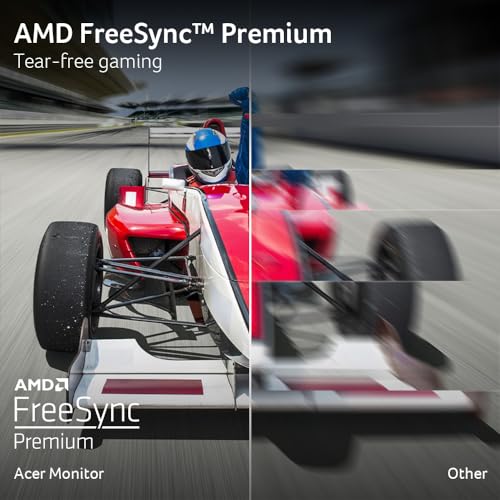
- At amazon.com you can purchase acer Nitro 34" UWQHD 3440 x 1440 1000R Curved PC Gaming Monitor | AMD FreeSync Premium | Up to 180Hz Refresh | Up to 0.5ms | AdobeRGB 90%| Delta E for only $299.99
- The lowest price of acer Nitro 34" UWQHD 3440 x 1440 1000R Curved PC Gaming Monitor | AMD FreeSync Premium | Up to 180Hz Refresh | Up to 0.5ms | AdobeRGB 90%| Delta E was obtained on September 24, 2025 07:18.
acer Nitro 34″ UWQHD Curved Gaming Monitor Price History
acer Nitro 34″ UWQHD Curved Gaming Monitor Description
Acer Nitro 34″ UWQHD Curved Gaming Monitor – Unleash Your Gaming Potential
Introducing the Acer Nitro 34″ UWQHD Curved Gaming Monitor, the ultimate gaming display designed to elevate your virtual experience. With its stunning 3440 x 1440 resolution and immersive curvature, this monitor promises to deliver breathtaking visuals and an unmatched gaming edge. Perfect for gamers who demand the best in precision and clarity, the Acer Nitro series combines great performance with sleek design.
Stunning Visuals for Engaging Gameplay
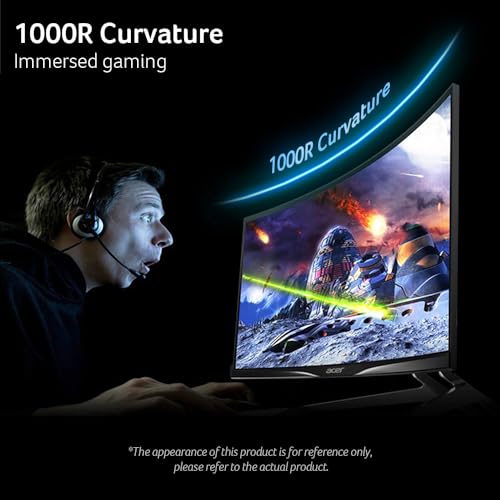
- Immersive Curved Display: The 34-inch curved screen creates a wrap-around effect, drawing you into your games like never before. Experience the depth of your favorite titles with enhanced visual perception.
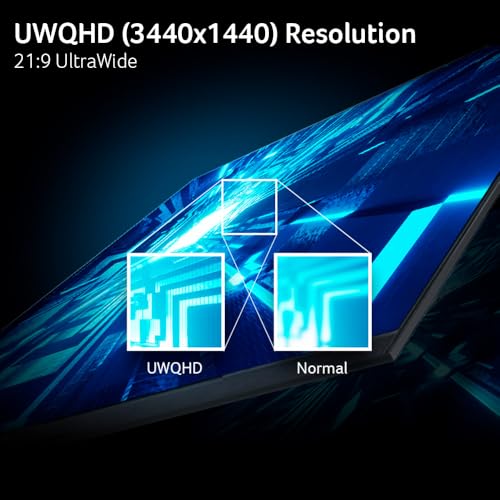
- UWQHD Resolution: With a resolution of 3440 x 1440, the Acer Nitro delivers crystal-clear images. Enjoy every detail, whether you’re in the heat of battle or exploring expansive worlds.
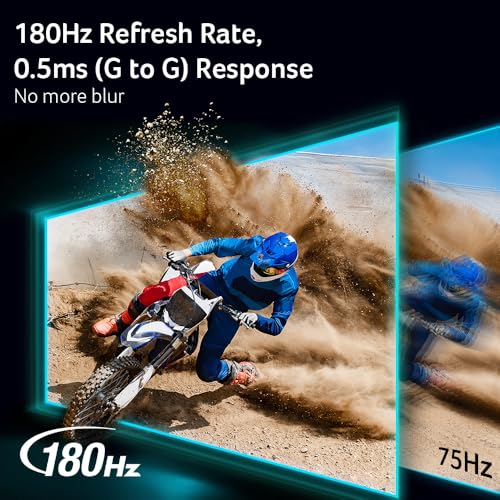
- Fast Refresh Rate: Equipped with a refresh rate designed for gamers, the Nitro monitor ensures smooth motion rendering. Feel the difference in dynamic gameplay without stutter or ghosting.
Robust Features for Enhanced Performance
- Ultra-Thin Bezel: The virtually borderless design maximizes screen real estate, providing an expansive viewing experience that’s perfect for multi-monitor setups.
- VESA Compatible: Easily mount the monitor using its VESA compatible design. Create your ideal gaming environment for enhanced ergonomics.
- Multiple Connectivity Options: The Acer Nitro features HDMI and DisplayPort inputs, ensuring compatibility with various devices and consoles. Switch effortlessly between gaming systems.
Price Comparison Across Suppliers
When it comes to price, the Acer Nitro 34″ UWQHD Curved Gaming Monitor offers competitive rates across various online retailers. Our comparison shows prices ranging significantly, giving you options based on your budget. Notably, many suppliers offer seasonal discounts and bundles, so you might find an exciting deal soon.
6-Month Price History Trends
According to our analysis of the 6-month price history chart, this monitor’s price has seen fluctuations, reflecting changing demand and discounts. The lowest recorded price peaked during the holiday season, indicating that waiting for sales could yield better values. Keep an eye on price trends to ensure you snag the best deal!
Customer Reviews: What Users Are Saying
Overall, customer feedback on the Acer Nitro 34″ UWQHD Curved Gaming Monitor is largely positive. Gamers appreciate the vibrant colors and the performance boost it brings to their gameplay. Many reviews highlight:
- Pros: Excellent image clarity, stunning design, and the immersive experience provided by the curved screen.
- Cons: Some users noted a steep learning curve when adjusting settings initially, and a few encountered minor issues with light bleed.
Despite these drawbacks, the overall satisfaction rate remains high, making it a worthwhile investment for gaming enthusiasts.
Explore Unboxing and Review Videos
For those looking to dive deeper into the features and performance of the Acer Nitro monitor, we recommend checking out various unboxing and review videos on YouTube. These videos provide firsthand insights into the setup process and show the monitor in action, helping you gauge its performance better before making a purchase.
Conclusion: Level Up Your Gaming Experience
The Acer Nitro 34″ UWQHD Curved Gaming Monitor is not just a monitor; it’s a portal into a richer gaming world. With its dynamic features, stellar visuals, and competitive pricing, it stands out in a crowded market. Whether you’re a casual gamer or a competitive player, this monitor is a fantastic investment.
Don’t miss out on enhancing your gaming setup—compare prices now and see why the Acer Nitro is the talk of the town!
acer Nitro 34″ UWQHD Curved Gaming Monitor Specification
Specification: acer Nitro 34″ UWQHD Curved Gaming Monitor
|
acer Nitro 34″ UWQHD Curved Gaming Monitor Reviews (12)
12 reviews for acer Nitro 34″ UWQHD Curved Gaming Monitor
Only logged in customers who have purchased this product may leave a review.






KB –
This has a great picture and helps relax the eyes with it being a curved field of view. Documents are clear and eazy to read and videos have a sharp clear picture and color. Great for the price. I liked it so much that I got a second one.
L. Gross –
This is a review of the ACER EDA343CUR V3bmiippx 34” monitor. I bought this monitor to replace two 27” flat monitors. My hope was it would be easier to view and use the multiple windows that I keep open at the same time. I am not a gamer so that was not a consideration. I run the refresh rate at 120 Hz and do not use a graphics card. I use the Intel UHD Graphics 750 processor built into my i7-11700K CPU. I couldn’t be more satisfied with my decision.
The display has no dead or stuck pixels. If there is bleed from backlighting, it’s not obvious to me. Color rendition is as good as the Dell monitors that it replaced. There are no problems with blurring or distortion of letters. The 1000R curvature is perfect for my use. The one con I have is the speakers. I wasn’t expecting useful speakers and indeed they are not.
Here are my tips on setting things up. 1) Download the driver from the ACER website (https://www.acer.com/us-en/support/product-support/ED343CURV/downloads ) 2) use the Microsoft PowerToys Fancy Zones (https://learn.microsoft.com/en-us/windows/powertoys/install) to divide your screen. IMO it’s better than the ACER Display Widget. 3) Download the Display Widget (https://www.acer.com/us-en/acer-display-widget) because it’s easier to set up monitor parameters than using the physical joystick built into it. Make sure that the widget does not automatically run when you reboot.
For my purposes, I set the resolution to 3440 x 1440 and the text size to 125%.
I have only used this monitor for a few weeks so I can’t comment on reliability, but it does come with a 3-year warranty. I paid $229 for it on Prime Day. I see it’s up to $279 today. Costco sells it for $249.
Peter Simone –
Picked this bad Larry up on prime day for a great price. Had been wanting an ultra wide for a while and this one hit a good balance of performance and price. I am using it as a primary display for a gaming laptop running a Ryzen 7 and RTX 3070 mobile graphics. It takes a lot of horsepower to render 3440 x 1440 so be aware of that if you have an older GPU but mine keeps up fine for most things. I specifically chose this resolution because 4k would have likely been too much for the system.
You will need to enable HDR on the monitor itself. This hung me up for a few minutes as I expected this to be enabled by default and it was not. Once this was resolved though the colors were bright and vibrant and the picture is sharp and crisp. Other than that setup was super easy. Stand goes together with like 4 screws and is very simple to adjust. It is also sleek and feels sturdy. The integrated RGB is a nice touch too.
Outside of gaming, this thing is a dream to do work on. Double wide spreadsheets are great. There’s just so much desktop space to lay out all your open windows.
Overall very happy with this monitor after the first few weeks. Would recommend to anyone in the market for an ultrawide.
OSWALDO G. –
Great for everyday use. Sound quality of the speakers is ok. For gaming it does the job well. For the price it is a very good option and looks great when assembled.
L. Gross –
El monitor es excelente, lo uso principalmente para ver video y me apoya mucho ya que la calidad de colores y el negro son superiores al ser panel VA. Haciendo la configuración adecuada vas a tener una herramienta muy buena sin tener que gastar en un monitor costoso de otras marcas como Samsung o marcas que aún no tienen tanto soporte y que no sabes cuanta vida útil tendrán. La velocidad en Hertz es maravillosa, la proble en edición de video y con videojuegos (PS4 principalmente), todo corre de maravilla. El monitor es una joya.
American Goth –
I’ve been using this for three months now for graphics – 3D rendering and video production. It works well, with clear, sharp images and accurate colors. The curved screen is much more appealing and useful than I expected it to be. It’s not the gimmick that I thought it was!
Milton –
Tal cual la descripción del producto y a un buen precio
Luc Desormeaux –
Buen producto, fácil de instalar y de configurar
Chadwick Nikolaus –
Quality is great. Good value. Wonderful looking picture. Very happy. Great size. No noticeable blurring good response times
Philippe –
This moniteur does not have a 1000R curve, the largest, but a 1800R curve, the smallest.
From Acer’s Web Site: Sharp 1800R curved screens provide more impressive experiences.
Thinking of returning it.
Ashish –
The Acer Curved Screen Monitor offers an immersive viewing experience that enhances both productivity and entertainment. Its curved design provides a wider field of view and reduces distortion at the edges, making it ideal for gaming, movies, or multitasking. The display quality is impressive with sharp, vibrant colors and good contrast, thanks to its high-resolution panel. Additionally, the monitor boasts a sleek design with thin bezels, making it a stylish addition to any setup. The adjustable stand is a great feature, allowing for comfortable viewing angles. Overall, the Acer Curved Screen Monitor delivers excellent performance and value, making it a solid choice for anyone looking to upgrade their visual experience.
Jung G. –
The monitor is a very good option, mainly due to its price. The image quality is quite decent and sharp, and it’s useful that it has two HDMI inputs. However, you should be aware that although it has built-in speakers, they produce sound of very low quality and volume. They serve in case of an emergency, but if you want decent sound, you’ll need to buy a separate sound system. The good news is that it also has an auxiliary input.
Another downside I’d mention is the stand—it’s quite restrictive. Essentially fixed, it allows only minimal tilting. So, it might be a good idea to use a universal stand since this monitor supports VESA mounting. Apart from these points, I wouldn’t add any other negatives.