Best Streaming Sticks 2026
The best streaming stick can make an older television feel new again without requiring you to replace the screen. A compact HDMI device gives you access to streaming apps, free TV channels, voice search, and modern 4K entertainment, often with a faster or more convenient interface than your television’s built-in software.
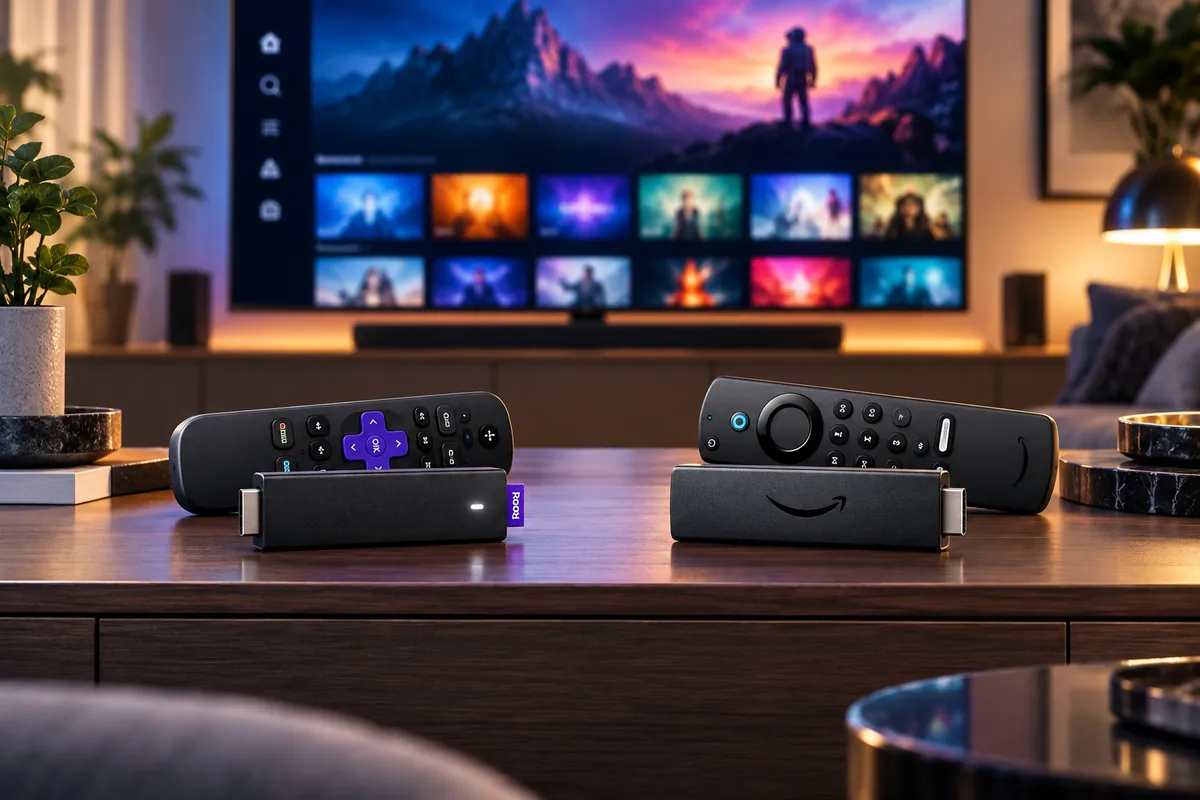
For most households looking for an easy-to-use 4K device, the Roku Streaming Stick 4K is our best overall pick. It combines Dolby Vision, HDR10+, long-range Wi-Fi, and Roku’s straightforward interface. The Amazon Fire TV Stick 4K Max is the premium alternative for buyers who want Wi-Fi 6E, extra storage, and deeper Alexa integration. More affordable options include the Roku Streaming Stick Plus and Amazon’s Fire TV Stick 4K Select.
There is also an important change for Google users: Chromecast with Google TV is discontinued. Google replaced it with the Google TV Streamer, which is a full-size streaming device rather than a stick. We’ll explain whether that alternative makes sense and how the current Roku and Fire TV models compare.
This guide focuses on compact streaming sticks for U.S. buyers. If you’re also considering Apple TV, Google TV Streamer, Roku Ultra, or other set-top devices, see our most popular streaming devices for home entertainment guide.
Quick Answer: Best Streaming Sticks for 2026
Best Overall: Roku Streaming Stick 4K — a simple streaming experience with Dolby Vision, HDR10+, and long-range Wi-Fi.
Best Premium Streaming Stick: Amazon Fire TV Stick 4K Max — Wi-Fi 6E, 16GB storage, Dolby Vision, and Alexa integration.
Best Affordable Roku 4K: Roku Streaming Stick Plus — compact 4K HDR streaming without paying extra for Dolby Vision.
Best Standard Fire TV: Amazon Fire TV Stick 4K Plus — Dolby Vision, Wi-Fi 6, and Fire OS 8 without the Max’s premium hardware.
Best Entry-Level Fire TV 4K: Amazon Fire TV Stick 4K Select — affordable 4K HDR streaming on Amazon’s Vega OS platform.
How We Chose the Best Streaming Sticks
We compared current U.S. streaming sticks according to picture-format support, wireless connectivity, operating system, storage, remote controls, app compatibility, physical size, and regular pricing.
We also considered how each device fits into a household’s existing ecosystem. Roku is useful for people who prioritize straightforward app navigation, while Fire TV offers deeper integration with Amazon services and Alexa. Google’s current streaming hardware belongs in a separate category because the Google TV Streamer is a set-top box rather than a compact HDMI stick.
Manufacturer specifications were used to verify supported formats and hardware. Current product listings and independent editorial research informed the practical trade-offs. Discompare did not perform hands-on testing or independently benchmark these devices.
Temporary promotions do not determine the editorial order. A streaming stick that is heavily discounted today may return to a much higher price tomorrow, so check live offers after deciding which platform and features suit your television.
Best Streaming Sticks Compared
| Device | Best For | Resolution | HDR Formats | Wi-Fi | Storage | Platform | Main Trade-Off |
|---|---|---|---|---|---|---|---|
| Roku Streaming Stick 4K | Best Overall | 4K/60fps | Dolby Vision, HDR10+, HDR10, HLG | Dual-band Wi-Fi 5 with long-range receiver | Not emphasized by Roku | Roku OS | No built-in Ethernet |
| Fire TV Stick 4K Max | Premium Performance | 4K/60fps | Dolby Vision, HDR10+, HDR10, HLG | Wi-Fi 6E | 16GB | Fire OS 8 | Higher price and promotion-heavy interface |
| Roku Streaming Stick Plus | Affordable Roku 4K | 4K/60fps | HDR10+, HDR10, HLG | Dual-band Wi-Fi 5 | Not emphasized by Roku | Roku OS | No Dolby Vision |
| Fire TV Stick 4K Plus | Standard Fire TV | 4K/60fps | Dolby Vision, HDR10+, HDR10, HLG | Wi-Fi 6 | 8GB | Fire OS 8 | Less storage than Max |
| Fire TV Stick 4K Select | Entry-Level Fire TV 4K | 4K/60fps | HDR10+, HDR10, HLG | Wi-Fi 5 | 8GB | Vega OS | No Dolby Vision; different app compatibility |
All five products support 4K playback, but their HDR formats and wireless capabilities differ. A compatible TV, appropriate streaming subscription, sufficient internet speed, and supported content are required to take advantage of features such as Dolby Vision or Dolby Atmos.


The Best Streaming Sticks for 2026
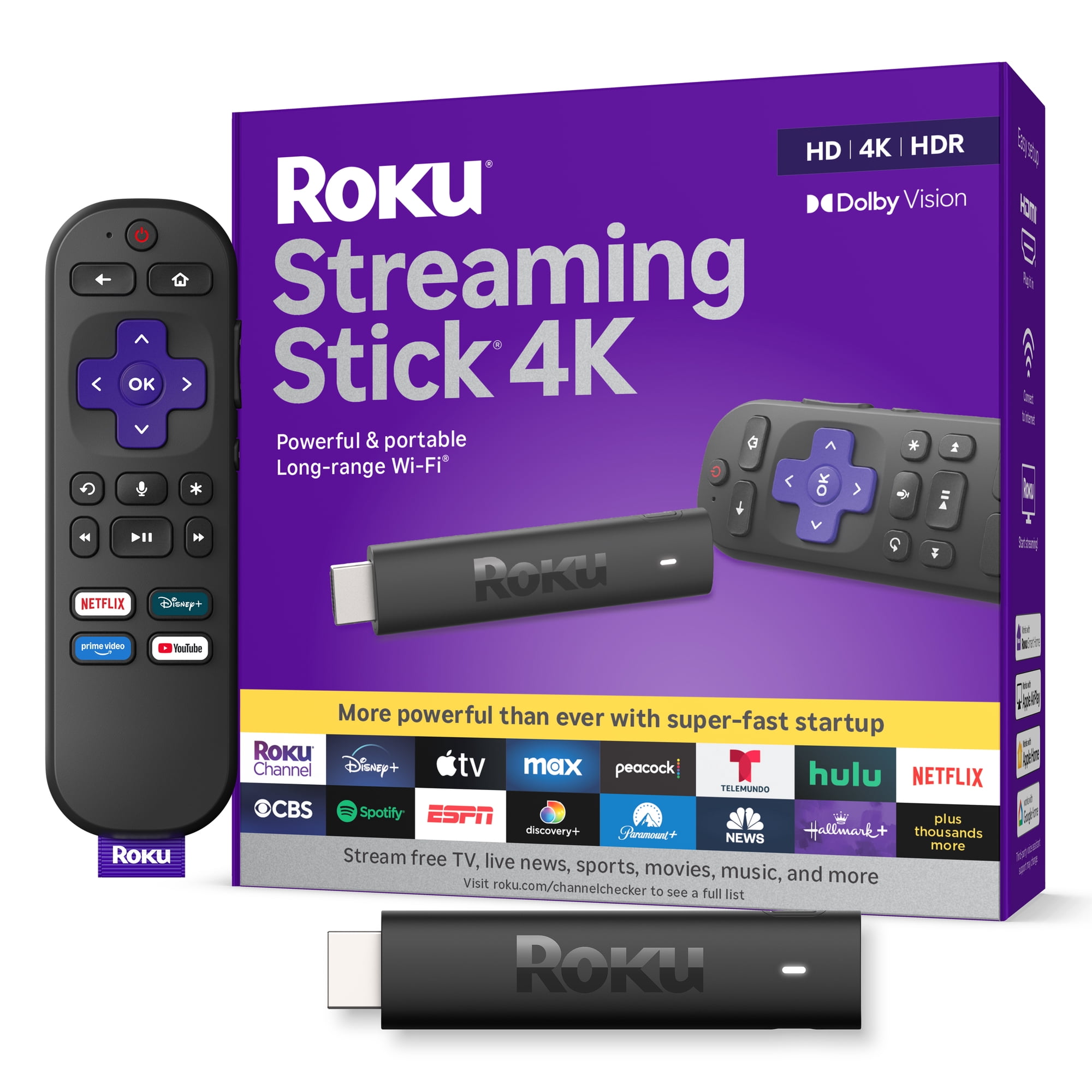
1. Roku Streaming Stick 4K — Best Overall
The Roku Streaming Stick 4K is our best overall streaming stick for households that want high-quality 4K entertainment without a complicated interface or a large streaming box.
Best For: Everyday 4K streaming, users who prefer straightforward app navigation, and households upgrading an older smart TV.
The current 3820R2 model supports 4K playback at up to 60fps, Dolby Vision, HDR10+, HDR10, and HLG. That provides broad compatibility with modern HDR televisions and streaming content.
Roku also includes a long-range Wi-Fi receiver integrated into the power cable. It is designed to improve reception in situations where the television is positioned farther from the router or creates interference around the HDMI connection.
The Roku Voice Remote includes television power, volume, and mute controls for compatible TVs. Voice search can help you find content without typing long titles with directional buttons.
The biggest advantage is the interface. Roku keeps streaming apps relatively easy to locate, making the platform approachable for people who do not want every viewing session to begin with navigating a dense content-recommendation screen.
There are limitations. The Streaming Stick 4K does not have built-in Ethernet, and its hardware is less ambitious than Amazon’s Fire TV Stick 4K Max. Roku’s long-range Wi-Fi receiver is useful, but it is not equivalent to having Wi-Fi 6E or a wired connection.
Pros
✅ Supports Dolby Vision and HDR10+
✅ Long-range Wi-Fi receiver
✅ Straightforward Roku interface
✅ Compact design with a voice remote
Cons
❌ No built-in Ethernet
❌ Less advanced wireless hardware than Fire TV 4K Max
❌ Costs more than basic 4K streaming sticks
Who should skip it: Buyers who want Alexa-centered controls, advanced Wi-Fi 6E connectivity, or more local storage should consider Fire TV Stick 4K Max.
Alternative: Roku Streaming Stick Plus provides the same general Roku experience at a lower price tier, provided you do not need Dolby Vision.

Give your living room the ultimate streaming boost with the Roku Streaming Stick 4K with Remote — stunning 4K, Dolby Vision, HDR10+, long-range Wi‑Fi, and 500+ free channels. Buy now and start streaming in a snap.
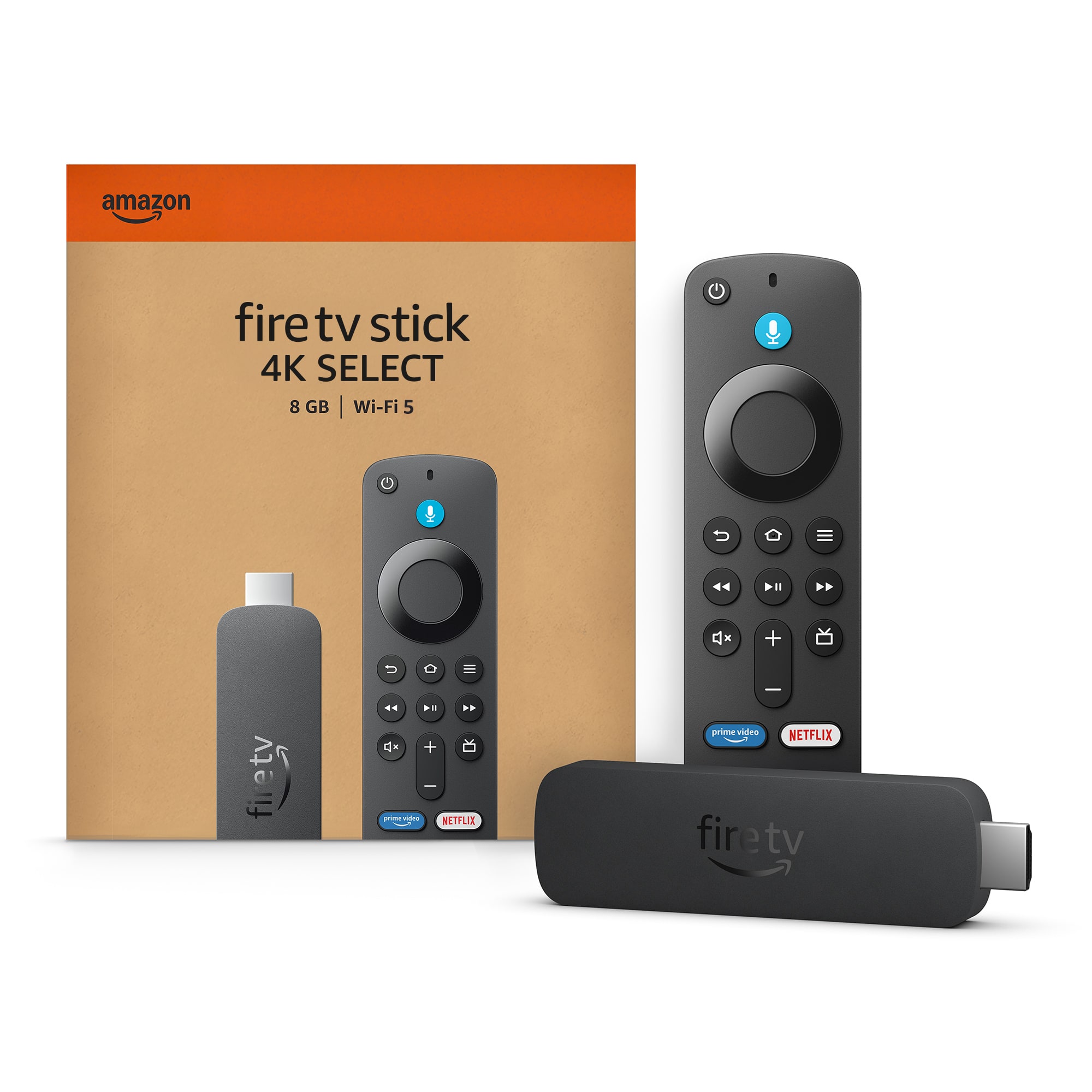
2. Amazon Fire TV Stick 4K Max (2nd Gen) — Best Premium Streaming Stick
The second-generation Fire TV Stick 4K Max is the premium choice for buyers who want more powerful hardware in a compact HDMI format.
Best For: Prime Video viewers, Alexa households, users with compatible Wi-Fi 6E networks, and people who install more streaming apps.
The device combines a quad-core processor running at up to 2.0GHz, 2GB RAM, and 16GB of storage. That storage capacity is twice the amount provided by Fire TV Stick 4K Plus or Select.
Wi-Fi 6E is another major distinction. On a compatible router, the Max can use the 6GHz band, potentially reducing competition with older devices sharing the 2.4GHz and 5GHz bands. It does not automatically make your internet connection faster, and it provides little additional benefit if your router does not support Wi-Fi 6E.
For video, the Max supports Dolby Vision, HDR10+, HDR10, and HLG. It also supports Dolby Atmos output with compatible content and audio equipment.
Amazon’s Alexa Voice Remote Enhanced supports voice search and compatible television controls. The device also provides access to Amazon’s Ambient Experience and supported cloud-gaming services.
The compromise is price and interface preference. Fire TV’s home screen gives substantial space to content recommendations and promoted programming. Some viewers appreciate the discovery features, while others prefer Roku’s more app-centered navigation.
The Max’s regular price has also risen compared with earlier years. Check live offers rather than assuming an older promotional price is still available.
Pros
✅ Wi-Fi 6E connectivity
✅ 16GB storage and 2GB RAM
✅ Dolby Vision, HDR10+, and Dolby Atmos support
✅ Strong Alexa and Amazon ecosystem integration
Cons
❌ Higher regular price than standard Fire TV models
❌ Wi-Fi 6E requires compatible network equipment
❌ Promotion-heavy home screen may not suit every viewer
Who should skip it: If you only watch a few mainstream streaming apps and already have a stable Wi-Fi connection, the extra hardware may not justify its price.
Alternative: Fire TV Stick 4K Plus offers a similar mainstream Fire TV experience with 8GB storage and Wi-Fi 6.
Meet the Amazon Fire TV Stick 4K Max — our most powerful streaming stick.
Elevate your entertainment with a powerful processor for lightning-fast app starts and fluid navigation, so you spend less time waiting and more time watching.
Upgrade to the Fire TV Stick 4K Max today and stream smarter — buy now.
3. Roku Streaming Stick Plus — Best Affordable Roku 4K
The Roku Streaming Stick Plus is a practical choice for shoppers who want 4K streaming and Roku’s familiar interface without paying for every premium picture-format feature.
Best For: Budget-conscious 4K TV owners, secondary televisions, and buyers who do not need Dolby Vision.
Introduced in 2025, the 3830R model supports 4K video at up to 60fps, HDR10, HDR10+, and HLG. It also supports dual-band Wi-Fi and uses a USB-C connection for power.
The device includes Roku’s voice remote with television power, volume, and mute controls for compatible sets. Its compact design makes it easy to move between televisions or take on trips.
For many households, the Plus provides everything necessary to watch mainstream streaming services in 4K. It does not need a premium processor or a large amount of advertised local storage to perform that basic job.
The main difference from Roku Streaming Stick 4K is Dolby Vision. The Plus does not support it. If your television supports Dolby Vision and you frequently watch compatible content, the regular Streaming Stick 4K provides a broader HDR feature set.
It also lacks the separate long-range Wi-Fi receiver found on the premium Roku stick. If your television is far from the router, that distinction may matter more than the HDR difference.
Pros
✅ 4K playback with HDR10+
✅ Familiar Roku interface
✅ Compact USB-C-powered design
✅ Voice remote with television controls
Cons
❌ No Dolby Vision
❌ No dedicated long-range Wi-Fi receiver
❌ No built-in Ethernet connection
Who should skip it: If your television supports Dolby Vision or you need stronger reception in a difficult Wi-Fi environment, consider Roku Streaming Stick 4K.
Alternative: Fire TV Stick 4K Select is another entry-level 4K option, although its Vega OS platform requires a closer look at app compatibility.
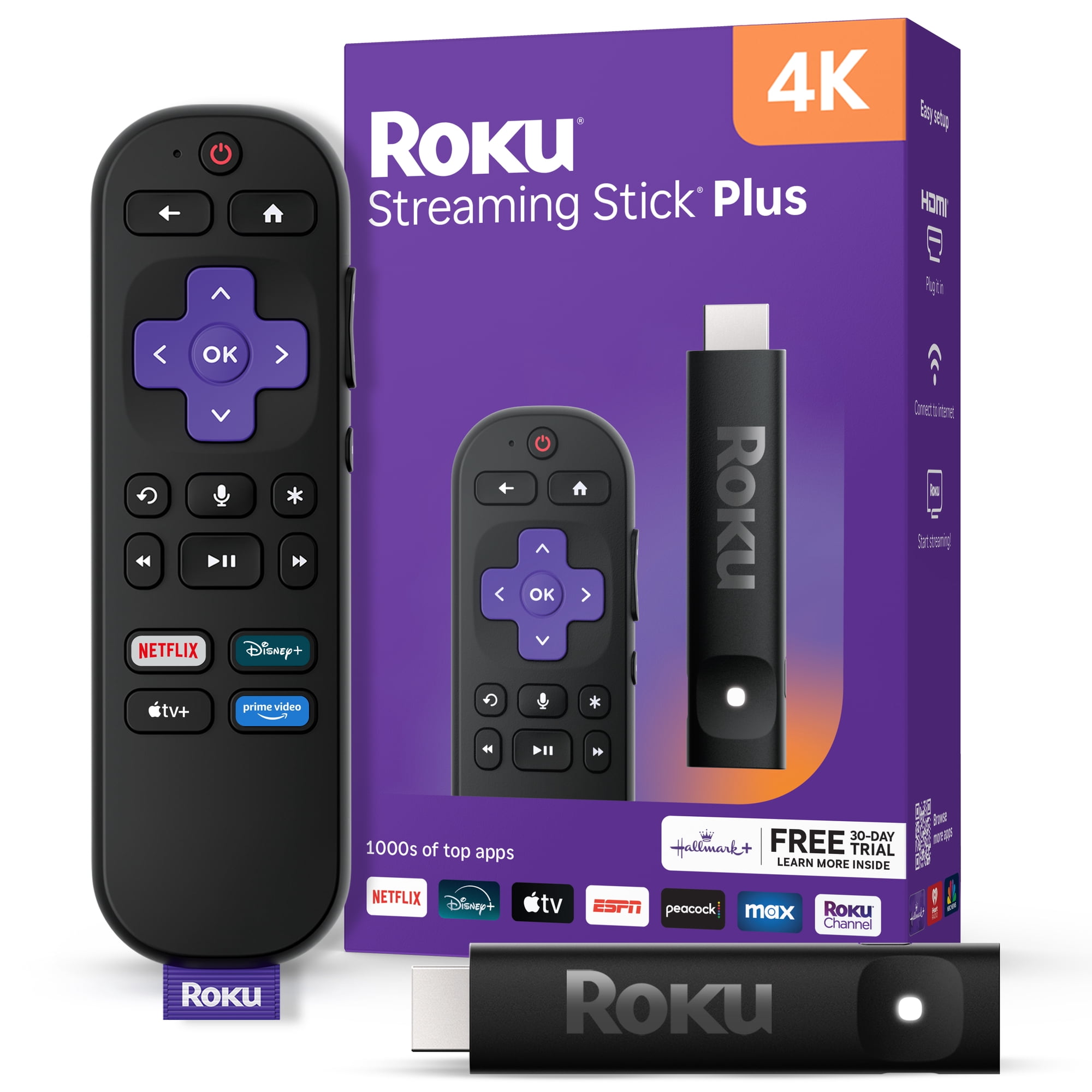
Upgrade any 4K TV to America’s #1 TV streaming platform with the Roku Streaming Stick Plus 4K HDR — plug it in and start streaming in a snap. Enjoy 500+ free channels, live news, sports, and crystal-clear 4K with rich HDR color. Ready to transform your viewing? Get yours today and start watching.
4. Amazon Fire TV Stick 4K Plus — Best Standard Fire TV Experience
The Amazon Fire TV Stick 4K Plus sits between the entry-level Select and the higher-end Max. It retains broad picture-format support and Amazon’s established Fire OS platform without charging for the Max’s additional storage and Wi-Fi 6E hardware.
Best For: Mainstream 4K streaming, Prime Video and Alexa users, and buyers who want Fire OS rather than Vega OS.
Amazon introduced the 4K Plus retail name in 2025 for an updated configuration based on its second-generation Fire TV Stick 4K hardware. The device uses Fire OS 8, a quad-core processor running at up to 1.7GHz, 2GB RAM, and 8GB storage.
It supports Dolby Vision, HDR10+, HDR10, HLG, and compatible Dolby Atmos audio. Wi-Fi 6 provides newer wireless connectivity than the Wi-Fi 5 hardware in the 4K Select.
Its Fire OS foundation is an important distinction. The Plus continues to use Amazon’s Android-based Fire TV software environment, while the Select runs the newer Vega OS. That difference matters for buyers with specific app requirements or existing software workflows.
The main drawback is the narrower hardware specification compared with the Max. Eight gigabytes of storage may feel restrictive if you frequently install apps, while Wi-Fi 6 lacks the 6GHz support of Wi-Fi 6E.
However, those compromises may be unimportant if your normal routine consists of opening Netflix, Prime Video, Disney+, YouTube, or a handful of other mainstream services.
Pros
✅ Dolby Vision and HDR10+ support
✅ Wi-Fi 6 connectivity
✅ Established Fire OS 8 platform
✅ Alexa Voice Remote and Dolby Atmos support
Cons
❌ Only 8GB storage
❌ No Wi-Fi 6E
❌ Home-screen recommendations and promotions may feel intrusive
Who should skip it: Buyers who want more local storage or have a compatible 6GHz network should compare the Max. Those seeking simpler app navigation may prefer Roku.
Alternative: Fire TV Stick 4K Max adds Wi-Fi 6E and doubles the storage to 16GB.
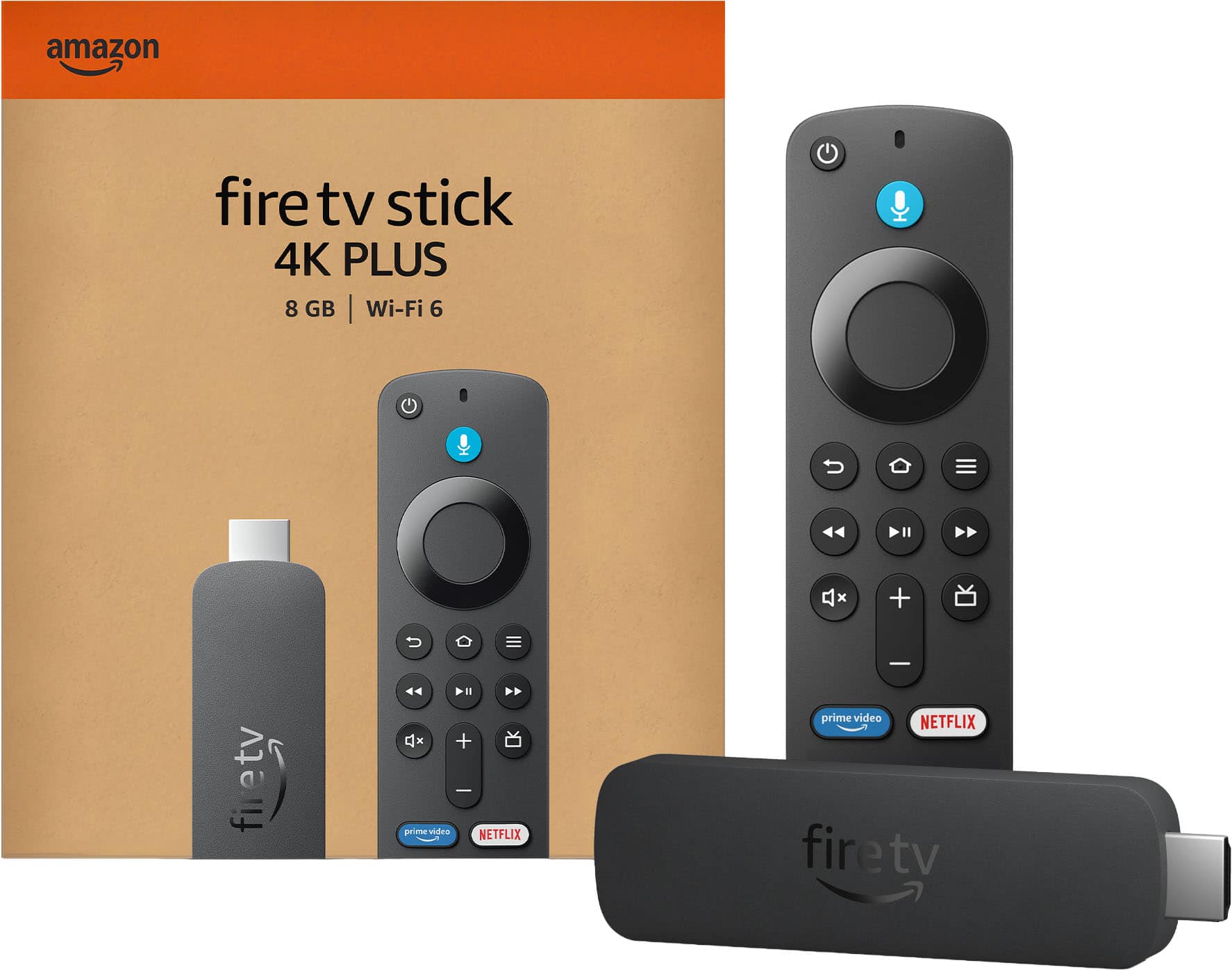
Amazon Fire TV Stick 4K Plus — the next generation of Amazon's 4K streaming stick. Upgrade your TV to stunning 4K with faster, smoother streaming and instant access to your favorite apps and channels. Ready to transform your home entertainment? Order the Fire TV Stick 4K Plus today and start streaming in brilliant 4K.
5. Amazon Fire TV Stick 4K Select — Best Entry-Level Fire TV 4K
The Fire TV Stick 4K Select is Amazon’s lower-cost approach to modern 4K streaming. It offers the familiar Fire TV experience through a newer operating system, making it a reasonable choice for buyers who mainly use supported mainstream apps.
Best For: Basic 4K entertainment, smaller budgets, and households already using Amazon services.
Introduced in 2025, the Select uses a quad-core processor running at up to 1.7GHz, 1GB RAM, 8GB storage, and dual-band Wi-Fi 5.
It supports 4K playback and HDR10, HDR10+, and HLG. Unlike Fire TV Stick 4K Plus and Max, the Select does not offer Dolby Vision.
The most important difference is Vega OS. Amazon uses this newer operating system instead of the Android-based Fire OS found on the Plus and Max.
Mainstream streaming services are supported, but buyers should check the availability of every app they consider essential. The Select should not be treated as interchangeable with an Android-based Fire TV device when it comes to third-party software or traditional Android APK installation.
For someone who simply wants supported streaming apps and Alexa voice controls on an existing television, that limitation may not matter. For an advanced user with a customized Fire TV setup, it could be a reason to choose the Plus or Max.
Pros
✅ Affordable 4K streaming
✅ HDR10+ support
✅ Alexa voice controls
✅ Compact stick design
Cons
❌ No Dolby Vision
❌ Only 1GB RAM and 8GB storage
❌ Vega OS has different app compatibility from Fire OS
Who should skip it: Buyers relying on Android app sideloading, specific third-party software, or Dolby Vision should select another device.
Alternative: Fire TV Stick 4K Plus provides Fire OS 8, Dolby Vision, Wi-Fi 6, and additional RAM.
Amazon Fire TV Stick 4K Select — Essential 4K streaming. Get everything you need to start streaming in brilliant 4K with simple setup and fast performance. Ready to upgrade your TV experience? Buy now and start watching in 4K today.
What Happened to Chromecast? Google’s Streaming Options in 2026
Chromecast remains a popular search term, but Google’s hardware lineup has changed substantially.
In August 2024, Google announced that it was ending production of Chromecast hardware. Chromecast with Google TV remained available while existing inventory lasted, but it was replaced by the Google TV Streamer as Google’s current dedicated streaming product.
Existing compatible Chromecast devices can continue working, and Google’s announcement did not immediately end support for the latest models. However, buying discontinued hardware at an inflated price is difficult to justify when current alternatives are available.
Google TV Streamer 4K: The Official Chromecast Successor
The Google TV Streamer offers a more capable platform than the old Chromecast, but it is not designed to hide directly behind the TV as a stick.
Its current specification includes 4GB RAM, 32GB storage, 4K/60fps output, Dolby Vision, HDR10+, Dolby Atmos, and gigabit Ethernet.
It also functions as a smart-home hub with Matter and Thread border-router support, making it particularly interesting for households already using Google Home.
At its current U.S. reference price of $149.99, it occupies a significantly higher price tier than an entry-level streaming stick. It also requires a separate HDMI cable.
Best For: Google TV users who want more storage, wired networking, Google Cast, and smart-home functionality rather than the smallest possible device.
What About Other Google TV Streaming Devices?
Google TV is available on devices from other manufacturers. The current onn. 4K Pro is one example of a lower-cost Google TV box, offering features such as 4K playback, Ethernet, and substantial app storage.
It is worth considering if you want the Google TV interface but do not want to pay for the official Google TV Streamer.
However, the onn. 4K Pro is also a box rather than a stick. For this particular roundup, we have kept the five main recommendations focused on compact HDMI devices.
Roku vs Fire TV: Which Platform Fits Your Home?
Roku and Fire TV offer access to many of the same major streaming services, but their navigation, voice assistants, hardware options, and software environments differ.
| Consideration | Roku | Fire TV |
|---|---|---|
| Interface | App-focused navigation | Content and recommendation-focused navigation |
| Voice controls | Roku voice search | Amazon Alexa |
| Premium stick hardware | Dolby Vision and long-range Wi-Fi | Wi-Fi 6E and 16GB storage on Max |
| Operating system | Roku OS | Fire OS or Vega OS, depending on model |
| Ecosystem fit | Straightforward streaming and supported AirPlay integration | Prime Video, Alexa, and Amazon services |
If your priority is launching streaming apps with minimal complexity, Roku is an attractive platform. If you already use Alexa throughout your home and watch a lot of Prime Video, Fire TV provides more direct integration with those services.
For a broader look at voice-assistant ecosystems, see our best smart speakers for connected homes guide.
How to Choose the Right Streaming Stick
1. Check Your TV’s Resolution Before Paying for 4K
A 4K streaming stick works with many older HD televisions, but it cannot turn a 1080p panel into a 4K screen. The video output is limited by the display and its supported HDMI capabilities.
If you own a 4K TV, a 4K stick provides access to compatible higher-resolution content. If your television is limited to 1080p and you do not expect to upgrade it soon, a current HD streaming stick may be sufficient.
2. Understand Dolby Vision vs HDR10+
HDR formats can improve the presentation of compatible content on a capable television, but not every 4K stick supports the same formats.
Dolby Vision and HDR10+ both support dynamic metadata, allowing compatible displays to adjust picture presentation as content changes. However, the supported formats vary between televisions and streaming services.
Roku Streaming Stick 4K and Fire TV Stick 4K Plus/Max support both Dolby Vision and HDR10+. Roku Streaming Stick Plus and Fire TV Stick 4K Select support HDR10+ but not Dolby Vision.
Buying a Dolby Vision streamer does not guarantee Dolby Vision playback unless the television and the specific movie or show also support it.
3. Consider Your Wi-Fi Network
Streaming reliability depends on more than the device’s advertised maximum wireless speed. Router placement, network congestion, distance, walls, and internet quality can all affect playback.
Roku Streaming Stick 4K uses a dedicated long-range Wi-Fi receiver. Fire TV Stick 4K Plus supports Wi-Fi 6, while the Max adds Wi-Fi 6E and access to the 6GHz band on compatible networks.
If your television is far from the router, improving Wi-Fi placement may help more than changing streaming sticks. For persistent reception problems, consider a streaming box with built-in Ethernet.
4. Check Power Requirements
Streaming sticks need an HDMI connection for video and a separate power source. Some can operate from a compatible television’s USB port, while other setups need the supplied wall adapter.
Follow the manufacturer’s power instructions. An underpowered USB port can cause startup failures, interruptions, or unexpected restarts.
For Roku Streaming Stick 4K, use its correct USB power cable because the long-range Wi-Fi receiver is integrated into that assembly.
5. Verify App Compatibility
Major streaming services are widely available on current Roku and Fire TV devices, but smaller apps, regional services, games, and specialty software can differ.
Compatibility deserves particular attention with Fire TV Stick 4K Select because it uses Vega OS rather than Fire OS 8.
Before buying, confirm that your essential apps are supported on the exact device and operating system. Do not assume an app works simply because it is available on another Fire TV model.
6. Consider Your Audio Setup
If you have a Dolby Atmos-compatible soundbar or AV receiver, check whether the streaming device, app, content, television, and audio connections all support the format you want to use.
The presence of Dolby Atmos on a streaming device does not guarantee immersive audio through basic television speakers. The rest of the playback system must also support the required format.
For help choosing a compatible audio system, explore our best soundbars for home theaters guide.
7. Decide Whether You Actually Need a New Streamer
A streaming stick is useful when your television’s interface is slow, outdated, missing important apps, or no longer receiving meaningful software support.
If your current smart TV already runs your preferred apps smoothly and supports the formats you use, a new stick may add little practical benefit.
Try updating the television’s software and checking its available storage and network connection before buying replacement hardware.
Streaming Devices We Considered but Didn’t Select
Chromecast with Google TV: Google ended Chromecast production in 2024. Existing units can remain useful, but discontinued hardware should not be presented as a current-production 2026 recommendation.
Google TV Streamer 4K: Google’s current dedicated streaming device offers more storage, Ethernet, and smart-home capabilities. It is a set-top box rather than a stick.
onn. 4K Pro: A lower-cost Google TV box with substantial storage and wired-networking capability. Its physical design falls outside this stick-only comparison.
Apple TV 4K: A premium streaming box with strong Apple ecosystem integration. It is better suited to a general media-streaming-device comparison.
Roku Ultra: A more substantial Roku player for buyers who want a premium box rather than a compact stick.
Amazon Fire TV Cube: A larger streaming device with a different hardware configuration and Alexa-focused feature set.
Roku Streaming Stick HD and Fire TV Stick HD: Worth considering for older 1080p televisions, but this roundup focuses on 4K-capable devices.
Frequently Asked Questions
What is the best streaming stick for 2026?
The Roku Streaming Stick 4K is a strong general-purpose option for buyers who want straightforward navigation, Dolby Vision, HDR10+, and long-range Wi-Fi. Fire TV Stick 4K Max is an alternative for users who prioritize premium hardware, storage, and Alexa integration.
Is Roku or Fire TV better?
Roku emphasizes straightforward app navigation, while Fire TV integrates more closely with Alexa and Amazon services. The better fit depends on your preferred interface, essential apps, network, and household ecosystem.
Is Chromecast with Google TV still available?
Google discontinued Chromecast hardware production in 2024. Remaining inventory may still be sold, and existing compatible devices continue to function. Google’s current dedicated replacement is the Google TV Streamer.
Do I need a 4K streaming stick for a 1080p TV?
No. A 4K streaming stick can work with a compatible 1080p television, but it cannot increase the panel’s native resolution. An HD streaming stick may be sufficient if you do not plan to upgrade the television.
What is the difference between Fire TV Stick 4K Plus and Max?
The Max offers 16GB storage, a faster processor, and Wi-Fi 6E. The Plus provides 8GB storage and Wi-Fi 6. Both support 4K, Dolby Vision, and HDR10+.
Can I install Android apps on Fire TV Stick 4K Select?
The Select uses Vega OS rather than Android-based Fire OS. Traditional Android APK installation should not be assumed to work. Check whether your required apps are supported on the exact device before purchasing.
Do streaming sticks require a monthly subscription?
The hardware itself generally does not require a recurring streaming subscription, and free content is available. Paid services such as Netflix or Disney+ still require their own subscriptions when applicable. Internet access is also necessary.
Can a streaming stick improve an older smart TV?
Yes. A current streaming stick can provide a newer interface, updated apps, and additional video-format support to a compatible television. It cannot improve the screen’s physical resolution, panel quality, or underlying audio hardware.
Final Verdict: Which Streaming Stick Should You Buy?
The Roku Streaming Stick 4K is our best overall recommendation for buyers who want a compact device with broad HDR support, long-range Wi-Fi, and straightforward navigation. It is particularly appealing when the goal is to improve an existing television without introducing a more complicated home-entertainment system.
Choose Fire TV Stick 4K Max if you want premium stick hardware, 16GB storage, Wi-Fi 6E, and closer integration with Alexa and Amazon services. Fire TV Stick 4K Plus offers many of the same entertainment features without the Max’s additional hardware.
Roku Streaming Stick Plus makes sense when you want affordable 4K streaming and do not need Dolby Vision. Fire TV Stick 4K Select offers another low-cost path to 4K, but its Vega OS platform makes app compatibility especially important.
If you prefer Google TV, consider the current Google TV Streamer or another compatible Google TV device rather than treating discontinued Chromecast hardware as the default purchase.
Best Overall: Roku Streaming Stick 4K
Best Premium Stick: Fire TV Stick 4K Max (2nd Gen)
Best Affordable Roku 4K: Roku Streaming Stick Plus
Best Standard Fire TV: Fire TV Stick 4K Plus
Best Entry-Level Fire TV 4K: Fire TV Stick 4K Select
Google TV Alternative: Google TV Streamer 4K
Sources
- Roku — Streaming Stick 4K and Streaming Stick Plus Product Specifications
- Amazon Developer — Fire TV Streaming Media Player Device Specifications
- Amazon Developer — Fire OS and Vega OS Platform Documentation
- Google — Chromecast History and Google TV Streamer Technical Specifications
- Discompare — Most Popular Streaming Devices for Home Entertainment