
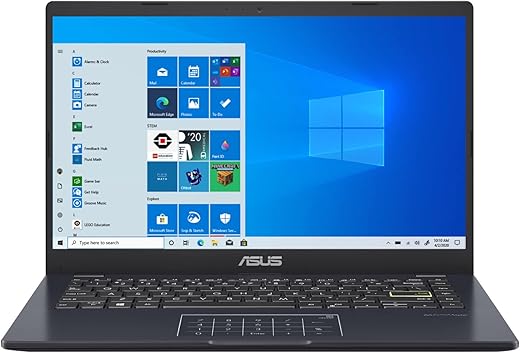
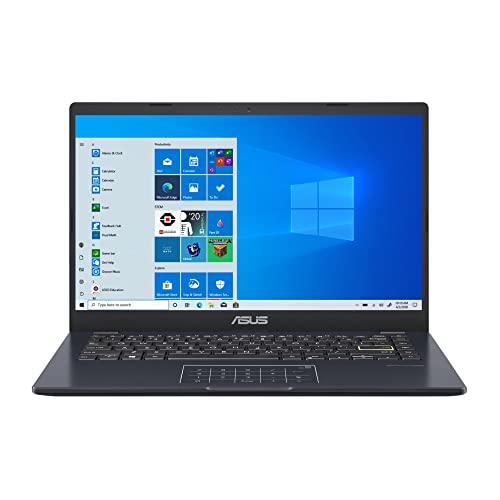
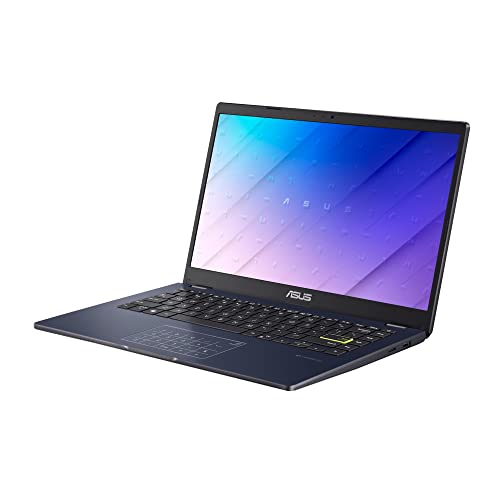
ASUS E410 Intel Celeron N4020 14-Inch Laptop
 Amazon.com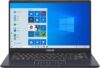
$138.00
ASUS E410 Intel Celeron N4020 14-Inch Laptop Price comparison


- All prices mentioned above are in United States dollar.
- This product is available at Amazon.com.
- At amazon.com you can purchase ASUS E410 Intel Celeron N4020 4GB 64GB 14-Inch HD LED Win 10 Laptop (Star Black) for only $138.00
- The lowest price of ASUS E410 Intel Celeron N4020 4GB 64GB 14-Inch HD LED Win 10 Laptop (Star Black) was obtained on September 24, 2025 12:16.
ASUS E410 Intel Celeron N4020 14-Inch Laptop Price History
ASUS E410 Intel Celeron N4020 14-Inch Laptop Description
ASUS E410 Intel Celeron N4020 14-Inch Laptop: Affordable Power for Everyday Needs
The ASUS E410 Intel Celeron N4020 14-Inch Laptop is designed for users who need efficient performance on a tight budget. This sleek, lightweight laptop is perfect for students, professionals, and anyone looking for a portable computing solution. With its powerful specs and user-friendly design, the ASUS E410 makes multitasking simple while keeping you connected. Discover the price, performance, and customer reviews that make this laptop a standout in its category.
Key Features and Benefits of the ASUS E410
- Display: With a 14-inch screen and 1366 x 768 resolution, it offers bright visuals for browsing, watching videos, or working on documents.
- Processor: Powered by a 9 GHz Intel Celeron N4020 processor, this laptop handles everyday tasks effortlessly, speeding through tasks and reducing wait times.
- Memory: 4 GB SDRAM allows for smooth multitasking, making it easy to switch between applications without lag.
- Storage: The 64 GB eMMC storage provides ample space for essential files while maintaining a lightweight profile.
- Graphics: Integrated Intel Iris Xe Graphics delivers impressive graphics performance for everyday use, making it suitable for casual gaming and video playback.
- Battery Life: With an impressive average battery life of up to 10 hours, you can work or play all day without being tethered to a power source.
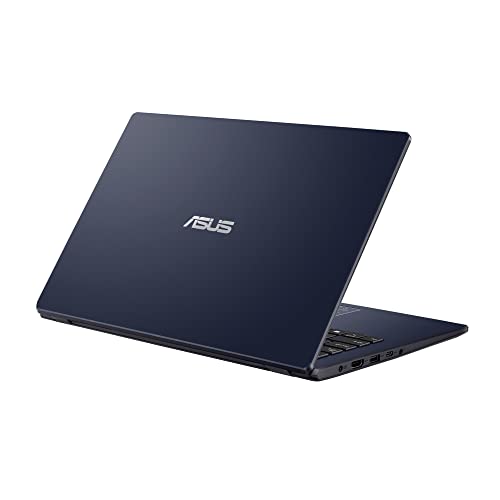
- Connectivity: Equipped with USB 3.0 ports and 802.11ax wireless technology, staying connected is seamless and efficient.
- Portability: Weighing only 1 pound, this laptop is designed for on-the-go users, ensuring that you can easily carry it wherever you need.
Price Comparison Across Different Suppliers
The price of the ASUS E410 Intel Celeron N4020 14-Inch Laptop varies among retailers, making it essential to shop around for the best deal. Currently, prices range from $249 to $299, depending on the retailer and ongoing promotions. By comparing prices, you can ensure you’re getting the best value for your money.
Trends in the 6-Month Price History
According to our 6-month price history chart, the ASUS E410 has shown consistent pricing, with occasional discounts peaking during seasonal sales. The lowest recorded price was $240, while the highest peaked at $299. This data indicates that savvy shoppers can find substantial savings by timing their purchases right.
Customer Reviews: What Users Are Saying
Customer feedback for the ASUS E410 highlights its value and performance. Users frequently praise its portability, battery life, and the responsive performance of the Intel Celeron processor. Many appreciate its lightweight design, making it an ideal choice for students who need a reliable laptop for classroom and homework tasks. However, some users have pointed out limitations regarding storage space and the absence of a dedicated optical drive.
- Positive Aspects:
- Lightweight and portable
- Long-lasting battery life
- Affordable pricing
- Good display quality for a budget laptop
- Drawbacks:
- Limited internal storage capacity
- No optical drive
Explore Reviews and Unboxing Videos
To truly understand the performance and capabilities of the ASUS E410, be sure to check out the YouTube unboxing and review videos. These visual demonstrations provide real-world insights into the laptop’s features, design, and overall user experience. Customers find these videos helpful in making informed purchase decisions, seeing the laptop in action helps in understanding its practical applications.
Why Choose the ASUS E410 Laptop?
In summary, the ASUS E410 Intel Celeron N4020 14-Inch Laptop combines affordability with essential features that cater to everyday computing needs. Its lightweight design, good battery life, and adequate performance make it a compelling choice for students and professionals alike. Whether you’re typing documents, streaming videos, or browsing the web, this laptop delivers a commendable experience.
Compare prices now! You’re just a click away from discovering the best deal on the ASUS E410 laptop. Don’t miss the opportunity to save while securing the perfect device for your needs!
ASUS E410 Intel Celeron N4020 14-Inch Laptop Specification
Specification: ASUS E410 Intel Celeron N4020 14-Inch Laptop
|
ASUS E410 Intel Celeron N4020 14-Inch Laptop Reviews (11)
11 reviews for ASUS E410 Intel Celeron N4020 14-Inch Laptop
Only logged in customers who have purchased this product may leave a review.






DJR –
Cumple con todo lo publicado
KrystalKlear78 –
I am very comfortable using this laptop. The screen quality is excellent for me, and I should know I have eyes that aren’t that great. I don’t do gaming so I can’t comment on that. I basically just check my email, bingo, and shop on Amazon. Laugh out loud.
This particular model does not have a touch screen, and I am fine with that. This type of laptop for my contemporaries who just need something to zip off an email or shop on Amazon.
Vargaez –
La laptop le puse un SSD DE 512 MVE fácilmente y ahora funciona mejor
Mia –
I saved two PDF documents and my storage space was full
User –
I have been messing around with this entry-level laptop for about a week now. With my kids home for summer I have let them take turns using it as well. This laptop has a very thin profile and lightweight construction that makes for a very portable laptop.
Kimi –
Over the years Chromebooks have dominated the low cost laptop market. This offering from ASUS provides those that need or prefer a Windows OS an option for that at an incredibly attractive price. While the components are quite low end, you can’t ignore the fact that it is an incredible value for the price point. While you won’t be doing much intense computing or gaming on this device, it does make for a terrific starter laptop for children. It could also be a good option for those that just want to check email, web browse, and do basic computing on a very lightweight and portable device.
Pros: – The bargain basement price. – Decent audio. – Very lightweight and sized perfectly for portability. – A trackpad that doubles as a NUM pad. Very cool idea. – A full HD screen.
Cons: Storage is limited but you can use external storage if needed.
natalie smith –
Extremely slow 😭 Unusable, I had to return it. I just wanted to use it for reading and writing emails, watching media, very light things. Not recommended! (It was the cheaper one.)
R.S. –
[REVISED Apr 6 ’24 for storage issues – see end.]
I bought two of these. The oldest is 18 months old and still going strong (although the screen isn’t as bright as the second one, which I never use except to update it). My first one was just $150USD and now the same model has gone up by $40USD. It’s still a great buy.
You can also find a nifty review on YouTube by the user First Look.
***
PROS:
1. Excellent battery life. It really does last for 8+ hours provided you’re not doing anything intensive like accessing a high-capacity USB HDD. Keep in mind that a bigger screen, a bigger built-in HD will drain your battery faster.
2. Weighs 2.8 pounds (under 1.5KG).
3. Still a great bargain at the current price (I bought two for $140 ea. over a year ago).
4. The 14″ LED screen works well for most purposes. I’ve noticed that my oldest one (18 months old) is losing brightness. But for the price, I’m not worried since I only anticipate 2-3 years’ use out of it.
5. Built tough like a tank – compare to Dell.
6. Comes with Windows 10. The update to 11 is free. You’ll lose some built-in HD space, but it’s worth it.
7. Built-in webcam and mic. I’ve used them for Skype and WhatsApp – not great quality but if you’re traveling they’ll do fine for those or Zoom.
***
CONS:
1. Only 2 built-in USB ports. You’ll need a USB hub. Note that a typical (unpowered) USB hub will not take a large-capacity USB drive. So if you want to run two of them, a powered USB hub helps, e.g.: https://www.amazon.com/gp/product/B0BZ46YVRK/ [NOTE: I actually daisy that with a standard USB hub and plug the former’s power connector into it. It doesn’t short on me.]
2. The built-in keyboard and mouse pad are minimally useful. For traveling, consider a small external pointing device and a roll-up keyboard. (Which is yet another reason to have a USB hub.)
3. Very little useful space on the built-in solid state hard disk (about 38GB available for apps and data). A USB HD will fix that problem; for traveling use large-capacity memory sticks. IMPORTANT: you have to turn off Windows’ restore points otherwise your on-board space will deteriorate quickly. Be sure you back it up when you get it (you’ll need a USB CD drive or a bootable memory stick). I keep very few “data” files on it. [Keep the ESC key pressed for boot options.]
4. Not terribly fast, the processors are rated at 1.1GB. Supposedly it can be overclocked but I’ve never tried. It’s a nice addition to a desktop, but most certainly NOT a replacement.
5. You need to know your way around Windows for the best results. For ex., I had to create my own batch file to run MSPaint. (It’s designed to prefer MS Office 365 which I refuse to deal with. Consider Apache Open Office – it’s free.) Even tho’ the processor is 64bits, I’ve been pleasantly surprised by how many 32bit applications seem to run on it.
6. The built-in speaker sound quality is **dreadful**, but one can’t complain given the size and weight. For traveling consider bluetooth headphones/speakers or USB speakers.
7. Keyboard keys aren’t backlit, but then the keyboard isn’t very useful as I noted. When I’m in bed w/ wife, I just use an external backlit keyboard (lots of choices here – I like: https://www.amazon.com/dp/B0BRMCPPZ5/ … that said, if you’re on a plane and the lights are off, you’re probably just going to have to live with your cell instead … there’s just not enough space on a tray table. For my money, it’s not worth paying more for a built-in backlit keyboard.
8. Will not hibernate (see below).
***
HD SPACE NOTES (built-in HD):
1. I get the best results from setting PAGEFILE.SYS to a min of 2000 and a max of 3000 (roughly 2G & 3G respec.). Go to
Advanced System Settings | Performance | Advanced (virtual mem) … you have to restart afterwards.
2. I can’t get this to hibernate (an annoyance when traveling). However HIBERFIL.SYS still exists. I got an extra 1.5GB by disabling hiberneration with this command (run from the command prompt as an administrator or power shell):
powercfg.exe /hibernate off
Kimi –
The media could not be loaded.
I love this laptop even though it does lack in speed and doesn’t have that much storage. I had to get rid of Lenovo Thinkpad which was extremely fast so I feel like every electronic I touch has to have that same standard. Even though it’s not as fast, I still love how lightweight it is and it does get the job done. For the price I paid for it, I definitely would recommend it.
Amber –
The designe of the laptop gives it a sleek look that belies its entry level price point. The thin prodile and dark finish makes for an appealing looking laptop. Once you get your hands on it you can feel that the entire chassis is made out of lihgtweight material. The performance matches what i would expect out of an entry level machine device. There isn’t going to be a lot of extra bandwidth for heavy multitasking, but things like light web browsing and word documents are well within the capability of this device.
Alejandro PANDA –
Esta muy bien me llego en muy buenas condiciones