Best HP All-in-One Desktops for Home Offices 2026
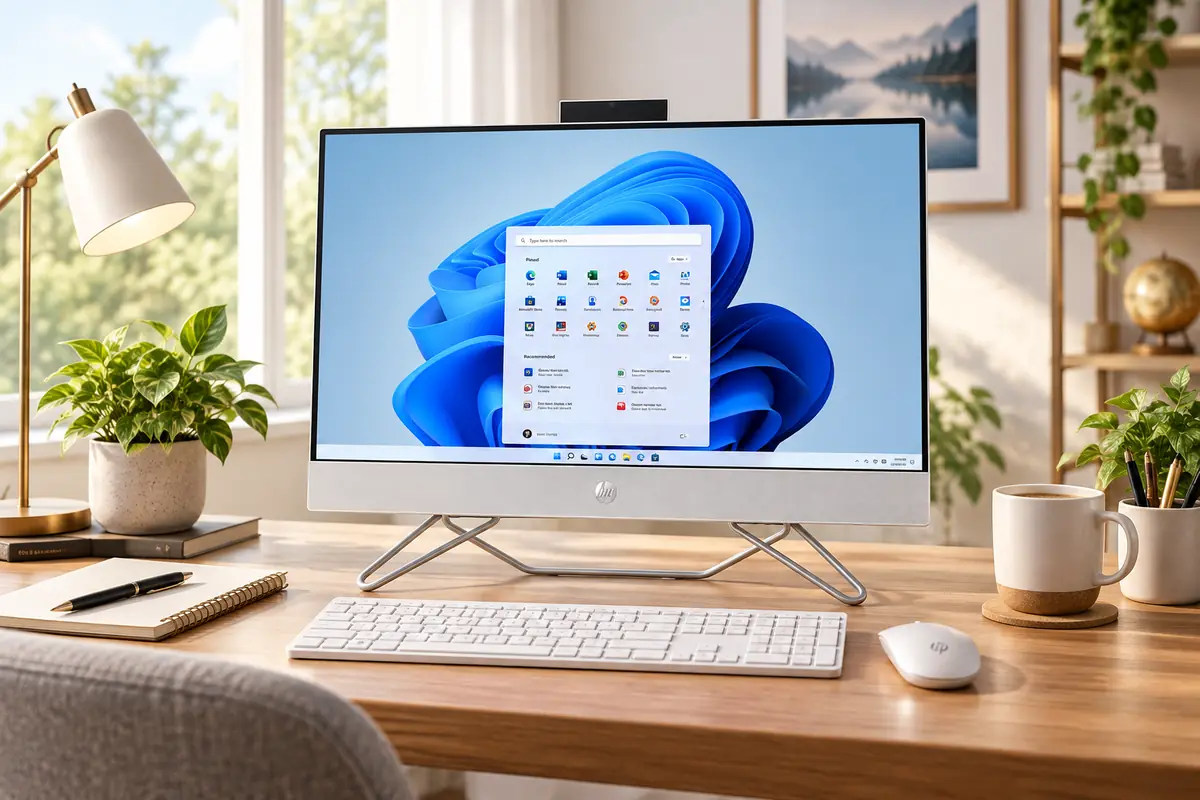
The HP OmniStudio X 31.5-inch 32-c1075t is the best HP all-in-one desktop for a serious home office because its 31.5-inch 4K display creates substantially more usable workspace than a typical 24-inch system, while 16GB of memory, a 1TB SSD and a current Intel Core Ultra 7 platform give it enough headroom for demanding multitasking. However, it is not automatically the best value. For most people working in Microsoft 365, browser-based apps, video meetings and everyday business software, the HP OmniStudio 27-inch Next Gen AI PC is the more sensible purchase.
HP’s current consumer all-in-one lineup also looks very different from the Pavilion-focused range many older buying guides still describe. In the U.S., HP now centers its mainstream consumer systems around OmniStudio and its higher-performance OmniStudio X family.
This guide compares the current HP all-in-one desktops by screen size, resolution, processor class, memory, storage, graphics capability and workspace fit. If your office setup is still being planned, choosing the right home office desk is worth doing alongside the PC because a 31.5-inch AIO needs considerably more viewing distance and desk depth than a compact 23.8-inch model.
Quick Answer: Best HP All-in-One Desktops
Best Overall: HP OmniStudio X 31.5-inch 32-c1075t — a large 4K workspace, Core Ultra 7 processor, 16GB RAM and 1TB SSD for serious home-office multitasking.
Best Value for Home Offices: HP OmniStudio 27-inch Next Gen AI PC — the most balanced choice for remote work, Office apps, research and video calls.
Best for Creative Work: HP OmniStudio X 27-cx0077t — 32GB RAM, RTX 5050 graphics and a QHD Neo:LED display with wide color coverage.
Best Compact: HP OmniStudio 24 AI 24-cz0516t — a 23.8-inch Core Ultra system with 16GB memory for smaller desks.
Best Affordable: HP OmniStudio 24-cv0570m — Ryzen 5, 16GB RAM and a 512GB SSD without paying for premium graphics or a large display.
What Happened to HP Pavilion All-in-One PCs?
HP Pavilion All-in-One remains a useful search term because Pavilion systems were a major part of HP’s consumer desktop range for years. It should not, however, determine which computer you buy today.
HP’s current U.S. consumer store now focuses on the OmniStudio and OmniStudio X families. OmniStudio is positioned around everyday home productivity, work and entertainment, while OmniStudio X moves toward larger or higher-quality displays, faster configurations and more demanding workloads.
That is why this article does not fill the rankings with older Pavilion models still circulating through marketplace listings. A home-office PC should be evaluated against HP’s current lineup, support and configurations rather than selected because an older product name is more familiar.
How We Chose the Best HP All-in-One Desktops
We compared current U.S. HP all-in-one desktops by display size and resolution, processor class, memory, SSD capacity, graphics hardware, webcam capability, connectivity, desk footprint and how closely each configuration matches a real home-office workload.
We generally favor 16GB of RAM as the practical baseline for a new home-office Windows PC. Eight gigabytes may still run basic workloads, but 16GB provides more breathing room when a browser, Office applications, cloud-storage tools, messaging software and video meetings are open together. Thirty-two gigabytes makes more sense for heavier creative workloads, large datasets or users who routinely run demanding applications simultaneously.
We also avoided ranking systems simply because they carry an AI or Copilot+ label. NPU performance can support newer Windows features, but display quality, memory, storage, ports and general CPU performance remain more important to many everyday home-office buyers.
HP All-in-One Desktops Compared
| Model | Best For | Display | Processor Class | RAM | Storage | Graphics | Main Tradeoff |
|---|---|---|---|---|---|---|---|
| OmniStudio X 32-c1075t | Best overall | 31.5-inch 4K UHD | Intel Core Ultra 7 | 16GB | 1TB SSD | Intel Arc | Large and premium-priced |
| OmniStudio 27 Next Gen AI | Best home-office value | 27-inch FHD 120Hz | Intel Core Ultra 5+ | 16GB+ configurable | 512GB+ configurable | Intel integrated | FHD is modest for 27 inches |
| OmniStudio X 27-cx0077t | Creative work | 27-inch QHD Neo:LED 120Hz | Intel Core Ultra 7 | 32GB | 1TB SSD | GeForce RTX 5050 8GB | Overkill for basic office work |
| OmniStudio 24 AI 24-cz0516t | Compact office | 23.8-inch FHD | Intel Core Ultra 5 | 16GB | 512GB SSD | Intel integrated | Less room for multitasking |
| OmniStudio 24-cv0570m | Affordable everyday work | 23.8-inch FHD | AMD Ryzen 5 | 16GB | 512GB SSD | AMD Radeon integrated | Limited for demanding creative work |
Compare Current HP All-in-One Prices
HP desktop pricing changes frequently with configuration choices and promotions. Use the live offers below to compare current retailer prices rather than relying on a sale price that may have expired. The editorial ranking remains based on workload fit and hardware, not whichever system happens to be discounted most heavily today.
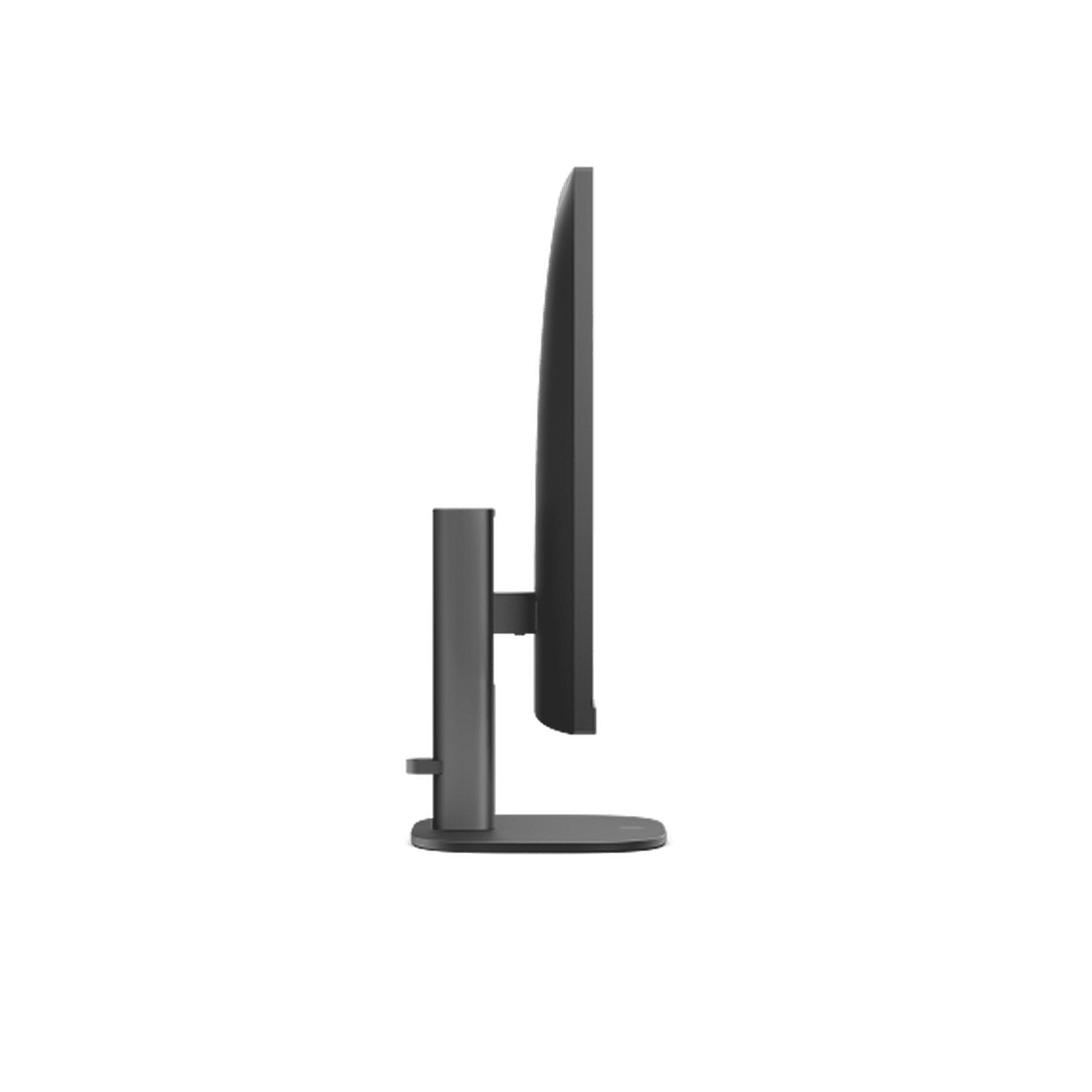


The Best HP All-in-One Desktops for Home Offices
1. HP OmniStudio X 31.5-inch 32-c1075t — Best Overall
Best for: Professionals who spend most of the workday at one desk and want a large, high-resolution workspace for multitasking.
The OmniStudio X 32-c1075t earns the top position because its display changes the experience more dramatically than a small processor upgrade would. The 31.5-inch panel uses a 3840 × 2160 4K resolution, giving spreadsheets, research, documents, dashboards and side-by-side applications substantially more room than a 23.8-inch FHD screen.
The current configuration combines an Intel Core Ultra 7 processor, 16GB of memory, a 1TB SSD and Intel Arc graphics. That is a sensible mix for demanding productivity without turning the system into a specialized gaming machine.
HP also includes a 5MP camera with Windows Studio Effects, which is useful in a home office where video meetings are routine. Connectivity is unusually practical for an all-in-one: the platform includes USB-C and USB-A connections, Ethernet, HDMI input and output and a USB-C connection with DisplayPort functionality.
HDMI input is particularly interesting because it can make the large display useful with another compatible source instead of treating the panel exclusively as the built-in PC screen.
Independent reviews of the OmniStudio X 31.5 platform have also praised the large 4K workspace, speakers, webcam features and general productivity experience. The caveat is that earlier independently tested configurations are not identical to every current 2026 SKU, so those reviews are most useful as evidence about the overall chassis and all-in-one concept rather than benchmarks for this exact processor.
Pros
✅ Large 31.5-inch 4K display is excellent for multitasking
✅ 1TB SSD provides generous local storage
✅ 5MP webcam is useful for frequent video meetings
✅ Strong selection of USB, HDMI and Ethernet connections
✅ One-year standard HP warranty included
Cons
❌ Requires significantly more desk width and viewing distance
❌ Premium price is difficult to justify for simple office work
❌ Integrated graphics are not intended to replace a high-end GPU workstation
Who should skip it: If your normal day is email, browser tabs, Word, Zoom and light spreadsheets, the standard 27-inch OmniStudio offers a better balance of cost and workspace.
Alternative: Choose the OmniStudio 27 Next Gen AI when you want a large office display but do not need 4K or a 31.5-inch footprint.
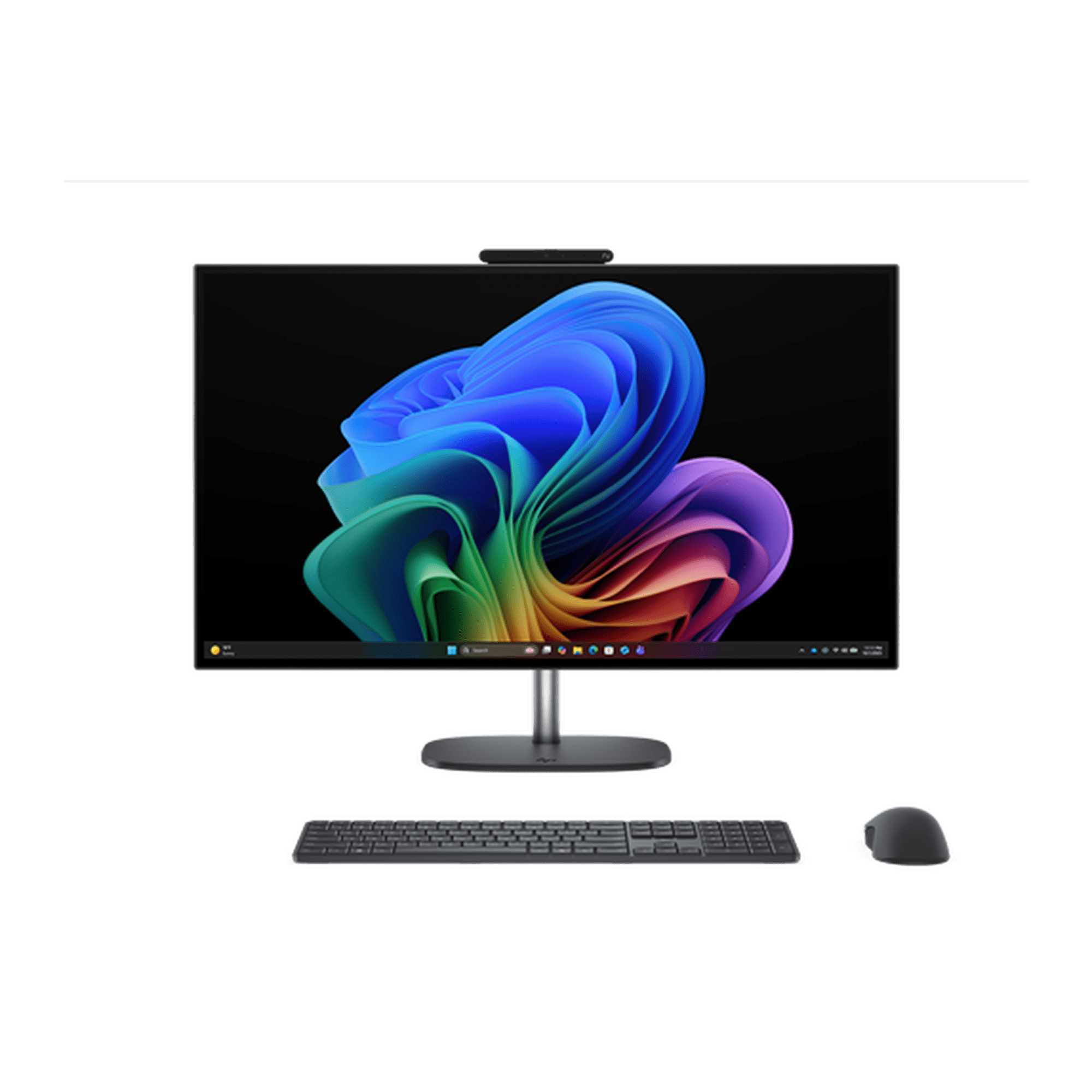
Bring beauty and power to your workspace with the HP OmniStudio X 27in QHD Ultra7 32GB/1TB — enjoy a stunning 27" Neo:LED display and Intel® Core™ Ultra–driven AI performance that makes every project, call, and creative task effortless. Experience blazing multitasking and breathtaking visuals built for creators and professionals.
Order your HP OmniStudio X today and elevate how you work and create.
2. HP OmniStudio 27-inch Next Gen AI PC — Best Value for Home Offices
Best for: Remote workers, small-business owners and home-office users working mainly in productivity, web and communication applications.
The standard 27-inch OmniStudio is the model most people should consider before paying for an OmniStudio X. HP’s current base Intel configuration combines a Core Ultra 5 322 processor with 16GB of DDR5 memory and a 27-inch 1920 × 1080 IPS display running at 120Hz.
Sixteen gigabytes is the key specification here. It gives Windows enough room for ordinary multitasking without forcing buyers into an expensive 32GB configuration that many Office users will never fully exploit.
The 27-inch screen also strikes a practical balance. It provides visibly more workspace than a 23.8-inch system without requiring the desk depth and width of a 31.5-inch display. HP specifies 350-nit brightness and 100% sRGB coverage on the current base panel, while the integrated ergonomic stand can make the screen easier to position for longer sessions.
The current platform also includes an FHD camera and dual speakers, making it suitable for work-from-home calls without requiring an immediate external webcam or speaker purchase.
The main compromise is resolution. Full HD is usable on a 27-inch monitor, but text and interface elements are not as crisp as they would be on a QHD or 4K display. If you are especially sensitive to text sharpness or routinely work with detailed visual material, the higher-resolution OmniStudio X options are more attractive.
Pros
✅ 27-inch size works well for mainstream home-office multitasking
✅ 16GB DDR5 memory is a sensible modern baseline
✅ Configurable processor, memory and storage choices
✅ FHD webcam and integrated speakers simplify a remote-work setup
Cons
❌ FHD resolution is modest for a 27-inch panel
❌ Integrated graphics are not aimed at demanding 3D or GPU workloads
❌ Configuration upgrades can push the total price toward OmniStudio X territory
Who should skip it: Designers, video editors and other visual professionals should consider the QHD Neo:LED OmniStudio X 27 instead.
Alternative: The 24-inch OmniStudio AI gives up screen space in exchange for a more compact footprint.

Ready to elevate your work and play? The HP OmniStudio 27-inch AI All-in-One pairs a vivid 27" display with AMD Ryzen AI 7 performance, 16GB DDR5/512GB SSD, FHD IR camera with HDR, AI noise reduction, and DTS Sound to power smoother multitasking, clearer calls, and cinematic entertainment. Order now and bring AI-powered productivity and stunning visuals to your desk.
3. HP OmniStudio X 27-cx0077t — Best for Creative Work
Best for: Designers, photographers, video editors and content creators who genuinely benefit from a better display, more memory and dedicated graphics.
The OmniStudio X 27-cx0077t belongs in a different performance class from an ordinary home-office PC. Its current configuration combines an Intel Core Ultra 7 356H processor, 32GB of memory, a 1TB SSD and an NVIDIA GeForce RTX 5050 with 8GB of dedicated graphics memory.
The display is just as important as the GPU. HP uses a 27-inch 2560 × 1440 QHD Neo:LED IPS panel with a 120Hz refresh rate, 450-nit brightness and claimed 100% coverage of both Adobe RGB and DCI-P3.
Those characteristics make this model far easier to justify for color-sensitive creative work than simply buying a standard 27-inch FHD office PC with a faster processor.
The RTX 5050 can also accelerate applications that support NVIDIA GPU processing. That can matter in video editing, image processing, rendering and other creator workflows. It does not mean every home-office user needs discrete graphics. Word, Excel, email, web apps and ordinary Zoom calls gain little from paying for an RTX-class GPU.
Connectivity is appropriately premium as well. HP lists Thunderbolt 4 functionality and Wi-Fi 7 on the current configuration, making it better suited to fast external storage, additional displays and high-bandwidth accessories.
Pros
✅ 32GB RAM gives demanding creative applications more headroom
✅ RTX 5050 provides dedicated GPU acceleration
✅ QHD 120Hz Neo:LED display
✅ HP specifies 100% Adobe RGB and 100% DCI-P3 coverage
✅ Thunderbolt and Wi-Fi 7 strengthen high-end connectivity
Cons
❌ Considerably more hardware than ordinary office users need
❌ Premium graphics and display raise the price substantially
❌ All-in-one design still limits future GPU upgrade flexibility
Who should skip it: If your work is dominated by Office applications and web software, choose the standard OmniStudio 27 and put the savings toward a better chair, desk or backup system.
Alternative: OmniStudio X 31.5 is better when sheer screen size and 4K workspace matter more than having a discrete RTX GPU.
Elevate your workspace with the HP OmniStudio X27 4K All-in-One — a stunning 27-inch 4K UHD display with an adjustable height stand and a complete keyboard + mouse included. Each unit from PC Heaven is professionally inspected and upgraded by certified technicians using brand-new components, with warranty service handled directly by us for worry-free support. Order your OmniStudio X27 today and experience premium performance and setup-ready convenience.
4. HP OmniStudio 24 AI 24-cz0516t — Best Compact Home-Office AIO
Best for: Smaller desks, apartment workspaces, shared rooms and users who want current Intel hardware without a large monitor footprint.
The OmniStudio 24 AI 24-cz0516t scales HP’s current design down to a 23.8-inch FHD display. The configuration uses an Intel Core Ultra 5 processor, 16GB memory and a 512GB SSD.
Those specifications are enough for a broad range of home-office workloads. The combination should be considered for browser-heavy work, document editing, communication tools, research, cloud applications and routine remote-work software rather than specialized 3D or video-production workloads.
The smaller display is both the advantage and the limitation. A 23.8-inch screen fits comfortably on compact desks and leaves more space for notebooks, paperwork or a printer. On the other hand, it gives you considerably less room for side-by-side windows than a 27-inch or 31.5-inch display.
This size therefore makes the most sense when physical workspace is the constraint. Buying a large AIO and then sitting too close to it because the desk is shallow is not an upgrade.
Pros
✅ Compact 23.8-inch footprint fits smaller workspaces
✅ 16GB memory is appropriate for mainstream multitasking
✅ 512GB SSD is sufficient for many cloud-focused office users
✅ Current Core Ultra platform without OmniStudio X pricing
Cons
❌ Less screen space for large spreadsheets and side-by-side windows
❌ FHD rather than QHD or 4K
❌ Integrated graphics limit demanding visual workloads
Who should skip it: Anyone who spends all day comparing documents, managing wide spreadsheets or keeping several apps visible simultaneously should consider the 27-inch model.
Alternative: OmniStudio 27 Next Gen AI is the natural upgrade when desk space permits.
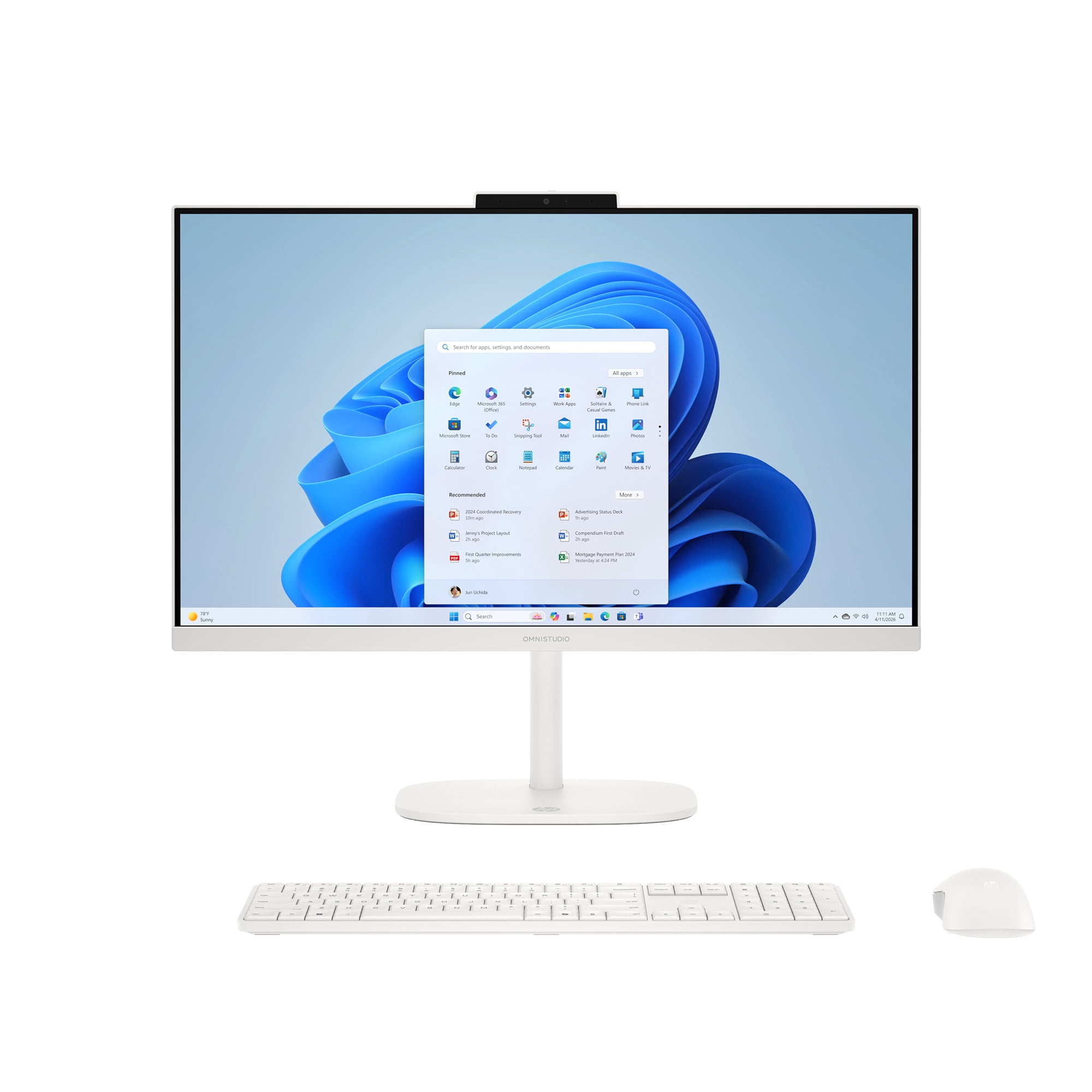
Upgrade to the HP OmniStudio 23.8-inch All‑in‑One Full HD — Intel-powered performance, crisp display, and a fanless design that keeps your space peaceful. Look and sound your best on every call while saving desk space with a sleek, all‑in‑one solution.
Shop now — order your HP OmniStudio 23.8" today and transform your workspace.
5. HP OmniStudio 24-cv0570m Ryzen 5 — Best Affordable HP AIO
Best for: Everyday home administration, Office applications, browser-based work, online meetings and value-focused buyers.
The Ryzen-powered OmniStudio 24-cv0570m is our affordable pick because it keeps the specifications that matter most for ordinary productivity while leaving out premium features many buyers will not use.
The current configuration includes an AMD Ryzen 5 processor, 16GB of memory, a 512GB PCIe NVMe SSD and a 23.8-inch Full HD display. Integrated Radeon graphics are appropriate for ordinary office workloads, streaming and light visual tasks.
HP also highlights a fanless design on the current Ryzen 5 platform. A quieter computer can be a worthwhile quality-of-life benefit when the system is directly in front of you for hours each day.
The key is setting realistic expectations. This is not the machine to buy for professional video editing, GPU rendering or a workstation-style workflow. It is the machine to consider when you want a clean, current Windows desktop for routine work without paying for hardware that will sit unused.
Pros
✅ Ryzen 5 is well matched to everyday productivity
✅ 16GB RAM avoids the compromises of low-memory entry PCs
✅ 512GB SSD provides practical everyday storage
✅ HP highlights a quiet fanless design
Cons
❌ 23.8-inch screen is less comfortable for heavy multitasking
❌ Integrated graphics are not intended for demanding creative applications
❌ Fewer premium features than OmniStudio X systems
Who should skip it: Content creators and users working with large visual projects should move to the OmniStudio X 27 rather than trying to turn a budget AIO into a workstation.
Alternative: OmniStudio 24 AI 24-cz0516t provides a newer Intel platform when the price difference makes sense.
HP OmniStudio 23.8" Touch All-in-One, Ryzen 5 gives you powerhouse performance and vibrant visuals in one sleek package. With an AMD Ryzen processor, fast memory, roomy storage, a 23.8" 100% sRGB, 100Hz display and HP Eye Ease, it keeps multitasking smooth and your eyes comfortable all day. Upgrade your workspace — order yours today and start working and playing at peak performance.
How to Choose an HP All-in-One for a Home Office
24 vs 27 vs 31.5 Inches
Screen size should match the physical workspace before it matches a desire to buy the largest computer available.
A 23.8-inch AIO works well on compact desks and is enough for one primary document or application at a time. A 27-inch display is the sweet spot for many home offices because it provides noticeably more workspace without becoming physically dominant.
A 31.5-inch screen is better when you regularly keep two large windows visible, work with detailed spreadsheets or want the AIO to replace a more elaborate multi-monitor setup. It also needs sufficient desk depth to maintain comfortable viewing distance.
FHD vs QHD vs 4K
Resolution matters more as screen size increases.
Full HD remains acceptable on a 23.8-inch office monitor. At 27 inches, FHD is still usable but QHD produces sharper text and more usable detail. On a 31.5-inch premium display, 4K makes much more sense because it provides the pixel density and workspace expected from a screen that large.
Do not pay for 4K simply because it is the largest number. If your workload is mostly email, web apps and Word on a 24-inch screen, the extra resolution may not materially change how effectively you work.
How Much RAM Does a Home Office Need?
16GB is the sensible starting point for a new home-office PC. It gives Windows, browsers, Office applications, cloud-storage software and communication apps enough room to coexist comfortably.
Thirty-two gigabytes becomes more useful when working with large Photoshop documents, video timelines, virtual machines, substantial datasets or many demanding applications simultaneously.
Buying 32GB for basic email and document work does not automatically make the computer feel twice as fast.
512GB vs 1TB SSD
A 512GB SSD is adequate for users who store most files in OneDrive, Google Drive or another cloud service and do not maintain large media libraries locally.
A 1TB SSD is preferable for photographers, video creators, users with large offline archives or anyone who simply wants more breathing room before considering external storage.
Actual usable capacity is lower than the advertised drive size after formatting, Windows and recovery data are accounted for.
Do You Need a Touchscreen?
Touch can be convenient for casual navigation, shared family use and certain presentation-style interactions. It is far less transformative on a fixed desktop than on a tablet or 2-in-1 laptop.
Do not pay a large premium for touch unless you already know how it will improve your workflow. A quality mouse and keyboard remain faster for many traditional desktop tasks.
Do You Need Dedicated NVIDIA Graphics?
Most home offices do not.
Integrated Intel or AMD graphics are sufficient for Office software, browsers, video meetings, streaming and standard productivity.
The RTX 5050 in the OmniStudio X 27-cx0077t becomes useful when software can actually use GPU acceleration—for example, certain video-editing, graphics, rendering and creative applications.
If your workload does not benefit from the GPU, that money is usually better spent on more screen space, storage, ergonomics or peripherals.
Webcam and Video-Call Quality
A major advantage of an all-in-one desktop is that the monitor, speakers and webcam can be integrated into one system.
That matters in a permanent home office because fewer external devices means fewer cables and less setup. The OmniStudio X 31.5, for example, includes a 5MP camera, while the standard 27-inch OmniStudio includes an FHD camera.
Professionals who appear on camera constantly may still benefit from a separate webcam, microphone and lighting, but the integrated hardware is enough to begin working immediately.
Ports, Wi-Fi and Ethernet
Check ports before purchase rather than assuming every all-in-one has the same connectivity.
Ethernet remains useful for a permanent workstation where connection stability matters. USB-C and faster USB ports become important for external SSDs, docks and accessories. HDMI input can add unusual flexibility by allowing compatible external sources to use the AIO display.
The premium OmniStudio X systems also provide faster connectivity such as Thunderbolt on relevant configurations.
Windows 11 Home vs Windows 11 Pro
Windows 11 Home is sufficient for many independent professionals and household users. Windows 11 Pro becomes more relevant when business features such as BitLocker management, domain or Entra-related workflows, Remote Desktop hosting and organization-focused administration matter.
Do not choose Pro simply because the word sounds more professional. Choose it when one of its actual management or security capabilities is required.
All-in-One vs Desktop Tower
The advantage of an all-in-one is simplicity. The computer and monitor occupy one integrated chassis, reducing the number of boxes and cables around the desk.
The disadvantage is flexibility. A conventional desktop tower usually provides easier access to internal components, more upgrade possibilities and the freedom to replace the monitor without replacing the computer.
That makes an AIO ideal for users who value a clean permanent workstation and expect to keep the original display for the life of the PC. A traditional tower is usually better for enthusiasts who upgrade components regularly.
All-in-One vs Laptop for Working From Home
An all-in-one makes sense when the computer will remain on the same desk. You gain a larger display, integrated desktop ergonomics and no concern about battery life.
A laptop is the better choice when the same machine needs to move between home, office, school and travel. Students and mobile users should compare current HP laptops for students rather than buying a desktop simply because it offers more screen space.
If HP itself is not a requirement, our guide to Dell laptops for work and study covers portable Windows alternatives from another major PC brand.
Complete the Home Office Around the PC
The computer is only one part of a productive workspace. Display height, chair position, desk depth, lighting and peripheral placement all influence how comfortable the setup feels after several hours.
Printing needs should also be evaluated separately rather than paying for PC features that have nothing to do with document handling. Our guide to HP printers for work and home compares current inkjet, tank and laser options for different office workloads.
Best HP All-in-One by Workload
| Workload | Best HP AIO | Why |
|---|---|---|
| Everyday Office & Administration | OmniStudio 24 Ryzen 5 | 16GB RAM and current everyday performance without premium extras |
| General Remote Work | OmniStudio 27 Next Gen AI | Balanced 27-inch workspace and mainstream configuration flexibility |
| Heavy Multitasking | OmniStudio X 31.5 | Large 4K desktop workspace and 1TB storage |
| Creative Work | OmniStudio X 27-cx0077t | RTX 5050, 32GB RAM and color-focused QHD Neo:LED display |
| Small Desk | OmniStudio 24 AI | Compact 23.8-inch design with 16GB memory |
FAQ About HP All-in-One Desktops
What is the best HP all-in-one desktop for a home office?
The HP OmniStudio X 31.5-inch 32-c1075t is our best overall choice because its large 4K display, 16GB memory and 1TB SSD create an excellent permanent workspace. The standard OmniStudio 27 is the better value for many ordinary remote-work users.
Is 16GB RAM enough for a home-office PC?
Yes, for most users. Sixteen gigabytes is enough for typical browser multitasking, Microsoft 365, communication tools, cloud applications and video meetings. Thirty-two gigabytes is more useful for heavier creative or specialist workloads.
Is 24 or 27 inches better for an all-in-one computer?
A 24-inch system is easier to fit on a compact desk, while a 27-inch model provides noticeably more room for multitasking. For a permanent home office with enough desk space, 27 inches is usually the better balance.
Is 4K worth it on an HP all-in-one?
4K becomes more valuable on a large screen such as the 31.5-inch OmniStudio X, where the extra pixels improve text sharpness and usable workspace. It is less important for basic productivity on a compact 23.8-inch display.
Can HP all-in-one desktops be upgraded?
Upgrade options vary by exact model and configuration, but all-in-one PCs are generally less flexible than conventional desktop towers. Buyers should choose enough memory and storage at purchase rather than assuming every component will be easy to replace later.
Are HP all-in-one PCs good for video calls?
Current OmniStudio systems include integrated webcams, microphones and speakers, making them convenient for remote meetings. Professionals who need broadcast-quality audio or video can still add dedicated peripherals.
Is an all-in-one better than a laptop for working from home?
An all-in-one is better when the computer will remain at one desk and you value a larger integrated display. A laptop is better when the same computer needs to move between locations.
Do I need an HP all-in-one with a touchscreen?
Not necessarily. Touch is useful for some interactive workflows and shared family use, but a mouse and keyboard remain more efficient for many traditional desktop tasks. Treat touch as an optional feature rather than a requirement.
Final Verdict
The HP OmniStudio X 31.5-inch 32-c1075t is the best HP all-in-one desktop in this group for professionals who want a large permanent workstation. Its 31.5-inch 4K panel provides the biggest productivity advantage, while 16GB memory and a 1TB SSD create a balanced configuration for serious multitasking.
For many home offices, however, the HP OmniStudio 27-inch Next Gen AI PC is the smarter purchase. Its 27-inch display, 16GB starting memory and configurable hardware cover mainstream professional work without paying for a 4K 31.5-inch screen or dedicated graphics.
The OmniStudio X 27-cx0077t should be reserved for workloads that can actually use its RTX 5050, 32GB RAM and color-focused QHD Neo:LED display. The OmniStudio 24 AI fits smaller spaces, while the Ryzen 5 OmniStudio 24 handles ordinary productivity at the affordable end of HP’s current lineup.
Bottom line: Choose the screen size first, then buy enough memory and storage for your workload. Most home offices should target 16GB RAM and a 512GB-or-larger SSD; pay for 4K, 32GB memory or RTX graphics only when your work will genuinely use them.
Sources
- HP — OmniStudio X 31.5-inch 32-c1075t product specifications
- HP — OmniStudio 27-inch current product family and configuration options
- HP — OmniStudio X 27-cx0077t specifications
- HP — OmniStudio 24-inch current product specifications
- TechRadar — HP OmniStudio X 31.5 review
Product Groups: HP OmniStudio X All-in-One 32-c1075t, HP OmniStudio 27 inch All-in-One Desktop Next Gen AI PC, HP OmniStudio X 27-cx0077t, HP OmniStudio All-in-One Desktop AI 24-cz0516t, HP OmniStudio 24-cv0570m Ryzen 5