

 Amazon.com
D-Link USB WiFi Adapter AC600 Mini (DWA-171) Price comparison

- All prices mentioned above are in United States dollar.
- At amazon.com you can purchase D-Link USB WiFi Adapter AC600 Mini Wireless Internet Dual Band MU-Mimo Wi-Fi Network Desktop Laptop (DWA-171),Black for only
- The lowest price of D-Link USB WiFi Adapter AC600 Mini Wireless Internet Dual Band MU-Mimo Wi-Fi Network Desktop Laptop (DWA-171),Black was obtained on September 24, 2025 03:58.
D-Link USB WiFi Adapter AC600 Mini (DWA-171) Price History
D-Link USB WiFi Adapter AC600 Mini (DWA-171) Description
D-Link USB WiFi Adapter AC600 Mini (DWA-171) – Elevate Your Wireless Connectivity
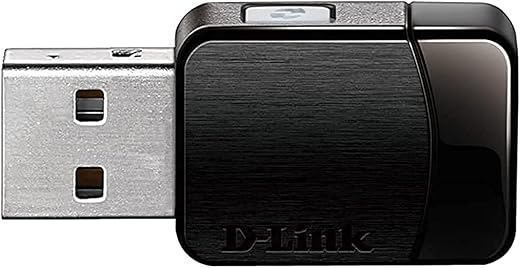
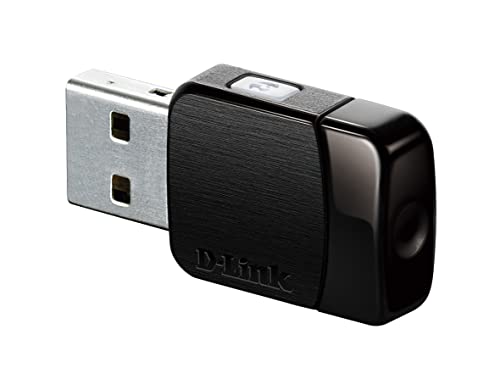
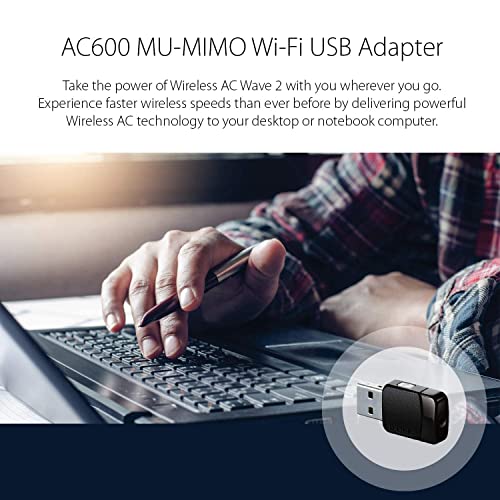
The D-Link USB WiFi Adapter AC600 Mini (DWA-171) opens the door to seamless internet connectivity, perfect for your home or office setup. Whether streaming HD videos, online gaming, or browsing, this compact adapter enhances your wireless experience. Discover the versatility and convenience of the DWA-171 today, along with competitive pricing to suit your budget.
Key Features and Benefits
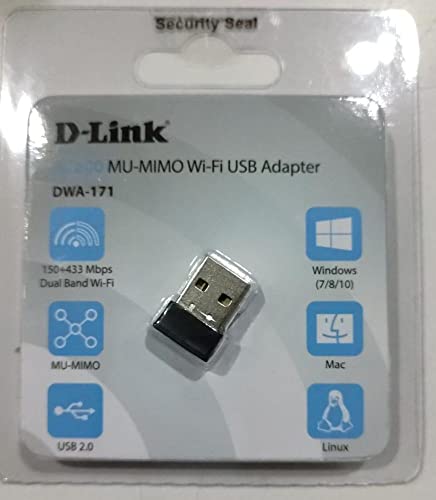
- Dual Band Connectivity: Supports both 2.4GHz and 5GHz bands, offering flexible connection choices for optimal speed and reduced interference.
- Compact Design: Small and lightweight at just 0.141 ounces, the DWA-171 easily fits into any USB port without obstructing neighboring ports.
- Fast Data Transfer: With a wireless speeds of up to 600 Mbps, enjoy quick downloads, smooth streaming, and lag-free gaming.
- Easy Setup: Plug-and-play functionality makes installation straightforward, requiring no complicated configuration. Compatible with Windows and Mac OS.
- Security: Features advanced security protocols, including WPA/WPA2 to keep your connection safe from unauthorized access.
- Compact Convenience: The DWA-171’s compact size ensures that it remains portable and easy to carry, making it ideal for travelers.
Price Comparison Across Different Suppliers
The D-Link USB WiFi Adapter AC600 Mini can be found at varying prices depending on the retailer. Price comparisons currently show a range from $20 to $30 across online platforms. Shopping around ensures you find the best deal for this essential device.
Notable Trends from the 6-Month Price History Chart
Examining the 6-month price history reveals interesting trends. The DWA-171 has seen minor fluctuations, typically oscillating between $22 and $27. It peaked at $30 during promotional periods, indicating that waiting for sales could yield savings.
Customer Reviews Summary
Customer reviews for the D-Link USB WiFi Adapter AC600 Mini are largely positive, with users praising its speed and reliability. Many appreciate its dual-band functionality, which allows seamless connectivity to a variety of networks. Users commonly note:
- Strength in Performance: Users report a significant boost in internet speed when switching from older adapters.
- Lightweight & Portable: Many customers enjoy the small form factor for travel.
However, some drawbacks have been mentioned. A few users experienced compatibility issues with certain older operating systems, suggesting a thorough check of device compatibility before purchase. Overall, the DWA-171 garners a solid rating reflecting its effectiveness.
Explore Unboxing and Review Videos
To further understand its features and real-world performance, check out popular YouTube unboxing and review videos of the D-Link USB WiFi Adapter AC600 Mini. These videos provide visual insights and can guide your purchase decision by showcasing the adapter in action.
In conclusion, the D-Link USB WiFi Adapter AC600 Mini (DWA-171) stands out for its excellent performance, convenient size, and strong value proposition. With dual-band connectivity and easy setup, it’s suitable for both casual users and tech enthusiasts. Don’t miss the chance to enhance your wireless experience!
Compare prices now!
D-Link USB WiFi Adapter AC600 Mini (DWA-171) Specification
Specification: D-Link USB WiFi Adapter AC600 Mini (DWA-171)
|
D-Link USB WiFi Adapter AC600 Mini (DWA-171) Reviews (10)
10 reviews for D-Link USB WiFi Adapter AC600 Mini (DWA-171)
Only logged in customers who have purchased this product may leave a review.






Ace Processors –
We had many broadband outages and it was affecting our work. While my laptop was able to connect to my backup dongle, our PC could not. I was therefore on the lookout for a good wifi adapter for my PC. The DWA-171 is a really good spec, easy to install and fast wifi adapter. It is smart enough to connect to the dongle’s wifi signal as it catches reflected signals too. Worth it completely.
Shouvik K Majumdar –
منتج سيء جدا تقطيع مستمر وخامة سيئة اشتربت tp link ممتاز جدا عنه
Amazon Customer –
D-Link USB wifi adapters seem to be the most reliable choice for Mac/Hackintosh computers solely based on the drivers that are available for download from their site. Some of the other brands just don’t support anything but Windows based desktops/laptops. In terms of speed it was great. The connection would cut out from time to time, but simply turning my wifi on/off would do the trick. Might be an issue for some but it didn’t happen often enough to warrant a return or choosing a different adapter. Be careful that you don’t accidentally bump into the adapter or bend it as its very delicate. Mine was plugged in via a front USB port on my desktop and I hit it with my knee and it bent slightly and stopped working. I would wiggle it in and out and could see it would connect and disconnect. Other than that, it’s worth the money
Lawrenzo –
The product I have just received was marked as Model DWA-171 and also shown as an AC600 Mu-Mimo dual band USB adapter. This is slightly different to the older model listed in that it has a WPS button on its side face not on the end face of the unit. However, I have never had luck installing Wifi keys using the WPS button on any device. I have both DWA-171 models, so the major difference with the AC600 model lies in the installation of the software which took me some time to understand the process When first plugged in, the unit was recognized immediately by my laptop but showed up in Device Manager as a Portable Device not Network Adapter. So when I found it in Windows Explorer it had been allocated a new drive letter. When clicking on the drive letter, I could then see the software Exe file. Clicking on this started the software installation, then all was fine. So the software installation was completely different to the other DWA-171 model and I’m sure this method of software installation will be missed by many customers creating problems with people wrongly believing the unit was faulty. The unit works fine and is a better solution for connecting to the internet over WiFi when using my new HP laptop that came with only a single band Wifi card. I am pleased with the way the unit functions over both wave bands. When in the same room as my router the connection over the 5GHz band works brilliantly fast but when several rooms away from my router then the 2.4GHz band is stronger. So it is great to now have two wave band options using such a small but very effective device.
Update:
I have several good mini-laptops with XP installed which I upgraded to Windows 7. I tried the adapter but it would not work until Microsoft updated the software to Windows 7 Service Pack 1. Then the adapter was alive! So now I have several ultraportable laptops which have superb internet connections using the adapter.
Lawrenzo –
so after using about 50 days.. I kinda like it.. it works 99% of the time… but sometimes if I plug it and remove it for multiple times it doesn’t connect to my wifi for about 15-20 seconds… not a big deal though.. initially I gave it a 1 star..but now am rating it a 5 star.. coz it just works fine.. I don’t understand how people say its fake or it doesn’t work… both 2.4 and 5 GHz works…and its range is pretty good..when I started using it, it displayed me some wifi’s near me which I saw for the first time in my laptop.. 😀 … guys… u need to have a proper driver and proper installation to use it without any issues..download drivers from D-Link website so u get the latest drive rand also make sure u plug it in a working USB which doesn’t have any loose connectivity… I got it for about 800rs…I wonder y the price is about 1000 now… I just plug it in my desktop and laptop and with the right and latest drivers without any issues.. if u wanna know how to configure it properly.. email me… [email protected] 😉 am not adding any photos of it as we all know its just a usb nothing fancy in it.. pE@Ce
GoBeavs –
I really wanted to like this adapter but this device is not a good product. The first one I got, my computer had a hard time recognizing it. When it came to the step in the installation process to insert the adapter, the computer would give a message that my usb device was not recognized or not functioning properly. I figured it was a connection issue, so after taking it out and putting it in 10 or 12 times I finally got the computer to recognize it and complete the install (yes, I felt dirty afterward). The problem going forward was that the slightest touch to the device would cause it to become disconnected from the network. Any movement or shifting would do this. So I did a defective return and got another one a few days later. The next one didn’t have quite the trouble installing but had the exact issue where the slightest touch or shifting in the usb port would cause disconnection from the network. And this one had even more trouble reconnecting after the disconnect than the first one. I’m not sure what it is about the design that won’t let the adapter shift in the port even a little without disconnecting from the network, but that’s what this thing does. The secondary issue I had was that it would only connect at 72mps on my 2.4 ghz frequency. The 5k had much better results at over 400mps at times. I really liked the compact size but for me the frail connection made this model unusable. I have recently upgraded my network with a d-link AC1200 router and was looking for a dual band adapter for my laptop, but I’m sending both of these back. I previously purchased a d-link dwa-140 for my desktop which works great. It connects at 130mps but doesn’t have the ability to work at higher speeds on the AC standard. After all the connection issues with the dwa-171 I installed it on my laptop and tried to move it around in the usb port to see if maybe it was my laptop causing the issue or maybe if this is just normal. It has no problem no matter how much I shift it around in the port, so I have to conclude this issue is due to the design of the dwa-171. So, I will continue shopping for another dual ban ac adapter because the dwa-171 is junk.
**Edit/Update 12.17.13
After returning both of the Dwa-171 that I tried, I ordered the Edimax EW-7811UTC AC600 Dual-Band USB Adapter based on the good reviews it had received. I had never heard of Edimax which is part of the reason I chose the D-link product to begin with, even though the specs are similar and the Edimax is $10 cheaper. The EW-7811UTC suffers from none of the problems I had with the dwa-171. It connects in the USB port firmly and the minor play in the port that it has does not result in a disconnect should it be moved or shifted in the port. I’ve been using for about a week and haven’t had a single disconnection. The disc that came with it did not include a driver that was compatible with windows 8.1, so my computer would continue to reboot until I unplugged it. However, with excellent customer service from Edimax I was able to find and download the correct driver and the product has worked perfectly since. Their email response time was less than 30 minutes and they stayed with me through 8 email exchanges over a short period of time until the issue was confirmed fixed. I did not expect such top notch customer service from a company I had never heard of before. Based on the excellent connection speed (usually around 400mbs) and the excellent customer service I will first consider Edimax products when shopping in the future.
Soulard Sailor –
I got this D-Link low profile USB wi-fi adapter to take advantage of the new “AC” IEEE standard for wi-fi which is a two to four-fold improvement over the 300 “N” standard from just a couple of years ago.
I can now reliably connect to my wireless router from 200 feet away and beyond with 400 mbps or higher link throughput over my old 300N adapter, which routinely only gave me link speeds in the 72-144 range.
This is a definitely must for your laptop or other wireless devices if you upgrade your wireless router to a new “AC” variety. I am using this D-Link adapter with a Netgear router with zero glitches and seeing 100% signal strength through a 135 year old brick construction house with a lot of inner brick walls. The old 300N adapter rarely got a “strong” signal sitting in the exact same spot.
Very happy with the purchase!
Stark –
Great price and delivery time
Stephanie Sullivan –
This compact D-Link AC600 USB WiFi adapter exceeded my expectations. I got it to replace a very old (wireless G) adapter from Netgear that had finally died.
The installation of the adapter following the software installation and could not have been much easier. It quickly paired to the existing network with a very solid and reliable connection. It is also much faster than the old wireless G adapter it replaced!
Here is what I like:
+ small size means it’s not sticking way out from the back of this desktop PC
+ reliable connection: this does not drop connections like the old Netgear.
+ super simple setup and configuration
+ made my client happy to have better WiFi for a very reasonable price.
Downsides? Not any yet. It seems to just work and work pretty well.
As should be no surprise, I’m giving this adapter 5 stars because it’s easy to install & configure and provides a fast & reliable connection.
Flensr –
I love these wifi adapters! I have 2 of them and they’re much faster than I expected. I got mine to upgrade 2 laptops that have only older 802.11n wifi adapters and these give better connection speed, quality, and range even though it’s just a tiny little USB adapter. I’ve tried other USB wifi adapters including some huge ones with giant antennas, and none of them have worked as well as these have even though these are only listed as AC600 speed. Recommended!