
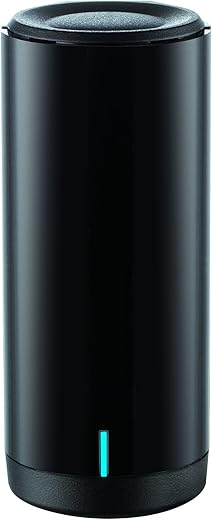
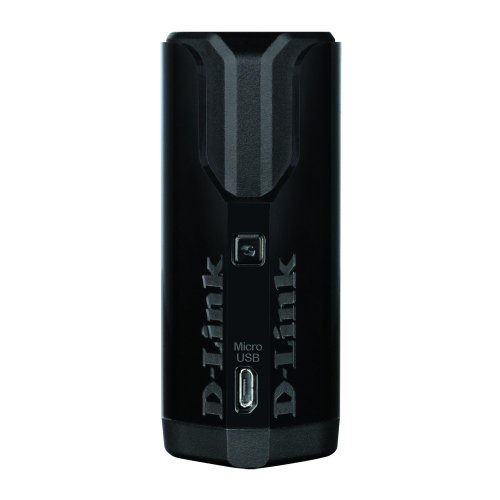
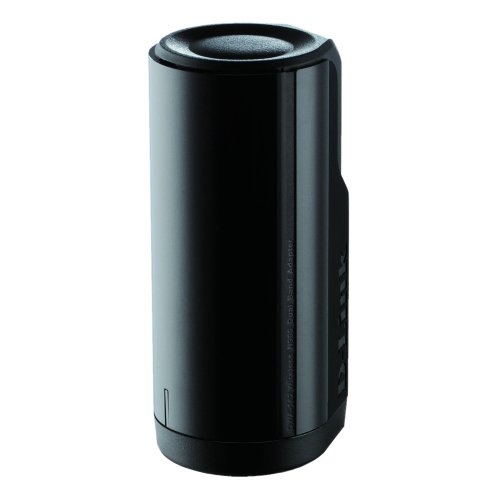
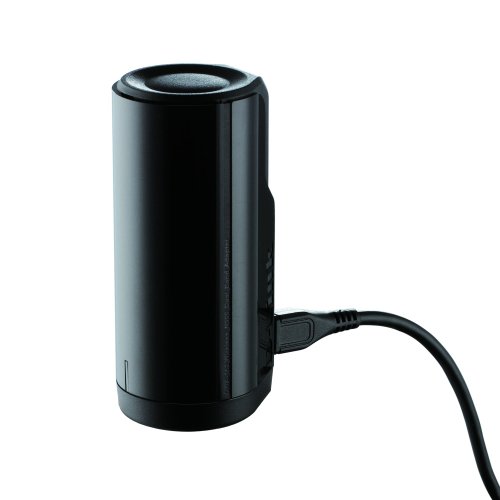
D-Link Wireless Dual Band N-900 USB Adapter (DWA-162)
D-Link Wireless Dual Band N-900 USB Adapter (DWA-162) Price comparison

- All prices mentioned above are in United States dollar.
- This product is available at Amazon.com.
- At amazon.com you can purchase D-Link Dual Band N900 USB Wi-Fi Network Adapter (DWA-162) for only $15.99
- The lowest price of D-Link Dual Band N900 USB Wi-Fi Network Adapter (DWA-162) was obtained on October 16, 2026 05:44.
D-Link Wireless Dual Band N-900 USB Adapter (DWA-162) Price History
D-Link Wireless Dual Band N-900 USB Adapter (DWA-162) Description
D-Link Wireless Dual Band N-900 USB Adapter (DWA-162) Enhance Your Connectivity
Transform your wireless experience with the D-Link Wireless Dual Band N-900 USB Adapter (DWA-162). This powerful device offers seamless connectivity across multiple devices and locations, ensuring you get the most out of your internet connection. Whether you’re gaming, streaming, or browsing, this USB adapter enhances your network performance. With its versatile compatibility and robust features, it’s a must-have for anyone looking to upgrade their wireless capabilities.
Key Features and Benefits
- Dual Band Technology: The DWA-162 operates on both 2.4 GHz and 5.8 GHz bands, providing flexibility. This means you can enjoy faster speeds (up to 900 Mbps) and reduced interference, perfect for streaming high-definition videos or online gaming.
- Easy Setup: The plug-and-play design allows for hassle-free installation. Users can quickly connect to their wireless networks without the need for complicated configurations.
- Broad Compatibility: Works seamlessly with a variety of operating systems, including Windows XP, Vista, 7, and the latest versions. This universal compatibility makes it convenient for users across different setups.
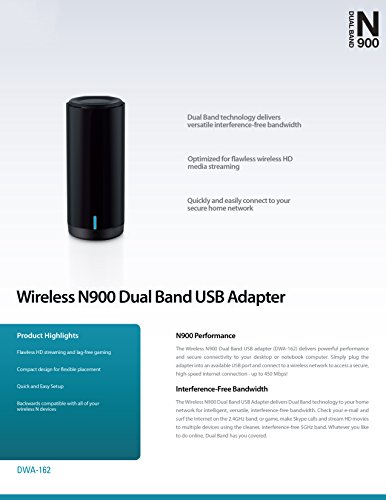
- Compact Design: Weighing only 1.6 ounces and measuring 1.4 x 1.75 x 3.75 inches, this USB adapter is portable and does not require excessive desk space. Ideal for on-the-go users!
- Robust Signal Strength: Experience strong and reliable wireless connections, minimizing the chances of dropped signals and interruptions.
- Stylish Appearance: Available in sleek black and silver, the DWA-162 also adds a touch of modern elegance to your tech accessories.
Price Comparison Across Different Suppliers
When considering the D-Link Wireless Dual Band N-900 USB Adapter, it’s essential to compare prices across various suppliers. Pricing can vary, with the adapter typically ranging from $25 to $40, depending on the retailer. Our comprehensive price comparison tool allows you to find the best deals, ensuring you get the most value for your purchase. By accessing our platform, you can easily spot fluctuations and savings across well-known retailers.
Trends from the 6-Month Price History Chart
Over the past six months, the price history of the DWA-162 shows a steady trend, with occasional dips during seasonal sales and promotional events. Notably, prices tend to decrease around major holidays, making it a smart time to buy. Monitoring this trend could save you a significant amount on your investment.
Customer Reviews: What Users Are Saying
Reviews indicate that the D-Link DWA-162 is well-received among users, highlighting its performance and reliability. Many customers praised its:
- Fast Speeds: Users report excellent connection speeds, especially when gaming or streaming.
- Ease of Installation: The straightforward plug-and-play feature is consistently noted as a plus, with most users setting it up in minutes.
- Compact Size: Many find the lightweight design convenient for travel and portability.
However, some users have encountered issues with compatibility on older systems and driver updates. It’s essential to ensure your operating system is supported before purchasing. Overall, the DWA-162 has gathered a vastly positive response, making it a reliable choice for enhancing wireless connectivity.
Explore Unboxing and Review Videos
Dive deeper into the D-Link DWA-162 experience by watching unboxing and review videos available on major video platforms. These videos showcase real-user experiences, installation tips, and performance showcases that can help you make an informed decision. Users highlight the user-friendly interface of the adapter and share usage tips to maximize your wireless capabilities.
Whether you’re seeking to upgrade your current adapter or just starting your journey into the world of wireless connectivity, the D-Link Wireless Dual Band N-900 USB Adapter (DWA-162) offers outstanding features and performance. Don’t miss out on the opportunity to enhance your internet experience!
Compare Prices Now!
Ready to elevate your connectivity? Compare prices today and discover the best deals for the D-Link Wireless Dual Band N-900 USB Adapter (DWA-162). Make the smart choice for your wireless needs and enjoy seamless internet connectivity!
D-Link Wireless Dual Band N-900 USB Adapter (DWA-162) Specification
Specification: D-Link Wireless Dual Band N-900 USB Adapter (DWA-162)
|
D-Link Wireless Dual Band N-900 USB Adapter (DWA-162) Reviews (8)
8 reviews for D-Link Wireless Dual Band N-900 USB Adapter (DWA-162)
Only logged in customers who have purchased this product may leave a review.
Related Products






Amazon Customer –
not support windows 10
Minor Keith –
This is a great little usb adapter and it’s working better then I thought for the price. Only problem are the drivers for windows 10, plug in and play will only give you 2.4ghz and the dlink drivers are very dated. So with that said if you want 5ghz your going to have to do some work.
—-Getting 5ghz on windows 10—-
1. You’ll need to find the chipset which is an Ralink RT3573
2. Now head to mediatek.com/en/downloads1/downloads/
3. Look for the download that goes to your part number, which should be RT307X (The one I’m using at the moment).
4. Run the installer, BUT don’t install the WLAN utility. Just the driver.
5. Once the drivers have been install, open device manager. (Hotkey: Windows key + x)
6. Find your D-Link under network adapter and right click, then click on update driver software.
7. Click on browse my computer for driver software option.
8. Click on let me pick from a list of device drivers on my computer option.
9. Should see two drivers, click on the newest version. It lists dates next to the drivers. Example: The one I’m using is Version: 5.1.25.0[10/28/2015]
10. Press next and wait for it to install and enjoy your 5ghz signal!
Once again I only tested this on my windows 10 machine
D.M.White –
Great little unit but acts like my 5ghz network doesn’t even exist (when used on Windows 10). Works great on 2.4 though
Dennis A. Pratt –
It works! Very well. And it’s non-intrusive, and easily placed. I would buy it again. But hopefully I won’t have to.
Less than a year later, updating my review. This thing doesn’t work anymore. So …no, I wouldn’t buy it again.
Amazon Customer –
After going through 2 Belkin adapters, I decided to buy a D-Link on recommendation from a friend of mine. It works better than I expected. Where I was getting intermittent slow speeds and even disconnections on my Belkin adapters, this adapter is quite fast, and I’ve not lost connection even once.
What I Like About This Device
– Simple, pain-free installation
– Has good range. (I was able to walk 3 blocks from my house before my signal strength began to degrade.)
– Maintains great connectivity and speed.
What I Don’t Like About This Device
There’s really nothing major that I don’t like about this device. My only gripe was the fact that my CDROM drive didn’t seem to recognize the mini-CD with the drivers on it. I’d never even seen one before now. Just install the adapter with the drivers from the D-Link website if you have this problem.
velvet serpent –
My home office is like the Bermuda Triangle of Wifi. It is literally on the otger side of the wall from the router, but the first three adapters thst I bought either got a weak signal, dropped the signal intermittently, or got no signal at all.
I saw this WiFi adapter on Amazon, and the reviews suggested that it may work for me. When I first opened the box, I was surprised how small this wifi adapter is! I almost did not buy it, because it looked to be the size of a soda can. It’s about the size of two stackedshot glasses.
Following the enclosed instructions, I could not get the drivers to load from the disk. After getting very frustrated, and thinking that I would have to return the wifi adapter; I decided to forget the disk and get the drivers from the D-link website. ..no go, they did not have this adapter listed.
So, I decided to just plug it into my computer, and see what happens. Boom! The computer saw it right away and it works great. I had to subtract a star, because of the run around with the instructions. They have you uninstall all previous wireless adapters, and jump through hoops before plugging it into the usb. I still would recommend it, as it really gets a great signal.
Ragel –
I bought this without high expectations, but this definitely delivers.
I’m on windows 10 with a Wireless N 2.4ghz router and this works perfect for me(it was plug n play) with the router about 2 walls between me and the device.
I pay for 60Mb down and 4 up with charter communications with this device i’m getting 66.29mbs and 4.36 up with 25ms ping to a state next to mine on speedtest.net. For the Price i paid 18 plus 4 shipping I’m very happy with it.
It’s currently going for 12 with free shipping if you’re in need for a stable usb wifi adapter BUY THIS
I’ve played a couple games of league of legends kept a stable 50-55ms which is the same as if i was hardwired and had no lag spikes
The cable it comes with is rather short although it picks up signal really good better than my hp envy laptop regardless where i place it
Very happy of the performance of this device People complain of no 5ghz band on windows 10 and it appears to be true so if you want 5ghz might want to find something else.
p kelley –
This is another evasive Chinese product that wants all your personal information and that controls your computer. The Chinese know that Americans are stupid. They insist that you input all your personal information and also insist that you include a copy of your receipt to make their product work. I did not include that and they disabled the adaptor after one restart. It doesn’t work now in 5g. I’ve been working with computers for 30 years and it is obvious that this hardware/software from the Chinese is another scam of the Chinese.