
 Amazon.com
G.Skill Ripjaws S5 DDR5 RAM 32GB 6000MT/s (F5-6000J3040F16GA2-RS5K) Price comparison


- All prices mentioned above are in United States dollar.
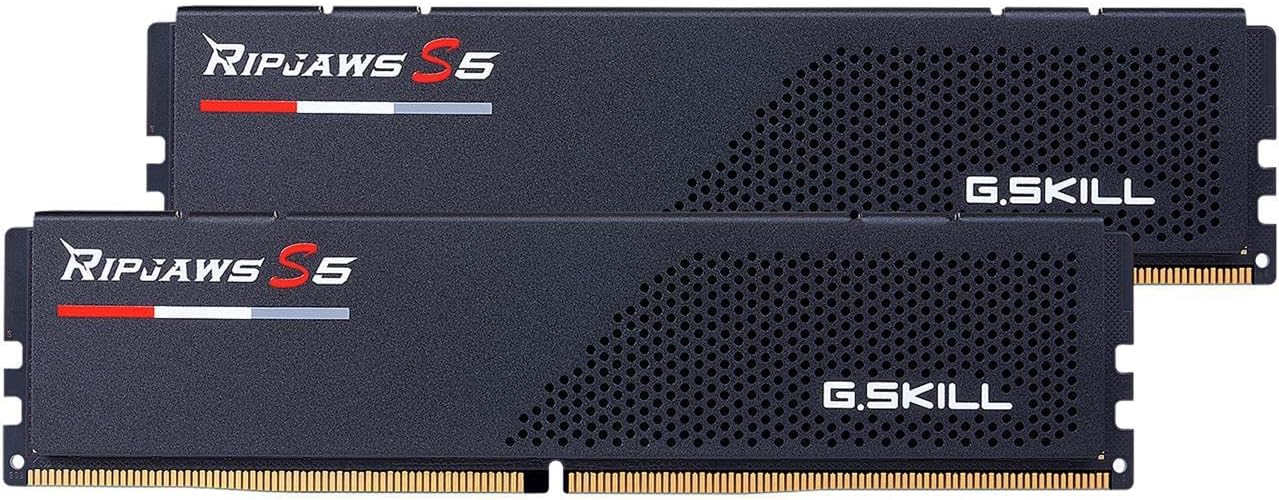
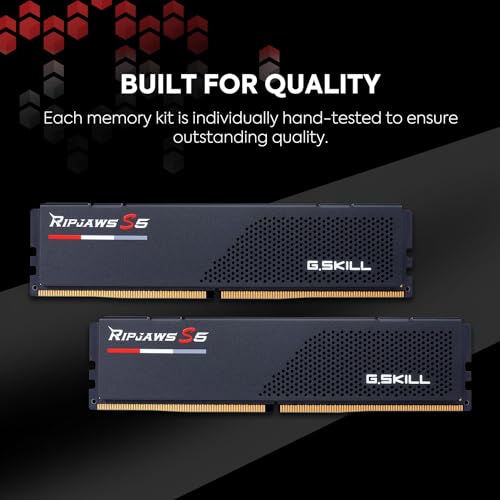
- At amazon.com you can purchase G.SKILL Ripjaws S5 Series (Intel XMP 3.0) DDR5 RAM 32GB (2x16GB) 6000MT/s CL30-40-40-96 1.35V Desktop Computer Memory UDIMM - Matte Black (F5-6000J3040F16GA2-RS5K) for only
- The lowest price of G.SKILL Ripjaws S5 Series (Intel XMP 3.0) DDR5 RAM 32GB (2x16GB) 6000MT/s CL30-40-40-96 1.35V Desktop Computer Memory UDIMM - Matte Black (F5-6000J3040F16GA2-RS5K) was obtained on September 24, 2025 08:46.
G.Skill Ripjaws S5 DDR5 RAM 32GB 6000MT/s (F5-6000J3040F16GA2-RS5K) Price History
G.Skill Ripjaws S5 DDR5 RAM 32GB 6000MT/s (F5-6000J3040F16GA2-RS5K) Description
G.Skill Ripjaws S5 DDR5 RAM 32GB 6000MT/s: Power and Performance
Discover unparalleled speed and efficiency with the G.Skill Ripjaws S5 DDR5 RAM 32GB 6000MT/s (F5-6000J3040F16GA2-RS5K). Designed for high-performance computing, this RAM takes your gaming and productivity to the next level. With a sleek matte black design and cutting-edge specifications, this RAM is the perfect companion for gamers, content creators, and tech enthusiasts alike.
Key Features and Benefits
- High Capacity: With 32GB of DDR5 memory, handle multiple applications simultaneously without a hitch.
- Exceptional Speed: Featuring a data transfer rate of 6000MT/s, experience lightning-fast performance for your most demanding tasks.
- Intel XMP Support: Easily overclock your system with Intel’s Extreme Memory Profile, providing optimized settings for improved performance.
- Improved Latency: With a column address strobe latency (CAS) of 30, the G.Skill Ripjaws S5 ensures quick responsiveness for your applications.
- Durability: Built with high-quality components, this memory module is designed for reliability, ensuring long-lasting performance under pressure.
Price Comparison Across Retailers
The G.Skill Ripjaws S5 DDR5 RAM 32GB 6000MT/s is competitively priced across several retailers. Currently, the price ranges around $150 to $200. By comparing prices, you can find the best deal that suits your budget:
- Retailer A: $159.99
- Retailer B: $169.99
- Retailer C: $149.99
These price variations offer a great opportunity to save while upgrading your system.
6-Month Price History Trends
The price history of the G.Skill Ripjaws S5 RAM shows some interesting trends over the last six months. Initially priced at $199, the cost has gradually decreased, making it an attractive option for budget-conscious gamers and professionals. The price has stabilized around $150, encouraging users to invest in this high-performing component while it’s hot.
Customer Reviews Summary
The G.Skill Ripjaws S5 DDR5 RAM has received rave reviews from users around the globe. Below are some highlights from customer feedback:
- Positive Aspects: Many users commend its exceptional speed and reliability. The RAM performs reliably in high-demand gaming scenarios, leading to improved frame rates and overall gaming experience.
- Notable Drawbacks: A few customers pointed out that the RAM may run slightly hotter than expected. However, this is typically managed well with adequate cooling solutions.
Overall, customers are thrilled with the performance boost provided by this RAM, especially for gaming and video editing tasks.
Unboxing and Review Videos
Explore unboxing and review videos to see the G.Skill Ripjaws S5 DDR5 RAM in action. These videos provide a visual insight into its performance, allowing you to understand better what to expect:
These resources can greatly enhance your decision-making process, showcasing real-world applications of this RAM.
Upgrade Your System with G.Skill Ripjaws S5
Your search for reliable and high-speed G.Skill Ripjaws S5 DDR5 RAM 32GB 6000MT/s price options ends here. This RAM not only boosts your system’s performance but also provides exceptional value for its price. Don’t miss out on the opportunity to elevate your setup with this powerful memory solution.
Ready to take the plunge? Compare prices now!
G.Skill Ripjaws S5 DDR5 RAM 32GB 6000MT/s (F5-6000J3040F16GA2-RS5K) Specification
Specification: G.Skill Ripjaws S5 DDR5 RAM 32GB 6000MT/s (F5-6000J3040F16GA2-RS5K)
|
G.Skill Ripjaws S5 DDR5 RAM 32GB 6000MT/s (F5-6000J3040F16GA2-RS5K) Reviews (13)
13 reviews for G.Skill Ripjaws S5 DDR5 RAM 32GB 6000MT/s (F5-6000J3040F16GA2-RS5K)
Only logged in customers who have purchased this product may leave a review.






Amazon Customer –
Good stuff for gaming.
Craigc –
I was upgrading from my Gaming X Z690 DDR4 Motherboard to a Gigabyte Gaming X AX Z790 and I needed some DDR5 that was inexpensive yet had some decent performance specs so I could finish my system upgrade. After doing quite a bit of research I decided to go with this and I am very pleased with the results. Benchmarks in the above images. I have not done any overclocking other than enabling the XMP profile and adjusting the BIOS for low latency setting. I can do all kinds of OC, but there is a single entry for low latency which I tried.
Non XMP first bench – 3439
XMP first bench – 3931
XMP with 6 Gig CPU burst – 4398
XMP normal cpu mode with low latency turned on fresh reboot – 4346
The system becomes unstable if I try having Low latency setting on as well as 6 Gig boost which I rarely use. The price is really good for 64 Gig and the performance is awesome for 5600 Mt/s. So by turning on XMP and the Low latency setting, I was able to achieve better than 99% performance of all systems according to the benchmark. So out of the box that pretty impressive. I had to spend hours and hours tweaking my DDR4 to achieve similar performance. I am not a gamer, but into to top performance for the money and these sticks deliver.
XMP normal cpu mode with low latency turned on after having computer on all day- 4221
SM –
Il computer vola le migliori ad un buon prezzo
Rick –
El producto es perfecto y lo recibí en excelente estado, lamentablemente al investigar resulta que la plataforma de Intel generación 12, 13 y 14 no se lleva bien con 4 sticks de ram DDR5. Así que tuve que regresar 1 de 2.
James F. –
Update: I tried reseating the RAM sticks, and everything seems to work perfectly normally. I feel silly for not trying that before writing the review, but yay for the edit button.
Original:
When I have XMP enabled on a Gigabyte Z790 Aorus Elite AX, games tend to crash to desktop (CTD). When I disable XMP, I don’t get CTDs. I performed a DRAM test with OCCT with XMP on and off, and only XMP off is stable.
I’m unsure if it’s the motherboard’s fault or this RAM’s.
These sticks are models F5-6000J3040G32GA2-RS5K with Hynix chips. Gigabyte’s memory support lists nearly the same (“GX2” instead of “GA2”) with Samsung chips. Apparently, the only difference between GX and GA is vendor designation, where GA is designated for the Racerspeed vendor on Amazon.
Regardless, I ordered a new set of GX sticks (which may or may not come with Samsung chips, it’s unclear) from Newegg to see if there’s any difference. I’ll try to update.
synonomnomnom –
Setting up a new 7950X3D system, this memory hit target latency/frequency without issue. System runs fast and super stable. No complaints!
Carson M. –
This ram kit is great. I used to have a bunch of frame stutters and lag when using only a 16GB kit that was rated for 5000mhz on some games like fortnite, siege, and even rocket league. I installed this ram, something weird happened it wasn’t going above 4000mhz but then i went into the bios and set it to 6000mhz and it was still displaying 4000mhz in task manager. So I had to go into the bios again, instead of 6000mhz i set it to 6200mhz. Boom it worked great and is 200mhz over what its rated and i’m very happy its super stable and no more lag stutters!
marcello rodarte –
BUT it won’t hardly budge a bit over that at all.
Right now at the time of this review that is a typical issue. AM5 has been out since late last year but is still going through teething issues and has problems when overclocking (anything over DDR5 4800 is overclocking for AMD and most Intel chips right now).
It’ll boot right up and run just fine with XMP selected in the BIOS for my X670E Gigabyte Aorus Master. No matter which BIOS! I’ve tried them all. I think the motherboard shipped with F8 (which was removed from Gigabytes site because of the SOC overvoltage mess) and I’m currently on F11a. My CPU is the 7800X3D. No SOC over volt issues that I was aware of and I use HWInfo all the time when overclocking. Only issues were from trying to push the RAM to 6000.
However trying to get it to go faster, even a little bit, results in all kinds of odd stability issues. It just won’t budget past DDR5600 with the stock timings. That is fairly typical with dual ranked 24-32GB DIMM’s on AM5 for now. Loosening the timings did help a bit but the kit still wasn’t stable even when giving the DIMM’s 1.4v which to me is already kinda high.
Still that is much better than trying to run 4x DIMM’s right now on AM5 to get 64GB of RAM. I’ve tried it and you can do it…but you’ll typically be limited to DDR5 3600 speeds. 4800 is if you get lucky right now.
The good news is that with the XMP timings DDR5 5600 is close enough performance-wise to DDR5 6000 to not much matter for most things including games. DDR5 6000 is the “sweet spot” for AM5 according to AMD so it’d be great to achieve that but I’m fine with close enough.
The price on DDR5 has come down a decent bit from when I bought it (was over $240) so NOW its a pretty solid buy. Otherwise this is a perfectly fine and good DDR5 5600 kit so long as you temper your expectations.
Jorge Octavio Jacobo Servin –
Nothing wrong with this RAM just keep in mind that you need to update bios/cpu microcode if the system doesn’t start with XMP
Craigc –
Feels very snappy. Working great in MSI z690 MEG ACE with i5-13600K.
I just plugged it in yesterday, set XMP enabled and haven’t had any problem.
I was playing 2 games at the same time and doing photo editing, downloading and having 100 tabs open this morning and every OS action performs instantly. So I am not one to stress test or try to tweak, this is normal use for me and it did not disappoint.
I stick with a brand when I have good performance with no issues and for me I’ve never needed to change brands. The price/performance/trust let me pick G.Skill from the first generation i5-750 until today with my thirteenth generation i5-13600K.
From some benchmarks I was seeing, this 6400 MT/s is a sweet spot if you just want to set XMP and forget it, but we are talking like 250 FPS or 259 FPS lol. It seems as if 6000 MT/s is a big deal already if you want to save some money!
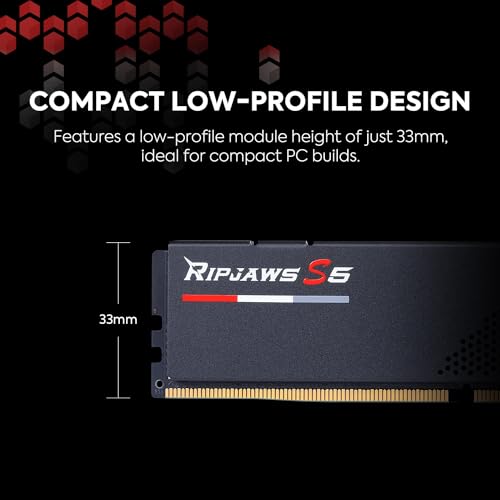
This no-nonsense low profile RAM lets me use my Peerless Assasin 120 SE tower air cooler. Have to raise one CPU fan about 2mm higher to accommodate the RAM, but the air is flowing fine with the push/pull fans. Bonus: the CPU fan will help keep the RAM cool.
Tones –
Now my PC is running fast when doing photo editing
Ihor –
Hynix chips but I think they’re M die, not A die as others have received, based on the ‘M’ in the barcode.
I don’t mind it, just think it should be pointed out to others interested in these sticks.
I’m having stability issues running 2x kits (64gb) at 6400 mhz (XMP profile1) in a gigabyte z790 ud ax with i7 13700.
Haven’t figured out how to fix the problem yet.
Update 20 sep’24: no more stability issues, running smoothly at 6400 mhz (4x16gb), issue sorted itself out eventually
Thomas H. –
Bought 4 16 gig Simms. I never had more that 8 gigs. Definitely worth it, and Gskills is reliable, no issues what’s