
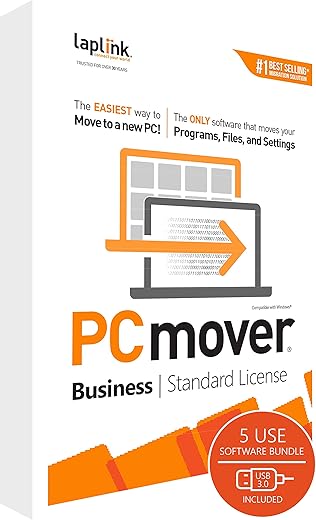
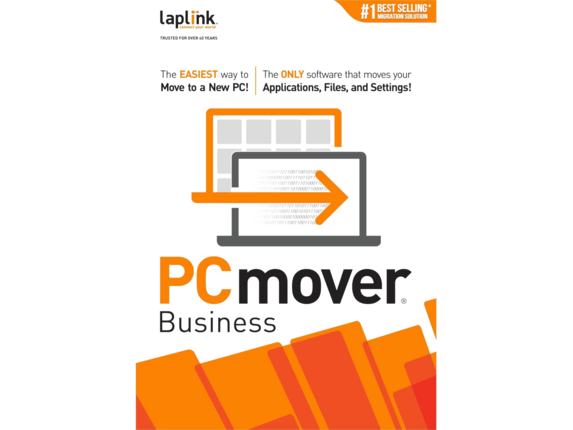
LAPLINK PCmover Business Standard – PC Migration Software
 Bestbuy.com
  Walmart.com
  Amazon.com
  Biggerbooks.com
  Antonline.com
  Officedepot.com
$230.00
LAPLINK PCmover Business Standard – PC Migration Software Price comparison

![Laplink - PCmover Professional 11 (1-Use) - Windows [Digital]](https://pisces.bbystatic.com/prescaled/500/500/image2/BestBuy_US/images/products/6293/6293324_sd.jpg)









- All prices mentioned above are in United States dollar.
- This product is available at Walmart.com, Bestbuy, Amazon.com.
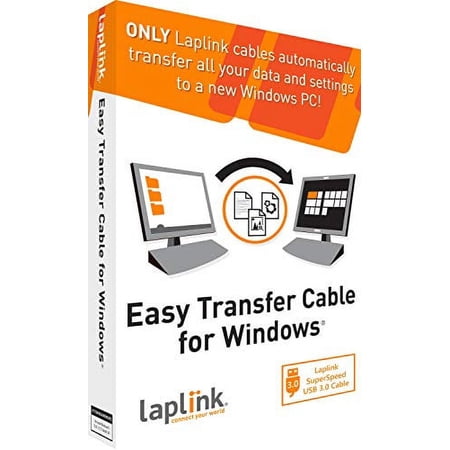
- At walmart.com you can purchase Laplink Easy Transfer Cable for Windows (1 Use) for only $26.95
- The lowest price of Laplink PCmover Business 25-Use w USB3.0 was obtained on October 12, 2026 09:29.
LAPLINK PCmover Business Standard – PC Migration Software Price History
LAPLINK PCmover Business Standard – PC Migration Software Description
Upgrade Your Computer Migration with LAPLINK PCmover Business Standard
Streamline your PC migration process with LAPLINK PCmover Business Standard, the ultimate PC migration software designed for a seamless transition to your new device. Whether you’re upgrading your hardware or moving to a new system, this software ensures that all your important files, settings, and applications transfer effortlessly. Discover why LAPLINK PCmover Business Standard remains a top choice for businesses and individual users alike.
Key Features and Benefits of LAPLINK PCmover Business Standard
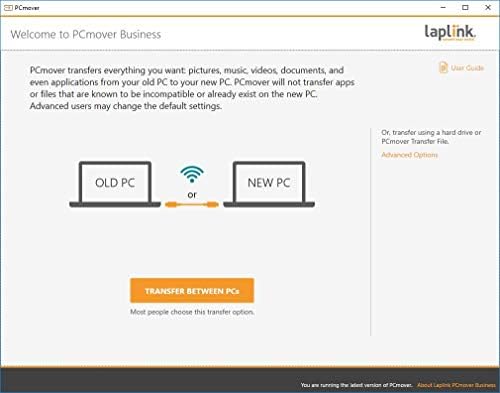
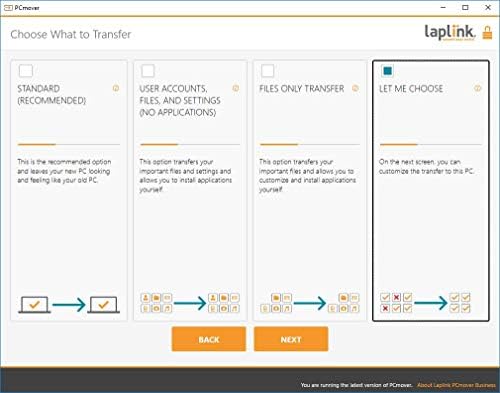
- Easy-to-use interface: The intuitive design allows you to initiate the migration process with just a few clicks, making it perfect for users of all skill levels.
- Comprehensive Data Transfer: Seamlessly transfer files, user profiles, applications, and settings from an old PC to a new one, ensuring that you don’t lose valuable data.
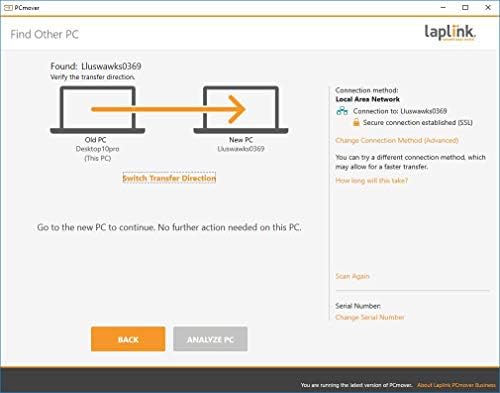
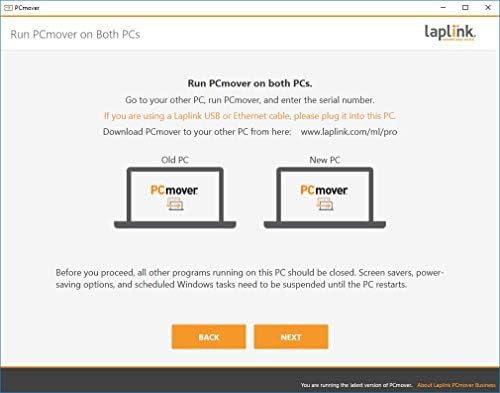
- Supports Various Transfer Methods: Choose from network transfer, USB connection, or a Laplink cable, providing flexibility depending on your setup and preferences.
- Safe and Secure: Your data is secure throughout the migration process, ensuring confidentiality and integrity as it moves to your new device.
- Multi-platform Compatibility: Works with various Windows operating systems, adapting to your needs whether you’re using Windows 10, 8, or 7.
- 24/7 Customer Support: Access helpful resources and dedicated support whenever you encounter questions or issues during your migration.
Price Comparison Across Different Suppliers
LAPLINK PCmover Business Standard offers competitive pricing that varies among different suppliers. By utilizing our price comparison feature, you can easily view prices from multiple retailers, ensuring you get the best deal available. Whether you’re examining online marketplaces or specialized software retailers, our site simplifies the decision-making process. Stay informed and save money by checking the latest offers!
Notable Trends from the 6-Month Price History Chart
Our six-month price history chart showcases the pricing dynamics of LAPLINK PCmover Business Standard. Recently, there has been a competitive fluctuation, with a significant dip noted during holiday sales. Understanding these trends can help you time your purchase wisely and maximize your savings. The lowest price point noted was particularly appealing during promotional events, making it a suitable moment for tech-savvy shoppers.
Customer Reviews Summary
Customer feedback on LAPLINK PCmover Business Standard highlights several key strengths and a few areas for improvement. Many users praise its ease of use and effectiveness in transferring large amounts of data quickly. Reviewers frequently note how smoothly their applications migrated, a vital factor for business users who rely on critical software. The overall customer satisfaction rating stands at an impressive 4.5 out of 5 stars.
However, some users mention occasional hiccups when transferring specific application settings, which can require manual adjustments post-migration. It’s important to be aware of these potential nuances, but overall, the positive feedback significantly outweighs the negatives, solidifying LAPLINK as a leading choice in PC migration tools.
Explore Unboxing and Review Videos
To further enhance your understanding of LAPLINK PCmover Business Standard, we recommend checking out available unboxing and review videos. These visual aids offer real-life demonstrations of the software’s functionality, showcasing its user-friendly interface and process. Seeing the tool in action can significantly clarify how it fits your migration needs.
Don’t miss out on the insights from other users, as these videos can provide practical tips and additional context surrounding the performance and utility of LAPLINK PCmover Business Standard.
Your Next Step: Compare Prices Now!
Transform your PC migration experience today with LAPLINK PCmover Business Standard. Its user-centric features, robust security, and stellar customer support make it an exceptional choice for both individuals and professionals alike. Compare prices now to find the best offer and ensure you make an informed decision for your next upgrade. Take the hassle out of transferring your data and start enjoying your new PC without the worry of losing your essential files!
LAPLINK PCmover Business Standard – PC Migration Software Specification
Specification: LAPLINK PCmover Business Standard – PC Migration Software
|
LAPLINK PCmover Business Standard – PC Migration Software Reviews (8)
8 reviews for LAPLINK PCmover Business Standard – PC Migration Software
Only logged in customers who have purchased this product may leave a review.
![Piriform CCleaner Free Software [Download]](https://discompare.com/wp-content/uploads/thumbs_dir/ccleaner-free-software-download-qvjhoa6lr637gy1l8u6nqpex3zgzu0n24twq63vt34.jpg)
LitlJay –
I’ve been using PC Mover for years and years to transfer customers from an old computer to a new one. It really shows its value when the old computer is a different operating system than the new one. It will cleanly transfer all of their data and most of their programs, although sifting through the stuff they have installed over the years can get tedious. I’ve also had issues with Office licensing after the transfer.
IF THE OS IS THE SAME, SAVE YOUR MONEY. Use Veem Endpoint Backup (it’s free) with a portable or external hard drive and do a bare metal restore to the new computer. That way, everything will be EXACTLY as it was on the old computer and there will be no licensing headaches.
Kevin Coleman –
Pros, Likes, and Features
*Easy transfer by ethernet, USB, external drive, more..
*Transfers programs, data, settings, more… Some programs must be reactivated though as some are only usable on 1 computer at a time
*Easy to follow instructions and make the transfer
*Includes USB cable for USB to USB data transfer. Usable on USB 3.0 but can be used on others at a slower transfer rate. I prefer external hard drive for my transfers
Cons, Dislikes
*None at all!
booklover –
No instructions and not intuitive. I would not recommend this product because it did not transfer any of my programs. My backup did more to restore my files accurately.
Russ –
I had some applications on an old Windows 10 system where I didn’t have the installation media nor the serial keys (e.g. QuickBooks Pro 2016). However, I wanted to use those on a new Windows 11 build. PCmover Business worked awesome to effortlessly transfer those applications and my files over the included USB cable. I couldn’t be happier!
Jacob K –
you need to create an account with the same name as the old account you are transferring. wouldn’t know that ’cause there is no manual. then you learn that its a one time transfer (if you mess up and log in as a different user on the pc.
god help you if you buy it.
in case you need a name to call… John Erwin is the boss of the techs (Christian and mike) that could not help
christian beecroft –
transfering the entire data from old to new. transfering just what is needed.
very happy with the software, recommend it for any level user.
Arlene –
A highly Frustrating application and no means of talking with tech support only a slow and repetitive chat session. The app only brings over your docs no associative links or passwords. Hours reading only to find it’s a useless I mean useless and deceptive claims. Keep away.
John P –
Microsoft used to provide free transfer software. Then they abruptly stopped. I believe Laplink was developed form the old Microsoft transfer software. Unfortunately it is no longer free. While i hate shelling out the money for this, it is single use, I have found it is worth it for the ease of transfers and for the time it saves. If you already have a special transfer cable from a previous set of this software you can buy it without the cable.
If you are short on time or not a computer expert this is a valuable program.