
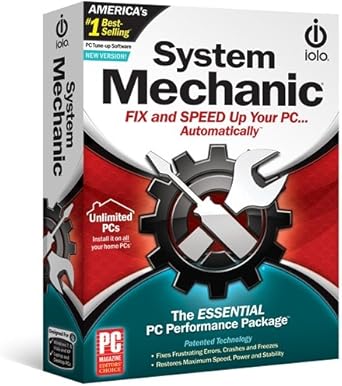
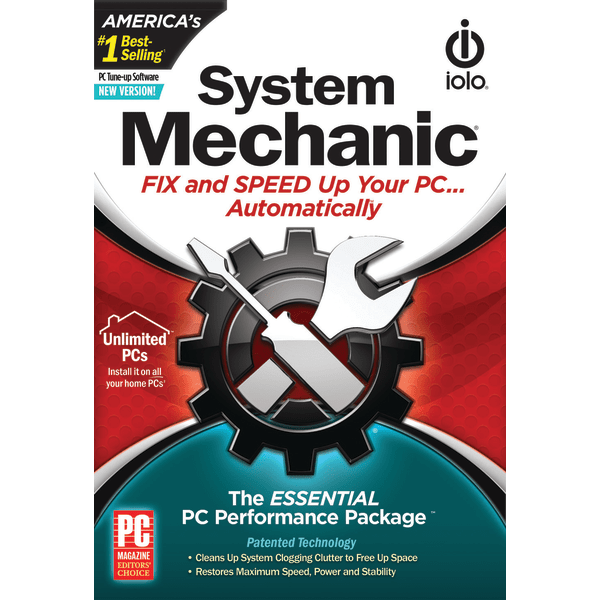
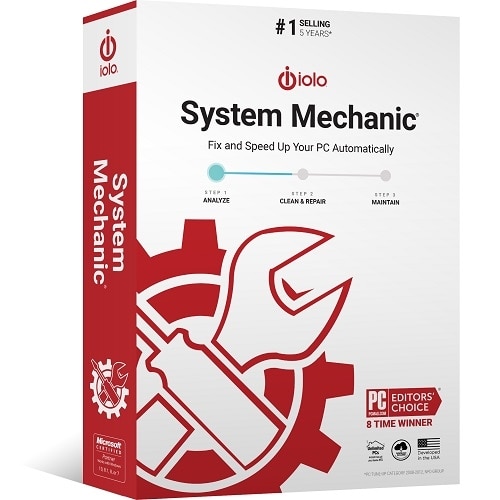
IOLO Technologies System Mechanic Version 20 Download
 Bestbuy.com
  Officedepot.com
  Dell.com
  Walmart.com
  Amazon.com
IOLO Technologies System Mechanic Version 20 Download Price comparison

![iolo technologies - System Mechanic - Windows [Digital]](https://pisces.bbystatic.com/image2/BestBuy_US/images/products/8818/8818127_sd.jpg)



![System Mechanic Ultimate Defense, by iolo [Digital Download]](https://i5.walmartimages.com/asr/afc17654-bcf5-467b-a890-a14ec0fda2e1.68a7e8fd014ea19ecc0b9ba203755a91.png?odnHeight=450&odnWidth=450&odnBg=ffffff)

![System Mechanic Version 20 [PC Download]](https://m.media-amazon.com/images/I/515zOojLMKL._AC_SX385_.jpg)
- All prices mentioned above are in United States dollar.
- This product is available at Walmart.com, Bestbuy, Office Depot and OfficeMax, Dell Small Business, Amazon.com.
- At walmart.com you can purchase Iolo System Mechanic 1-Year / 1-PC (Windows) for only $19.95 , which is 82% less than the cost in Dell Small Business ($109.98).
- The lowest price of Download - iolo System Mechanic 3 Year was obtained on October 8, 2026 19:25.
IOLO Technologies System Mechanic Version 20 Download Price History
IOLO Technologies System Mechanic Version 20 Download Description
IOLO Technologies System Mechanic Version 20 Download: Optimize Your PC Performance
The IOLO Technologies System Mechanic Version 20 download offers a comprehensive solution to boost the performance of your PC. Designed for both novice and experienced users, this powerful software provides automatic maintenance, essential tools, and advanced features to keep your system running smoothly. Experience enhanced speed, stability, and longevity for your machine.
Main Features of IOLO Technologies System Mechanic Version 20
- Real-Time Performance Optimization: Automatically identifies and resolves issues affecting your system, ensuring optimal performance without manual intervention.
- Comprehensive System Cleanup: Cleans up unused files, caches, and bloatware, freeing up valuable disk space to help your computer run faster.
- Registry Repair: Scans and fixes registry issues that can cause system crashes and slowdowns, helping to maintain system stability.
- Internet Optimization: Boosts your online experience by optimizing the internet connection settings for faster browsing and streaming speeds.
- Privacy Protection: Protects your personal data by erasing online traces and anonymizing your internet usage.
Benefits of Using IOLO Technologies System Mechanic Version 20
With System Mechanic Version 20, enjoy significant performance improvements, extended hardware longevity, and a smoother user experience. This software empowers users to effortlessly maintain their PCs and tackle problems efficiently. Key benefits include:
- Increased Speed: Experience faster boot times and improved application launch times.
- Enhanced Stability: Reduces the chance of system crashes with robust repair features.
- Easy to Use: User-friendly interface that makes performance optimization simple.
- Cost-Effective: Save on potential repair costs by maintaining your system proactively.
Price Comparison Across Different Suppliers
The price of the IOLO Technologies System Mechanic Version 20 Download varies across different suppliers, allowing users to select the best deal. Currently, prices range from $39.95 to $49.95. Compare prices now to find the most cost-effective option that fits your budget.
Insights from 6-Month Price History Chart
The 6-month price history chart for System Mechanic Version 20 shows a steady pricing trend, with occasional discounts during promotional events. Overall, there is a noticeable dip in pricing during major shopping holidays. Staying updated will help you grab the software at a lower price point when available.
Customer Reviews: Strengths and Weaknesses
Customer reviews for the IOLO Technologies System Mechanic Version 20 Download highlight several strengths and a few drawbacks. Many users praise its user-friendly interface and effective performance optimization features. The ability to automate system maintenance processes has been especially well-received.
On the downside, some customers noted that the installation process can be time-consuming, and occasional software conflicts may arise. However, the overall consensus is positive, indicating that the benefits outweigh the minor inconveniences.
Explore Unboxing and Review Videos
For a visual understanding of how IOLO Technologies System Mechanic Version 20 works, check out popular unboxing and review videos available on YouTube. These resources can provide insight into the installation process, setup, and real-world usage experiences. Watching these videos can help you make a more informed purchase decision.
Embrace the power of proactive system maintenance with IOLO Technologies System Mechanic Version 20 Download. Start optimizing your PC’s performance today! Compare prices now!
IOLO Technologies System Mechanic Version 20 Download Specification
Specification: IOLO Technologies System Mechanic Version 20 Download
|
IOLO Technologies System Mechanic Version 20 Download Reviews (8)
8 reviews for IOLO Technologies System Mechanic Version 20 Download
Only logged in customers who have purchased this product may leave a review.




CWiley –
I had an older version of System Mechanic on a CD many moons ago, probably during my Pentium 3 era. It did a decent job of cleaning up junk files and cleaning my registry. My current machine is Windows 7 and was still running OK, but I tried to use regedit and it wouldn’t even load. This concerned me so I started looking for more modern options to clean up my system. Most were too expensive and it looked like a download was the only option. So I spent the $20 and downloaded the program and ran it. The whole system was quite brisk. Regedit ran properly. Now the bad news. I would have to pay $50 per year for a permanent installation and it was limited to one machine. But I had not done any system cleaning for 5 years. I do run Malawarebytes Deluxe so I don’t take a lot of risks. I decided to uninstall the program and re-acquire it the next time I have a serious problem I can’t fix on my own.
Miguel Alvarez –
I have used this product on and off for years. Does simplify things we all should be doing to keep our pc’s cleaned up and working well. But this will be my last year of using the product as I have retired and have now set up windows to handle the great majority of tasks this product performs.
If you have other things to do with your time, this is a good product which works well and performs as advertised.
Kurt –
I ordered this product from Amazon and downloaded it, which, by the way went very smoothly. It worked!. My computer was running slower and slower. I am amazed that this worked so well. I’m not sure exactly what it did but now my computer is back to new again. My computer is 2016 vintage, Digital Storm, Threadripper, and is protected up the wazu from malware and such. All of the protection is still installed, basically, since day one and all of the installed protection seem to get along with each other. This is a great program and I highly recommend it.
Kim A Miller –
No más basura acumulada ni problemas de registros en mis computadoras porque System Mechanics se encarga de eliminarlos y resolver otros problemas que te costarían mucho dinero para que un técnico los resuelva. Ya no tengo computadoras lentas en casa.
Mickey B –
The software didn’t help with getting the Ethernet wired connection fixed on my Toshiba C655 laptop which I had for 15 years but the WiFi does work very well!
Lori –
First off this is a nice trial of System Mechanic Version 20.
I have notice a difference on my pc after running it but like I said its not the full product. Its just the trial but it is not to bad. It does a great job and does like it says it will. But on the trial it has add ons if you want to by extra associated with this product and full version.
Danielle G. –
This product was easy to install and use and had a positive effect on the speed and performance of my old laptop. One star off for a glitch with the install of the “Privacy Guardian” feature though, as it would not recognize my product license number. As you can see from the included screenshot, Privacy Guardian should be able to be activated with “any” license number, but it did not work for me. Also as you can see from the screenshot, it looks like I have “poor” privacy protection status and could benefit from this feature working. I tried to contact customer service regarding this issue but it’s been over 48 hours with no response. If I hear back from them with a solution or explanation for what’s going on with that part of the program I’ll follow up here. Otherwise, my computer seems to be performing better and I am satisfied with the purchase.
Danielle G. –
Do not buy this product. I got this software and used it the first time with no problems the second time I did the more in depth scan and it ruined my computer. The computer turns on but Windows no longer runs. I ruined a computer that is only 1 year old with this product. I also used it on my husband’s laptop. It still works but we are having significant problems with it as well. In the future I will not go this route because if you buy something like this and you have this problem you are just out of luck. If you take it to a company to have them do this they are held accountable for the problems if they arise. Trying to find a number to call this company because I bought the downloadable software and can’t seem to find the phone number on this sight. AGAIN, DO NOT BUY!!!