
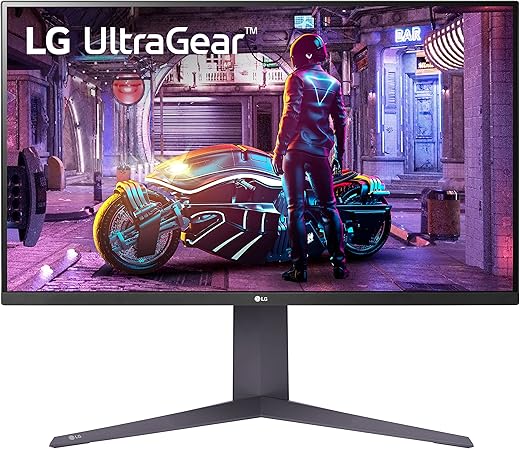
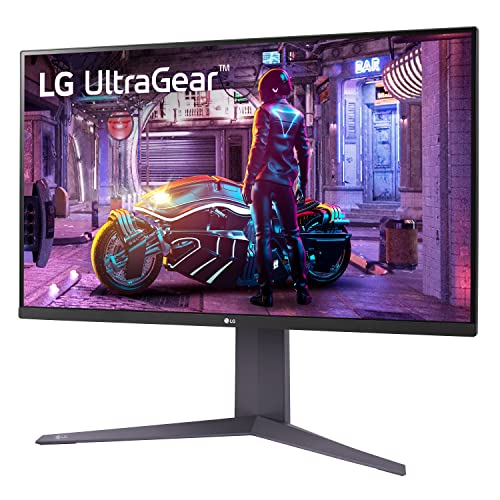
LG 32GQ750-B.AUS 32 Inch Gaming Monitor
 Amazon.com
Original price was: $699.99.$496.99Current price is: $496.99.
LG 32GQ750-B.AUS 32 Inch Gaming Monitor Price comparison


- All prices mentioned above are in United States dollar.
- This product is available at Amazon.com.
- At amazon.com you can purchase LG 32GQ750-B Ultragear Gaming Monitor 4K 32-Inch UHD VA 1ms (GtG) with HDR 10 AMD FreeSync 144Hz - Black for only $496.99
- The lowest price of LG 32GQ750-B Ultragear Gaming Monitor 4K 32-Inch UHD VA 1ms (GtG) with HDR 10 AMD FreeSync 144Hz - Black was obtained on September 24, 2025 07:27.
LG 32GQ750-B.AUS 32 Inch Gaming Monitor Price History
LG 32GQ750-B.AUS 32 Inch Gaming Monitor Description
LG 32GQ750-B.AUS 32 Inch Gaming Monitor – Elevate Your Gaming Experience
The LG 32GQ750-B.AUS 32 Inch Gaming Monitor brings your gaming to life with stunning 4K resolution and impressive specs. With a display size of 31.5 inches, this monitor is engineered for gamers who demand high performance and quality. Whether you’re immersed in a fast-paced game or streaming your favorite content, the LG 32GQ750-B ensures crystal-clear visuals and an exhilarating experience. Explore price comparisons below to find the best deal for this sought-after monitor!
Key Features and Benefits of the LG 32GQ750-B.AUS
- Impressive 4K Ultra HD Resolution: With a maximum screen resolution of 3840 x 2160, the LG 32GQ750-B delivers breathtaking clarity and detail, allowing you to see every detail in your games.
- Crisp Color Accuracy: This monitor utilizes LG’s advanced technology to provide vibrant colors and contrast for realistic images, enhancing your overall gaming experience.
- Fast Response Time: Experience minimal lag and smooth gameplay with a swift response time, ideal for action-packed gaming sessions.
- Ergonomic Design: With dimensions of 10.9 x 28.1 x 19.6 inches and a weight of only 20.1 pounds, the LG 32GQ750-B is not only lightweight but also designed to fit various gaming setups perfectly.
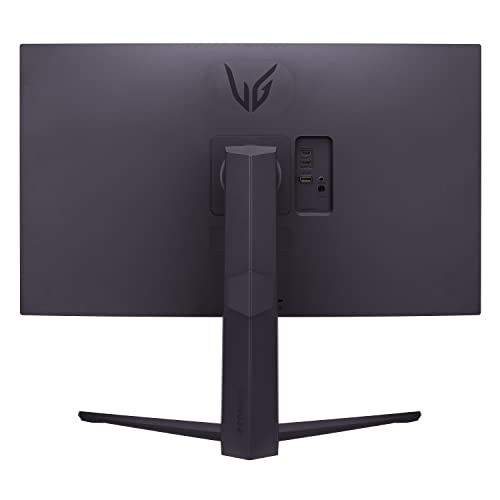
- Versatile Connectivity: This monitor comes with multiple input options, allowing seamless connections to your gaming console or PC.
- Powerful Built-in Features: Enjoy the convenience of an AC power source, ensuring you have a reliable power supply across your gaming sessions.
Price Comparison Across Suppliers
The LG 32GQ750-B.AUS is available at competitive prices from various retailers. The current market has prices ranging from around $499 to $599, offering you options depending on your budget. Be sure to check multiple suppliers for the best deal on this high-performance monitor. Remember, prices fluctuate frequently; keep an eye on our price history chart for the most up-to-date information.
Price Trends From the Last 6 Months
Over the past six months, the price of the LG 32GQ750-B has shown some interesting trends. Initially priced higher when launched, the average price has gradually decreased, providing buyers with a perfect window for purchase. This trend highlights how waiting for the right moment can lead to substantial savings. Monitor these trends on our price history chart to time your purchase wisely.
Customer Reviews Summary
Reviews for the LG 32GQ750-B.AUS reflect a overwhelmingly positive response from users who laud its visual quality and responsiveness. Customers have noted:
- Stunning Visuals: Many users praised the monitor’s clarity and color depth, stating it significantly enhances their gaming experiences.
- Design and Build Quality: Consumers appreciated the sleek design and sturdy build, with many highlighting its aesthetic appeal in their gaming setup.
However, some users have pointed out drawbacks, such as:
- Price Point: While many agree it’s worth the investment, a few found it slightly on the higher end compared to other options.
- Limited Adjustment Options: Some users mentioned that the monitor’s ergonomic features, while good, could be improved for enhanced adjustability.
Unboxing and Review Videos
For those interested in seeing the LG 32GQ750-B.AUS in action, several unboxing and review videos are available on YouTube. These videos provide a comprehensive look at the monitor’s features, setup process, and user experiences. Watching these videos can give you a better understanding of the product and help you assess its suitability for your needs.
To enhance your gaming sessions and ensure you’re making a wise buying decision, explore these resources and witness firsthand how the LG 32GQ750-B.AUS performs in real life.
Concluding Thoughts
In conclusion, the LG 32GQ750-B.AUS 32 Inch Gaming Monitor is a fantastic investment for gamers looking for vibrant visuals and efficient performance. With its competitive pricing and impressive specifications, it stands out as a leading choice in the gaming monitor market. Don’t miss your chance to transform your gaming experience.
Compare prices now and get ready to take your gaming setup to the next level!
LG 32GQ750-B.AUS 32 Inch Gaming Monitor Specification
Specification: LG 32GQ750-B.AUS 32 Inch Gaming Monitor
|
LG 32GQ750-B.AUS 32 Inch Gaming Monitor Reviews (7)
7 reviews for LG 32GQ750-B.AUS 32 Inch Gaming Monitor
Only logged in customers who have purchased this product may leave a review.





Jose Roberto Bejar –
Procuraré dar la mejor reseña posible en el poco tiempo que tengo con el monitor.
Es mi primer monitor de alta gama y valor (o tal vez, gama media alta), y es la renovación de mi setup, por lo que no podría dar referencias con respecto a otros monitores del mercado.
Antes que nada, trabajo como programador y estoy de home office, lo cual puede ser relevante para ti si es que buscas un monitor que se adapte tanto al trabajo como a la hora de jugar.
Menciono esto, porque primero tuve 2 monitores VA baratos de 24″, al principio eran buenos y siguen siendo buenos para gaming, pero para trabajar, después de un tiempo comencé con molestias en los ojos, tras un periodo de estar viendo el código, me lastimaba levemente los ojos, ya que, los ángulos de visión eran realmente malos en esos monitores, por lo que decidí comprar uno de 32 igual VA de LG (el que se muestra a la izquierda en las imágenes) y el salto en calidad fue superior, con ese ya no me dolieron los ojos, veo las cosas desde mejores ángulos y el brillo es superior, incluso podía comprar otro similar y quedarme con ambos. Pero, para ser sinceros, algo le faltaba y es que, al ver las orillas, como que se ve oscuro y no me deja ver el scroll para navegar por el código o las páginas web. Entonces, después de ver reviews y comparativas vs el Odyssey G7, al final decidí comprar este monitor para ver si con eso ya no tendría problemas de ningún tipo… Y realmente superó mis expectativas!!!
El monitor luce increíble en sus acabados, tiene esas luces traseras que lo hacen lucir aún más caro de lo que está, el diseño es magnífico. Y lo más importante, la nitidez, brillo de la pantalla, los ángulos de visión, los colores, pff, todo mejora con creces incluso contra el otro monitor que tengo, lo opaca en todo sentido!
Para trabajar está más que perfecto, no tengo ya ninguna queja o detalle que le pueda encontrar, el brillo lo tengo al 30 y siento que ya se ve bien, brillante, contra el nivel 50 en brillo que tiene el otro monitor. Ustedes pueden ver la comparación de colores en el gaming contra un monitor VA de menos precio a pesar de que es de la misma marca (LG UltraGear). Por lo que se aprecia, la representación de colores es abismalmente mejor, sin duda compraré otro monitor de estos para cambiar el que tengo de menor gama.
Con respecto al ghosting, a mi parecer prácticamente es inexistente, verificando las reviews que vi en inglés donde hacen el UFO test, tampoco no he encontrado fugas de luz (ojo, en la cámara parece verse algo extraño, pero saben que, a diferencia de una cámara, el ojo humano lo interpreta distino), el ips glow la verdad no soy muy experto, pero la verdad es que no me quejo nada en todos esos temas que podrían preocuparlos.
La conexión por USB funciona excelente y en el monitor tengo conectado un micrófono el cual reconoce sin problemas.
Aún no hago pruebas con todos los ajustes y parámetros que tiene el monitor, en mi caso no lo veo necesario, ya que casi no juego competitivo.
Veredicto final: 10/10 es excelentísimo para jugar y para programar es una chulada, contenido multimedia y ocio más que de sobra.
Marky Mark –
Hi everyone, let me just say this is my first ever review for anything. I’m leaving this review because this is by far the best monitor I’ve ever had and in this review you’ll hopefully see why I say that. Also, these settings are for pc gaming only and not for console gaming. Also I am not a TV or gaming monitor expert nor do I claim to be. These are just my opinions and experience that I have with this monitor that I just wanted to share to the public just incase you are on the fence about this monitor. Enjoy!
First let me just say my LG 32GQ950-B manufacturing date is the 5/2022 version. If you want to see what date yours was manufactured on just look on the back of your monitor. Also My monitor came perfect in every way. There’s no dead pixels, no excessive blooming or excessive backlight bleeding, and no physical damage to the box or to the monitor itself.
(PRICE)
So the Amazon retail price at $1,299.00 is insane if you ask me and worth is up to you and only you. I bought this monitor when it was on sale for $996.99 back in mid August 2022 but I ended up paying a total of $848.85 because I had money left on my Amazon gift card and a few dollars in rewards points that I used and for that price I couldn’t pass it up.
(QUALITY)
QC with my LG 32GQ950-B monitor is top notch in every way. Every LG TV or Gaming Monitor I’ve ever had has always been great in every way every time in my experience.
(SIZE)
So I’m use to normally playing games on 27″ gaming monitors like my Alienware AW2721D 1440p 240hz gaming monitor. So really I didn’t know how I’ll feel about a 32″ gaming monitor. Honestly it’s not that big of a difference from a 27″ monitor at all. I literally sit the same distance away from my 32″ LG as I sat from my 27″ AW gaming monitor. So the change isn’t that huge of a change for me and I’m sure you’ll feel the same once it’s in front of you.
(VISUAL COLORS)
The colors on this monitor out the box is actually shocking in a good way, however after you calibrate it the picture is amazingly beautiful and vibrate especially in the sRGB mode and 12 bit color, one of the best out now if you ask me. HDR is ok and is usable but it just seems like the colors in HDR looks faded, but you can turn the vibrancy up on your pc settings, and brightness and that looks a whole lot better but I just prefer the sRGB mode which I believe I found the perfect settings for gaming or at least for the games I currently play like Call Of Duty Warzone.
(CALIBRATION)
So first, the calibration for the 32GQ950-B is best from the rtings.com page in my opinion. Once you’re on there page type in the 32GQ950-B into there search bar. Once that pops up, click on the 32GQ950-B link that pops up, and then scroll down until you see the “Color Accuracy (Post-Calibration)” section, and below the 3 pictures shown you’ll see “ICC Profile” and next to that “Download”. If you don’t know how to add an ICC profile just YouTube it and you’ll be fine.
Now once you’ve correctly added the calibration to your monitor, replicate my “NIVIDIA Control Panel” settings you see in the pictures on it that I have posted. Now let’s set the monitor settings. Here is my on monitor settings that I have and thoroughly tested for best picture quality.
(LG 32GQ950-B GAMING MONITOR ON MONITOR SETTINGS)
GAME MODE- (Gamer 1)
GAME ADJUST- (Overclock: ON) – (Black Stabilizer: 55) – (Response Time: NORMAL)
PICTURE ADJUST- (Brightness: 90-100) – (Contrast: 68) – (Sharpness: 50) – (Gamma: MODE 2) – (Color Temp: CUSTOM) – (R/G/B: DEFAULT) – (Six Color: DEFAULT) – (Local Dimming: OFF) – (DFC: OFF)
GENERAL- (SMART ENERGY SAVINGS: OFF)
(PICTURES)
1st. Pic: I posted my character at the main screen on Warzone, you’ll see just how good and deep the blacks really are if you focus on the picture in the bottom right hand corner of the screen shot. With no loss of color or detail else where on the picture.
2nd Pic: Showing you more detailing and if you look straight down in the whole in the ground you can clearly see any and everything there bright and very clearly visible.
3rd Pic: Is to show that playing in 4K doesn’t mean you can’t have 200+ frames per second. I average between 200 – 250 fps in 4K on Warzone on “High Settings” depending on where I am on the map. (Granted I do have a beast of a PC I built which harness a RTX 3090 FTW3 24GB GPU, i9-12900k CPU, ROG Maximus Z690 MOBO, G.Skill Trident Z5 32GB (2x16GB) DDR5 6000mhz of RAM, cooled with the NZXT Kraken Z73 LCD liquid cooler RAD, powered by my Straight Power Platinum 1200W PSU all inside the Lian Li 011 Dynamic EVO Snow Edition, all white build.)
4th Pic: Is Apex vibrant colors and the character I chose is so you can see how white the whites are with my settings aside from the other vibrant colors on the screen shot. Beautiful I think.
5th Pic: Another Apex character and if you focus on his hat you’ll see all the colorful details in his hat and outfit.
6th-10th Pic: Are my Warzone “Graphic Settings”. I bought this monitor, the 32GQ950-B for it’s graphical fidelity potential. I like the best of both worlds, fps and graphics and so this monitor combined with my PC is a match that I’ve always craved since building my PC.
(FINAL THOUGHTS)
If you want a 32″ 1ms 4K gaming monitor with excellent true to life colors at 144hz, 160hz Overclocked then this is by far the one you should get. It’s the perfect size for 4K gaming, It’s bright, whites are really white, blacks are deep blacks (NOT grey!), there’s no flickering whatsoever, colors in sRGB mode are stunning in 10bit and 12bit mode, HDR mode is viable but could be better, it’s a fast monitor with no blur at all, so it’s great for shooters and any other game you can throw at it, it’s 144hz and 160hz OC, it’s 32″ inches of awesomeness, great ventilation which means it doesn’t get hot at all, user interface is great and easy to navigate, VESA mount or use the stand which is strong and sturdy, QC seems to be on point, anti-glare is very nice, there’s no burn in to be nervous of, and if you can get this LG 32GQ950-B gaming monitor on sale then don’t hesitate to do it, you won’t be disappointed at all. This monitor is amazing and the picture quality is beautiful with outstanding details and hopefully I was able to show you that in my review.
Thank you for your time and have a great day.
Marky Mark –
Beautiful size and great 4k picture with auto HDR
Eddie Manoukian –
Lo uso para xbox y jugar warzone principalmente
La diferencia de jugar en una TV de 60 pulgadas a 60hz a jugar en este monitor es abismal, todo se ve super fluido, mejores colores, ves detalles que antes no, fallas menos, tienes mejor tiempo de reacción
Lo unico que me costó fue configurar adecuadamente los colores porque es diferente a como lo harias en una TV
Les dejó mi configuración con la que segun yo se ve de maravilla
Brillo 70
Contraste 70
Nitidez 90
Gamma tipo 3
Temperatura Usuario
Rgb R50 G55 B60
6 colores: saturacion de rojo 55, saturacion amarillo 55 los demas parametros en 50
DFC off
Vrr tiempo de respuesta mas rapido
Estabilizador negros 40
Adrian Garcia –
Si lo quieres para xbox, ps5 es una chulada el monitor, la verdad súper recomendable, lo unico que no tiene es Dolby vision pero no hay gran diferencia te lo aseguro.
Def Billy –
I had this model months ago but used it and I kept tinkering around with it to see any visual or performance differences between HDMI 2.1 and DP 1.4a in HDR and 240hz. I was able to see differences – which I thought was ODD since HDMI 2.1 had greater bandwidth and was newer.
To put it short, DP was quicker, had whiter whites at similar adjustment and it allowed me to get into the BIOS, which HDMI does not even display the BIOS screen! DP with DSC is the only version that allows you to get 1440P/HDR/10-bit color/240hz. HDMI 2.1 allows those with room to spare. I then tried those settings with DP 1.4 with no DSC, and it will not allow anything above 144hz. I found that odd since DP specs say that it is doable.
From gaming, I found that DP 1.4 @144hz AND @240hz DSC, reacted quicker than HDMI 2.1 (both with the latest, high quality official cables) and gaming textures appeared more realistic and more detailed. Of course, I am wondering how this was possible – but that is what I got! I also noticed that when I gamed with 2.1 and DP DSC @240hz, performance took a hit – which I again thought was ODD! Colors even looked washed out @240hz – gaming and Windows. I was starting to think that LG was using 240hz as a marketing gimmick and it was really a 144hz monitor pushed to 240hz by monitor software. Then I thought – the overdrive in the monitor pushes it to 265hz, so something else was up.
Anyway, I just kept checking this out online, mainly for pricing – just out of curiosity. I like to see if I got the best deal. So, I look on Amazon and I see that it is going for about $150 LESS than I paid not long ago. For some reason, Amazon did not want to give me the price difference and save a return. I am glad that they did not!!!
Today, I get the replacement model and although the box was damaged – this replacement was manufactured on 07/2022 and the previous was 05/2022. I decided to look at the dates once I hooked the new one up and immediately noticed TWO things – NOT LAG @240hz, and more luscious and distinct colors! This was at 240hz, so I decided to run more tests! THIS TIME, I immediately noticed MORE color, MORE detail and more freedom in HD/4K movies, gaming and internet! I viewed the same scenes from Book of Boba Fett, and on the other model, it looked great, but nothing special. On this replacement – it looked liked something special! This time, I could see the stitching in the clothing and difference textures on Fett’s helmet, along with totally distinct colors and extreme detail! The difference as clear.
In gaming, I started up GTA V Online and more details were clear and the city looked more realistic as colors were more localized for whatever section of the city had whatever color scheme. There were more minute details in effects and textures. Most importantly – @240hz – it was SMOOTH, CLEAN, QUICK, with no lag! This was on DP 1.4a and HDMI 2.1! Textures were more realistic and brought greater effect!
This time, it also seemed as if the greater bandwidth in HDMI 2.1 was showing. However, both performed greatly. Maybe the replacement had a newer firmware, allowing the full bandwidth of both inputs, or the old one just had some issue holding them back. Either way, I am happy that I switched out, as I save money AND get better performance!
Lastly, I don’t want a 4K monitor, as I don’t want my PC having as good or better quality as my TV – even though watching live shows on this monitor @240hz DOES bring in better quality than the TV. Sometimes I imagine if seeing 4K @240hz would look even better…
UPDATE ONE: I noticed some edge bleeding along the bottom and it turns black into a cranberry or faded look. As much as I love the performance of THIS one, I may have to exchange it. I just hope that the next one has the uniformity of the first one but with the quality and performance of the second one. They SHOULD have better quality control at this price point. Part of me wonder if I got a 4K panel reduced to 1440P. We will see….
UPDATE TWO (12/19/22): I did receive the new one and I did get the best of both worlds! I now have the black and more uniform display of the first one, along with the performance and detail of the second one – despite it having been manufactured on 6/22.
I feared for the worse, but now I can safely say that this is it and I am satisfied. I went over all materials that I had gone over with the 2nd model and blacks in the corners are black and not emitting a cranberry color light and watching movies or anything is now more even with a much better presentation. Blacks are blacks (as far as LCD’s go) and colors are backed by black and actual white, without the cranberry coloring infringing on the picture.
The only small detail is that it is not quite as detailed as the 2nd, but it is close. Maybe the extra light did something to the picture, but the added blacks on the 3rd reinforce the picture. I knew that constantly seeing that cranberry coloring in the corners would always be on my mind, and I am glad that I made the switch.
Hopefully this will be the last monitor that I buy for years. There is STILL the issue of colors looking richer from Displayport than on HDMI 2.1 @240hz, despite HDMI having more bandwidth. I still find that odd. I thought that both had the same color capabilities. I also tried 260hz and I have not noticed any oddities and it made the picture a little sharper and more detailed.
This seems like the best overall deal for a monitor with HDMI 2.1 and the other features. If you do get a different brand, make sure it has DP 1.4a if it does not have HDMI 2.1.
Lastly, the 240hz picture – be it watching videos or playing games, looks very clean and clear and dare I say better than a 4K TV. It reminds me of 1080i vs 1080P.
UPDATE THREE (7/1/2023):
LOL. Yes, another update. I thought that I should add, that I originally used a separately purchased HDMI 2.1 cable and all of the above applied to that. I JUST got around to switching to an unlicensed Pacroban white cable that I bought about 3 years ago – and that, for some reason, gave an instantaneous improvement in bandwidth! I don’t know if it was what it was made of or what, but when I was playing GTA V online, everything was rendered with all setting maxed out! Even MORE details came out with small particle effects such as glass being shot out, explosions, smoke, debris in the air, cars that look even more like painted metal, rocks that look more realistic and with more depth! Best of all – ZERO latency and when I moved the mouse around, the 48gbps HDMI 2.1 bandwidth, finally felt as if it had the bandwidth to spare!
However – it get’s even better!!! I put the licensed cable on my 4K TV – and THAT one greatly improved the picture quality similar to what I just described for my 4k Sony player! So… I decided to use the licensed cable from another brand and hook it up to my PC – and what I just described was the same – but better!!!! There must be some internal differences between cable quality, as I used to keep trying to decide if the DP was better and why the HDMI 2.1 seemed no better than DP. NOW, it is a no contest! I ditched the DP cable and now the HDMI 2.1 is a the CLEAR-CUT winner!
Add to that an NVIDIA update that now allows the BIOS to be accessed through HDMI, and now HDMI 2.1 is where it is at all the way. The improvement is so great, that I now give this monitor the full five stars instead of four! NOW – I have the experience that I expected from this! it is crazy how after a year, my mind is blown even more so!
Adrian Garcia –
This is a nice monitor, nothing flashy but the picture is good. I use it as a secondary monitor so I haven’t done any gaming on it