
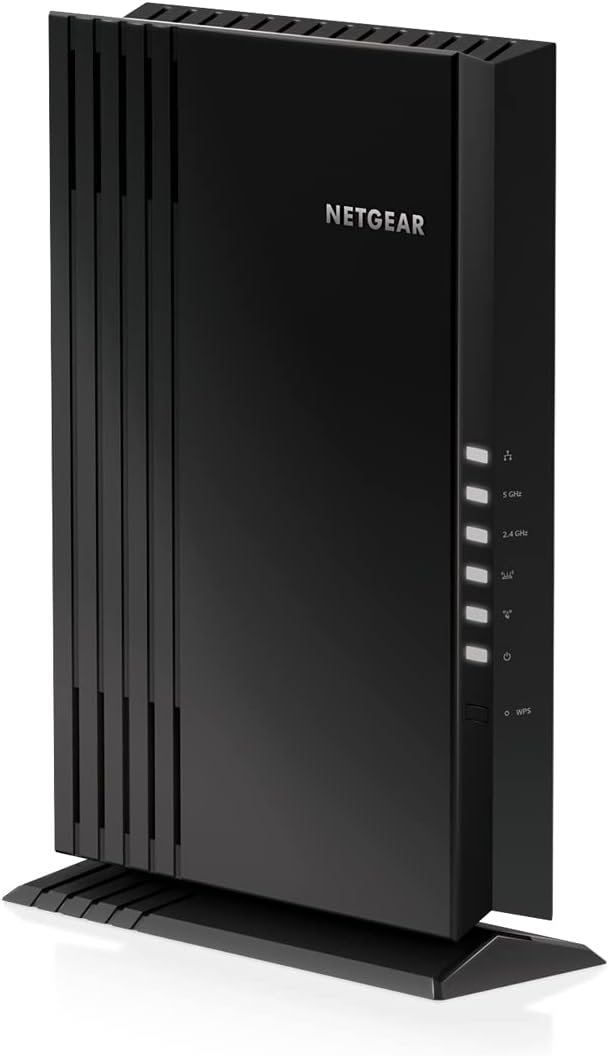
NETGEAR WiFi 6 Mesh Range Extender (EAX18)

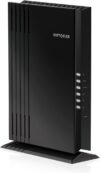
$100.00
NETGEAR WiFi 6 Mesh Range Extender (EAX18) Price comparison


- All prices mentioned above are in United States dollar.
- This product is available at Amazon.com.
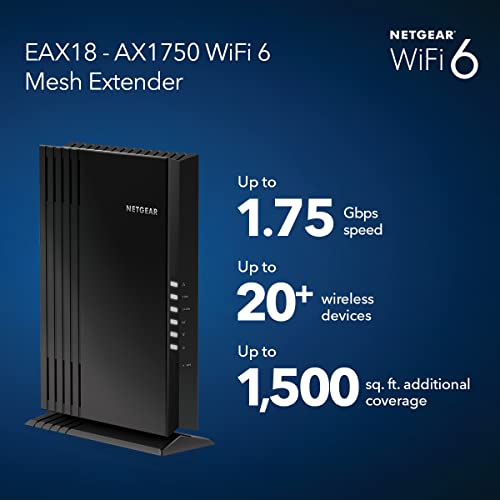
- At amazon.com you can purchase NETGEAR WiFi 6 Mesh Range Extender (EAX18) - Add up to 1,500 sq. ft. and 20+ Devices with AX1750 Dual-Band Wireless Signal Booster & Repeater (up to 1.75Gbps Speed), WPA3 Security, Smart Roaming for only $115.00
- The lowest price of NETGEAR WiFi 6 Mesh Range Extender (EAX18) - Add up to 1,500 sq. ft. and 20+ Devices with AX1750 Dual-Band Wireless Signal Booster & Repeater (up to 1.75Gbps Speed), WPA3 Security, Smart Roaming was obtained on September 11, 2026 09:58.
NETGEAR WiFi 6 Mesh Range Extender (EAX18) Price History
NETGEAR WiFi 6 Mesh Range Extender (EAX18) Description
NETGEAR WiFi 6 Mesh Range Extender (EAX18) Enhance Your Home Network
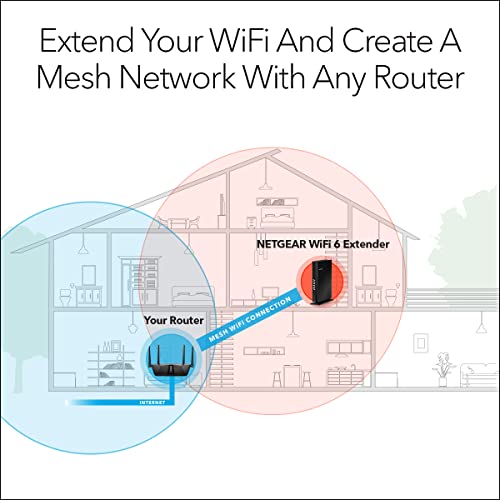
The NETGEAR WiFi 6 Mesh Range Extender (EAX18) is a cutting-edge solution designed to amplify your WiFi coverage without compromise. If you’re struggling with dead zones or inconsistent signal strength in your home or office, this range extender promises to fill those gaps efficiently. With the latest WiFi 6 technology, the EAX18 aims to provide seamless connectivity, making it an essential device in today’s connected world.
Why Choose the NETGEAR WiFi 6 Mesh Range Extender (EAX18)?
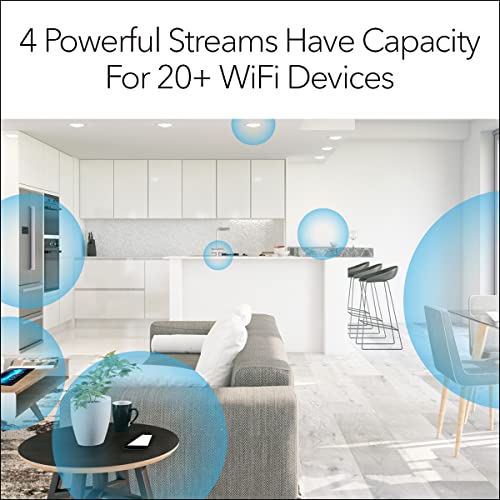
- Improved Coverage: Boosts your existing WiFi signal up to 1,500 square feet for multiple devices simultaneously.
- WiFi 6 Technology: Offers up to 4.2Gbps speed to support more devices with less lag, ideal for gaming and streaming.
- Smart Roaming: Automatically connects your devices to the strongest available signal, ensuring stable connections.
- Easy Setup: Simple installation through the Nighthawk app, allowing you to set up and manage your network effortlessly.
- Gigabit Ethernet Ports: Includes four Ethernet ports for wired connections, perfect for gaming consoles and smart TVs.
Price Comparison for NETGEAR WiFi 6 Mesh Range Extender (EAX18)
When it comes to pricing, the NETGEAR WiFi 6 Mesh Range Extender (EAX18) displays a competitive range. Over the last six months, prices have fluctuated slightly, peaking at around $149.99 but often available for as low as $129.99 during promotional events. Comparing prices across various suppliers reveals that you can typically find it between $130 to $150, with most online retailers offering attractive deals. This range reflects both the demand for high-performance WiFi extenders and the ongoing promotions from different vendors.
Explore Six-Month Price Trends
According to the six-month price history chart, we can observe that the NETGEAR WiFi 6 Mesh Range Extender (EAX18) tends to drop in price during major sales events, such as Black Friday and Cyber Monday. Customers who purchase during these times can save significantly. If you’re patient and willing to time your purchase well, you might secure the best deal.
Customer Reviews and Feedback
Customer feedback on the NETGEAR WiFi 6 Mesh Range Extender (EAX18) reveals a mixed bag of sentiments, with many praising its fast speeds and ease of setup. Positive reviews frequently highlight:
- Excellent coverage, even in large homes.
- Smooth streaming experiences without buffering.
- Quick and straightforward installation process.
However, some users have pointed out a few drawbacks:
- Occasional connectivity drops in high interference environments.
- Requires periodic firmware updates to maintain optimal performance.
While the overall feedback leans towards the advantageous features, considering reviews will help you make an informed decision.
Watch NETGEAR EAX18 in Action
For an in-depth look at the NETGEAR WiFi 6 Mesh Range Extender (EAX18), check out the various unboxing and review videos available on popular platforms like YouTube. These videos often feature user experiences, setup processes, and performance assessments, providing valuable visual insights before committing to a purchase. Customers appreciate the clarity these visuals offer when choosing a device to enhance their internet connectivity.
Final Thoughts
The NETGEAR WiFi 6 Mesh Range Extender (EAX18) stands out as a reliable choice for anyone looking to maximize their WiFi coverage. With multiple features designed to enhance performance and usability, it addresses key connectivity issues in modern homes and offices. Given its competitive price range and impressive capabilities, this extender is undoubtedly a worthy investment for those aiming to boost their internet experience.
Ready to enhance your network? Compare prices now!
NETGEAR WiFi 6 Mesh Range Extender (EAX18) Reviews (8)
8 reviews for NETGEAR WiFi 6 Mesh Range Extender (EAX18)
Only logged in customers who have purchased this product may leave a review.






D. Locklair –
Wasn’t easy to install. Good price but when I called Netgear for help I was told it was several years old.
Good range.
Radiojim –
I have Linksys nodes in another house that automatically connect in a chain to provide a stronger signal to distant areas of the house. They work wonderfully.
I went with netgear at the other house because I always liked my nighthawk router, however I have never been able to get these things to link as a chain, rather than both connecting to the router. So instead of it actually extending the network the way it should, I’m stuck with basically the same speed as I had without this node. Linksys is 100x better.
Philip –
I use Google fiber and was having issues with our WiFi and they upgraded us to a newer WiFi 6 router. We found the issues with our Google fiber extender were because with it being located in the basement, it would not get a good enough signal to extend the WiFi. The new extender had to stay upstairs which left our basement (where my main PC is located) with bad WiFi signal. I was debating between one like this or just another Google fiber extender and went ahead and got this to help with the basement and it has definitely done the job!
The extender itself was insanely easy to setup. Just plugged it in, downloaded the app, and entered some basic setup info. After that everything was up and running. On top of increasing the signal for the basement I wanted to be able to connect my main PC directly to the new extender and can say this has made significant increases to my PC internet speed. I play a lot of competitive online games and with my current setup I can’t hardwire directly to the router so this is the best I can do, but it works great! Before this extender I couldn’t even play games with how laggy it would get. Now my games are running smooth and my downloads speeds are better as well!
Anthony C –
I have had this extender for about 8 months now and it has never worked right. I have been using a work around of using the devices LAN port to connect to my PC more or less like an expensive Wifi adapter. I am able to connect and setup the extender and transmit the internet signal from my router but it blocks about 25% of the Web sites. I first tried to use the customer support (90 days free) and they were no help at all all I kept getting were instructions to reboot reset etc. from an obvious decision tree they had on their computer.
They could not understand what I was talking about let alone give me a fix after some hours of frustration I just gave up and have used the LAN port work around ever since . It actually gives me good trough put about 300 mbs on a 800 mbs cable internet connection so I didn’t send it back. I have seen many complaints about the same problem on the net with no definitive solutions
Mike Arnson –
All that came in the box along with the extender was a simple two side printed card telling me to download the Nighthawk app on my phone and get installation instructions there–not all of us want to live our entire lives on our phones!
Did it come with a user manual? Or maybe a QuickStart pamphlet! Nope, neither. Are they available? Of course, but you have to log onto Netgear’s website to find and download them. A QuickStart guide is the absolute minimum of what should be included with in the box with ANY product. The one you can download as a .PDF from Netgear is in a wide paper format which can only be printed on standard paper by capturing screenshots of it in “chunks” and printing them separately.
I eventually downloaded the NightHawk app, but it did not solve my installation problem. So I downloaded the user manual, which is excellent (good, detailed steps for a lot of different configuration options). But even following its extensive instructions, my desired configuration didn’t happen–wanted it to work as an access point from an unmanaged wired switch that’s a distance from my router. I eventually had to retreat to using it as a plain range extender. It does work well for that, but I’m not able to reach the signal as far as I would have if I could have connected it to the switch.
Anthony C –
Works great easy set up using the WPS Button. But use the app. after that so you can make some adjustments. like turning off some of the led lights. (see photo) and to make your setting more compatible with your wifi router. if needed. also on the mesh extender you will not get Netgear ext. it will just be Netgear and Netgear-5g and Netgear_guest
just_some_old_guy –
This box was a bit of a pain to setup. Reading the reviews I noticed that some people have problems and others say it was “so easy!”. I think I figured out why. The key is that when you first power up the extender you want to see a new wifi network called NETGEAR_EXT. I didn’t see that. You have to reset the router with a paperclip in order to see it. You gently hold the button in for about 10 seconds and the extender will reboot itself. Once it reboots you should see the NETGEAR_EXT network (use your phone to find it.) . I then used the Nighthawk app on my android phone to finish the setup. It was pretty straight forward. At times it was kind of slow taking three or four minutes to complete a step but it did the job. So be patient. In the steps it asks for the wifi password of the router whose range you are extending. Again, the app is kind of slow, hang in there. Once it’s done the NETGEAR_EXT network goes away and both your router and the extender will push out the network name on your router. I have the router in my basement office ( I use wired connections to my computers) and the extender in my wife’s office above me on the first floor. The Router Link LED is Solid amber. Meaning good connection. My wife’s printer (non-wifi) and a phone box (like an Ooma) are connected with ethernet cables to the extender. Seem to work okay. Good luck everybody!
J. Wilson –
I have a 3,100 sq ft house with the internet modem upstairs and a 4k TV system far away downstairs. I had difficulty with 3 routers, two extenders and a Deco 6ii mesh system. The EAX18 teamed with a RAX50 router work perfectly. Steams 4k fine. The speed test on my FireStick always has 50-100 mbps even with several computers online. I really like the ethernet ports on the EAX18 so I can wire my TV and stream devices together and more efficiently use the signal.