
Phomemo M960 Bluetooth Label Maker Printer
 Bestbuy.com
  Shein.com
  Walmart.com
  Kohls.com
  Lenovo.com
  Positivepromotions.com
Phomemo M960 Bluetooth Label Maker Printer Price comparison












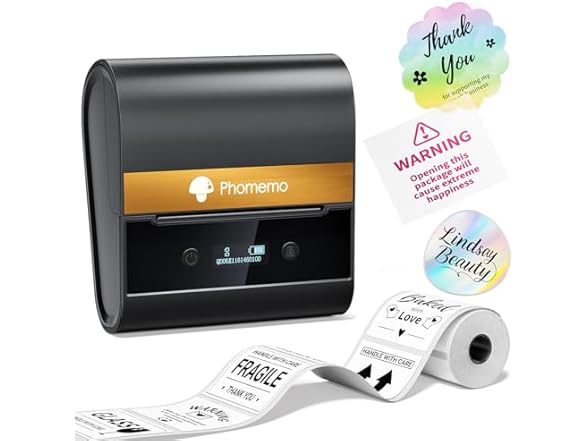
- All prices mentioned above are in United States dollar.
- This product is available at Walmart, SHEIN, Bestbuy, Amazon.com.
- At walmart.com you can purchase D30 Portable Bluetooth Label Printer with Tape Label Maker Handheld Machine, Multiple Templates Available for Smartphone Easy to Use for Office Home Organization USB Rechargeable for only $24.92 , which is 78% less than the cost in Bestbuy ($114.99).
- The lowest price of Brother - P-touch PT-D610BT Wireless Label Printer - Black was obtained on October 8, 2026 21:26.
Phomemo M960 Bluetooth Label Maker Printer Price History
Phomemo M960 Bluetooth Label Maker Printer Description
Phomemo M960 Bluetooth Label Maker Printer: Your Ultimate Organization Tool
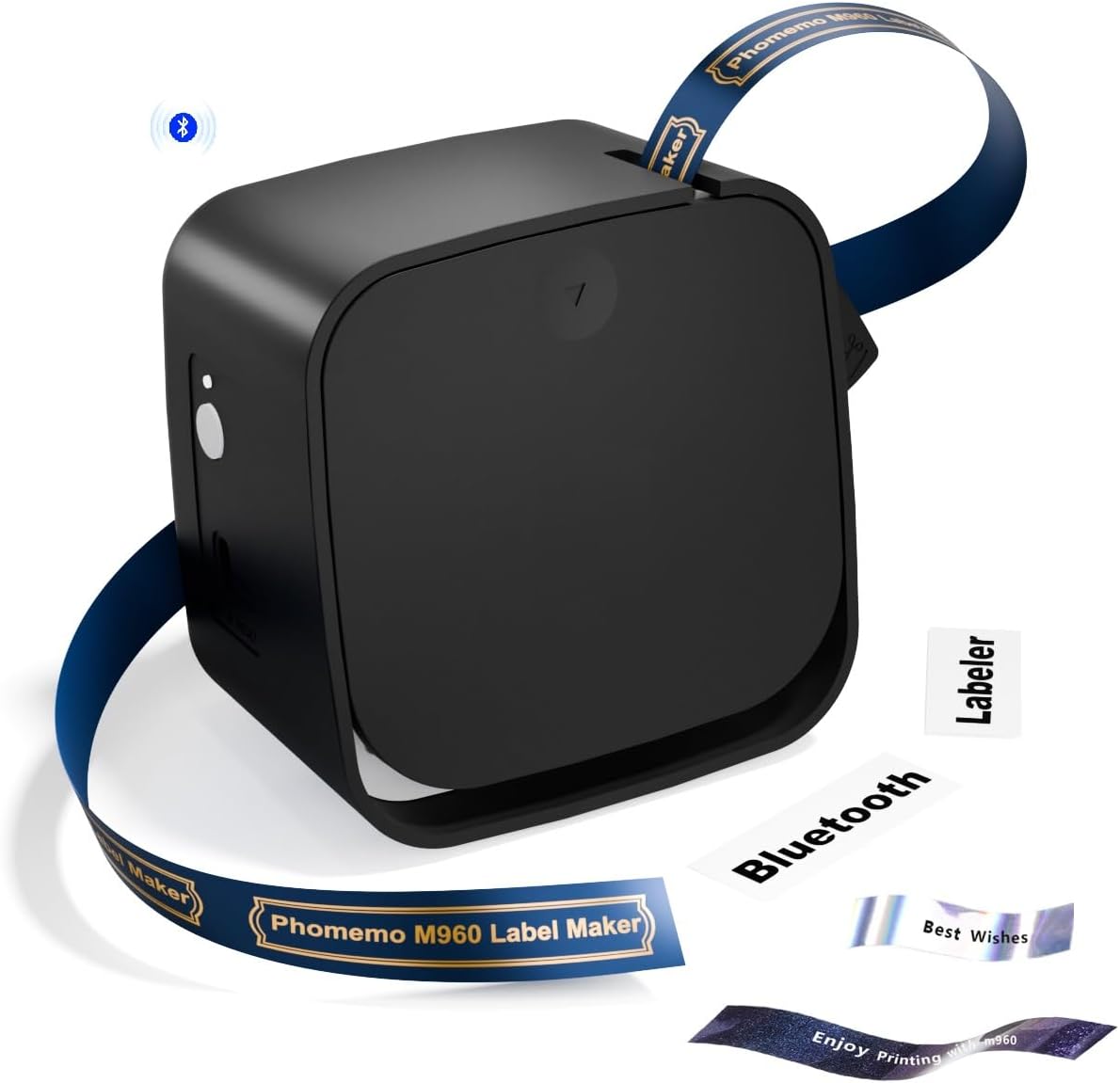
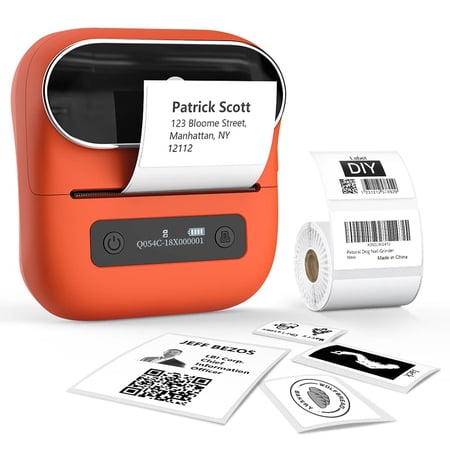
The Phomemo M960 Bluetooth Label Maker Printer is your go-to solution for portable labeling and on-the-go organization. This sleek and compact label maker is perfect for anyone needing quick item labeling, price tagging, document sorting, or even executing DIY projects. With its advanced features and user-friendly design, the Phomemo M960 will revolutionize your labeling experience. Explore its advantages, compare prices across retailers, and read what customers say about it!
Key Features and Benefits of the Phomemo M960 Label Maker
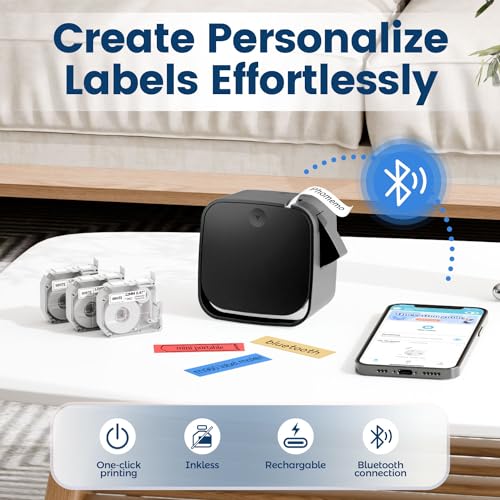
- Bluetooth Connectivity: Enjoy seamless connections to your smartphones via Bluetooth technology, making it easy to create labels directly from your device.
- High Print Speed: Capable of printing 10 monochrome pages per minute (ppm) and 1 color page per minute, you’ll never have to wait long for your labels.
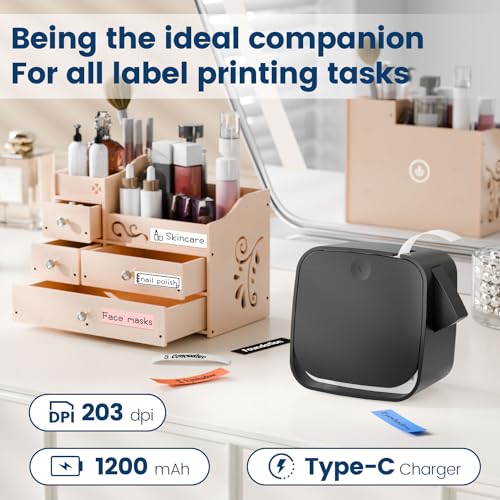
- 203 x 203 DPI Resolution: Achieve crisp and clear labels with a high-quality print resolution, ensuring your labels are easy to read and visually appealing.
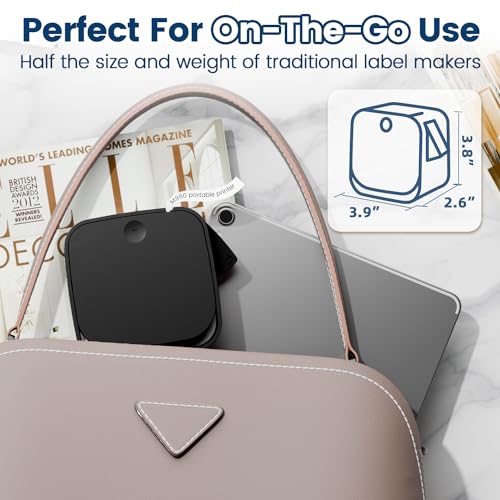
- Compact and Portable: With dimensions of 4.57″D x 2.17″W x 5.51″H, it’s easy to carry the M960 anywhere – perfect for those on the go.
- Versatile Labeling Use: Ideal for home organization, business uses like price tagging, or just for crafting and DIY projects.
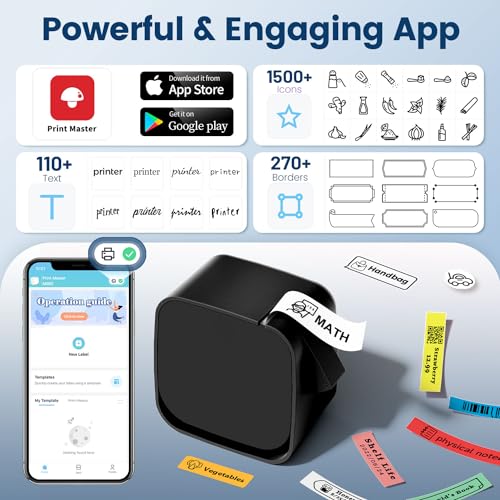
- App-Control: Control your label maker through a user-friendly mobile app compatible with both iOS and Android devices.
- Monochrome Output: Benefit from high-quality black-and-white labels that are easy to read and suitable for all your labeling needs.
Price Comparison Across Retailers
The Phomemo M960 Bluetooth Label Maker is available from various suppliers, each offering competitive pricing to cater to your budgeting needs. Depending on your location and time of purchase, prices can vary. On average, you can expect the M960 to retail between $49.99 and $69.99. Use our price comparison tool to find the best deal and save money today!
Trends from the 6-Month Price History Chart
A review of the last six months shows a relatively stable price for the Phomemo M960. However, customers may notice periodic drops in pricing during popular sales events or holiday periods. Keeping an eye on these trends could help you snag this label maker at the best price!
Customer Reviews Summary
Feedback from users of the Phomemo M960 is largely positive, highlighting its ease of use and effectiveness. Users appreciate the compact size, making it ideal for home and office use. Many reviews emphasize how quickly and efficiently the printer can create labels, enhancing productivity. Customers also enjoy the variety of label designs available through the accompanying app.
However, some users noted drawbacks, primarily related to the label materials and costs. A few reviews mentioned that while the printer excels in functionality, users would benefit from a broader range of label sizes and colors. Others stated that the label supplies could become somewhat pricey over time. Balancing your labeling needs with the associated costs is essential when considering this printer.
Unboxing and Review Videos to Explore
For those wanting a closer look at the Phomemo M960, several unboxing and review videos are available on YouTube. These videos offer detailed insights into the printer’s setup, functionalities, and real-world usage. Watching these reviews could significantly aid potential buyers, showcasing both the exciting features and practical applications of this labeling device.
Incorporating user experiences and product demonstrations can allow you to visualize how this portable label maker could fit into your lifestyle. Don’t miss the chance to check them out before making your final decision!
In conclusion, the Phomemo M960 Bluetooth Label Maker Printer is an efficient and portable solution for anyone looking to enhance their labeling processes. With a great balance of functionality, speed, and connectivity, it stands as one of the top choices in its category. Don’t forget to compare prices now and see how this versatile tool can help simplify your organizational needs!
Compare prices now!
Phomemo M960 Bluetooth Label Maker Printer Specification
Specification: Phomemo M960 Bluetooth Label Maker Printer
|
Phomemo M960 Bluetooth Label Maker Printer Reviews (13)
13 reviews for Phomemo M960 Bluetooth Label Maker Printer
Only logged in customers who have purchased this product may leave a review.
MI –
Love it
Abe C –
Reasons To Buy
+ Software driven label printing lets you mix and match images and fonts… more so than a handheld label printer with built in keypad.
+ The print resolution is pretty good.
+ If you are willing to clip a couple of ribbon alignment posts with a flush cutter (or nail clippers), it will work with Brother M-K231 compatible ribbons (see attached photos)
+ Connects via bluetooth to your mobile device
+ Type-C charging
Nitpicks / Hit or Miss
* The cartridges are almost identical to Brother M-K231 cartridges, but there are a couple of alignment posts that block those cartridges from being used.
* It is a real pain to pop out label cartridges. On my unit they don’t come out as easily as a Brother label printer. They can sometimes take a bit of work.
* There’s a battery compartment with a lithium ion battery that also looks like you can put AAA batteries in it, but the lithium battery in there didn’t just pop out for me.
* The Android app is fine, but could be better designed.
Reasons Not To Buy
– If you don’t mod it, M960 specific compatible ribbons might be hard to find or a little more expensive (with import fees) at the time of review
Good Value?
If you mod it, it’s great, because of the increased label cartridge compatibility. If you’re not willing to mod it, it depends on availability of M960 cartridges.
Goddess of Chaos –
I have a few thermal printers, and while they will take any color paper/stickers this is the first one I’ve used where a ribbon in the cartridge controls what color prints on the label, adding to the versatility.
I do wish the unit itself was smaller, I have printers that will print on bigger paper that are physically smaller, but for having at my desk to label file folders, and make printed labels for my planner for things that need to be either highly legible or eye catching, this is a win for me.
A. D –
Ease to setup, love the size and the design
SN –
I have Phomemo T02 thermal printer that I use for creating label stickers 50mm wide, but it’s hard to print smaller labels, like for spice jars etc, without wasting costly paper. So I thought it would be nice to get a dedicated labeler instead.
I suspect this may be an older design that they upgraded from battery operated to rechargeable. There is a battery compartment on the bottom, but I could not get the screw to move at all….and this is a rechargeable unit with a USB-C port (USB-A to USB-C cord included, no block.) The result is that although this only prints label tape, the machine is considerably larger than my T02. For storage purposes, that is rather disappointing. However, I don’t see needing to carry around this labeler, unlike my T02.
Unfortunately the M960 also needs a separate app from the other Phomeno printers. It was very simple to pair the device with my phone. and does come with preset templates, however you can just start with a blank label. The print is very clear, and the cutter on the case is easy to use and gives a clean edge.
This is a good addition for people who like to organize things. One thing I’m not sure is just how much tape is on the roll. I don’t suspect it will last long before I’ll have to get more.
Tha Queen –
This is a great item and I have been labeling everything. For those wondering I had/have no problem using or pairing the app on iPhone 15.
John Suarez –
**A Week of Mini Labels, Big Questions**
The Phomemo M960 promises label-making magic in a miniature package. But after a week of putting it through its paces, I’m left with a mix of admiration and frustration. Is this tiny titan a labeling dream come true, or a pocket paperweight destined for the back of the drawer? Let’s unpack the good, the bad, and the stick-it-to-it-all truth.
**First Impressions:**
Smaller than a smartphone and lighter than a candy bar, the M960 is undeniably cute. Its sleek black design and smooth curves feel surprisingly sturdy. Setting it up is a breeze – just charge it up, download the “Print Master” app on your phone, and pair via Bluetooth. The app interface is clear and colorful, with a plethora of templates, symbols, and fonts to unleash your inner label-loving Picasso.
**Living with the M960:**
**Labeling Like a Pro (Mostly):** Printing labels is as easy as pointing, tapping, and sticking. The M960 churns out crisp, clear text on the included tape (black on white in my case, but plenty of other colors and even glitter tapes are available). I labeled spice jars, pantry shelves, cables, and even my kid’s toy bins, transforming my home into an organizational oasis (well, at least for a little while).
**Tiny Titan, Big Limitations:** The M960’s size is both its charm and its curse. While it’s incredibly portable, the small tape roll means frequent reloads. The app can be glitchy at times, refusing to connect or freezing mid-print. And while the battery life is decent, it drains quickly with continuous use.
**More Hiccups than Hippos:** The biggest letdown? The lack of label customization. You’re stuck with the pre-designed templates and fonts in the app. No creating your own designs or importing logos. It’s like having a fancy coloring book with only crayons – fun but limiting.
**The Verdict:**
The Phomemo M960 is a mixed bag. It’s undeniably cute, portable, and delivers on the basic label-making needs. However, its limitations in tape capacity, app glitches, and customization restrictions hold it back from being a truly versatile labeling tool.
**Recommendation:**
If you’re looking for a **basic, portable label maker for simple tasks** and don’t mind frequent refills and limited design options, the M960 is a decent choice. But for **heavy-duty labeling, advanced customization, or larger projects**, you might want to look for a more robust option.
Remember, the M960 is a mini marvel, but like any tiny titan, it has its limitations. Choose wisely, label with love, and don’t let your labeling dreams get lost in the (adorable) shuffle.
**P.S.** If you’re considering the M960 as a gift, be sure the recipient is comfortable with tech and doesn’t mind the limitations. Otherwise, you might end up with a beautifully labeled “regifted” box under your tree.
Dean H. –
For the money it’s as good as the expensive brothers unit I had that didn’t last. I read bad reviews and was a little worried but fortunately the one I received works great! I also thought the app is nice and easy as well. If it last me a long time I will be very happy with this product.
Mikes Likes –
I bought this a while ago, past the amazon return deadline, unfortunately. This is simply an awful product. The label maker itself connects fine to bluetooth on your phone; however the actual function of the maker is sub par. First, the print cartridge it uses serves two purposes: (1) (the white part) is obviously the label that is printed on, then there is (2) a second part that is the actual printing ribbon, which is thin thermal paper. The actual label cutting mechanism, will not cut through this second part, let alone cleanly through the first part. As a result, the ribbon jams, the label is cut jagged and the thing just simply does not work well.
The app itself is pretty basic. You can type text, make a bar code, etc. Nothing fancy. And it does splash screen an amazon ad every other print creation.
I wish I could send this back. I was thinking about selling it on eBay, but I don’t think that’s fair to the purchaser.
For clarity, I rarely give a poor review. Take this one seriously.
Amazon Customer –
Cute & compact, although it didn’t print, idk if it’s stuck but you can hear it trying to print but nothing comes out?! It’s not feeding the tape along? I’m gonna keep trying?!
SN –
For the price point I feel this is a solid label printer, but there are some quality compromises. Considering a similar printer from Dymo would cost 3-4x what this unit costs it is a great option for someone not looking to print labels regularly.
The app is functional. A bit of a learning curve, but you’ll be able to start printing in a few minutes. Easy interface to navigate for simple labels.
Quality is fair. I took some photos of the resolution of the printed labels. They’re functional, but definitely not the same quality as more expensive units.
The label cassettes do not spool the used black ‘ink’ side back inside the cassette like larger sizes. As a result you will get a label as well as a piece of the black plastic that was not thermally bonded to the label.
So… Good enough for the price, but if you are printing labels regularly you’d likely do better investing in a more full featured label printer.
Abe C –
I highly recommend the Phonemo M960 label maker. Out of the box, it comes with a USB C charging cable and a roll of series M 12mm label tape. It is pretty small and light, but one could make the argument that it could be more compact if not for the space allotted for 6 AAA batteries you can power the device with as an alternative to the USB C. Like many people, I will likely not be using the battery option at all.
Since most people will also not read the manual, please note that it is not recommended that you use the device while it is charging.
In order to use the label maker, you have to download the Print Master app from the App Store. Turn on your Bluetooth and search for the printer (M960) from the app and you’re ready to go.
The app interface is pretty easy to use and there are many design options to explore – fonts, borders, stickers, even the ability to use your photos and to generate QR codes. Once you have designed your label on your phone, it is pretty straightforward to print to the device. You have the option to print multiple copies of 1 label and the save the label to your templates for reuse later on. At this point you don’t have to create an account or login, but the app will suggest you do this if you would like to access your already-created labels from other devices.
Font colors are dependent on the label you choose. The device comes with a white background label that prints in black. A cursory search on Amazon shows you can purchase labels with different label colors that prints in black as a default but I’ve seen gold or white on black as well. These refills range from about $4-5 per piece. Not bad!
The device came out of the box charged so I’m using it up before charging it. I’ve printed a couple of labels and so far I don’t have to charge yet. I’ll update this post if there are any issues that come up related to charging
This definitely gives you a good option for labeling your stuff easily and cleanly. It’s a great addition to our home office supplies collection.
leslie chapin –
I love everything about this. The app the options the size love it.