
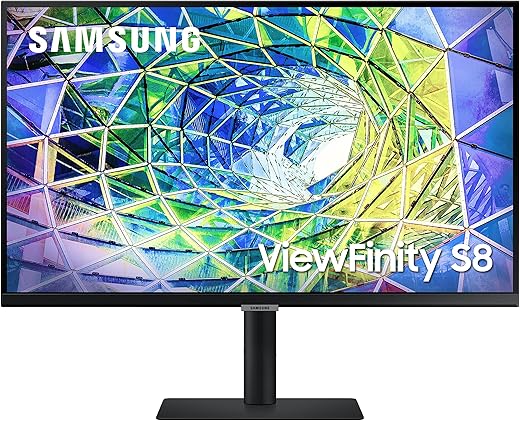
SAMSUNG 27 Inch 4K Monitor, HDR10, LS27A800UNNXZA
SAMSUNG 27 Inch 4K Monitor, HDR10, LS27A800UNNXZA Price comparison

- All prices mentioned above are in United States dollar.
- At amazon.com you can purchase SAMSUNG S80A Computer Monitor, 27 Inch 4K , Vertical , USB C , HDR10 (1 Billion Colors), Built-in Speakers (LS27A800UNNXZA),Black for only
- The lowest price of SAMSUNG S80A Computer Monitor, 27 Inch 4K , Vertical , USB C , HDR10 (1 Billion Colors), Built-in Speakers (LS27A800UNNXZA),Black was obtained on September 24, 2025 07:18.
SAMSUNG 27 Inch 4K Monitor, HDR10, LS27A800UNNXZA Price History
SAMSUNG 27 Inch 4K Monitor, HDR10, LS27A800UNNXZA Description
SAMSUNG 27 Inch 4K Monitor – Redefine Your Visual Experience
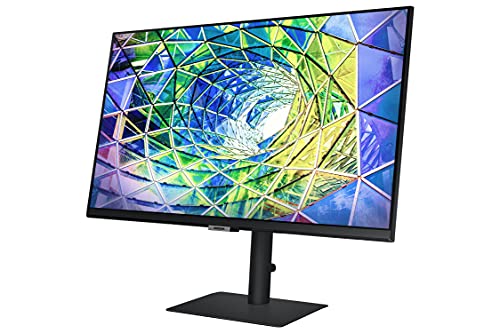
Elevate your digital workspace with the SAMSUNG 27 Inch 4K Monitor, HDR10, model LS27A800UNNXZA. Known for its stunning visuals and remarkable performance, this monitor captures every detail with vibrant 4K resolution at 3840×2160 pixels. Whether you are gaming, creating content, or working from home, this monitor delivers unmatched clarity and color accuracy, making it a top choice for users who demand the best. Keep reading to learn more about how this product can transform your viewing experience.
Key Features and Benefits
- Crystal-Clear 4K Resolution: Experience ultra-high-definition viewing with a resolution of 3840×2160 pixels. This monitor provides four times the clarity of Full HD, making your videos and images come to life.
- HDR10 Technology: Enjoy lifelike colors and enhanced contrast with HDR10 support. This feature enables the display of a wider range of colors and brightness levels, perfect for gaming and multimedia tasks.
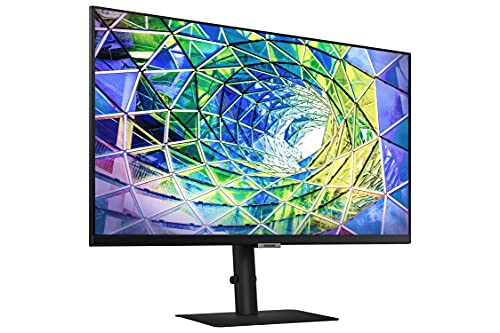
- Versatile Design: With a sleek black color and practical dimensions of 7.73 x 24.23 x 21.72 inches, it complements any workspace. The monitor’s aesthetic is just as impressive as its functionality.
- Ergonomic Adjustability: The SAMSUNG 27 Inch 4K Monitor offers tilt, pivot, and height adjustment, allowing you to find the perfect viewing angle for comfort during long hours of use.
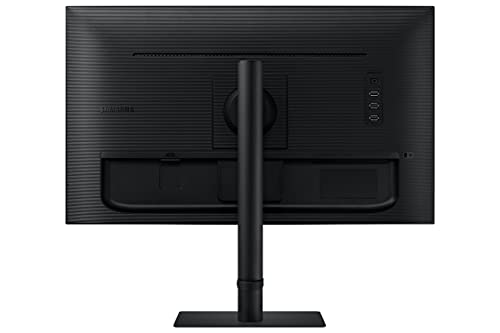
- Powerful Connectivity: Equipped with multiple ports, including USB-C, HDMI, and DisplayPort, this monitor easily connects to your favorite devices, ensuring seamless transitions between work and play.
- Impressive Weight Handling: Weighing only 14.99 pounds, it is relatively lightweight yet robustly built, making it easy to move and adjust as needed.
Price Comparison Across Suppliers
The price of the SAMSUNG 27 Inch 4K Monitor varies across various suppliers, allowing you to find the best deal. As of today, you can compare prices from major retailers to ensure you make a cost-effective choice. Keep an eye on competitive offers that can make this high-end monitor affordable.
6-Month Price History Trends
Our detailed 6-month price history chart reveals notable trends that can influence your purchasing decision. Over the past months, the average price has fluctuated, with significant sales events driving prices down. Current trends suggest that waiting for specific sale events could result in savings. Monitor these changes to ensure you secure the best price for this exceptional product.
Customer Reviews: Insights and Feedback
Customer reviews for the SAMSUNG 27 Inch 4K Monitor are overwhelmingly positive, highlighting the monitor’s stunning color accuracy and sharpness. Users praise its HDR capabilities and ergonomic design, which enhance long use without discomfort. Many have reported satisfaction in gaming performance, citing minimal lag and responsiveness.
However, some users noted drawbacks, such as slight color calibration issues out of the box. Thankfully, calibration settings are easily adjustable, allowing users to optimize their visual experience. Overall, the feedback indicates that the benefits far outweigh any minor inconveniences.
Explore Unboxing and Review Videos
Dive deeper into the SAMSUNG 27 Inch 4K Monitor by watching unboxing and review videos available on YouTube. These videos showcase real-time experiences and hands-on reviews from tech enthusiasts, helping you visualize product performance and features firsthand. Watching these can also assist you in understanding how this monitor fits into different setups and environments.
In summary, if quality and performance matter to you, the SAMSUNG 27 Inch 4K Monitor, HDR10, LS27A800UNNXZA is a standout option worth considering. Its blend of high-resolution display, aesthetic design, and impressive technological features make it suitable for anyone looking to elevate their gaming, content creation, or everyday tasks. Don’t miss out on the opportunity to own this incredible monitor.
Compare prices now!
SAMSUNG 27 Inch 4K Monitor, HDR10, LS27A800UNNXZA Specification
Specification: SAMSUNG 27 Inch 4K Monitor, HDR10, LS27A800UNNXZA
|
SAMSUNG 27 Inch 4K Monitor, HDR10, LS27A800UNNXZA Reviews (9)
9 reviews for SAMSUNG 27 Inch 4K Monitor, HDR10, LS27A800UNNXZA
Only logged in customers who have purchased this product may leave a review.






Rylan –
Why: To replace my existing dual 2K Asus monitors that I’ve been using for work (from home) for over 5 years. Nothing wrong with them, just wanted 4K crispness.
Pros:
– Good price
– Thin bezels
– Crisp and good color reproduction
– Love that it has built in USB 3 ports I can use for my wireless keyboard and mouse without needing a separate USB hub
– I can charge my Macbook through USB-C – one less cable needed
– Took a couple of minutes to assemble and a couple more minutes to tweak the settings
– 300 nits is exactly as bright as the monitors I replaced and other monitors I have around my house.
Cons
– Not as bright as my iPad Pro or Macbook Pro, but I don’t need them to be bright enough to work outside. I use these by my window and they are bright enough.
– Backlight bleeds, but this is the same as all my other IPS displays. This is where my iPad and Macbook are superior.
– Colors wash out when viewed from the sides , but this is to the same extent as my other IPS displays. Again, this is where my ipad and Macbook displays are better.
Overall I think it was a good purchase.
Maria B. –
As someone who is completing graduate school fully online, this was a phenomenal purchase. I have my 13in MacBook Air connected to this monitor, and it functions as having double screens. It is a very elegant and high quality monitor, there are many options to customize the monitor’s settings. The screen quality and colors are beautiful. The speakers are pretty good. Highly recommend especially when you can get a good price. I remember at one point they were about $200 new, but I wasn’t able to buy in time for that price.
Dongsung Lee –
The media could not be loaded.
I would buy it again. Just this one didn’t work out with the screen defects
BSev –
Love USB C – powers / charges my MacBook Air perfectly. Also can plug my iPad Pro (USB C) directly into the display as well. USB ports on the back make it slick for plugging in the USB A dongle for the Logitech wireless keyboard and mouse as well as I purchased a USB A Ethernet adapter to provide dedicated wired connection to my setup.
USB C really does make sense. So many displays continue to use HDMI or worse; DisplayPort as their primary connection. Why not use 1 cable from your monitor to your laptop which provides everything (power to your laptop, audio from your laptop to the monitor’s speakers, video output, laptop’s data connection, and peripheral connections back to the laptop)? – Also a great setup if you share a workspace or have multiple computers you need to use (personal vs work vs family member’s computers). Just plug into USB C and everything just works.
Screen brightness at first was disappointing until I saw online there are 2 settings you need to disable – 1) Eye Care / Strain setting, 2) Eco Mode. Once disabled, the monitor was super bright. The 4K resolution is great and everything is super crisp and colors pop.
HDR – I might be using this setting wrong, but when I enable it, the screen dims significantly to the point where I can’t use it. Not using this has not been an issue.
Adjustable Stand – I don’t understand why manufactures think everyone is the same height or looks at a monitor at the same level. I know you can buy monitor mounts but it seems silly to not just include an adjustable stand to begin with. Luckily this monitor stand adjusts and raises and lowers easily.
In the package, both HDMI and USB C cables were included as well as the power cord.
Ascetically, this is a very nice, thin bezel monitor. It looks professional and sleek on my desk. I could see where a 2nd one probably makes for a very nice set up.
I would recommend if you need a one-stop setup display.
MIGUEL –
Me llego sin problemas, antes de lo previsto. Calidad de imagen excelente, la conecte a mi mini mac M2 y sin problemas se conecto al instante; no dudes en compra este monitor, muy buena calidad en todo.
Fallen –
La verdad Samsung no por nada es una marca reconocida, y este monitor es perfecto
Martin –
Llegaron antes de lo esperado, las cajas venían en perfecto estado, calidad de imagen increible para home office, no uso HDR porque se ve muy opaco y bajo de brillo, las uso para home office y funcionan perfecto, lo único malo es que el cable usb c está muy corto.
Martin –
La bocina se escucha fuerte, no de alta calidad pero están aceptables, la imagen también aceptable. Lo compré por los usb integrados y aun no logro conectar un usb de sonido. Le daré las 5 estrellas cuando logré conectar.
Por mitad de precio es una ganga.
DEM –
This monitor has a lot going for it and at a price that you just can’t find elsewhere (especially if you get it during one of the very frequent discounts). Main features are 4K, single-cable USB-C connection, speakers that are actually loud, full featured stand, and USB hub.
After reading many of the recent reviews and what people have said, I thought I would respond with my experiences (I’m an IT guy). I’ve connected it to both a 14″ and 16″ MacBook Pro M1 via USB-C. The screen is beautiful and side-by-side, I can barely tell the different between the Liquid Retina XDR display of the MacBook and the Samsung. Fiddling with settings on the monitor, I disabled ECO mode and set the screen refresh to high (60Hz). Some report that at high-refresh, the USB ports slow to USB 2.0, but I did not have that experience. On a M1 MacBook Pro, set at 60Hz, the USB ports on the monitor report to be USB 3.0 5Gbps according to System Report on the Mac. On a Windows PC (XPS 13) via USB-C, 60Hz does slow down the USB ports to USB 2.0. Not sure why Mac and Windows work differently in this respect.
Using USB-C, both MacBook’s are charged via the monitor just fine. One issue I did have on both MacBook’s is the monitor keeps waking up every few minutes once the MacBook and screen go to sleep. I’ve had to revert to either unplugging the monitor or manually powering it off via the button under the monitor. Speaking of which, Samsung’s multi-button system UNDER the monitor is annoying but you get used to it.
Speakers. Best speakers I’ve heard in a monitor. Most are so low volume, they are worthless, but not this Samsung. Nice and loud. One issue is I cannot control the volume of the monitor speaker from my Mac. The volume control is greyed out. Sort of a bummer I suppose.
As others have said, disable ECO mode if on out-of-the-box to increase brightness. Colors, as I said earlier, are fantastic.
Overall, I’m very pleased with this monitor, especially at a <$300 price (if you can grab a couple when on sale, do it!). You won't find all these features in a monitor at this price anywhere else.