
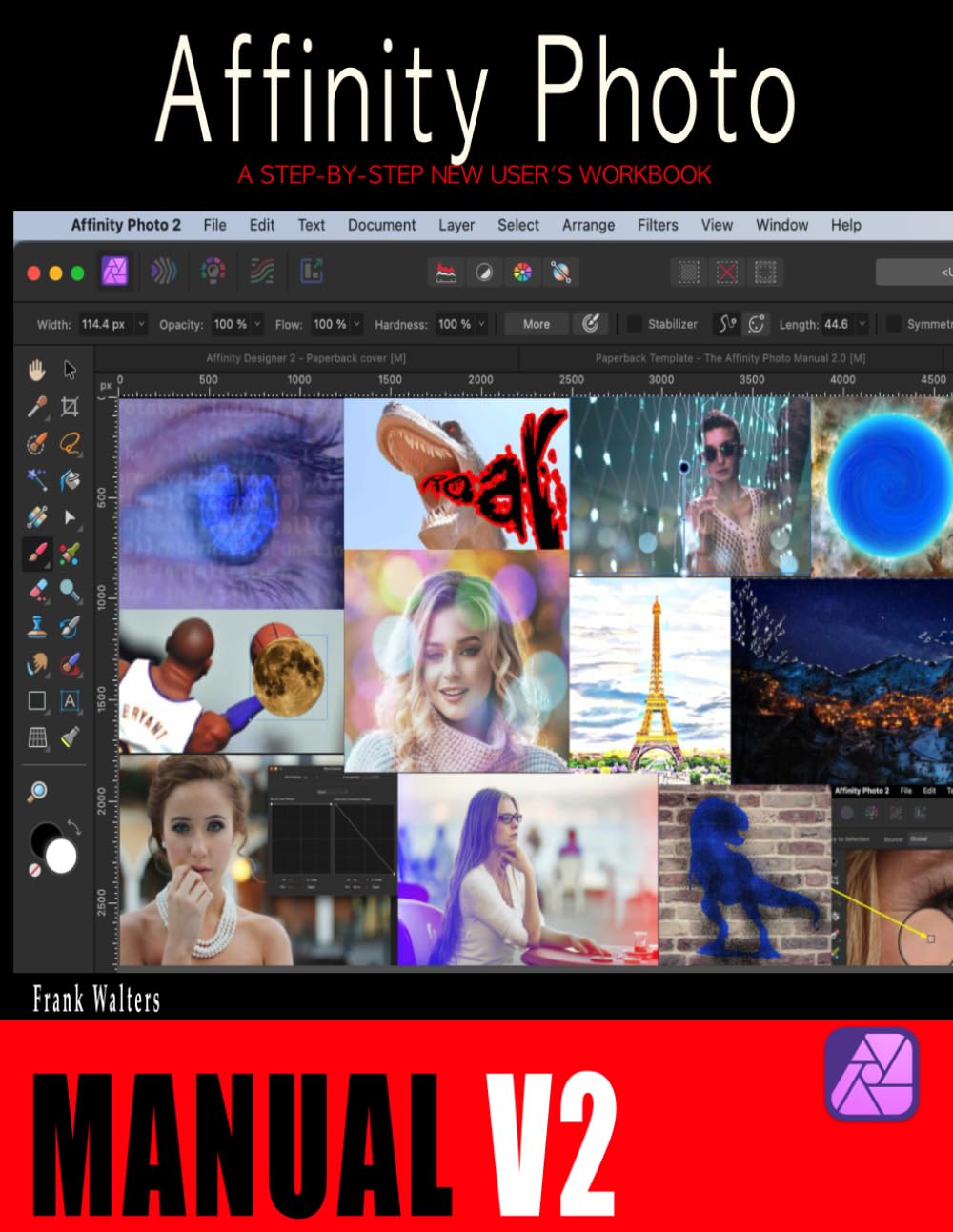
The Affinity Photo Manual 2.0: A Step-by-Step New User’s Workbook
 Bestbuy.com
$34.99
The Affinity Photo Manual 2.0: A Step-by-Step New User’s Workbook Price comparison



- All prices mentioned above are in United States dollar.
- This product is available at Bestbuy, Amazon.com.
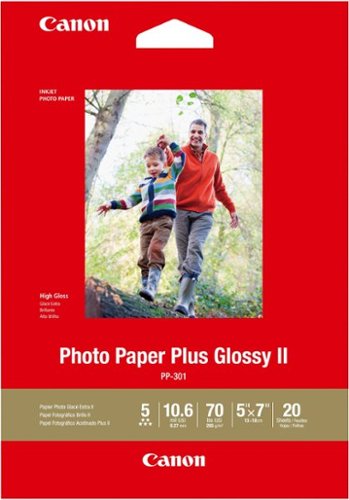
- At bestbuy.com you can purchase Canon - PP-301 Photo Plus II Glossy Photo 5.12" x 7.1" 20-Count Paper - White for only $11.00
- The lowest price of HP - Sprocket Select Portable Instant Photo Printer compatible with 2.3"x3.4" Zink Photo Paper - Gift Bundle was obtained on October 12, 2026 02:09.
The Affinity Photo Manual 2.0: A Step-by-Step New User’s Workbook Price History
The Affinity Photo Manual 2.0: A Step-by-Step New User’s Workbook Description
Discover the Affinity Photo Manual 2.0: Your Comprehensive Guide to Mastering Affinity Photo
If you’re eager to enhance your photo editing skills, look no further than The Affinity Photo Manual 2.0: A Step-by-Step New User’s Workbook. This user-friendly guide is designed specifically for beginners, making it the perfect companion for mastering the intricate features of Affinity Photo. Published on December 5, 2022, this manual provides detailed instructions and insights that will elevate your editing techniques.
Main Features of the Affinity Photo Manual 2.0
- Step-by-Step Instructions: Each section is thoughtfully structured to guide you through fundamental and advanced techniques, ensuring that you’re never left in the dark.
- 150 Pages of In-Depth Content: This paperback tome includes essential tips and tricks to help you navigate the software effectively, covering everything from basic adjustments to intricate editing techniques.
- User-Friendly Layout: The clear layout is designed for seamless navigation, allowing you to find exactly what you need with ease.
- ISBN-13 979-8366925198: Easily identifiable, this unique identifier can help you locate the manual, confirming its credibility and availability across different platforms.
- Dimension and Weight: With dimensions of 8.5 x 0.36 x 11 inches and weighing just 15.2 ounces, it’s portable enough for easy travel and ideal for both home and on-the-go learning.
Price Comparison Across Different Suppliers
Finding the best price for The Affinity Photo Manual 2.0 is crucial for savvy shoppers. Our price comparison tool enables you to review multiple suppliers, ensuring you secure the most competitive deal. Prices may vary based on availability, shipping options, and seller reputation, with discounts often available during promotions or seasonal sales.
Price Trends: 6-Month Price History
The 6-month price history chart indicates consistent pricing trends, with slight fluctuations depending on market demand and seasonal factors. Observing these trends can help you determine the best time to purchase, maximizing your savings on this invaluable resource. Historically, prices have dipped during holiday sales, which may present an excellent opportunity to grab your copy at a reduced rate.
Customer Reviews: What Readers Are Saying
Customer feedback for The Affinity Photo Manual 2.0 has been overwhelmingly positive, reflecting the manual’s effectiveness and comprehensive nature. Many users appreciate the logical progression of topics and the clarity of the instructions, describing it as an essential tool for new users. Here’s a brief summary of customer sentiments:
- Positive Aspects: Reviewers commend the detailed explanations and user-friendly design, which make learning Affinity Photo accessible. Users highlighted that each tutorial aligns perfectly with the software, enhancing their overall learning experience.
- Drawbacks: A few customers noted that they wished for more examples or project-based tutorials to practice alongside the explanations. However, this does not detract significantly from the overall value of the manual.
Explore Unboxing and Review Videos
To further enhance your understanding of The Affinity Photo Manual 2.0, we recommend checking out unboxing and review videos on YouTube. These visual resources can provide a glimpse into the book’s contents and structure, showcasing how effectively it can aid your photo editing journey. Such videos often highlight user experiences, making them an invaluable supplement to the manual itself.
Why Choose The Affinity Photo Manual 2.0?
Opting for The Affinity Photo Manual 2.0 not only equips you with essential skills for photo editing but also offers an educational pathway that boosts creativity and efficiency. Whether you are a hobbyist or intending to delve into professional photography, this workbook serves as a robust foundation to unleash your potential.
Final Thoughts
Investing in The Affinity Photo Manual 2.0 means accessing a world of knowledge that transforms your editing abilities. With its step-by-step guidance, rich content, and user-centric design, you’ll find yourself mastering Affinity Photo in no time.
Ready to take your photo editing to the next level? Compare prices now! Don’t miss out on the chance to gain this essential manual at the best possible price!
The Affinity Photo Manual 2.0: A Step-by-Step New User’s Workbook Specification
Specification: The Affinity Photo Manual 2.0: A Step-by-Step New User’s Workbook
|
The Affinity Photo Manual 2.0: A Step-by-Step New User’s Workbook Reviews (13)
13 reviews for The Affinity Photo Manual 2.0: A Step-by-Step New User’s Workbook
Only logged in customers who have purchased this product may leave a review.

![Autodesk AutoCAD 2014 For PC By [Author’s Name]](https://discompare.com/wp-content/uploads/thumbs_dir/autocad-2014-for-pc-by-authors-name-qysohvdqb323t3desrfbixbd9q62ac5213n2sdgveo.jpg)
Computer Nut –
Frank Walters has the best book out there for Affinity Photo 2. I love his step-by-step approach. He has beautiful color photos accompanying his book, and the paper is of excellent quality. He provides images that you can use for the lessons. Most books talk too much, but his book does not. This is the third book I bought from him. I am qualified to judge because I wrote 56 books on Photoshop Elements, Office, etc. You will not go wrong buying his books
SFP –
The layout of the book is great. I think that memorizing the basics with quizzes is essential to make using the software smooth sailing. I just started the lessons after making sure I memorized the basics in the beginning of the book. I will update review as I go through the material.
Ms. P.L. Fenton –
I am pleased with my purchase and think the projects provided in this book will be very helpful in learning how to use Affinity Photo 2. There are practice photos to download to aid learning. As a complete beginner, I like what I see in the first few pages that I have read, and
I think it will be a great way to learn!
Dashing Dave –
After buying both, I still don’t know what the difference is between this author’s APhoto “Manual” and APhoto “Guidebook.” Okay, I actually *do* know the difference–each book has 20 unique activities/”lessons”–but I have no idea why they weren’t combined into a single book. It really feels like a cash grab. I do prefer the “basic skills” section of this book to that of the Guidebook… but I probably couldn’t explain why. As both books are primarily useful as sources of example projects, you’ll likely want to buy both anyway.
Oddly enough, the official Affinity/Serif Workbook (for version 1) is much more of a manual than this Manual (for version 2), which is much more of a workbook.
Whereas the Serif book explains what each piece/tool of the software does and why you would use it, this book is more of a here’s-some-small-projects-that-you-can-perform-with-the-software presentation. So if you’re looking for short, workable things to do to play around with Photo and a little explanation sprinkled here and there, this looks to be a very good option. If, however, you’re like me and wanted more explanation and less “Next, do this,” go with Serif’s version (and then, if you’re looking for more ideas, consider coming back for this one).
To summarize, I feel like the Serif book is the textbook for a class on how to operate Affinity Photo, and this book is a supplementary textbook for a class on photography–if you’ve ever taken a college science class, the former is the book for class instruction, and the latter is the book for lab sessions.
There are a couple of “quizzes” with answers sprinkled around, but they’re of the passive “Did you actually read the assignment” type rather than the active “Create a ____ with ____ and then look at our solution” variety. (Some of the questions are… in my opinion, ridiculous. e.g., “Which persona do you think you’ll use the most often?”)
But the primary reason that I returned the book was the tone of the wording, which just rubbed me the wrong way. Like writing “Finished. This ends the lesson.” or similar at the end of every section. I prefer the more ‘official’-sounding wording used in school textbooks. And for learning material, I need proper grammar and punctuation, nearly flawless editing, and great writing as written by a native English speaker. I’ve returned several books on Swift, Mathematica, and other software because they weren’t written well. This book isn’t as bad as some of them–it definitely seems to be written by a native user of English–but there are enough hiccups for it to throw me off so much that I can’t concentrate.
Also, the book makes a valiant attempt to use italic (actions) and bold (objectives) font to indicate key words and phrases, but it ends up being a bit excessive because “action” and “objective” basically ends up meaning every verb and every key noun. As most of the actions are for interacting with the software (click, type) and most of the objectives are tool and panel names, the wiser option would have been to use the different typefaces for those verbs and nouns only.
In summary…
1. It’s not an instruction manual for Affinity Photo.
2. It’s not nearly as comprehensive as Serif’s own book.
3. If there are version 2-specific functions/operations used here, I couldn’t find them.
but…
4. It has an excellent assortment of activities for common things that beginning users of photo-editing software would want to know how to do (see the list of lessons presented in the write-up; you’ll likely see multiple topics where you go, “Oh, yeah, I’ve tried to learn how to do that using YouTube videos.”)
5. There are lots of color images everywhere, so the paperback book looks really attractive. (I’m not sure about the Kindle version, as eBooks are notorious bad with image sizing and placement.)
R J Thom –
I am transiting from Photo Shop to Affinity Photo V2. This book is the best of the three I have read to facilitate the transition. The first sections are excellent, one learning point per section with good explanations. Unfortunately, some instructions probably worked in V1 but need to be updated for V2. Also I could not interpret some illustrations, too dark, small print. In summary, a very good resource for a new user,
BARGAIN BUYER –
Simple steps and easy to understand
Simple and easy to understand
RavingBob –
Simple exercises to to carry out to use the vast range of capabilities of Affinity Photo 2
Al Tucker –
This is a really well-sequenced book of lessons for learning Affinity Photo. I had been a Photoshop user for years and struggled with making the transition to Affinity Photo. This book was able to help me clear the hurdles in learning this software. Highly recommend!
Norman K. –
The author confuses the instructions . Several times, the instructions for a particular task are interrupted by by the author telling the reader how difficult the following concept is, and how hard it was for him to understand what was going on when he first learned the product.
I think it would have been more informative to have short introductory sentence to explain what was about to be achieved, and how – using which steps or techniques.
This may be personal. but the book did not communicate to me, and I wouldn’t use it as a “go-to” reference.
I would recommend a video course, such as “Affinity Revolution – Beyond the Basics” which is very clear and comprehensive, and only costs $29.99.
Morry –
Really easy to understand, written to make it easy for beginners like me to get to grips with some fairly complicated software.
RedBlueGreen –
A former pro. photographer, I did not get along with this slim, paperback volume.
Cons:
No professionals apparently involved in its publication
Not as well laid out as I should have wished it to be
Pros:
My wife, who inherited the book from me, loves it. She finds its form suits herself, and is gaining
great benefit from it. And she is expert in Photoshop; Painter, from way back to v.10; Viveza, NIK
Filters, and DAP!
She has also dabbled in Affinity Photo for a few weeks.
As replacement for the book, I bought the Affinity Photo Workbook.
Sincerely:
RedBlueGreen
Kris Jensen-Van Heste –
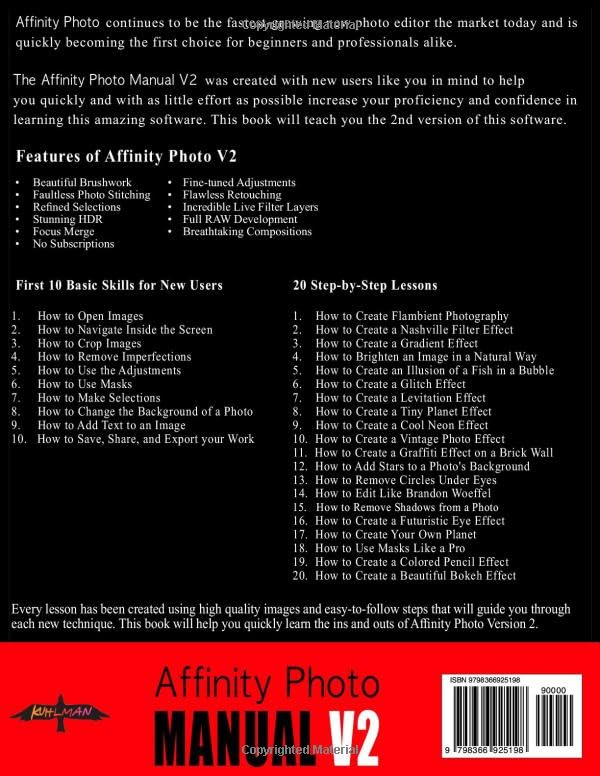
I’m an absolute beginner with Affinity Photo, and this book was exactly what I needed to get started. It walks you through each exercise completely, with highlighted photos for further explanation. The book begins with 10 skills you need to know to get started, and then there are 20 detailed lessons on everything from how to remove objects, how to touch up skin, and lots of special effects. I can’t recommend this book enough. The customer service is outstanding, too.
Mike –
I usually struggle with workbooks that try to teach me how to use a product – but not this one! The text and illustrations are clear, accurate and informative. To fully use this book you need to download various files containing JPEGs that relate to each section. I initially had trouble doing this (my fault and not that of anybody else!) but, fortunately, you are given a link for this very situation. Had an immediate response from the very helpful Charles at kuhlmanpublishing and all my Affinity problems were solved. I would strongly recommend this book to anyone who has just bought Affinity Version 2 – you will not regret it.