
Baseus USB C Docking Station, 4K HDMI, 100W PD
 Amazon.com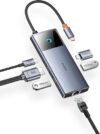
$33.99
Baseus USB C Docking Station, 4K HDMI, 100W PD Price comparison


- All prices mentioned above are in United States dollar.
- This product is available at Amazon.com.
- At amazon.com you can purchase Baseus USB C Docking Station, HDMI 4K@60Hz,10GbpsUSB C HUB 3 USB A/C Ports, Gigabit Ethernet, 100W PD, Compatible with iPhone 15/Dell/HP/Mac/iPad/Microsoft/Steam Deck and More for only $33.99
- The lowest price of Baseus USB C Docking Station, HDMI 4K@60Hz,10GbpsUSB C HUB 3 USB A/C Ports, Gigabit Ethernet, 100W PD, Compatible with iPhone 15/Dell/HP/Mac/iPad/Microsoft/Steam Deck and More was obtained on September 24, 2025 12:51.
Baseus USB C Docking Station, 4K HDMI, 100W PD Price History
Baseus USB C Docking Station, 4K HDMI, 100W PD Description
Baseus USB C Docking Station: Your Ultimate Connectivity Solution
Upgrade your workspace with the Baseus USB C Docking Station, designed to enhance productivity and streamline connectivity. This versatile docking station is perfect for professionals and tech enthusiasts alike, delivering a seamless experience with its range of features. With outputs for 4K HDMI and 100W Power Delivery (PD), this docking station stands out as an essential tool for anyone looking to maximize their device potential.
Main Features of the Baseus USB C Docking Station
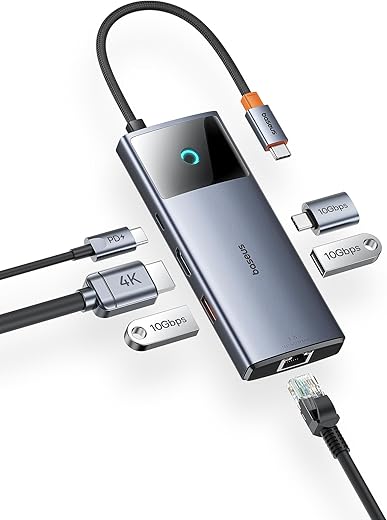
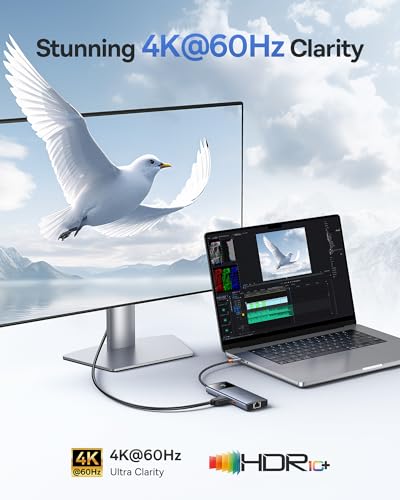
- 4K HDMI Output: Enjoy stunning visuals on multiple screens. This docking station supports 4K resolution, making it ideal for presentations and video playback.
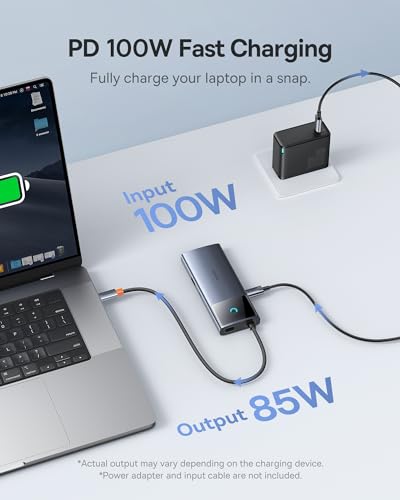
- 100W Power Delivery: Charge your laptop or device swiftly while connected. With 100W PD, your devices will remain powered while you work without interruptions.
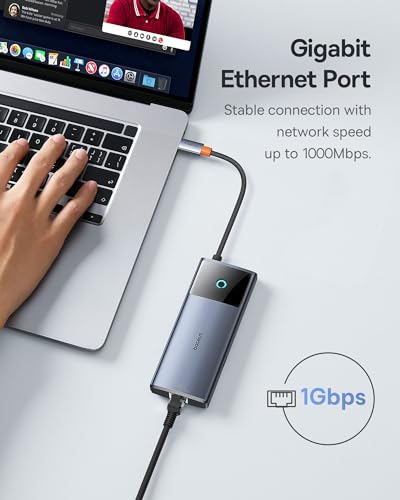
- Multiple Connectivity Options: Equipped with six ports, including three USB ports, this station allows you to connect all your essential peripherals at once.
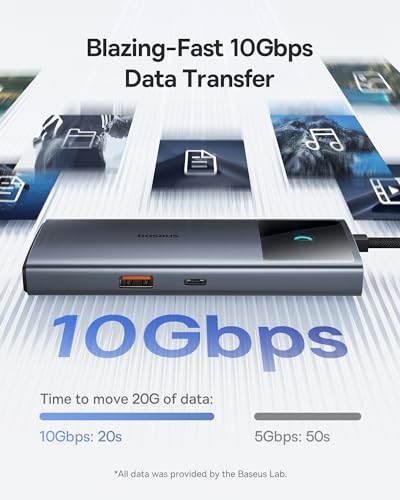
- High Data Transfer Rate: With speeds of up to 10 Gigabits per second, transfer large files in a fraction of the time.
- Sturdy Metal Construction: The docking station’s sleek metal design not only looks stylish but also provides durability and stability for daily use.
- Compact and Lightweight: Weighing only 5.6 ounces and measuring 8.21”L x 3.88”W x 0.9”H, this compact device is perfect for on-the-go professionals and can easily fit into any bag.
Price Comparison Across Suppliers
The Baseus USB C Docking Station offers competitive pricing across various platforms, making it accessible for consumers looking to enhance their connectivity without breaking the bank. Our price comparison feature shows how costs fluctuate among different suppliers, ensuring you get the best deal possible. Whether you’re shopping on Amazon or exploring other retailers, we aggregate the latest prices so you can make an informed decision.
Notable Trends from the 6-Month Price History Chart
By analyzing the 6-month price history for the Baseus USB C Docking Station, we’ve noticed trends indicating a stable pricing structure with occasional promotional discounts. This data allows consumers to understand when to buy for the lowest price. During sale events, prices have dropped significantly, providing an excellent opportunity for potential buyers.
Customer Reviews: What People Are Saying
Customers consistently praise the Baseus USB C Docking Station for its functionality and ease of use. Users appreciate the 4K HDMI compatibility, which enhances their multi-screen setup. The ability to charge their devices quickly has also received positive feedback. Users have noted the following:
- Positive Aspects: Many users highlighted the docking station’s compact size and multiple port availability, allowing for enhanced productivity. The stability of the metal design adds to the overall user experience.
- Drawbacks: Some customers mentioned a learning curve regarding setup, with the need to ensure drivers were correctly installed. A few users noted that while it works well with various devices, compatibility with older systems like Windows 7 can be hit or miss.
Explore Unboxing and Review Videos
For those interested in a closer look at the Baseus USB C Docking Station, various unboxing and review videos are available online. These videos provide firsthand experiences from users and can showcase the docking station’s capabilities in real-world settings. Watching these videos can give you valuable insights and help you envision how this product can fit within your own setup.
Why Choose the Baseus USB C Docking Station?
When it comes to expanding your device’s functionality, the Baseus USB C Docking Station is a top choice. With its impressive features like 4K HDMI support, high-speed data transfer, and robust power delivery, it caters to the needs of modern tech users. Whether you’re working from home, in the office, or on-the-go, this docking station can enhance your productivity and streamline your workspace.
Don’t settle for subpar connectivity. Invest in the Baseus USB C Docking Station and unleash the full potential of your devices. Experience the convenience it brings to your workspace today! Compare prices now!
Baseus USB C Docking Station, 4K HDMI, 100W PD Specification
Specification: Baseus USB C Docking Station, 4K HDMI, 100W PD
|
Baseus USB C Docking Station, 4K HDMI, 100W PD Reviews (8)
8 reviews for Baseus USB C Docking Station, 4K HDMI, 100W PD
Only logged in customers who have purchased this product may leave a review.






G.Shadow –
This is a great dock for anyone who needs something portable and that doesn’t take a lot of space on the desk. It is small, slim, and light enough that it can just slide in your bag or even your pocket.
Built quality is excellent. The aluminum body gives it a premium feel and the braided cable is a nice touch.
Throughput from USB and ethernet ports was good. I did notice, like another review mentioned, transferring via USB does affect the throughput of the ethernet port. I doubt this is something most will notice since it is not a huge drop in transfer rate. I looked for and tested this by copying a 50GB file off my NAS while copying the same file from a USB external hard drive. This isn’t something I would normally be doing so I doubt I’ll find myself worrying about my network speed.
A few things that “bothered” me:
-The dock is so light that it doesn’t stay in place. I had to switch to a wireless mouse because I kept dragging the dock around while moving the mouse. It would be nice if it had a bit more heft to it or if it had a flat rubberized bottom to help it stay in place.
-I don’t get the reason for the LED. As long as the dock has power, the LED will stay lit. I would have liked it if it only lit it when a device was connected to it.
-It seems to get a little warm when transferring large amounts of data.
– Using the cable storage makes the dock about three inches taller. This is only a problem for me due to it not fitting in the pocket I like to keep the dock in when bringing it with me.
I recommend this dock to anyone who doesn’t need a ton of I/O ports or doesn’t need more than one display connection.
Jason R –
My monitor runs at 3440×1440; so even though this is below 4k this adapter wouldn’t adjust to work at this resolution and distorted the display to be stretched out to a higher resolution over HDMI. Not sure why.. i tested this with another cheaper adapter “onn model 100027815” (but it only has one USB connector) and it worked fine so I thought this adapter might work as well.. So i’m back to having to plug in two usb-c cables to my mac anyway to get my display working correctly with this adapter.
G.Shadow –
For years I have been using USB-C hubs, most that offer me an HDMI port, a couple of USB-A ports, and maybe an RJ-45. I usually have to compromise on what it is I want on my hubs. And it has become the norm now for a laptop to have at least one USB-C port so USB-C hubs/docks are very useful. Moreso because many laptops have done away with HDMI ports, or proprietary charging ports – everything now runs off the USB-C. I have a Surface Laptop with a single USB-C and a Huawei Matebook X Pro with 2 USB-C ports, but neither has a HDMI connection and both can charge via USB-C. While the Surface Laptop can charge via the Surface Connect Port, I usually lose my only USB-C port if I want an HDMI connection or just need additional USB ports, and would still have to plug it in to charge with the original charger.
With this hub, I can plug in my USB-C charger to it and charge my laptop, connect it to HDMI, and still have a full speed (10gbps) USB-C port on top of a USB-A (10gbps). I’m basically giving up nothing (other than space) to use this hub. It’s perfect for me!
Quality feels good, and while it’s only a bit bulky, it fits in my laptop bag with no issues – so it’s still portable and versatile to keep with me on the go, at work, or at home. It’s a great find.
AG in SC –
I love the speed of all the connections. I wish the two usb-a ports were on the same side. Cable management looks bad connected to a laptop.
Desert Lion –
This is a great companion for almost any USB-C device. I suspect the usual application would be for a laptop computer with limited built-in ports, even as few as the one multi-purpose PD/Data/Video port. Plug the power source into this hub and the hub into the device – both get powered with one input. Power is also provided to the accessory USB ports whether plugged into a computer or not, so it can be used to charge more than one device from one power source.
My need was for a device I could use with my Samsung Galaxy S21+ while on a trip. I was bringing along a USB SSD and several cameras but no other computer. I wanted to be able to consolidate all the images and video from all the devices, put some on the phone for sharing, and archive all the files on the SSD. I’d never tried to do this without taking at least a tablet computer. This hub made it all very easy. I was even able to use the phone to output to a TV to display images with the hub HDMI port.
One procedural item I learned the hard way – for an Android device, be sure to UNMOUNT the connected storage devices before you unplug anything. If you don’t, you will need to restart Android. I don’t have a USB-C iPhone to test with, but my understanding is that the same is true except that the only way to do it is to turn the power off, unplug the hub, then power the phone back on.
rae vander werf –
I like that it is small compact and easy to use
Carlos F –
me agrada poder ampliar la conexión a dispositivos de mi laptop
coda –
Looking for a travel dock that will also work with your Steam Deck?
I’ve been using the Baseus USB C docking station for work and play while traveling. The Baseus dock is light and has all the ports I need for business and pleasure. The ability to use it with my Steam Deck is an added bonus. I tested the docking station with a Chromebook, Razer laptop, Macbook Pro, and Steam Deck and everything worked as expected. No issues at all. The docking station produced excellent display results even at 4K@60Hz. (Steam Deck and Razer laptop). Additionally, I turned off Wi-Fi and connected by Ethernet for a nice fast stable connection.
The docking station has a feature I haven’t seen before: A switch to turn on and off the HDMI port. It works well and is good for privacy if required.
Since most of my gear has only USB-C, this docking station is a terrific upgrade for me since it has: Ethernet, USB-A, and USB-C. I can continue to use my old USB-A gear on my computers easily with this docking station.
Recommended