
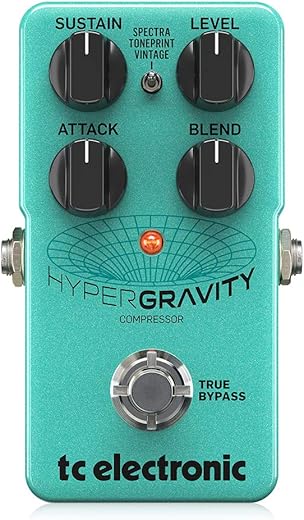
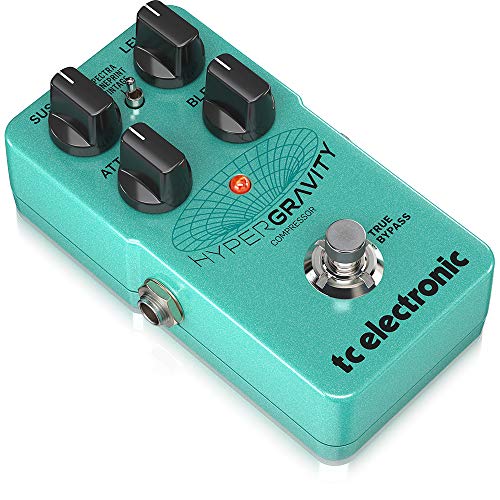
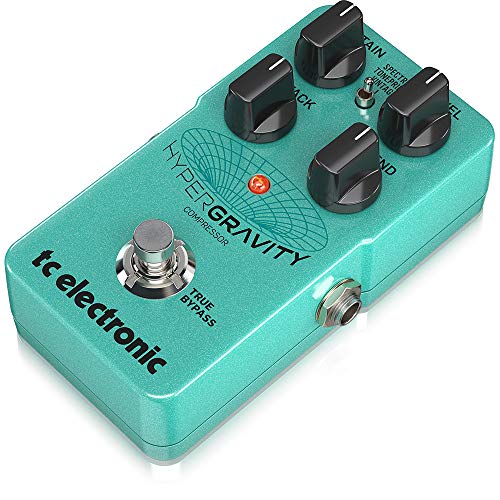
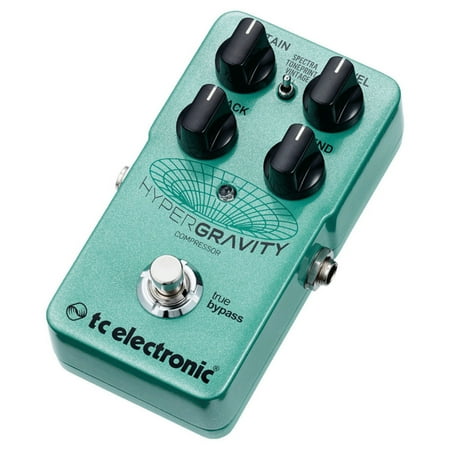
Hypergravity Compressor Multiband Compression Pedal
 Zzounds.com
  Fullcompass.com
  Reverb.com
  Walmart.com
  Samash.com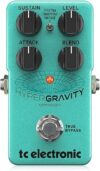
Original price was: $119.00.$99.90Current price is: $99.90.
Hypergravity Compressor Multiband Compression Pedal Price comparison










- All prices mentioned above are in United States dollar.
- This product is available at Artemis – Amazon Marketplace, zZounds, Walmart.com.
- At amazon.com you can purchase B0CSSLY74L | AZOR Compressor Guitar Effect Pedal Ultimate Comp Pedal Compression Effect with Guitar Pedal Power Cable,9V Battery Clip Converter Power for only $26.90 , which is 94% less than the cost in zZounds ($419.00).
- The lowest price of Origin Cali76 FET Compressor was obtained on October 10, 2026 23:36.
Hypergravity Compressor Multiband Compression Pedal Price History
Hypergravity Compressor Multiband Compression Pedal Description
Discover the Hypergravity Compressor Multiband Compression Pedal
The Hypergravity Compressor Multiband Compression Pedal is an essential tool for musicians seeking to elevate their sound quality and dynamic range. This pedal offers a perfect blend of versatility and performance, making it a favorite among guitarists and bassists alike. Whether you are fine-tuning your tone in the studio or performing live, this multiband compressor pedal offers reliable and impressive results.
Key Features of the Hypergravity Compressor
- Multiband Compression: The Hypergravity Compressor utilizes advanced multiband technology to ensure that your sound remains clear and polished across different frequencies. This feature allows you to tackle dynamic range issues effectively, providing a balanced output.
- Compact Design: Measuring just 5 x 3 x 4 inches and weighing only 5.12 ounces, this pedal is designed for portability and convenience. It easily fits into any pedalboard setup, making it a perfect choice for musicians on the go.
- Robust Build Quality: Manufactured by Music Tribe, this pedal comes with a durable design that withstands the rigors of both live performances and studio sessions. Expect reliability and longevity with every use.
- Intuitive Controls: The user-friendly interface enables quick adjustments to your settings, allowing you to focus on your performance rather than getting lost in complicated controls. Get great sounds quickly!
- Creative Sound Shaping: With its versatile compression options, the Hypergravity Compressor allows you to explore different sound textures, enhancing your creativity in music-making. Tailor your dynamics to suit various musical genres.
Price Comparison Across Suppliers
When it comes to the Hypergravity Compressor Multiband Compression Pedal, pricing can vary depending on where you shop. Currently, our price comparison tool reveals that this pedal is competitively priced across major suppliers. Prices tend to range, so it’s worth checking different retailers. Compared to last year, there has been an increase in markdowns, making it a great time to invest in quality sound technology.
6-Month Price History Trends
According to our 6-month price history chart, the Hypergravity Compressor has shown fluctuating prices, with notable discounts during promotional events. Pricing trends indicate that the pedal often sees spikes during holiday sales, making early shopping a strategy to save more. Compare prices regularly to find the best deal.
Customer Reviews and Feedback
Customer feedback has been overwhelmingly positive for the Hypergravity Compressor. Users appreciate its effective compression capabilities and compact form factor. Many reviews highlight:
- A clear improvement in sound quality, particularly in live settings.
- The ability to easily manage dynamics across multiple instruments, making it suitable for bands with varied setups.
However, some users have noted that the learning curve could be a bit steep for beginners unfamiliar with compressor settings. Properly adjusting the parameters is essential to achieving the desired tone, but once mastered, the results are well worth the effort.
Explore Unboxing and Review Videos
For those considering the Hypergravity Compressor, we recommend checking out various unboxing and review videos available on platforms like YouTube. These videos not only showcase the pedal’s features but also provide insight into practical usage scenarios, helping you make a more informed decision before purchasing.
In conclusion, the Hypergravity Compressor Multiband Compression Pedal is a powerful tool for any musician looking to achieve superior sound dynamics. Its user-friendly design, robust build quality, and versatile sound-shaping capabilities set it apart from the competition. Don’t miss the chance to enhance your musical setup!
Compare prices now! Ensure you find the best deal for your Hypergravity Compressor and elevate your musical creativity today!
Hypergravity Compressor Multiband Compression Pedal Specification
Specification: Hypergravity Compressor Multiband Compression Pedal
|
Hypergravity Compressor Multiband Compression Pedal Reviews (8)
8 reviews for Hypergravity Compressor Multiband Compression Pedal
Only logged in customers who have purchased this product may leave a review.
Related Products



C.A.B. –
Delivered earlier than expected. No issues. Great product.
Amazon Customer –
Love it
BlueTele14 –
This is an excellent compressor, but it is not plug and play and requires getting acquainted with Toneprint. However it is not that hard to figure out. After a couple of days using it, here are some suggestions and responses to negative reviews.
1- the preset settings (vintage and spectra) sound good at first but are pretty awful after some play, mostly because of the massive amount of gain they come with. It is therefore well worth getting into Toneprint and creating your own 3-band compression profile. Just a few minutes of tweaking will yield satisfying results.
2- in Toneprint, start by turning off the “autogain” function, responsible for background hiss and also for the annoying latency response that many reviewers complain about.
3- also, make sure your dry signal is not turned off when “blend” is at zero (as it is in the default Toneprint setting), something which is counterproductive. Instead of no volume at zero level and zero blend, set the “level” to go from unity (same volume as your dry sound) to a good amount of gain without excess – mine is set to go from 10db at zero to 30db at full volume. This allows you to truly blend dry and compressed signals to your taste with the blend control, from fully dry to fully compressed. (not going crazy on the maximum gain will ensure that the Hypergravity does not throw off the settings on your other pedals, as some reviewers complain.)
4- now you can get into tweaking the 3 bands of compression if you wish, but just performing steps 2 and 3 will give you a gorgeous sounding compressor with plenty of gain and blend, sustain and attack. Compared to the Walrus Audio that has the same 4 controls, it sounds different but just as fantastic.
5- it took me a while to realize that you tweak the Toneprint settings by changing the curves on the graphics… neither the pedal nor the Toneprint manuals tell you that… Don’t forget to save your settings in Toneprint and also to your pedal.
6- the pedal did crash and reset itself a couple of times, as mentioned by another reviewer, when switching between compression profiles (spectra-toneprint-vintage). However it does not crash if you take the trouble to turn it off before going from one profile to the other and then turn it back on. Again, the suspect here seems to be the brutal “auto-gain”, which comes back on in “spectra” and “vintage”.
7- as for its compatibility with other pedals, my experience is that it varies. Some overdrives/distorsions do not like it too much, some do and are enhanced by it. Position before or after matters. Also, I suspect proximity to fuzzes and buffers matters too. But isn’t this true of numerous other pedals?
In conclusion, avoid this pedal if you are allergic to app editing and want your settings achieved quickly using a couple of knobs. Get it if you don’t mind spending a few minutes on your laptop to carve a great compressed sound. Thanks to the Toneprint editor, this pedal has incredible flexibility, and when set properly, few compressors can rival. As for analog vs digital, well, between the Walrus and the TC, it is hard to decide which one sounds better. I love them both. Five stars but the Toneprint instructions should be a lot more helpful.
higepanchi705 –
色んなコンプレッサーサウンドがこの一台で表現できます。たいへん優秀なコンプレッサーです。こんな値段で良いのでしょうか?
北の微風 –
:同じメーカー内でも、これは少しノイズっぽい。デフォルトのセッティング(トグルSWの上下)で極端な設定でなくてもノイズ音がちょっと上がる。気にする人と気にしない人に分かれる程度。
:トーンプリントでアーティスト設定などの場合、ノイズは特筆する程ではないのでこのモードで使用している。或いは、ブレンド量をドライ多めにしている。ツマミは4つとも良く変化する。
:すごいなぁ、と思うのはサスティーンです。ツマミを上げるほど、自動で音が長く続く(自動メイクアップゲイン)。所謂、ロングサスになって行きます(クリーン的でも)。
これは好みもあるのですが、私はそういうのが1つあっても良いので使ってます。
取り説はネットに転がっていますので、DLしてください。
Marco Tremblay –
Pédale de très bonne qualité et rendu sonore excellent
Unison –
So let me start off by saying that I purchased this for use with a Roland TB-03 bass synthesizer and not a guitar, but I am completely blown away with the customizability of this pedal. I also love the fact that it accepts a line level input so that I can run my synthesizer directly into the pedal without adding distortion or losing any gain.
I was looking for a multiband compressor to help situate the TB-03 in a live mix which, for various reasons too complicated to go into here, I can’t run through the main mastering bus. A regular compressor would squash too much of the dynamics and I really just needed something to limit the resonant peaks when the filter is open and the flatten the really low bass when I remove the resonance completely. If you’re familiar with the sound of a 303, you know it can vary wildly in volume as you sweep the filter and I found myself having to adjust the volume with one hand while I adjusted the filter with the other. Really inconvenient during a live performance.
What’s awesome about the Hypergravity is that I can use the software to perfectly dial in the type of compression I want and then customize the knobs to adjust it on the fly. It’s basically like having a multiband compressor plugin from a DAW loaded into a pedal. I can individually control the threshold, ratio, attack, and release of every band for a completely tailored sound. This is exactly what I was looking for!
I set the sustain knob to control just the high end threshold setting and kept all the other knobs at their factory settings and now I’m able to perfectly dial in the amount of high end reduction that I want to hear. By adjusting the blend, I can bring in more or less midrange and bass from the original signal and now I almost never need to adjust the volume of the 303 while I’m adjusting the filter. It’s perfect for my dawless setup.
While I’m not using this for a guitar, it seems like this would be a great pedal for people who really like to dial in custom settings. It took me maybe 10 minutes to learn the software and get comfortable with it. If you’re not already familiar with using compression, I could see there being a bit of a learning curve here and maybe preferring something that just works out of the box, but if you’re like me and have been using mastering compressors for years, it’s very straightforward. I basically set all settings to zero/off and then began slowly bringing in the effect until I got it where I wanted. Turning off the autogain setting was absolutely necessary, as one commenter has noted.
If you’re at all concerned about the limitations of this pedal, don’t be! It’s extremely customizable and versatile if you’re willing to put in the time.
john soldano –
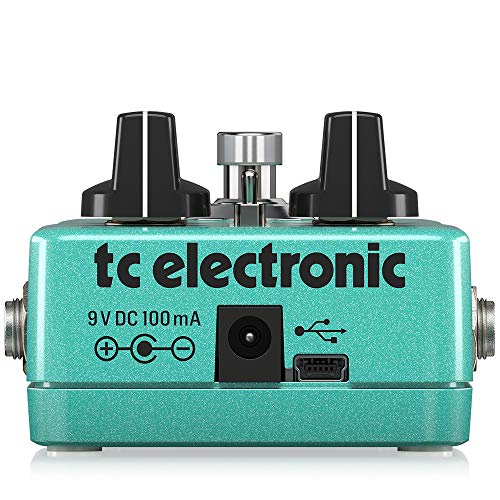
I’ve tried, The Empress pedal, Keeley, Electro harmonix, and this TC. In my opinion it’s by far the one for me. Unbelievable, simplicity, and diversity. Check out the video on the SWEETWATER website. They go over it extensively. Also has a mini USB port for computer access.