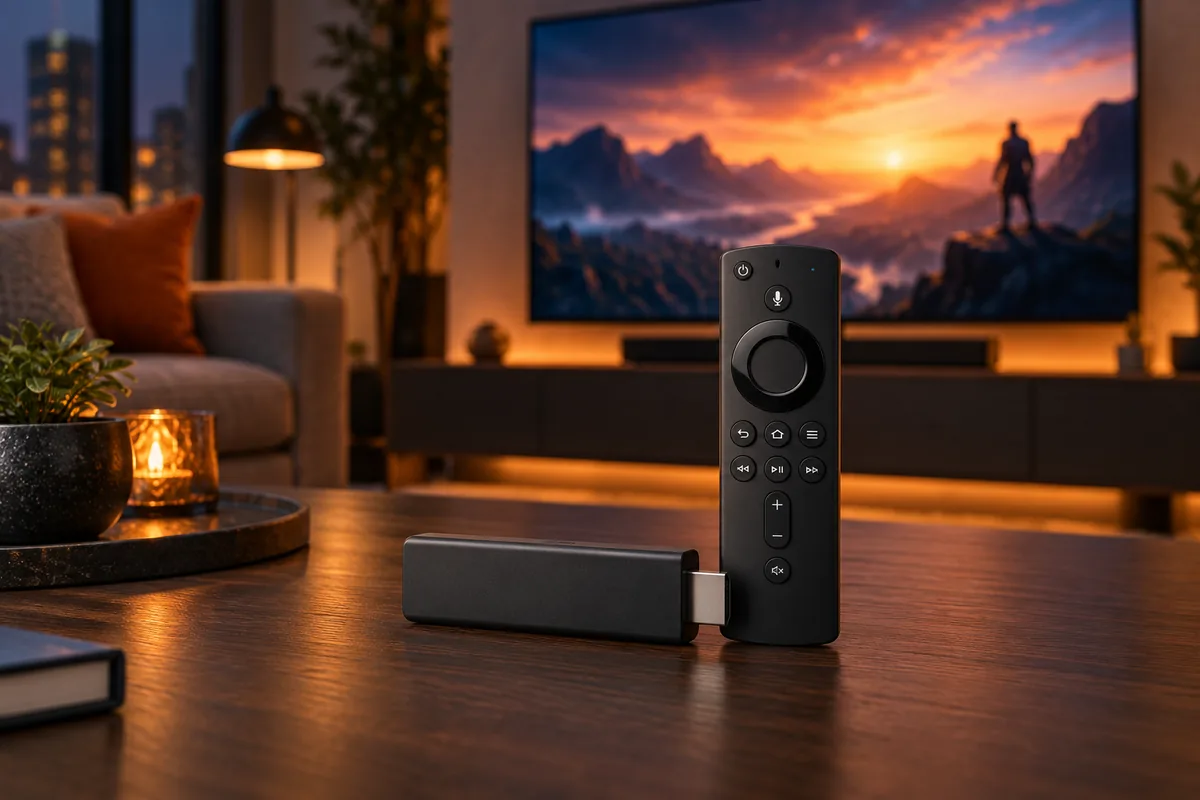
Best Fire TV Stick 2026
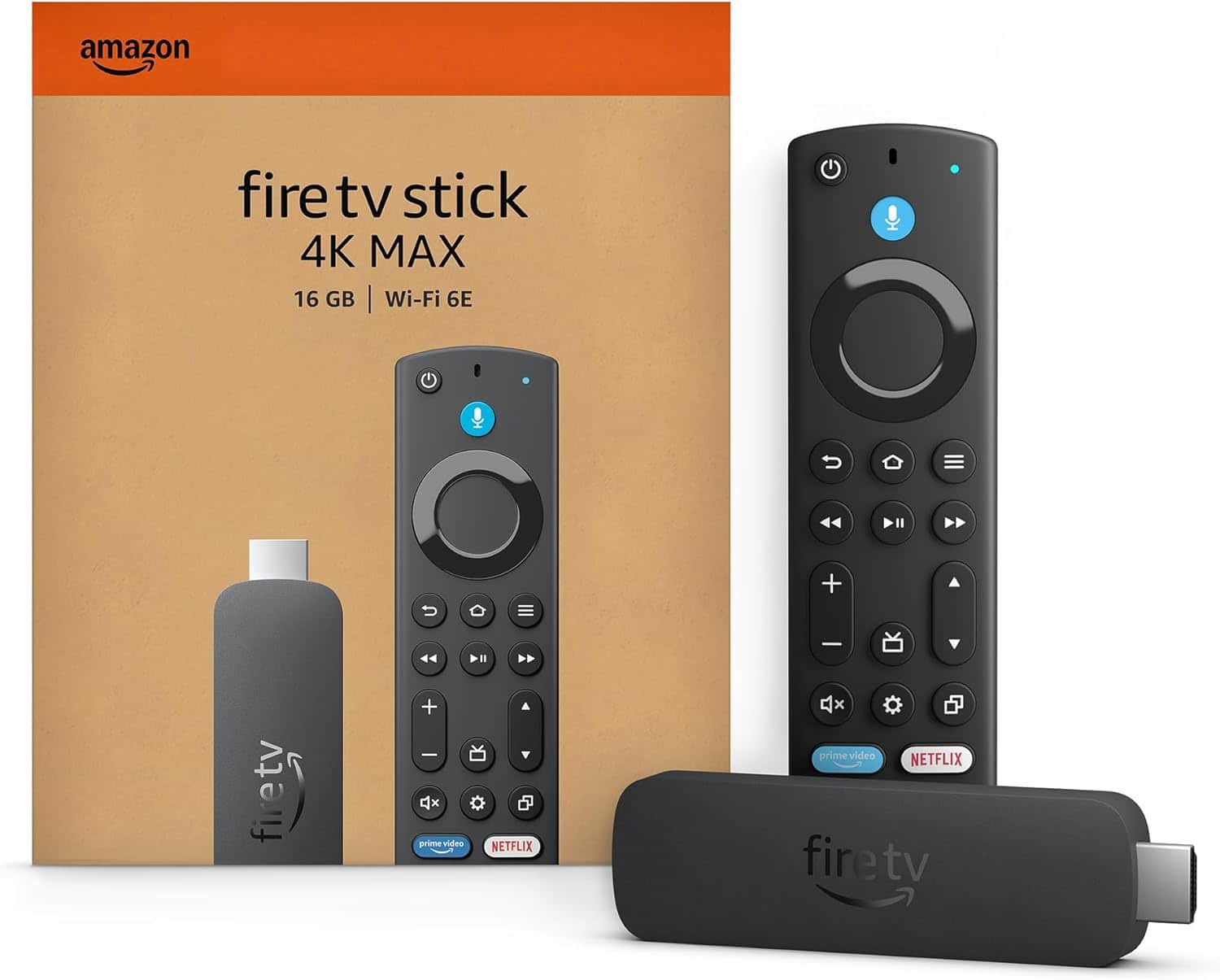
The Amazon Fire TV Stick 4K Max is the best Fire TV Stick for most buyers who want Amazon’s fastest current stick, 16GB of storage, Wi-Fi 6E, Dolby Vision, and broad 4K HDR support. But the Fire TV Stick 4K Plus is arguably the smarter full-price purchase for many households because it retains most of the important picture and audio features while costing less.
Amazon’s lineup has also become more complicated. The newer Fire TV Stick 4K Select and 2026 Fire TV Stick HD run Amazon’s Vega OS instead of the Android-based Fire OS used by the 4K Plus and 4K Max. That difference can affect app compatibility, sideloading, and how much flexibility you have beyond mainstream streaming services.
This guide compares the four current models by performance, resolution, HDR support, operating system, storage, Wi-Fi, and value. If you are still deciding between ecosystems rather than committed to Amazon, our guide to the best streaming devices also covers Roku, Apple TV, Google TV, and other alternatives.
Quick Answer: Which Fire TV Stick Should You Buy?
Best Overall: Fire TV Stick 4K Max — the strongest current stick for speed, 16GB storage, Wi-Fi 6E, Dolby Vision, and premium 4K streaming.
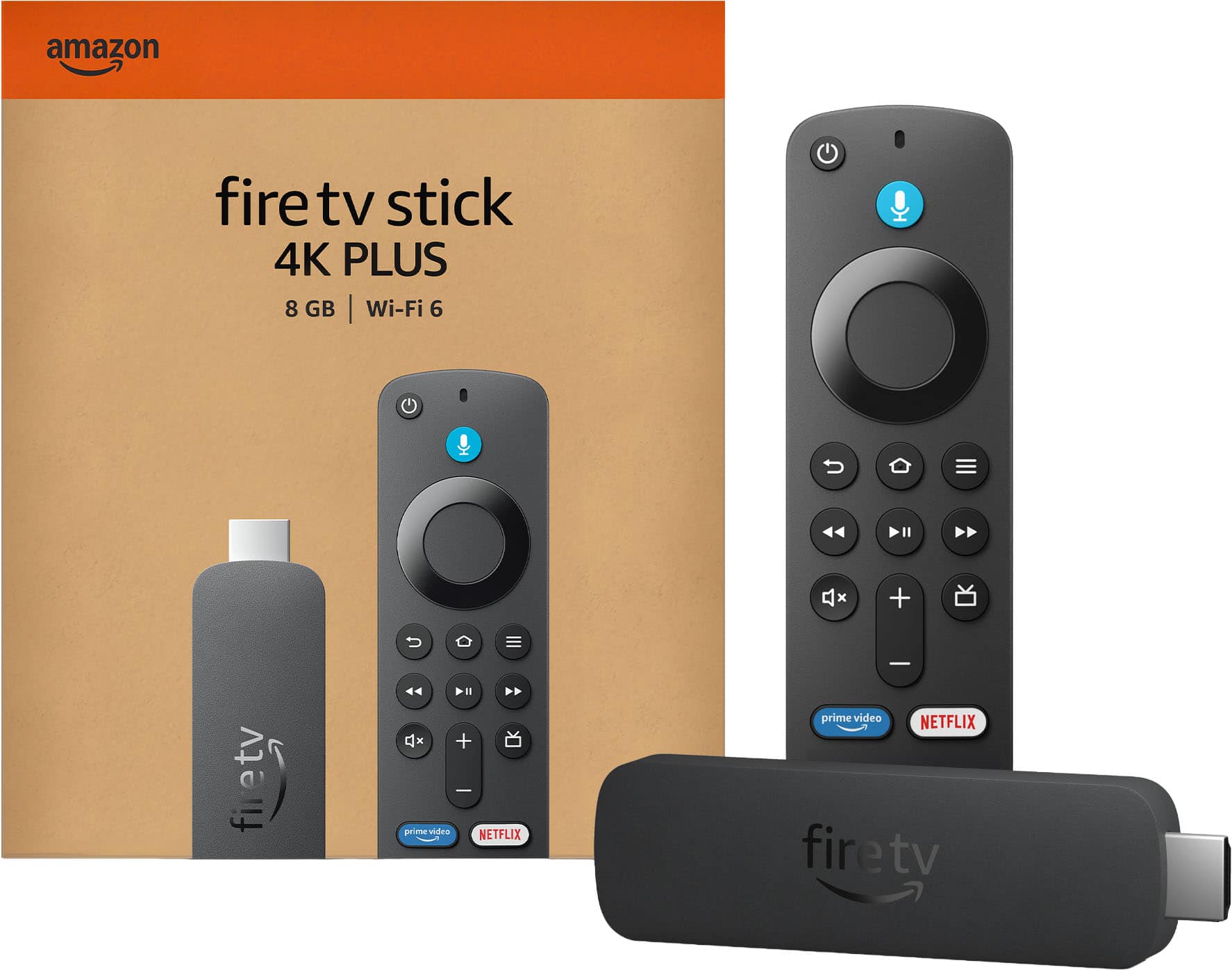
Best Value 4K: Fire TV Stick 4K Plus — keeps Fire OS, Dolby Vision, Dolby Atmos, 2GB RAM, and Wi-Fi 6 while undercutting Max at regular price.
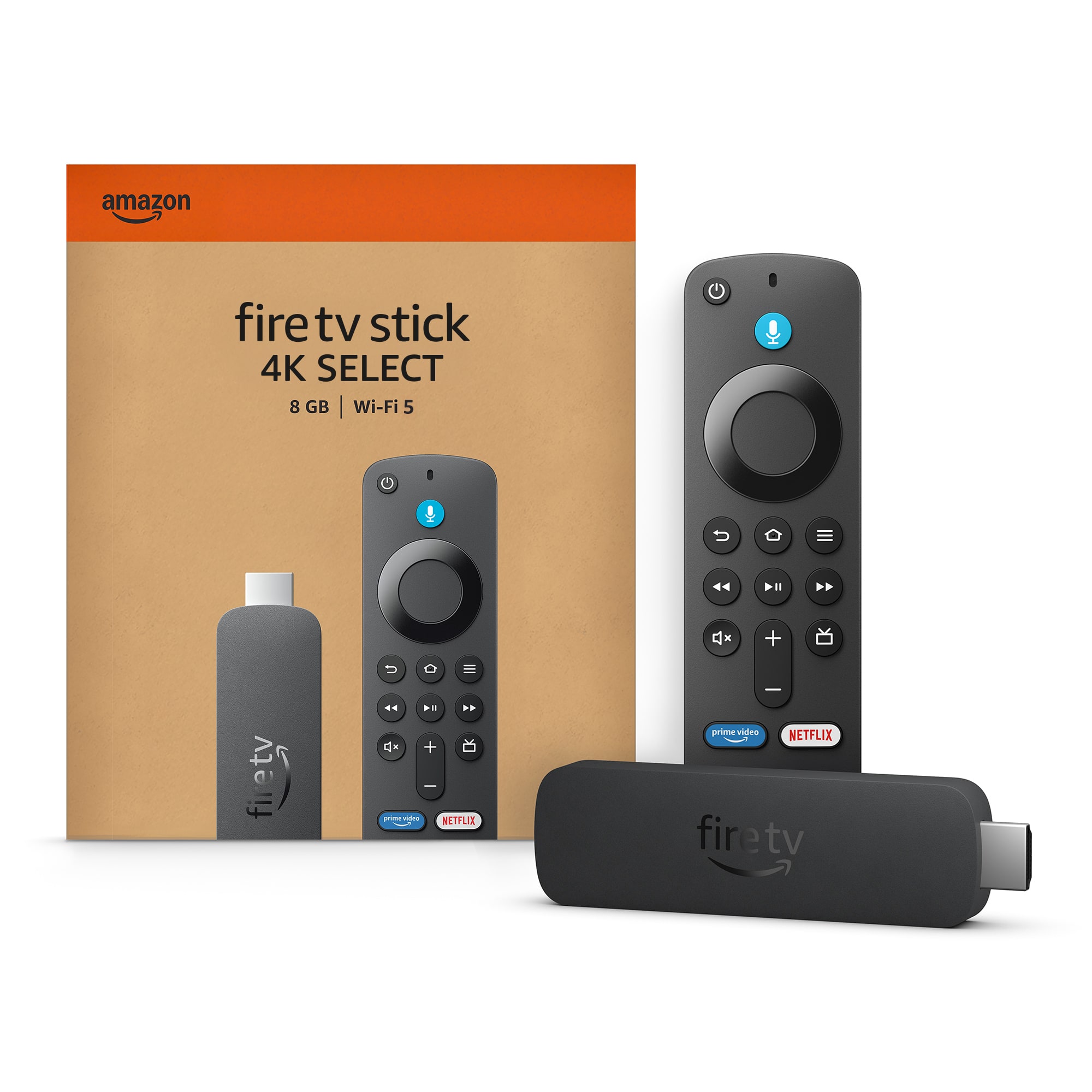
Best Budget 4K: Fire TV Stick 4K Select — the least expensive current 4K route, with HDR10+ and Alexa, but more limited hardware and Vega OS tradeoffs.
Best for 1080p TVs: Fire TV Stick HD — the sensible choice for Full HD televisions and secondary rooms, with Wi-Fi 6 and Direct Power on the 2026 model.
What Changed in the Fire TV Stick Lineup?
The current Fire TV range is substantially different from the older lineup that included the Fire TV Stick Lite and third-generation standard Fire TV Stick. Those models should no longer anchor a current buying guide.
The premium end is still led by the second-generation Fire TV Stick 4K Max, while the current Fire TV Stick 4K Plus provides a slightly slower 4K Fire OS alternative with 8GB rather than 16GB of storage.
The bigger change is Amazon’s move toward Vega OS. Fire TV Stick 4K Select was one of the first sticks to use Amazon’s newer Linux-based platform, and the 2026 Fire TV Stick HD also runs Vega. Amazon says future Fire TV Sticks will use Vega, making the software platform an important buying factor rather than a minor technical detail.
Pricing has changed as well. Current regular-price references are around $84.99 for 4K Max, $69.99 for 4K Plus, $49.99 for 4K Select, and $39.99 for Fire TV Stick HD. Amazon devices are frequently discounted, so those numbers should be treated as comparison points rather than guaranteed checkout prices.
How We Chose the Best Fire TV Sticks
We compared Amazon’s current specifications, U.S. retail availability, regular-price positioning, operating systems, streaming formats, storage, wireless networking, and independent reviews. We also considered how meaningful each hardware difference is in a normal living room rather than ranking products purely by specifications.
Temporary promotions do not determine the editorial order. A 4K Max on sale can become the obvious value choice, but a short-lived discount does not change the underlying differences between Fire OS and Vega OS, 8GB and 16GB of storage, or Wi-Fi 5 and Wi-Fi 6E.
Fire TV Stick Comparison
| Model | Best For | Video | OS | RAM | Storage | Wi-Fi | Regular Price* |
|---|---|---|---|---|---|---|---|
| Fire TV Stick 4K Max | Best overall | 4K/60, Dolby Vision, HDR10+ | Fire OS 8 | 2GB | 16GB | Wi-Fi 6E | $84.99 |
| Fire TV Stick 4K Plus | Best value 4K | 4K/60, Dolby Vision, HDR10+ | Fire OS 8 | 2GB | 8GB | Wi-Fi 6 | $69.99 |
| Fire TV Stick 4K Select | Budget 4K | 4K/60, HDR10+ | Vega OS 1.1 | 1GB | 8GB | Wi-Fi 5 | $49.99 |
| Fire TV Stick HD | 1080p TVs | Full HD | Vega OS 1.1 | 1GB | 8GB | Wi-Fi 6 | $39.99 |
Compare Current Fire TV Stick Prices
The live offers below can help you compare current retailer pricing. Product rankings remain based on features and buyer fit rather than today’s cheapest deal.


The Best Fire TV Sticks
1. Amazon Fire TV Stick 4K Max — Best Overall
Best for: Buyers who want the fastest current Fire TV Stick, additional app storage, premium HDR support, and the strongest wireless networking in Amazon’s stick lineup.
Fire TV Stick 4K Max earns the top position because its upgrades matter in several different ways rather than improving only one specification. The second-generation model uses a quad-core processor running up to 2.0GHz, 2GB of RAM, 16GB of storage, and Wi-Fi 6E.
The 16GB storage capacity is particularly useful because every other stick in this comparison provides 8GB. Streaming applications themselves are not enormous, but cached data, games, updates, and a growing app collection can make storage much more important over several years of ownership.
Video support is also comprehensive. Max handles 4K playback up to 60 fps and supports Dolby Vision, HDR10, HDR10+, and HLG. Compatible streaming services and audio equipment can also take advantage of Dolby Atmos.
Wi-Fi 6E adds access to the 6GHz band when used with a compatible router. That does not automatically make Netflix look better, but it can reduce wireless congestion in homes that already have the right networking hardware.
The main weakness is price. At a regular-price reference around $84.99, Max costs far more than Fire TV Sticks historically did. The premium becomes easier to justify if you need 16GB storage, use Wi-Fi 6E, or find it discounted close to the price of 4K Plus.
Pros
✅ Fastest current Fire TV Stick hardware
✅ 16GB storage is double the other four-stick options
✅ Dolby Vision, HDR10+ and Dolby Atmos support
✅ Wi-Fi 6E supports the 6GHz band on compatible routers
Cons
❌ $84.99 regular-price reference is expensive for a streaming stick
❌ Wi-Fi 6E provides little benefit without compatible network hardware
❌ Fire TV’s interface heavily promotes Amazon content and recommendations
Who should skip it: If you mostly stream mainstream services on an ordinary 4K television and do not need extra storage or Wi-Fi 6E, the 4K Plus is the better full-price value.
Alternative: Fire TV Stick 4K Plus retains Dolby Vision, Dolby Atmos, 2GB RAM, Fire OS 8, and Wi-Fi 6 while costing less.
2. Amazon Fire TV Stick 4K Plus — Best Value 4K
Best for: Most 4K TV owners who want Fire OS, Dolby Vision, Dolby Atmos, and strong wireless performance without paying for every Max upgrade.
Fire TV Stick 4K Plus is the model that makes the 4K Max hardest to justify at full price. Its 1.7GHz quad-core processor is slower than the Max’s 2.0GHz chip, but it still has 2GB of RAM and runs Fire OS 8.
More importantly, the Plus preserves the major home-theater features. It supports 4K video up to 60 fps, Dolby Vision, HDR10+, HDR10, HLG, and Dolby Atmos. If your main goal is watching Netflix, Prime Video, Disney+, Apple TV+, YouTube, or similar services on a Dolby Vision-capable television, you are not sacrificing the headline picture format by stepping down from Max.
The networking difference is Wi-Fi 6 instead of Wi-Fi 6E. For many homes, that will make little practical difference. A good Wi-Fi 6 connection already provides far more bandwidth than mainstream 4K streaming normally requires.
The biggest compromise is 8GB storage. Buyers who install many apps or games may appreciate the Max’s extra capacity. Everyone else should compare live prices carefully: at normal pricing, the Plus is easier to recommend, but a Max promotion can quickly eliminate the savings.
Pros
✅ Dolby Vision and HDR10+ support
✅ Dolby Atmos for compatible content and audio gear
✅ Fire OS 8 retains the established Fire TV app ecosystem
✅ Wi-Fi 6 is fast enough for typical 4K streaming
Cons
❌ 8GB storage is half the Max capacity
❌ Slower processor and GPU than 4K Max
❌ Max can become the better deal when heavily discounted
Who should skip it: Power users who install many apps, use cloud gaming frequently, or already own a Wi-Fi 6E network should consider Max instead.
Alternative: Fire TV Stick 4K Max is worth stepping up to when its sale price falls close to the current Plus price.
3. Amazon Fire TV Stick 4K Select — Best Budget 4K
Best for: Buyers who want basic 4K Fire TV streaming at the lowest regular price and mainly use popular mainstream apps.
Fire TV Stick 4K Select sits between HD and the Fire OS-based 4K models. It supports 4K playback, HDR10, HDR10+, and HLG, but leaves out Dolby Vision. It also uses 1GB of RAM, 8GB of storage, and Wi-Fi 5.
The bigger distinction is software. Select runs Vega OS rather than Fire OS. The interface remains recognizably Fire TV, and major services such as Prime Video, Netflix, YouTube, Disney+, Apple TV+, and other mainstream apps are available. But Vega changes how applications are built and distributed.
That matters most to users who rely on unusual Android applications or traditional sideloading. Independent review coverage has also highlighted the relative youth of the Vega ecosystem and potential dependence on cloud-hosted versions of some apps. Buyers with one must-have niche application should verify that application before purchasing.
Select also lacks Dolby Vision, so buyers with a Dolby Vision-capable television should think carefully before saving money here. HDR10+ still provides dynamic HDR on compatible TVs and content, but format compatibility depends on the television and streaming service.
Amazon’s technical documentation lists Dolby Atmos among supported HDMI audio passthrough formats, so it is more accurate to describe Select as lacking the same premium Dolby Vision feature package as Plus and Max rather than claiming that the device has absolutely no Atmos capability.
Pros
✅ Lowest regular-price current 4K Fire TV Stick
✅ Supports HDR10 and HDR10+
✅ Mainstream streaming services are available
✅ Frequently receives aggressive promotional pricing
Cons
❌ No Dolby Vision
❌ Only 1GB RAM and 8GB storage
❌ Wi-Fi 5 is older than the other current networking options
❌ Vega OS can be less flexible for niche apps and traditional sideloading
Who should skip it: Anyone with a Dolby Vision TV, a strong preference for Fire OS app flexibility, or an important niche Android application should lean toward 4K Plus.
Alternative: Fire TV Stick 4K Plus costs more but adds Fire OS, 2GB RAM, Wi-Fi 6, Dolby Vision, and a stronger overall 4K feature set.
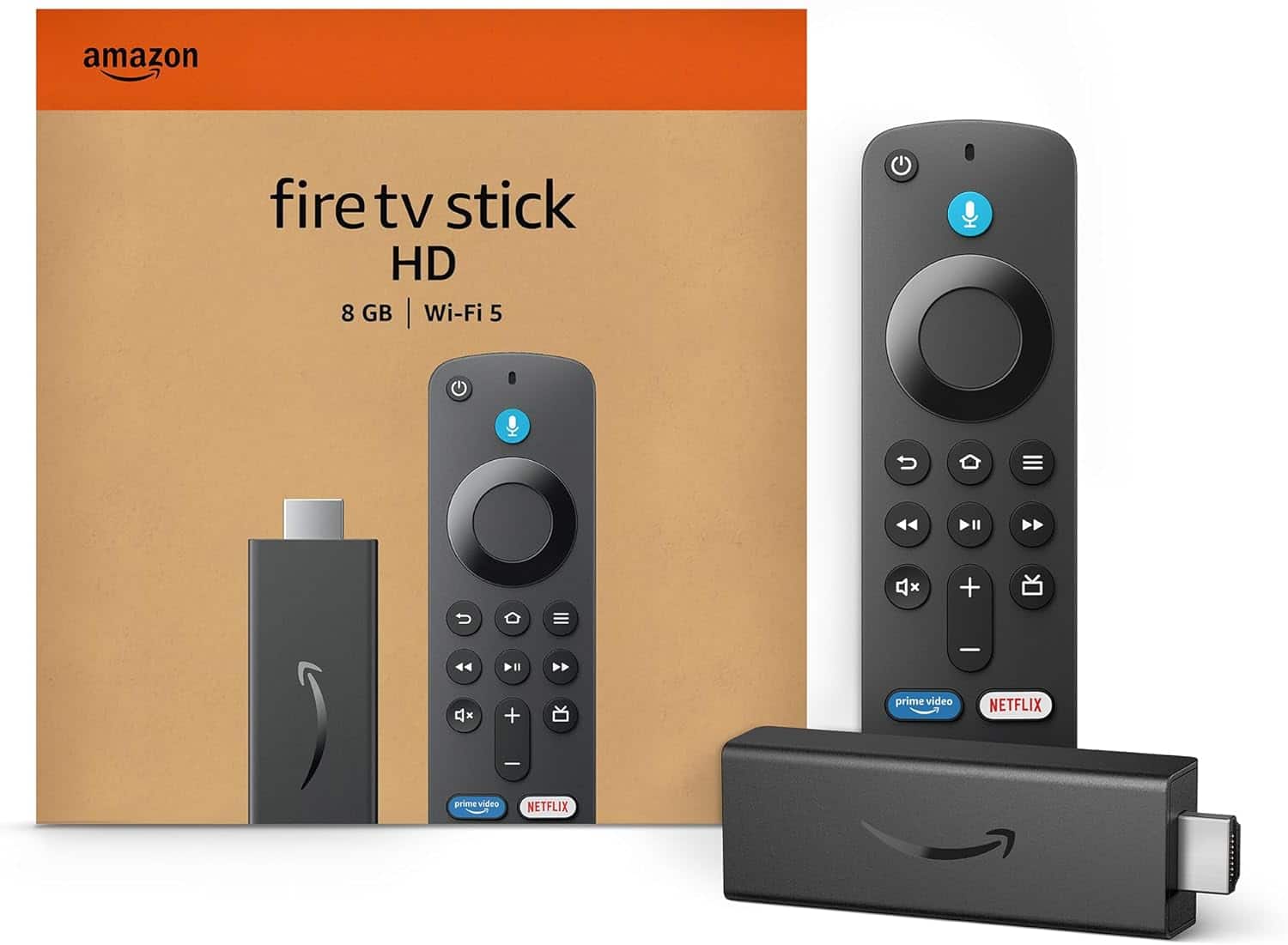
4. Amazon Fire TV Stick HD — Best for 1080p TVs
Best for: Older Full HD televisions, guest rooms, kitchens, dorm rooms, and other secondary screens where 4K output provides no practical benefit.
The 2026 Fire TV Stick HD makes the most sense when the television itself is limited to 1080p. Paying extra for a 4K streamer cannot turn a Full HD panel into a 4K display, so HD remains a reasonable low-cost option for older screens.
The current model also brings meaningful hardware changes. Amazon lists a 1.7GHz quad-core processor, 1GB RAM, 8GB storage, Wi-Fi 6, Bluetooth 5.3, and Vega OS 1.1.
One of its most practical features is Direct Power. On compatible televisions, the stick can draw power directly from the TV’s USB port rather than requiring a separate wall adapter. That can reduce cable clutter in guest rooms, mounted-TV installations, and travel setups.
There is one major reason not to buy it: future-proofing. If your current television is 4K—or you expect to replace a 1080p set soon—the 4K Select often makes more sense, particularly during a sale. Promotional pricing can sometimes bring the 4K model close to or even below the HD model’s normal price.
Pros
✅ Good fit for televisions limited to 1080p
✅ Wi-Fi 6 is unusually current for the entry model
✅ Direct Power can reduce cable clutter on compatible TVs
✅ Lowest normal entry price in the current four-stick lineup
Cons
❌ Limited to Full HD rather than 4K output
❌ Only 1GB RAM and 8GB storage
❌ Vega OS has the same app-flexibility considerations as 4K Select
Who should skip it: Anyone using a 4K television should start with the 4K Select instead. The price difference is too small to justify deliberately limiting resolution on a 4K screen.
Alternative: Fire TV Stick 4K Select is the natural step up for 4K TVs and can become especially attractive during Amazon hardware sales.
Fire TV Devices We Would Skip or Buy Only for a Specific Reason
Fire TV Cube is more powerful than any stick and adds features such as hands-free Alexa control and additional connectivity, but it is a set-top box rather than a Fire TV Stick. Buyers specifically searching for a compact HDMI stick do not need to include it in the same ranking.
Fire TV Stick Lite and Fire TV Stick 3rd Gen are older 2020-era devices. Remaining retailer listings may still appear, but neither should be a primary recommendation when newer models occupy the same entry-level roles.
Fire TV Stick HD (2024) should also be distinguished from the newer 2026 HD model. The 2026 version brings Vega OS, newer connectivity, and Direct Power, so product feeds should be checked carefully before purchase.
If you are not committed to Amazon at all, compare other streaming devices before buying. Roku, Apple TV, Google TV, and other platforms differ substantially in interface design, advertising, smart-home integration, and app flexibility.
How to Choose the Right Fire TV Stick
1080p vs 4K: Start With Your Television
The easiest decision is resolution. If your television is limited to 1080p and will stay that way for several years, Fire TV Stick HD is enough for mainstream streaming.
If the television supports 4K, choose one of the three 4K models. Even when you mostly watch 1080p content today, buying a 4K stick avoids creating an unnecessary resolution bottleneck later.
Discompare’s broader TV streaming sticks category can also help if you want to compare Amazon hardware with compact alternatives from other ecosystems.
Do You Need Dolby Vision?
Dolby Vision matters only if both your television and the content support it. Fire TV Stick 4K Plus and 4K Max support Dolby Vision. Fire TV Stick 4K Select supports HDR10, HDR10+, and HLG but not Dolby Vision.
If your television is HDR10+-focused and does not support Dolby Vision, the difference becomes less important. If you own a Dolby Vision-capable OLED or premium LCD TV and regularly use compatible streaming services, Plus or Max is the safer choice.
Fire OS vs Vega OS
This is now one of the biggest differences in the Fire TV lineup. Fire TV Stick 4K Max and 4K Plus use Fire OS 8, which is based on Android and has years of app support behind it.
Fire TV Stick 4K Select and the 2026 HD use Vega OS. The interface still looks and behaves like Fire TV for ordinary viewing, but applications are built and delivered differently. Traditional Android sideloading is not available in the same way.
For someone who only uses Netflix, Prime Video, Disney+, YouTube, Apple TV+, Hulu, and other mainstream services, that may not matter. For power users with VPNs, niche media applications, emulators, or sideloaded Android software, it can be decisive.
8GB vs 16GB Storage
Fire TV Stick 4K Max provides 16GB of internal storage, while the other three models in this comparison provide 8GB.
Storage does not change video quality, but it affects how comfortably you can install applications and games over time. Buyers who use only a handful of streaming services may never notice the difference. Anyone who experiments with more apps or cloud-gaming services will appreciate the additional space.
Wi-Fi 5 vs Wi-Fi 6 vs Wi-Fi 6E
Fire TV Stick 4K Select uses Wi-Fi 5. Fire TV Stick HD and 4K Plus support Wi-Fi 6, while 4K Max adds Wi-Fi 6E and access to the 6GHz band.
Newer Wi-Fi does not automatically improve picture quality. A stable Wi-Fi 5 connection can already handle ordinary 4K streaming. The advantages of Wi-Fi 6 and 6E are more likely to appear in crowded networks, homes with many connected devices, or environments where the newer bands reduce interference.
Do not pay extra for Wi-Fi 6E unless your router supports it or you expect to upgrade your network.
When Is the 4K Max Worth the Extra Money?
Buy Max when at least one of its real advantages matters: 16GB storage, faster processing, stronger graphics performance, Wi-Fi 6E, or its Enhanced Alexa Voice Remote.
If those features are not important, 4K Plus provides a very similar core movie-and-TV experience. It still supports Dolby Vision, HDR10+, Dolby Atmos, Fire OS 8, 2GB RAM, and Wi-Fi 6.
Deal rule: If Fire TV Stick 4K Max falls within roughly $10–15 of 4K Plus during a sale, the extra storage and faster hardware make Max much easier to justify.
Alexa and Smart-Home Integration
All four models include an Alexa voice remote, allowing voice search and commands without relying entirely on on-screen keyboards. A compatible Echo device can also extend Alexa control beyond the microphone button on the remote.
That makes Fire TV particularly natural in Alexa-heavy homes. If voice assistants and connected-home devices are important to your setup, our guide to smart speakers for connected homes covers the broader category.
Fire TV Is an Amazon-Heavy Interface
The Fire TV platform works with major competing streaming services, but the home screen is still built around Amazon’s ecosystem, recommendations, promotions, and sponsored placements.
Some buyers like the content-first approach and Alexa integration. Others prefer a cleaner or more neutral interface. Hardware specifications alone cannot solve an interface preference, which is why platform choice should come before a small difference in processor speed.
Think About Your Audio System Too
Fire TV Stick 4K Plus and 4K Max are the strongest straightforward choices when Dolby Atmos and premium home-theater formats are priorities. Actual Atmos playback still depends on the streaming service, title, television or receiver, and audio hardware.
If your television’s speakers are the limiting factor, upgrading the streaming stick will not create immersive sound by itself. Our guide to the best soundbars for home theaters covers the audio side of the setup.
Streaming Subscriptions Are Still Separate
Buying a Fire TV Stick does not include every streaming service. Netflix, Disney+, HBO Max, Apple TV+, sports services, and other paid platforms still require their own subscriptions where applicable.
You also do not need an Amazon Prime membership simply to operate a Fire TV Stick. A standard Amazon account is needed for setup, while Prime Video’s full subscription catalog is a separate benefit.
Which Fire TV Stick Should You Buy?
Choose Fire TV Stick 4K Max if you want Amazon’s best current stick, 16GB storage, and Wi-Fi 6E. Choose Fire TV Stick 4K Plus if you want Dolby Vision and Fire OS at a lower full price. Choose Fire TV Stick 4K Select if budget 4K streaming matters more than Dolby Vision or Fire OS flexibility. Choose Fire TV Stick HD only when the television itself is limited to 1080p or the lowest entry cost matters most.
Fire TV Stick FAQ
What is the best Fire TV Stick in 2026?
Fire TV Stick 4K Max is the best overall model because it combines the fastest current stick hardware, 16GB storage, Wi-Fi 6E, Dolby Vision, HDR10+, and Fire OS 8. Fire TV Stick 4K Plus offers better value for many buyers at regular price.
Is Fire TV Stick 4K Max worth it over 4K Plus?
It is worth the upgrade if you want 16GB storage, faster processing, Wi-Fi 6E, or find Max discounted close to the Plus price. For ordinary 4K streaming, Plus retains Dolby Vision, Dolby Atmos, Fire OS 8, and Wi-Fi 6.
What is the difference between Fire TV Stick 4K Select and 4K Plus?
4K Plus uses Fire OS 8, has 2GB RAM, supports Wi-Fi 6 and Dolby Vision, and provides a more established app ecosystem. 4K Select uses Vega OS, has 1GB RAM, Wi-Fi 5 and no Dolby Vision, but costs less.
Does Fire TV Stick HD work with a 4K TV?
It can work through a compatible HDMI connection, but its output is limited to Full HD. A 4K Select, Plus or Max is the better choice for a 4K television because those models can actually deliver 4K video.
Do you need Amazon Prime to use a Fire TV Stick?
No. You need an Amazon account for setup, but Prime membership is not required to use the device. Individual paid streaming services still require their own subscriptions.
What is Vega OS, and does it affect Fire TV apps?
Vega OS is Amazon’s newer Linux-based Fire TV platform. Major streaming apps are available, but it is different from Android-based Fire OS and does not support traditional Android sideloading in the same way. Buyers with niche apps should verify compatibility before purchasing.
Do I need a Wi-Fi 6E router for Fire TV Stick 4K Max?
No. The 4K Max also works with older compatible Wi-Fi networks. A Wi-Fi 6E router is only needed if you want to use the newer 6GHz band.
Final Verdict
Fire TV Stick 4K Max is the best Fire TV Stick overall because its advantages extend beyond raw processor speed. The 16GB storage capacity, Wi-Fi 6E support, Dolby Vision, HDR10+, and established Fire OS ecosystem make it the most capable current stick.
That does not automatically make it the best value. At normal pricing, Fire TV Stick 4K Plus gives many 4K households nearly everything they need while retaining Fire OS, Dolby Vision, Dolby Atmos, and Wi-Fi 6. Fire TV Stick 4K Select is the budget 4K choice if mainstream apps cover your needs, while Fire TV Stick HD should mainly be reserved for televisions that are still limited to 1080p.
Bottom line: Buy 4K Max for the strongest hardware, 4K Plus for the best full-price balance, 4K Select for budget 4K, and HD only when your television does not need 4K. Always compare current offers because Amazon’s frequent sales can temporarily change which model delivers the best value.
Sources
- Amazon Developer — Fire TV streaming media player device specifications
- TechRadar — Which Amazon Fire Stick do I need? A guide to the key differences
- Tom’s Guide — Amazon Fire TV Stick 4K Select review
Product Groups: Amazon Fire TV Stick 4K Max, Amazon Fire TV Stick 4K Plus, Amazon Fire TV Stick 4K Select, Amazon Fire TV Stick HD