Best LED Desk Lamps for Study & Work 2026
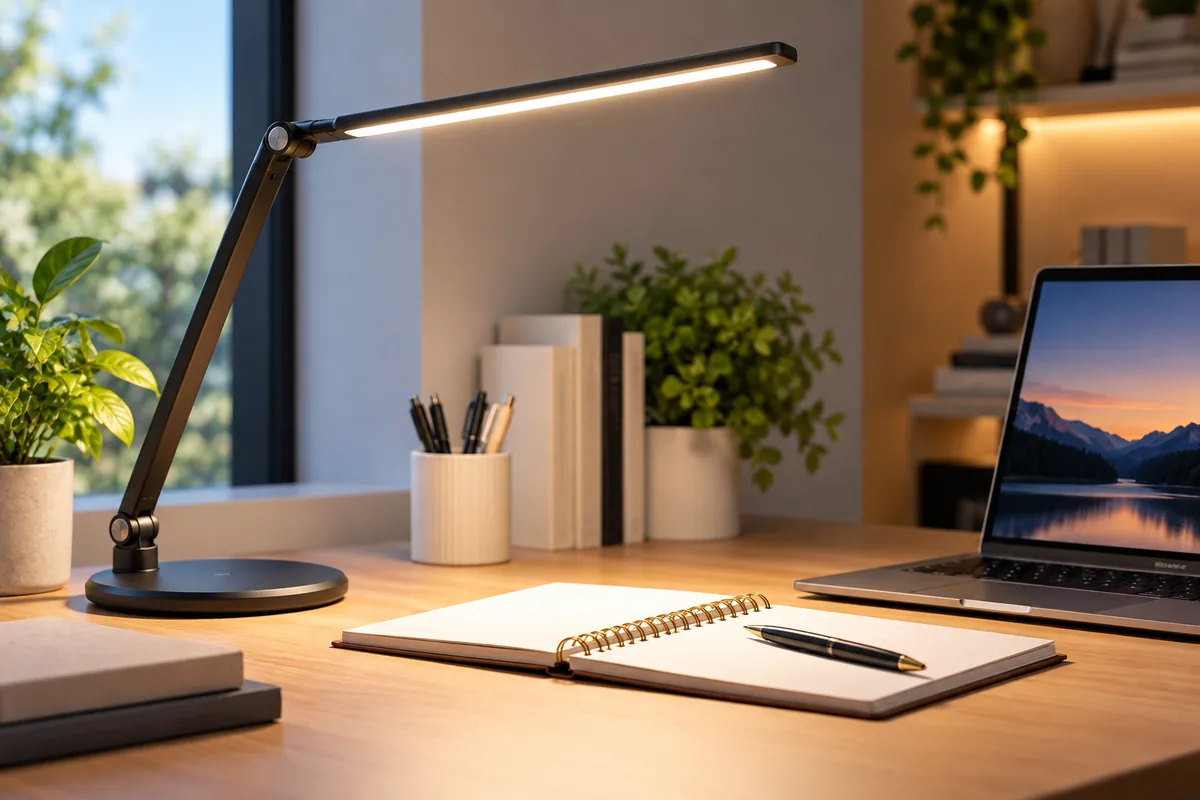
The best LED desk lamps should make reading, writing, and computer work easier without taking over your desk. However, the right lamp depends on your workspace. A compact student desk needs something different from a wide dual-monitor setup.
For 2026, we selected five lamps with distinct strengths. TaoTronics offers the best balance for everyday study and office work. Honeywell suits larger premium workspaces. Lepro covers tighter budgets, while EppieBasic works well across wide desks. OttLite is the strongest choice here for color-sensitive tasks.
Brightness matters, but it is only one factor. You should also consider color temperature, lamp position, glare, desk coverage, and physical adjustment.
Quick Answer: Best LED Desk Lamps
Best overall: TaoTronics TT-DL13 combines five color modes, seven brightness levels, an adjustable design, and USB charging.
Best premium: Honeywell H9 delivers up to 1000 lumens, wide desk coverage, smart sensing, and CRI 91+ lighting.
Best budget pick: Lepro LED Desk Lamp offers three color temperatures, five brightness levels, and USB charging for about $32.
Best for large desks: EppieBasic 31.5″ Extra-Wide uses a long light bar and adjustable arm for broader workspace coverage.
Best for color and detail work: OttLite Slimline offers CRI 95+, three color modes, and five brightness levels.
How We Chose the Best LED Desk Lamps
We focused on features that affect real desk use. These include brightness control, color adjustment, lamp positioning, coverage, desk footprint, and mounting style.
We also looked at how each lamp fits a different workspace. A narrow reading lamp may be perfect for a student desk. Meanwhile, a wide light bar makes more sense above two monitors.
We did not treat marketing terms such as “eye care” as proof of a medical benefit. Instead, we used measurable lighting features and OSHA guidance on glare and workstation lighting.
LED Desk Lamps Compared
| Lamp | Best For | Light Output | Color Control | Mount | Key Extras | Regular Price | Main Trade-Off |
|---|---|---|---|---|---|---|---|
| TaoTronics TT-DL13 | Study and everyday work | 510 lm | 5 modes / 3000–6500K | Base | 7 brightness levels, USB | $79.99 | Narrower coverage than large-office lamps |
| Honeywell H9 | Premium home offices | Up to 1000 lm | Adjustable + presets | Base | Ambient sensing, motion sensing, memory | $239.99 | Expensive and heavy |
| Lepro LED Desk Lamp | Budget desks | Approx. 450–550 lm | 3 temperatures | Base | 5 brightness levels, USB, memory | $31.99 | Smaller and less substantial |
| EppieBasic 31.5″ Extra-Wide | Dual monitors and large desks | 24W system | Multiple settings | Base or clamp | 31.5″ light bar, 3-section arm | $79.99–$92.99 | Oversized for small desks |
| OttLite Slimline | Color and detail work | Task lighting | 3 modes | Base | CRI 95+, 5 brightness levels | $74.99 | Less wide than large-office lamps |

1. TaoTronics TT-DL13 — Best Overall LED Desk Lamp
Best for: Students, home offices, reading, writing, and general desk work.
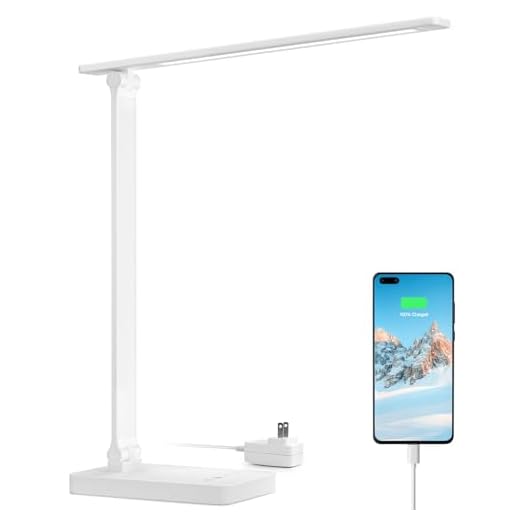
The TaoTronics TT-DL13 gives you a broad range of adjustments without making the controls complicated. It produces up to 510 lumens from a 12W LED system.
You can choose from five color modes and seven brightness levels. That creates 35 possible lighting combinations. The published color-temperature range runs from 3000K to 6500K.
This flexibility is useful because desk lighting needs change during the day. You may prefer a cooler setting during daytime work. Then, you can move to a warmer setting during evening reading.
The lamp head, neck, and body all adjust. As a result, you can direct light onto documents without pointing the light straight toward your eyes.
A 5V/1A USB port is built into the base. It is not a fast modern laptop charger, but it can keep a phone or small device powered.
At a $79.99 regular price, the TT-DL13 sits between basic budget lamps and premium office models. TaoTronics often discounts it, so the live comparison block is more useful than a fixed sale price.
Pros
✅ Five color modes
✅ Seven brightness levels
✅ 3000–6500K adjustment range
✅ Built-in USB charging port
Cons
❌ Less coverage than extra-wide office lamps
❌ USB output is modest by current charging standards
❌ Base still consumes some usable desk space
Skip it if: You need to illuminate a very wide dual-monitor workstation.
Alternative: Choose the EppieBasic 31.5″ lamp for wider coverage.
2. Honeywell H9 — Best Premium Smart Desk Lamp
Best for: Full-time home offices, wide desks, professionals, and buyers who want automatic lighting adjustment.
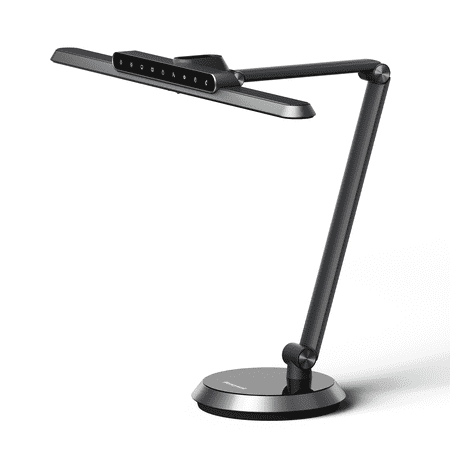
The Honeywell H9 is the most powerful and feature-heavy lamp in this guide. Honeywell rates it at up to 1000 lumens.
It also uses a wide lighting system designed for large workspaces. Honeywell says it can cover desks up to 180 cm wide.
The H9 goes beyond manual controls. An ambient-light sensor can adjust brightness automatically as room lighting changes. Motion sensing can also turn the lamp on when a user arrives and off after the workspace is empty.
Color control is adjustable, and the lamp includes several preset modes. The multi-axis arm also lets you change the lamp’s position over the desk.
Honeywell lists a CRI above 91. That matters when you want colors to look reasonably faithful under artificial light.
The biggest drawback is price. The H9 costs about $240 at regular direct pricing. It also weighs close to 10 pounds, so it is not the right choice for a desk that moves often.
Pros
✅ Up to 1000 lumens
✅ Wide coverage for larger desks
✅ Ambient-light and motion sensors
✅ CRI 91+ color rendering
Cons
❌ Far more expensive than basic desk lamps
❌ Heavy base takes up desk space
❌ Smart sensors are unnecessary for simple study setups
Skip it if: You need straightforward light for homework or occasional office use.
Alternative: TaoTronics TT-DL13 offers strong manual control for much less money.
3. Lepro LED Desk Lamp — Best Budget LED Desk Lamp
Best for: Students, dorm rooms, compact desks, and shoppers who want useful controls at a low price.
The Lepro LED Desk Lamp costs far less than the premium models here. Still, it covers the main functions needed for study and office work.
It provides three color temperatures: 3000K warm white, 4200K neutral white, and 6500K daylight white. Each mode has five brightness levels.
The lamp produces roughly 450–550 lumens, depending on the setting. Its frosted diffuser spreads the light across the work area instead of exposing individual LED points.
The head can tilt through 180 degrees. Meanwhile, the arm folds through 90 degrees. That helps when you need to store the lamp or reposition it over a notebook.
A 5V/1A USB port is built into the base. The lamp also remembers the previous color and brightness settings.
At $31.99 regular pricing, Lepro is the obvious value pick. However, the lighter design does not provide the same reach as a large articulated office lamp.
Pros
✅ Low regular price
✅ Three color temperatures
✅ Five brightness levels
✅ USB charging and memory function
Cons
❌ Smaller lighting area than wide office lamps
❌ Lightweight build feels less substantial
❌ Limited reach for very deep desks
Skip it if: You need to light two monitors, a drawing surface, or a large executive desk.
Alternative: EppieBasic covers a much wider workspace.
4. EppieBasic 31.5″ Extra-Wide — Best for Dual Monitors and Large Desks
Best for: Dual monitors, wide desks, drafting, drawing, and large home-office work surfaces.
The EppieBasic 31.5″ lamp solves a problem that compact lamps cannot. Its light bar stretches across 31.5 inches, or about 80 cm.
That wider source can illuminate the keyboard and paperwork across a broader area. It is especially useful when two monitors occupy most of the center of a desk.
The lamp uses a 24W LED system. A three-section articulated arm lets you move the light bar higher, lower, or farther across the desk.
You can also choose between a normal desk base and a clamp mount. The clamp is the better choice when desk space is already crowded with displays and peripherals.
However, size works against it on small desks. A 31.5-inch lamp can feel excessive beside a single laptop.
If your workstation itself needs more room, our guide to the best home office desks can help you compare deeper and wider work surfaces.
Pros
✅ Extra-wide 31.5-inch light bar
✅ Good fit for dual-monitor workstations
✅ Base and clamp versions available
✅ Highly adjustable three-section arm
Cons
❌ Too large for many student desks
❌ Clamp version needs a compatible desk edge
❌ Less convenient if the lamp needs to move between rooms
Skip it if: You mainly work from a laptop on a narrow desk.
Alternative: Lepro offers a smaller and cheaper footprint.
5. OttLite Slimline — Best for Color and Detail Work
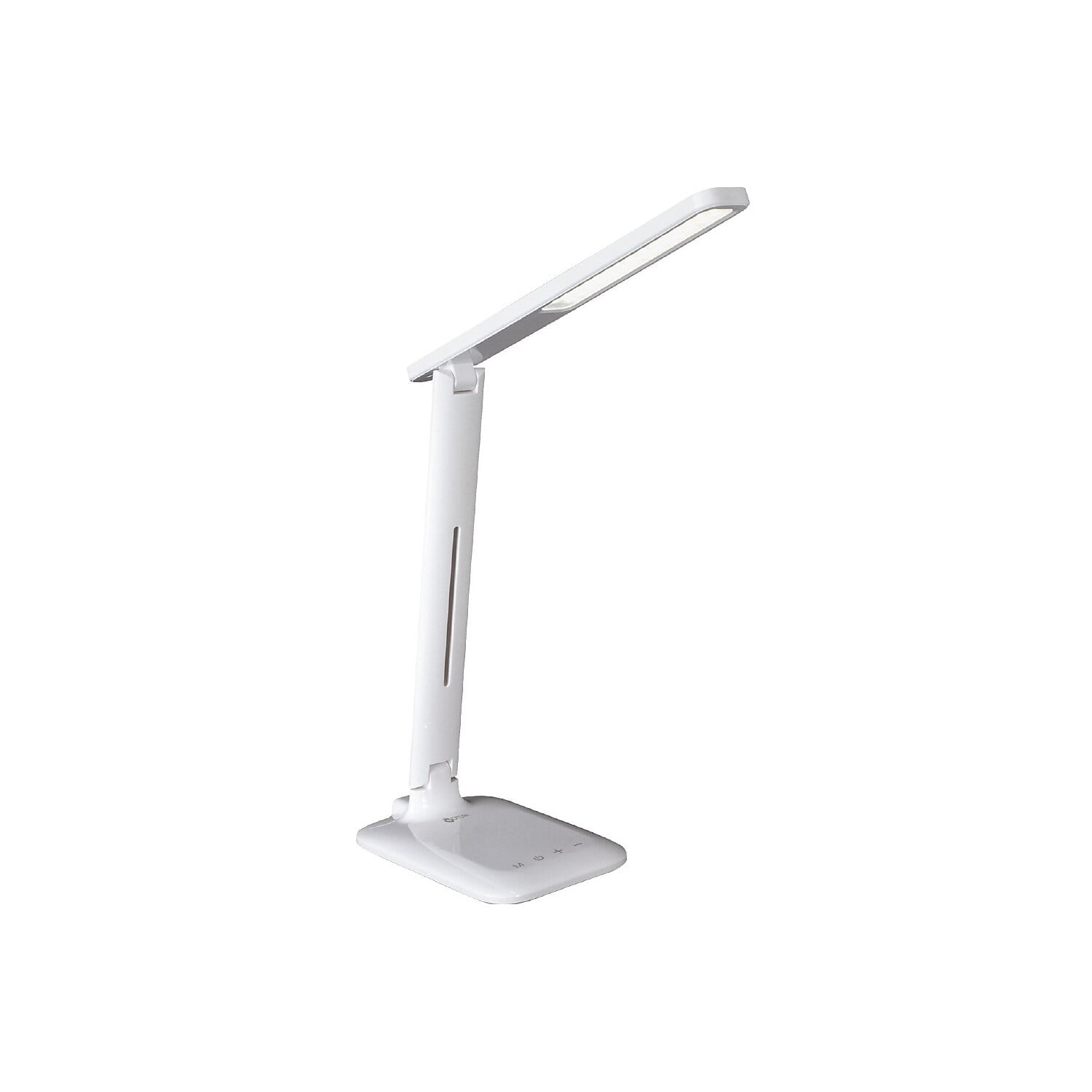
Best for: Crafts, illustration, paperwork, color-sensitive work, and detailed reading.
The OttLite Slimline stands out because of its CRI 95+ rating. CRI measures how faithfully colors appear under a light source compared with a reference.
That makes the lamp useful when color differences matter. Examples include drawing, fabric work, printed design, model building, and detailed craft projects.
The Slimline provides three color-temperature modes. These include warm white, bright white, and OttLite’s daylight-style setting.
You can also choose from five brightness levels. Two adjustment points help position the light, while the lamp height ranges from about 5 to 19 inches.
OttLite markets additional visual-comfort benefits for its ClearSun technology. However, we do not use those claims as proof that the lamp prevents or treats eye strain.
At $74.99, the Slimline costs more than the Lepro. Its strongest reason to buy is color rendering rather than smart features or wide coverage.
Pros
✅ CRI 95+ color rendering
✅ Three color-temperature modes
✅ Five brightness levels
✅ Useful for detailed and color-sensitive tasks
Cons
❌ Less coverage than extra-wide office lamps
❌ No major smart-sensor features
❌ High CRI is less important for ordinary email and web browsing
Skip it if: Your priority is lighting an entire dual-monitor desk.
Alternative: Choose EppieBasic for wider coverage or Honeywell H9 for a premium smart setup.
Other LED Desk Lamps We Considered
BenQ e-Reading Desk Lamp
The BenQ e-Reading lamp has excellent specifications for screen-heavy work. Its wide illumination and CRI 95 rating make it technically strong.
However, current U.S. availability is inconsistent. We left it out until retailer stock becomes easier to verify.
Dyson Solarcycle Morph
The Solarcycle Morph offers daylight tracking and a distinctive articulated design. However, the price is extremely high for a general desk-lamp recommendation.
Direct U.S. availability has also been inconsistent. That weakens it as a practical price-comparison choice.
Lumie Task
The Lumie Task produces very bright illumination and uses a high-CRI light source. However, its positioning overlaps with bright-light therapy products.
That introduces health-related intent that does not belong in a broad desk-lamp buying guide.
IKEA FORSÅ
The FORSÅ is an affordable adjustable work lamp. However, it uses a replaceable bulb rather than an integrated LED lighting system.
Because this guide specifically targets LED desk lamps, we kept the core list focused on integrated LED models.
How Bright Should a Desk Lamp Be?
There is no single lumen number that works for every desk. Light output matters, but lamp height, beam width, room lighting, and surface color also affect what reaches your workspace.
A compact 500-lumen lamp can be plenty for a notebook or textbook. However, the same lamp may leave the edges of a large dual-monitor desk darker.
More light is not always better. An extremely bright lamp can create uncomfortable contrast when the rest of the room is dark.
OSHA recommends supplemental task lighting for reading and writing. It also recommends controlling brightness around computer screens instead of flooding the entire workstation with intense direct light.
What Color Temperature Is Best for Studying and Work?
Color temperature describes whether white light appears warmer or cooler. It is measured in kelvins.
Many adjustable LED desk lamps let you switch between several temperature ranges. That flexibility is usually more useful than locking yourself into one setting.
| Light Setting | Typical Use | What to Expect |
|---|---|---|
| Warm white | Evening reading | Softer, warmer appearance |
| Neutral white | General office work | Balanced everyday appearance |
| Cool white / daylight | Detailed daytime tasks | Crisper, cooler appearance |
Do not treat a specific color temperature as a guaranteed productivity setting. Personal preference and surrounding room light still matter.
How to Position a Desk Lamp Without Screen Glare
Lamp placement matters as much as the lamp itself. OSHA recommends positioning task lighting so it does not reflect on your monitor.
Reflections reduce screen clarity. They can also make you change your posture to see around the glare.
Laptop-Only Desks
Place the lamp beside the laptop rather than directly behind it. Aim the light down toward the keyboard, notebook, or documents.
Keep the light source out of your direct line of sight. Also check the screen from your normal seated position for reflections.
Single-Monitor Desks
Position the lamp to one side of the monitor. Then, angle the head toward the work surface rather than the display.
A lamp with a long adjustable arm gives you more options. This is especially useful when documents sit between you and the screen.
Dual-Monitor Desks
Wide workstations benefit from broader lighting. A long light bar can cover the keyboard and documents without placing a small bright source beside one screen.
Our guide to the best monitor setups for your home office can help if you are still arranging display height and desk space.
Writing by Hand
Place the lamp on the side opposite your writing hand when possible. This can reduce the shadow cast by your hand across the page.
Left-handed users may therefore prefer light from the right. Right-handed users can usually place it on the left.
Base vs. Clamp Desk Lamps
A standard base is the easiest option when you move the lamp often. It does not depend on desk-edge shape or thickness.
The drawback is space. A large lamp base competes with notebooks, keyboards, speakers, and other accessories.
A clamp lamp removes most of that footprint. This can be especially useful on compact desks or monitor-heavy workstations.
However, not every desktop accepts a clamp. Thick edges, rear panels, drawers, and cable trays can block the mounting point.
What to Look for in the Best LED Desk Lamps
Adjustable Brightness
Dimming gives you more control as room light changes. It also lets one lamp handle both paper tasks and computer work.
Color Temperature
Multiple color settings increase flexibility. You can use a cooler white during the day and switch to a warmer appearance later.
Light Coverage
Consider the width of the work surface. A narrow light is fine for books. Large monitor setups benefit from broader coverage.
Arm and Head Adjustment
A useful lamp should direct light where you need it. Check the number of joints and how far the head can rotate.
Glare Control
Diffusers, shields, and careful placement can reduce harsh reflections. OSHA specifically recommends limiting light reflected on computer screens.
CRI
CRI measures color rendering. A higher CRI is useful for art, crafts, print work, fabrics, and other color-sensitive tasks.
However, CRI is not an eye-comfort score. It should not be used as proof that one lamp is healthier than another.
Base Size or Clamp Compatibility
Measure the free space on your desk. For clamp lamps, also measure the desk edge and check for barriers underneath.
USB Charging
Built-in USB charging can reduce cable clutter. However, many desk lamps still use low-power USB-A ports rather than modern high-wattage USB-C charging.
Memory and Sensors
Memory saves your last settings. Ambient sensors can change brightness automatically, while motion sensors may control power.
These are convenient features, but they are not essential for a simple student desk.
Integrated vs. Replaceable LEDs
Integrated LEDs create slimmer designs and built-in dimming systems. However, the light source may not be user-replaceable.
A traditional lamp with a replaceable LED bulb can be easier to maintain for many years.
Warranty and Retailer Availability
Check parts support and warranty coverage before paying a premium price. Also compare current retailer offers instead of assuming direct-brand pricing is lowest.
If you are upgrading the complete workstation, our best Logitech keyboards for work and gaming guide covers another important desk component.
Do “Eye-Care” Desk Lamps Prevent Eye Strain?
Be cautious with broad “eye-care” marketing. A desk lamp is not a medical treatment.
Lighting can still affect workstation comfort. OSHA notes that glare, excessive brightness, and large differences between bright and dark areas can make screen viewing more difficult.
Therefore, a useful lamp should be easy to position and dim. Diffused light can also make reflections easier to control.
Terms such as flicker-free, RG0, and high CRI describe specific lighting characteristics. They do not guarantee that a user will never experience visual fatigue.
Monitor placement matters too. OSHA recommends setting screens to avoid reflected light and taking regular visual breaks during prolonged computer work.
Frequently Asked Questions
What is the best LED desk lamp for studying?
TaoTronics TT-DL13 is our best all-around study pick because it combines five color modes, seven brightness levels, adjustable positioning, and USB charging.
What brightness is good for a desk lamp?
There is no universal lumen target. Desk size, lamp height, beam width, room lighting, and the task all affect how much light you need. Adjustable brightness is more useful than chasing one maximum-output number.
What color temperature is best for studying?
Neutral or cooler white settings work well for many daytime study tasks. However, there is no single temperature that guarantees better concentration. An adjustable lamp lets you match the light to the room and time of day.
Where should I place a desk lamp beside my monitor?
Place it to the side and aim it toward your work surface. Check that the light does not reflect on the display. OSHA specifically recommends positioning task lighting to avoid screen reflections.
Is a clamp lamp better than a desk lamp with a base?
A clamp is better when desk space is limited. A base is easier to move. The better choice depends on your desk edge and how often you reposition the lamp.
Is high CRI important for office work?
It matters most when accurate color appearance is important. Designers, artists, crafters, and print users may benefit more than someone working mainly with email and spreadsheets.
Are LED desk lamps better than regular bulb lamps?
Integrated LED lamps can offer slim designs, dimming, and color-temperature control. Traditional fixtures with replaceable LED bulbs are easier to service. Neither format is automatically better for every desk.
Final Verdict: Which LED Desk Lamp Should You Buy?
The TaoTronics TT-DL13 is the strongest all-around pick for studying and ordinary home-office work. Its 35 lighting combinations give you useful control without a premium price.
Choose the Honeywell H9 if you have a large desk and want smart sensing. The Lepro lamp is the better option when budget matters most.
EppieBasic makes more sense for dual monitors and wide workspaces. Meanwhile, OttLite Slimline is the specialist choice for color-sensitive and detail-focused work.
Quick decision: Choose TaoTronics for everyday study and work, Honeywell for a premium large office, Lepro for value, EppieBasic for wide desks, and OttLite for color and detail tasks.
Sources
- U.S. Occupational Safety and Health Administration — Computer Workstations: Workstation Environment
- TaoTronics — TT-DL13 Specifications and Product Overview
- Honeywell Smart Lighting — H9 Smart Sensing Desk Lamp
- EppieBasic — 31.5″ Extra-Wide LED Desk Lamp
- OttLite — Slimline LED Desk Lamp
How we research: Discompare reviews current manufacturer specifications, retailer information, and authoritative workstation guidance. We compare lighting controls, desk coverage, adjustability, mounting, price, and important trade-offs. Discompare does not treat manufacturer wellness claims as medical evidence. Prices and availability can change. Discompare may earn a commission from eligible retailer or price-comparison links.
Product Groups: TaoTronics TT-DL13 LED Desk Lamp, Honeywell H9 Smart Sensing Desk Lamp, Lepro LED Desk Lamp with USB Charging Port, EppieBasic 31.5 Inch Extra-Wide LED Desk Lamp, OttLite Slimline LED Desk Lamp