
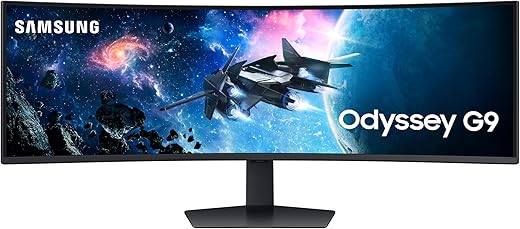
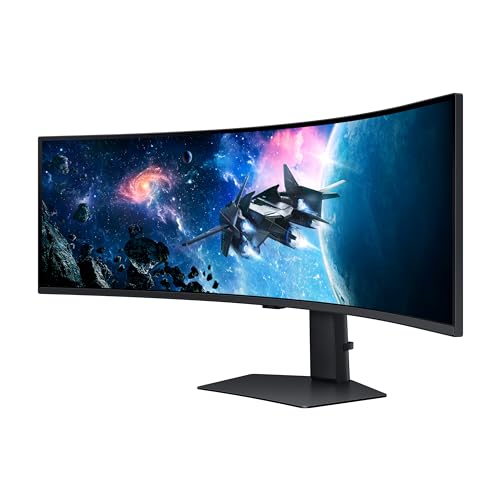
SAMSUNG 49-Inch Odyssey G9 DQHD Monitor LS49CG954ENXZA
Original price was: $1,299.99.$797.99Current price is: $797.99.
SAMSUNG 49-Inch Odyssey G9 DQHD Monitor LS49CG954ENXZA Price comparison

- All prices mentioned above are in United States dollar.
- This product is available at Amazon.com.
- At amazon.com you can purchase Samsung 49” Odyssey G9 Series DQHD 1000R Curved Gaming Monitor, 1ms(GtG), VESA DisplayHDR 1000, 240Hz, AMD FreeSync Premium Pro, Height Adjustable Stand, Ultrawide Screen, LS49CG954ENXZA, 2024 for only $797.99
- The lowest price of SAMSUNG 49-Inch Odyssey G9 Series DQHD 1000R Curved Gaming Monitor, 1ms(GtG), VESA DisplayHDR 1000, 240Hz, AMD FreeSync Premium Pro, Height Adjustable Stand, LS49CG954ENXZA, 2024 was obtained on October 17, 2026 01:02.
SAMSUNG 49-Inch Odyssey G9 DQHD Monitor LS49CG954ENXZA Price History
SAMSUNG 49-Inch Odyssey G9 DQHD Monitor LS49CG954ENXZA Description
SAMSUNG 49-Inch Odyssey G9 DQHD Monitor LS49CG954ENXZA – Elevate Your Gaming Experience
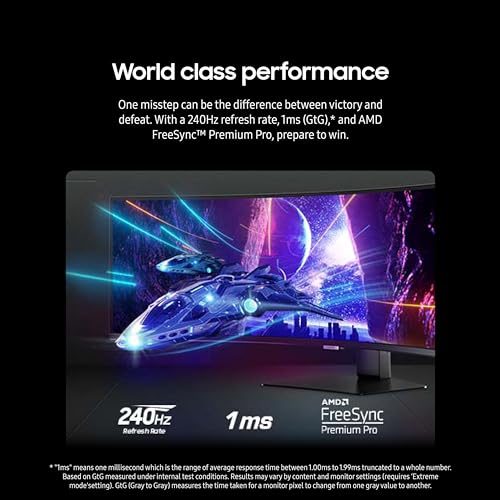
Discover the ultimate in immersive gaming and productivity with the SAMSUNG 49-Inch Odyssey G9 DQHD Monitor LS49CG954ENXZA. Boasting an expansive 49-inch screen and a stunning DQHD resolution of 5120×1440 pixels, this monitor is designed to take your visuals to a whole new level. Whether you’re a dedicated gamer or a professional looking for crisp, clear productivity tools, the Odyssey G9 delivers spectacular results, all while standing out for its advanced features and sleek design.
Key Features of the SAMSUNG Odyssey G9 Monitor
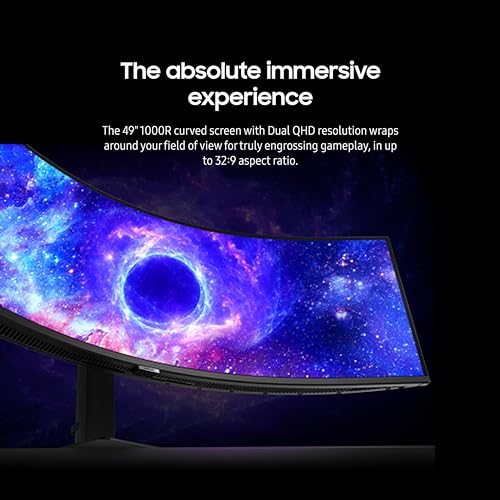
- Immersive 49-Inch Curved Display: The massive screen size with a 2400R curvature wraps around your field of view, providing an unparalleled gaming experience. Enjoy wider viewing angles and a more cinematic feel.
- Stunning DQHD Resolution: With a resolution of 5120 x 1440, every detail comes to life, ensuring clarity and precision whether you’re exploring rich game worlds or multitasking with multiple applications.
- Multi-Port Connectivity: Featuring two USB 2.0 ports and two USB 3.0 ports, the Odyssey G9 allows seamless connections to your peripherals and devices, making it convenient for all your setup needs.
- Efficient Power Usage: The monitor operates on an AC power source with a voltage of 110 volts, ensuring efficient power consumption during use.
- Lightweight and Sleek Design: Weighing just 23.4 pounds and measuring 16.6 x 45.2 x 22.4 inches, this monitor fits perfectly in any workspace setup while enhancing your aesthetics.
Price Comparison Across Suppliers
When looking for the best price on the SAMSUNG 49-Inch Odyssey G9 DQHD Monitor LS49CG954ENXZA, it is essential to compare across various suppliers. Prices can fluctuate significantly within the market, making it crucial to stay informed on the latest deals. Currently, you can find prices ranging from competitive offers on e-commerce platforms to exclusive deals through electronics retailers. Each vendor may have different pricing strategies, so you can maximize your savings by making an informed comparison.
Price Trends from the 6-Month Price History
Analyzing the 6-month price history chart reveals insightful trends regarding the SAMSUNG Odyssey G9. Initially launched at a premium price, slight fluctuations were noted as competition increased. Recent weeks have shown a downward trend, indicating potential sales or surges in interest. This dynamic could signal an excellent opportunity to purchase at a lower price compared to the original. Keeping an eye on these variables will help ensure you find the best deal possible.
Customer Reviews: What Users Are Saying
Feedback from customers who have utilized the SAMSUNG 49-Inch Odyssey G9 tells a compelling story. Most users rave about the monitor’s impressive visual quality and immersive experiences. Users frequently highlight:
- Brilliant Color Accuracy: Gamers and designers appreciate the vivid colors and deep contrasts, making games and creative work visually stunning.
- Excellent Gaming Performance: Users have pointed out the responsiveness and superior refresh rate, significantly enhancing gameplay for competitive titles.
However, a couple of users mentioned some potential drawbacks:
- Size Compatibility: Given its size, some users found it challenging to fit on smaller desks without adjustments, which may require additional planning for your setup.
- Initial Setup: A few reviewers expressed that the setup process could be daunting for less tech-savvy users. However, once configured, the experience becomes extremely rewarding.
Explore Unboxing and Review Videos
To further enrich your understanding of the SAMSUNG 49-Inch Odyssey G9 DQHD Monitor LS49CG954ENXZA, consider watching unboxing and review videos available on platforms like YouTube. These videos not only showcase the sleek design and features but also provide a real-world look at performance, settings, and user experiences. Many users appreciate these resources when making their purchase decisions, as they add authenticity to the product’s claims and functionality.
With its remarkable features, competitive pricing, and valuable customer feedback, the SAMSUNG 49-Inch Odyssey G9 DQHD Monitor stands out as a top choice for anyone seeking an upgrade for their gaming setup or workspace. Don’t miss out on this opportunity to maximize your visual experience.
Compare prices now!
SAMSUNG 49-Inch Odyssey G9 DQHD Monitor LS49CG954ENXZA Specification
Specification: SAMSUNG 49-Inch Odyssey G9 DQHD Monitor LS49CG954ENXZA
|
SAMSUNG 49-Inch Odyssey G9 DQHD Monitor LS49CG954ENXZA Reviews (8)
8 reviews for SAMSUNG 49-Inch Odyssey G9 DQHD Monitor LS49CG954ENXZA
Only logged in customers who have purchased this product may leave a review.





Milez –
3 Months Later:
Although I’m still head over heels for this monitor, especially for productivity, there are still 3 things that bother me.
#1) The monitor stand is really not a good stand. It should be able to go at least another inch higher. I’m only 5’7, and with the monitor at max height, I’d find myself slouching so that my eyes were ‘above’ the monitor. Sure, there is a monitor arm that can handle the G9. The Ergotron HX with the HD Pivot, which is what I got. But spending an extra 400$ (CAD) on a 1700$ Monitor is a bit insane to me. They could have easily made a stand that got this bad boy higher, but costs and what not I guess.
#2) The flickering issues are only fixed if you enabled the VRR setting in the menu. But at least if you have that setting enabled you won’t get flickering. Although for me even with it set to off, I’d strangely only get flickering in loading screens, or rarely in some menus.
#3) After talking with colleagues who also own Odyssey monitors (G7 or G9). They also have the weird issue with certain colors appearing as alternating bright/dark lines rather than a homogenous color. I should count myself lucky as this only occurs on the very top of the monitor and the top corners. My other colleague who has a G7 says that any red on his screen will show as alternating pink/red lines. (Not really pink but a bright shade of red) Your mileage may vary, but I’m slowly getting used to it.
Note on Performance: This isn’t really a con or something that bothers me. But I’m pretty shocked to see this monitor is definitely giving my RTX 3080 a run for it’s money. Games like RDR2 will run around 70 to 90 FPS in intense scenes, where plains and open ares can run at 120 fps-ish.
Note of Movies : I have to say. If you can find movies that “support” the 32:9 it’s really something. Sure you’ll get a bit of black bars on the side, ~5inches or so on each side. It almost feels like watching a movie on a personal cinema screen.
Overall no regrets. But even though I got the monitor on special, the monitor arm came and ate away at those savings. Buy on special, and careful with the HX arm resellers, I saw the price go from 380$ all the way to 500$ depending on the time of day. (I’m assuming it’s based on stock, but seriously it feels like you’re buying it off the stock market.)
————
Original Review:
PROS:
1) Even better than 3 monitors for productivity. After taking some time to setup some FancyZones. I’m really blow away at how amazing it is to be able to work across a panel of this size. I’m upgrading for a Triple monitor setup (on a Ergotech 3 monitor arm). And even a few days in. I’m amazed at how much more effective it is to have all your monitors on the same continuous panel. Again, FanzyZones are a must but once you’ve got it tuned to your liking. It’s amazing
2) Next level immersion with games that support the aspect ratio. Seriously something that cannot be explained in words and needs to be experienced to understand fully. My wife who’s not a gamer at all now has taken an interest to driving games just because of how immersive it is.
3) Really Vivid Colors. Going from a TN Panel to IPS I was blown away by how vivid colors were. So I was concerned switching to VA. But it’s also very punchy. (But strange pixelization with the color orange.)
4) Super Bright, not a fan of HDR and I’m not using it. But with HDR off, the panel can be really bright with pretty damn good blacks.
CONS:
1) Stand is a little wobbly, I use a Pixoo-TV to nudge it underneath one of the sides to help stabilize it. Definitely needs a very stable surface to work on. Depending on how sturdy the desk is not sure a monitor arm would help for wobblyness. But it’s expected at a panel that size.
2) Not sure if it’s the combination of having this monitor with a second 1080p TV hooked up. But there is an odd behavior that if I try to launch a game which doesn’t have any widescreen resolution, or set to a low resolution by default. It can cause the display to freak out. It’ll display the image best it can be with immense lag and with weird redraw issues. And in some cases this would cause my 1080p screen to get ‘disabled’ where I would need to plug/unplug the Monitor. In any case if running older games on this monitor I’d suggest forcing windowed mode.
3) Although the colors look really good on this monitor. (Not even calibrated) But there is 1 color that looks weird. Some tints of orange instead of appearing as fat uniform color. I can see some kind of matrixing/pixelation going on. It’s not all shades of orange just some in particular.
IN BETWEEN:
A lot of features CANNOT be abled at the same time, or lock other features to preset values.
When enabling Adaptive Sync/GSYNC the monitor seems to lock the Pixel Response time to Fast or Fastest. Which makes it so that fast moving objects on screen will have leading (or trailing) coronas. Definitely not as noticeable if you would have with GSYNC off, and pixel response time set to standard. But then again, with my PG279Q, (IPS Panel) although I don’t experience coronas at all. Small details would get very, blurry with fast motion. Playing 2D games with fast scrolling wouldn’t be a nice experience on that monitor. For me at least, I prefer some form of corona if it means I can still see the object with acceptable level of detail. This obviously is subjective and a matter of preference.
CONCLUSION:
I think that even though this monitor has it’s quirks. For me at the very least, It’s got enough good things that overshadow the bad. And from a productivity stand point it’s hard to go back after you’re had a taste of this size.
And if you have the PC to power this beast, it will give you a immersive gaming experience like no other. Seriously driving and first person shooters on this thing are mind blowing. (WHEN PROPERLY SUPPORTED!)
Farrell –
Antes era de la idea que con un monitor basta para sacar el trabajo, pero, cuando vi esta joya vi para más cosas, super recomendado
Jonathan C. –
Honestly expected a bit of a brighter picture. my LG C2 OLED is way brighter than this but you can’t beat the immersion you get from this thing. 4k would definitely make this an absolute must own.
Kindle Customer –
Came in literally the day after I bought it in perfect condition. The super ultrawide has me so spoiled that my other monitors now feel like they are missing big pieces on both sides. Not too many games support the super ultrawide, but even the ones that don’t still get crystal clear picture and a ridiculously fast refresh rate. Plus the OLED makes it to where the black bars that appear on the sides arent noticeable due to the pixels actually shutting off instead of just going black. The HDR is true and can get very bright (which works well with the OLED allowing the very darks). I don’t have much use for the smart tv features since I mainly use PC, but they are cool to have. The remote is a very handy addition to have, especially when you want to tweak the many many settings that this beast has. I also love the RGB lighting on the back. You can change it to any color to match your setup or have it project light to match whatever is on the screen. It is pretty pricey but I think it’s worth it if you use a monitor as much as I do. I’ve wanted this monitor since the G9 first released and I’m very satisfied, especially since I even ended up getting the OLED.
César Contreras –
everything perfect with … but … when i receive it it was doing something strange… i have multiple screen on my pc and when i got to another input on my other screen … and return to the pc on my other screen after … there is a bug in link with the refresh rate and g sync … if you put the game mode at off you will never see this bug .. buttt what ,s the point to have a 240hz monitor if you can only put it at 60 hz cuz you cant put game mode … the screen go black .. the only solution i found was to restart pc …. they do optimisation … update … a lot often … one to two time a week .. .and i dont go often on another input this month so i dont really see the probleme anymore ..i hope it will not come back
there is another bug … when i close the monitor and let another one open cause its oled and dont want to burn it threw the night … they say something about my task bar and cant hide it …. is it win 11 freaking ? but dont act like this to my 2 other monitor .. i just have to click on the message and return in the option reput hide taskbar but each time you close it … in long term it,s not funny
without these two problem … that a found minor … this monitor is reallyyyyyy something … oled is lifeeee wow just wowwwwwww black are black and light are amazing …. the most beautiful monitor i had see in my lfe … by farrrr 5120×1440 … you will need something to push this .. a 4090 it s just perfect with this .. i was on 21×9 and was not sure about 32×9 … in final it s take 2 days and i was in love with .. it s take ressource but at this moment there is no oled 21×9 2160 … so at least my 4090 it s usefull with this …
a lot of option and a strange menu … with some channel free of tv on it … i dont use it but maybe some people will like this option if he dont have tv at home .. it s a + …
in final i gave it 4 star … im probably lucky to dont have allllll the problem people seem to have and very more armful then the 2 little probleme i ahve with … i can live with the 2 problem i have .. its not perfect … but i hope i will not have a dead monitor out of nowhere like other people talk about or something like this that is a game changer …. will see what future is … samsung monitor seem to have a Quality controle problem … to bet on a mointor like this one that are not ultra new and not the first batch seem a better idea then go another one really really new and playing with the luck … but this one at the moment is 3.9 on amazon … you still take a bet … i had take it .. and at this moment im happy doing it … like i said will pray this luck continu …. it s why i give him 4. .. if i can put 4.5 i gave it … at the moment cuz my furst bug seem disapear by the update .. with the bug still here i was more like 4 or 3,5 but is not there anymore so 4,5 .. cross finger for the future .. i hope i help someone t o know if he take a bet on this monitor or not 🙂
Rashad Washington –
The Samsung 49″ Odyssey OLED G9 (G95SC) Series Curved Smart Gaming Monitor is a cutting-edge display that offers an immersive gaming experience. With its 5120×1440 resolution, 240Hz refresh rate, and 1800R curvature, this monitor delivers stunning visuals and smooth gameplay.
Key Features:
Dual QHD Resolution: Experience the clarity and detail of a 5120×1440 resolution, providing a wider field of view and more immersive gameplay.
240Hz Refresh Rate: Enjoy incredibly smooth and responsive gameplay with a blazing-fast refresh rate.
1800R Curvature: Immerse yourself in the game with a curved screen that wraps around your field of vision, enhancing the gaming experience.
OLED Technology: Enjoy deep blacks, vibrant colors, and infinite contrast for a more realistic and immersive picture.
Quantum Dot Technology: Experience a wider color gamut and more accurate color representation.
Gaming Hub: Access your favorite gaming services and streaming platforms directly from the monitor.
Pros:
Stunning visuals: The 5120×1440 resolution and OLED technology deliver incredible picture quality.
Smooth gameplay: The 240Hz refresh rate ensures smooth and responsive gameplay, even in fast-paced games.
Immersive experience: The curved screen and wide field of view create a truly immersive gaming experience.
Gaming Hub: Easily access your favorite gaming services and streaming platforms directly from the monitor.
Cons:
Price: The Samsung Odyssey OLED G9 is a premium monitor with a corresponding price tag.
Size: The large size may not be suitable for all setups.
Potential for burn-in: OLED screens can suffer from burn-in if not used properly.
Overall:
The Samsung 49″ Odyssey OLED G9 (G95SC) Series Curved Smart Gaming Monitor is an exceptional choice for gamers seeking the ultimate immersive experience. With its stunning visuals, smooth gameplay, and advanced features, this monitor is sure to elevate your gaming sessions to new heights.
César Contreras –
I read online forums and watched all the Youtubers for 3-4 months before purchasing this monitor. My two worries were scaling applications easily like a two monitor setup, and if a 2060 video card could push hard enough to play games as 30X0 series video cards are nearly impossible to find at the time of this review. There’s a downloadable app called PowerToys with a something called “Fancy Windows” that allows you to divide up the screen very easily for productivity apps and it’s actually glorious for me. I have 3 apps divided up evenly on the screen and there is lots of real-estate for it at the native 5140×1440. I had thought that I would have to run the 2060 video at 1080p, but have been surprised that by turning down to medium settings in games I can 70-90 fps in top titles at the full native resolution. I know most people would prefer to see over 100 fps, including me, but whether it’s g-sync or something else, it feels smooth and is truly incredible. Far Cry 5, Witcher 3, Doom Ultimate, Battlefield 4, Battle Front 2, Elder Scrolls online all look great with minimal to no stretching at the sides. Fallout 76 is a mess as it has terrible support for Ultrawide. I only had to turn one game down to 1080p and I honestly cannot really tell. RTX is unusable dropping even Quake RTX down to 13 fps but it was never a great option on a 2060 anyway. In terms of the monitor itself. HDMI sound is not working. I’m deciding if I want to try a firmware update to fix this. I’m not sure it’s that important to me. HDR is great in games and most games see it and turn it on without needing to turn on the dismal Windows implementation of HDR. The colour is great and the whites are very white. I didn’t know what I was missing with my old ASUS gaming monitor. I definitely recommend this to a gamer that is savvy with their tech. If you are not a tech type and are uncomfortable with changing resolution settings and fixing glitches when you change the wrong setting, you might want to wait until there is better windows and game support for these.
Kindle Customer –
This is hands down the best monitor I have ever owned. When gaming on it, it feels like you have a VR headset without a VR headset. That is how wide the screen is. You actually have to turn your head around to look to the left or right. Superior image quality and HDR on top of it made it even better. This is a treat to have if you are thinking about getting into Super Ultrawides but you have to keep in mind that not everything support this resolution of 5160x1440p. Even some games are not supported, although, if the game is moddable, you might be able to do it. Also, a software called Flawless Widescreen supposedly makes almost any game support this resolution. You might want to do some research about that one.
Also, the monitor sometimes has a problem switching from PBP to non PBP. (Picture by Picture). This monitor is capable of splitting the screen in half and turning each side to a regular 1440p resolution. What I mean is, it’ll be like having two monitors both sides with 2560x1440p at 120hz. It will not go over 120hz on that mode. But turning it back to it’s full resolution will. 5160x1440p at 240hz and boy do you feel the 240hz. It’s even more smoother! However if you’re wanting to get it just by the hz, you’re not really missing a lot. I game on 144hz all the time and going from that to 240hz is nice but that’s all it was. It wasn’t like jumping from 60 to 144hz amazing. It was like “Oh, that’s cool!” And that’s it. The real Gem, is the resolution. This monitor will pull you in the game with it’s wide screen and you’ll never want to leave your game.
I said earlier that the monitor sometimes has a hard time switching from PBP to Fullscreen. What I mean by that is that sometimes when you switch from PBP to Fullscreen, the monitor just stays black. So don’t freak out when it does that to you, it just needs a small restart. Turning it off and back on again and it’ll go back to normal. I don’t know why it happens and it seems like not many people do. All you need to know is that it works fine. Now some people reported that sometimes it never turns on again and they had to return it. It could be an overheating issue, but it’s kinda rare for that to happen but you might want to know that this monitor gets HOT. I’m talkin’ about real hot at the back. I myself get worried if it’ll overheat one day and shut down. My setup is right next to the window and and AC unit so I turn it on if I’m not liking how hot it gets. Keep in mind I had mines for a week now and it’s doin’ fine. Other people had it for YEARS without problems so don’t just read one review like mines, keep on reading and find those who had it for a long time and go by their words. Especially if they owned it for more than at least a year. All in all, getting passed the price, this Monitor is a treat and once you have it, especially comin’ from a regular monitor, you will not want to go back. Similar to jumping from 1080p to 1440p to 4k etc, from 60fps to 144fps, you simply just don’t want to go back there after experiencing such a higher quality experience. That’s how good it is.