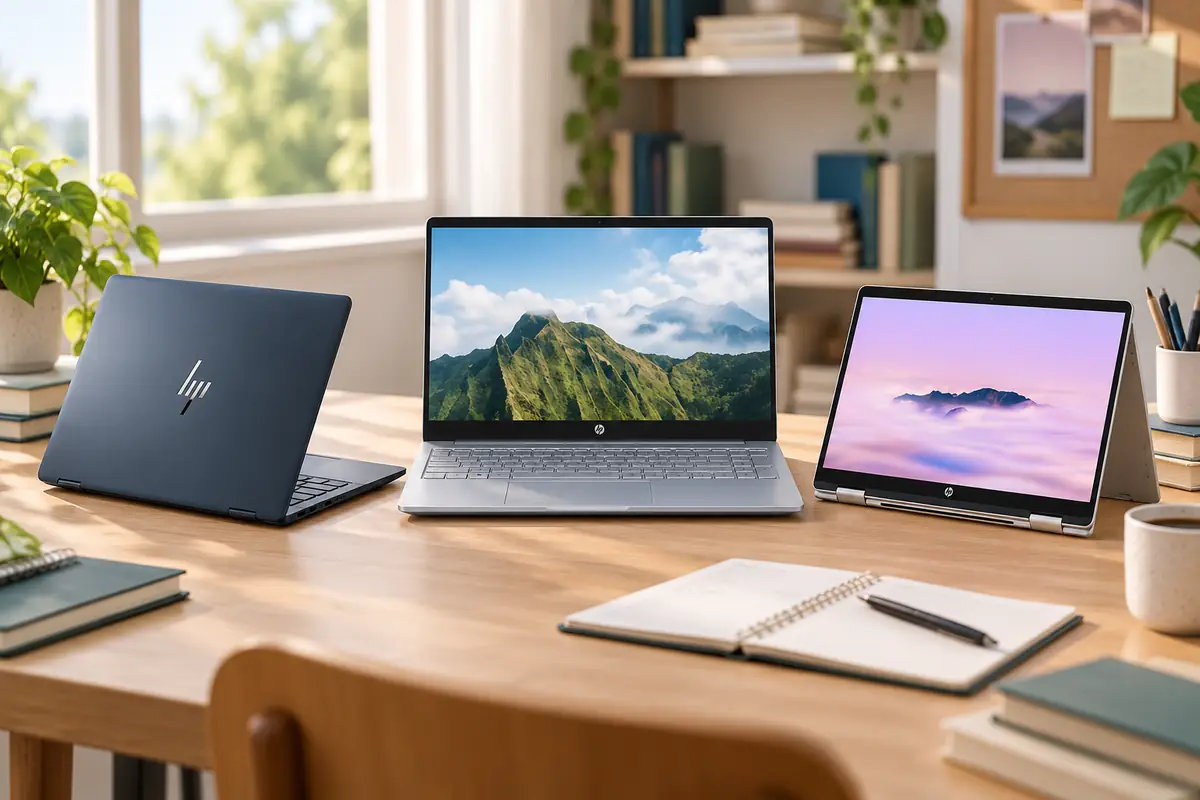
Best HP Laptops for Students 2026
Choosing among the best HP laptops for students is more complicated than it used to be. Many older buying guides still focus on Pavilion, Envy, and Spectre laptops, while HP’s current consumer lineup increasingly revolves around OmniBook models with very different processors, displays, memory configurations, and even processor architectures.
That means the model family alone is no longer enough to make a good buying decision. An OmniBook 3 with Snapdragon, 16GB of RAM, and a 512GB SSD can be a very different laptop from another OmniBook 3 with an Intel processor or less memory. Students also need to consider whether their coursework requires conventional x86 Windows software, whether ChromeOS is sufficient, and whether features such as a touchscreen or dedicated GPU are actually worth paying for.
For this guide, we selected five current HP laptops that serve clearly different student needs. Our recommendations cover general college work, budget-focused study, touchscreen and convertible use, Google-first coursework, and GPU-heavy applications. The goal is not to move you up HP’s product ladder—it is to find the least expensive HP laptop that comfortably fits your actual workload.
Quick Answer: Best HP Laptops for Students
Best Overall HP Laptop for Students: HP OmniBook 5 14 — the best balance of portability, 16GB RAM, 512GB storage, OLED display quality, and exceptional battery endurance for general college use.
Best Affordable HP Laptop: HP OmniBook 3 14 — a value-focused option that can deliver 16GB RAM and 512GB storage without moving into HP’s premium tiers.
Best HP 2-in-1 for Students: HP OmniBook X Flip 14 — a lightweight touchscreen convertible for notes, presentations, tablet-style use, and students who prefer conventional x86 Windows.
Best HP Chromebook for Students: HP Chromebook Plus 14 — a stronger ChromeOS option with 8GB RAM and unusually generous local storage for Google-first coursework.
Best HP for GPU-Heavy Student Work: HP Victus 15 with RTX 5050 — the HP option to consider when coursework or gaming actually benefits from discrete NVIDIA graphics.
Configuration Check: HP sells materially different laptops under the same OmniBook family names. Always verify the processor, processor architecture, RAM, storage, display, and screen size before comparing prices.
Understanding HP’s Current Laptop Lineup
HP’s current student-friendly lineup is easiest to understand by workload rather than by price alone. OmniBook 3 sits at the value end, OmniBook 5 is the mainstream sweet spot, OmniBook X adds more premium and convertible features, Chromebook serves ChromeOS users, and Victus handles workloads that need discrete graphics.
OmniBook 3
Best fit: Budget-conscious students who want current HP hardware for everyday schoolwork.
OmniBook 5
Best fit: Most students who want a strong balance of portability, battery life, display quality, and memory.
OmniBook X
Best fit: Students who want touch, a convertible design, or a more premium x86 Windows machine.
Chromebook Plus
Best fit: Google Classroom, Google Workspace, browser-first study, and ChromeOS users.
Victus
Best fit: Gaming, CUDA, 3D work, and student workloads that benefit from dedicated NVIDIA graphics.
ZBook
Best fit: Specialist workstation workloads where professional GPU, certification, or enterprise features are genuinely required.
Course requirements → HP family → Exact configuration → OS/architecture → Battery & portability → Current price
What Happened to HP Pavilion, Envy and Spectre?
HP Pavilion, Envy, and Spectre names dominated HP consumer-laptop recommendations for years, which is why they still appear throughout older student buying guides and retailer inventories.
HP’s newer consumer strategy has shifted much of that positioning toward OmniBook. In broad terms, the affordable and mainstream territory once associated with Pavilion now overlaps strongly with OmniBook 3 and OmniBook 5, while the premium-mainstream flexibility historically associated with Envy is increasingly represented by OmniBook X. Higher-end OmniBook products occupy territory that previously overlapped with Spectre.
Important: An older Pavilion, Envy, or Spectre can still be an excellent laptop if the configuration and price are right. Treat it as an exact product, not as proof that an older family name is automatically better or worse than a current OmniBook.
Which HP Laptop Fits Your Major?
| Student Type | Typical Workload | Best HP Direction | Main Check |
|---|---|---|---|
| High School | Browser, Office, Classroom, video calls | OmniBook 3 / Chromebook Plus | School software requirements |
| Humanities | Writing, research, presentations | OmniBook 5 | Portability and battery |
| Business | Excel, PowerPoint, Teams, multitasking | OmniBook 5 / OmniBook 3 | Windows-app compatibility |
| Online Learning | Webcam, browser, cloud apps | OmniBook 5 / Chromebook Plus | Local software requirements |
| Computer Science | IDEs, Docker, VMs, local development | OmniBook X Flip or stronger x86 HP | Architecture and virtualization support |
| Engineering | CAD, MATLAB, simulation, 3D | Victus or ZBook-class hardware when required | Exact departmental software and GPU requirements |
| Creative / Note-Taking | Touch, annotation, presentations | OmniBook X Flip | Whether touch is worth the extra cost |
| Gaming / 3D | Gaming, GPU acceleration, rendering | Victus | Weight, battery, GPU tier |
HP Laptop Specs Students Should Prioritize
16GB RAM Is the Preferred Windows Baseline
For a current HP Windows laptop that needs to remain comfortable through several years of study, 16GB RAM is the preferred starting point. It gives browsers, Office apps, video calls, development tools, and heavier multitasking substantially more room than 8GB.
That does not mean every student needs 32GB or 64GB. Those capacities make sense for specific technical and professional workloads, but they are unnecessary for most writing, research, business, and online-learning use.
512GB Storage Is a Comfortable Target
Many of the HP laptops in this guide use 512GB SSDs because that capacity provides a useful balance between cost and flexibility. It gives Windows students room for applications, local files, project folders, offline media, and several years of coursework without immediately relying on external storage.
ChromeOS normally needs less local storage, so the 512GB SSD available in HP’s Chromebook Plus is unusually generous for the category.
Battery Matters More Than Peak Performance for Most Students
A student laptop often spends more time in classrooms, libraries, cafés, and shared workspaces than plugged into a desk. Battery endurance therefore deserves more weight than a small benchmark advantage for most majors.
OmniBook 5 is especially strong here: several independent battery tests have confirmed unusually long endurance, although test methodology and real workloads can produce very different numbers.
Keep Campus Weight in Perspective
Around 3 lb is excellent for a laptop carried around campus every day. Machines in the 3–4 lb range are still practical, while gaming laptops such as Victus are noticeably heavier and usually come with larger chargers.
Check Ports Before Assuming You Need a Hub
Classroom projectors, HDMI displays, USB flash drives, mice, storage devices, and lab accessories can quickly expose limited connectivity. Check exact ports before buying, particularly on thin-and-light models.
Best HP Laptops for Students Compared
| HP Laptop | Best For | OS / Architecture | RAM Target | Storage Target | Portability | Main Caveat |
|---|---|---|---|---|---|---|
| HP OmniBook 5 14 | Best Overall | Windows / Arm | 16GB | 512GB | Excellent | Windows-on-Arm compatibility |
| HP OmniBook 3 14 | Best Affordable | Windows / Arm | 16GB | 512GB | Very Good | Configuration variation |
| HP OmniBook X Flip 14 | Best 2-in-1 | Windows / x86 AMD | 16GB+ | 512GB–1TB | Excellent | Higher price if touch is unnecessary |
| HP Chromebook Plus 14 | Best HP Chromebook | ChromeOS / x86 | 8GB | 512GB | Good | Expensive versus some rival Chromebooks |
| HP Victus 15 | Best GPU-Heavy Student Work | Windows / x86 | 16GB preferred | 512GB+ | Low | Weight, battery, and configuration-dependent pricing |
HP OmniBook 5 14 — Best Overall HP Laptop for Students
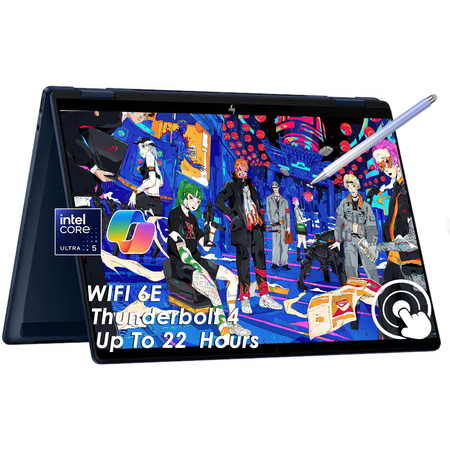
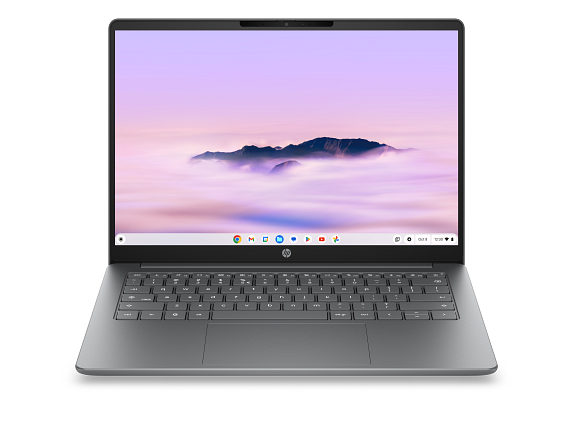
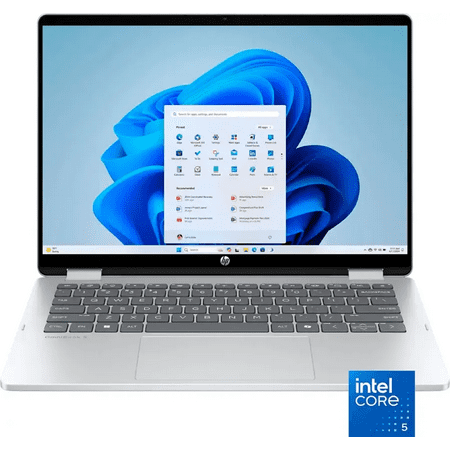
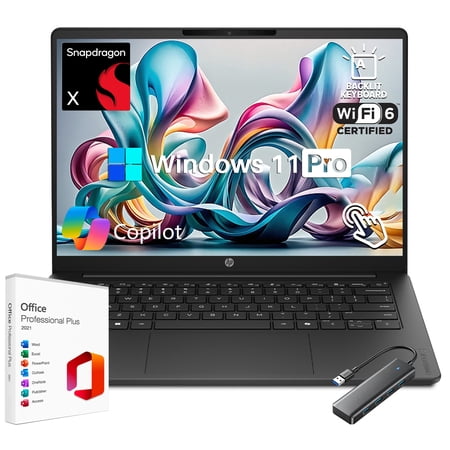
The HP OmniBook 5 14 is the strongest overall HP laptop for most students because it combines the features that matter most on campus without pushing into HP’s expensive premium tiers. The configuration we recommend pairs a Snapdragon X processor with 16GB RAM, a 512GB SSD, and a 14-inch OLED display in a chassis that sits around the 3 lb class.
That combination works particularly well for writing, research, presentations, spreadsheets, video calls, browser-heavy workloads, and general college productivity. The 14-inch size provides enough workspace without becoming awkward to carry between classes.
Battery life is the standout feature. HP advertises extremely high local-video figures, but more importantly, multiple independent tests have also recorded exceptional endurance. You should not interpret those controlled test results as a promise of the same runtime during mixed college use, but they provide strong evidence that OmniBook 5 is one of the safer choices for students who regularly spend a day away from a charger.
The OLED display offers strong contrast and attractive color, although brightness is more moderate than the display quality might suggest. This is a laptop that looks very good indoors, but it is not designed primarily for bright outdoor use.
Best For
OmniBook 5 is best for humanities, business, general college work, online learning, and students who prioritize battery life and portability over high-end graphics performance.
What to Know Before Buying
The Snapdragon X processor uses Arm architecture. Modern Windows-on-Arm systems work well with mainstream productivity applications, browsers, Office, Teams, Zoom, and many common apps, but specialist academic programs, legacy utilities, drivers, unusual peripherals, and some virtualization workflows still deserve a compatibility check.
Compatibility warning: If your department requires specialist Windows software, confirm Arm support before buying the Snapdragon-based OmniBook 5.
Pros
✅ Excellent battery endurance
✅ 16GB RAM and 512GB SSD
✅ Lightweight 14-inch design
✅ Attractive OLED display
✅ Strong general student experience
Cons
❌ Windows-on-Arm compatibility needs checking
❌ Display is not exceptionally bright
❌ Integrated graphics are not intended for heavy 3D work
❌ Some budget-oriented chassis details remain
Alternative: Choose the OmniBook X Flip if you need conventional x86 Windows or specifically want touch and convertible modes. If saving money is the bigger priority, compare the OmniBook 3 below.
HP OmniBook 3 14 — Best Affordable HP Laptop for Students
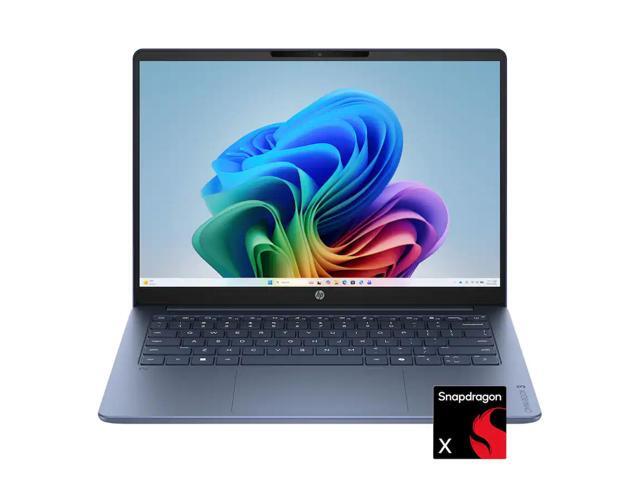
The HP OmniBook 3 14 is our preferred affordable HP laptop because the right configuration can provide a surprisingly complete student specification without requiring a move into HP’s premium tiers. Our target configuration uses Snapdragon X, 16GB RAM, a 512GB SSD, and a 14-inch 1920 × 1200 display.
The 16GB memory and 512GB storage are particularly important. Students can keep multiple browser tabs, Office applications, video calls, and everyday productivity tools open without starting with the more restrictive memory and storage combinations commonly found in low-cost laptops.
Connectivity is another strength. Current Snapdragon configurations can include USB-C, USB-A, HDMI, and a 1080p webcam, making the laptop practical for presentations, classroom displays, storage devices, and video classes.
The biggest issue is configuration confusion. HP sells several OmniBook 3 variants with materially different CPUs, memory capacities, storage, and displays. A lower price may reflect an 8GB model, a different processor, or a weaker panel rather than a genuine discount on the configuration reviewed here.
Best For
OmniBook 3 is best for students who want an affordable current-generation HP for Office, browsing, research, presentations, remote study, and general schoolwork.
What to Know Before Buying
Like our OmniBook 5 pick, this Snapdragon version runs Windows on Arm. Verify specialist software support before buying. Also compare the exact configuration carefully rather than treating every OmniBook 3 listing as equivalent.
Pros
✅ Strong 16GB/512GB value configuration
✅ Good connectivity
✅ Useful battery efficiency
✅ Compact 14-inch format
✅ Good fit for everyday schoolwork
Cons
❌ Windows-on-Arm compatibility needs checking
❌ Configuration differences are easy to overlook
❌ Less refined than OmniBook 5
❌ Lower-end display variants exist
Alternative: If the price difference between the exact OmniBook 3 and OmniBook 5 configurations becomes small, OmniBook 5 is usually worth the upgrade for its better overall student experience. For non-HP alternatives, compare our Most Affordable Laptops for Students 2026.
HP OmniBook X Flip 14 — Best HP 2-in-1 for Students
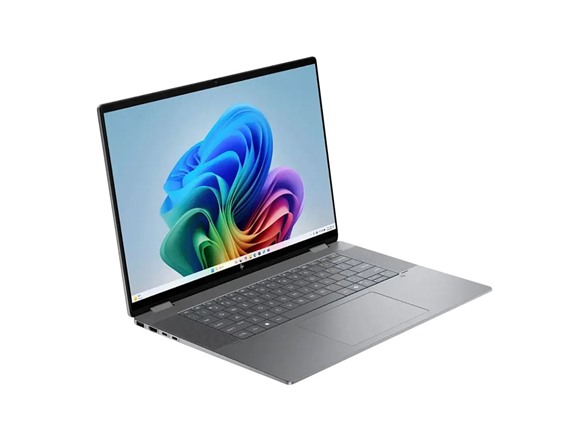
The HP OmniBook X Flip 14 earns its place because it solves a problem the two Snapdragon OmniBooks do not: it combines a compact 14-inch convertible design with touchscreen input and conventional x86 Windows architecture.
The 360-degree hinge allows the laptop to work in standard laptop, tent, presentation, and tablet-style modes. That makes it particularly useful for students who annotate documents, present frequently, read course material on-screen, or simply prefer touch interaction.
Current AMD Ryzen configurations can be equipped with 16GB or more RAM and large SSDs, while the chassis remains around the 3.1 lb class. Independent testing of the current X Flip family also found nearly 15 hours of battery life in a mixed test on a higher-end configuration, suggesting the design can deliver good all-day endurance even though exact results vary by processor and display.
The major reason to choose X Flip over OmniBook 5 is flexibility, not raw value. If you rarely use touch or tablet modes, paying more for the hinge and touchscreen may not make sense.
Best For
OmniBook X Flip is best for note-taking, annotation, presentations, touch-heavy workflows, and students who want portable x86 Windows compatibility.
What to Know Before Buying
HP sells several X Flip configurations. Do not transfer performance results from a high-end Ryzen AI 9 model directly onto a cheaper Ryzen AI 7 configuration. Compare the exact CPU, RAM, storage, display resolution, and battery specification before buying.
Pros
✅ 360-degree convertible design
✅ Touchscreen support
✅ Conventional x86 Windows
✅ Lightweight for a 2-in-1
✅ Strong ports and webcam
Cons
❌ More expensive than OmniBook 3 or 5
❌ Touch adds cost if you rarely use it
❌ Exact specifications vary substantially
❌ Some OLED configurations are not especially bright
Alternative: Choose OmniBook 5 if you care more about long battery life and straightforward laptop use than touchscreen flexibility.
HP Chromebook Plus 14 — Best HP Chromebook for Students
The HP Chromebook Plus 14ct-na000 is our preferred HP Chromebook for students who already know ChromeOS fits their schoolwork. The current configuration combines an Intel Core 3 N355 processor, 8GB RAM, a 512GB NVMe SSD, and a 14-inch 1920 × 1200 IPS display.
That is considerably stronger local storage than many Chromebooks provide. Students who download files, keep offline media, or prefer not to depend completely on cloud storage may appreciate the 512GB SSD.
The main use case remains Google-first education. ChromeOS works especially well with Google Classroom, Docs, Sheets, Drive, web research, email, and browser-based learning platforms. It is simple to maintain and can be a good fit for high-school students and college programs that do not depend on desktop Windows software.
Pricing is the main concern. At roughly the mid-$500 range on HP’s current store, this is not a cheap Chromebook. Stronger value may exist from ASUS, Acer, or Lenovo if brand loyalty is not important.
Best For
HP Chromebook Plus 14 is best for Google Classroom, Google Workspace, browser-first schoolwork, online learning, and students who specifically want an HP Chromebook with more storage than typical entry-level ChromeOS devices.
What to Know Before Buying
This is the best HP Chromebook in our shortlist—not necessarily the best Chromebook across the entire market. Students should compare broader Chromebook options if HP branding is not a priority.
Pros
✅ 8GB RAM
✅ Generous 512GB SSD for ChromeOS
✅ 14-inch 1920 × 1200 display
✅ Good fit for Google-first study
✅ 1080p webcam on the target configuration
Cons
❌ More expensive than many rival Chromebooks
❌ ChromeOS cannot replace every Windows application
❌ Not suitable for specialist engineering tools
❌ 512GB may be unnecessary for cloud-only users
Alternative: Choose OmniBook 3 if you need Windows or want broader desktop-software compatibility. If you are not committed to HP, our affordable laptops for students guide compares alternatives from multiple brands.
HP Victus 15 — Best HP for GPU-Heavy Student Work
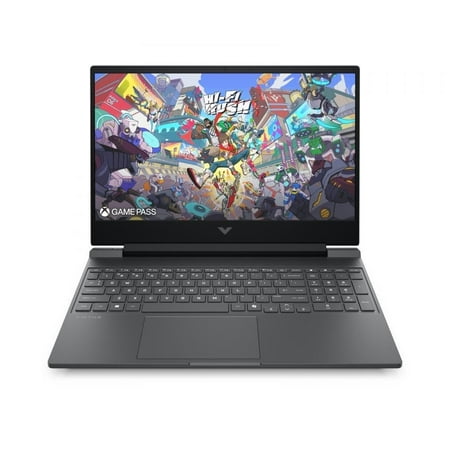
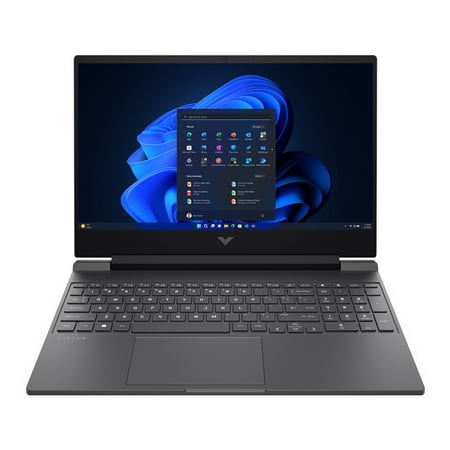
The HP Victus 15 is the specialist choice in this guide. Unlike the other recommendations, Victus includes a discrete NVIDIA GPU and is built for workloads where graphics acceleration matters.
For current buyers, we favor the newer Victus 15 configuration with an NVIDIA GeForce RTX 5050 rather than treating the older RTX 4050 model as the default. The current HP configuration pairs an Intel Core 5 210H with an RTX 5050 Laptop GPU, and students should configure at least 16GB RAM where possible.
That discrete GPU opens the door to modern gaming, CUDA-enabled applications, GPU-accelerated creative software, rendering, and some 3D or technical workloads that the integrated graphics in OmniBook models are not intended to handle.
The trade-off is portability. Victus is heavier, requires a larger charger, consumes more power, and is less convenient to carry across campus every day. It only makes sense when the GPU will actually be used.
Best For
Victus is best for gaming, 3D applications, CUDA workloads, GPU-accelerated creative tools, and students whose coursework specifically benefits from discrete graphics.
What to Know Before Buying
Do not assume every engineering student needs a gaming laptop. CAD, simulation, and engineering applications vary widely. Some need strong x86 CPUs, some benefit from NVIDIA graphics, and others may require workstation-class certification. Check departmental requirements first.
Pros
✅ Discrete NVIDIA RTX graphics
✅ Suitable for GPU-accelerated software
✅ 144Hz Full HD display class
✅ Conventional x86 Windows
✅ Better fit for gaming and 3D than OmniBook models
Cons
❌ Much heavier than OmniBook options
❌ Shorter battery life
❌ Larger charger
❌ Unnecessary for students who do not use the GPU
Alternative: Students who want a broader GPU-focused comparison should see our Budget Gaming Laptops 2026: Top Picks rather than limiting the search to HP.
What Is the Best HP Laptop for High School Students?
HP OmniBook 3 is the best general HP choice for most high-school students. It offers a more flexible Windows environment than a Chromebook while remaining more budget-oriented than OmniBook 5.
HP Chromebook Plus 14 is the better option when the school is heavily based on Google Classroom and browser applications and does not require traditional Windows software.
What Is the Best HP Laptop for College Students?
HP OmniBook 5 is our best HP laptop for most college students. Its combination of 16GB memory, 512GB storage, light weight, OLED display, and exceptional battery endurance fits the realities of carrying a laptop between lectures, libraries, and study sessions.
Students whose program depends on specialist Windows software should verify Windows-on-Arm compatibility before buying and may prefer OmniBook X Flip or another x86 Windows HP.
What Is the Best HP Laptop for Online Learning?
OmniBook 5 is the strongest all-around HP choice for online learning, while Chromebook Plus 14 is a good ChromeOS alternative.
Both directions support browser-based classes and video calls well, but Windows offers greater desktop-software flexibility while ChromeOS is simpler for Google-first workflows.
What Is the Best HP Laptop for Business Students?
OmniBook 5 is the best fit for most business students. Its 16GB RAM provides room for spreadsheets, presentation software, browsers, video calls, and multitasking, while the lightweight chassis is convenient for campus use.
OmniBook 3 provides much of the same core capability at a lower price if display quality and refinement matter less.
What Is the Best HP Laptop for Computer Science Students?
Computer-science students need to evaluate more than RAM and processor speed. Development environments, Linux tooling, Docker, virtual machines, emulators, and course-specific software can all introduce architecture requirements.
For students unsure about Arm compatibility, an x86 Windows model such as OmniBook X Flip can be the safer starting point. More demanding VM-heavy or development workloads may justify a stronger machine with additional memory.
What Is the Best HP Laptop for Engineering Students?
There is no universal best HP laptop for engineering students. The correct choice depends on the applications required by the department.
Victus can make sense when an NVIDIA GPU is useful for 3D, CUDA, or rendering. ZBook-class systems may be more appropriate when professional workstation requirements or certified drivers matter. Lighter engineering coursework may not require either.
A future dedicated guide to the best HP laptops for engineering students can address those software and hardware requirements in greater depth once published.
What Is the Best Lightweight HP Laptop for Students?
HP OmniBook 5 14 is the best lightweight HP laptop in this shortlist. Its roughly 3 lb class chassis is easy to carry while still providing a full 14-inch display, 16GB memory, and strong battery endurance.
OmniBook X Flip is also impressively portable for a convertible, but there is little reason to pay extra for its hinge and touchscreen unless those features are genuinely useful.
Which HP Laptop Has the Best Battery Life?
HP OmniBook 5 has the strongest battery-life evidence among the HP laptops in this guide. Multiple independent tests have reported exceptionally long endurance, although their exact results vary because one test may loop local video while another uses web browsing or streaming.
The useful conclusion is not that every student will receive a specific number of hours. It is that OmniBook 5 consistently performs extremely well relative to typical student laptops when battery life is a priority.
How to Get the Best HP Student Laptop Deal
HP regularly promotes education pricing, seasonal sales, and back-to-school offers, but the biggest advertised discount is not automatically the best deal.
1. Check the HP Education Program
HP’s Education Program offers eligible students, teachers, parents, and faculty additional discounts, with HP currently advertising savings of up to 40% on eligible products.
2. Compare Retailer Pricing
An HP Education price can still be higher than a temporary Amazon, Best Buy, Walmart, or other retailer promotion. Compare the final checkout price rather than assuming HP-direct pricing wins automatically.
3. Match the Exact Configuration
This is particularly important for OmniBook. A large discount may be attached to an 8GB model, smaller SSD, different display, or different processor architecture.
4. Consider Bundles Separately
HP may add software, gaming, warranty, or accessory bundles during student promotions. Count that value only if you would actually use the included extras.
5. Use Live Price Comparison
Because HP pricing changes frequently, the retailer cards in this guide should be treated as the current-price layer while the editorial recommendations remain focused on product suitability.
Is HP Education Pricing Always Cheaper?
No. HP Education pricing is worth checking, but it is not guaranteed to be the lowest current price.
Retailers may temporarily discount the same laptop more heavily, and two listings that look identical may carry different configurations. Always compare both the final price and the exact hardware.
Should You Buy an Older Pavilion, Envy or Spectre on Sale?
Yes, potentially—but only if the exact older model offers better value than a current OmniBook.
Compare:
- processor generation,
- RAM,
- SSD capacity,
- display quality,
- battery age,
- warranty,
- software support,
- and current price.
A discounted Envy with stronger x86 hardware may be a better fit for a particular student than a newer Snapdragon OmniBook. A cheap Pavilion with 8GB RAM and weak hardware may not be a bargain simply because the discount percentage is large.
When Should You Buy Dell Instead of HP?
Students should consider Dell when a Dell configuration offers better compatibility, stronger business features, a preferred keyboard or port layout, or simply a significantly better current price.
Brand loyalty should come after workload and value. Compare our Best Dell Laptops for Work & Study in 2026 if you are deciding between the two brands.
When Should You Choose a Non-HP Budget Laptop?
Choose a non-HP laptop when another brand provides the same required performance and compatibility for substantially less money.
The broad Most Affordable Laptops for Students 2026 guide is a better starting point if HP itself is not an important requirement.
When Should You Buy a Gaming Laptop Instead?
A gaming laptop is appropriate when your workload genuinely needs a discrete GPU or when gaming is an important secondary use.
If you only write papers, browse the web, use Office, attend video classes, or perform ordinary coding tasks, Victus is heavier and more power-hungry than necessary. Students who do need GPU performance should also compare models outside HP in our Budget Gaming Laptops 2026: Top Picks.
How We Chose These HP Laptops for Students
We selected these HP laptops by comparing current U.S. availability, exact configurations, manufacturer specifications, independent testing where available, battery life, portability, memory, storage, operating-system compatibility, ports, webcams, student workload fit, and current price positioning.
We did not select a laptop simply because HP markets it toward education. Each recommendation has a different role: OmniBook 5 for mainstream student use, OmniBook 3 for value, OmniBook X Flip for touch and x86 flexibility, Chromebook Plus for ChromeOS, and Victus for discrete-GPU workloads.
We also deliberately excluded several higher HP tiers because most students do not benefit from paying for premium features or workstation hardware unless their coursework requires them.
HP Laptops for Students FAQ
What is the best HP laptop for students?
HP OmniBook 5 14 is our best overall HP laptop for most students because it combines 16GB RAM, 512GB storage, strong portability, an OLED display, and exceptionally good battery endurance.
Which HP laptop is best for college?
OmniBook 5 is the strongest general college choice. Students who need x86 Windows compatibility or touch should consider OmniBook X Flip instead.
Is HP OmniBook good for students?
Yes. OmniBook 3 and OmniBook 5 are particularly suitable for general student workloads, but exact configuration matters because HP sells multiple materially different versions under the same family names.
What is the difference between HP OmniBook 3 and OmniBook 5?
OmniBook 3 prioritizes affordability, while OmniBook 5 generally provides a more refined student experience with stronger display and portability advantages. Exact configurations should still be compared directly.
Is HP OmniBook 5 good for college?
Yes. Its light weight, 16GB RAM, 512GB storage, long battery endurance, and 14-inch display make it particularly well suited to mainstream college use.
Is HP OmniBook 3 worth buying for students?
Yes, especially when a 16GB RAM and 512GB SSD configuration is priced well below OmniBook 5. Check the processor and display carefully because OmniBook 3 configurations vary substantially.
Which HP laptop has the best battery life?
OmniBook 5 has the strongest battery-life evidence in this lineup. Multiple independent tests have confirmed exceptionally long endurance, though real runtime depends on workload and display settings.
What is the best affordable HP laptop?
HP OmniBook 3 is our preferred affordable HP laptop for students when configured with 16GB RAM and a 512GB SSD.
Is an HP Chromebook good for school?
Yes, when schoolwork is primarily browser-based and uses Google Classroom or Google Workspace. It is not a good replacement for Windows when required coursework depends on Windows-only applications.
Is 16GB RAM enough for college?
Yes. Sixteen gigabytes is a strong current baseline for most Windows student workloads, including Office, browser multitasking, video calls, coding, and general multi-year use.
Are HP laptops good for engineering students?
They can be, but engineering requirements vary. Check CAD, simulation, GPU, processor architecture, and certified-driver requirements before choosing a specific HP model.
Does HP offer student discounts?
Yes. HP operates an Education Program for students, teachers, parents, and faculty and advertises additional savings on eligible products. Terms and eligible products can change.
Is HP Education pricing always cheaper?
No. A retailer promotion can sometimes beat HP’s Education price, so compare both the final price and exact configuration before buying.
What happened to HP Pavilion, Envy and Spectre?
HP has shifted much of its current consumer lineup toward OmniBook naming. Older Pavilion, Envy, and Spectre laptops can still be worthwhile, but they should be evaluated as exact models rather than treated as HP’s current default student lineup.
Final Verdict: Which HP Laptop Should a Student Buy?
HP OmniBook 5 14 is the best HP laptop for most students. It provides the strongest combination of portability, battery life, 16GB memory, 512GB storage, and everyday usability without requiring the cost or weight of HP’s specialist systems.
OmniBook 3 is the better value choice when the goal is to spend less while retaining a sensible 16GB/512GB configuration.
OmniBook X Flip is the best choice for touch and convertible use, especially when x86 Windows compatibility matters.
HP Chromebook Plus 14 is the best HP ChromeOS option for students whose schoolwork is primarily browser-based, while HP Victus 15 is the specialist GPU choice for students who genuinely need discrete NVIDIA graphics.
✓ Best Overall: HP OmniBook 5 14
✓ Best Affordable: HP OmniBook 3 14
✓ Best 2-in-1: HP OmniBook X Flip 14
✓ Best HP Chromebook: HP Chromebook Plus 14
✓ Best for GPU-Heavy Work: HP Victus 15
For most students, there is little reason to move beyond OmniBook 5 unless a specific requirement—touch, x86 compatibility, ChromeOS, or discrete graphics—justifies choosing a different branch of HP’s lineup.
Final HP Student Laptop Checklist
✓ Check the software required by your course.
✓ Verify the exact HP SKU and processor architecture.
✓ Prefer 16GB RAM on Windows for multi-year use.
✓ Compare 512GB storage options where practical.
✓ Check battery life and laptop weight for campus use.
✓ Compare HP Education pricing with retailer offers.
✓ Do not assume two OmniBook listings have the same hardware.
✓ Only buy Victus or ZBook-class hardware when the workload actually needs it.
Sources
- HP — official specifications and current U.S. configurations for OmniBook 3, OmniBook 5, OmniBook X Flip, Chromebook Plus, and Victus.
- HP Education Program — current student and education-program terms and promotional framework.
- PCMag — independent OmniBook 5 college-laptop and battery testing.
- PCWorld — independent OmniBook 5 battery and usability testing.
- CNET — independent OmniBook 5 battery and everyday-use testing.
- WIRED — OmniBook 3 value, configuration, and student-use context.
- The Verge — OmniBook 3 Snapdragon value and usability analysis.
- Tom’s Hardware — OmniBook X Flip chassis, display, battery, and usability testing.
Product Groups: HP OmniBook 5 14-he0027nr, HP OmniBook 3 14 Snapdragon 16GB 512GB, HP OmniBook X Flip 14, HP Chromebook Plus 14ct-na000, HP Victus 15 RTX 5050