Smart Notebooks for Students 2026
The best smart notebooks for students make handwritten notes easier to organize, save, and review. For most college students, the Rocketbook Multi Subject Next Gen is our top recommendation because it combines 70 reusable pages, adjustable subject dividers, and smartphone scanning. Students on a tighter budget should consider the Rocketbook Core Next Gen, while those who prefer automatic digital note capture may benefit from the Huion Note.
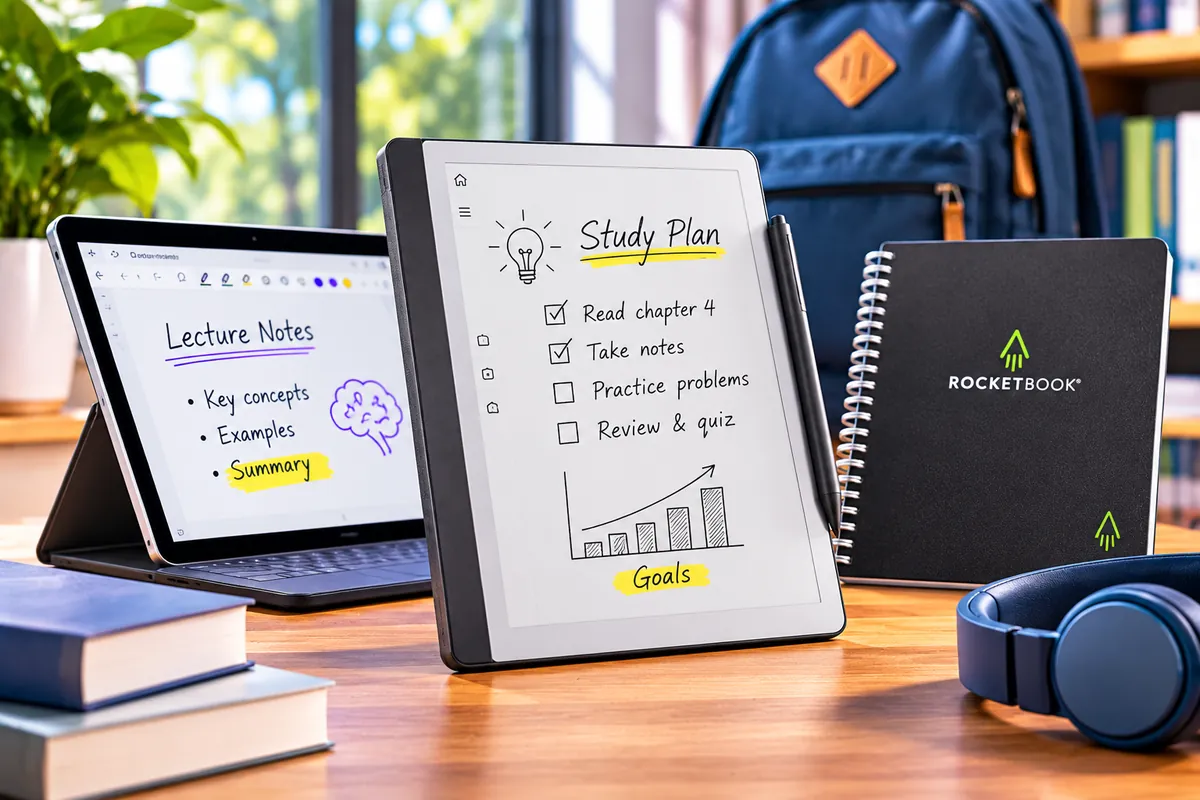
However, smart notebooks don’t all work the same way. Some use erasable pages that you scan with a phone. Others capture handwriting as you write on real paper. Premium E Ink devices, such as the reMarkable Paper Pure, replace physical pages with a digital writing screen.
These differences affect your study routine. A reusable notebook requires regular scanning and cleaning, while a smart-pen system needs compatible writing supplies. An E Ink tablet costs substantially more but allows students to organize digital notebooks directly on the device.
In this guide, we’ll compare six smart notebooks for students, from affordable reusable options to premium digital writing systems. We’ll examine note organization, cloud syncing, handwriting recognition, battery life, replacement supplies, and long-term costs.
Whether you’re taking lecture notes, studying mathematics, managing assignments, or annotating course materials, the goal is to find a system that fits how you actually study.
Smart Notebooks for Students: Which One Is Best?
The Rocketbook Multi Subject is our best overall choice for students who take notes across several classes. However, Rocketbook Core offers better entry-level value, while Huion Note and reMarkable Paper Pure suit students who want more automated digital workflows.
Quick Answer: Our Top Smart Notebook Picks
Best Overall for College — Rocketbook Multi Subject Next Gen: Seventy reusable pages and four movable dividers help organize handwritten notes for up to five subjects.
Best Affordable Choice — Rocketbook Core Next Gen: A simple reusable notebook with lined or dot-grid options and a free smartphone scanning workflow.
Best for Study Planning — Rocketbook Fusion: Reusable weekly schedules, monthly calendars, task lists, and note pages help students manage assignments.
Best Real-Paper Digital Notebook — Huion Note: Write with a compatible pen on replaceable paper while the system records digital pen strokes, including offline capture.
Best Premium E Ink Notebook — reMarkable Paper Pure: A dedicated 10.3-inch digital writing tablet for organizing notes and annotating documents without scanning physical pages.
The Moleskine Smart Writing Set is our sixth recommendation. It offers a premium traditional notebook experience with a compatible smart pen and automatic digital capture, although the purchase price and proprietary paper costs make it less attractive for budget-conscious students.
How We Chose the Best Smart Notebooks
We selected six smart notebooks based on their usefulness for lectures, assignments, study planning, handwritten diagrams, and digital organization.
Our research considered manufacturer specifications, U.S. product listings, supported note-capture methods, companion apps, replacement supplies, and independent editorial evaluations.
We also examined what happens after students finish writing. Can they find their notes easily? Do they need to scan pages? Can they work offline? What happens if a notebook is lost or a subscription ends?
These questions matter more than the number of advertised features. A low-cost reusable notebook may be ideal for a student who already uses Google Drive, while a premium E Ink device may suit someone who regularly annotates PDFs and manages hundreds of pages.
Discompare did not conduct original hands-on testing of these products. Our recommendations combine verified product information with independent reviews and practical student-use considerations.
Best Smart Notebooks Compared
The biggest difference between these six products is how they turn handwriting into digital notes. Reusable notebooks require smartphone scanning, smart-pen systems record writing on physical paper, and E Ink tablets save notes directly on their electronic displays.
| Smart Notebook | Writing Format | Digital Capture | Reference Price | Main Drawback |
|---|---|---|---|---|
| Rocketbook Multi Subject | 70 reusable lined pages | Smartphone scanning | $47.99 | Manual scanning and erasing |
| Rocketbook Core Next Gen | Reusable lined or dot-grid pages | Smartphone scanning | From $34.99 | No subject dividers |
| Rocketbook Fusion | 42 reusable planner and note pages | Smartphone scanning | $37.99 | Less room for continuous lecture notes |
| Huion Note | Replaceable A5 paper | Smart pen and companion app | $119.99 | No handwriting-to-typed-text conversion |
| Moleskine Smart Writing Set | Compatible Ncoded paper | Smart pen and Notes app | $279 | High price and proprietary supplies |
| reMarkable Paper Pure | 10.3-inch monochrome E Ink screen | Direct digital handwriting | From $399 | High price, no frontlight |
Prices are U.S. manufacturer reference prices identified during research. They are not guaranteed live offers. Product availability may also vary by selected notebook size, color, bundle, and retailer.
How Much Do Smart Notebooks Cost?
Smart notebook prices vary significantly because the products use different technologies.
Reusable notebooks are generally the least expensive. Rocketbook Core Next Gen starts around $34.99, while Fusion and Multi Subject have manufacturer reference prices of $37.99 and $47.99.
However, reusable pages require compatible Pilot FriXion writing tools. Students must replace pens and other supplies over time.
Real-paper digital notebooks cost more because they include electronics that detect and save pen strokes. The Huion Note has a $119.99 regular reference price, while the Moleskine Smart Writing Set is positioned around $279.
These systems also require compatible replacement ink or paper. Students should check the availability and cost of those supplies before committing to a particular ecosystem.
At the premium end, reMarkable Paper Pure starts at $399 with the basic Marker included. A protective folio, upgraded Marker, or optional subscription can increase ownership costs.
For comparison, reMarkable lists Connect at $3.99 per month in the United States. Its core tablet handwriting features work without a paid subscription, but certain advanced synchronization, handwriting-search, and connected workflow features require Connect.
Buying advice: Calculate what the complete system will cost over several semesters. A less expensive notebook with replacement supplies may suit your needs better than a premium device whose extra features you rarely use.
The 6 Best Smart Notebooks for Students



1. Rocketbook Multi Subject Next Gen — Best Overall for College
Best For: College students taking handwritten notes across several subjects who want simple organization and reusable pages.
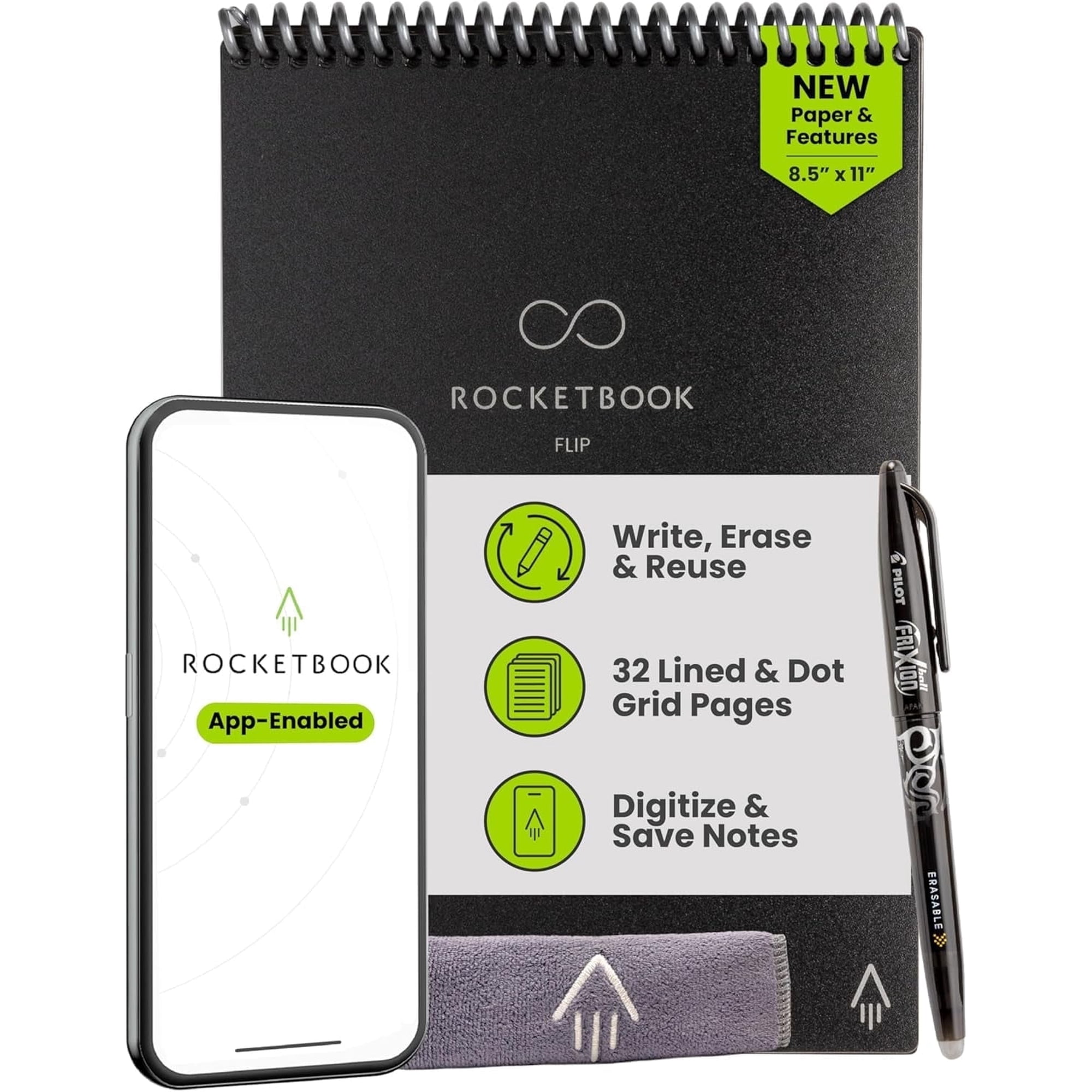
The Rocketbook Multi Subject Next Gen is our best overall smart notebook for students because it combines a generous page count with practical organization features.
It has 70 reusable lined pages in an 8.5-by-11-inch letter-size format. Four adjustable dividers allow students to create up to five subject sections.
That makes it useful for keeping lecture notes, problem-solving work, and class summaries in one physical notebook.
The updated version also includes Smart Title Bars and Smart Tags. These work with the Rocketbook app to support digital note organization after scanning.
To use it, write with a compatible Pilot FriXion pen, scan the completed pages with the Rocketbook smartphone app, and send the files to a supported digital destination.
Once you've confirmed that your notes are saved, you can wipe the pages clean with a damp microfiber cloth.
Unlike an electronic tablet, the Multi Subject doesn't need charging. However, its pages are not automatically backed up. You must scan them yourself before erasing.
The letter-size format provides useful writing space, but the notebook is larger than pocket-size options. Students who travel light may prefer the Core in its smaller Executive configuration.
Our Verdict: The strongest overall option for students who want one reusable notebook for several classes without paying for electronic note-taking hardware.
Pros
✅ 70 reusable lined pages.
✅ Four adjustable subject dividers.
✅ Smart Tags and Title Bars for organization.
✅ No electronic hardware to charge.
Cons
❌ Requires manual scanning.
❌ Compatible FriXion pens are necessary.
❌ Physical notes disappear when pages are erased.
❌ Some colors and configurations may be unavailable.
Who Should Skip It: Students who need automatic digital capture or want to preserve the original paper pages permanently.
Alternative: Rocketbook Core Next Gen for a simpler and less expensive reusable notebook.
2. Rocketbook Core Next Gen — Best Affordable Smart Notebook
Best For: Students who want an inexpensive introduction to reusable note-taking without complicated electronic hardware.
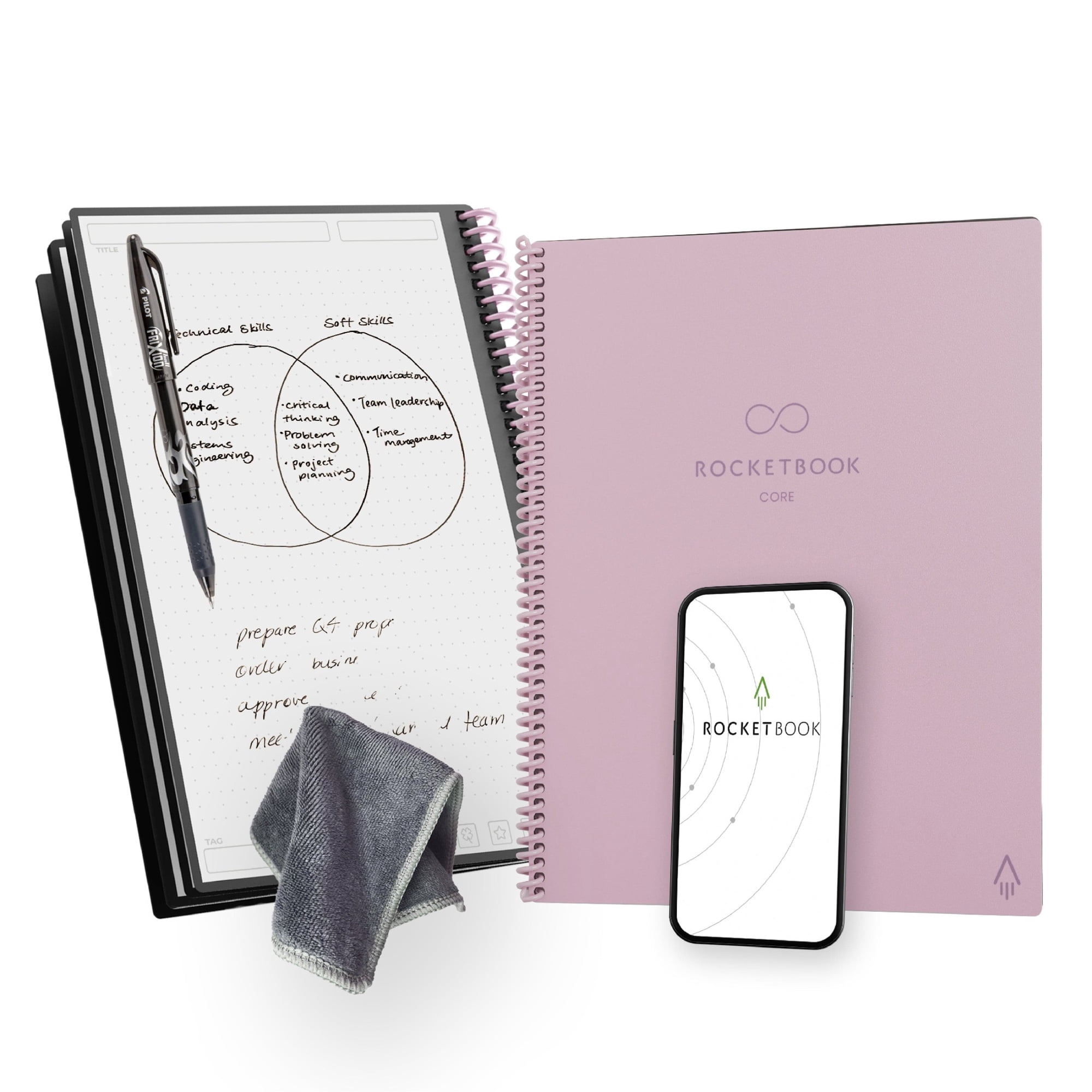
The Rocketbook Core Next Gen uses the same basic reusable-writing concept as the Multi Subject but offers a simpler notebook layout.
Students can choose lined or dot-grid pages, along with Executive or Letter sizes. This flexibility helps match the notebook to lecture notes, diagrams, mathematics, or everyday study tasks.
The package includes a Pilot FriXion pen and a microfiber cleaning cloth.
To save handwritten notes, open the Rocketbook app and scan the pages using your smartphone camera. The app can then send the scanned notes to supported cloud destinations.
After confirming the digital copy, erase the writing with water and the cleaning cloth.
The Core is especially attractive to students who want to reduce the number of paper notebooks they carry while keeping a familiar handwriting routine.
However, it does not have the adjustable subject dividers found in the Multi Subject model. Students managing several classes will need a reliable digital naming and folder system.
It also lacks automatic handwriting capture. Every page you want to preserve needs to be scanned before erasing.
Our Verdict: The best low-cost starting point for students who want reusable handwriting and digital storage without committing to a more expensive smart-pen system.
Pros
✅ Affordable starting price.
✅ Lined and dot-grid formats.
✅ Executive and Letter size options.
✅ Compatible with the free Rocketbook scanning app.
Cons
❌ No automatic digital capture.
❌ No adjustable subject dividers.
❌ Requires compatible erasable ink.
❌ Users must scan before clearing pages.
Who Should Skip It: Students who routinely take hundreds of handwritten pages and don't want to spend time scanning them.
Alternative: Rocketbook Multi Subject Next Gen for more physical organization or Huion Note for automatic digital capture.
3. Rocketbook Fusion — Best Smart Notebook for Study Planning
Best For: Students who want one reusable notebook for assignment planning, schedules, to-do lists, and shorter handwritten notes.
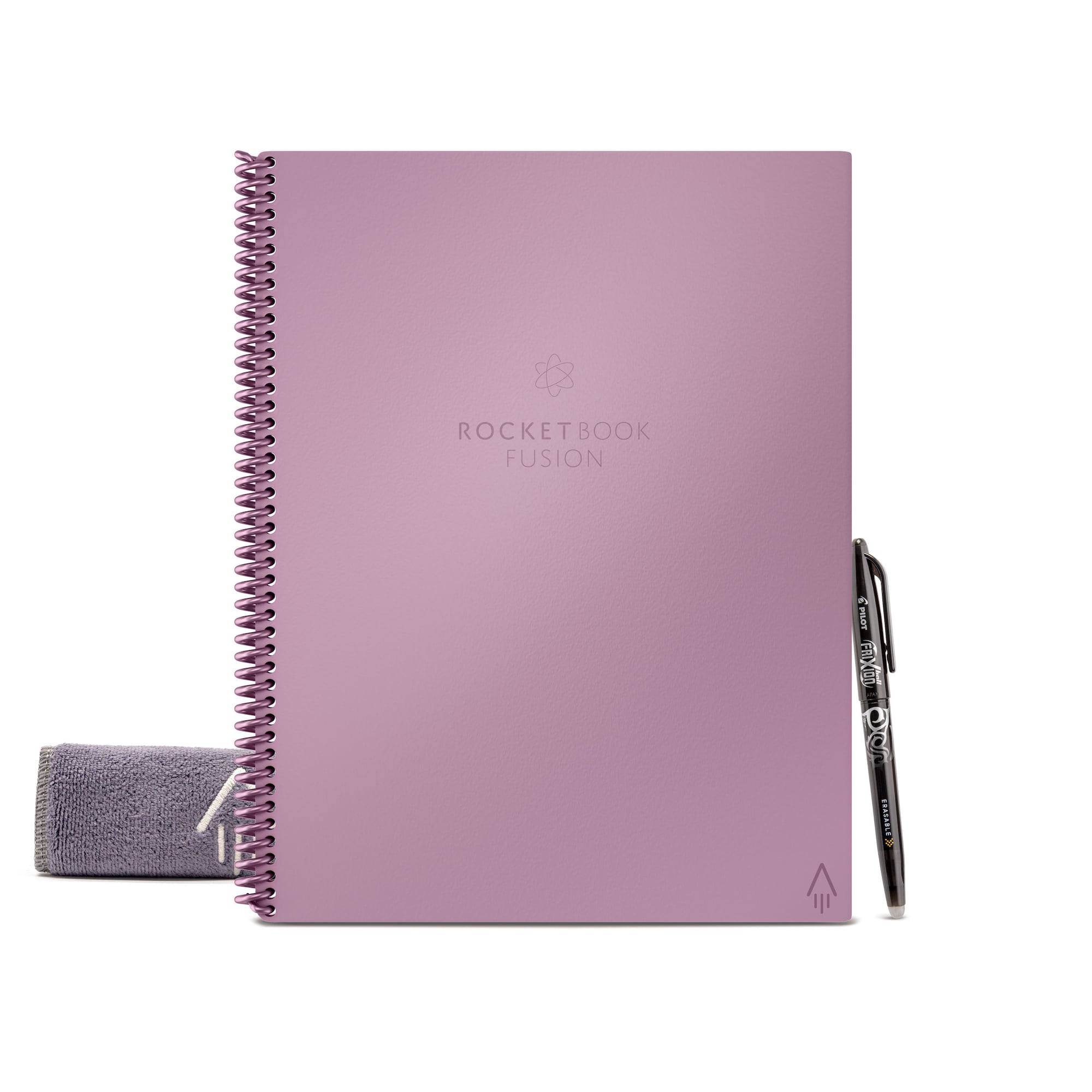
The Rocketbook Fusion combines a reusable notebook with a flexible planning system.
It includes 42 reusable pages with seven page styles. These cover weekly schedules, a monthly calendar, task lists, goal tracking, idea organization, lined pages, and dot-grid layouts.
That combination makes Fusion particularly useful when managing several deadlines or organizing a study schedule.
For example, a student can use the weekly planner to schedule assignments, the task pages to organize projects, and the lined pages for short summaries.
Like other Rocketbook notebooks, Fusion requires compatible Pilot FriXion ink. Students scan pages through the Rocketbook app and erase them with water.
The main limitation is the balance between planning and traditional note-taking. With several page templates dedicated to schedules and tasks, Fusion offers less continuous lecture-writing space than a notebook focused entirely on lined pages.
Students taking extensive handwritten notes may find it more practical to use Fusion as a planner alongside a separate class notebook.
Our Verdict: The best choice for students who need help organizing their academic workload rather than simply recording lectures.
Pros
✅ 42 reusable planner and note pages.
✅ Weekly and monthly planning templates.
✅ Task and goal organization layouts.
✅ Familiar Rocketbook scanning workflow.
Cons
❌ Less space for long lecture notes.
❌ Calendars must be updated and erased.
❌ Requires smartphone scanning.
❌ Not a substitute for a full digital calendar system.
Who Should Skip It: Students who primarily need extensive lined pages for several lecture-heavy classes.
Alternative: Rocketbook Multi Subject for more lecture-note capacity or Rocketbook Fusion Plus for additional planning layouts.
4. Huion Note — Best Value Real-Paper Digital Notebook
Best For: Students who prefer writing with ink on real paper but want digital copies without manually scanning every page.
Huion Note takes a different approach from Rocketbook. Instead of using erasable pages, it combines replaceable writing paper with electronic pen-stroke recording.
The system uses an A5-size notebook with 50 replaceable paper pages and Huion's battery-free Scribo 2 pen.
As students write, the notebook records their pen movements and transfers the captured strokes through Bluetooth to the Huion Note app.
Its Bluetooth 5.0 connection supports synchronization with a compatible smartphone or tablet. The device can also store up to 50 pages of notes offline for later syncing.
That offline capability is valuable when students need to write without keeping a phone connected throughout every class.
Huion advertises approximately 18 hours of battery life, depending on use. The notebook itself requires charging, although the compatible pen uses battery-free technology.
The app also supports recorded handwriting playback, editing of captured strokes, and exporting notes in formats such as PDF.
However, an important limitation remains. Independent evaluation by GameRevolution noted that Huion Note does not convert handwritten words into editable typed text.
This means the digital copy preserves handwriting rather than automatically turning it into a conventional text document.
Students should also allow for replacement paper, compatible ink refills, app organization and charging.
Our Verdict: The strongest value option for students who want genuine paper writing with automatic digital pen-stroke capture.
Pros
✅ Real paper and replaceable notebook pages.
✅ Automatic digital pen-stroke recording.
✅ Offline storage for up to 50 pages.
✅ Battery-free pen and PDF export.
Cons
❌ No handwriting-to-typed-text conversion.
❌ Notebook electronics require charging.
❌ Compatible ink and paper must be replenished.
❌ App organization has received independent criticism.
Who Should Skip It: Students who specifically need searchable or editable typed text generated from their handwriting.
Alternative: Moleskine Smart Writing Set for a premium paper-and-pen ecosystem with handwriting conversion features.
5. Moleskine Smart Writing Set — Best Premium Smart Pen System
Best For: Students who prefer a traditional paper notebook and want a compatible smart pen that creates digital copies as they write.
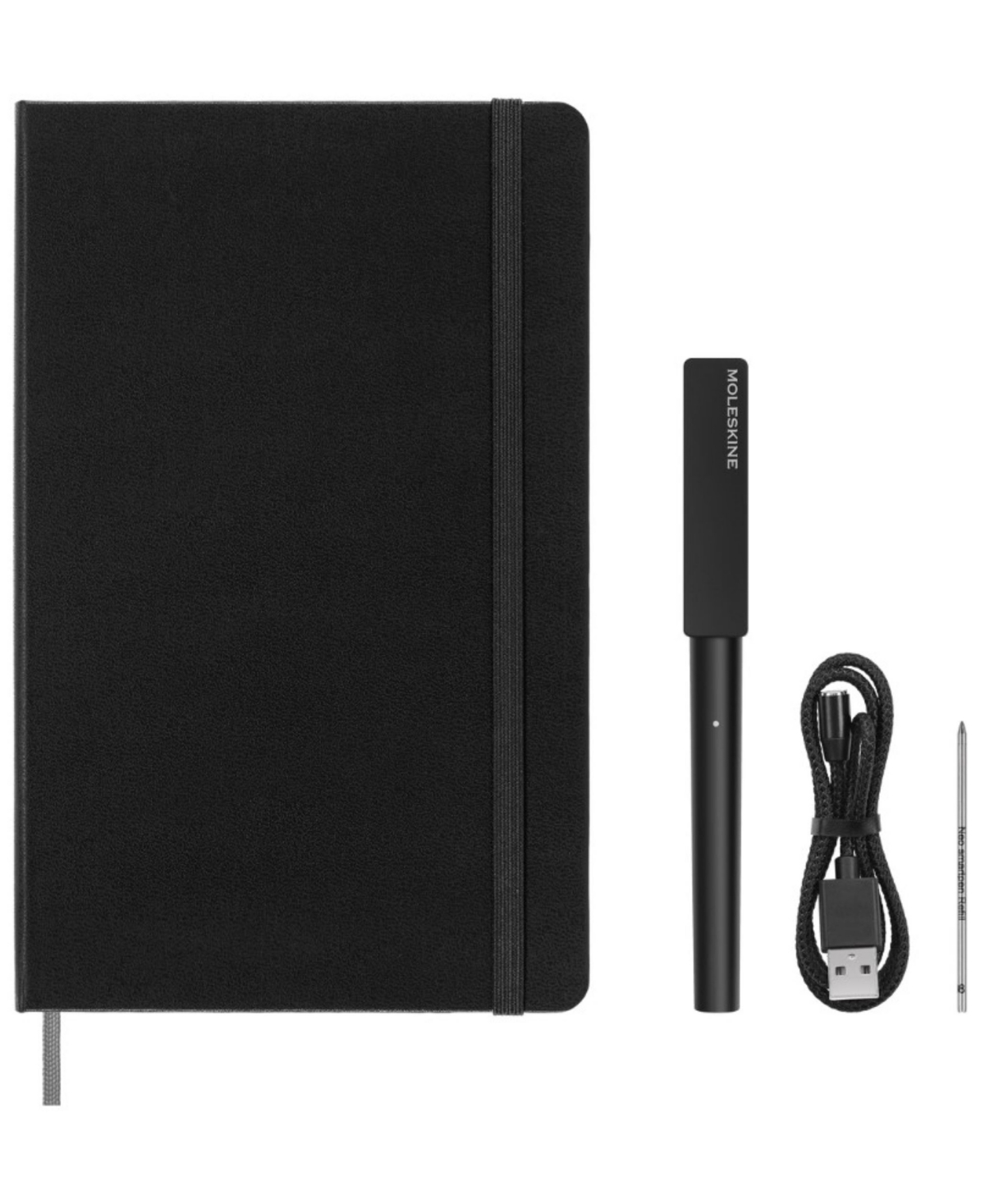
The Moleskine Smart Writing Set combines a specially printed notebook with a redesigned Smart Pen and the Moleskine Notes app.
The current U.S. set includes a large ruled Ncoded notebook, Smart Pen, replacement ink refill, and magnetic charging accessory.
The Ncoded paper allows the pen's tracking system to identify where writing occurs on the page. Students can then access digital copies through the companion app.
This is different from taking a photograph of a completed page. The pen records the writing process through the compatible paper system.
The Notes app also offers handwriting conversion, although recognition quality depends on handwriting legibility, language support, and software behavior.
Independent reviews have praised the concept of preserving natural paper writing while creating digital records. However, reviewers have also noted app limitations and imperfect transcription.
Another significant difference is the physical notebook itself. Moleskine uses proprietary compatible paper, so students cannot assume the smart pen will digitize writing from ordinary loose-leaf notebooks.
Replacement notebooks and ink refills add ongoing expense. That matters for students who use several notebooks each semester.
The $279 manufacturer reference price also places this system far above basic reusable notebooks and the Huion Note.
Our Verdict: A premium smart-pen solution for students who value traditional notebook design and digital capture enough to accept the higher purchase and refill costs.
Pros
✅ Traditional paper-writing experience.
✅ Digital capture through the Smart Pen.
✅ Handwriting-conversion capabilities.
✅ Includes a notebook, pen, refill and charger.
Cons
❌ High initial purchase price.
❌ Requires proprietary Ncoded notebooks.
❌ Ongoing ink and paper costs.
❌ Transcription and app functionality have limitations.
Who Should Skip It: Budget-focused students or anyone who prefers unrestricted use of ordinary notebooks and stationery.
Alternative: Huion Note for lower-cost real-paper digital capture.
Model note: Confirm that retailer listings include the current redesigned Smart Pen system, not an older Pen+ Ellipse bundle with different hardware.
6. reMarkable Paper Pure — Best Premium E Ink Digital Notebook
Best For: Students who want a dedicated electronic writing device for lecture notes, digital notebooks, and PDF annotation.
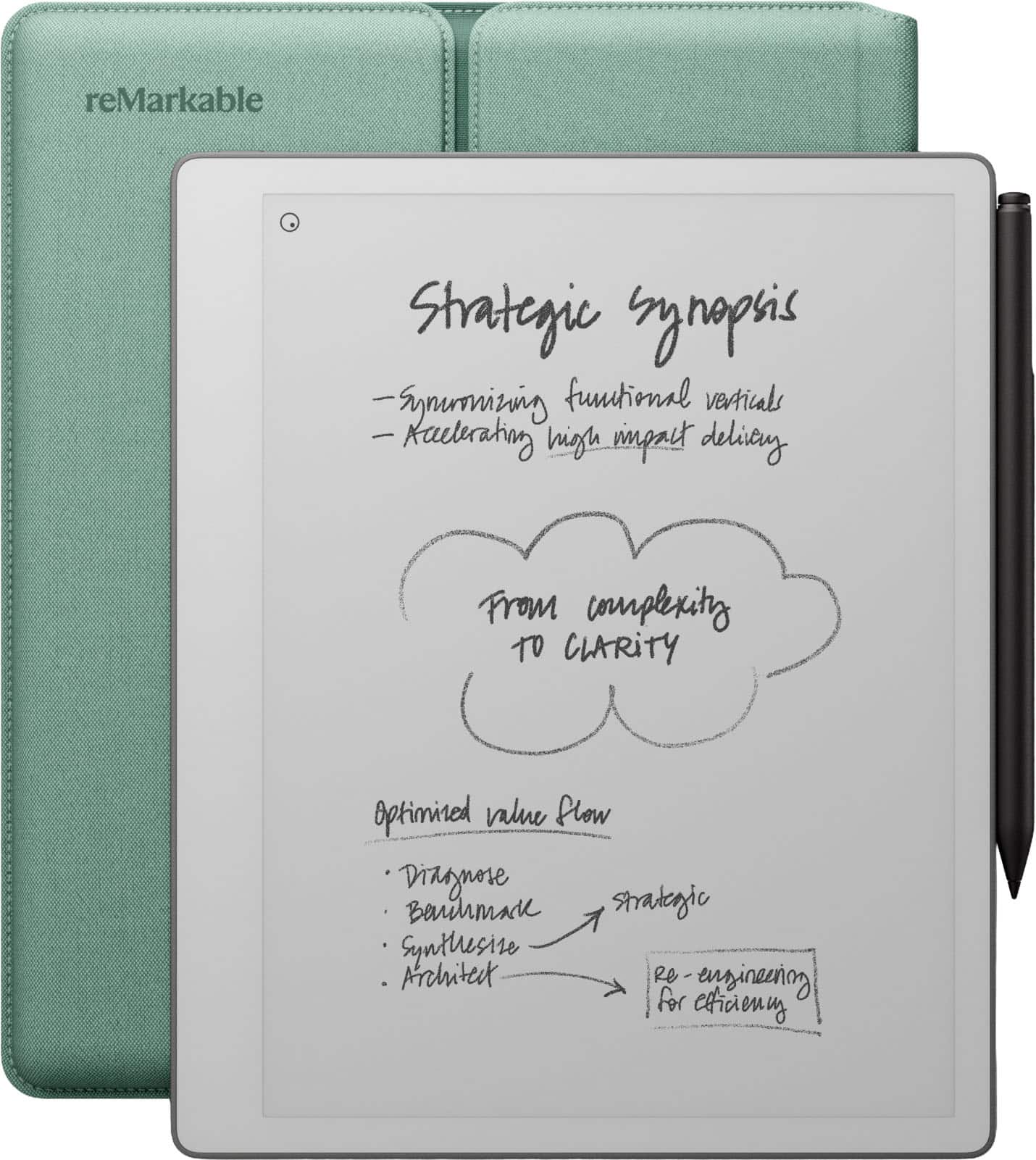
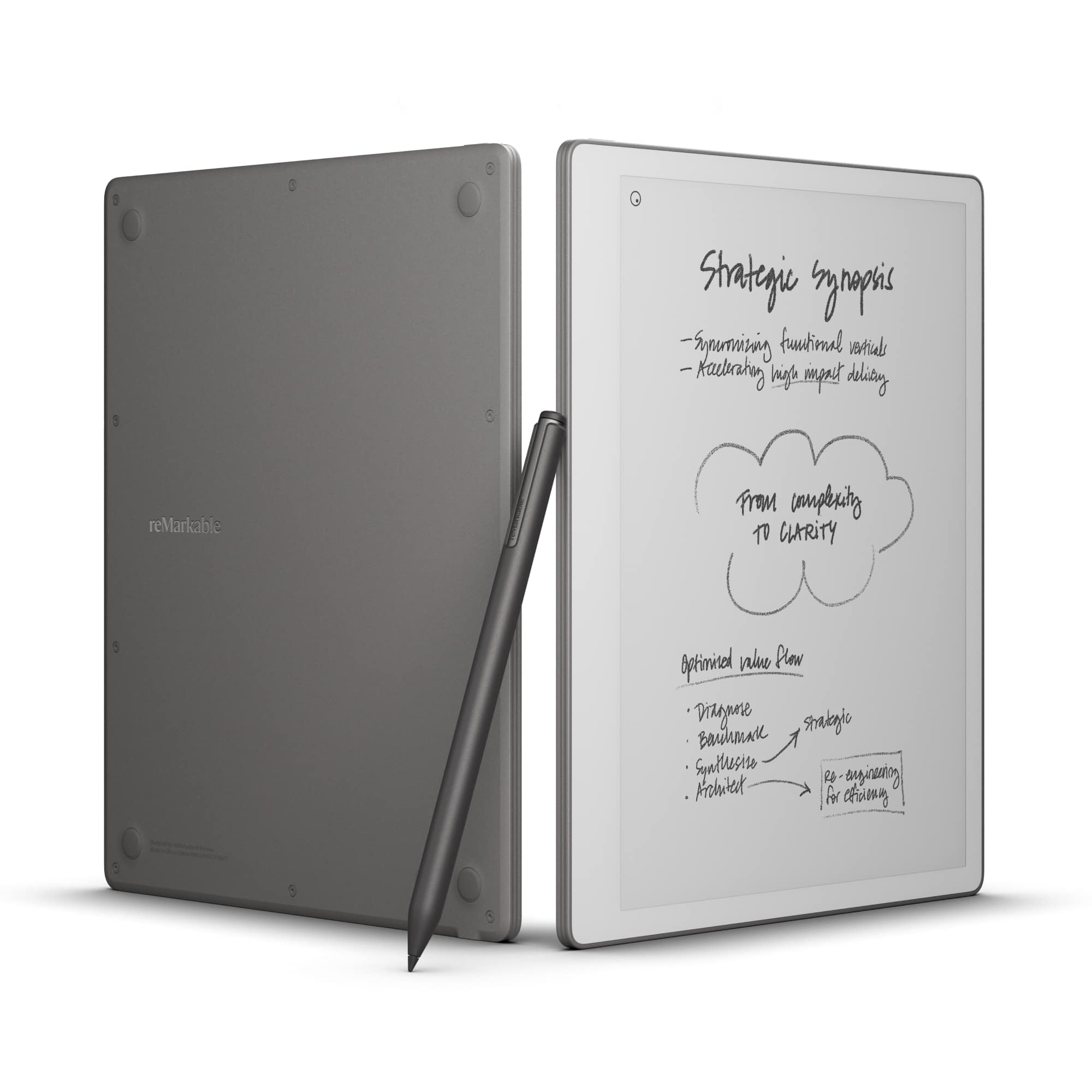
The reMarkable Paper Pure replaces physical pages with a monochrome E Ink display designed for handwriting.
Its 10.3-inch screen provides a large writing surface for notes, diagrams, reading and document annotation.
Unlike Rocketbook or a traditional smart-pen system, Paper Pure does not require scanning paper or replacing notebooks. Students write directly on the screen using the included Marker.
The device provides digital tools for erasing, moving, organizing, and refining handwriting. It also supports importing and exporting documents.
reMarkable advertises up to three weeks of battery life based on approximately one hour of daily note-taking. Actual endurance varies with usage.
At around 360 grams, Paper Pure is relatively portable for a writing tablet. Its distraction-focused interface also avoids much of the app and notification activity associated with general-purpose tablets.
However, this simplicity has limitations. Paper Pure does not include a built-in frontlight, so students need suitable room lighting for comfortable reading and writing.
Its software ecosystem is also narrower than an iPad or Android tablet. It is not designed to replace a computer that must run specialized academic applications.
The starting package includes the basic Marker. Additional accessories, such as a protective folio or upgraded Marker Plus, can increase the cost.
Another consideration is reMarkable Connect. Basic handwriting works without a paid subscription, but advanced connected functions, handwriting search, and expanded synchronization features may require Connect.
Independent testing by TechRadar praised the Paper Pure's writing experience while highlighting its missing frontlight and subscription-related limitations.
Our Verdict: The best premium choice here for students who want an integrated digital handwriting system and prefer a focused writing device over a multifunction tablet.
Pros
✅ 10.3-inch monochrome E Ink display.
✅ Direct digital handwriting and PDF annotation.
✅ Basic Marker included.
✅ Up to three weeks of advertised battery life.
Cons
❌ Much higher price than paper notebooks.
❌ No built-in reading light.
❌ Some cloud and advanced features require Connect.
❌ Limited general-purpose tablet functionality.
Who Should Skip It: Students who primarily need laptop software, color-rich textbooks, video lessons, or a low-cost note-taking option.
Alternative: reMarkable Paper Pro for a larger color display, or a general-purpose tablet for broader apps and multimedia.
Students who need more than handwritten notes should compare tablets for work and entertainment before paying for a dedicated writing device.
Smart Notebooks We Considered but Didn't Select
Several other note-taking products are worth considering. However, they overlap with our six selections or serve a more specialized purpose.
XPPen Note Plus: A real-paper digital notebook with Bluetooth connectivity, offline storage, and digital note backup. It is a relevant alternative to Huion Note, but its current U.S. purchasing configuration needs additional verification.
Rocketbook Pro: A premium reusable notebook with a more refined cover and interchangeable pages. It overlaps with the less expensive Rocketbook options already included.
Rocketbook Wave: An older reusable notebook using a microwave-based erasing process. Its legacy product status makes newer Rocketbook models more sensible for this article.
Kindle Scribe: A strong option for students who combine reading with handwriting. However, it places greater emphasis on the e-reader experience.
reMarkable Paper Pro: A higher-priced alternative with a larger color display and additional capabilities. It is worth considering when Paper Pure's monochrome screen is too limiting.
Apple iPad and Samsung Galaxy Tab: These are broader computing devices rather than dedicated smart notebooks. They may be better purchases for students who also need productivity apps, video calls, or creative software.
For Android alternatives, our Lenovo tablets for productivity guide examines devices intended for both studying and general-purpose work.
Reusable Smart Notebooks vs Smart Pens vs E Ink Tablets
The best technology depends on whether you want to keep writing on paper, automate digital capture, or replace paper entirely.
How Handwritten Notes Are Captured
Reusable smart notebooks store handwriting physically until you scan it using a smartphone. They are inexpensive and simple, but saving pages requires deliberate action.
Smart-pen systems record pen movements while you write on compatible physical paper. They can reduce manual scanning, although the captured data depends on the pen, notebook, and companion app.
E Ink tablets store handwriting directly in electronic notebooks. They provide digital erasing, page organization, and document annotation without needing a physical notebook.
These methods have different failure points. A reusable notebook can lose unsaved notes when erased. A smart-pen system may depend on syncing stored strokes correctly. An electronic tablet requires a reliable backup process to protect its files.
Which System Is Easiest to Organize?
For a handful of class notebooks, Rocketbook's scanning workflow can be sufficient. Students can build folders for each course and name files by lecture or assignment.
Huion and Moleskine offer digital copies of real-paper writing, although the quality of organization depends on their companion applications.
reMarkable Paper Pure provides the most integrated digital notebook experience in this shortlist. Students can organize notebooks and work with documents directly on the device.
However, that doesn't automatically make it best for everyone. Students already using an efficient Google Drive or OneNote workflow may prefer a less expensive reusable notebook.
Which System Feels Closest to Paper?
Smart-pen systems have the most conventional paper-writing experience because you actually write with ink on physical pages.
Rocketbook uses reusable surfaces with a different feel from standard notebook paper. Students should expect a short adjustment period.
reMarkable Paper Pure uses a textured digital writing surface intended to resemble paper. Independent reviewers have praised this approach, but it is still different from writing with ordinary ink on a physical sheet.
Personal writing preference matters. If possible, try a similar writing system before committing to an expensive device.
How to Choose a Smart Notebook for Studying
Choose the Right Page Size and Layout
Students studying mathematics, engineering, or science often need room for equations, diagrams, and calculations.
A letter-size notebook can be useful for these tasks, while a smaller A5 notebook may be easier to carry between classes.
Choose lined pages for ordinary lecture notes and dot-grid pages when diagrams, charts, or flexible layouts matter more.
If your courses involve substantial handwritten work, consider how frequently you'll need to scan, erase, or replace pages.
Check App and Cloud Compatibility
Smart notebook apps differ in how they export, organize, and synchronize files.
Before purchasing, confirm support for your phone's operating system and the study tools you already use.
For example, a student who organizes coursework in Google Drive should verify the exact current Rocketbook destination integration before purchase.
Similarly, students who use Microsoft OneNote or school-managed cloud accounts should confirm whether their chosen device supports the required workflow.
App availability can change. Do not assume that every smart notebook automatically integrates with every cloud service.
Understand Handwriting Recognition
Digitizing handwriting is not the same as converting it into editable text.
A scanned PDF may preserve the appearance of handwritten notes without turning them into a document you can edit like typed text.
Huion Note captures digital pen strokes but does not provide handwriting-to-typed-text conversion in the reviewed system.
Moleskine offers handwriting conversion through its smart writing ecosystem, although recognition may be imperfect.
reMarkable provides handwriting-related software tools, including conversion and additional connected features. The availability of particular functions should be checked against the current subscription plan.
If searchable text is essential for your coursework, verify that feature specifically rather than assuming all digital notebooks provide it.
Consider Battery Life and Offline Use
Rocketbook notebooks do not need charging because the notebook itself contains no electronic recording hardware. However, you need a compatible smartphone to scan pages.
Huion Note requires charging but can store digital writing offline for later synchronization.
Moleskine's smart pen uses electronic hardware and must be kept charged for digital capture.
reMarkable Paper Pure has a rechargeable battery and supports direct note-taking without requiring a smartphone camera.
Choose according to how you study. If you spend long days in lectures without easy charging access, battery life and offline functionality deserve particular attention.
Calculate Long-Term Ownership Costs
Beyond purchase price, consider the consumables and services you may need each semester.
Rocketbook requires compatible FriXion pens and occasional replacement cleaning supplies.
Huion uses replaceable paper and compatible pen refills. Moleskine requires its smart-paper ecosystem and replacement ink.
reMarkable avoids ongoing paper purchases, but replacement Marker tips, accessories, and optional Connect fees can increase total cost.
A premium notebook is not automatically cheaper over time. The best value depends on your note volume and which features you actually use.
Protect and Back Up Your Class Notes
A smart notebook is only useful if you can recover your notes when you need them.
Create a consistent naming system based on course, date, and topic. For example, use a filename such as Biology-Lecture-05-Cell-Division.
Save important files to a trusted location and confirm they are accessible before erasing physical pages.
For app-connected devices, check that synchronization completes successfully. Where feasible, maintain an additional backup of important academic work.
Protect accounts with strong authentication, particularly if class notes include personal or sensitive information.
Good organization also applies to the physical study area. Our office storage solutions guide
Best Smart Notebook for Different Student Needs
The best smart notebook depends on the type of coursework, not simply the product's technology.
| Student Need | Recommended Notebook | Reason |
|---|---|---|
| Multiple lecture-heavy courses | Rocketbook Multi Subject | 70 pages and adjustable subject sections |
| Budget-focused note-taking | Rocketbook Core Next Gen | Low upfront cost and reusable pages |
| Assignments and study scheduling | Rocketbook Fusion | Dedicated planning and task layouts |
| Real-paper handwriting with digital copies | Huion Note | Automatic stroke capture and offline storage |
| Premium paper-based writing | Moleskine Smart Writing Set | Traditional notebook with smart-pen capture |
| Digital notes and PDF annotation | reMarkable Paper Pure | Integrated electronic notebooks and writing tools |
For students studying subjects that require specific computer applications, a smart notebook should complement rather than replace the appropriate computer.
Our affordable laptops for students guide
Are Smart Notebooks Worth Buying?
Smart notebooks are worth considering if you take handwritten notes regularly and have a clear reason to save or organize them digitally.
Reusable notebooks are particularly useful when you enjoy writing by hand but want fewer physical notebooks to store.
Smart-pen systems make more sense when keeping the original paper is important and you want digital capture without photographing every page.
E Ink tablets are most attractive when you annotate documents frequently, organize large note collections, and prefer working directly on an electronic writing surface.
However, students who mainly type assignments or use specialized academic software may gain more from a suitable laptop or conventional tablet.
And if you rarely need digital copies, an ordinary paper notebook may still be the simplest, least expensive choice.
The key is to choose a system that removes friction from your study routine rather than introducing extra scanning, charging, subscriptions, or software management you don't need.
Frequently Asked Questions
What is the best smart notebook for students?
The Rocketbook Multi Subject Next Gen is our best overall recommendation because its 70 reusable pages and adjustable dividers suit several college classes. Rocketbook Core is better for tighter budgets, while Huion Note and reMarkable Paper Pure offer more automated digital note-taking.
Are smart notebooks worth it for college?
They can be worthwhile for students who regularly write notes and want digital backups or better organization. Reusable notebooks offer an affordable starting point, while smart-pen and E Ink systems provide more advanced capture and editing options. The value depends on your study habits.
Do Rocketbook notebooks automatically save notes?
No. Rocketbook notebooks require users to scan handwritten pages with the Rocketbook smartphone app. The app can then send the saved files to supported destinations. Always confirm that a scan is saved before erasing the physical page.
Can smart notebooks convert handwriting to text?
Some can, but not all. Moleskine and reMarkable provide handwriting-related conversion features. Huion Note records pen strokes but does not convert them into editable typed text in the reviewed system. Rocketbook scanning and handwriting recognition features also depend on the app and selected workflow.
Are reusable smart notebooks better than regular paper?
Reusable smart notebooks help students digitize handwritten notes and use the same physical pages repeatedly. However, they require compatible pens, scanning and cleaning. Regular paper remains simpler when digital backups and reusable pages aren't priorities.
Do smart notebooks require subscriptions?
Not all smart notebooks require subscriptions. Rocketbook's basic scanning app is free, and Huion Note supports digital capture through its companion app. reMarkable Paper Pure works for core handwriting without a subscription, but some advanced cloud and connected features require its paid Connect service. Check current terms before purchasing.
Is a smart notebook better than an iPad for studying?
A dedicated smart notebook can be better for focused handwriting and simpler note organization. An iPad is more versatile because it supports learning apps, video lessons, browsers and general productivity software. Choose according to your coursework and whether you already own a suitable computer or tablet.
Final Verdict: Which Smart Notebook Should You Buy?
The Rocketbook Multi Subject Next Gen is our best overall smart notebook for students. Its 70 reusable pages, adjustable dividers and scanning workflow offer a practical balance of organization, affordability and flexibility for college classes.
Choose Rocketbook Core Next Gen if you want the simplest low-cost option. Rocketbook Fusion is better when planning assignments and managing deadlines matter more than extensive lecture note-taking.
For students who want physical paper and automatic digital capture, Huion Note offers strong value. Moleskine Smart Writing Set provides a premium traditional notebook experience with additional handwriting-conversion capabilities.
At the high end, reMarkable Paper Pure offers an integrated electronic writing experience for students who regularly organize digital notebooks and annotate PDFs. However, its higher price and optional subscription costs make it harder to justify for occasional note-taking.
Before buying, check how notes are captured, which apps are supported, whether handwriting conversion is necessary, and what the system will cost over several semesters.
Bottom line: Rocketbook Multi Subject is the best overall student choice, Rocketbook Core provides affordable reusable notes, Fusion is ideal for study planning, Huion Note offers real-paper digital capture, Moleskine delivers a premium smart-pen experience, and reMarkable Paper Pure is the best dedicated E Ink option in this shortlist. Choose the workflow that matches how you study, not simply the notebook with the most features.
Sources
- Rocketbook — Multi Subject Notebook Next Gen — Official Product Specifications
- Huion — Huion Note Smart Digital Notebook — Official Product Specifications
- Moleskine — Smart Writing Set — Official Product Information
- reMarkable — Paper Pure and Connect Pricing — Official Product and Subscription Information
- TechRadar — reMarkable Paper Pure Review
Product Groups: Rocketbook Multi Subject Notebook Next Gen, Rocketbook Core Next Gen Reusable Notebook, Rocketbook Fusion Reusable Smart Planner, Huion Note Smart Digital Notebook, Moleskine Smart Writing Set Smart Pen 3, reMarkable Paper Pure 10.3 Inch