Nintendo Switch 2 vs Steam Deck OLED
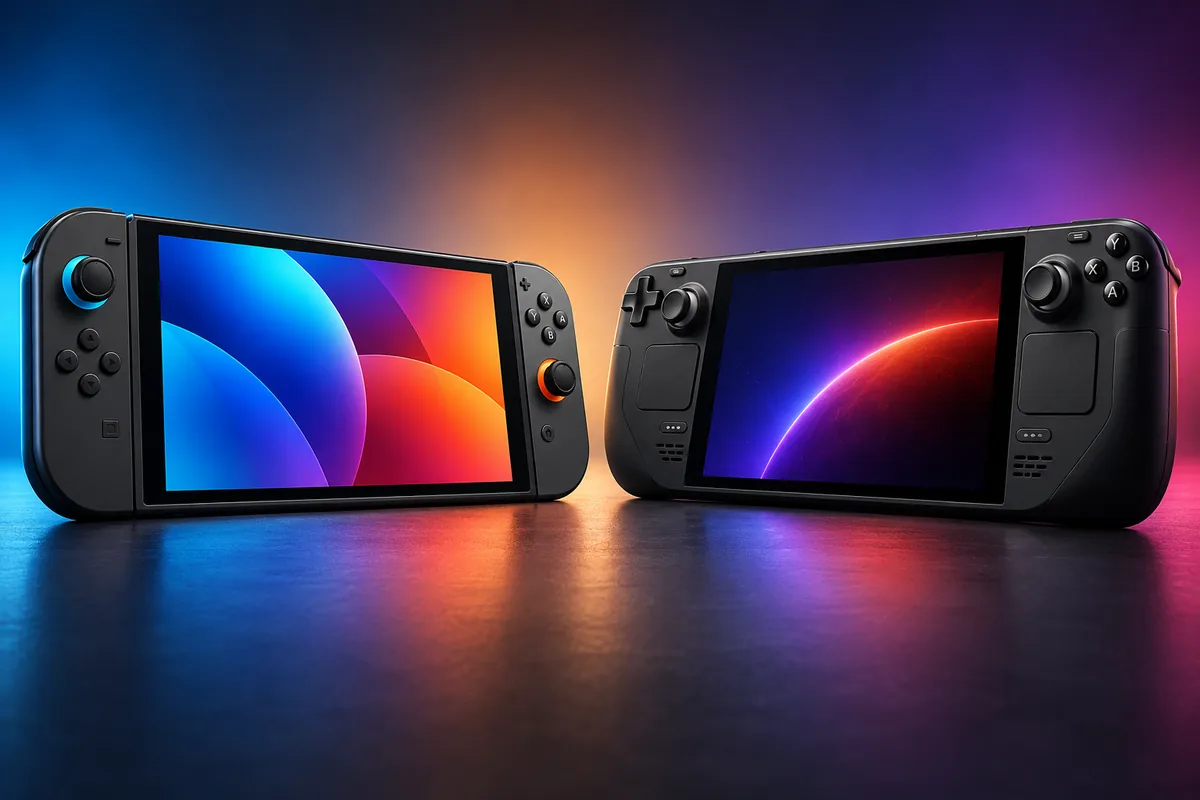
The Nintendo Switch 2 and Steam Deck OLED are both excellent handheld gaming systems, but they are designed for very different buyers. Choose Nintendo Switch 2 if you want Nintendo exclusives, simple console-style gaming, local multiplayer, and an included TV dock. Choose Steam Deck OLED if you already have a Steam library, value OLED display quality, and want the flexibility of a handheld gaming PC.
This comparison updates the original Nintendo Switch OLED vs Steam Deck OLED matchup because Nintendo’s current platform is now Switch 2. The older Switch OLED remains available and still has some advantages, particularly its OLED screen, lower price, and longer manufacturer-rated battery range, so we’ll also explain where it fits later in the guide.
Price has become a major part of the decision. Nintendo’s current U.S. MSRP for Switch 2 is $499.99, while Valve now charges $789 for the 512GB Steam Deck OLED. That $289 difference means the Steam Deck needs to justify its premium through its display, Steam library access, storage, controls, and PC flexibility.
If you’re comparing handhelds with full-size home systems as well, our Best Gaming Consoles to Buy guide covers the broader PlayStation, Xbox, Nintendo, and Steam Deck market.
Quick Answer: Nintendo Switch 2 vs Steam Deck OLED
For Nintendo Games and Families: Nintendo Switch 2 — access to current Nintendo exclusives, detachable Joy-Con 2 controllers, straightforward local multiplayer, and an included dock make it the easier shared console.
For an Existing Steam Library: Steam Deck OLED — your compatible Steam games can move directly into a handheld format without rebuilding a separate console library.
For Display Quality: Steam Deck OLED — its 7.4-inch HDR OLED panel provides true blacks, very high contrast, wide color, and up to a 90Hz refresh rate.
For Simple TV and Tabletop Gaming: Nintendo Switch 2 — its dock is included, Joy-Con 2 detach from the system, and switching between handheld, tabletop, and TV modes is central to the design.
Nintendo Switch 2 vs Steam Deck OLED: Specs Compared
The specification sheet highlights the different priorities immediately. Switch 2 emphasizes a higher-resolution display, detachable controls, and hybrid-console functionality. Steam Deck OLED emphasizes OLED quality, storage, PC-style controls, and access to Steam.
| Feature | Nintendo Switch 2 | Steam Deck OLED 512GB |
|---|---|---|
| Current U.S. price | $499.99 | $789 |
| Display | 7.9-inch LCD | 7.4-inch HDR OLED |
| Handheld resolution | 1920 × 1080 | 1280 × 800 |
| Maximum refresh rate | Up to 120Hz with VRR | Up to 90Hz |
| Internal storage | 256GB UFS | 512GB NVMe SSD |
| Storage expansion | microSD Express, up to 2TB | UHS-I microSD |
| Manufacturer battery range | Approx. 2–6.5 hours | Approx. 3–12 hours |
| Weight | Approx. 1.18 lb / 534g with Joy-Con 2 | Approx. 640g |
| Detachable controllers | Yes | No |
| Trackpads | No | Two |
| Rear grip buttons | No | Four assignable buttons |
| Dock included | Yes | No |
| Physical game cards | Yes | No Steam game cards |
| Desktop PC mode | No | Yes, KDE Plasma desktop |
Price and Total Setup Cost
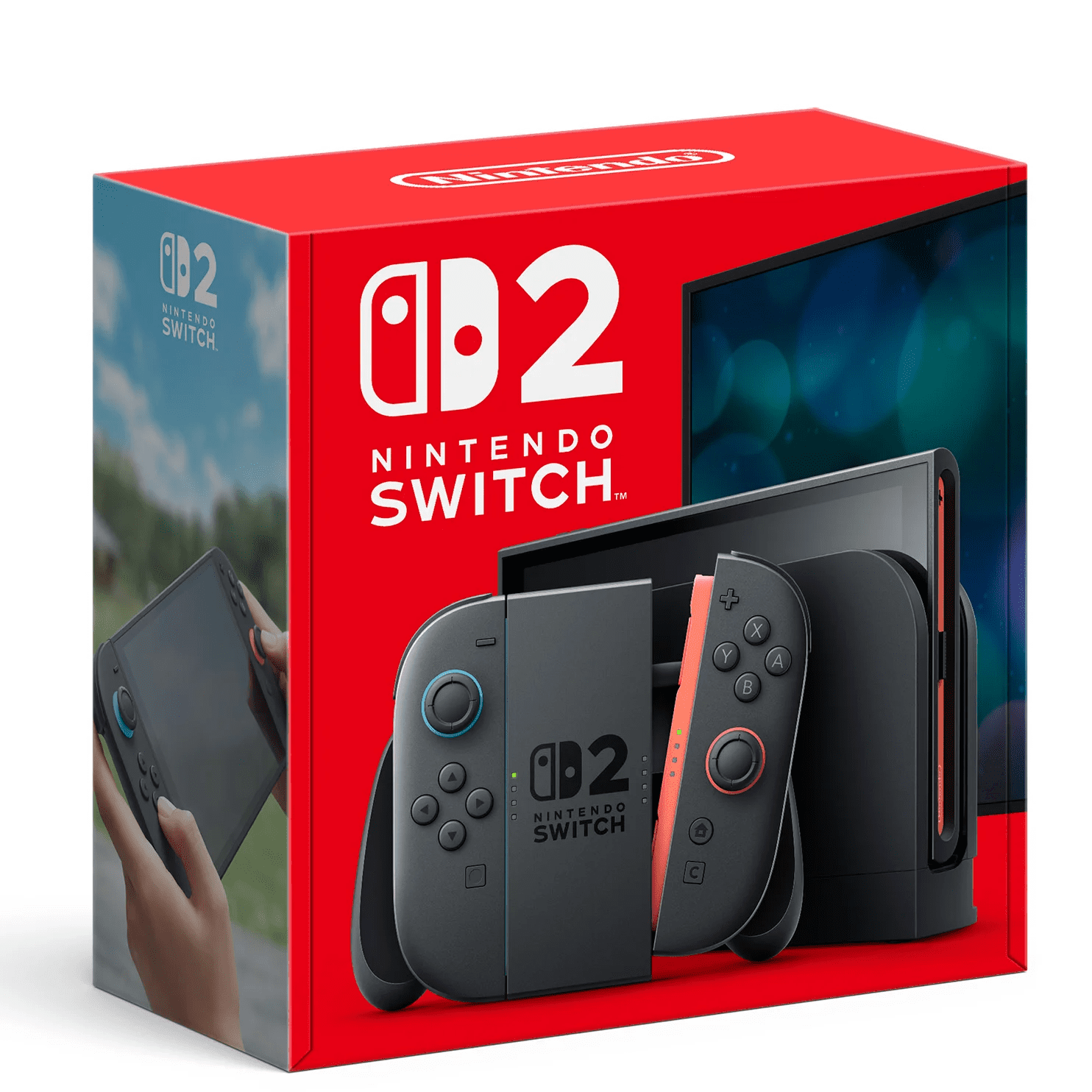
Nintendo Switch 2 is significantly less expensive at current U.S. manufacturer pricing. Its $499.99 MSRP also includes the Nintendo Switch 2 Dock, allowing TV play without buying another major accessory.
Nintendo Switch 2: Compare Current Prices
Steam Deck OLED 512GB now costs $789. Valve raised its price in May 2026 because of higher memory, storage, and logistics costs. The hardware itself did not change as part of that price increase.
Steam Deck OLED 512GB: Compare Current Prices
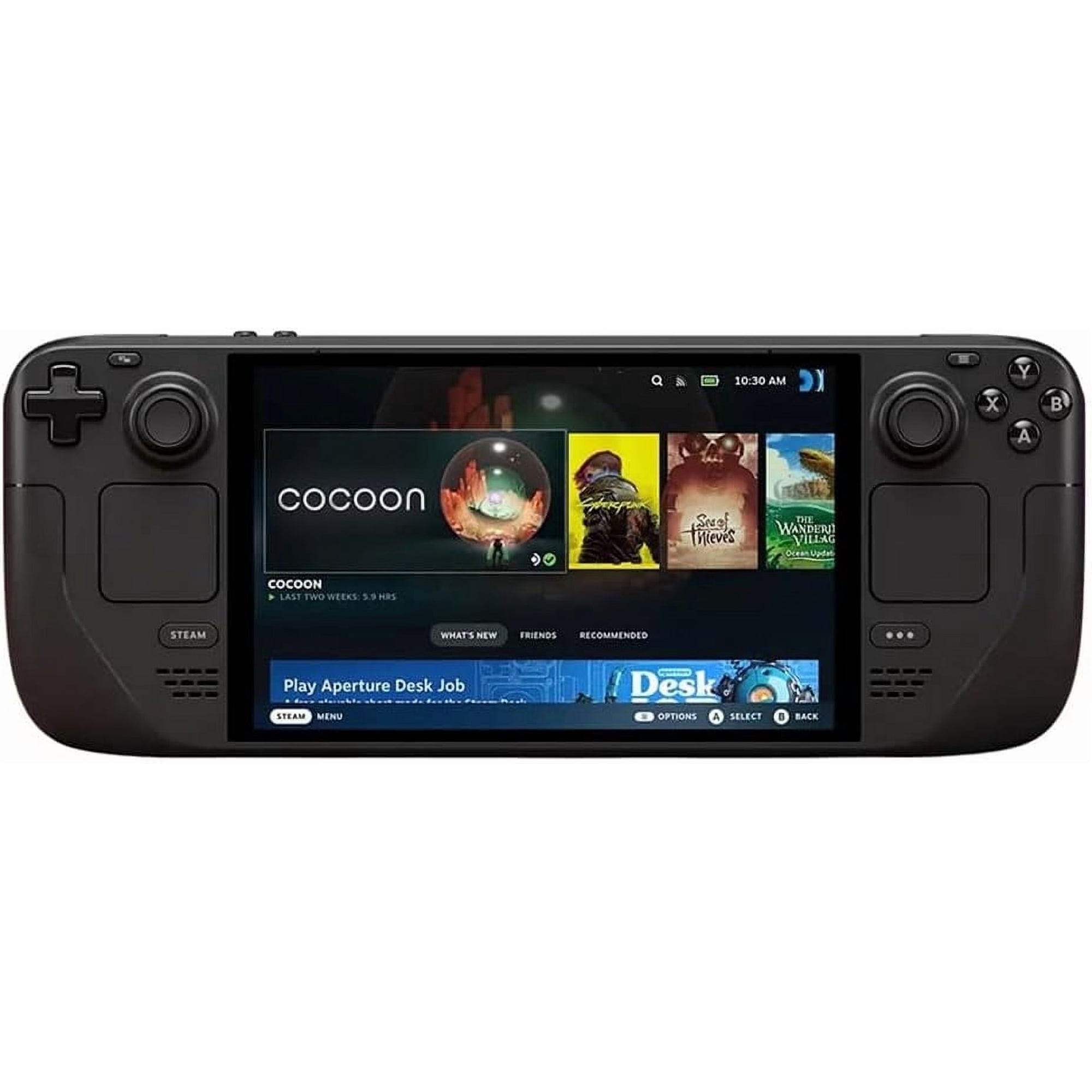
If you want Valve’s official Steam Deck Docking Station, budget another $79. The dock adds HDMI 2.0, DisplayPort 1.4, Gigabit Ethernet, three USB-A ports, and power delivery. Third-party USB-C docks and hubs can also work, so the official dock is not mandatory.
Steam Deck’s higher hardware cost can be easier to justify if you already have a large compatible Steam library. A new Switch 2 owner may need to purchase games separately, while an existing PC gamer can potentially use games already owned on Steam.
On the other hand, Nintendo supports both physical and digital games, giving Switch 2 owners more ways to buy, lend, trade, or resell compatible physical software.
Display: 1080p 120Hz LCD vs 90Hz OLED
Neither display is simply better in every respect. Switch 2 provides more pixels and a higher refresh-rate ceiling, while Steam Deck OLED delivers the characteristic contrast and black levels of OLED technology.
Nintendo Switch 2: Higher Resolution and Up to 120Hz
The Switch 2 screen measures 7.9 inches and has a native 1920 × 1080 resolution. It supports HDR10 and variable refresh rates up to 120Hz in handheld and tabletop modes.
The additional resolution can make compatible games look sharper than Steam Deck’s 1280 × 800 panel. The larger 7.9-inch size also gives Nintendo more physical display area.
The trade-off is the LCD panel. Blacks cannot appear as completely dark as they can on an OLED display, and contrast in dark scenes is consequently less dramatic.
Steam Deck OLED: Better Black Levels and HDR Presentation
Steam Deck OLED uses a 7.4-inch 1280 × 800 HDR OLED panel with refresh rates up to 90Hz. Valve specifies 1,000 nits of peak HDR brightness, a color gamut covering 110% of P3, and extremely fast pixel response.
For games with dark environments, high-contrast lighting, or strong HDR support, the OLED panel can deliver a visually richer experience despite its lower resolution.
Its 1280 × 800 resolution also reduces the rendering workload compared with a higher-resolution handheld screen, which can be useful for PC games where users control graphics settings themselves.
Display decision: Choose Switch 2 if higher handheld resolution and the possibility of 120Hz gameplay matter more. Choose Steam Deck OLED if OLED black levels, HDR contrast, and color presentation are your priority.
Games and Platform Ecosystem
The game library is more important than most hardware differences in this comparison. Buying the wrong ecosystem for the games you actually want will matter far more than choosing the screen with the better specification.
Nintendo Switch 2: Exclusives and Console Simplicity
Switch 2 is the only one of these systems designed to run Nintendo’s current exclusive software. That makes it the natural choice for players whose buying decision revolves around Nintendo franchises and current Switch 2 releases.
The system also plays many compatible physical and digital games originally released for Nintendo Switch. Nintendo warns that some older titles may not be supported or fully compatible, so owners of an existing Switch library should check individual games when compatibility matters.
Selected older games also have Switch 2 Edition upgrades or free updates that can improve resolution, frame rate, or add additional features.
For family use, physical game cards can also be convenient because they can be shared between compatible systems without permanently tying every purchase to one digital storefront account.
Steam Deck OLED: A Portable PC Game Library
Steam Deck OLED is built around SteamOS and an existing Steam library. For PC gamers who already own dozens or hundreds of compatible titles, that can be its biggest value advantage.
Steam’s catalog includes everything from small indie games to major PC releases, and frequent store promotions can make building a digital library relatively inexpensive over time.
However, not every PC game works equally well on Steam Deck. Valve uses four compatibility labels: Verified, Playable, Unsupported, and Unknown.
A Verified game is designed to work well without manual intervention. Playable games may require steps such as selecting a controller configuration or using the touchscreen for a launcher. Some titles are Unsupported because of software, middleware, anti-cheat, or other compatibility issues.
That makes Steam Deck more flexible than a traditional console, but also less predictable. Check the Deck compatibility status of your must-play games before purchasing the system primarily for them.
Performance and Game Settings
Comparing raw processor numbers across Switch 2 and Steam Deck can be misleading because the software models are different.
Nintendo developers can optimize a Switch 2 version for one fixed hardware target. The user generally installs the game and selects from whatever graphics or performance modes the developer provides.
Steam Deck behaves more like a PC. Games may expose resolution, texture quality, shadows, upscaling, frame limits, and many other settings. That provides control but may also require experimentation.
A demanding PC game might need lower graphics settings or a lower frame-rate target to run comfortably on Steam Deck. A Switch 2 version of the same title may be specifically tuned around Nintendo’s hardware and operating environment.
For that reason, avoid assuming that one handheld will always deliver better performance simply because of a theoretical hardware metric.
If you want a full Windows gaming system with more performance and upgrade flexibility, our Budget Gaming Laptops guide covers larger alternatives with dedicated laptop graphics.
Battery Life: Which Lasts Longer?
Battery life depends heavily on the game, brightness, network activity, frame rate, power settings, and workload, so the manufacturers’ ranges should not be treated as guaranteed results.
Nintendo rates Switch 2 at approximately 2 to 6.5 hours per charge.
Valve rates Steam Deck OLED at approximately 3 to 12 hours of gameplay from its 50Wh battery.
The wider Valve range does not mean Steam Deck will always last longer. Lightweight indie games can consume relatively little power, while demanding 3D releases can reduce runtime substantially.
Independent comparisons have also produced different results depending on the chosen game and methodology. A controlled test using the same title can produce a different ordering than comparisons performed across separate games and settings.
Battery takeaway: Steam Deck OLED has the higher manufacturer-rated ceiling, but neither handheld has one fixed battery-life number. Compare expectations using the types of games you actually play rather than the maximum advertised figure.
Controls and Comfort
Nintendo and Valve also take very different approaches to input.
Switch 2: Detachable Joy-Con 2
Joy-Con 2 controllers attach magnetically to the sides of Switch 2 and can be removed for tabletop or local multiplayer use.
That flexibility is one of Nintendo’s biggest advantages. One device can quickly move from a personal handheld to a tabletop game for two players or a controller-based TV setup.
Joy-Con 2 also includes mouse sensors. Compatible games can allow a detached controller to function more like a mouse when used on a suitable surface.
The downside is ergonomics. The relatively flat handheld shape may not suit everyone during long sessions, particularly players who prefer the substantial grips of a conventional controller.
Steam Deck OLED: Integrated PC-Style Controls
Steam Deck OLED is physically larger and heavier, but its integrated grips are shaped for extended handheld sessions.
It also provides two trackpads, capacitive analog sticks, gyro controls, and four assignable rear grip buttons.
Those extra inputs are especially useful for PC games designed around mouse controls or for users who enjoy building customized control layouts.
The trade-off is flexibility for shared play. Steam Deck’s controls do not detach, so instant two-player tabletop gaming requires additional controllers.
Docked Gaming and TV Use
Switch 2 has the cleaner TV-console experience.
Nintendo includes the dock in the standard system package. When connected to a compatible television, Switch 2 supports output up to 4K at 60 frames per second. At 1080p or 1440p, supported content can reach 120 frames per second.
The dock also includes wired Ethernet and USB connectivity.
Steam Deck can also connect to televisions and monitors through USB-C. Valve’s official $79 Docking Station supports HDMI 2.0, DisplayPort 1.4, Gigabit Ethernet, and several USB ports, with display support up to 4K at 60Hz through the dock.
Steam Deck’s desktop mode can make docking more powerful if you want a monitor, keyboard, mouse, and other PC peripherals.
For someone who just wants to place the handheld into a dock and play console games on a television, Switch 2 is simpler. For someone who wants one device to double as a compact Linux desktop, Steam Deck has far more flexibility.
Storage and Expansion
Steam Deck OLED starts with twice as much internal storage: 512GB compared with the Switch 2’s 256GB.
Valve uses an NVMe SSD and supports UHS-I microSD cards for expansion.
Switch 2 uses 256GB of UFS storage and supports microSD Express cards up to 2TB for game storage. Standard older microSD cards cannot be used to install Switch 2 games; Nintendo limits them primarily to transferring screenshots and videos.
That matters for existing Switch owners. A large conventional microSD card from the original Switch cannot simply become the main game-storage card in Switch 2 unless it meets the required microSD Express standard.
Steam Deck’s conventional UHS-I microSD support can make storage expansion easier if you already own compatible high-capacity cards.
What About Nintendo Switch OLED vs Steam Deck OLED?
The original Switch OLED vs Steam Deck OLED comparison still matters if your priority is specifically an OLED Nintendo handheld rather than Nintendo’s latest generation.
Nintendo currently lists Switch OLED at $399.99. It includes a 7-inch 1280 × 720 OLED screen, 64GB internal storage, detachable Joy-Con controllers, an included dock, and a manufacturer-rated battery range of approximately 4.5 to 9 hours.
| Feature | Switch OLED | Steam Deck OLED |
|---|---|---|
| Price | $399.99 | $789 |
| Display | 7-inch OLED, 1280 × 720 | 7.4-inch HDR OLED, 1280 × 800 |
| Storage | 64GB | 512GB NVMe |
| Battery rating | 4.5–9 hours | 3–12 hours |
| Platform | Previous-generation Nintendo Switch | Current Steam Deck OLED |
Switch OLED remains attractive if you want Nintendo’s older Switch library, an OLED screen, and the lowest purchase price of these three systems.
The problem is longevity. It cannot run Switch 2-exclusive games, its internal storage is much smaller, and its platform is no longer Nintendo’s current hardware generation.
That makes Switch OLED most sensible when the price drops significantly below Switch 2, you specifically value its OLED display, or you already know the older Switch library contains everything you want to play.
Which Handheld Fits Your Gaming Style?
| Your Priority | Better Fit | Why |
|---|---|---|
| Current Nintendo exclusives | Nintendo Switch 2 | Current Nintendo platform and Switch 2 software |
| Existing Steam collection | Steam Deck OLED | Portable access to compatible Steam games |
| OLED display | Steam Deck OLED | HDR OLED panel with strong contrast and black levels |
| Higher handheld resolution | Nintendo Switch 2 | 1920 × 1080 native panel |
| Local family multiplayer | Nintendo Switch 2 | Detachable Joy-Con 2 and tabletop/TV modes |
| PC-style controls and customization | Steam Deck OLED | Trackpads, rear buttons, Steam Input, desktop mode |
| Simple TV setup | Nintendo Switch 2 | Dock included |
| Lowest purchase price | Switch OLED | $399.99 MSRP, but previous-generation hardware |
| Desktop PC functionality | Steam Deck OLED | SteamOS desktop environment and broader peripheral support |
Alternatives to Consider
Nintendo Switch OLED
Choose the older Switch OLED if you specifically want an OLED Nintendo handheld, are satisfied with the original Switch game library, and find it meaningfully cheaper than Switch 2.
Steam Deck OLED 1TB
Valve also offers a 1TB Steam Deck OLED at $949. It adds twice the internal storage of the 512GB model and premium anti-glare etched glass. Because both OLED models support microSD expansion, the more expensive configuration makes the most sense if you specifically value internal storage and the etched display.
Gaming Laptop
A gaming laptop is larger and less convenient as a handheld but provides a full Windows environment, broader software compatibility, keyboard and mouse controls, and potentially much higher performance. It is the better category if you need one computer for gaming, work, school, and desktop applications.
Frequently Asked Questions
Is Nintendo Switch 2 better than Steam Deck OLED?
Neither is universally better. Switch 2 is the stronger fit for current Nintendo exclusives, family multiplayer, detachable controllers, and simple TV play. Steam Deck OLED is better suited to existing Steam libraries, OLED display quality, PC-style controls, and users who want a handheld that can also function as a desktop PC.
Does Nintendo Switch 2 have an OLED screen?
No. Switch 2 uses a 7.9-inch 1920 × 1080 LCD panel with HDR10 and variable refresh rates up to 120Hz. The previous-generation Nintendo Switch OLED has a 7-inch OLED panel.
Can Steam Deck play Nintendo games?
Steam Deck does not provide official access to Nintendo’s current game storefront or Nintendo Switch game-card library. Choose Switch 2 if Nintendo-exclusive software is an important part of what you want to play.
Which has better battery life?
Valve specifies 3–12 hours for Steam Deck OLED, while Nintendo specifies approximately 2–6.5 hours for Switch 2. Real results depend heavily on the game, frame rate, brightness, network use, and settings, so the maximum numbers should not be interpreted as guaranteed everyday runtime.
Which handheld is better for travel?
Switch 2 is lighter and has detachable controllers, while Steam Deck OLED provides a more ergonomic integrated grip and an OLED display. Battery requirements also depend on the games you play. For flights or long trips, either system may benefit from access to USB-C charging or a compatible power source.
Can Steam Deck OLED connect to a TV?
Yes. Steam Deck supports video output over USB-C. Valve sells an official $79 Docking Station with HDMI, DisplayPort, Ethernet, and USB connections, although compatible third-party USB-C docks and hubs can also be used.
Is Nintendo Switch OLED still worth buying?
It can still make sense if you specifically want Nintendo’s OLED display, are satisfied with the original Switch library, and find the system substantially cheaper than Switch 2. It belongs to Nintendo’s previous generation, however, and cannot run Switch 2-exclusive games.
Which is better for kids and families?
Switch 2 is generally the more straightforward family console because the Joy-Con 2 controllers detach for shared play, the system moves easily between handheld, tabletop, and TV modes, and Nintendo provides dedicated parental-control features. The best choice still depends on the games your household wants to play.
Final Verdict: Nintendo Switch 2 or Steam Deck OLED?
The most important difference between Nintendo Switch 2 and Steam Deck OLED is not processor performance or even display technology. It is the platform you want to buy into.
Nintendo Switch 2 makes more sense for Nintendo-first players. It provides access to current Switch 2 software, compatible original Switch games, physical game cards, detachable Joy-Con 2 controllers, and an included dock. It is also substantially less expensive than Steam Deck OLED at current U.S. prices.
Steam Deck OLED makes more sense for PC-first players. Its HDR OLED display, 512GB NVMe storage, trackpads, rear controls, Steam library integration, and desktop mode make it a much more flexible handheld computer. That flexibility comes with a higher price and less predictable compatibility across the complete PC game catalog.
The older Nintendo Switch OLED still fills a narrower role. Its $399.99 price, OLED screen, and longer manufacturer-rated battery range are attractive, but buyers need to accept that it belongs to Nintendo’s previous hardware generation.
Choose Nintendo Switch 2: Nintendo exclusives, family multiplayer, physical games, detachable controls, and easy TV play matter most.
Choose Steam Deck OLED: You already have a Steam library and prioritize OLED quality, PC-style controls, customization, and desktop flexibility.
Consider Switch OLED: You want an OLED Nintendo handheld at a lower price and do not need Switch 2-exclusive games.
Sources
- Nintendo — Nintendo Switch 2 Technical Specifications
- Nintendo — Price Revision for Nintendo Switch 2 System
- Valve — Steam Deck OLED Technical Specifications
- Valve — Steam Deck Back in Stock, with Updated Pricing
- Valve — Steam Deck Compatibility Program / Deck Verified
Product Groups: Nintendo Switch 2 256GB, Valve Steam Deck OLED 512GB