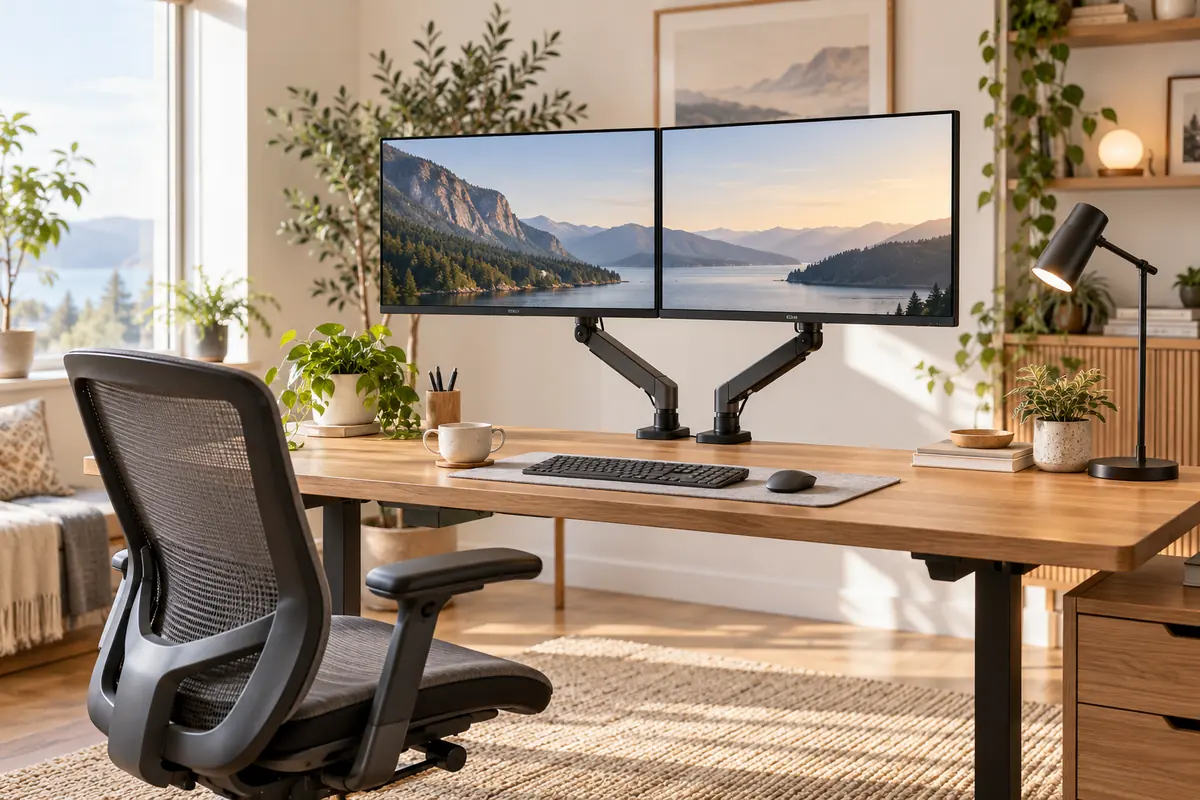
Best Dual Monitor Arms for WFH in 2026
The Ergotron LX Dual Stacking Arm is our best dual monitor arm for a long-term work-from-home setup because it combines smooth independent adjustment, strong construction, a 10-year warranty and a proven 7–20 lb weight range per display. If Ergotron pricing is more than your setup needs, the Workstream by Monoprice Low Profile Dual Monitor Mount delivers much of the practical flexibility for significantly less, while the HUANUO HNDS6 is our budget choice.
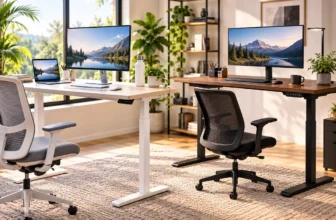
A dual monitor desk mount can also reclaim a surprising amount of usable desk space by removing two large factory stands. But screen size alone does not determine whether an arm will work. Before buying, check each monitor’s weight without its stand, VESA mounting pattern, your desktop thickness, clearance beneath the rear edge and whether two displays can physically sit in your preferred side-by-side arrangement.
Those checks matter even more with standing desks and larger monitors. A mount can technically support the weight of two screens while still having too little reach for the layout you want. This guide compares five strong WFH options and explains how to choose a secure desk clamp instead of guessing from the advertised screen size.
Quick Answer: Best Dual Monitor Arms for WFH
Best Overall: Ergotron LX Dual Stacking Arm — premium build quality, independent positioning and a 10-year warranty for a workstation you expect to keep for years.
Best Value: Workstream by Monoprice Low Profile Dual Monitor Gas Spring Desk Mount — supports two displays up to 32 inches and 19.8 lb each at a much lower price than premium arms.
Best Budget Pick: HUANUO HNDS6 — a capable gas-spring option for common 13–32-inch displays without stretching the WFH accessory budget.
Best for Larger Monitors: Secretlab MAGNUS Monitor Arm Dual — supports displays up to 34 inches when each screen stays within its 5.5–17.6 lb weight range.
Best Easy-Install Premium Pick: Vari Dual-Monitor Arm — straightforward installation, 19.8-lb capacity per arm and a 10-year warranty for displays up to 27 inches.
How We Chose the Best Dual Monitor Arms
We prioritized fit and adjustment over marketing claims. The most important factors were each arm’s supported monitor weight, VESA compatibility, screen-size guidance, mounting method, desk requirements, independent articulation, height and reach, cable management, installation process and warranty.
We also considered current independent testing and whether the mount solves a distinct WFH problem. That is why this list includes one premium benchmark, one strong value mount, a lower-cost gas-spring option, a mount for larger displays and an office-focused premium alternative rather than five similar products at slightly different prices.
Discompare did not conduct hands-on durability testing for this guide. Recommendations are based on current manufacturer specifications, current U.S. availability information, workstation guidance and recent independent monitor-arm testing.
Check These 5 Measurements Before Buying a Dual Monitor Arm
1. Monitor Weight Without the Factory Stand
Check the weight of the display panel itself, not the shipping weight or the monitor plus its factory stand. Gas-spring arms usually have both a maximum and sometimes a minimum supported weight. A monitor that is too heavy can sag, while an unusually light monitor may not provide enough resistance for the mechanism to balance correctly.
2. VESA Mounting Pattern
The five mounts in this guide use the common 75×75 mm and 100×100 mm VESA patterns. Look at your monitor’s specifications or rear mounting holes before ordering. If the display does not have a compatible VESA interface, you may need a manufacturer-approved adapter.
3. Desktop Thickness
A clamp can only hold securely when your desk fits the mount’s specified thickness range. Do not assume every clamp fits every desktop, particularly on very thick butcher-block tops, beveled edges or unusually thin surfaces.
Your desk also needs enough usable depth and rear-edge access for the full workstation. Our best home office desks for productivity guide compares desktop depth, cable routing and multi-monitor suitability in more detail.
4. Clearance Under the Rear Edge
Metal support rails, drawers, cable trays and desk frames can block a C-clamp even when the desktop itself is the correct thickness. Inspect the underside of the rear edge before choosing a clamp mount.
5. Actual Width of Both Screens
A mount can support each monitor’s weight and still lack enough arm reach to put two large screens exactly where you want them. Measure the physical width of each display and think about whether they will be side by side, angled inward, vertical or stacked.
Most important rule: Screen diagonal is only one compatibility check. Verify monitor weight, VESA pattern, desk fit and arm geometry before ordering.
Best Dual Monitor Arms Compared
| Monitor Arm | Best For | Screen Guidance | Weight Per Arm | VESA | Mounting | Warranty | Main Trade-Off |
|---|---|---|---|---|---|---|---|
| Ergotron LX Dual Stacking Arm | Best overall | Fit depends on configuration and screen dimensions | 7–20 lb | 75×75 / 100×100 | C-clamp; other LX attachment options vary | 10 years | High price |
| Workstream by Monoprice Low Profile Dual | Best value | Up to 32 in. each | Up to 19.8 lb | 75×75 / 100×100 | Clamp or grommet | Check current seller coverage | Availability can fluctuate |
| HUANUO HNDS6 | Best budget | 13–32 in. | 4.4–19.8 lb | 75×75 / 100×100 | Clamp or grommet | Up to 5 years | Less polished installation and cable routing |
| Secretlab MAGNUS Monitor Arm Dual | Larger displays | Up to 34 in. each | 5.5–17.6 lb | 75×75 / 100×100 | C-clamp | 3 years | Lower weight ceiling than some smaller-screen mounts |
| Vari Dual-Monitor Arm | Easy-install premium setup | Up to 27 in. | Up to 19.8 lb | 75×75 / 100×100 | Universal desk clamp | 10 years | Expensive relative to its 27-inch screen limit |
Compare Current Dual Monitor Arm Prices
Monitor-arm pricing and retailer inventory can change quickly. Use the live listings below after confirming that your monitors and desk meet the product’s exact compatibility requirements.


1. Ergotron LX Dual Stacking Arm — Best Overall
Best for: full-time WFH setups where smooth movement, reliable adjustment and long-term build quality matter more than keeping accessory costs low.
The Ergotron LX Dual Stacking Arm is our best overall pick because its specifications focus on the details that determine whether a monitor arm remains useful over time. Each arm supports a display weighing 7–20 pounds and uses standard 75×75 or 100×100 VESA mounting. Ergotron also subjects the lift mechanism to a 10,000-cycle motion test and backs the product with a 10-year warranty.
Each screen can be positioned independently, which is important if one display sits directly in front of you while the second is angled inward. The arm system provides 13 inches of lift plus tilt, pan and display rotation, making it suitable for a wide variety of sitting and standing arrangements.
Desk compatibility still deserves attention. The current under-mount C-clamp model accepts surfaces from roughly 0.5 to 1.26 inches thick and requires relatively little clearance underneath the desktop. Ergotron also specifies rear clearance requirements for sliding the clamp into place.
The main limitation is price, followed by geometry with very large displays. A monitor can fall within the arm’s weight limit yet still be awkward to position beside another large screen. PCWorld specifically highlights the LX dual system as its leading dual-monitor arm while warning buyers that two oversized displays are not automatically a good side-by-side fit.
Pros
✅ Smooth independent adjustment for both displays
✅ 7–20 lb supported weight range per monitor
✅ 10-year warranty
✅ 10,000-cycle lift-mechanism test
✅ Integrated cable routing and premium construction
Cons
❌ Much more expensive than mainstream dual arms
❌ Large-screen side-by-side fit requires careful dimension checks
❌ Displays below the 7-lb minimum are outside the stated individual-arm weight range
Who should skip it: buyers using ordinary 24- or 27-inch office monitors who rarely reposition them and would rather put the budget toward the monitors themselves.
Alternative: Workstream by Monoprice for a much less expensive gas-spring system.

Get the Ergotron LX Dual Stacking 24‑inch Arm today. Position two 24" monitors (or a laptop + monitor) exactly where you need them to save desk space and reduce neck strain. Built from durable aluminum with a 33 cm lift and 10,000‑cycle tested reliability, it folds away when not in use — order now and reclaim your most productive workspace.
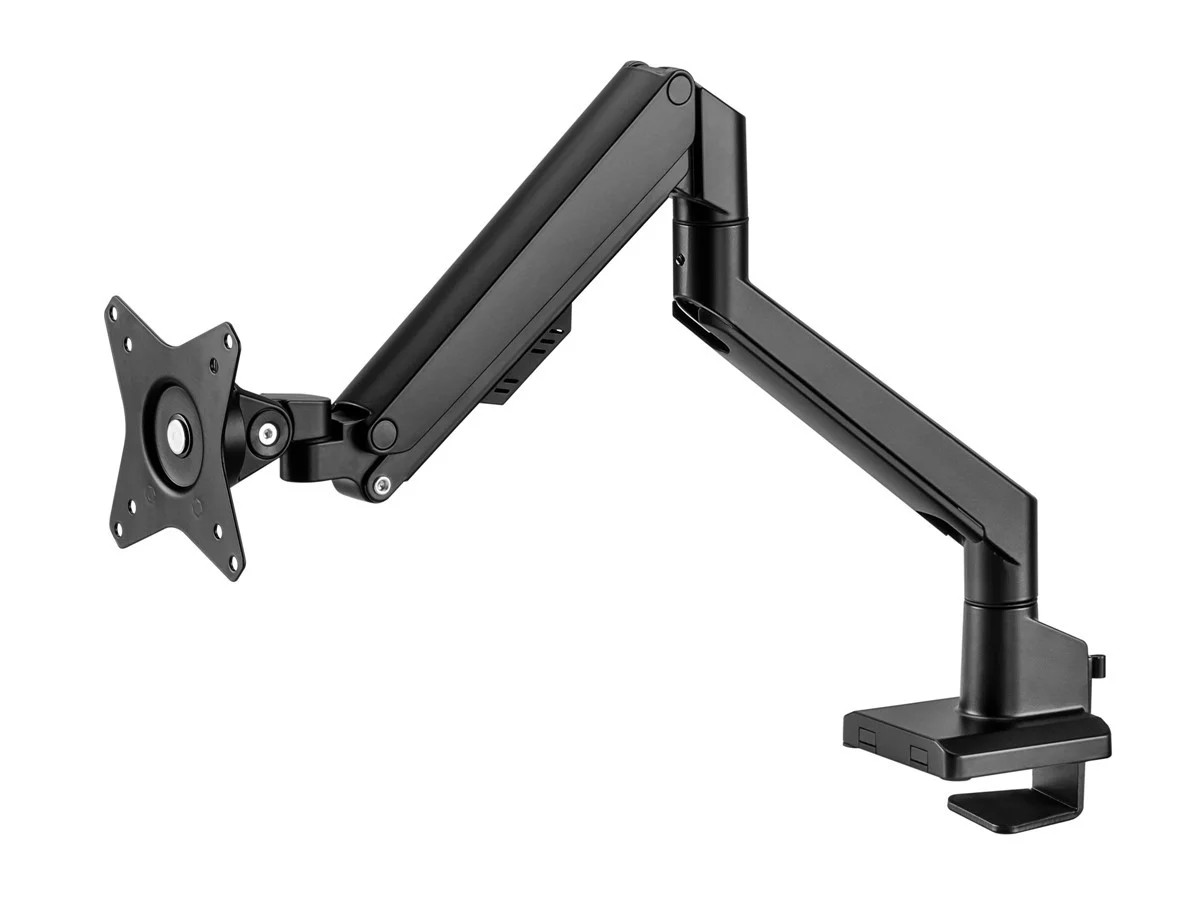
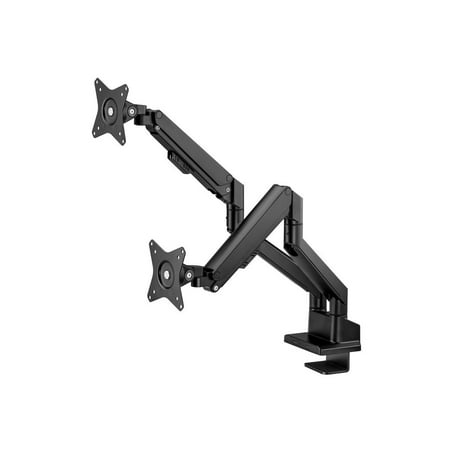
2. Workstream by Monoprice Low Profile Dual Monitor Gas Spring Desk Mount — Best Value
Best for: most WFH users with two 24–32-inch monitors who want independent gas-spring movement without spending several hundred dollars.
The Workstream by Monoprice Low Profile Dual Monitor mount hits the strongest value point in this list. Each arm supports a monitor up to 32 inches and 19.8 pounds, while detachable 75×75 and 100×100 VESA plates simplify attaching the screens.
Its gas-spring arms provide height and angle adjustment with ±45 degrees of tilt and swivel plus ±180 degrees of display rotation. It also includes a 180-degree wall-stop feature, which can be useful on a desk positioned close to a wall because the arms can be restricted from extending backward unnecessarily.
Installation is another strength. Monoprice provides both clamp and grommet mounting and uses a topside installation approach, which can reduce the amount of time spent reaching underneath a crowded desk.
The main issue is inventory rather than specification. Monoprice’s direct listing has moved between available and temporarily out-of-stock states, so do not hardcode availability into the article. Check current Content Egg offers when publishing.
Pros
✅ Supports two displays up to 32 inches and 19.8 lb each
✅ Gas-spring movement at a midrange price
✅ Detachable VESA plates simplify monitor installation
✅ Clamp and grommet mounting options
✅ Wall-stop feature helps with desks placed near a wall
Cons
❌ Direct inventory has fluctuated
❌ 19.8-lb limit rules out some heavy professional monitors
❌ Does not have Ergotron’s premium long-term positioning
Who should skip it: users with monitors heavier than 19.8 pounds each or a workstation where inventory availability matters immediately.
Alternative: HUANUO HNDS6 when the lowest reasonable purchase price matters more.
Upgrade your workspace with the Workstream Dual Monitor Low-Profile Mount — enjoy smooth gas-spring adjustability for two up to 32" / 19.8 lb screens and a sleek, low-profile design. Quick topside installation, detachable VESA plates, and a 180° wall stop make setup and cable management effortless. Order now to reclaim ergonomic comfort and a clutter-free desk.
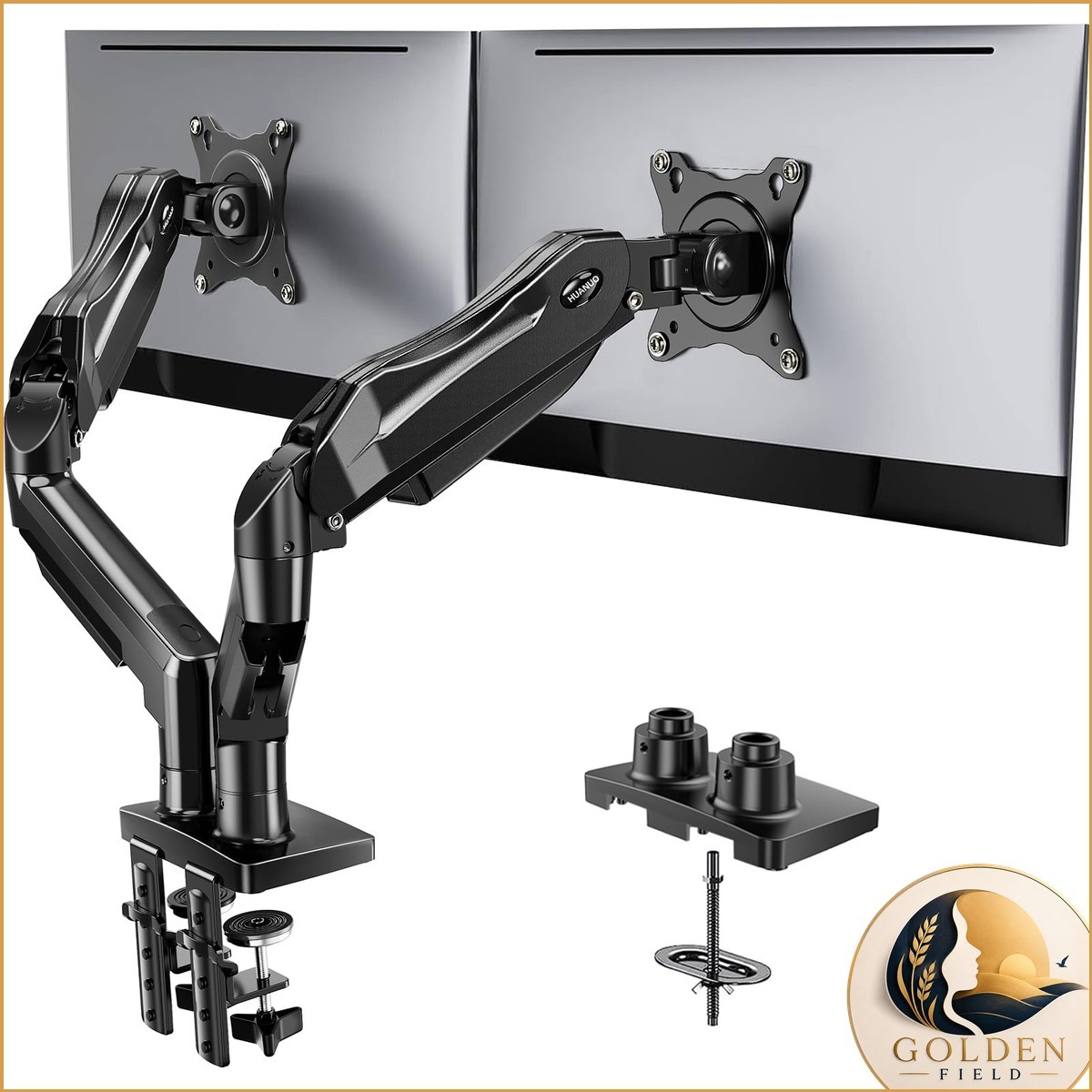
3. HUANUO HNDS6 Dual Monitor Mount — Best Budget Pick
Best for: budget-conscious WFH setups with common 24- to 27-inch office monitors and users who still want gas-spring movement instead of a fixed pole mount.
The HUANUO HNDS6 makes dual gas-spring adjustment accessible at a much lower price. The current DS6 Essential version supports two 13–32-inch screens weighing 4.4–19.8 pounds per arm and includes both C-clamp and grommet mounting hardware.
Adjustment is broad for the price. HUANUO specifies up to +85/−50 degrees of tilt, 180-degree swivel and 360-degree display rotation, with maximum screen elevation around 15.75 inches. That is enough flexibility for common landscape, portrait and inward-angled dual-monitor layouts.
Independent testing supports the value argument but also explains why we do not rank it above Monoprice or Ergotron. PCWorld found its metal construction reasonably rigid and its lifting mechanism capable with standard office displays, while noting that installation and cable management feel less polished than stronger competitors.
The minimum 4.4-lb supported load is also worth checking if you use an unusually small portable-style monitor. A gas arm needs to operate inside its stated weight range, not merely below the maximum.
Pros
✅ Very competitive price for a dual gas-spring arm
✅ Supports 13–32-inch monitors within its weight range
✅ 4.4–19.8 lb capacity per arm
✅ C-clamp and grommet mounting included
✅ Broad tilt, swivel and rotation adjustment
Cons
❌ Installation is less refined than premium systems
❌ Cable management is relatively basic
❌ Adjustment feel is not as polished as Ergotron
Who should skip it: users who reposition both monitors repeatedly throughout the day and value premium movement quality enough to pay for it.
Alternative: Workstream by Monoprice for a more polished step up without reaching Ergotron pricing.
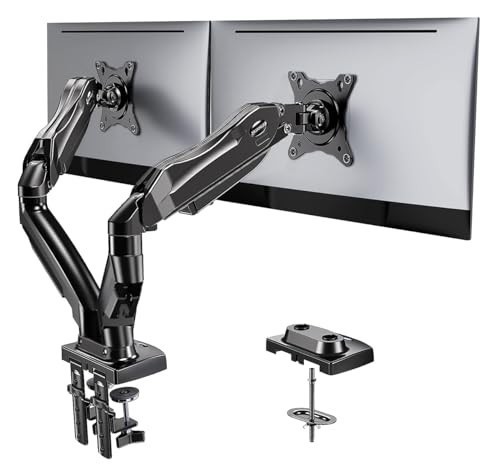
Upgrade your workspace with the HUANUO Dual Monitor Adjustable Desk Mount. Tilt, rotate and securely mount two 13–27" screens on a sleek, anti-scratch VESA 100×100 stand for stable, ergonomic comfort. Order yours today and start working smarter, not harder.
4. Secretlab MAGNUS Monitor Arm Dual — Best for Larger Monitors
Best for: dual-monitor workstations using larger but relatively lightweight displays, especially 32- or 34-inch panels.
The Secretlab MAGNUS Monitor Arm Dual stands out because Secretlab officially supports monitors up to 34 inches on each arm. That gives it a useful role for modern WFH setups built around larger high-resolution displays.
The important qualifier is weight. Each arm supports between 5.5 and 17.6 pounds, so a heavy 32-inch professional monitor can be incompatible even though the screen diagonal appears to fit perfectly. This is a good example of why monitor-arm shopping should begin with weight rather than advertised inches.
The full-aluminum arms support 75×75 and 100×100 VESA mounting, approximately 295 mm of height adjustment and roughly 516 mm of extended reach. Tilt, swivel and display rotation each span ±90 degrees.
Secretlab also puts more emphasis than most manufacturers on cable routing and visual integration. That makes the arm attractive for a clean work-and-gaming desk, particularly when paired with a desktop designed around rear cable management.
Pros
✅ Supports monitors up to 34 inches per arm
✅ Full-aluminum construction
✅ Long arm reach helps position larger displays
✅ Clean cable-management-focused design
✅ Wide tilt, swivel and rotation range
Cons
❌ 17.6-lb maximum is lower than several competing arms
❌ 5.5-lb minimum matters for very light monitors
❌ Three-year warranty is shorter than Ergotron and Vari
Who should skip it: buyers with heavy professional displays approaching 20 pounds per monitor.
Alternative: Ergotron LX when higher per-display weight capacity and a longer warranty matter more than a 34-inch advertised screen limit.
Perfectly fits the cable tray opening on your MAGNUS desk (even with the rear cover closed) for a clean, minimalist look. Easy top-screw C-clamp installation, a premium tensile spring for smooth tilt/swivel/rotation, and built-in cable channels with magnetic guides keep your setup tidy and fully adjustable. Ready to upgrade your workspace? Order the Secretlab Magnus Dual Monitor Arm White today and transform your desk into a sleek, ergonomic command center.
5. Vari Dual-Monitor Arm — Best Easy-Install Premium Pick
Best for: office-focused dual 24- or 27-inch setups where straightforward installation and long warranty coverage matter more than supporting unusually large screens.
Vari’s Dual-Monitor Arm is a simpler recommendation than Secretlab or Ergotron if your displays are conventional office sizes. Each arm supports up to 19.8 pounds, uses standard 75×75 or 100×100 VESA mounting and provides a fully articulating range of positions with 360-degree rotation.
Vari emphasizes easy installation and includes the required installation tools. Its universal desk clamp also fits naturally with the company’s standing desks and converters, although you do not need a Vari desk to use the arm.
The strongest long-term selling point is the 10-year warranty. That is unusually reassuring for an accessory with moving joints and tension mechanisms.
The problem is value. Vari limits the current arm to monitors up to 27 inches while charging considerably more than HUANUO or Monoprice. If your two screens are ordinary 27-inch monitors and you want a polished office product with long support, that can still make sense. If you are simply looking for the most capability per dollar, it does not.
Pros
✅ Straightforward installation approach
✅ Up to 19.8 lb capacity per arm
✅ Full articulation and 360-degree rotation
✅ Excellent 10-year warranty
Cons
❌ Limited to monitors up to 27 inches
❌ Expensive compared with Monoprice and HUANUO
❌ Larger-screen buyers have better options elsewhere
Who should skip it: anyone with 32-inch monitors or buyers primarily concerned with maximum value.
Alternative: Monoprice for lower-cost 32-inch support or Ergotron for a more premium long-term system.
Upgrade your workspace with the Vari Dual Monitor Arm — 360° Adjustable. Free up desk space, reduce neck and eye strain, and position two monitors exactly where you need them with smooth, tension-assisted 360° motion. Order now to enjoy easy assembly and a worry-free 5-year warranty—get yours today and start working more comfortably.
Dual Monitor Arms We Considered but Didn’t Pick
VIVO STAND-V002: Its low purchase price is attractive, but current independent testing found noticeably weaker adjustability, deflection with a normal 27-inch display and limited cable management. It makes more sense as an ultra-budget fixed-position option than as our primary WFH recommendation.
Humanscale M8.1: Premium ergonomic hardware, but its positioning is more naturally suited to a single-monitor or customized workstation discussion than this mainstream dual-clamp shortlist.
Heavy-duty 49-inch monitor arms: A super-ultrawide or extremely heavy display creates a different mounting problem. These products need higher load ratings and different geometry, so they belong in a dedicated ultrawide monitor-arm guide rather than being mixed with normal dual-screen WFH mounts.
Desk Clamp vs Grommet Mount: Which Is Better?
A C-clamp is the easiest choice when the rear edge of your desktop is exposed and falls within the mount’s thickness range. It does not require drilling a new hole, so it is usually the first option for renters, standard office desks and anyone who may rearrange the setup later.
A grommet mount attaches through a suitable existing or purpose-made hole in the desktop. It can be useful when the rear edge is blocked by a frame or when you want the arm base located farther from the desk edge.
Neither method is universally safer. The right choice depends on the desk’s construction and the monitor-arm manufacturer’s mounting requirements. Do not drill, clamp or reinforce a glass, hollow-core or unusual desktop unless the desk manufacturer permits it.
Can a Monitor Arm Damage Your Desk?
Yes, if the desk material or clamp installation is unsuitable. A dual monitor arm concentrates the weight of both displays and the arm assembly into a small area of the desktop.
Solid wood, quality engineered wood and appropriately designed office desktops are common mounting surfaces, but very thin material, hollow-core construction, glass tops and weak edge sections require extra caution. An under-desk metal crossbar can also prevent the clamp from sitting flat.
A reinforcement plate can spread clamp pressure over a larger surface, but it is not a universal repair for an unsuitable desk. Check both the monitor-arm instructions and desk manufacturer’s guidance first.
How to Position Two Monitors for WFH
For a typical workstation, place your main display roughly an arm’s length away with the top of the screen at or slightly below eye level. NIOSH uses this as general work-from-home guidance, while actual viewing distance can vary with screen size, eyesight and text scaling.
If you use one monitor much more than the other, put the primary display directly in front of you and angle the secondary screen inward. If both are used equally, place the inside edges near the centerline and angle both displays slightly toward you.
A monitor arm helps because height, depth and angle can be changed without moving large factory stands around the desktop. For more complete layout planning, see our best monitor setups for your home office guide.
Are Dual Monitor Arms Good for Standing Desks?
Yes, but the arm should move with the desk without creating new cable or stability problems. Monitor arms are especially useful on sit-stand desks because the displays remain attached to the same work surface as the keyboard and mouse while the desk changes height.
Leave enough cable slack for the full desk travel. Video, power and USB cables should not become tensioned at maximum standing height, and they should not form loops that catch on furniture when the desk lowers.
Monitor wobble can also become more noticeable when a standing desk is fully extended. A rigid desk frame, correctly tensioned arm and sensible display weight all contribute to a more stable setup.
Cable Management for a Dual Monitor Setup
Route the cables along the arms before deciding how much slack to leave at each joint. Every moving section needs enough cable to articulate without pulling on the monitor ports.
After the cables leave the arm, combine permanent wiring such as display power and video connections before routing it toward the computer and power strip. Keep frequently disconnected USB or charging cables accessible rather than burying everything together.
Do not pull cables completely tight for appearance. A clean setup still needs enough slack to move the monitors safely. For broader storage and workspace organization, our home organization tools and supplies guide covers cable-adjacent storage and desk organization.
Can You Mount Two 32-Inch Monitors?
Yes, but only when the arm supports both the weight and physical arrangement of your specific screens. Monoprice and HUANUO explicitly advertise support up to 32 inches within their respective weight limits, while Secretlab extends its screen-size guidance to 34 inches.
That does not guarantee two large displays will sit perfectly side by side. Bezels, monitor width, arm reach and the distance from the mounting point to the wall all affect the final geometry.
For two 32-inch screens, measure the actual width of both displays and compare that with the arm reach and intended mounting position before ordering.
How Much Weight Should a Dual Monitor Arm Support?
Choose an arm whose stated operating range includes the actual weight of each monitor without its stand. Do not simply buy an arm with the highest maximum capacity available.
For example, Ergotron lists 7–20 pounds per display, HUANUO lists 4.4–19.8 pounds, and Secretlab lists 5.5–17.6 pounds. A 6-pound monitor is therefore within HUANUO’s and Secretlab’s stated ranges but below the Ergotron LX dual arm’s listed minimum.
Leave reasonable margin below the maximum when possible, especially if the monitor uses an adapter plate or other hardware that adds weight.
Frequently Asked Questions
Are dual monitor arms worth it for working from home?
They are worth considering when you want to reclaim desk space or need more control over display height, distance and angle. They add less value when your monitors rarely move and their factory stands already position them correctly.
How do I know if my monitor supports a desk arm?
Check the monitor’s weight without its stand, its VESA mounting pattern and the dimensions of the display. Most arms in this guide support VESA 75×75 or 100×100, but the monitor must also fall within the arm’s stated weight range.
What do VESA 75×75 and 100×100 mean?
They describe the horizontal and vertical spacing, in millimeters, between the mounting holes on the back of a compatible display. A 100×100 pattern has mounting holes spaced 100 mm apart horizontally and vertically.
Can a monitor arm damage my desk?
It can if the desktop is too thin, structurally weak, hollow, made from unsuitable glass or incompatible with the clamp design. Check the desk and monitor-arm requirements before installation rather than relying on a generic reinforcement plate as a universal solution.
Is a clamp or grommet mount better?
A C-clamp is usually easier because it attaches to the exposed rear edge without drilling. A grommet mount is useful when the edge is blocked or when an appropriate through-desk mounting hole is already available. Both can be secure when installed on a compatible desk.
Can I mount two 32-inch monitors?
Yes with a mount designed for their individual weight and dimensions. Monoprice and HUANUO have current dual arms rated for screens up to 32 inches, but you still need enough arm reach for the physical width of both displays.
How much weight should a monitor arm support?
Each monitor should fall inside the manufacturer’s stated per-arm weight range. Remember to use panel weight without the factory stand and account for any adapter plate or accessory that remains attached to the display.
Are dual monitor arms good for standing desks?
Yes. They keep the monitors attached to the moving work surface and make height and angle adjustments easier. Leave enough cable slack for the desk’s complete vertical travel and confirm that the desk remains stable with the displays mounted.
Final Verdict: Which Dual Monitor Arm Should You Buy?
The Ergotron LX Dual Stacking Arm is the best overall choice if you expect your WFH workstation to remain in daily use for years. Its smooth independent movement, 7–20 lb per-display range, robust construction and 10-year warranty justify its premium position better than extra decorative features would.
For most value-focused buyers, the Workstream by Monoprice Low Profile Dual Monitor Gas Spring Desk Mount is the smarter place to start. Its 32-inch and 19.8-lb-per-monitor limits cover many normal home-office setups, while the gas springs, detachable VESA plates, wall stop and dual mounting methods address the features that matter in everyday use.
Choose the HUANUO HNDS6 when budget is the priority, the Secretlab MAGNUS Dual when you use larger but relatively lightweight displays, and the Vari Dual-Monitor Arm when you want a polished office product with simple installation and long warranty coverage for two monitors no larger than 27 inches.
Best Overall: Ergotron LX Dual Stacking Arm
Best Value: Workstream by Monoprice Low Profile Dual Monitor Gas Spring Desk Mount
Best Budget: HUANUO HNDS6 Dual Monitor Mount
Best for Larger Screens: Secretlab MAGNUS Monitor Arm Dual
Best Easy-Install Premium Pick: Vari Dual-Monitor Arm
Sources
- PCWorld — Best Monitor Arms 2026: Tested Picks for Single- and Dual-Monitor Setups
- U.S. National Institute for Occupational Safety and Health — Working from Home: How to Optimize Your Work Environment and Stay Healthy
- Ergotron — LX Dual Stacking Arm Product Specifications
- Monoprice — Workstream Low Profile Dual Monitor Gas Spring Desk Mount Product Specifications
- HUANUO — DS6 Essential Dual Monitor Arm Product Specifications
Product Groups: Ergotron LX Dual Stacking Arm, Workstream by Monoprice Low Profile Dual Monitor Gas Spring Desk Mount, HUANUO HNDS6 Dual Monitor Mount, Secretlab MAGNUS Monitor Arm Dual, Vari Dual-Monitor Arm