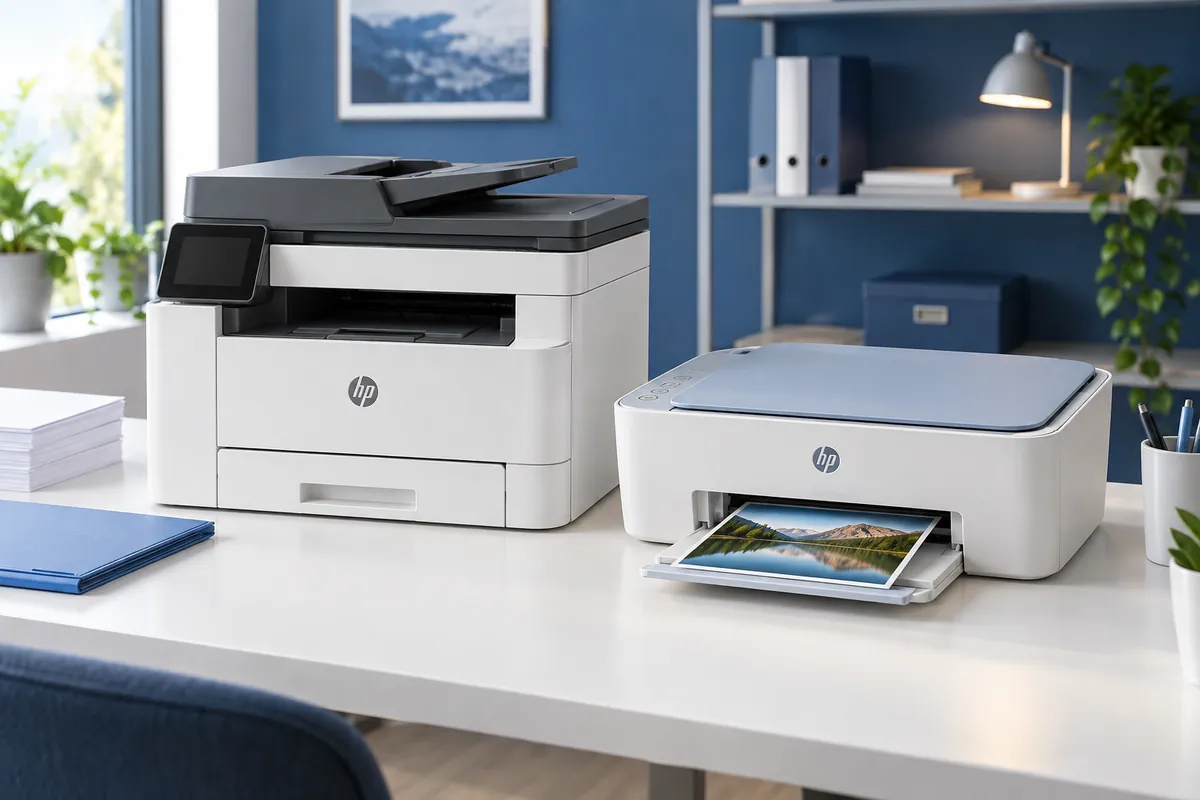
Most Popular HP Printers 2026 for Work & Home
The HP Color LaserJet Pro MFP 3301fdw is our best HP printer overall for work and home-office use because it combines fast color laser printing, strong document quality, a duplex automatic document feeder, wired and wireless networking, and lower-maintenance toner-based printing. It is the strongest choice here for people who print business documents regularly and want one machine for printing, copying, scanning and faxing.
It is not the right HP printer for everyone. The HP OfficeJet Pro 9125 is a more affordable color inkjet for home offices, while the HP Smart Tank 7603 is better when high print volume and low ink cost matter more than outright speed. The HP Envy 6555 is the affordable home pick, the HP Envy Photo 7975 adds stronger photo and creative-project features, and the HP LaserJet Pro MFP 3101fdw is the most practical choice for offices that print primarily black-and-white documents.
“Most popular” here does not mean HP publishes a national model-by-model sales ranking. These picks represent current, relevant and widely available HP printers with clear buyer roles, strong manufacturer support and useful independent evidence. The goal is to choose the right HP printer family for how much you print, whether you need color or photos, and whether upfront price or long-term running cost matters more.
Quick Answer: Most Popular HP Printers
Best Overall: HP Color LaserJet Pro MFP 3301fdw — fast color documents, duplex ADF scanning, networking and strong office-oriented print quality.
Best Home-Office Inkjet: HP OfficeJet Pro 9125 — a versatile color all-in-one with duplex printing and scanning, Ethernet and a 250-sheet tray.
Best for High-Volume Value: HP Smart Tank 7603 — refillable ink tanks, high included-ink yield and home-office features for frequent printing.
Best Affordable Home Printer: HP Envy 6555 — a lower-cost wireless all-in-one with ADF, duplex printing and everyday color capability.
Best for Home Photos: HP Envy Photo 7975 — a home all-in-one with a dedicated photo tray, borderless printing and automatic two-sided printing.
How We Chose These HP Printers
We compared current U.S. HP printers across print technology, document quality, print speed, page volume, paper handling, scanner capability, duplex features, connectivity, running-cost structure and intended workload. Current model status also mattered because HP has refreshed parts of its Envy, OfficeJet and Smart Tank ranges.
We did not rank printers by sale price alone. A cheap cartridge printer can cost more over time for a household that prints hundreds of pages each month, while a more expensive tank or laser printer can be unnecessary for someone printing a few assignments, forms and photos.
Independent test data was used where useful for document quality, scanner behavior, page yield and photo performance. Discompare did not conduct hands-on printer testing for this guide, so performance observations from external test labs are attributed to those publications rather than presented as our own measurements.
Most Popular HP Printers Compared
| Printer | Best For | Technology | Functions | Print Speed | ADF | Paper Input | Price Tier |
|---|---|---|---|---|---|---|---|
| HP Color LaserJet Pro MFP 3301fdw | Best Overall | Color laser | Print, copy, scan, fax | Up to 26 ppm black/color | 50-sheet duplex ADF | 250 sheets | Premium |
| HP OfficeJet Pro 9125 | Home Office | Color inkjet | Print, copy, scan, fax | Up to 22 ppm black | Yes; duplex scan | 250 sheets | Midrange |
| HP Smart Tank 7603 | High Volume / Low Ink Cost | Refillable ink tank | Print, copy, scan, fax | Up to 15 ppm black / 9 color | Yes | 250 sheets | Midrange |
| HP Envy 6555 | Affordable Home Use | Color inkjet | Print, copy, scan, mobile fax | Up to 10 ppm black / 7 color | 35 sheets | 100 sheets | Budget |
| HP Envy Photo 7975 | Photos & Creative Projects | Color inkjet | Print, copy, scan, photo | Up to 15 ppm black / 10 color | 35 sheets | 125 sheets + photo tray | Midrange |
| HP LaserJet Pro MFP 3101fdw | B&W Office Work | Monochrome laser | Print, copy, scan, fax | Up to 35 ppm | Yes | Office-oriented | Midrange |
Compare Current HP Printer Prices
Printer pricing changes frequently because HP and major retailers rotate promotions, bundles and Instant Ink offers. Use the live comparison below to check current prices for the exact model rather than assuming an older sale or predecessor model is equivalent.


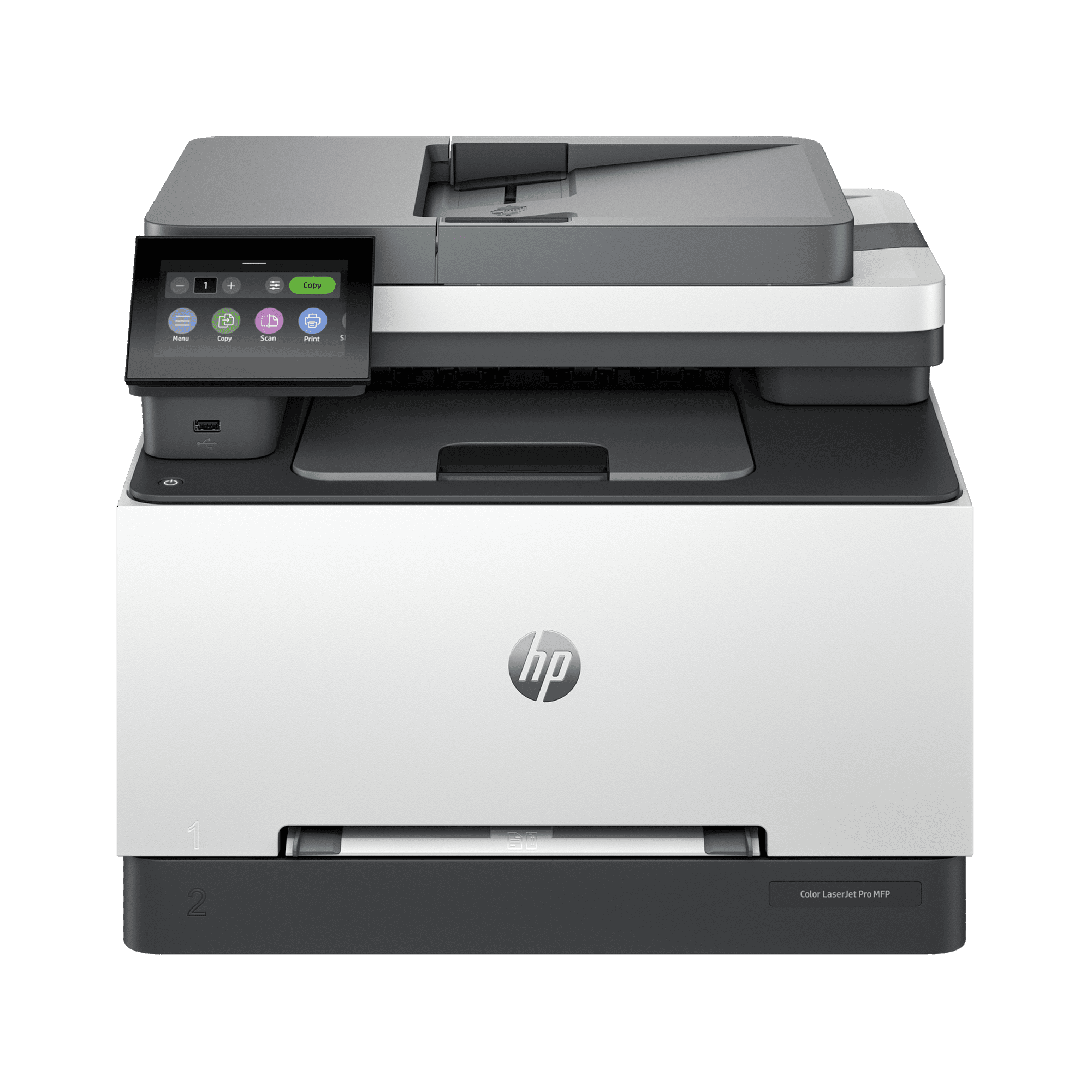
1. HP Color LaserJet Pro MFP 3301fdw — Best Overall
Best For: Home offices, professional users and small teams that need reliable color documents, fast output and serious scanning features.
The HP Color LaserJet Pro MFP 3301fdw is the strongest all-around HP printer in this list because it covers nearly every business-document task without depending on liquid ink. HP rates it for print speeds up to 26 pages per minute in both black and color, while the multifunction design adds copying, scanning and faxing.
The scanner is particularly useful for work. Its 50-sheet automatic document feeder can scan both sides of a document, which is much more efficient than manually flipping multi-page contracts, invoices or reports. The printer also includes a 250-sheet input tray, helping it handle routine office workloads without constant paper refills.
Connectivity is another strength. Ethernet makes it practical for a permanent office network, while Wi-Fi, Wi-Fi Direct and USB provide flexible alternatives. It also supports mobile-printing standards such as Apple AirPrint and Mopria.
Independent testing from RTINGS rates the 3301fdw highly for office work, with strong document quality, fast printing, high toner yields and comparatively low maintenance. Its weak point is photo printing. Laser printers are designed primarily around documents and graphics, not producing the tonal range and photographic color quality expected from a dedicated inkjet photo printer.
Who should skip it: Light home users who print only a handful of pages per month will probably spend too much for capacity they do not need. Photo-first households should also choose an inkjet instead.
Alternative: Choose the OfficeJet Pro 9125 when you still need office features and color but want a lower-cost inkjet platform.
Pros
✅ Fast color and black document printing
✅ 50-sheet duplex automatic document feeder
✅ Ethernet, Wi-Fi and USB connectivity
✅ Strong text and business-document quality
✅ Toner is well suited to regular office printing
Cons
❌ Expensive for light household use
❌ Large compared with basic inkjet printers
❌ Poor fit for high-quality photo printing
Upgrade to the HP Color LaserJet Pro MFP 3301fdw Wireless for fast, two-sided color printing, scanning, copying, and faxing in a compact, reliable design. Get professional-quality results and seamless wireless connectivity — order now to streamline your workflow and start printing smarter today.
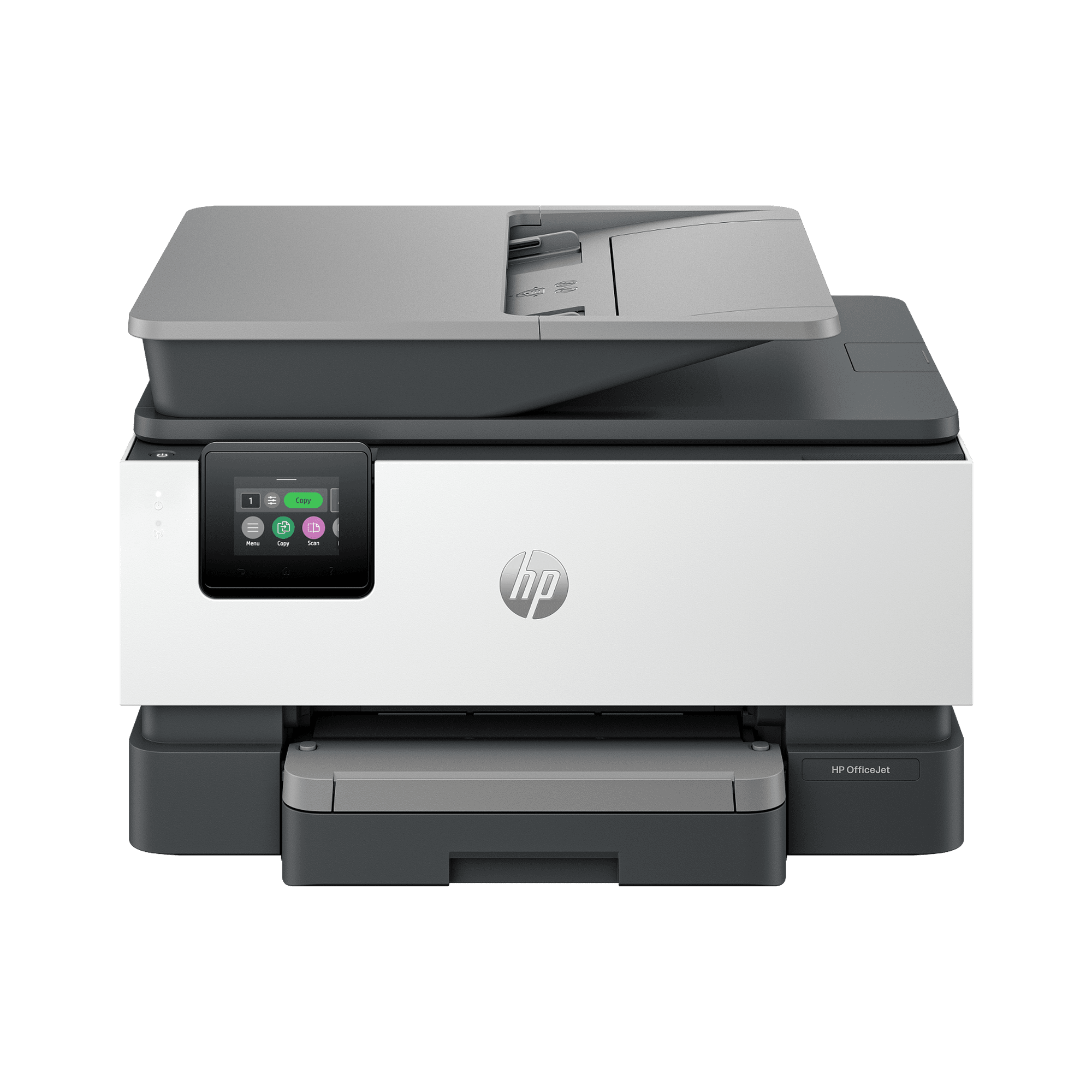
2. HP OfficeJet Pro 9125 — Best HP Printer for a Home Office
Best For: Home-office users who need color business documents, scanning, faxing and networking but do not print enough to justify a color laser.
The current HP OfficeJet Pro 9125 is one of the most balanced inkjet choices in HP’s business range. It prints, copies, scans and faxes, with automatic two-sided printing and two-sided scanning. HP rates black output at up to 22 pages per minute, which is considerably faster than typical entry-level home inkjets.
The 250-sheet input tray is another advantage for office work. A full ream of paper can effectively be split across two fills rather than feeding small trays every few days. Ethernet also makes the printer easier to integrate into a fixed home-office network, while wireless connectivity supports laptops and mobile devices elsewhere in the house.
This is also one of the current non-e models in HP’s refreshed lineup, so buyers should avoid assuming that every older OfficeJet Pro 9125e listing is identical to the current 9125. Check the exact product name and cartridge requirements before ordering.
The main tradeoff is ink economics. Cartridge ink can make sense at moderate print volumes, but frequent users should compare the long-term cost against the refillable Smart Tank 7603. The OfficeJet wins on speed and office workflow; Smart Tank wins when cost per page becomes the dominant concern.
Who should skip it: Buyers printing hundreds or thousands of color pages regularly should consider Smart Tank, while text-only offices may be better served by the LaserJet 3101fdw.
Alternative: HP Smart Tank 7603 for lower ink cost over high print volumes.
Pros
✅ Up to 22 ppm black printing
✅ Duplex printing and duplex scanning
✅ 250-sheet input tray
✅ Ethernet and wireless connectivity
✅ Strong feature set for a home office
Cons
❌ Cartridge ink costs can add up with high-volume use
❌ Less economical than Smart Tank for frequent color printing
❌ Buyers must distinguish current 9125 listings from older 9125e stock
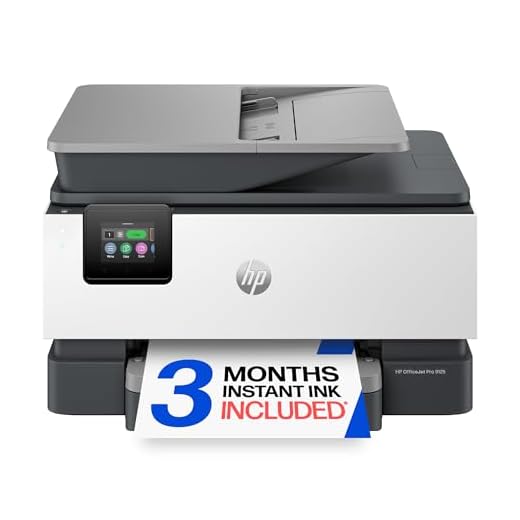
HP OfficeJet Pro 9125 Wireless All-in-One — Upgrade your office with fast, professional-quality color printing (up to 22 ppm black / 18 ppm color), automatic two-sided print/scan, and a 250-sheet input tray. Includes a 3‑month Instant Ink trial, a 2.7" touchscreen, reliable dual‑band Wi‑Fi, HP AI formatting, and HP Wolf Pro Security—built with over 40% recycled plastic. Order now to streamline your workflow and start your Instant Ink trial today.
3. HP Smart Tank 7603 — Best for High-Volume, Low-Cost Printing
Best For: Home offices, small businesses and families that print frequently and want to reduce the ongoing cost of replacement ink.
The HP Smart Tank 7603 solves a different problem from the OfficeJet and LaserJet models: keeping ink costs manageable when page volume is high. Instead of replacing small cartridges, you refill its internal ink tanks from bottles.
HP includes enough ink for up to 6,000 black or 8,000 color pages under its stated methodology and markets the printer with up to three years of ink included, depending on actual usage. That makes the Smart Tank 7603 particularly attractive for households printing schoolwork, business documents, worksheets and color materials every week.
It still offers a respectable office feature set. The printer includes an automatic document feeder, a 250-sheet input tray, wireless printing and fax capability. HP rates print speed at up to 15 pages per minute in black and 9 pages per minute in color.
Those speeds make the central tradeoff clear. Smart Tank prioritizes consumable efficiency over the faster output of the OfficeJet Pro 9125 or LaserJet models. If you regularly print long business reports immediately before meetings, speed may be more important than ink cost.
The refill system also requires a different buying mindset. Tank printers cost more upfront than basic cartridge inkjets, so their economics improve as print volume increases. Someone printing 20 pages a month may take a long time to recover that higher initial price.
Who should skip it: Very light users and speed-first offices should consider the Envy or OfficeJet/LaserJet options instead.
Alternative: OfficeJet Pro 9125 if faster document output matters more than refillable ink economics.
Pros
✅ Refillable cartridge-free ink system
✅ Up to 6,000 black or 8,000 color pages of included ink
✅ 250-sheet input tray
✅ Automatic document feeder
✅ Strong fit for frequent home-office printing
Cons
❌ Slower than OfficeJet Pro and LaserJet models
❌ Higher upfront cost than basic cartridge printers
❌ Less compelling for very low monthly print volume

Ready to stop dealing with ink headaches? Get the HP Smart Tank 7603 Wireless All‑In‑One Printer — set it up once and enjoy up to 3 years of HP Ink, mess‑free refills, auto document feeder, mobile wireless printing, and professional-quality color.
Order now and start saving on every page.
4. HP Envy 6555 — Best Affordable HP Printer for Home
Best For: Families, students and light home-office users who need an affordable wireless all-in-one for documents, forms and occasional color printing.
The HP Envy 6555 is the best fit in this list for lighter everyday workloads. It combines printing, copying, scanning and mobile fax in a smaller, lower-cost inkjet aimed directly at household use.
HP rates the printer at up to 10 pages per minute in black and 7 pages per minute in color. That is modest compared with the OfficeJet and LaserJet picks, but it is sufficient for school assignments, recipes, travel paperwork, household documents and occasional work-from-home printing.
A 35-sheet automatic document feeder is a useful inclusion at this level because it allows multi-page scanning or copying without placing each sheet manually on the flatbed. Automatic two-sided printing also reduces paper use for homework and longer documents.
The main limitation is capacity. The 100-sheet input tray and cartridge-based ink system make sense for low-to-moderate use, not an office printing hundreds of pages every week. High-volume families should compare Smart Tank before focusing only on the lower purchase price.
Students building a complete study setup can compare the printer with our best HP laptops for students. Buyers whose priority is keeping the whole setup inexpensive can also review our most affordable laptops for students.
Who should skip it: Frequent office users and anyone printing large batches should choose OfficeJet Pro, Smart Tank or LaserJet.
Alternative: Smart Tank 7603 if the household prints enough to justify a higher initial price in exchange for lower ink costs.
Pros
✅ Affordable entry point
✅ 35-sheet automatic document feeder
✅ Automatic two-sided printing
✅ Wireless printing and HP app support
✅ Good fit for schoolwork and general home documents
Cons
❌ Slow compared with office-focused HP models
❌ Only a 100-sheet input tray
❌ Cartridge costs become less attractive at high volume
Upgrade your home printing with the HP Envy 6555 All‑in‑One — vibrant, true‑to‑screen color, fast speeds, and smart features like auto two‑sided printing and a 35‑sheet ADF.
Start your 3‑month Instant Ink trial to save on supplies and never run out.
Ready to print better? Order your HP Envy 6555 today.
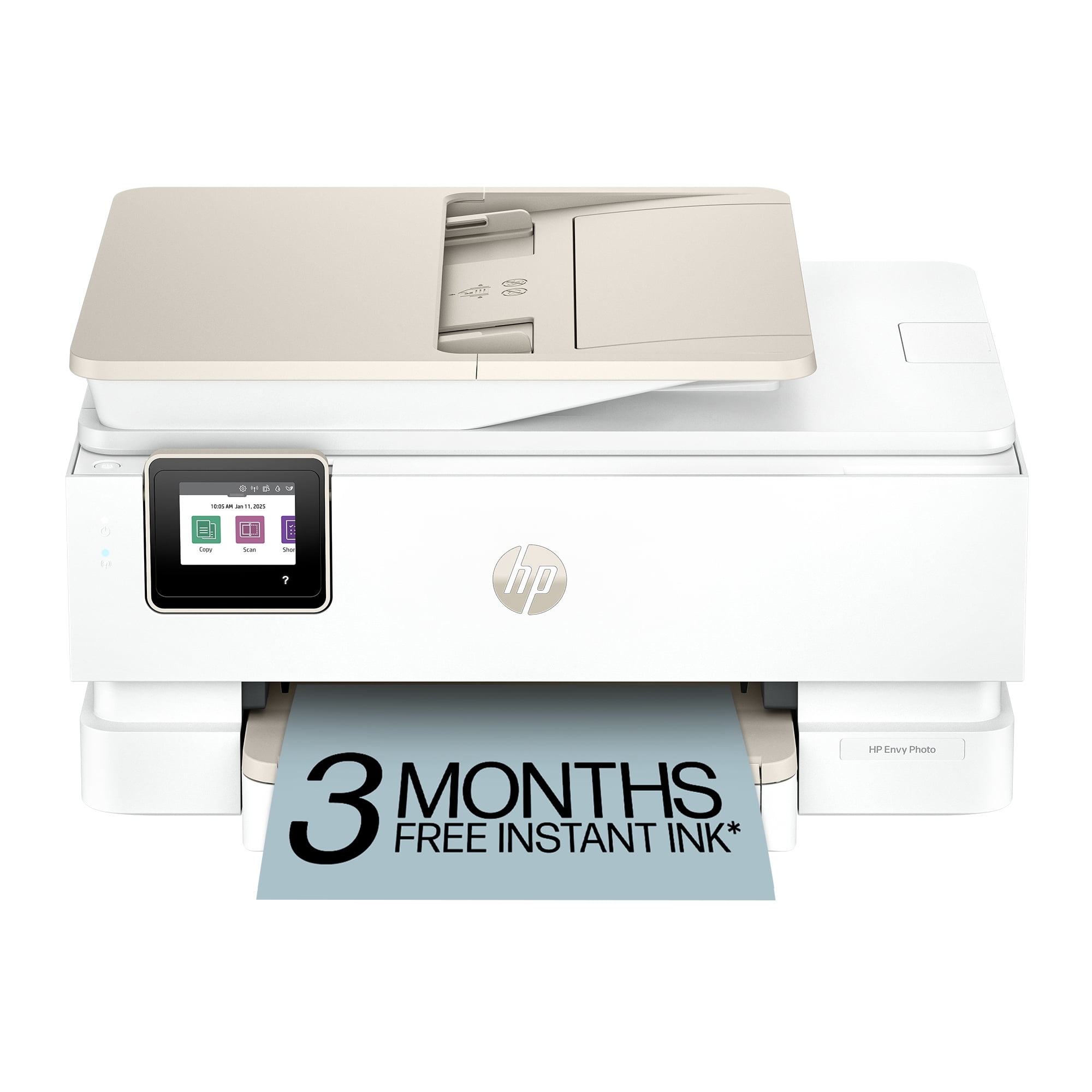
5. HP Envy Photo 7975 — Best HP Printer for Home Photos
Best For: Households that want one printer for ordinary documents plus occasional family photos, cards and creative projects.
The HP Envy Photo 7975 is the most photo-focused model in this shortlist. HP gives it a separate photo tray, borderless printing and automatic two-sided printing, while keeping the document features expected from a general home all-in-one.
It prints, scans and copies, includes a 35-sheet automatic document feeder and supports wireless printing. HP rates document speeds at up to 15 pages per minute in black and 10 pages per minute in color, putting it above the Envy 6555 for users who want a somewhat more capable home machine.
The dedicated photo tray is especially useful because it reduces the need to constantly swap standard letter paper for photo stock. HP also supports automatic two-sided photo projects, which can be useful for cards and personalized prints.
That does not make the Envy Photo 7975 a professional photo printer. RTINGS found it capable of producing decent casual photo output but measured disappointing color accuracy and a relatively limited color gamut. The tri-color cartridge design can also increase running costs because the entire color cartridge must be replaced when one component color is depleted.
This distinction matters. The 7975 is best thought of as a capable home printer that happens to be more photo-friendly than most general-purpose HP models, not as a replacement for a specialist six-color or pigment-based photo printer.
Who should skip it: Serious photographers should look at dedicated photo printers, while households printing mostly documents can save money with the Envy 6555 or choose Smart Tank for higher volume.
Alternative: Envy 6555 for basic home printing; Smart Tank 7603 for frequent mixed document and color output.
Pros
✅ Separate photo tray
✅ Borderless printing
✅ 35-sheet automatic document feeder
✅ Faster than entry-level Envy models
✅ Useful all-rounder for documents and casual photos
Cons
❌ Photo color accuracy is not specialist-grade
❌ Narrower photo color gamut than dedicated photo printers
❌ Tri-color cartridge design can increase replacement frequency
Bring your photos to life with the HP Envy Photo 7975.
Print vibrant, high-quality photos, scan and copy documents, and simplify tasks with built-in HP AI — all from a wireless all‑in‑one printer made for home use.
Ready to start printing stunning memories? Shop the HP Envy Photo 7975 — Buy Now
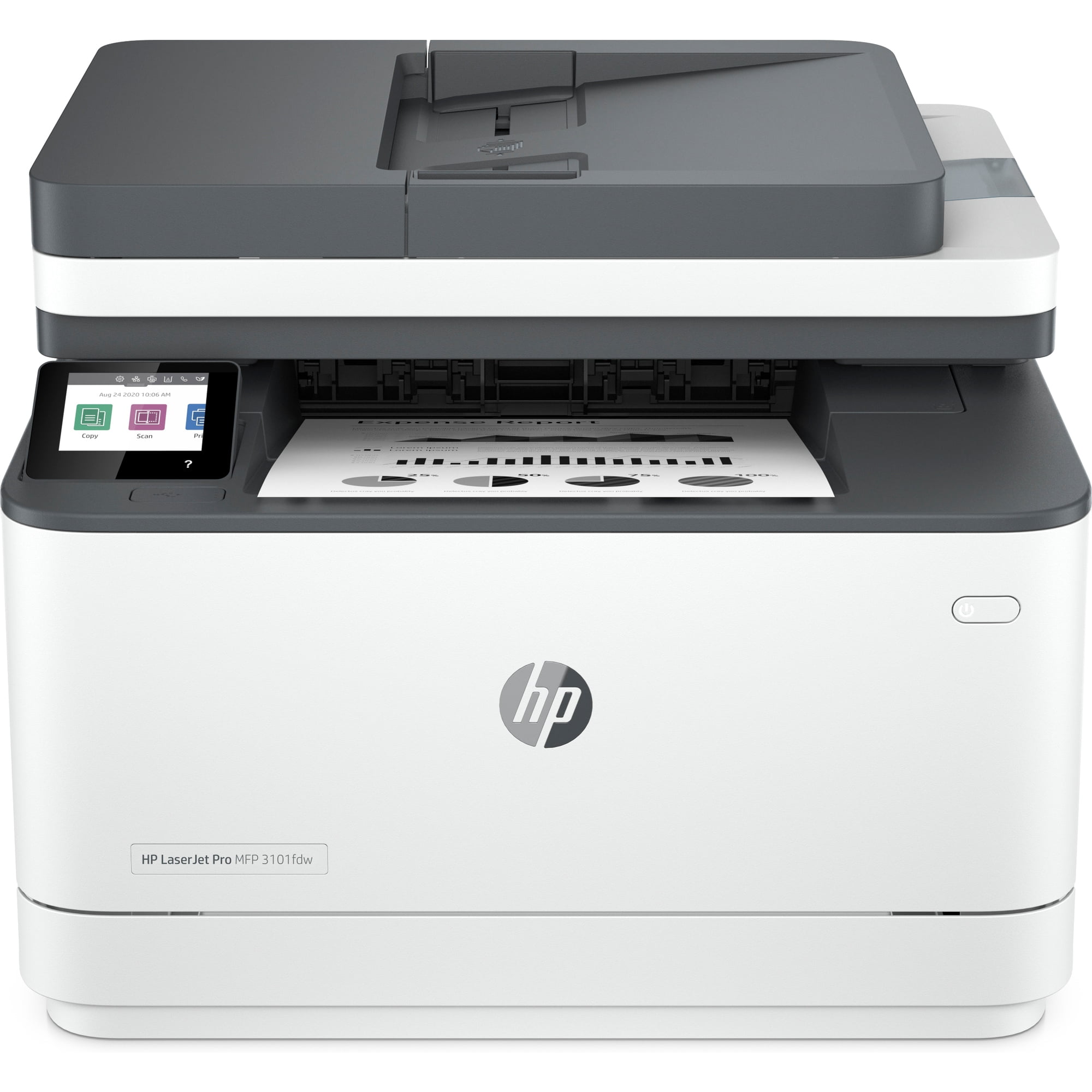
6. HP LaserJet Pro MFP 3101fdw — Best Black-and-White HP Printer for Office Work
Best For: Small offices and home-office users who print large amounts of text and forms but rarely need color.
The HP LaserJet Pro MFP 3101fdw is the most focused office printer in this list. It prints only black and white, but that limitation becomes an advantage if nearly every page you produce is an invoice, contract, report, shipping document or form.
HP rates output at up to 35 pages per minute, making it the fastest printer in this roundup for its core monochrome workload. It also prints, copies, scans and faxes, supports automatic two-sided printing and includes wireless connectivity.
HP positions the 3101fdw for teams of up to seven users and recommends a monthly volume of roughly 350 to 2,500 pages. That makes it a better fit for consistent office activity than low-cost household inkjets.
Laser printing is also less sensitive to long periods between jobs because toner does not dry in print heads the way liquid ink can. That can make a monochrome LaserJet attractive even for some lower-frequency offices that value predictable document output.
The limitation is obvious: there is no color. If presentations, charts, marketing materials or school projects need color regularly, the 3301fdw is the more complete laser solution.
People comparing a printer as part of a broader productivity setup can also see our best Dell laptops for work and study for current computer options aimed at similar office and study workloads.
Who should skip it: Anyone who needs routine color printing or photo output.
Alternative: HP Color LaserJet Pro MFP 3301fdw if color is essential.
Pros
✅ Up to 35 ppm printing
✅ Strong fit for text-heavy office workloads
✅ Print, copy, scan and fax
✅ Automatic two-sided printing
✅ Toner avoids ink-drying concerns
Cons
❌ Black-and-white printing only
❌ Unnecessary for very light household printing
❌ Larger investment than a basic home inkjet
Take your office efficiency up a notch with the HP LaserJet Pro MFP 3101fdw — fast printing, built‑in security, and cloud connectivity let you print, scan, and manage the device from anywhere. Upgrade your workflow today: order now or request a demo to see how it secures and simplifies daily tasks. Don't wait — equip your team with reliable, smart printing.
Other HP Printers We Considered
HP OfficeJet Pro 9135: This is a strong step-up OfficeJet for buyers with heavier workflows, but including both it and the 9125 would add substantial overlap. The 9125 better represents mainstream home-office needs in a six-product roundup.
HP Color LaserJet Pro 3201dw: The 3201dw is a compact current color laser worth considering when you need printing but not scanning, copying or faxing. For a broad work-and-home guide, the 3301fdw is more useful because it is a complete multifunction device.
HP OfficeJet Pro 9730e Wide Format: This model is relevant to buyers who need 11-by-17-inch printing, but wide-format output is a specialist requirement rather than a mainstream work-and-home need.
Basic HP DeskJet models: Entry-level DeskJets remain useful for occasional household printing, but current model transitions and their limited speed, paper capacity and running-cost advantages make the Envy 6555 a stronger general recommendation.
Why only six printers? HP sells many closely related variants. Adding several nearly identical OfficeJet, Envy or LaserJet models would make the choice harder without adding a new use case. The six picks above cover the major work and home printing needs without padding the list.
Which HP Printer Series Is Right for You?
HP DeskJet: Basic, Low-Volume Home Printing
DeskJet is HP’s entry-level direction for simple home printing. These printers make the most sense when purchase price matters more than speed, paper capacity or sophisticated office features.
They are suitable for occasional forms, recipes, homework and labels, but high-volume users should compare the cost of cartridges before assuming the cheapest printer is also the cheapest printer to own.
HP Envy: Home Documents and Photos
Envy is a better fit for households that want a more complete all-in-one. Models such as the Envy 6555 add conveniences like an automatic document feeder and duplex printing, while Envy Photo models push further toward borderless photos and creative projects.
Choose Envy when the printer will be shared across general household tasks rather than supporting a full business workload.
HP OfficeJet Pro: Home Offices and Small Businesses
OfficeJet Pro focuses on business-oriented inkjet printing. Compared with Envy, these printers generally offer faster document output, larger paper trays, stronger scanning features and better wired-networking options.
The OfficeJet Pro 9125 is the best example in this guide: it combines color inkjet flexibility with duplex scanning and a 250-sheet paper tray without moving into color-laser pricing.
HP Smart Tank: High Volume and Lower Cost Per Page
Smart Tank replaces small cartridges with refillable reservoirs. The purchase price is higher than many entry-level inkjets, but large bottles can make the running cost far more attractive for frequent printing.
This category works best when volume is predictable. A family printing worksheets, school materials and documents throughout the week can make much better use of a Smart Tank than a household printing one boarding pass every few weeks.
HP LaserJet: Fast Documents and Lower Maintenance
LaserJet is primarily about documents. Monochrome models are excellent for high-speed black text, while color LaserJets add charts, presentations and business graphics.
Laser printers also use toner rather than liquid ink, making them a sensible choice for users who dislike ink-drying concerns or want consistent document output after periods of inactivity.
What to Know Before Buying an HP Printer
Inkjet vs. Smart Tank vs. Laser
Choose a cartridge inkjet when purchase price is important and print volume is moderate. Choose Smart Tank when you print often enough for refillable ink economics to matter. Choose laser when fast, sharp document output and predictable maintenance are more important than photo quality.
None is automatically better. A $120 inkjet can be the correct printer for a light user, while a more expensive Smart Tank may save money for someone printing thousands of pages over several years.
Calculate Monthly Print Volume Before Comparing Prices
Start by estimating how many pages you actually print each month. Include schoolwork, return labels, tax documents, reports, invoices and photo projects rather than guessing from memory.
That estimate helps determine whether the low purchase price of an Envy is more important than the refill economics of Smart Tank or the speed and toner yield of LaserJet.
Low volume → Envy | Moderate office use → OfficeJet Pro | High color volume → Smart Tank | Heavy documents → LaserJet
An ADF Is Not the Same as Duplex Scanning
An automatic document feeder lets you load several pages at once. Duplex scanning goes further by capturing both sides of two-sided originals without requiring you to flip each sheet manually.
This distinction matters for contracts, invoices, forms and archived paperwork. The 3301fdw and OfficeJet Pro 9125 are particularly attractive for business users because they provide stronger two-sided scanning workflows than basic home models.
Purchase Price Is Only Part of Printer Cost
Printer cost includes ink or toner, replacement frequency, maintenance items and the number of pages you expect to print over the machine’s useful life.
A cartridge inkjet can be inexpensive to buy but costly for heavy volume. Smart Tank reverses that relationship by asking for more money upfront while including a large amount of refillable ink. Laser toner can also carry a higher replacement price while producing many more pages per cartridge.
The best comparison is cost over your expected workload, not the sticker price on the printer box.
Wi-Fi, Ethernet and Mobile Printing
Wireless printing is useful in homes where several laptops and phones share one printer. Ethernet is more valuable in a permanent office because it gives the printer a wired network connection rather than relying entirely on Wi-Fi.
Mobile-printing support such as AirPrint and Mopria can also simplify printing without installing a full desktop driver for every device.
HP Instant Ink Is Optional
HP Instant Ink is a subscription service that charges based on a monthly page allowance rather than the amount of ink used on each page. Eligible printers can report supply levels and trigger replacement shipments before ink or toner runs out.
The key point is that Instant Ink is not automatically required simply because an HP printer supports it. Trial offers can convert to a paid plan if they are activated and not cancelled, so read the specific offer before completing setup.
Instant Ink also should not be confused with HP+. They are separate programs.
HP+ Is Different From Instant Ink
HP describes HP+ as a cloud-connected printing system available on select compatible models rather than a subscription. When HP+ is activated on an eligible printer, HP says it requires an HP account, an internet connection and Original HP Ink for the lifetime of that printer.
Instant Ink remains a separate optional subscription. Cancelling Instant Ink does not itself remove HP+ requirements from a printer on which HP+ has already been activated.
Before setup: Check the exact printer model and HP+ terms before activating optional services. Do not assume all HP printers or all current non-e models have the same requirements.
Understand Dynamic Security
Several current HP printers disclose dynamic-security functionality. HP states that printers with this feature may block cartridges using non-HP chips or modified circuitry.
HP also states that cartridges using a reused HP chip can support reused, remanufactured or refilled cartridges in applicable cases. Because firmware and cartridge compatibility can change, buyers who plan to use third-party supplies should check the exact printer’s current documentation before purchase.
When You Actually Need Color
Color adds cost, so do not pay for it automatically. A tax office, legal office or document-heavy home business may be perfectly served by the monochrome LaserJet Pro 3101fdw.
Color becomes worthwhile when you regularly print charts, presentations, school projects, marketing material or photos. If those uses are occasional, compare the cost difference carefully rather than assuming color is mandatory.
Best HP Printer by Use Case
| Use Case | Best Pick | Why |
|---|---|---|
| Best overall work/home office | HP Color LaserJet Pro MFP 3301fdw | Fast color laser output, duplex ADF and strong office features |
| Home-office color printing | HP OfficeJet Pro 9125 | Fast business inkjet with duplex print/scan and Ethernet |
| High-volume color printing | HP Smart Tank 7603 | Refillable tanks and large included-ink yield |
| Basic family and student use | HP Envy 6555 | Affordable all-in-one with ADF and duplex printing |
| Casual home photos | HP Envy Photo 7975 | Dedicated photo tray and borderless output |
| Black-and-white office documents | HP LaserJet Pro MFP 3101fdw | Up to 35 ppm and office-focused monochrome laser printing |
Frequently Asked Questions
What is the best HP printer overall?
The HP Color LaserJet Pro MFP 3301fdw is our best overall pick for work and home-office users because it combines fast color document printing, duplex ADF scanning, networking, high toner yields and multifunction capability. Light home users can save money with an Envy or OfficeJet.
Which HP printer is best for home use?
The HP Envy 6555 is the best fit for light general home use because it is affordable and includes printing, scanning, copying, an automatic document feeder and automatic two-sided printing. Higher-volume households should consider Smart Tank 7603.
Which HP printer is best for an office?
Choose the Color LaserJet Pro MFP 3301fdw when you need color and strong multifunction features. If nearly all office printing is black and white, the LaserJet Pro MFP 3101fdw is faster and more focused on monochrome document workloads.
Is HP Smart Tank cheaper to run than OfficeJet?
Smart Tank is generally designed around lower ink cost per page because it uses refill bottles rather than small cartridges. OfficeJet Pro may be the better choice when faster printing and stronger office workflow matter more. Actual ownership cost depends on print volume and current supply prices.
Is an HP LaserJet better than an inkjet?
LaserJet is usually better for fast, sharp document printing and users who want toner rather than liquid ink. Inkjet is generally more flexible for photos and mixed color output. Smart Tank is particularly attractive when high-volume color printing and low ink cost matter.
Do I have to subscribe to HP Instant Ink?
No. Instant Ink is an optional subscription on eligible printers. Some printers may include a trial that converts to a paid plan if activated and not cancelled, so check the terms during setup. Instant Ink is separate from HP+.
What does dynamic security mean on an HP printer?
Dynamic security is technology HP uses on certain printers to evaluate cartridge chips or electronic circuitry. HP states that cartridges using non-HP chips may be blocked, while certain reused HP chips can support remanufactured or refilled cartridges. Check the exact model’s current policy before buying third-party supplies.
Final Verdict: Which HP Printer Should You Buy?
The HP Color LaserJet Pro MFP 3301fdw is the best HP printer in this group for serious work and home-office use. It delivers the strongest combination of speed, document quality, paper handling, duplex scanning and networking, provided its higher purchase price and larger footprint make sense for your workload.
The HP OfficeJet Pro 9125 is the better home-office inkjet for moderate color printing, while the HP Smart Tank 7603 is the smarter choice when frequent printing makes ink cost the priority. For lighter household use, the HP Envy 6555 keeps the initial investment lower.
Choose the HP Envy Photo 7975 when casual photos and creative projects matter alongside documents. If color does not matter at all, the HP LaserJet Pro MFP 3101fdw is the most focused and efficient office workhorse in the lineup.
Bottom line: Buy the 3301fdw for the best overall office experience, OfficeJet Pro 9125 for a balanced home office, Smart Tank 7603 for high-volume value, Envy 6555 for affordable home use, Envy Photo 7975 for casual photos, or LaserJet Pro 3101fdw for fast black-and-white documents.
Sources
- HP — Color LaserJet Pro MFP 3301fdw product specifications — 2026
- RTINGS — HP Color LaserJet Pro MFP 3301fdw Printer Review — test bench updated July 2026
- HP — OfficeJet Pro 9125 All-in-One Printer product information — 2026
- HP — Smart Tank 7603 All-in-One Printer product information — 2026
- HP — HP+ Smart Printing System FAQ — 2026
Product Groups: HP Color LaserJet Pro MFP 3301fdw, HP OfficeJet Pro 9125 All-in-One Printer, HP Smart Tank 7603 All-in-One Printer, HP Envy 6555 All-in-One Printer, HP Envy Photo 7975 All-in-One Printer, HP LaserJet Pro MFP 3101fdw