
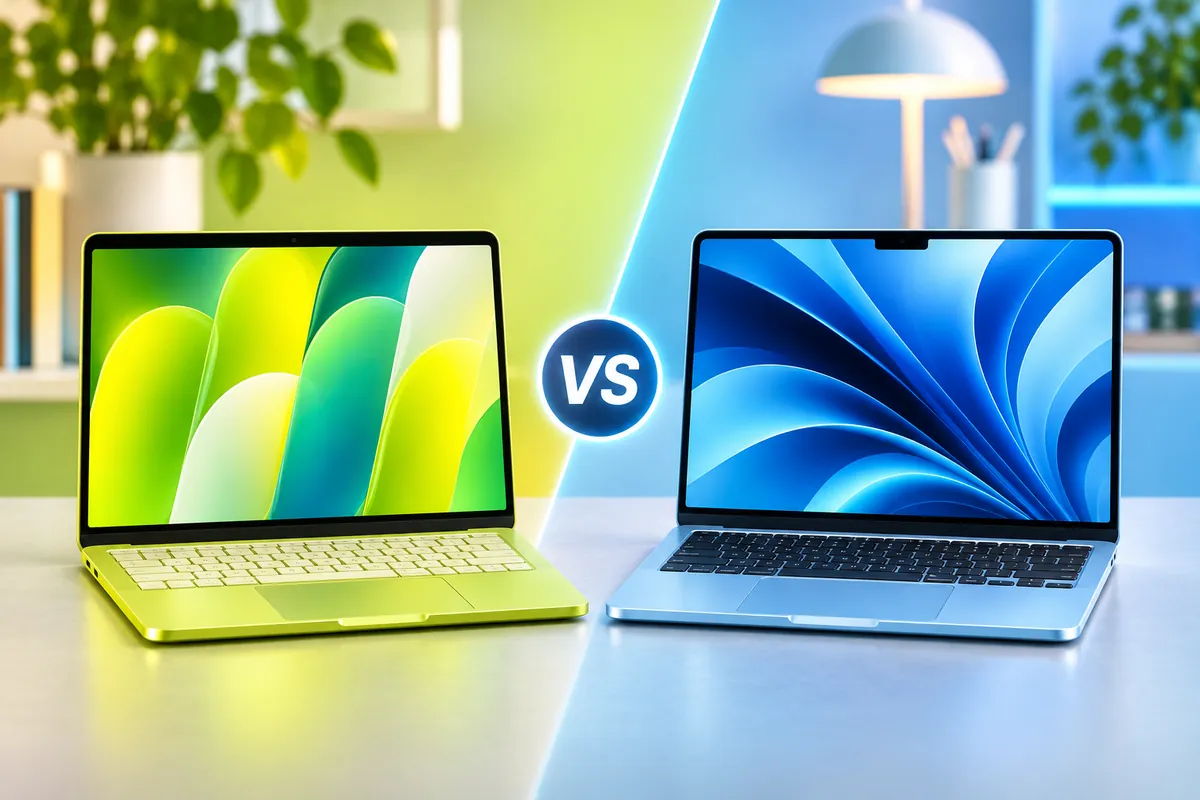
MacBook Neo vs MacBook Air
MacBook Neo vs MacBook Air: which Apple laptop should you buy? The MacBook Neo is the better value for students and everyday users who mainly browse the web, write documents, attend video calls, and stream entertainment. However, the 13-inch MacBook Air M5 is the stronger choice for demanding multitasking, programming, creative work, and people who want more flexibility from their laptop.
The biggest difference is price. As of November 2026, Apple’s U.S. starting prices are $699 for MacBook Neo and $1,299 for MacBook Air M5. That’s a $600 gap between the two base models. However, the Air includes twice the memory, twice the storage, a faster processor, and more advanced connectivity.
Both laptops run macOS, feature aluminum construction, and support Apple Intelligence. Both also offer portable designs and impressive battery life. Yet their limitations become clear when you open demanding applications, connect external displays, or work with large files.
We compared the official specifications, independent benchmark results, battery endurance, display quality, ports, and everyday usability. Whether you’re buying your first MacBook or upgrading an older laptop, this guide explains exactly what the additional money buys and when it’s worth spending.
Quick Answer: MacBook Neo or MacBook Air?
Which MacBook Should You Choose?
Best Budget MacBook: MacBook Neo — Ideal for browsing, documents, school assignments, streaming, and everyday productivity without paying for performance you may not need.
Best for Multitasking: MacBook Air M5 — Starts with 16GB of unified memory and a faster M5 processor, making it better suited to demanding workloads.
Best for Students: MacBook Neo for typical coursework; MacBook Air M5 for programming, design, media production, and memory-intensive applications.
Best for External Monitors: MacBook Air M5 — Supports up to two external displays, while MacBook Neo officially supports one.
Best Long-Term Flexibility: MacBook Air M5 — More memory, additional storage options, Thunderbolt connectivity, and greater processing headroom.
Our recommendation: Buy MacBook Neo when your needs are straightforward and keeping costs low matters most. Choose MacBook Air M5 if you regularly work with demanding software, need additional memory, or want a more capable laptop for changing workloads.
MacBook Neo vs MacBook Air M5: Specifications Compared
At first glance, both laptops look similar. They have compact aluminum bodies, sharp Liquid Retina displays, and Apple silicon processors. The differences become more important when you compare their internal hardware and connectivity.
| Feature | MacBook Neo | MacBook Air M5 (13-inch) |
|---|---|---|
| Processor | Apple A18 Pro | Apple M5 |
| CPU / GPU | 6-core CPU / 5-core GPU | 10-core CPU / 8-core GPU (base) |
| Base memory | 8GB unified memory | 16GB unified memory |
| Maximum memory | 8GB | 32GB |
| Base storage | 256GB SSD | 512GB SSD |
| Maximum storage | 512GB | 4TB |
| Display | 13.0-inch Liquid Retina | 13.6-inch Liquid Retina |
| Resolution | 2408 × 1506 | 2560 × 1664 |
| Color support | sRGB | Wide Color P3, True Tone |
| Apple-rated battery | Up to 16 hours video | Up to 18 hours video |
| Ports | USB 3 (USB-C), USB 2 (USB-C) | Two Thunderbolt 4, MagSafe 3 |
| External displays | One, up to 4K/60Hz | Up to two, depending on resolution |
| Camera | 1080p FaceTime HD | 12MP Center Stage |
| Keyboard | Non-backlit; Touch ID on 512GB model | Backlit with Touch ID |
| Wireless | Wi-Fi 6E, Bluetooth 6 | Wi-Fi 7, Bluetooth 6 |
| Weight | 2.7 lb | 2.7 lb |
| Current Apple U.S. starting price | $699 | $1,299 |
Both specifications describe their base configurations. Higher-end MacBook Air models offer additional memory, storage, and graphics options. MacBook Neo has a simpler configuration range.
Price and Value: Is MacBook Air Worth $600 More?






MacBook Neo is significantly more affordable, but MacBook Air includes important hardware upgrades. Apple’s current U.S. starting prices place the two laptops $600 apart.
That difference is substantial for students, families, and buyers who only need a computer for routine activities.
However, comparing price alone misses a crucial detail: the Air includes 16GB of memory and 512GB of storage, while Neo starts with 8GB and 256GB.
MacBook Neo: Lower Cost for Everyday Computing
The base MacBook Neo uses an A18 Pro chip, 8GB of unified memory, and a 256GB SSD.
Its $699 current Apple starting price makes it the most affordable new MacBook in the manufacturer’s lineup.
For writing, internet browsing, video calls, email, streaming, and basic school assignments, this configuration can provide a practical macOS experience.
However, buyers should understand that the 8GB memory configuration cannot be upgraded after purchase or ordered with more memory.
The 512GB Neo configuration adds storage and Touch ID, but its processor and memory remain the same. Therefore, paying for more storage doesn’t remove the machine’s primary multitasking limitation.
Compare MacBook Neo Prices
Check current offers for the exact 13-inch MacBook Neo with A18 Pro, 8GB memory, and 256GB storage. Exclude the 512GB Touch ID version when comparing the base model.
MacBook Air M5: More Hardware for the Money
The base 13-inch MacBook Air includes the M5 processor, 16GB memory, and a 512GB SSD.
These upgrades offer practical advantages for heavier multitasking and storing larger collections of applications, photos, and documents.
The Air also provides Thunderbolt 4, MagSafe charging, a more capable webcam, a wider-color display, and support for additional external screens.
For someone who works on a laptop for several hours every day, these improvements may be more valuable than the processor benchmarks alone.
However, if your workload consists mainly of short writing sessions and basic browsing, spending an additional $600 may provide little noticeable benefit.
Compare MacBook Air M5 Prices
Compare offers for the exact 13-inch MacBook Air M5 with 16GB unified memory and 512GB SSD. The base version uses an 8-core GPU, while other configurations may include a 10-core GPU.
What About Education Pricing and Holiday Discounts?
Apple offers education pricing to eligible students and educators. However, those prices differ from standard store prices, and eligibility requirements apply.
Retailers may also discount the two laptops during promotional events. A November 2026 retail offer could reduce the difference between them, especially when a particular color or configuration is discounted.
Compare the final price for the exact hardware, including any shipping costs. Don’t assume Apple’s current list price is the lowest available offer.
Value winner: MacBook Neo for basic computing. MacBook Air M5 for buyers who will make meaningful use of the extra memory, storage, processing performance, and connectivity.
A18 Pro vs M5: How Much Faster Is MacBook Air?
The M5 MacBook Air is substantially faster during demanding workloads, but the Neo remains capable of common everyday tasks.
The MacBook Neo uses Apple’s A18 Pro chip, originally developed for premium iPhone hardware. The MacBook Air uses the M5 processor, designed for a broader range of laptop computing workloads.
Both support modern macOS applications and Apple’s software ecosystem.
Independent Performance Benchmarks
Tom’s Guide tested both laptops using the same benchmark applications. Its results show a considerable advantage for MacBook Air M5.
| Benchmark | MacBook Neo | MacBook Air M5 |
|---|---|---|
| Geekbench 6 single-core | 3,535 | 4,191 |
| Geekbench 6 multi-core | 8,920 | 17,276 |
| Video conversion | 9 minutes, 57 seconds | 4 minutes, 34 seconds |
These results come from Tom’s Guide’s independent testing, not Discompare laboratory measurements. Higher Geekbench scores indicate better benchmark performance, while shorter video-conversion times indicate faster task completion.
The Air’s multi-core score is nearly twice the Neo’s in this test. That’s important for workloads that can use multiple processor cores effectively.
However, opening a document or checking email doesn’t automatically become twice as fast. Everyday responsiveness depends on the specific application, available memory, storage, and background activity.
Where MacBook Neo Performs Well
Neo is capable of routine computing tasks such as word processing, spreadsheets, email, presentations, web browsing, and streaming.
It can also run lighter photo-editing applications, compatible development tools, and less demanding creative software.
For students who mainly use browser-based academic platforms, the A18 Pro processor may provide all the performance they need.
Where MacBook Air Pulls Ahead
The Air becomes more attractive when you’re compiling larger software projects, processing substantial files, editing multiple video clips, or running demanding applications simultaneously.
Its faster processor and additional memory reduce the likelihood that one resource-intensive task will disrupt the rest of your workflow.
However, the Air is still a thin, fanless laptop. Extremely demanding sustained professional workloads may justify a more specialized MacBook Pro.
Performance winner: MacBook Air M5.
8GB vs 16GB Memory: The Most Important Difference?
For many buyers, the memory difference matters more than the processor difference.
MacBook Neo includes 8GB of unified memory, while the base M5 MacBook Air includes 16GB. The Air can also be configured with 24GB or 32GB.
Memory allows your computer to keep applications, documents, browser tabs, and active data readily available.
Is 8GB Enough for MacBook Neo?
Eight gigabytes can be sufficient for light workloads. For example, you may comfortably write an essay, research a topic, attend a video call, or work on a simple spreadsheet.
However, memory requirements increase when you combine numerous browser tabs, several applications, large documents, or demanding creative projects.
When the system runs short of physical memory, macOS can use storage as swap space. This helps keep applications running, but heavy swapping can reduce responsiveness.
The amount of slowdown depends on the task and how much memory is needed.
Why 16GB Makes MacBook Air More Flexible
Starting with 16GB provides additional headroom for multitasking.
This can help when using large development tools, editing images, running local development services, or keeping several demanding applications open.
It also makes the Air a more sensible choice when your future computing requirements are uncertain.
Still, more memory doesn’t guarantee a specific number of years of usefulness. Software changes, storage needs, and user expectations will continue to influence how well either laptop ages.
Buying tip: Decide how much memory you need before purchasing. Neither MacBook offers ordinary user-upgradeable RAM after purchase. Choose Neo when 8GB is genuinely sufficient; choose Air when additional memory is important to your work.
Memory winner: MacBook Air M5.
Display, Design, Keyboard, and Trackpad
Both laptops offer attractive aluminum designs, but Apple made several compromises to keep the Neo more affordable.
Display Quality: Is MacBook Air Noticeably Better?
MacBook Neo features a 13-inch Liquid Retina display with 2408 × 1506 resolution and 500 nits of rated brightness.
MacBook Air M5 has a slightly larger 13.6-inch Liquid Retina display with 2560 × 1664 resolution and the same manufacturer-rated 500-nit brightness.
Both screens are sharp enough for routine writing, browsing, watching videos, and schoolwork.
However, the Air supports the wider P3 color gamut and True Tone, while Neo uses sRGB color support without True Tone.
These differences matter more when working with color-sensitive photographs, illustrations, or design projects.
In Tom’s Guide’s display testing, the laptops were closely matched in brightness, supporting the view that Neo’s screen remains a strong option for ordinary use.
Display winner: MacBook Air M5 for its wider color support, True Tone, and slightly larger workspace.
Design and Portability
Both laptops weigh approximately 2.7 pounds, making them convenient for daily commuting and carrying between classes.
Neo is slightly smaller in overall footprint, although Air has a thinner body.
MacBook Neo is offered in Silver, Blush, Citrus, and Indigo. Its colors create a playful appearance, especially when paired with the matching keyboard design.
MacBook Air uses a more understated selection of Silver, Starlight, Midnight, and Sky Blue.
Neither design is objectively better. The decision comes down to personal preference and practical handling.
Keyboard and Trackpad Differences
One of the Neo’s clearest compromises is its keyboard.
The base Neo includes a non-backlit Magic Keyboard without Touch ID. The 512GB version adds Touch ID, but the keyboard remains non-backlit.
MacBook Air includes a backlit Magic Keyboard with Touch ID as standard.
The Air also has a Force Touch trackpad, supporting pressure-sensitive interactions and additional gestures. Neo uses a more basic Multi-Touch trackpad.
These features may not justify the full price difference on their own. However, keyboard lighting, fingerprint authentication, and trackpad responsiveness can matter when you use a computer for several hours every day.
Keyboard and trackpad winner: MacBook Air M5.
Battery Life and Charging: Which MacBook Lasts Longer?
Both laptops offer strong battery endurance, but MacBook Air M5 lasts longer in manufacturer ratings and independent testing.
Apple rates Neo for up to 16 hours of video streaming or 11 hours of wireless web use.
The M5 Air is rated for up to 18 hours of video streaming or 15 hours of wireless web use.
Independent Battery Results
Tom’s Guide tested both laptops using continuous web browsing over Wi-Fi at a specified display brightness.
| Laptop | Battery Test Result | Difference |
|---|---|---|
| MacBook Neo | 13 hours, 28 minutes | Baseline |
| MacBook Air M5 | 15 hours, 37 minutes | 2 hours, 9 minutes longer |
These results demonstrate that Neo can provide long battery life despite its lower price.
However, Air offers additional endurance, which could be valuable on days filled with lectures, meetings, or travel.
Real battery life varies with screen brightness, application activity, wireless connections, and battery condition.
Charging: USB-C vs MagSafe
Neo charges through either of its USB-C ports using a compatible charger. Apple includes a 20W USB-C power adapter with the standard package.
MacBook Air M5 features MagSafe 3 charging, which leaves its two Thunderbolt ports available for accessories.
It also supports faster charging with compatible higher-wattage USB-C power equipment.
MagSafe is especially convenient when you regularly connect multiple devices or want a dedicated charging connection.
Battery and charging winner: MacBook Air M5.
Ports and External Monitors: A Major Practical Difference
MacBook Air M5 is the clear winner for external displays and high-speed accessories.
Both laptops feature USB-C connections, but their capabilities are not equivalent.
MacBook Neo: Two USB-C Ports With Different Speeds
Neo includes one USB 3 port supporting data transfers up to 10Gb/s and one USB 2 port limited to 480Mb/s.
Both ports can handle charging, but external display output is available through the USB 3 port.
Apple officially supports one external monitor at up to 4K resolution and 60Hz, alongside the built-in laptop display.
That is sufficient for a simple home office arrangement with one external screen.
However, the USB 2 port is poorly suited to transferring large files from fast external SSDs. Buyers who regularly connect storage, monitors, and other peripherals may find the arrangement restrictive.
MacBook Air M5: Thunderbolt 4 and Two External Displays
Air M5 provides two Thunderbolt 4 ports with data speeds up to 40Gb/s, plus the separate MagSafe charging connection.
It supports up to two external monitors, with supported resolutions depending on the arrangement.
This makes the Air considerably more flexible for desk-based work. You can use compatible external storage, docking stations, displays, and other accessories.
The additional bandwidth also matters when moving large video projects or high-resolution image collections.
However, both computers may require compatible cables or adapters for HDMI, USB-A, and other connections.
Connectivity winner: MacBook Air M5.
Webcam, Speakers, and Video Calls
Video calling has become a normal part of school and work, making camera and audio quality important for everyday use.
MacBook Neo: Good Basic Video Calling
Neo includes a 1080p FaceTime HD camera, dual microphones, and a dual-speaker audio system.
These features are suitable for online classes, routine video meetings, and conversations with friends or family.
However, Neo doesn’t include the advanced camera-framing features available on the Air.
MacBook Air M5: More Capable Camera and Audio
MacBook Air M5 features a 12MP Center Stage camera with support for Desk View.
Center Stage can help keep you framed during supported video calls, while Desk View provides an additional view of your work surface.
The Air also features a four-speaker sound system and a three-microphone array.
These improvements may appeal to remote workers, tutors, presenters, and people who participate in frequent video meetings.
Webcam and audio winner: MacBook Air M5. Neo remains sufficient for typical online classes and casual calls.
Which MacBook Is Better for Students?
MacBook Neo is the more economical choice for typical coursework, while MacBook Air M5 is better for demanding academic software.
However, the student’s field of study matters more than the label on the laptop.
MacBook Neo for School and College
Neo can handle research, essays, presentations, online learning platforms, digital textbooks, and ordinary spreadsheets.
Its lightweight design also makes it easy to carry around campus.
Students who primarily work in browser-based applications may find the Neo sufficient throughout their studies.
It is also a sensible first MacBook for families who want a well-built laptop without paying for performance that may never be used.
Our affordable laptops for students guide
MacBook Air for Programming and Technical Courses
Air M5 becomes more attractive for students using integrated development environments, local databases, multiple development tools, or memory-intensive software.
Its 16GB base memory and additional processor cores provide more flexibility for these tasks.
However, students should confirm software compatibility before buying either Mac.
Some engineering, accounting, scientific, or institution-specific programs may require Windows or another supported environment.
Don’t assume that choosing the more expensive MacBook solves operating-system compatibility problems.
Which Is Better for Students Over Several Years?
The Air has a stronger hardware foundation for changing workloads, particularly because it starts with more memory and storage.
However, students with predictable, lightweight requirements may benefit more from saving $600.
If you’re purchasing for a younger student, also consider account management, school device policies, and parental-control requirements. Our laptops with parental controls guide
Student winner: Neo for ordinary coursework; Air M5 for more demanding academic and professional applications.
Which MacBook Is Better for Work and Creativity?
Office Work and Remote Productivity
For email, documents, calendars, and simple spreadsheets, both laptops can be suitable.
However, the Air is preferable for users who regularly combine large spreadsheets, video meetings, numerous browser tabs, and several applications.
Its better camera, keyboard, trackpad, and external-monitor support also make it more practical as a daily work machine.
Photo Editing and Graphic Design
Neo can handle basic photo adjustments and lighter creative projects using supported applications.
However, its 8GB memory and sRGB display make it less attractive for more demanding editing workflows.
Air M5 offers stronger graphics performance, additional memory, and wider P3 color support.
Those capabilities are especially useful for designers working with larger images or more complex documents.
Video Editing and Content Creation
Both laptops support hardware-accelerated media processing, including common video formats.
However, the M5 Air is considerably faster in the independent video-conversion test cited earlier.
It also starts with more storage, although large media libraries may still require external SSDs.
For routine short-form edits, Neo can be adequate. For frequent 4K production, multiple timelines, or demanding effects, the Air offers a stronger starting point.
Professional users working with large projects may want to compare the best MacBook Pro configurations for creatives before choosing either budget-oriented model.
What About Windows Laptop Alternatives?
Both Macs run macOS. That makes software compatibility an essential part of the decision.
Some applications work equally well on macOS and Windows, while others require specific operating systems or hardware features.
For shoppers considering a Windows alternative to the M5 Air, our MacBook Air alternatives guide
Work and creativity winner: MacBook Air M5, especially for sustained multitasking, development, and creative applications.
MacBook Neo: Pros and Cons
Pros
✅ Apple’s lowest-priced new MacBook.
✅ Capable A18 Pro processor for routine tasks.
✅ Sharp 13-inch Liquid Retina display.
✅ Long battery life for school and everyday use.
✅ Lightweight aluminum construction and colorful finishes.
✅ Full macOS experience without premium laptop pricing.
Cons
❌ Fixed 8GB memory limits demanding multitasking.
❌ Base 256GB storage may fill quickly.
❌ One USB-C port is limited to USB 2 speeds.
❌ Only one officially supported external display.
❌ No backlit keyboard.
❌ Touch ID requires the upgraded 512GB model.
MacBook Air M5: Pros and Cons
Pros
✅ Faster M5 processor for demanding applications.
✅ 16GB base memory with higher configuration options.
✅ 512GB starting storage.
✅ Wide Color P3 display with True Tone.
✅ MagSafe 3 and dual Thunderbolt 4 ports.
✅ Support for two external displays.
✅ Improved camera, speakers, keyboard, and trackpad.
✅ Longer battery life in independent testing.
Cons
❌ Costs $600 more at Apple’s current starting prices.
❌ More performance than many basic users need.
❌ Memory and storage upgrades increase the price further.
❌ Fanless design is not ideal for every sustained professional workload.
❌ Windows-only software may still be incompatible.
MacBook Neo vs MacBook Air: Which Should You Buy?
Both are good laptops for their intended audiences. The key is choosing based on your actual workload, not just the difference in benchmark results.
| Your Main Use | Recommended MacBook | Reason |
|---|---|---|
| Web browsing and email | MacBook Neo | Sufficient performance at a lower cost |
| Basic school assignments | MacBook Neo | Affordable and portable |
| Programming and development | MacBook Air M5 | More memory and processor capacity |
| Photo and graphic design | MacBook Air M5 | Stronger performance and P3 color display |
| Video editing | MacBook Air M5 | Faster rendering and more memory |
| Dual-monitor workspace | MacBook Air M5 | Supports two external displays |
| First family MacBook | MacBook Neo | Lower entry cost for simple needs |
| Daily professional multitasking | MacBook Air M5 | More memory and better connectivity |
Alternatives Worth Considering
MacBook Neo 512GB With Touch ID
The higher-storage Neo includes 512GB SSD capacity and Touch ID.
It’s useful for buyers who like the Neo’s lower-cost design but want additional local storage and fingerprint authentication.
However, it still has 8GB memory and the same A18 Pro processor. Don’t choose it expecting performance comparable to the M5 Air.
MacBook Air M5 15-inch
The 15-inch Air offers a larger display and more room for documents, spreadsheets, and creative work.
It is worth considering when screen space matters more than carrying the smallest possible laptop.
However, its higher price makes it less appropriate for strict budgets.
Discounted Older MacBook Air Models
Previous-generation MacBook Air models can offer good value when discounted appropriately.
However, compare memory, storage, battery condition, warranty, and remaining software support before purchasing.
A used MacBook with 8GB memory isn’t automatically better than a new Neo simply because it belongs to the Air family.
For more demanding professional requirements, consider whether a suitably configured MacBook Pro would provide better value than an upgraded Air.
Frequently Asked Questions
Is MacBook Neo good enough for college students?
Yes, for many students. MacBook Neo can handle documents, presentations, research, web-based learning, and video calls. However, students using demanding development tools, large creative applications, or specialized course software should check requirements carefully. MacBook Air M5 is better when additional memory and processing performance are necessary.
Is MacBook Air M5 worth $600 more than MacBook Neo?
It can be worth the difference when you regularly multitask, edit media, develop software, or connect multiple external displays. Air includes twice the base memory and storage, faster processing, and more advanced ports. However, Neo offers better value when your needs are limited to straightforward everyday computing.
Can MacBook Neo handle coding and video editing?
Yes, it can run compatible coding tools and perform lighter video-editing tasks. However, the fixed 8GB memory and less powerful processor limit its suitability for larger development environments, intensive editing, and sustained demanding workloads. MacBook Air M5 is the stronger choice for frequent professional or academic creative work.
Is 8GB RAM enough on MacBook Neo?
Eight gigabytes can be adequate for light browsing, documents, email, streaming, and basic schoolwork. However, demanding applications and heavy multitasking may require more memory. Because Neo’s RAM cannot be upgraded after purchase, buyers with higher memory requirements should consider MacBook Air M5.
Does MacBook Neo have Touch ID and a backlit keyboard?
The base 256GB MacBook Neo doesn’t include Touch ID. The 512GB version adds fingerprint authentication, but neither model has a backlit keyboard. The MacBook Air M5 includes both a backlit Magic Keyboard and Touch ID as standard features.
Which MacBook has better battery life?
MacBook Air M5 lasts longer in Apple’s ratings and the referenced independent test. Tom’s Guide measured 15 hours and 37 minutes for the Air and 13 hours and 28 minutes for Neo. Actual battery life varies according to applications, screen brightness, wireless use, and battery condition.
Can MacBook Neo connect to two external monitors?
Apple officially supports one external display up to 4K at 60Hz on MacBook Neo. MacBook Air M5 supports up to two external displays with compatible connections and supported resolutions. If dual-monitor productivity is important, Air M5 is the more appropriate choice.
Final Verdict: MacBook Neo vs MacBook Air M5
The MacBook Neo is our best-value recommendation for everyday users. Its lower price, capable A18 Pro processor, sharp display, and strong battery life make it appealing for students, families, and people with straightforward computing requirements.
However, the MacBook Air M5 is the better all-around laptop for demanding users. Its faster processor, 16GB starting memory, 512GB storage, Thunderbolt 4 ports, better camera, and improved external-display support offer meaningful advantages.
The Air also provides greater flexibility for buyers whose workloads may become more demanding.
At Apple’s current U.S. starting prices, the difference is $600. Whether that extra spending makes sense depends on how much you value the Air’s additional capabilities.
Our recommendation: Buy MacBook Neo if you mainly browse, write, study, and stream. Choose MacBook Air M5 if you frequently multitask, program, edit media, or use external monitors. Compare the exact configurations and current retailer prices before purchasing, and don’t pay for performance you won’t use.
Sources
- Apple — MacBook Neo: Official Technical Specifications
- Apple — MacBook Air M5: Official Technical Specifications
- Apple — U.S. Mac Store: Current MacBook Starting Prices
- Tom’s Guide — MacBook Neo vs MacBook Air M5: Tested Performance, Display, and Battery Comparison
- WIRED — MacBook Neo vs MacBook Air: Long-Term Testing and Buying Recommendations
Product Groups: Apple MacBook Neo 13-inch A18 Pro 8GB 256GB, Apple MacBook Air 13-inch M5 16GB 512GB