Best MacBook Pro for Creatives 2026
The best MacBook Pro for creatives depends on the software you use, the size of your projects, and whether you prioritize portability or maximum performance. For professional photographers, graphic designers, and many video editors, the MacBook Pro with M5 Pro offers a practical balance of processing power, memory, and price. The base M5 handles lighter creative workloads, while M5 Max is designed for demanding GPU-intensive production.
Apple’s current MacBook Pro lineup includes the 14-inch M5, 14-inch and 16-inch M5 Pro, and M5 Max configurations. The latest M5 Pro and M5 Max models arrived in March 2026, introducing higher memory bandwidth, faster storage, Thunderbolt 5 connectivity, and additional performance for professional applications.
However, buying the most expensive MacBook Pro does not automatically improve every creative workflow. A graphic designer working primarily in Illustrator and Figma has different requirements from a video editor managing multicamera 8K footage or a 3D artist rendering complex scenes.
This guide compares four MacBook Pro configurations for different creative professionals. We’ll examine CPU and GPU performance, unified memory, storage, display quality, portability, and real-world application requirements to help you choose the right machine without paying for upgrades you may never use.
Quick Answer: Which MacBook Pro Should Creatives Buy?
Best for Graphic Design: 14-inch MacBook Pro M5, 16GB/1TB — a capable starting configuration for Illustrator, Figma, everyday Photoshop, and lighter video work.
Best for Mobile Creatives: 14-inch MacBook Pro M5 Pro, 24GB/1TB — a more powerful portable option for photography, design, and professional editing on the move.
Best for Video Editing: 16-inch MacBook Pro M5 Pro, 24GB/1TB — a larger workspace and stronger processing configuration for demanding editing workflows.
Best for Advanced Production: 16-inch MacBook Pro M5 Max, 36GB/2TB — additional GPU performance, memory bandwidth, and media-engine resources for complex effects, 3D, and high-end video production.
How We Selected These MacBook Pro Configurations
We selected four configurations to match distinct creative requirements rather than treating every processor and screen-size combination as a separate recommendation.
Our evaluation considers Apple’s published specifications, U.S. starting prices, available memory and storage configurations, display capabilities, connectivity, and independent performance findings. Research includes Notebookcheck’s testing of the 16-inch M5 Pro and Tom’s Hardware’s assessments of the base M5 and M5 Max.
We also considered the practical differences between applications. Some creative tasks primarily benefit from fast CPU cores and sufficient memory. Others depend heavily on GPU resources, dedicated video engines, memory bandwidth, or the capacity to keep large projects in memory.
Discompare did not perform original hands-on or laboratory testing. Independent benchmark findings are relevant to the configurations tested by their publishers and should not be assumed to represent every version of a MacBook Pro.
Finally, we considered total ownership cost. A more expensive configuration is worthwhile when it addresses an actual workload limitation, not simply because it carries a higher-tier processor.
M5 MacBook Pro Models Compared
These four configurations represent different performance and portability requirements. Prices are Apple’s March 2026 U.S. starting-price references, not guaranteed current retailer offers.
| Configuration | CPU / GPU | Memory / SSD | Display | Best For | Starting Price |
|---|---|---|---|---|---|
| 14-inch M5 | 10-core / 10-core | 16GB / 1TB | 14.2-inch XDR | General design | $1,699 |
| 14-inch M5 Pro | 15-core / 16-core | 24GB / 1TB | 14.2-inch XDR | Mobile creative work | $2,199 |
| 16-inch M5 Pro | 18-core / 20-core | 24GB / 1TB | 16.2-inch XDR | Professional editing | $2,699 |
| 16-inch M5 Max | 18-core / 32-core | 36GB / 2TB | 16.2-inch XDR | Advanced production | $3,899 |
Important: A MacBook Pro family can include multiple CPU, GPU, memory, and SSD configurations. For example, the M5 Pro is available with different core counts, and M5 Max is offered with 32-core or 40-core graphics. Always compare the exact configuration rather than relying on the chip name alone.
Compare Current MacBook Pro Prices
MacBook Pro pricing can vary substantially by retailer, processor, memory, storage, and display option. Compare the current offers below, paying particular attention to the exact configuration rather than the advertised product family.


The 4 Best MacBook Pro Configurations for Creatives
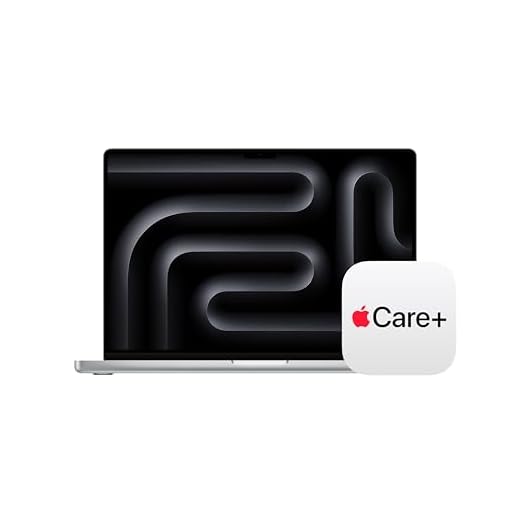
1. MacBook Pro 14-inch M5, 16GB/1TB — Best for Graphic Design
Best For: Graphic designers, UI/UX professionals, illustrators, creative students, and photographers working with moderate project sizes.
The 14-inch MacBook Pro with M5 is a capable starting point for creatives who need a premium display and responsive everyday performance without moving into the higher-priced M5 Pro or M5 Max tiers.
Its 10-core CPU and 10-core GPU handle mainstream creative applications, including Adobe Photoshop, Illustrator, Figma, and lighter video-editing workflows. The starting configuration combines 16GB unified memory with a 1TB SSD.
That storage capacity is particularly useful for designers who maintain local project files, fonts, applications, and working assets. However, memory is the more important limitation when handling very large layered files or running several demanding applications simultaneously.
The 14.2-inch Liquid Retina XDR display has a native resolution of 3024 × 1964, wide P3 color support, and ProMotion adaptive refresh rates up to 120Hz. Apple also specifies up to 1600 nits of peak brightness for HDR content.
For a designer working on websites, branding, presentations, and everyday image editing, the display is a meaningful advantage over many basic productivity laptops.
The M5 model also includes an SDXC card slot, HDMI, MagSafe 3, and three Thunderbolt 4 ports. It therefore provides useful connectivity for photographers and designers who regularly transfer files or connect external storage.
Tom’s Hardware’s independent review of the base M5 documented improvements over the previous generation, while highlighting the cost of upgrading memory and storage through Apple.
Configuration advice: Start with 16GB/1TB for general design. Consider 24GB or 32GB if you regularly work with large Photoshop files, several creative applications, or heavier editing projects. Check the cost against an M5 Pro configuration before upgrading.
Pros
✅ Strong performance for mainstream creative applications
✅ High-quality Liquid Retina XDR display
✅ 1TB starting storage
✅ Lower entry price than M5 Pro and M5 Max
Cons
❌ 16GB starting memory may constrain heavier workflows
❌ Less GPU performance than M5 Pro and M5 Max
❌ Thunderbolt 4 rather than Thunderbolt 5
❌ Memory and internal storage upgrades are expensive
Who should skip it: Creatives who regularly render complex 3D scenes, handle demanding multicamera timelines, or require substantial memory beyond the base configuration.
Alternative: The 14-inch M5 Pro with 24GB memory provides additional processing resources while retaining a compact design.
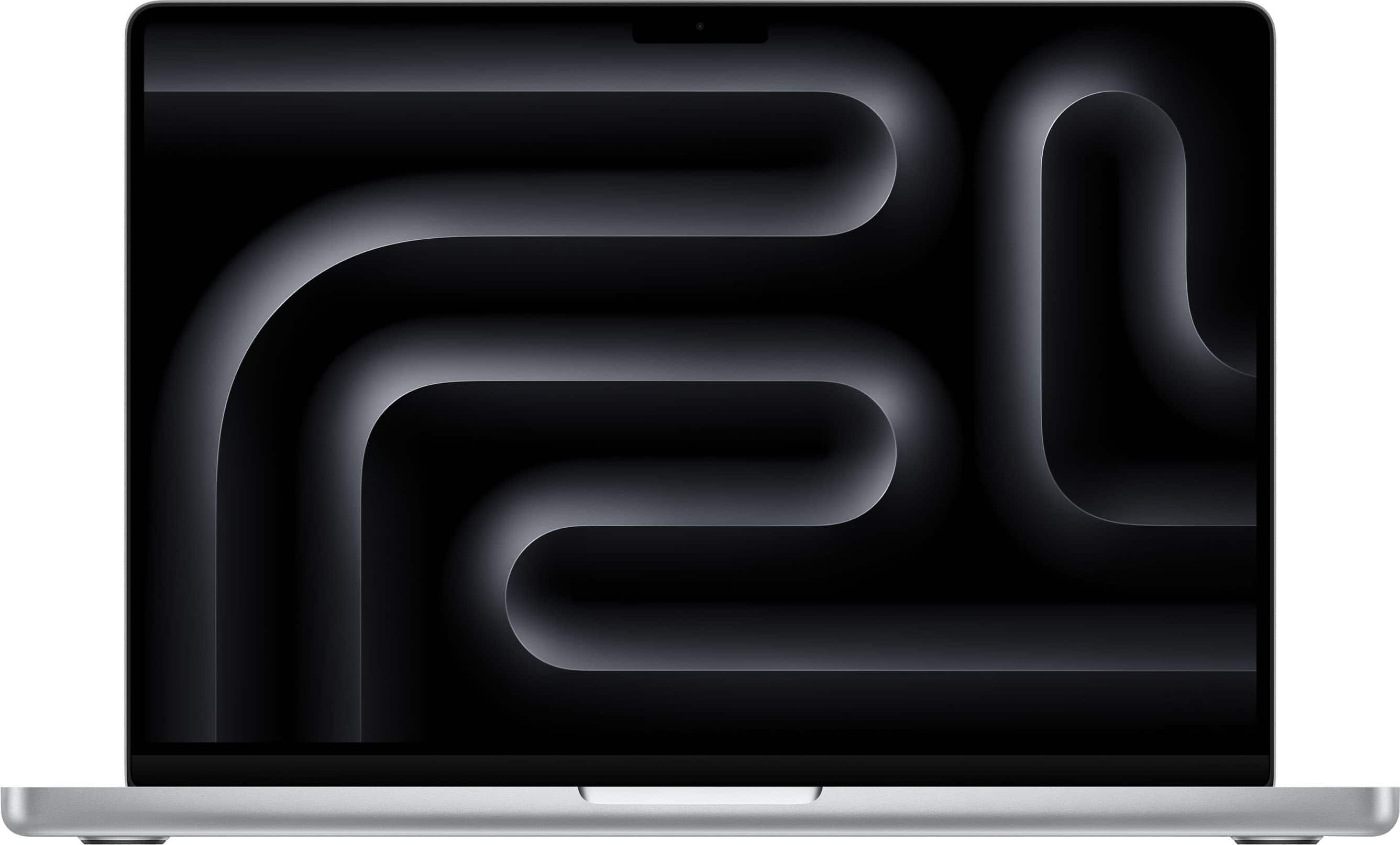
2. MacBook Pro 14-inch M5 Pro, 24GB/1TB — Best for Mobile Creatives
Best For: Professional photographers, designers, content creators, and video editors who frequently work away from a desk.
The 14-inch M5 Pro is a practical step up for professionals who need more processing power than the base M5 but still value portability.
Its starting configuration has a 15-core CPU, 16-core GPU, 24GB unified memory, and a 1TB SSD. The M5 Pro family offers 307GB/s of memory bandwidth, compared with 153GB/s for the base M5.
That additional bandwidth can help workloads that frequently move substantial amounts of image, video, or graphics data between processing resources. It does not mean every application will run twice as fast.
For photography, the combination of CPU performance, memory, and fast storage is relevant to large RAW libraries, batch exports, and complex Photoshop documents. For video editing, the M5 Pro also adds graphics resources while retaining hardware-accelerated support for H.264, HEVC, ProRes, and ProRes RAW.
Its 14.2-inch display provides the same class of XDR, P3, and ProMotion capabilities as the base 14-inch model. The key advantages are greater processing headroom, higher memory bandwidth, and Thunderbolt 5 connectivity.
The approximately 3.5 lb chassis is also easier to carry than a 16-inch MacBook Pro. That difference matters when traveling frequently between studios, client locations, classrooms, or shooting environments.
Configuration advice: The 24GB/1TB configuration is a reasonable starting point for professional photography and mobile editing. Consider additional memory when your actual project sizes require it, but confirm which memory upgrades are available with your chosen CPU/GPU configuration.
Pros
✅ More CPU and GPU resources than the base M5
✅ 24GB unified memory in the starting configuration
✅ Thunderbolt 5 for compatible high-speed accessories
✅ Compact 14-inch design for professional travel
Cons
❌ Higher starting price than the base M5
❌ Smaller workspace than the 16-inch model
❌ Extra memory and storage increase the price
❌ Not the highest-performance GPU configuration available
Who should skip it: Buyers who work almost exclusively at a desk and prefer a larger built-in display, or professionals whose workload requires substantially more GPU memory and processing resources.
Alternative: The 16-inch M5 Pro provides a larger screen and a higher-core starting configuration. The 14-inch M5 remains a lower-cost option for lighter creative work.
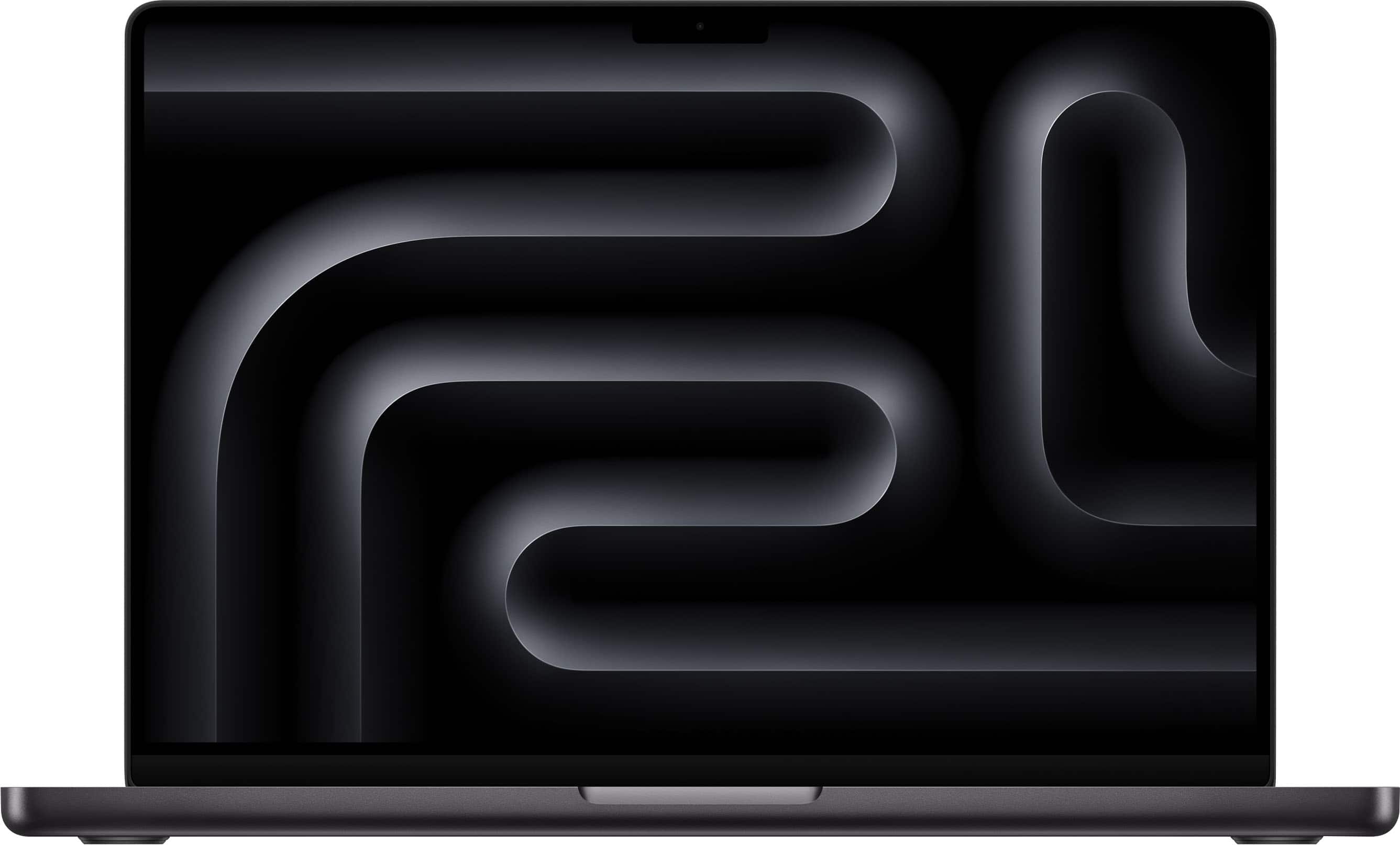
3. MacBook Pro 16-inch M5 Pro, 24GB/1TB — Best for Video Editing
Best For: Video editors, professional photographers, creative directors, and users who benefit from a larger built-in workspace.
The 16-inch MacBook Pro with M5 Pro is a strong configuration for demanding creative work without immediately moving into M5 Max pricing.
The starting configuration provides an 18-core CPU, 20-core GPU, 24GB unified memory, and 1TB SSD. Compared with the entry-level 14-inch M5 Pro, it also offers a larger 16.2-inch Liquid Retina XDR display with a native resolution of 3456 × 2234.
That additional screen area matters when working with a video timeline, preview window, effects controls, and media browser simultaneously. It is also useful for large Photoshop documents, Lightroom, and applications with extensive editing panels.
Notebookcheck’s independent March 2026 testing of the 16-inch M5 Pro examined performance in Photoshop, Lightroom, Premiere Pro, and DaVinci Resolve. Its results support the processor’s capabilities in professional creative applications.
However, benchmark figures from a higher-memory or otherwise upgraded test machine should not be presented as identical to the starting 24GB configuration.
Apple’s dedicated media engines help accelerate supported video formats, while Thunderbolt 5 provides connectivity for compatible high-speed external SSDs, docks, and professional peripherals.
The 16-inch M5 Pro also offers manufacturer-rated battery life of up to 24 hours for video streaming. Actual endurance during exports, rendering, and other intensive creative tasks will be substantially different from light media playback.
Its main trade-off is portability. At approximately 4.7 lb, the 16-inch model occupies more bag space and is noticeably heavier than its 14-inch counterpart.
Configuration advice: The 24GB/1TB version is a useful starting point for professional editing, particularly when footage can be stored on fast external drives. For large multicamera timelines, demanding effects, or simultaneous creative applications, evaluate a higher-memory configuration.
Pros
✅ Larger 16.2-inch Liquid Retina XDR workspace
✅ 18-core CPU and 20-core GPU starting configuration
✅ Strong independent creative-application performance evidence
✅ Thunderbolt 5 and dedicated media-processing engines
Cons
❌ Larger and heavier than the 14-inch models
❌ Higher entry price
❌ 24GB memory may be insufficient for particularly demanding projects
❌ Less GPU and media-engine capacity than M5 Max
Who should skip it: Frequent travelers who prioritize carrying weight, and users whose creative work does not require the larger display or additional CPU/GPU resources.
Alternative: Choose the 14-inch M5 Pro for a more portable editing machine, or M5 Max for workloads that demonstrably benefit from additional graphics and media-processing capabilities.
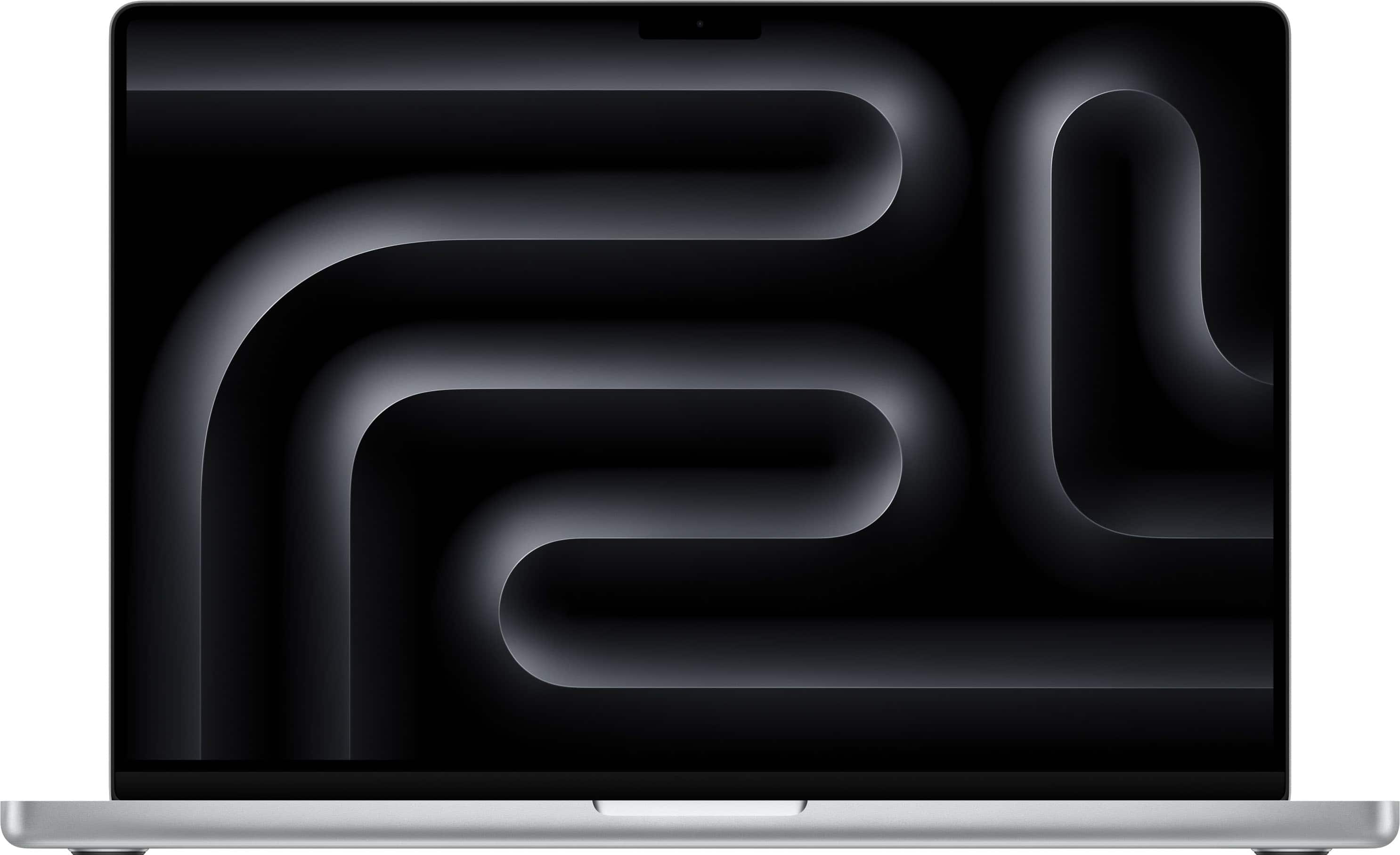
4. MacBook Pro 16-inch M5 Max, 36GB/2TB — Best for Advanced Production
Best For: Advanced motion graphics, complex visual effects, 3D rendering, high-end video production, and memory-intensive creative applications.
The 16-inch MacBook Pro with M5 Max is designed for professional workflows that can use substantially more GPU resources and memory bandwidth than the M5 Pro.
Its starting configuration combines an 18-core CPU, 32-core GPU, 36GB unified memory, and 2TB SSD. Apple specifies 460GB/s memory bandwidth for this M5 Max configuration, with a higher-tier 40-core GPU version providing up to 614GB/s.
For complex 3D scenes, GPU-accelerated effects, and advanced video processing, those additional resources can provide meaningful performance benefits. However, results depend on the application, project complexity, and whether the workload is actually limited by GPU resources.
M5 Max also includes two video encode engines and two ProRes encode/decode engines, compared with one of each on M5 Pro. This distinction is particularly relevant to supported professional video workflows that can use the additional hardware.
Apple offers higher-memory M5 Max configurations, but the available capacities depend on the specific GPU configuration. Professionals requiring 64GB or 128GB should verify the exact processor and memory combination before purchasing.
The 2TB starting SSD provides more working space for large media projects, although extensive video libraries may still require high-speed external or networked storage.
Tom’s Hardware’s independent testing of the 14-inch M5 Max demonstrates the platform’s high performance and premium pricing. Results from that chassis should not be treated as identical to every 16-inch configuration or sustained workload.
Configuration advice: Start with the 36GB/2TB model only if M5 Max’s additional resources address a known requirement. Higher memory and the 40-core GPU are worth evaluating for particularly complex scenes, demanding effects, or applications that consistently exhaust smaller configurations.
Pros
✅ Additional GPU performance for demanding creative workloads
✅ Higher memory bandwidth than M5 Pro
✅ Two video encode and two ProRes encode/decode engines
✅ 36GB memory and 2TB storage in the starting configuration
Cons
❌ Substantially higher acquisition cost
❌ Greater power demands during intensive workloads
❌ Unnecessary for many mainstream design tasks
❌ Higher-memory configurations increase the total price considerably
Who should skip it: Graphic designers, photographers, and editors whose current workloads perform comfortably on a base M5 or M5 Pro. Paying for unused GPU resources does not improve the value of an otherwise suitable configuration.
Alternative: The 16-inch M5 Pro provides a large professional display, capable media engines, and a lower starting price.
Which MacBook Pro Is Right for Your Creative Workflow?
Choosing a MacBook Pro for creatives starts with the applications you use most frequently. The same processor can deliver very different benefits in graphic design, photography, video editing, and 3D production.
Graphic Design and UI/UX
For Illustrator, Figma, branding projects, layouts, and ordinary Photoshop work, the base 14-inch M5 is a practical starting point.
These workflows generally benefit from responsive CPU performance, enough memory for large files and multitasking, and a color-capable display. A high-end GPU is less important unless you frequently use demanding effects, 3D features, or other accelerated tools.
If you maintain several large design files while running multiple applications, additional memory can provide more benefit than simply moving to a higher GPU tier.
Photography and RAW Editing
The 14-inch M5 Pro is a strong fit for photographers who work with large RAW libraries and regularly switch between Lightroom, Photoshop, and other tools.
CPU performance, memory, storage speed, and display quality all matter. Batch exports and demanding image operations can also benefit from additional processing resources.
For studio-based photography, the 16-inch M5 Pro provides a larger workspace. If accurate print output is essential, consider the entire color-management process, including the external monitor, calibration, lighting, and output profile.
Our Best Monitors for Designers guide covers external displays for photography, graphic design, and color-critical work.
Video Editing and Color Grading
The 16-inch M5 Pro is a practical starting point for professional video editing because it combines a larger timeline workspace with stronger CPU/GPU resources and dedicated media engines.
However, video performance depends on more than resolution. Codec, frame rate, effects complexity, timeline structure, memory usage, and storage speed all influence the experience.
For example, supported ProRes workflows can benefit from Apple’s dedicated media hardware, while GPU-heavy color grading and effects may benefit from M5 Max.
Do not assume every 4K project needs M5 Max or that every 8K project will run identically. Check the requirements of your specific editing software and footage.
Motion Graphics and 3D Production
For complex After Effects compositions, GPU-accelerated effects, and 3D rendering, M5 Pro and M5 Max deserve closer consideration.
M5 Max provides additional graphics resources and memory bandwidth, but its benefit depends on which operations your software accelerates and whether the project is CPU-, GPU-, or memory-limited.
Before purchasing, check application and plugin compatibility with macOS and Apple silicon. Certain professional workflows may require Windows-specific applications, GPU features, or drivers.
For those situations, compare appropriately configured Windows machines rather than assuming every creative application runs equally well on macOS. Our Budget Gaming Laptops guide provides an entry-level comparison of dedicated NVIDIA graphics, although specialized workstation requirements may demand a different class of system.
Illustration and Digital Art
For digital illustration, the base M5 can be sufficient for many workflows involving Photoshop, Illustrator, and compatible drawing applications.
One important limitation is that MacBook Pro does not provide a touchscreen or native Apple Pencil drawing surface. Artists who want direct pen input will need a compatible external drawing tablet, pen display, or a separate suitable device.
Verify compatibility with your preferred tablet, drivers, drawing software, and display configuration before buying.
M5 vs M5 Pro vs M5 Max: What Actually Changes?
The three processor tiers differ in CPU and GPU resources, memory bandwidth, available memory, connectivity, and media-processing capabilities.
| Feature | M5 | M5 Pro | M5 Max |
|---|---|---|---|
| CPU | 10 cores | Up to 18 cores | 18 cores |
| GPU | 10 cores | 16 or 20 cores | 32 or 40 cores |
| Memory bandwidth | 153GB/s | 307GB/s | Up to 614GB/s |
| Maximum unified memory | 32GB | 64GB | 128GB |
| Video encode engines | 1 | 1 | 2 |
| Thunderbolt | Thunderbolt 4 | Thunderbolt 5 | Thunderbolt 5 |
M5: Suitable for general graphic design, ordinary photography, illustration, and lighter editing tasks.
M5 Pro: Adds processing resources and memory bandwidth for demanding professional work, including larger image libraries, video editing, and complex multitasking.
M5 Max: Adds substantially more GPU resources, additional video engines, and access to higher memory capacities for advanced production.
The practical approach is to identify your workload’s current limitation before upgrading. Additional GPU cores won’t necessarily solve insufficient RAM, and a larger SSD won’t accelerate every CPU-bound operation.
How Much RAM and SSD Storage Do Creatives Need?
Unified memory and storage are important purchasing decisions because the MacBook Pro’s unified memory is not user-upgradeable after purchase.
16GB: General Design and Lighter Creative Work
For Figma, Illustrator, ordinary Photoshop documents, basic photography, and lighter video editing, 16GB can be an adequate starting point.
However, heavy browser multitasking, large layered images, numerous applications, and more demanding projects can increase memory requirements.
24GB: A Practical Professional Starting Point
For many photographers and video editors, 24GB provides useful additional headroom for multitasking and larger projects.
It is the starting memory capacity of the M5 Pro configurations selected in this guide.
36GB to 64GB or More: Specialized Workloads
Higher-memory configurations become relevant when projects regularly exceed smaller capacities, particularly in demanding motion graphics, 3D production, complex video work, and other memory-intensive applications.
Do not choose a memory capacity based solely on the size of your project files. Application architecture, effects, caching, and the number of simultaneous tasks all influence actual memory consumption.
Apple’s available memory upgrades vary by chip configuration. Verify the exact CPU/GPU combination required for the capacity you want.
How Much SSD Storage Is Enough?
A 1TB internal SSD is a practical starting point for many creative professionals. It provides space for applications, active projects, and local working files.
The M5 Max begins with 2TB, giving larger media projects more local space. However, professional video libraries can exceed even substantial internal storage capacities.
For large projects, consider a fast external SSD or a suitable network-storage workflow. Thunderbolt 5 on M5 Pro and M5 Max can be useful with compatible high-speed accessories.
External storage can provide flexibility, but it does not replace the need for reliable backups. Maintain independent copies of important project files.
Display, Ports, and External Monitors
MacBook Pro’s display and connectivity are important parts of its value for creative professionals.
Liquid Retina XDR and Color Work
The current MacBook Pro lineup uses Liquid Retina XDR displays with wide P3 color support, ProMotion adaptive refresh rates up to 120Hz, and high HDR brightness capabilities.
The 14-inch display has a native resolution of 3024 × 1964, while the 16-inch panel provides 3456 × 2234.
Apple also provides reference modes and an optional nano-texture display. These features can be useful for specialized workflows, although accurate color decisions still depend on the correct viewing environment and output requirements.
A display with wide P3 coverage is not automatically a substitute for a calibrated monitor designed for a particular print or video standard.
Thunderbolt, HDMI, and SDXC
All four selected configurations provide HDMI, an SDXC card slot, MagSafe 3, and USB-C connectivity.
The base M5 offers three Thunderbolt 4 ports. M5 Pro and M5 Max provide Thunderbolt 5, supporting compatible high-speed external devices and professional display arrangements.
For photographers, the built-in SDXC slot can simplify importing compatible media cards. For video editors, external SSD throughput, dock compatibility, and monitor support can be more important.
How Many External Displays Can You Use?
External-display support varies by chip. Apple specifies support for up to two high-resolution external displays with M5 Pro and up to four with M5 Max, depending on the connected display specifications and configuration.
Always check the precise resolution and refresh-rate limits before planning a multi-monitor workstation.
If you want a larger editing environment, compare the current options in our designer monitor buying guide before choosing an external display.
Should You Buy MacBook Pro or MacBook Air?
A MacBook Pro is not necessary for every creative professional. The MacBook Air can be a practical alternative for lighter design, photography, coursework, and everyday creative tasks.
The MacBook Pro becomes more relevant when you need a Liquid Retina XDR display, additional ports, sustained performance under demanding workloads, higher memory or GPU configurations, or the additional capabilities of M5 Pro and M5 Max.
MacBook Air uses a fanless design, making it suitable for users who prioritize portability and quiet operation. However, sustained heavy processing is a different requirement from ordinary creative multitasking.
If your budget is limited, prioritize application compatibility, sufficient memory, and a usable display before spending heavily on processor upgrades.
Our Most Affordable Laptops for Students guide covers lower-cost machines for coursework and general productivity. For Windows alternatives, see our MacBook Air alternatives and Best Dell Laptops for Work & Study guides.
Frequently Asked Questions
Which MacBook Pro is best for graphic designers?
The 14-inch MacBook Pro M5 with 16GB memory and 1TB storage is a practical starting point for Illustrator, Figma, ordinary Photoshop work, and general design. More memory or M5 Pro may be worthwhile when handling unusually large documents or intensive multitasking.
Is M5 Pro enough for professional video editing?
Yes, M5 Pro is capable of demanding professional editing. The 16-inch configuration provides a large workspace, strong CPU/GPU resources, and dedicated media engines. Whether M5 Max is worthwhile depends on the codec, project complexity, effects, memory requirements, and applications involved.
Do creatives need 36GB or 64GB of RAM?
Not universally. General design may work well with 16GB, while 24GB offers additional room for professional photography and editing. Higher capacities are relevant when large compositions, complex scenes, or simultaneous applications regularly exhaust smaller configurations.
Should I choose the 14-inch or 16-inch MacBook Pro?
Choose 14 inches when portability is the priority. The 16-inch model provides a larger built-in workspace, which is useful for timelines, editing panels, and detailed visual work. The 16-inch M5 Pro also starts with a higher-core configuration than the entry 14-inch M5 Pro.
Is M5 Max worth the extra cost?
M5 Max can justify its higher price when your applications use its additional GPU cores, memory bandwidth, media engines, or higher available memory capacities. For ordinary graphic design, photography, and lighter video editing, a suitable M5 or M5 Pro configuration may meet your requirements at a lower cost.
Is 1TB enough storage for a creative MacBook Pro?
1TB is a reasonable starting point for many design and photography workflows. Large video libraries, RAW archives, and extensive project caches may require additional internal or external storage. Plan for both working space and a separate backup strategy.
Can I use a MacBook Pro for digital drawing?
Yes, with compatible creative software and an external drawing tablet or pen display. MacBook Pro does not provide a touchscreen or native Apple Pencil drawing surface. Verify tablet drivers, software compatibility, and display requirements before purchasing.
Final Verdict: Which MacBook Pro Should Creatives Buy?
For graphic designers and creative students, the 14-inch M5 provides a capable entry point with a professional display, useful connectivity, and 1TB starting storage.
The 14-inch M5 Pro is a strong fit for photographers and mobile creative professionals who need additional performance without moving to a larger laptop.
For video editing and other demanding workflows that benefit from a larger display, the 16-inch M5 Pro offers a practical balance of processing resources and screen space.
Choose the 16-inch M5 Max when your workload requires its additional GPU performance, memory bandwidth, media engines, or higher memory configurations. It is a specialized investment rather than an automatic upgrade for every creative professional.
Graphic Design: 14-inch M5, 16GB/1TB
Mobile Creative Work: 14-inch M5 Pro, 24GB/1TB
Professional Video Editing: 16-inch M5 Pro, 24GB/1TB
Advanced GPU-Intensive Production: 16-inch M5 Max, 36GB/2TB
Before buying, identify your most demanding applications, check their memory and GPU requirements, and compare the exact configuration available from each retailer. The right MacBook Pro is the one that supports your actual creative workflow without requiring you to pay for capabilities you won’t use.
Sources
- Apple — Apple Introduces MacBook Pro with M5 Pro and M5 Max
- Apple — MacBook Pro Technical Specifications
- Notebookcheck — Apple MacBook Pro 16 M5 Pro Review
- Tom’s Hardware — Apple MacBook Pro 14-inch M5 Review
- Tom’s Hardware — Apple MacBook Pro 14-inch M5 Max Review
Product Groups: Apple MacBook Pro 14 M5 16GB 1TB, Apple MacBook Pro 14 M5 Pro 24GB 1TB, Apple MacBook Pro 16 M5 Pro 24GB 1TB, Apple MacBook Pro 16 M5 Max 36GB 2TB